1
Information on Software and Programme List Updates
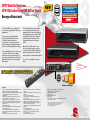
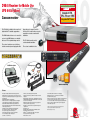
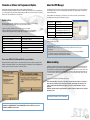
About the PVR Manager
Kathrein updates (software and programme lists) are usually provided in two different ways:
via satellite and on the website “www.kathrein.de” (ServicegSoftware and DownloadgReceivers). On www.kathrein.de,
you can get information on the latest software and programme lists available for your receiver, at any time. You will also
be able to view a list of all the differences to the older version.
The PVR manager offers various options to perform uploads and downloads between your receiver and a PC/laptop via
network/USB/RJ 11-RS 232 connection. Software and instruction manuals can be downloaded free of charge from our
website “www.kathrein.de”.
During installation of the PVR manager, you can define the receiver on which you intend to use the PVR manager.
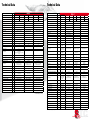
The PVR Manager currently supports the following receiver types:
Update options
There are several ways to update your Kathrein receiver. These options can differ from receiver to receiver.
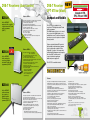
The following update options are available for the receivers presented in this brochure:
• Update via satellite (for all satellite receivers, no PC with Internet access required)
• Update via PVR manager (software must first be downloaded to a PC/laptop from “www.kathrein.de”)
• Update via USB stick (software must first be downloaded to a PC/laptop from “www.kathrein.de”)
UFS 922, UFS 910, UFS 912, UFS 822, UFS 821
Update possible through all three means
UFS 902, UFS 903, 904 and 940
Update via satellite or USB stick
UFS 700, 705, 710, 712 and 740
Update via satellite or PVR manager
UFC 861
Update via PVR Manager or via USB stick
UFS 790, 733, 650 and 640
Update via satellite
UFT 675
see “www.kathrein.de”
UFC 762
Via cable, only if provided by the cable network operator
The receivers UFS 922, 912, 904 and 940 offer a special feature
After being switched into stand-by mode, the receivers will automatically check if new software or a programme list is
available to be downloaded via satellite. If a new software/programme list is available, the receivers will display the following message the next time they are started as seen here in the UFS 922:
UFS 922, UFS 912
Network connection
UFS 910
Network connection
UFS 822
Network connection
UFS 700, 705 and 710
Connection via RJ 11 (receiver) and
RS 232 (PC/laptop) (as of software version 2.10)
UFS 712 and 740
Connection via RJ 11 (receiver) and
RS 232 (PC/laptop) (as of software version 2.01)
UFC 861
Network connection
After you have defined the receiver in use and software installation has been completed, you can then use the various
functions the PVR manager offers.
Note on UFS 7xx:
The required cable (RJ 11 to RS 232 and a null modem cable) can be ordered from our Service Centre,
ESC in Grassau:
The address is ESC Electronic Service Chiemgau GmbH · Bahnhofstraße 108 · 83224 Grassau/GERMANY
Tel.: ++49(0) 86 41 95 45-0 Fax: ++49(0) 86 41 95 45 35 or 95 45 36
E-mail: [email protected] Internet: http://www.esc-kathrein.de
About recording
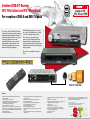
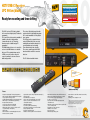
In addition to the Kathrein receivers with an integrated hard disk (UFS 922, UFS 822 and UFC 861) which include a standard recording function, it is also possible to record broadcasts with the HDTV receivers UFS 912, UFS 910, UFS 904,
UFS 903 and UFS 902. To do this, an external USB storage medium must be connected to one of the two USB 2.0 interfaces on the receiver‘s rear panel. The unit can then not only record broadcasts transmitted in standard format but also
record those broadcast in HDTV format. Needless to say, the receiver can also play back recordings saved on the USB
storage medium.
In order to use this new function, the following must be observed:
Please note that the USB 2.0 socket on the receiver only has an output current of 500 mA. For some hard disk
drives, this current is insufficient for smooth operation. To guarantee optimal supply to the hard disk, you can
either use a hard disk drive with a built-in power supply or you can insert a USB 2.0 hub with its own power
supply unit.
Furthermore, the USB external storage medium must be formatted to “FAT32”. Formatting can also be performed
through the receiver!
Note: Kathrein recommends the UFZ 110 USB hard disk.
Kathrein offers a special service for software updates. You can register for an infoservice
newsletter on “www.kathrein.de” and automatically receive an e-mail as soon as new
software is available for your receiver.
S TC
41
Satellite
Terrestrial
Cable