1
DANGER! Avoid Powerlines!
You Can Be Killed!
When following the instructions in this guide to install the antenna take
extreme care to avoid contact with overhead power lines, lights and
power circuits. Contact with power lines, lights or power circuits may be
fatal. We recommend to install antenna no closer than 20 feet to any
power lines.
Safety: For your own protection, follow these safety rules.
▫
▫
▫
▫
▫
Perform as many functions as possible on the ground
Do not attempt to install the antenna on a rainy, windy or
snowy day or if there is ice or snow accumulation at the install
site or if the site is wet.
Make sure there are no people, pets, etc. below when you are
working on a roof or ladder.
Watch out for any power lines which may be overhead, underground or behind walls., keeping safely clear of them with the
antenna, ladders or any tools.
See appendix for FCC RF exposure guidelines
Recommended Tools: Pliers, Screws and screwdriver if
mounting to a wall. NOTE: You should be familiar with using
tools such as these before attempting installation of the antenna.
You should be comfortable with working on a ladder.
Getting Started
It is recommended that you setup the EZ-Bridge™system in a
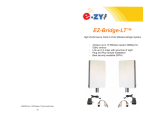
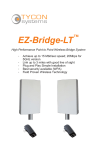
single room to get acquainted with the operation of the units before installing outdoors. Connect 1 EZ-Bridge™ to your router, switch or computer and just power up the other EZ-Bridge™. Make sure the antennas are pointing away from each other for best results. After powering
up each unit, you should be able to communicate with each unit by typing it’s IP address into a standard browser.
Note: We highly recommend connecting the EZ-Bridge™ power supply to a surge protected outlet or an Uninterruptable Power Supply system. We also recommend using only shielded and grounded CAT5 cable between the antenna and the POE Inserter and between the POE
Inserter and the router or PC. This will help prevent damage from lightning and electrical surges caused by lightning.
2