1
Chapter 2: Motherboard Installation
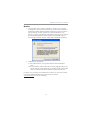
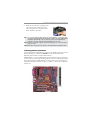
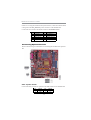
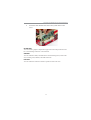
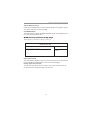
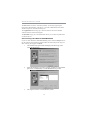
G. Make sure the CPU fan is plugged to the
CPU fan connector. Please refer to the
CPU cooling fan user’s manual for more
detail installation procedure.
Note 1:To achieve better airflow rates and heat dissipation, we suggest that
you use a high quality fan with 3800 rpm at least. CPU fan and heatsink
installation procedures may vary with the type of CPU fan/heatsink
supplied. The form and size of fan/heatsink may also vary.
Note 2:The fan connector supports the CPU cooling fan of 1.1A~2.2A (26.4W
max.) at +12V.
Note 3:DO NOT remove the CPU cap from the socket before installing a CPU.
Installing Memory Modules
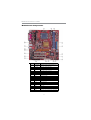
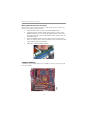
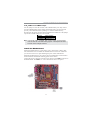
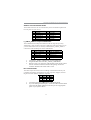
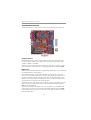
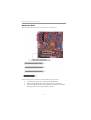
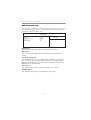
This motherboard accommodates two 184-pin 2.5V DIMM sockets (Dual Inline
Memory Module) for unbuffered DDR400/333/266 (Double Data Rate
SDRAM), and maximum 2.0 GB installed memory.
DDR SDRAM is a type of SDRAM that supports data transfers on both edges
of each clock cycle (the rising and falling edges), effectively doubling the memory
chip’s data throughput. DDR DIMMs can synchronously work with 400/333/
266 MHz memory and provide 3.2 GB/s, 2.7 GB/s, 2.1 GB/s and 1.6 GB/s data
transfer rate.
9