1
Table of Contents
Table of Contents
Product Overview ................................................................................ 4
Package Contents ......................................................................... 4
System Requirements ................................................................. 4
Introduction ................................................................................... 5
Features............................................................................................ 7
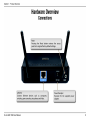
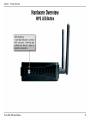
Hardware Overview ..................................................................... 8
Connections ........................................................................... 8
LEDs ........................................................................................... 9
WPS LED/Button..................................................................10
Installation ............................................................................................11
Operation Modes........................................................................11
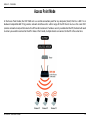
Access Point Mode .............................................................12
Wireless Client Mode .........................................................13
Repeater Mode ....................................................................14
Bridge Mode .........................................................................15
Bridge with AP Mode ........................................................16
WISP Client Router Mode.................................................17
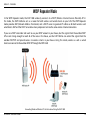
WISP Repeater Mode .........................................................18
Wireless Installation Considerations ....................................19
Coniguration.......................................................................................20
Web-based Coniguration Utility ..........................................20
Wireless Setup Wizard ...............................................................21
Access Point Mode .............................................................22
Repeater Mode ....................................................................26
Wireless Client Mode .........................................................32
D-Link DAP-1360 User Manual
Add Wireless Device With WPS ..............................................38
Manual Coniguration ...............................................................40
Wireless Settings .................................................................40
Access Point Mode ........................................................41
Repeater Mode ...............................................................43
Wireless Client Mode ....................................................44
Bridge Mode ....................................................................45
Bridge with AP Mode....................................................46
WISP Repeater/Client Router Modes ......................47
WAN Settings .......................................................................48
Dynamic IP (DHCP) ........................................................48
Static IP ..............................................................................49
PPPoE .................................................................................50
PPTP ....................................................................................51
LAN Settings .........................................................................52
Static IP ..............................................................................53
Advanced ......................................................................................54
Advanced Wireless .............................................................54
Access Control .....................................................................55
User Limit...............................................................................56
Port Forwarding (WISP modes only)............................57
Port Filter (WISP modes only).........................................58
DMZ (WISP modes only) ..................................................59
Parental Control (WISP modes only)............................60
Advanced Network (WISP modes only)......................61
2