1
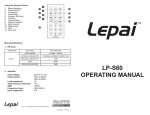
Using the Remote Control
1. Mode Switching
2. Power On/Off
3.Previous
4. Pause/Play and Channel Up
5. Volume Down
6. Switch Equalizer and Channel Down
7. Repeat Key
8. Numeric Keypad
9. Mute Volume
10.Next
11. Volume Up
12. Scan FM
TM
Main Specifications:
1. FM Tuner
MODEL NO.
TEST SPEC
FM CONDITION
TUNED RANGE
87.5MHz - 108MHz
ANTENNA TERMINATION
EXTERNAL ANTENNA CONNECTION
LP-A68
PRACTICAL SENSITIVITY
16dB
SNR
SEPARATION DEGREE
60dB
39dB
2.Amplifier
Input Voltage:
DC9-14.4V ≥5A
Output power:
15W×2 Channels
Load impedance:
2-8Ω
Total Harmonic Distortion: <1%
SNR:
>80dB
Frequency range:
20Hz-20KHz
Input impedence:47K
TM
Lepai™ is a registered trademark of parts-express.com
Last Revised: 4/15/2014
LP-A68 AMPLIFIER
OPERATING MANUAL
Before operating, please read this manual completely
Features:
• Compatible play function of SD/MMC/USB
• Electronic control system of High-performance FM
• Digital Volume Control
• Input and output of RCA
• Preset radio automatic storage function:when electing to use FM, there are
30 preset radio storage capabilities
• Input voltage DC 12V
• Infrared Remote Control
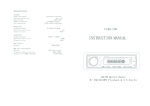
Panel function diagram: (Long press means press and hold button)
1
PRESS
VOLUME/POWER
PRESS
7
2 BASS
8PLAY/PAUSE/SCAN
3
9
TREBLE
PREV CHANNEL
VOLUME DOWN
VOLUME UP
4
SD/MMC SOCKET
10
NEXT CHANNEL
5
USB SOCKET
11
MODE SWAPPING
6
REMOTE CONTROL RECEIVER
Front Panel:
Back Panel:
LONG PRESS
STATUS INDICATOR LAMP
Basic Operations:
1. Power On/Off Operation: If charged with electricity for the first time, it will
appear the default status—AUX status. If without disconnection from the ACC
wire hereafter, it will automatically revert to the state before turning off (such as
state of SUB, SD/MMC, AUX or FM radio).
(1) Switch on: In the state of switching off, spin the volume button clockwise
to switch it on.
(2) Switch off :In the state of switching on, using moderate force to spin the
volume button anticlockwise to switch it off.
(3) In the state of turning on, repeat the on the remote device to achieve
soft switch.
2. Volume Adjustment: Spin the button of "VOLUME" clockwise or anticlockwise
to increase or decrease the volume gradually. In the mode of FM. USB, the volume
can also be adjusted through controlling the buttons on the remote device.
3. Volume Adjustment: Spin the buttons of "TREBLE", "BASS" clockwise or
anticlockwise to change range of high pitch and low pitch of the music, which is
helpful to get sound effects that you want.
4. Mute Operated: "MUTE" could be operated by gently pressing the button
on the remote.
5. Pause/Play Operated: "Pause /play" could be operated by gently pressing the
"PLAY/SCAN" button.
6. Song Selected: A forward or backward song selections could be operated by
shortly pressing the "PREV/CH-" or "NEXT/CH+" button, or by pressing the
number keys on the remote.
7. Song Repeated: Song could be repeated when pressing the button on
the remote.
8. Model Transferred: When USB, SD/MMC are all plugged into the machine,
model could be transferred by shortly pressing the button "MODE", and the
order is USB→SD/MMC→AUX→FM. The corresponding icon will be displayed
on the screen, and the priority of the USB and SD/MMC would be determined
by the order of insertion, and the latter means the higher priority.
9. AUX Operated: The machine could be into a state of "AUX", then the screen
displayed "AUX" by shortly pressing the button "MODE". At this time if an
external audio source (such as the walkman)is connected into the input
interface "RCA", you could play out over the loudspeaker. At the state of "AUX",
model could be transferred by shortly pressing the button "MODE" or plugging
the USB and SD/MMC card.
10.Sound Effects: In the state of USB and SD/MMC, repeated pressing
the button on the remote could convert the sound effects. The order is
POP→CLASSIC→JASS→ROCK.
11.Radio Operated: In the state of “FM”, gently pressing "NEXT/CH+" or button
on the remote can making into a state of the automatic searching and
storage,Then machine would automatically turns to play "1" channel. Switch
different channels by shortly pressing “CH + "or" CH - ".