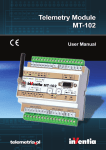
1
Telemetry Module MT-100 User Manual GSM/GPRS Telemetry Module for monitoring and control MT-100 Class 1 Telecommunications Terminal Equipment for GSM 850/900/1800/1900 INVENTIA Sp. z o.o v1.48 MT-100 © 2011 Inventia Ltd. Wszelkie prawa zastrzeżone. Żaden fragment niniejszego dokumentu nie może być powielany lub kopiowany w żadnej formie bez względu na stosowaną technologię – graficzną, elektroniczną lub mechaniczną, włączając fotokopiowanie i/lub zapis cyfrowy, również w systemach przechowywania i wyszukiwania dokumentów – bez pisemnej zgody Wydawcy. Nazwy produktów wymienionych w niniejszym dokumencie mogą być Znakami Towarowymi i/lub zastrzeżonymi Znakami Towarowymi należącymi do odpowiednich Właścicieli. Wydawca i Autor oświadczają, że nie roszczą do tych znaków towarowych żadnych praw. Pomimo, że niniejsze opracowanie tworzone było z zachowaniem wszelkiej należytej staranności, zarówno Wydawca jak i Autor nie ponoszą żadnej odpowiedzialności za błędy lub pominięcia w jego treści jak również za straty wynikłe z wykorzystania zawartej w niniejszym opracowaniu informacji lub ewentualnie towarzyszącego jej oprogramowania. W żadnym wypadku Wydawca lub Autor nie będą odpowiedzialni za utratę zysku lub inne straty, w tym handlowe, spowodowane lub rzekomo związane, bezpośrednio lub pośrednio, z niniejszym opracowaniem. All rights reserved. No parts of this work may be reproduced in any form or by any means - graphic, electronic, or mechanical, including photocopying, recording, taping, or information storage and retrieval systems - without the written permission of the publisher. Products that are referred to in this document may be either trademarks and/or registered trademarks of the respective owners. The publisher and the author make no claim to these trademarks. While every precaution has been taken in the preparation of this document, the publisher and the author assume no responsibility for errors or omissions, or for damages resulting from the use of information contained in this document or from the use of programs and source code that may accompany it. In no event shall the publisher and the author be liable for any loss of profit or any other commercial damage caused or alleged to have been caused directly or indirectly by this document. Publisher: INVENTIA Sp. z o.o. ul. Kulczyńskiego 14 02-777 Warszawa Tel: +48 22 545-32-00 [email protected] www.inventia.pl Version: 1.48 Warsaw, July 2011 MTC Compatibility: 1.48 INDEX 1. MODULE DESTINATION ........................................................................................................................................ 7 2. GSM REQUIREMENTS ........................................................................................................................................... 7 3. MODULE DESIGN ................................................................................................................................................. 8 3.1. TOPOGRAPHY .............................................................................................................................................................. 8 3.2. RESOURCES ................................................................................................................................................................. 8 3.2.1. Binary inputs .................................................................................................................................................... 9 3.2.2. Analg inputs ..................................................................................................................................................... 9 3.2.3. Binary outputs .................................................................................................................................................. 9 3.2.4. Serial port ....................................................................................................................................................... 10 3.2.5. Real time clock ............................................................................................................................................... 10 3.3. INTERNAL RESOURCES .................................................................................................................................................. 11 3.3.1. Registers ......................................................................................................................................................... 11 3.3.2. Virtual registers .............................................................................................................................................. 11 3.3.3. Clocks ............................................................................................................................................................. 11 3.3.4. Counters ......................................................................................................................................................... 11 3.3.5. Logger ............................................................................................................................................................ 12 3.3.6. MT2MT buffer ................................................................................................................................................ 12 3.3.7. Constant parameters ..................................................................................................................................... 12 3.3.8. System variables ............................................................................................................................................ 12 3.4. LED DIODES .............................................................................................................................................................. 13 3.5. SIM CARD ................................................................................................................................................................. 13 3.6. ANTENNA .................................................................................................................................................................. 13 3.7. POWER SUPPLY .......................................................................................................................................................... 14 3.8. HOUSING .................................................................................................................................................................. 14 3.9. CONNECTIONS SCHEME ................................................................................................................................................ 14 3.9.1. Binary inputs I1....I8 ....................................................................................................................................... 15 3.9.2. Binary inputs/outputs Q1....Q8 ...................................................................................................................... 15 3.9.3. Analog inputs A1, A2 ...................................................................................................................................... 16 3.9.4. Communication ports ..................................................................................................................................... 17 3.9.5. Power supply .................................................................................................................................................. 18 4. STARTING THE MODULE ..................................................................................................................................... 19 4.1. CONNECTING ANTENNA ............................................................................................................................................... 19 4.2. FIRST CONFIGURATION ................................................................................................................................................. 20 4.3. INSERTING SIM CARD .................................................................................................................................................. 21 4.4. START UP .................................................................................................................................................................. 22 5. CONFIGURATION ............................................................................................................................................... 23 5.1. GENERAL INFORMATIONS ............................................................................................................................................. 23 5.2. PARAMETER GROUPS ................................................................................................................................................... 23 5.2.1. Header ............................................................................................................................................................ 23 5.2.1.1. Module name .............................................................................................................................................................23 5.2.1.2. Module type ...............................................................................................................................................................24 5.2.1.3. Module serial number ................................................................................................................................................24 5.2.1.4. Modem firmware version ..........................................................................................................................................24 5.2.1.5. IMEI number ..............................................................................................................................................................24 5.2.1.6. Internal program version ...........................................................................................................................................24 5.2.1.7. Configuration file version ...........................................................................................................................................25 5.2.1.8. Configuration identifier ..............................................................................................................................................25 1 5.2.1.9. Last configuration date ..............................................................................................................................................25 5.2.1.10. Last reading time ......................................................................................................................................................25 5.2.2. General ........................................................................................................................................................... 25 5.2.2.1. SIM card PIN number .................................................................................................................................................26 5.2.2.2. Access to configuration ..............................................................................................................................................26 5.2.2.3. Configuration password .............................................................................................................................................26 5.2.2.4. Configuration read disable .........................................................................................................................................27 5.2.2.5. Data write protection .................................................................................................................................................27 5.2.2.6. Data write protection password ................................................................................................................................27 5.2.2.7. Error display time .......................................................................................................................................................27 5.2.2.8. Use of GPRS ................................................................................................................................................................28 5.2.2.9. Use of SMS .................................................................................................................................................................28 5.2.2.10. Monthly SMS limit ....................................................................................................................................................28 5.2.2.11. Roaming ...................................................................................................................................................................29 5.2.2.12. Time synchronization ...............................................................................................................................................29 5.2.2.13. Module phone number parameter ..........................................................................................................................29 5.2.3. GPRS ............................................................................................................................................................... 30 5.2.3.1. APN name ..................................................................................................................................................................30 5.2.3.2. APN user name ...........................................................................................................................................................30 5.2.3.3. APN password ............................................................................................................................................................30 5.2.3.4. Module IP ...................................................................................................................................................................30 5.2.3.5. IP assignment .............................................................................................................................................................30 5.2.3.6. Force IP ......................................................................................................................................................................31 5.2.3.7. Virtual static IP address ..............................................................................................................................................31 5.2.3.8. GPRS transmission retries number .............................................................................................................................31 5.2.3.9. Transmission timeout .................................................................................................................................................32 5.2.3.10. Idle time ...................................................................................................................................................................32 5.2.3.11. GPRS testing IP .........................................................................................................................................................32 5.2.3.12. Number of login retries ............................................................................................................................................33 5.2.3.13. Wait time after disconnection .................................................................................................................................33 5.2.3.14. Data frame format ...................................................................................................................................................33 5.2.3.15. Proxy server IP address ............................................................................................................................................34 5.2.3.16. CRC compatibility .....................................................................................................................................................34 5.2.3.17. UDP port (data) ........................................................................................................................................................34 5.2.4. Authorized numbers ....................................................................................................................................... 34 5.2.4.1. Number of phone numbers ........................................................................................................................................35 5.2.4.2. Number of IP numbers ...............................................................................................................................................35 5.2.4.3. Phone .........................................................................................................................................................................35 5.2.4.4. IP ................................................................................................................................................................................36 5.2.5. Resources ....................................................................................................................................................... 36 5.2.5.1. Internal resources Modbus ID number (GPRS) ..........................................................................................................36 5.2.5.2. Internal resources Modbus ID number (Port 1) .........................................................................................................37 5.2.5.3. Terminals ....................................................................................................................................................................37 5.2.5.3.1. Binary inputs I1…I8 .............................................................................................................................................37 5.2.5.3.1.1. Name ..........................................................................................................................................................37 5.2.5.3.1.2. Input type ...................................................................................................................................................37 5.2.5.3.1.2.1. Binary input ........................................................................................................................................38 5.2.5.3.1.2.1.1. Filtering constant ........................................................................................................................38 5.2.5.3.1.2.2. Analog input .......................................................................................................................................38 5.2.5.3.1.2.2.1. Engineering units ........................................................................................................................38 5.2.5.3.1.2.2.2. Low reference ‐ internal units .....................................................................................................39 5.2.5.3.1.2.2.3. Low reference ‐ engineering units ..............................................................................................39 5.2.5.3.1.2.2.4. High reference ‐ internal units ....................................................................................................39 5.2.5.3.1.2.2.5. High reference ‐ engineering units .............................................................................................39 5.2.5.3.1.2.2.6. Alarm HiHi ...................................................................................................................................39 5.2.5.3.1.2.2.7. Alarm Hi ......................................................................................................................................40 2 5.2.5.3.1.2.2.8. Alarm Lo ......................................................................................................................................40 5.2.5.3.1.2.2.9. Alarm LoLo ..................................................................................................................................40 5.2.5.3.1.2.2.10. Alarm hysteresis .......................................................................................................................40 5.2.5.3.1.2.2.11. Deadband ..................................................................................................................................40 5.2.5.3.1.2.3. Counter input .....................................................................................................................................41 5.2.5.3.1.2.3.1. Counting direction ......................................................................................................................41 5.2.5.3.1.2.3.2. Counting range ...........................................................................................................................41 5.2.5.3.1.2.3.3. Active edge .................................................................................................................................41 5.2.5.3.1.2.3.4. Filtering constant ........................................................................................................................41 5.2.5.3.2. Binary outputs Q1....Q8 ......................................................................................................................................42 5.2.5.3.2.1. Name ..........................................................................................................................................................42 5.2.5.3.2.2. Operating modes ........................................................................................................................................42 5.2.5.3.2.2.1. Binary input ........................................................................................................................................42 5.2.5.3.2.2.2. Analog inputs ......................................................................................................................................43 5.2.5.3.2.2.2.1. Engineering units ........................................................................................................................43 5.2.5.3.2.2.2.2. Low reference ‐ internal units .....................................................................................................43 5.2.5.3.2.2.2.3. Low reference ‐ engineering units ..............................................................................................43 5.2.5.3.2.2.2.4. High reference ‐ internal units ....................................................................................................44 5.2.5.3.2.2.2.5. High reference ‐ engineering units .............................................................................................44 5.2.5.3.2.2.2.6. Alarm HiHi ...................................................................................................................................44 5.2.5.3.2.2.2.7. Alarm Hi ......................................................................................................................................44 5.2.5.3.2.2.2.8. Alarm Lo ......................................................................................................................................44 5.2.5.3.2.2.2.9. Alarm LoLo ..................................................................................................................................45 5.2.5.3.2.2.2.10. Alarm hysteresis .......................................................................................................................45 5.2.5.3.2.2.2.11. Deadband ..................................................................................................................................45 5.2.5.3.2.2.3. Counter inputs ....................................................................................................................................45 5.2.5.3.2.2.3.1. Counting direction ......................................................................................................................45 5.2.5.3.2.2.3.2. Counting range ...........................................................................................................................46 5.2.5.3.2.2.3.3. Activating slope ...........................................................................................................................46 5.2.5.3.2.2.3.4. Filtering constant ........................................................................................................................46 5.2.5.3.2.2.4. Binary outputs ....................................................................................................................................46 5.2.5.3.3. Analog inputs AN1, AN2 .....................................................................................................................................46 5.2.5.3.3.1. Name ..........................................................................................................................................................46 5.2.5.3.3.2. Operating mode .........................................................................................................................................47 5.2.5.3.3.3. Filtering constant ........................................................................................................................................47 5.2.5.3.3.4. Engineering units ........................................................................................................................................47 5.2.5.3.3.5. Low reference ‐ internal units ....................................................................................................................47 5.2.5.3.3.6. Low reference ‐ engineering units ..............................................................................................................48 5.2.5.3.3.7. High reference ‐ internal units ....................................................................................................................48 5.2.5.3.3.8. High reference ‐ engineering units .............................................................................................................48 5.2.5.3.3.9. Alarm HiHi ..................................................................................................................................................48 5.2.5.3.3.10. Alarm Hi ....................................................................................................................................................48 5.2.5.3.3.11. Alarm Lo ...................................................................................................................................................49 5.2.5.3.3.12. Alarm LoLo ................................................................................................................................................49 5.2.5.3.3.13. Alarm hysteresis .......................................................................................................................................49 5.2.5.3.3.14. Deadband .................................................................................................................................................49 5.2.5.4. Asynchronous clocks ..................................................................................................................................................49 5.2.5.4.1. Clocks TMR1, TMR2 ............................................................................................................................................49 5.2.5.4.1.1. Period .........................................................................................................................................................50 5.2.5.5. Synchronous clocks ....................................................................................................................................................50 5.2.5.5.1. Clock TMR3, TMR4 .............................................................................................................................................50 5.2.5.5.1.1. Start ............................................................................................................................................................50 5.2.5.5.1.2. Period .........................................................................................................................................................50 5.2.5.6. Datalogger ..................................................................................................................................................................50 5.2.5.6.1. Active ..................................................................................................................................................................50 5.2.5.6.2. Sampling interval ................................................................................................................................................51 5.2.5.6.3. Buffer flush mode ...............................................................................................................................................51 3 5.2.5.6.4. Buffer flush interval ............................................................................................................................................51 5.2.5.6.5. Recipient IP address ...........................................................................................................................................52 5.2.5.7. MT2MT Buffer ............................................................................................................................................................52 5.2.5.7.1. Active ..................................................................................................................................................................52 5.2.5.7.2. Buffer address ....................................................................................................................................................52 5.2.5.7.3. Buffer size ...........................................................................................................................................................52 5.2.5.8. Constant parameters .................................................................................................................................................53 5.2.5.8.1. Number of parameters .......................................................................................................................................53 5.2.5.8.2. Parameter 1…128 ...............................................................................................................................................53 5.2.6. Rules ............................................................................................................................................................... 53 5.2.6.1. SMS sending ...............................................................................................................................................................53 5.2.6.1.1. Number of SMS sending rules ............................................................................................................................54 5.2.6.1.2. SMS sending rule ................................................................................................................................................54 5.2.6.1.2.1. Trigger input ...............................................................................................................................................54 5.2.6.1.2.2. Trigger flag ..................................................................................................................................................54 5.2.6.1.2.3. SMS text .....................................................................................................................................................55 5.2.6.1.2.4. Recipient number .......................................................................................................................................55 5.2.6.1.2.5. Sending additional information ..................................................................................................................55 5.2.6.2. Data sending ..............................................................................................................................................................55 5.2.6.2.1. Number of data sending rules ............................................................................................................................56 5.2.6.2.1.1. Data sending rule........................................................................................................................................56 5.2.6.2.1.1.1. Trigger input .......................................................................................................................................56 5.2.6.2.1.1.2. Trigger flag ..........................................................................................................................................57 5.2.6.2.1.1.3. IP address ...........................................................................................................................................57 5.2.6.2.1.1.4. Send ....................................................................................................................................................57 5.2.6.2.1.1.5. Buffer address ....................................................................................................................................58 5.2.6.2.1.1.6. Buffer size ...........................................................................................................................................58 5.3. CONFIGURATION WRITING ............................................................................................................................................ 58 5.4. VERIFICATION OF CONFIGURATION ................................................................................................................................. 58 6. PROGRAMMING ................................................................................................................................................ 58 6.1. GENERAL INFORMATION .............................................................................................................................................. 58 6.2. STARTING TO WORK .................................................................................................................................................... 59 6.3. MAIN WINDOW LAYOUT .............................................................................................................................................. 61 6.3.1. Menu items .................................................................................................................................................... 61 6.3.1.1. File ..............................................................................................................................................................................61 6.3.1.2. Edit .............................................................................................................................................................................62 6.3.1.3. Module .......................................................................................................................................................................63 6.3.1.4. Help ............................................................................................................................................................................66 6.3.1.5. Toolbar .......................................................................................................................................................................67 6.4. PROGRAM EDITOR TABLE .............................................................................................................................................. 67 6.5. STANDARD FUNCTIONS ................................................................................................................................................ 68 6.6. NUMERIC KEYBOARD ................................................................................................................................................... 68 6.7. AUXILIARY FUNCTIONS ................................................................................................................................................. 69 6.8. DESCRIPTION OF PROGRAM FUNCTIONS .......................................................................................................................... 69 6.9. DESCRIPTION OF INTERNAL FUNCTION BLOCKS .................................................................................................................. 79 6.9.1. Timers T1...T8 ................................................................................................................................................. 79 6.9.2. Counters C1...C8 ............................................................................................................................................. 80 6.10. SIGNAL LEVELS OR EDGES ............................................................................................................................................ 80 6.11. FILLING AND MODIFYING PROGRAM TABLE ..................................................................................................................... 80 6.12. DOWNLODING THE PROGRAM ..................................................................................................................................... 81 6.13. VERIFYING THE PROGRAM .......................................................................................................................................... 82 6.14. PROGRAM EXAMPLES ................................................................................................................................................ 82 6.14.1. The timer ...................................................................................................................................................... 82 4 6.14.2. The counter .................................................................................................................................................. 82 6.14.3. Pulse generator ............................................................................................................................................ 83 6.14.4. 2 pumps alternating action .......................................................................................................................... 83 6.14.5. 3 pumps toggle action .................................................................................................................................. 85 6.14.6. Checking bit value in the registry ................................................................................................................. 85 6.14.7. Alarm with confirmation .............................................................................................................................. 86 6.14.8. Motion detector ........................................................................................................................................... 87 6.14.9. Logger program ........................................................................................................................................... 87 7. PROBLEM SOLVING ............................................................................................................................................ 88 7.1. LED SIGNALLING ........................................................................................................................................................ 88 7.1.1. Inputs/Outputs Q1....Q8 ................................................................................................................................. 89 7.1.2. Inputs I1....I8 .................................................................................................................................................. 89 7.1.3. GSM status ..................................................................................................................................................... 90 7.1.4. GSM activity ................................................................................................................................................... 91 7.1.5. GSM signal level ............................................................................................................................................. 91 7.1.6. Module status ................................................................................................................................................ 92 7.1.7. Error signalling ............................................................................................................................................... 93 7.1.7.1. Standard errors ..........................................................................................................................................................94 7.1.7.2. Critical errors ..............................................................................................................................................................95 7.2. UNBLOCKING OF SIM CARD .......................................................................................................................................... 96 8. TECHNICAL DATA ............................................................................................................................................... 96 8.1. GENERAL .................................................................................................................................................................. 96 8.2. MODEM GSM/GPRS ................................................................................................................................................. 97 8.3. POWER SUPPLY .......................................................................................................................................................... 97 8.4. BINARY INPUTS I1....I8 ................................................................................................................................................ 97 8.5. BINARY OUTPUTS Q1....Q8 .......................................................................................................................................... 98 8.6. ANALOG INPUTS A1, A2 .............................................................................................................................................. 98 8.7. DRAWINGS AND DIMENSIONS ........................................................................................................................................ 99 9. SAFETY INFORMATION ..................................................................................................................................... 100 9.1. WORKING ENVIRONMENT .......................................................................................................................................... 100 9.2. ELECTRONIC EQUIPMENT ............................................................................................................................................ 100 9.2.1. Heart pacemakers ........................................................................................................................................ 100 9.2.2. Hearing aids ................................................................................................................................................. 100 9.2.3. Other medical equipment ............................................................................................................................ 100 9.2.4. RF Marked equipment .................................................................................................................................. 100 9.3. EXPLOSIVE ENVIRONMENT .......................................................................................................................................... 100 10. APPENDICES ................................................................................................................................................... 101 10.1. DATA TRANSMISSION IN GSM SYSTEMS ...................................................................................................................... 101 10.1.1. SMS ............................................................................................................................................................ 101 10.1.2. CSD (HSCSD) ............................................................................................................................................... 101 10.1.3. GPRS ........................................................................................................................................................... 101 10.1.3.1. Advantages of GPRS technology ............................................................................................................................102 10.1.3.2. GPRS in telemetry applications ...........................................................................................................................102 10.1.4. EDGE........................................................................................................................................................... 102 10.1.5. UMTS .......................................................................................................................................................... 103 10.1.6. HSDPA ........................................................................................................................................................ 103 10.2. SYNTAX FOR READING AND WRITING DATA IN SMS MODE ............................................................................................... 103 10.3. UNLOCKING WRITING TO INTERNAL REGISTERS .............................................................................................................. 104 5 10.4. WORKING WITH DYNAMIC IP ADDRESSING ................................................................................................................... 105 10.5. DATA FORMATS ...................................................................................................................................................... 106 10.6. FORMAT OF MODULE STATUS.................................................................................................................................... 106 10.7. TRIGGER INPUTS ..................................................................................................................................................... 107 10.8. FLAGS .................................................................................................................................................................. 108 10.9. MEMORY MAP ....................................................................................................................................................... 109 10.9.1. Binary inputs space .................................................................................................................................... 109 10.9.2. Binary outputs space .................................................................................................................................. 113 10.9.3. Analog inputs space ................................................................................................................................... 114 10.9.4. Internal registers space .............................................................................................................................. 116 6 1. Module destination Telemetry Module MT-100 provides unmatched price to possibilities ratio. It provides the same, known for high quality and reliability input/output resources as MT-101 - binary inputs. The difference is that MT-100 does not have buttons used for manual setting of additional fifth alarm level on analog inputs. It is also equipped with one configuration/communication (Modbus RTU slave) RS-232 port. It provides possibility of creating local autonomous system thanks to PLC functionality. Program limited to 100 lines is enough to create simple control and alarm algorithms. MT-100 connectors and I/Os position are compatible with MT-101 allowing easy upgrade of created control and monitoring system. MT-100 allows building modern, wireless alarm systems, monitoring, measurement, diagnosis and control based on GPRS data packet transmission and/or SMS text messaging technologies. An important feature of MT-100 module is ability to transmit data not only by querying, but also when user defined event occurs (e.g. when logical state of binary input/output changes or value measured by analog input changes significantly). The module is equipped with event recorder with a resolution of 100ms which can be used for data logging. The module is fully configurable and programmable by intuitive, user-friendly software environment MTManager. Both program and configuration can be written locally via the serial port or remotely via GPRS network. Basic features of MT-100 module: compact design rich set of integral I/O local measurements logging possibility of implementation user-written programs (up to 100 lines of code) possibility of sending unsolicited messages on user-defined events We encourage getting acquainted with the modules' configuration and modes of operation along with examples of application in different configurations described in appendices. 2. GSM requirements For proper operation, the module needs a SIM card supplied by a GSM operator providing GPRS and/or SMS services. The GPRS/enabled SIM card has to be registered in the APN with static IP addressing. The unique IP address of the SIM card is identification for the module within the APN. This enables module-to-module and module-to-server communication within the APN structure. A good and strong GSM signal in the place where the module antenna is located is imperative for the proper function of the module. Using the module in places where the signal is weak may lead to interruptions in transmission and possible loss of transmitted data along with increased costs generated by transmission retries. 7 3. Module design 3.1. Topography 3.2. Resources MT-100 module resources DI - binary inputs 8 (max.16) DO - binary outputs 8 8 working as: binary input counter input analog input F/U working as: binary output binary input counter input analog input F/U C - counters 0 (max.16) each input and output can work as a counter input AI - analog inputs 2 (+ 16) 4 - 20 mA as analog F/U created of Serial PORT 1 1 standard RS232 - configuration and Modbus RTU Slave (ID1, 9600, 8N1, hardware handshake [CTS/RTS]) binary inputs and outputs 3.2.1. Binary inputs The MT-100 telemetry Module is equipped with 8 dedicated binary inputs marked as I1 – I8. The inputs support both positive and negative logic. Additionally, up to 8 binary inputs are available if binary outputs, Q1 – Q8, are configured to work in the binary input mode. For design-related reasons, those inputs work exclusively in positive logic. The change of the input signal sets the alarm flag, connected with the corresponding binary input I1 – I8, Q1 – Q8, respectively as BiIn0->1, BiIn1->0 and Bi In Chg . The flags may be used in rules processing. Each of the binary inputs, I1 – I8, Q1 – Q8, may be configured independently also to work in the counter or analog mode. The use of binary inputs in these additional modes will be presented further in respective sections of this manual. 3.2.2. Analg inputs The MT-100 Telemetry Module is equipped with two 4-20 mA analog inputs marked as AN1 and AN2. The inputs are isolated both from each other and from the rest of the device, enabling the easy connectivity of the signal sources with different ground potentials. Additionally, users may create up to 16 analog inputs by reconfiguring binary inputs I1-I8 and binary outputs Q1-Q8 to work in quasi/analog mode. After reconfiguration, all inputs work in input signal frequency-to-analog conversion, so for proper operation, one has to connect analog signal source via analog-to-frequency converter which outputs a square wave of frequency proportional to analog signal. Input signal conversion range is 0-2kHz. During configuration of analog inputs, the user can set engineering units and precisely rescale the input signal. The alarm levels and the time of input signal integration are also configurable. The possibility to configure as much as four - and in the case of the AN1 and AN2 inputs five - alarm levels guarantees supervision flexibility of monitoring of analog signals. Analog inputs have two parameters defined. They are Hysteresis and Deadband. The value of hysteresis defines insensitivity of device for signal variations near threshold values preventing excessive generation of events. The range of hysteresis allows generating event only when the signal on the input changes by defined value. Hysteresis is set for all selected analog input alarm thresholds. Flags AnLoLo, AnLo, AnHi, AnHiHi, An DB set by analog signal changes may be employed for rules processing. 3.2.3. Binary outputs MT-100 Telemetry module is equipped with 8 dedicated binary outputs marked Q1....Q8. The state of outputs is set by writing desired value into a binary outputs memory register. This record may be performed either remotely via GPRS or locally as the execution of a user-defined program. For each binary output, the state of forcing signal is compared with actual output state signal. Upon detection of discrepancy, the BiOutErr Flag is raised and may be used for rules processing. 9 As stated before for Binary inputs, any binary output may be individually configured to work either as binary input, counter input or quasi-analog input. That makes the hardware universal in application. 3.2.4. Serial port MT-100 Telemetry Module is equipped with one serial port PORT1. PORT1 works only in RS232 mode and is used for local configuration of parameters. In order to perform local configuration, connect this port to a PC-class computer with running MTM program. Operating parameters of this port are not modifiable and the length of the connecting cable should not exceed 3 m. This port is not isolated! PORT1 can also be used as Modbus RTU Slave port without need of changing modules configuration. Transmission parameters are: speed of 9600bps, 8 data bits, no parity, 1 stop bit, hardware handshake (RTS/CTS). This port is ideal for connecting external graphical or text panel supporting Modbus RTU Master. NOTICE! The first configuration has to be performed locally, via PORT1 in order to provide the module with basic GPRS communication parameters like PIN code and APN name. 3.2.5. Real time clock MT-100 Module is equipped with astronomical time clock (RTC). The clock is a base for defining working cycles of module, timers and time stamps for measurement results recorded in registers. Imprecise clock setting results in faulty time stamping and subsequent loss of vital information. For that reason, it is recommended to set the clock to UTC time instead of the local time zone of the module placement. CAUTION! The module RTC clock does not automatically adjust to summer/winter time. To avoid loss of data during manual time adjustment, UTC time is recommended . CAUTION! The RTC clock is powered from an internal battery, and as long as it is operational there is no need to reset the time after power-off. Since the clock precision is not absolute, periodical time adjustment may be necessary. Setting the time is described in configuring mode documentation for the MTM program. 10 3.3. Internal resources 3.3.1. Registers MT-100 Telemetry module has in its internal resources 16 bit input registers and 16 bit internal registers. Remote access to these areas is possible using standard Modbus commands. Internal Registers are not reset at power off. Input Registers are reset at power on. Module 16 bit registers store unsigned values in range 0-65535. In order to increase the range of stored values, pairs of 16 bit registers were reserved to create 32 bit registers storing signed values for use in user/defined internal program. 3.3.2. Virtual registers MT-100 Telemetry module feature 16 bit Virtual Registers. They reflect input (VREG_BIx) and output (VREG_BOx) bit spaces. Using virtual registers gives easy access to bit groups and copying data between bit spaces and registers. Access to registers is possible through module's internal program using standard programming functions described in the chapter Programming. 3.3.3. Clocks MT-100 Telemetry Module is equipped with 4 programmatic clocks divided in two groups with different functionalities. 2 programmable Asynchronous clocks TMR1, TMR2, enable cyclical time measuring for up to 100 days (8 640 000 s) and 2 programmable Synchronous clocks TMR3, TMR4, enable cyclical time measuring from 1 min to 24 h with synchronization with module z RTC clock. Properly configured clock counts the time setting after each completed period, for one program cycle, a flag in binary inputs space (respective TMR1, TMR2, TMR3, TMR4). These flags can be used in internal controlling program or for triggering transmission on event. 3.3.4. Counters Each of MT-100 module inputs/outputs is capable of counting pulses and storing the value in 32 bit counter with capacity of 2 147 483 647 (31 bits + counting direction bit ) events. The counter can count „up” or „down”, and the range can be freely defined in range of 1 to 2 147 483 647. Counting "up" means that the counter value is increased by 1 for each detected pulse and after reaching the value set as "counter length-1" is reset to "0". Counting "down" diminishes the counter value by 1 for each detected pulse and after reaching the value set as "counter length-1" is reset to "0" to resume the value of defined maximum. Crossing the value of counter length sets Counter alarm flag for respective input. The flag can be used in the internal controlling program or for triggering transmission on event. 11 3.3.5. Logger MT-100 Telemetry Module is equipped with internal Recorder, storing state changes on binary inputs/outputs and on analog inputs. The Recorder has a volume of 140 data records. New records are written to memory after change of state on binary inputs/outputs or at crossing of dead band defined for analog inputs. Records are stamped with time stamp from module internal real time clock (RTC). It is recommended to set module RTC compliant to UTC for preserving data integrity. Data written in the recorder is transmitted accordingly to configured options to defined IP address. Confirmation of reception removes records from the recorder. NOTICE! The recorder function is available only in GPRS mode. 3.3.6. MT2MT buffer MT2MT buffer enables creation of system where MT-100/101/102/202 modules may exchange information (Internal Registers) with each other without any relaying instance. Data transmission from one module to another goes like this: 1. In sending module the event/triggered sending of the buffer has to be defined. 2. In receiving module switch the MT2MT buffer on and define its placement and size so that it encompasses the area of sent registers. 3. Upon reception of event-triggered data frame, registers from event-reporting module are copied into receiving module's registers and MT2MT_x bit informing about modification of MT2MT buffer with data from respective IP is set. (Bit number reflects the index of IP address in GPRS/Authorized numbers in configuration). MT2MT_x bits are set for 1 program cycle immediately after reception and recording it in MT2MT buffer. 4. Data transmission in this system copies registers of sending module into the exact same register in receiving module. When designing communication between larger numbers of modules, separate register areas have to be sent and appropriately large areas define for MT2MT receiving buffer in receiving modules. 3.3.7. Constant parameters In MT-100 module max. 128 constant parameters that are loaded into module memory during initialization of the module can be defined. These constants are stored in 16 bit registers and have numerical values ranging from 0 – 65535. Constant parameters may be used for parameterization of user programs. Defined parameters are preserved after power loss or module reset. 3.3.8. System variables MT-100 has system variables connected to GSM/GPRS connection state and power supply. Variables state is reflected by flags that can be used as transmission triggers or in internal control programs. FS1_ups = 1 - loss of potential at module UPS pin FS1_q+ = 1 - loss of power supply for binary outputs Q1..Q8 FS1_gprs = 1 - informs upon log off from GPRS network Full list of system variables is placed in Memory map chapter in Appendices. 12 3.4. LED diodes LED indicators placed on MT-100 front panel are convenient during module start up phase. Detailed description of signaling patterns is placed in chapter LED signaling 3.5. SIM card MT-100 telemetry module is equipped with standard miniature SIM card holder for connecting card to GSM modem. If use of GPRS transmission is intended the SIM card should have GPRS option and possibility of login to APN for assigning static IP addresses activated. In absence of static IP address, use of the module for GPRS transmission is impaired. Proper placement of the SIM card is imperative for module operation. The module accepts only SIM cards operating in low potential technology 3,3V. 3.6. Antenna Attachment of antenna is essential for proper operation of MT-100 telemetry module. SMA socket is placed on module front panel. The attached antenna has to secure appropriate radio signal level enabling login to GSM network. The type and placement of antenna has significant influence on module sender/receiver circuits. GSM signal level is reflected by SGN LEVEL LEDs on module front panel . When GSM signal level is not sufficient for reliable operation LED is not lit. In that case the use of a directional antenna should be considered. 13 3.7. Power supply MT-100 may be powered by 9…30 V (DC). NOTICE! Exceeding the range of power supply may cause faulty operation or damage the module! The module may work with auxiliary battery supply securing operation for some time after main supply failure. In order to discriminate whether the module is powered from battery or from main supply the module has a binary input marked UPS, where the signal informing that main supply has failed. Main supply voltage drop below 10,8 V raises the FS1_ups system flag. The flag may be used for rules processing. The input may be used to signal main supply failure and switch over to battery supply. 3.8. Housing MT-100 module is encapsulated in standard housing made of plastic compliant with safety requirements and protecting the module in standard operating environment. The applied solution complies with standard industrial requirements for DIN rail mounting. 3.9. Connections scheme This chapter shows standard configurations of connections securing proper operation of MT-100 module integral inputs in all available operating modes. 14 3.9.1. Binary inputs I1....I8 Integral binary inputs marked as I1....I8 may work in both positive and negative logic making circuit design very easy. Binary inputs I1....I8 – in positive logic: Binary inputs I1....I8 – in negative logic: Each of binary inputs I1....I8 may operate as a counter input or analog input with frequency conversion to analog value. The change of input operating mode is done during configuration. Typical connection for counting input is identical to standard input connection for both negative and positive logic. The only difference lies in counting of pulses appearing on the input and storing the result in a 32 bit register assigned to this input. Binary input operating in analog mode has slightly different connection. It is assumed that the signal is a square wave with variable frequency in range 0....2kHz, where momentary frequency corresponds to measured analog value. The wave usually comes from a converter exchanging measured analog value to proportional frequency in defined range. 3.9.2. Binary inputs/outputs Q1....Q8 Integral outputs Q1....Q8 may operate, depending on selected mode In both cases only positive logic applies. Binary outputs Q1....Q8 – in positive logic: as inputs or outputs, 15 Binary inputs Q1....Q8 – in positive logic: Any of binary outputs Q1....Q8 may operate as counter input or analog input with frequency conversion to analog value. The change of input operating mode is done during configuration. Typical connection for counting input is identical to standard input connection for positive logic. The only difference lies in counting of pulses appearing on the input and storing the result in a 32 bit register assigned to this input. Binary input operating in analog mode has a slightly different connection. It is assumed that the signal is a square wave with variable frequency in range 0....2kHz, where momentary frequency corresponds to measured analog value. The wave comes usually from a converter that exchanges measured analog value to proportional frequency in defined range. 3.9.3. Analog inputs A1, A2 Integral analog inputs A1, A2 cooperate with active as well as passive converters (sensors) Analog inputs A1, A2 – connection with active output converter 16 Analog inputs A1, A2 – connection with passive output converter * * in noisy environment, use independent supply for input-output circuits is recommended. 3.9.4. Communication ports Telemetry module is equipped with 2 communication ports for different applications. They are : PORT 1 (RS232 – configuration, Modbus RTU Slave [ID1]) The not optically-isolated Port is used for configuration Connection point to point to PC via RS-232 DB-9 connector (female) Pin description 12 – TXD transmitter output 3 – RXD receiver input 45 – GND ground 67 – CTS handshake input 8 – RTS handshake output 9- 17 NOTICE! Supply cables length < 10 m Signal cables length < 30 m For longer cables it is recommended to use external overvoltage protection. 3.9.5. Power supply The power supply is connected to „+” and „-” terminals (preserving polarization only when supplying direct current). Pin Description GND Module's ground * UPS Input – power supply state signaling. Active state for voltage > 10,8V When not employed , shortcut with +. + Positive pole of power supply** - Negative pole of power supply** * - Not recommended in standard appliances since it may increase emitted noise. ** - For AC supply polarization does not apply. Example: Connection diagram with backup battery 18 NOTICE! Due to MT-100 module's high momentary current consumption the supply must be capable of delivering >= 2A current. Improper power supply may result in faulty operation and damage the module! 4. Starting the module Starting MT-10 module requires few basic activities. Recommended sequence: 1. GSM antenna attachment. NOTICE! The antenna has to be attached at every power up since it is a necessary transmitter load. The module exchanges information with available GSM networks in order to test availability of performing emergency calls (112) even without SIM card 2. Configuration of basic operating parameters 3. Insertion of SIM card 4. Restart of the module 4.1. Connecting antenna Connecting external GSM antenna is an essential condition for proper module operation. The type of antenna depends on the desired mounting type and power of GSM signal in antenna placement area. As previously mentioned, the antenna has to be attached at every power up because it is a necessary transmitter load and absence endangers the module's transmitter part. Even with no SIM inserted, the module exchanges information with available GSM networks in order to secure possibility of sending emergency calls (112). The antenna is connected to MT-100 module via SMA connector placed on the front panel of device. 19 The choice of antenna type depends on GSM signal propagation at place where the module is installed. In most cases, a standard small size antenna is sufficient. Where GSM signal is weak using multi-segment directional antenna may be necessary. 4.2. First configuration First configuration of MT-100 is necessary for setting up basic parameters making logging to GSM network possible and, optionally, servicing GPRS. NOTICE! Since a new module or a module configured for other circumstances may not have necessary data for proper login to GSM network, it is necessary to perform the first configuration in local mode by serial RS232 cable connected to Port 1 To configure the module, connect it via RS232 cable to a computer running MTManager. Comprehensive information about installation, use and attachment of MTM program to configured modules can be found in MTM User Manual. Logging into GSM/GPRS network requires basic information about the SIM card in use and optionally about the APN that the module is going to operate within when GPRS mode is turned on. The parameters are: 20 In General group: PIN code for SIM card insert PIN code of the SIM card intended for the module, unless the card is configured not to ask for PIN code. Use of GPRS Yes - if SMS and GPRS packet transmission is intended No - if the module is to work in SMS mode only. In GPRS group - visible if Use of GPRS is set to Yes: APN name insert name of APN, in which GPRS transmission is to take place. APN user name insert user name (if required by Network Operator) APN login password insert password (if required by Network Operator) NOTICE! Upon each writing of new configuration into MT-100, the module performs full RESET These parameters are all that is needed to be able to log in GSM/GPRS network. One has to remember that modules with basic configuration cannot send any information. Therefore, after verifying that module logs in to GPRS network, one has to perform full configuration of module parameters enabling all full intended functionality of the module. 4.3. Inserting SIM card One of the fundamental conditions for proper operation of the module is inserting a SIM card enabling module to send SMS and/or packet data in GPRS network. The best way to do it is when the power supply disconnected. Theoretically the SIM card may be inserted into the module before the first configuration is performed, but note that two attempts of entering wrong PIN code the cause module to stop attempting to log into network. Should this happen, the module has to be unlocked. 21 Insert SIM card in cradle and slide it into the slot as depicted below until the gentle click is heard. Properly inserted SIM cards secure reliable connection with module's terminals. 4.4. Start up After performing the first configuration and inserting SIM card, proceed to start up. Switch the power supply off and on again to reset the module. NOTICE! If the SIM card was inserted to the module during first configuration resetting the module is unnecessary as every writing of new configuration forces RESET of the module. Well/configured MT-100 module logs into GPRS network within 20 -30 seconds. The login sequence is displayed by diagnostic LEDs at the front panel of the module. Explanation of sequence is described in details in LED signaling chapter. In case of difficulties when logging into GPRS, verify configured parameters and pay attention to LEDs indicating GSM signal level. To weak GSM signal may render log-in impossible. 22 5. Configuration 5.1. General informations The configuration of MT-100 module, as is the case for other modules in the MT series, is carried out using the MTM (MT Manager) program portal, delivered free of charge to users of our telemetry solutions. The portal is a specialized environment providing full control of the entire telemetry system regardless of the system's size. The possibility of dividing hardware resources into Projects and Folders facilitates efficient management of very complex telemetry systems. After adding a new module to the environment and selecting it, all module parameters are available for editing. Detailed description of functions and their applications are to be found in MTM user manual. NOTICE! Availability of different functions and parameters depends on module's firmware version and the settings of parameters they may be dependent on. 5.2. Parameter groups For clarity and ease of use, the operating parameters of MT-100 module are divided into logically or functionally connected groups in the following order: Header group - contains unmodifiable parameters describing the module, its firmware and configuration General group - contains basic parameters defining module's operating mode GPRS group - contains necessary parameters to log in to GPRS network and defines parameters vital for transmission reliability Authorized numbers group - contains lists of phone numbers and IP addresses of other terminals authorized for communication with configured module. Resources group - defines parameters for hardware and software resources related to reading and processing measurement data. Rules group - contains lists of transmission tasks to be carried out upon occurrence of activating criteria 5.2.1. Header Header of parameter structure describes MT-100 telemetry module. It holds basic information unique to the module, the configuration contained by module and configuration file version. Information displayed is not user editable and solely used for verification and information purpose. 5.2.1.1. Module name Function - displays name assigned to module during configuration Data type - text 23 Range - n/a, read-only parameter Comments - n/a 5.2.1.2. Module type Function - displays the type of configured telemetry module Data type - text Range - n/a, read-only parameter Comments - n/a 5.2.1.3. Module serial number Function - displays serial number configured telemetry module Data type - text Range - n/a, Read-only parameter Comments - this field displays module serial number assigned during manufacturing. This number is static and unique identifier of the unit. 5.2.1.4. Modem firmware version Function - displays modem firmware version Data type - text Range - n/a, Read-only parameter Comments - n/a 5.2.1.5. IMEI number Function - displays GSM modem's IMEI number Data type - text Range - n/a, read-only parameter Comments - n/a 5.2.1.6. Internal program version 24 Function - displays the identification of actual version of module program (firmware) internal telemetry Data type - text Range - n/a, read-only parameter Comments - the value of this field changes automatically after download of firmware 5.2.1.7. Configuration file version Function - displays version identification of configuration file used for actual configuration Data type - text Range - n/a, Read-only parameter Comments - value depends on module's firmware version. Auxiliary extension character defines the sub-version 5.2.1.8. Configuration identifier Function - displays identification of current configuration Data type - hexadecimal Range - n/a, read-only parameter Comments - the value of this parameter increases automatically by 1 after each successfully stored configuration. 5.2.1.9. Last configuration date Function - displays time and date of last successful configuration change Data type - text Range - n/a, read-only parameter Comments - the value changes automatically with successful configuration change. Useful in tracing unauthorized configuration changes. 5.2.1.10. Last reading time Function - displays internal module time recorded during last configuration reading or during last time setting Data type - text Range - compliant with Date and Time format Comments - this field is useful in verifying last access time and checking internal module clock settings (RTC) 5.2.2. General Contains data necessary for successful login to GSM network and parameters defining module operating mode. Note: values set here have impact on module's behavior and in worst case, when chosen improperly may even lock the module. NOTICE! Availability of parameters described in following chapters depends on firmware version and the superior parameters they depend on. 25 5.2.2.1. SIM card PIN number Function - defines PIN access code for SIM module delivered by GSM operator. For SIM modules not protected by PIN code, the value is insignificant. Data type - text Range - letters and numerals, max 8 characters Default value - n/a Comments - wrong pin can cause locking of SIM module CAUTION! Caution is vital when setting the PIN code value. Entering faulty PIN code may cause module start-up to be impossible and lock SIM card. In latest versions of the module, attempting to enter wrong PIN code twice renders a third attempt impossible. Procedure in case of blocked module as the result of the wrong PIN value 5.2.2.2. Access to configuration Function - defines configuration access restrictions. The user can decide whether access to configuration will be allowed for all or only selected IP addresses. Data type - selection list Range - All List Unrestricted access for any IP address within the APN Access limited to addresses defined in the list of Authorized numbers, IP for addresses with Configuration option set to Allowed. Default value - All Comments - Note that access restriction configuration applies only to GPRS connection and when used improperly may block remote access for users that should have the right to configure the module. 5.2.2.3. Configuration password 26 Function - defines the password protecting access to configuration of the module. The password will be required for both local and remote access, thus protecting against unauthorized configuration alterations. The password does not protect against reading current configuration or the module status. Data type - text string Range - letters and numerals, max. 32 characters Default value - n/a Comments - since the only way of unlocking the module is resetting it to factory settings, it is vital that the password is stored in a safe way and available when needed. 5.2.2.4. Configuration read disable Function - blocks reading of module configuration even when using valid password Data type - selection list Range - Yes No Reading of configuration from the module is impossible. Module is not protected against reading of configuration Default value - No Comments - This parameter does not influence writing a new full configuration but prevents writing changes if configuration identifiers in the module and in MTM application do not match 5.2.2.5. Data write protection Function - blocks writing of data into internal module registers, protecting data significant to proper operation of module. Data type - selection list Range - Yes No Data writing is possible when password is provided Data writing to internal registers not protected. Default value - No Comments - This parameter protects the module against accidental or intended intrusion into internal resources without preventing users authorized by password to make changes. 5.2.2.6. Data write protection password Function - defines password for Data write protection parameter Data type - text field Range - letters and numerals, max. 32 characters Default value - n/a Comments - when Data write protection parameter is active, writing to module is possible only after providing valid password. The procedure to be followed in this case is to be found in chapter Appendices Unblocking writing to internal registers 5.2.2.7. Error display time Function - Defines (in seconds) error display time on Status GSM and SGN LEVEL and on ERR LED groups Data type - number Range - 1....60 [s] Default value - 30 [s] Comments - setting of too small value makes error code identification difficult while too long value extends the restart time after error code display 27 5.2.2.8. Use of GPRS Function - defines means of communication for the module Data type - selection list Range - Yes No The Module works in GPRS mode. Upon power-up module tries to log in to select APN. This mode requires SIM cards with enabled GPRS access. The Module works in GSM mode. The only way of remote communication is SMS messaging. In this mode, pre-paid type SIM cards with no GPRS work without problems. Default value - Yes Comments - n/a Function - defines working sub-mode of module operating in GPRS Data type - selection list Range - Yes 5.2.2.9. Use of SMS Module operating in GPRS mode has SMS services active. As a result, the GPRS session is suspended every 12 min. and the module checks for incoming text messages. Event triggered SMS transmission is instantaneous. No Module operates in GPRS mode and SMS services are inactive. Default value - Yes Comments - This parameter is available only in GPRS mode. Setting this parameter to No may result in filling the SIM card with received messages that are not processed by internal logic. 5.2.2.10. Monthly SMS limit Function - Defines maximum amount of SMS messages module may send during 1 month in order to prevent uncontrolled number of sent messages thus saving on running expenses. Setting the parameter to 0 removes the limit. Data type - number Range - 0 ... 65.535 Default value - 0 Comments - This parameter is available in no GPRS and in GPRS mode with Yes option for use SMS chosen. CAUTION! Reaching the limit set by this parameter results in unconditional (without warning) stop of SMS sending. Note that no SMS will be sent until the month is up even in alarm situations! 28 5.2.2.11. Roaming Function - defines whether roaming in foreign GSM network is allowed Data type - selection list Range - On in case of absence of home network, the module will login to available operator network. Off attempt to login to foreign networks is not allowed Default value - Off Comments - This parameter decides whether the Module will try to login to available foreign network in the absence of home network. This is possible only when the SIM card in module has roaming service enabled. 5.2.2.12. Time synchronization Function - defines automatic time synchronization method used by device Data type - selection list Range - None Automatic time synchronization is disabled. However you still can used manual time synchronization using MTManager (both locally and via GPRS) or time synchronization tools delivered with MTDataProvider SMS - local time Module synchronizes RTC clock with local time using SMS transmission. SMS - UTC time Module synchronizes RTC clock with UTC time using SMS transmission. Default value - None Comments - Time synchronization uses time provided by GSM provider. If SMS synchronization is used device sends one SMS to itself (requires entering correctly Module phone number parameter) every Sunday at 3:30AM. 5.2.2.13. Module phone number parameter Function - enables entering of telephone number of SIM card inserted into device used during time synchronization via SMS. Data type - phone number field Range - 0-23 digits Default value - Comments - This parameter is visible only if Time synchronization parameter is different from None. 29 5.2.3. GPRS GPRS Group encompasses parameters connected to login and data transmission in GPRS system. Some parameters defined within this group are mandatory for establishing GPRS connection. Optional parameters are convenient for transmission optimization. 5.2.3.1. APN name Function - defines APN name selected for GPRS transmission Data type - text Range - letters, numerals, special characters Default value - empty Comments - absence of APN name disables login to GPRS network - max. 32 characters 5.2.3.2. APN user name Function - defines APN user name Data type - text Range - letters, numerals, special characters - max. 32 characters Default value - empty Comments - Optional parameter used only if required by GSM network operator 5.2.3.3. APN password Function - defines password for APN user account Data type - text Range - letters, numerals, special characters Default value - empty Comments - Optional parameter used only if required by GSM network operator Function - allows user to define IP number for newly created module definition and displays IP number read from the module configuration that was assigned to the module during last login to GPRS network Data type - IP number field Range - 0.0.0.0 - 255.255.255.255 Default value - 0.0.0.0 Comments - if the number is not read in nor written manually after local configuration, remote configuration of the module via GPRS will not be possible. - max. 32 characters 5.2.3.4. Module IP 5.2.3.5. IP assignment 30 Function - selects IP address assignment mode during login to GPRS network procedure Data type - selection list Range - DHCP IP address is assigned by GSM network according to operator policy. It may be static or dynamic address. Manual IP address is assigned by GSM network to the value set in Force IP field by user. This mode is applicable only when operator policy allows forcing IP address by the user. Default value - DHCP Comments - Manual Function - enables manual entering of IP when parameter IP assignment is set to Manual Data type - IP number field Range - 0.0.0.0 - 255.255.255.255 Default value - 0.0.0.0 Comments - forcing of IP address mode assigned by operator is serviced only in few GSM networks mode is allowed only in few GSM networks 5.2.3.6. Force IP 5.2.3.7. Virtual static IP address Function - defines IP address that will be placed in internal data header of frames sent by the module. Data type - IP number field Range - 0.0.0.0 - 255.255.255.255 Default value - 0.0.0.0 Comments - Parameter mandatory in case of operating MT-100 module in GSM networks where operator uses dynamic address translation of internal addresses to static external addresses visible to external users. The parameter enables placing the external IP address under which the internal network node is visible in the header for sent data frame. As a result, external recipients will experience match of sender's IP with IP address written in data header. It is necessary due to double authentication of received data employed by MTDataProvider (MTDP). 5.2.3.8. GPRS transmission retries number Function - defines number of retries of GPRS transmission in case of not receiving confirmation in time defined by Transmission timeout parameter Data type - number Range - 0....255 Setting this parameter to 0 results in sending data without waiting for confirmation of error-free reception. Default value - 3 Comments - In normal conditions, it is not recommended to set this value to higher than 3. This effectively secures against loss of transmitted data without hampering processing following rules. Note that consecutive data will be sent after successful conclusion of current transmission. 31 5.2.3.9. Transmission timeout Function - Defines waiting time (in seconds) for confirmation of reception of sent data frame. Data type - number Range - 0....655 [s] Default value - 12 [s] Comments - This value in connection with declared Number of GPRS transmission retries defines max. time of one data packet transmission, described by formula: MaxT = (number of GPRS transmission retries +1)*transmission Timeout For default values: MaxT = (3 + 1) * 12 = 48s. Please notice that calculated value does not define the time of delivery but the time to elapse before the module considers that transmission to appointed IP address is not possible (the data will be lost due to unavailability of recipient) and moves to sending next data frame awaiting transmission. 5.2.3.10. Idle time Function - Defines the interval (in seconds) for sending data frame (ping) controlling the ability to communicate with the network in case of transmission inactivity Data type - number Range - 0....86400 [s] (24h) Default value - 240 [s] Comments - in case of inactivity longer than the value defined in this parameter the module sends a control frame in order to check whether transmission is still possible. During network check, control data frame is sent to module's own IP address, respecting timeout and number of retries parameters. The length of the frame is 45B+length of the module's name. The frame is sent to module's own IP address or to the address defined in parameter GPRS testing IP address, if different than 0.0.0.0. In „Proxy” mode, the frame is sent to Proxy server IP address. No reply to sent frame after exercising defined timeout and number of retries is considered as transmission failure and sets triggering input FS1_gprs 0--> 1, which can be used for Rules processing (SMS sending). As a consequence, after elapsing of time defined in Wait time after disconnection, the module performs RESET and commences GSM/GPRS login sequence. Reduction of this parameter increases the frequency of testing GPRS network state. This shortens possible disruptions of control due to network failures but increases "unproductive" data transmission. 5.2.3.11. GPRS testing IP 32 Function - sets IP address where data frames testing GPRS network state are sent. Data type - IP address field Range - 0.0.0.0 - 255.255.255.255 Default value - 0.0.0.0 Comments - This parameter sets recipient's address for data frames testing GPRS transmission channel sent after defined Idle time elapses. Leaving recipient address at 0.0.0.0 sends data frames to module's own IP address. Any other valid address (within the APN) is accepted as the recipient. 5.2.3.12. Number of login retries Function - Defines max. number of login to GPRS network retries. Each unsuccessful attempt changes the state of triggering input FS1_gprs from 0 to 1 and increases the failure counter by 1. After reaching declared value the module displays error code and awaits user action. Successful login resets failure counter. Data type - number Range - 0....255 Default value - 0 Comments - Setting the value to "0" results in endless retries 5.2.3.13. Wait time after disconnection Function - Defines interval (in seconds) before resuming after failed login attempt. Data type - number Range - 0....60 [s] Default value - 5 [s] Comments - Setting the value to 0 results in immediate retries. 5.2.3.14. Data frame format Function - This parameter selects data frame type used by module for GPRS communication, and indirectly the operating mode. Data type - selection list Range - Standard Standard mode. Modules communicate using the protocol and transmission protection created by the manufacturer. Proxy mode allowing application in GPRS networks with dynamic IP assignment. This mode requires special communication software running on computer with static public address. Currently not supported. Open Configuration and operating modes as for Standard type frames. The only difference is lack of frame protection and opened UDP frame header format allowing creation of user's own access system. UDP Standard Data is sending in form of ModbusRTU command encapsulated in standard UDP data frame. Data reception control is not available when using that data format. 33 Default value - Comments - Standard More info about data formats employed in MT series can be found in chapter Appendices - Data formats 5.2.3.15. Proxy server IP address Function - inserts Proxy server IP for selected Proxy Data frame format. Data type - IP address field Range - 0.0.0.0 - 255.255.255.255 Default value - 0.0.0.0 Comments - inserted IP is public static address of communication server serving modules working in GSM/GPRS network with dynamic IP assignment. 5.2.3.16. CRC compatibility Function - This parameter sets CRC calculation for systems requiring full Modbus RTU compatibility. Data type - selection list Range - Yes For compatibility of Modbus RTU Slave mode, Modbus RTU Master mode and Modbus RTU Mirror mode with remaining modes, enabling the creation of systems consisting of modules working in transparent modes and Modbus RTU modes. This mode ensures compatibility with MT-DP communication software . No for maintaining compatibility when expanding existent systems operating in MODBUS modes or cooperating with old versions of OPC driver. Default value - Comments - Yes in new systems, it is recommended to leave the option at default value Yes 5.2.3.17. UDP port (data) Function - Defines number of UDP port used for data transmission excluding configuration data frames. Configuration data frames are send on the same port which was used to write or read configuration. Data type - number Range - 1024....65535 Default value - 7110 Comments - 5.2.4. Authorized numbers This group holds lists of telephone numbers and IP addresses authorized to communicate with the Module. 34 Lists form the basis for assignment of privileges for configuring, receiving data and sending commands. Numbers on lists are the only ones allowed to be used for Rules processing. 5.2.4.1. Number of phone numbers Function - Defines length of phone number list that will receive SMS messages. Each phone number has defined privileges for SMS querying. Data type - number Range - 0....32 Default value - 1 Comments - The range value defines required volume of phone numbers used in SMS Rules processing. See more in Phone 5.2.4.2. Number of IP numbers Function - Defines length of IP numbers list authorized to communicate with the module via GPRS. Particular IP addresses have defined privileges for access to configuration and sending data queries. Data type - number Range - 0....128 Default value - 1 Comments - The range value defines required volume of IP addresses used in Rules for Data transmission. See more in IP Idx - list index number Name - friendly name of the number facilitating identification in Rules processing. Max length - 16 characters. Number - phone number assigned to index and name. Max 23 characters. Phone number may be a stored in the internal registers which allows dynamic changes of SMS recipient number. Number should be stored in the form of ASCII characters string. Characters are stored only on the younger byte of register. String should be ended with NULL character (0x0000). In MTManager you should put decimal address of first register of string instead of telephone number, e.g. 64 for number stored in REG1 and following registers. SMS request - depending on check mark incoming SMS requests will be processed or ignored 5.2.4.3. Phone The list may be edited using context menu activated by right mouse click. Available operations depend on the cursor placement. When cursor rests on an entry, all options are available, while only Append is available with cursor resting on active window's background. 35 5.2.4.4. IP Idx - list index number Name - friendly name of the IP number facilitating identification in Rules processing. Max length - 16 characters. Number - number IP assigned to index and Name Configuration - grants or denies right to perform remote configuration by this IP number Receiving - depending on this setting, data incoming from this IP will be accepted or rejected The list may be edited using context menu activated by right mouse click. Available operations depend on the cursor placement. When cursor rests on an entry, all options are available, while only Append is available with cursor resting on active window's background. 5.2.5. Resources Group Resources encompasses a list of hardware and software resources available to users. Sub-groups hold configurable parameters for Inputs/outputs, asynchronous and synchronous timers, Datalogger, MT2MT Buffer and Constant parameters. 5.2.5.1. Internal resources Modbus ID number (GPRS) 36 Function - Defines Modbus ID number for internal resources of the module for GPRS communication. Data type - number Range - 0…254 Default value - 1 Comments - setting Modbus ID to 0 (zero) makes access to module internal module resources impossible 5.2.5.2. Internal resources Modbus ID number (Port 1) Function - Defines Modbus ID number for internal resources of the module on Port 1 Data type - number Range - 0…254 Default value - 1 Comments - setting Modbus ID to 0 (zero) makes access to module internal resources impossible 5.2.5.3. Terminals Subgroup Terminals gathers all inputs and outputs. Depending on type of accepted input, they are binary and analog. Final functionality of each input depends on settings and configuration parameters connected. 5.2.5.3.1. Binary inputs I1…I8 Module MT-100 has eight identical Binary inputs. Inputs can operate in one of three functional modes: standard binary input counter input analog input with conversion of frequency to analog value Each mode has a set of specific configuration parameters. 5.2.5.3.1.1. Name Function - Enables entering a friendly input name e.g. connected to the function performed. The name is displayed on list of terminals. Data type - text Range - letters and numerals, max.16 characters Default value - Name of resource (I1....I8) Comments - Using friendly names facilitates recognition of destination and appropriate settings. Function - defines operating mode for inputs I1....I8 Data type - selection list Range - Binary input the input acts as typical binary input accepting positive and negative logic. 5.2.5.3.1.2. Input type 37 Analog input the input acts as analog input, measuring frequency of incoming signal in range from 0....2 kHz. Counter input the input acts as counter input. Each pulse appearing on input increments value of corresponding 32 bit register Default value - Binary input Comments - selecting appropriate operating mode is the basis for taking full advantage of module capabilities. It has an influence on available configuration parameters optimizing module performance. 5.2.5.3.1.2.1. Binary input 5.2.5.3.1.2.1.1. Filtering constant Function - Defines (in seconds) value of min. duration of altered state on input in order to consider state to be stable. Data type - number Range - 0,00…163 [s] Default value - 0,00 [s] Comments - Setting value appropriate to contact characteristics eliminates disturbance caused by contact bounce thus preventing multiple registration of what is in reality one pulse. 5.2.5.3.1.2.2. Analog input Function - Defines filter filtering constant Data type - number Range - 0,0…25,5 [s] Default value - 0 Comments - for 0 (zero) value filtering is off. Setting high time value influences stabilizing of result after signal value change, but allows better precision of measuring noisy signal. It is recommended to set filtering constant to value 6,4 and higher to provide satisfying precision of measurements. Assuming that measured value will raise from minimum to maximum value (unit step), value from measurement will achieve X% of real value within time specified by table: Time of measurement Percent of real value 1 filtering constant 63,2% 2 filtering constants 86,5% 3 filtering constants 95,0% 4 filtering constants 98,2% 5 99,3% filtering constants 5.2.5.3.1.2.2.1. Engineering units 38 Function - Defines name for engineering units Data type - text Range - letters and numerals, max 16 characters Default value - x Comments - inserted text does not have any influence on the value of measured analog signal 5.2.5.3.1.2.2.2. Low reference - internal units Function - used along with other reference parameters for rescaling input signal range to engineering units range. Data type - number Range - 0....65535 Default value - 0 Comments - low reference point for internal units 5.2.5.3.1.2.2.3. Low reference - engineering units Function - used along with other reference parameters for rescaling input signal range to engineering units range. Data type - number Range - 0....65535 Default value - 400 Comments - low reference point for engineering units 5.2.5.3.1.2.2.4. High reference - internal units Function - used along with other reference parameters for rescaling input signal range to engineering units range. Data type - number Range - 1....65535 Default value - 65535 Comments - high reference point for internal units 5.2.5.3.1.2.2.5. High reference - engineering units Function - used along with other reference parameters for rescaling input signal range to engineering units range. Data type - number Range - 1....65535 Default value - 2000 Comments - high reference point for engineering units 5.2.5.3.1.2.2.6. Alarm HiHi Function - Defines HiHi alarm level in engineering units for analog input signal. Data type - number Range - 0....65535 [engineering units] Default value - 0 [engineering units] 39 Comments - Sets A HiHi flag used for rules processing. The level of reset for this flag depends on Alarm hysteresis value. 5.2.5.3.1.2.2.7. Alarm Hi Function - Defines Hi alarm level in engineering units for analog input signal. Data type - number Range - 0....65535 [engineering units] Default value - 0 [engineering units] Comments - Sets A Hi flag used for rules processing. The reset level for this flag depends on Alarm hysteresis value. 5.2.5.3.1.2.2.8. Alarm Lo Function - Defines Lo alarm level in engineering units for analog input signal. Data type - number Range - 0....65535 [engineering units] Default value - 0 [engineering units] Comments - Sets An Lo flag used for rules processing. The reset level for this flag depends on Alarm hysteresis value. 5.2.5.3.1.2.2.9. Alarm LoLo Function - Defines LoLo alarm level in engineering units for analog input signal. Data type - number Range - 0....65535 [engineering units] Default value - 0 [engineering units] Comments - Sets An Lo flag used for rules processing. The reset level for this flag depends on Alarm hysteresis value. 5.2.5.3.1.2.2.10. Alarm hysteresis Function - Defines hysteresis for analog input alarm thresholds. The value is in engineering units. Data type - number Range - 1....65535 [engineering units] Default value - 10 [engineering units] Comments - setting proper hysteresis value for variable signal source prevents frequent activation of alarm flag when signal source is unstable. 5.2.5.3.1.2.2.11. Deadband 40 Function - Defines size of dead band for value of analog input in engineering units. Data type - number Range - 0....65534 [engineering units] Default value - 10 [engineering units] Comments - Insensitivity band spans symmetrically with last recorded value in center. Upon crossing this value, the new value is recorded and insensitivity band is moved. The An DB flag in binary inputs space is raised and may be used for rules processing. 5.2.5.3.1.2.3. Counter input 5.2.5.3.1.2.3.1. Counting direction Function - defines counting direction Data type - selection list Range - Up Default value - Up Comments - The counting process is valid only within range of Counting range parameter. A pulse on input increases value of counter register Down A pulse on input decreases value of counter register 5.2.5.3.1.2.3.2. Counting range Function - defines max. value assumed by the counter Data type - number Range - 0....2 147 483 647 (31 bits + counting direction bit ) Default value - 0 Comments - when counting up the counter is zeroed by next appearing pulse upon reaching declared value. When counting down, next pulse writes declared value into the counter upon reaching 0. Setting 0 (zero) value switches counting off. 5.2.5.3.1.2.3.3. Active edge Function - selects counting direction Data type - selection list Range - Rising The change of counter state occurs upon signal change from 0 --> 1 Falling The change of counter state occurs upon signal change from 1 --> 0 Default value - Rising Comments - n/a 5.2.5.3.1.2.3.4. Filtering constant Function - Defines (in seconds) value of min. duration of altered state on input in order to consider state to be stable. Data type - number Range - 0,00....163,83 [s] Default value - 0,00 [s] 41 Comments - Setting value appropriate to contact characteristics eliminates disturbance caused by contact bounce thus preventing multiple registration of what is in reality one pulse. 5.2.5.3.2. Binary outputs Q1....Q8 MT-100 Module has eight functionally identical Binary outputs. These inputs can operate in one of four modes: standard binary input analog input with conversion of frequency to analog value counter input standard binary output Each mode has a set of specific configuration parameters. 5.2.5.3.2.1. Name Function - Enables entering friendly name of input e.g. connected to the function performed. The name is displayed on terminals list. Data type - text Range - letters and numerals, max.16 characters Default value - Name of resource (Q1....Q8) Comments - Using friendly names facilitates recognition of destination and appropriate settings. 5.2.5.3.2.2. Operating modes Function - defines operating mode for outputs Q1....Q8 Data type - selection list Range - Binary input the input acts as typical binary input accepting positive and negative logic. Analog input the input acts as analog input, measuring frequency of incoming signal in range from 0....2 kHz. Counter input the input acts as counter input. Each pulse appearing on input increments value of corresponding 32 bit register Binary output the output acts as typical binary output in positive logic. Default value - Binary output Comments - selecting appropriate operating mode is the basis for taking full advantage of module capabilities. It has an influence on available configuration parameters optimizing module performance. 5.2.5.3.2.2.1. Binary input 42 Function - Defines (in seconds) value of min. duration of altered state on input in order to consider state to be stable. Data type - number Range - 0,00....163,83 [s] Default value - 0,1 [s] Comments - Setting value appropriate to contact characteristics eliminates disturbance caused by contact bounce thus preventing multiple registration of what is in reality one pulse. 5.2.5.3.2.2.2. Analog inputs Function - Defines filter filtering constant Data type - number Range - 0,0…25,5 [s] Default value - 0 Comments - for 0 (zero) value filtering is off. Setting high time value influences stabilizing of result after signal value change, but allows better precision of measuring noisy signal. It is recommended to set filtering constant to values 6,4 and higher to provide satisfying precision of measurements. Assuming that measured value will raise from minimum to maximum value (unit step), value from measurement will achieve X% of real value within time specified by table: Time of measurement Percent of real value 1 filtering constant 63,2% 2 filtering constants 86,5% 3 filtering constants 95,0% 4 filtering constants 98,2% 5 99,3% filtering constants 5.2.5.3.2.2.2.1. Engineering units Function - Defines a name for engineering units Data type - text Range - letters and numerals, max 16 characters Default value - x Comments - inserted text does not have any influence on the value of measured analog signal 5.2.5.3.2.2.2.2. Low reference - internal units Function - used along with other reference parameters for rescaling input signal range to engineering units range. Data type - number Range - 0....65535 Default value - 0 Comments - low reference point for internal units 5.2.5.3.2.2.2.3. Low reference - engineering units Function - used along with other reference parameters for rescaling input signal range to engineering units range. 43 Data type - number Range - 0....65535 Default value - 400 Comments - low reference point for engineering units 5.2.5.3.2.2.2.4. High reference - internal units Function - used along with other reference parameters for rescaling input signal range to engineering units range. Data type - number Range - 1....65535 Default value - 65535 Comments - high reference point for internal units 5.2.5.3.2.2.2.5. High reference - engineering units Function - used along with other reference parameters for rescaling input signal range to engineering units range. Data type - number Range - 1....65535 Default value - 2000 Comments - high reference point for engineering units 5.2.5.3.2.2.2.6. Alarm HiHi Function - Defines HiHi alarm level in engineering units for analog input signal. Data type - number Range - 0....65535 [engineering units] Default value - 0 [engineering units] Comments - Sets An HiHi flag used for rules processing. The reset level for this flag depends on Alarm hysteresis value. 5.2.5.3.2.2.2.7. Alarm Hi Function - Defines Hi alarm level in engineering units for analog input signal. Data type - number Range - 0....65535 [engineering units] Default value - 0 [engineering units] Comments - Sets An Hi flag used for rules processing. The reset level for this flag depends on Alarm hysteresis value. 5.2.5.3.2.2.2.8. Alarm Lo 44 Function - Defines Lo alarm level in engineering units for analog input signal. Data type - number Range - 0....65535 Default value - 0 [engineering units] [engineering units] Comments - Sets An Lo flag used for rules processing. The reset level for this flag depends on Alarm hysteresis value. 5.2.5.3.2.2.2.9. Alarm LoLo Function - Defines LoLo alarm level signal. in engineering units for analog input Data type - number Range - 0....65535 Default value - 0 Comments - Sets An LoLo flag used for rules processing. The reset level for this flag depends on Alarm hysteresis value. [engineering units] [engineering units] 5.2.5.3.2.2.2.10. Alarm hysteresis Function - Defines hysteresis for analog input alarm thresholds. The value is in engineering units. Data type - number Range - 1....65535 [engineering units] Default value - 10 [engineering units] Comments - setting proper hysteresis value for variable signal source prevents frequent activation of alarm flag when signal source is unstable. 5.2.5.3.2.2.2.11. Deadband Function - Defines size of deadband for values of analog input in engineering units. Data type - number Range - 0....65534 [engineering units] Default value - 10 [engineering units] Comments - Insensitivity band spans symmetrically with last recorded value in center. Upon crossing this value, the new value is recorded and insensitivity band is moved. The An DB flag in binary inputs space is raised and may be used for rules processing. 5.2.5.3.2.2.3. Counter inputs 5.2.5.3.2.2.3.1. Counting direction Function - defines counting direction Data type - selection list Range - Up A pulse on input increases value of counter register Down A pulse on input decreases value of counter register Default value - Up Comments - The counting process is valid only within range of Counting range parameter. 45 5.2.5.3.2.2.3.2. Counting range Function - defines max. value assumed by the counter Data type - number Range - 0....2 147 483 647 (31 bits + counting direction bit ) Default value - 0 Comments - when counting up, the counter is zeroed by next appearing pulse upon reaching declared value. When counting down, next pulse writes declared value into the counter upon reaching 0. 0 (zero) value switches counting off. 5.2.5.3.2.2.3.3. Activating slope Function - selects counting direction Data type - selection list Range - Raising The change of counter state occurs upon signal change from 0 --> 1 Falling The change of counter state occurs upon signal change from 1 --> 0 Default value - Raising Comments - n/a 5.2.5.3.2.2.3.4. Filtering constant Function - Defines (in seconds) value of min. duration of altered state on input in order to consider state to be stable. Data type - number Range - 0,00....163,83 [s] Default value - 0,00 [s] Comments - Setting value appropriate to contact characteristics eliminates disturbance caused by contact bounce thus preventing multiple registration of what is in reality one pulse. 5.2.5.3.2.2.4. Binary outputs Binary outputs do not require any configuration. 5.2.5.3.3. Analog inputs AN1, AN2 MT-100 Module is equipped with two identical Analog inputs operating in 4-20mA standard. 5.2.5.3.3.1. Name 46 Function - allows setting a friendly name for the input usually connected with performed function. Assigned name appears on the terminals list Data type - text Range - letters and numerals, max. 16 characters Default value - Resource Name Comments - entering a friendly name facilitates distinguishing destination, performed function and required settings. (A1, A2) 5.2.5.3.3.2. Operating mode Function - defines analog inputs operating mode Data type - selection list Range - Analog input the input operates as 4-20 mA standard input Default value - Analog input Comments - Parameter preserved for legacy support, not important for operating analog inputs A1, A2 5.2.5.3.3.3. Filtering constant Function - Defines filter filtering constant Data type - number Range - 0,0…25,5 [s] Default value - 0 Comments - for 0 (zero) value filtering is off. Setting high time value influences stabilizing of result after signal value change, but allows better precision of measuring noisy signal. Assuming that measured value will raise from minimum to maximum value (unit step), value from measurement will achieve X% of real value within time specified by table: Time of measurement Percent of real value 1 filtering constant 63,2% 2 filtering constants 86,5% 3 filtering constants 95,0% 4 filtering constants 98,2% 5 99,3% filtering constants 5.2.5.3.3.4. Engineering units Function - Defines a name for engineering units for measured values. Data type - text Range - letters and numerals, max 16 characters Default value - x Comments - inserted text does not have any influence on the value of measured analog signal 5.2.5.3.3.5. Low reference - internal units Function - used along with other reference parameters for rescaling input signal range to engineering units range. Data type - number 47 Range - 0....65535 Default value - 0 Comments - low reference point for internal units 5.2.5.3.3.6. Low reference - engineering units Function - used along with other reference parameters for rescaling input signal range to engineering units range. Data type - number Range - 0....65535 Default value - 400 Comments - low reference point for engineering units 5.2.5.3.3.7. High reference - internal units Function - used along with other reference parameters for rescaling input signal range to engineering units range. Data type - number Range - 1....65535 Default value - 65535 Comments - high reference point for internal units 5.2.5.3.3.8. High reference - engineering units Function - used along with other reference parameters for rescaling input signal range to engineering units range. Data type - number Range - 1....65535 Default value - 2000 Comments - high reference point for engineering units Function - Defines HiHi alarm level in engineering units for analog input signal. Data type - number Range - 0....65535 [engineering units] Default value - 0 [engineering units] Comments - Sets An HiHi flag used for rules processing. The reset level for this flag depends on Alarm hysteresis value. Function - Defines Hi alarm level in engineering units for analog input signal. Data type - number Range - 0....65535 [engineering units] Default value - 0 Comments - Sets An Hi flag used for rules processing. The reset level for this flag depends on Alarm hysteresis value. 5.2.5.3.3.9. Alarm HiHi 5.2.5.3.3.10. Alarm Hi 48 [engineering units] 5.2.5.3.3.11. Alarm Lo Function - Defines Lo alarm level in engineering units for analog input signal. Data type - number Range - 0....65535 Default value - 0 Comments - Sets An Lo flag used for rules processing. The reset level for this flag depends on Alarm hysteresis value. [engineering units] [engineering units] 5.2.5.3.3.12. Alarm LoLo Function - Defines LoLo alarm level in engineering units for analog input signal. Data type - number Range - 0....65535 [engineering units] Default value - 0 [engineering units] Comments - Sets An LoLo flag used for rules processing. The reset level for this flag depends on Alarm hysteresis value. 5.2.5.3.3.13. Alarm hysteresis Function - Defines alarm thresholds for hysteresis value of analog signal (in engineering units). Data type - number Range - 1....65535 [engineering units] Default value - 10 [engineering units] Comments - setting hysteresis value appropriate to signal source variations prevents overly frequent activation of alarm flags when signal source is unstable. Function - Defines the range of insensitivity for analog input signal changes in engineering units Data type - number Range - 0....65534 [engineering units] Default value - 10 [engineering units] Comments - the range of insensitivity stretches symmetrically around previously noted signal value. Upon signal crosses range, new signal value is noted so that it is in mid range and an An DB flag is set high in binary outputs space. This flag can be used for rules processing or trigger recording in Datalogger . 5.2.5.3.3.14. Deadband 5.2.5.4. Asynchronous clocks Two Asynchronous clocks can cyclically count time for up to 8640000 s (100 days). Counting starts immediately after module starts up and goes on until switched off. Asynchronous clocks have two Triggering outputs T1, T2, that can be used for rules processing. 5.2.5.4.1. Clocks TMR1, TMR2 49 5.2.5.4.1.1. Period Function - Defines (in seconds) asynchronous timer counting period Data type - number Range - 0....8640000 [s] Default value - 0 [s] Comments - 0 (zero) value switches the clock off 5.2.5.5. Synchronous clocks Synchronous clocks group contains parameters set for two clocks capable of cooperating with module real time (RTC) clock thus enabling triggering of events synchronized with defined time. 5.2.5.5.1. Clock TMR3, TMR4 5.2.5.5.1.1. Start Function - synchronizes timer's clock setting start point and counting period. Data type - time [HH:mm] Range - 0:00 - 23:59 Default value - 0:00 Comments - n/a Function - defines synchronous clock Data type - number Range - 0...1440 [min] Default value - 0 [min] Comments - 0 (zero) value switches the clock off 5.2.5.5.1.2. Period counting period in minutes. 5.2.5.6. Datalogger This section's parameters define operation of internal Datalogger, recording state changes on binary inputs/outputs and analog inputs state. The capacity of internal buffer is 140 records. New records are written into memory after changes of state on binary inputs/outputs or at crossing of dead band for analog inputs. 5.2.5.6.1. Active Function - defines Datalogger status Data type - selection list Range - Yes No 50 Datalogger active Datalogger inactive Default value - No Comments - During MT-100 module operation, the state of Datalogger may be remotely altered by MLOG_act bit in binary outputs space. 1 – active, 0 – inactive. Upon start of the datalogger, the first record of actual state is created. Switching the Datalogger off triggers transmission of datalogger content to defined recipient but only when it holds records with data. 5.2.5.6.2. Sampling interval Function - Defines (in seconds) the interval of checking module inputs state Data type - number Range - 0....1500 [s] Default value - 0 [s] Comments - 0 (zero) value results in sampling interval of 100ms 5.2.5.6.3. Buffer flush mode Function - defines Datalogger buffer flush mode Data type - selection list Range - Auto Data collected in Datalogger are sent automatically upon filling the buffer up or after Buffer flush interval time. The datalogger is zeroed after transmission. Upon request Flushing Datalogger buffer is possible only by forcing Default value - Auto Comments - Flushing of Datalogger buffer may be remotely forced by setting MLOG_rd bit to 1 (one) in binary outputs space. Note that when forcing, some data may get lost if querying is too slow compared to object's dynamics. If the buffer gets filled between readings, new data will replace oldest data so the latest 140 records are preserved. 5.2.5.6.4. Buffer flush interval Function - Defines (in seconds) the interval of buffer flushing in automatic mode Data type - number Range - 0....65535 [s] Default value - 0 [s] Comments - 0 (zero) disables timed flushing. In any case, the Datalogger is emptied upon buffer filling. Note that in timed flushing, frames are sent only when buffer has at least 1 record. 51 5.2.5.6.5. Recipient IP address Function - defines IP address of device to send Datalogger buffer to. Data type - selection list Range - friendly names of IP of devices declared as Authorized to communicate with module Default value - IP1 - first number on the list of authorized numbers Comments - since IP address of recipient is selected from list of friendly names, assigning unambiguous unique descriptive names is beneficial 5.2.5.7. MT2MT Buffer MT2MT Buffer enables creation of system where modules may exchange information (internal registers) with each other. Using buffer requires activation and defining register space where exchange is going to take place. More in chapter Internal Resources/MT2MT Buffer. 5.2.5.7.1. Active Function - defines state of employing MT2MT Buffer Data type - selection list Range - Yes No Default value - No Comments - n/a MT2MT Buffer active MT2MT Buffer inactive 5.2.5.7.2. Buffer address Function - Defines start address of internal register space used for events reception. Data type - number Range - 0...8191 Default value - 64 Comments - received events registers laying outside defined space are not copied. Function - Defines the size of internal registers space used for events reception. Data type - number Range - 1...700 Default value - 16 Comments - received events registers laying outside defined space are not copied. 5.2.5.7.3. Buffer size 52 5.2.5.8. Constant parameters An option of defining Constant parameters under configuration was added for the user's convenience. Parameters are loaded to module memory during initialization of the module. More in chapter Internal Resources/Constant parameters. 5.2.5.8.1. Number of parameters Function - Defines number of available constant parameters Data type - number Range - 0...128 Default value - 0 Comments - n/a 5.2.5.8.2. Parameter 1…128 Parameters are defined as numbers ranging from 0…65535. 5.2.6. Rules Rules group contains lists of transmission tasks performed by internal program when criteria defined in rules are met. Tasks are divided into two groups: rules concerning transmission of SMS messages rules concerning transmission of data In both cases, the criteria are defined by using same resources and conditions of application of the rule. 5.2.6.1. SMS sending List of SMS sending rules can hold max. 32 entries defining short text message transmission conditions. Adding a new position is done in the context menu by right-clicking mouse while one of positions on the list is highlighted. Adding more rules is done by setting the parameter number of SMS sending rules to desired value. 53 5.2.6.1.1. Number of SMS sending rules Function - declares number of SMS sending rules Data type - number Range - 1....32 Default value - 1 Comments - diminishing the number of rules does not delete settings until the configuration is written to the module. 5.2.6.1.2. SMS sending rule Each of the rules residing on the list is defined by following parameters: Trigger input Trigger flag SMS text Recipient number Sending additional information 5.2.6.1.2.1. Trigger input Function - defines resource to observe Data type - selection list Range - None the rule is inactive I1....I8 binary inputs Q1....Q8 binary outputs A1, A2 analog inputs FS1_ups, FS1_q+, FS1_gprs system trigger inputs P1...P32 user program inputs TMR1, TMR2, TMR3, TMR4 synchronous and asynchronous clocks trigger inputs Default value - None Comments - more about trigger inputs and flags in chapter Appendices 5.2.6.1.2.2. Trigger flag 54 Function - defines event-triggering flag associated with selected trigger input Data type - selection list Range - None rule inactive Bi In 0->1, Bi In 1->0 Bi In Chg binary input state change Bi Out Err discrepancy between the forcing and output state Counter counter flip over (up or down) An LoLo, An Lo, An Hi, An HiHi, An DB alarm threshold flags for analog inputs signals Default value - None Comments - more about trigger inputs and flags in chapter Appendices 5.2.6.1.2.3. SMS text Function - allows entering text sent in message triggered by defined rule Data type - text Range - letters, numerals, special characters - max. length: 160 characters Default value - . Comments - if the message will include the status of the module, total length of SMS text and the status may not exceed 160 characters. If the length is greater, the text will be truncated so that full status is sent. 5.2.6.1.2.4. Recipient number Function - selects message recipient number Data type - selection list Range - friendly names of recipients associated with phone numbers in Authorized numbers list Default value - NUM 1 - first number on the list Comments - since recipient's phone number is selected from the list of friendly names, it is important to enter unique, unambiguous names facilitating identification. 5.2.6.1.2.5. Sending additional information Function - selects whether module status is to be attached to the message. Data type - List Range - Status and timestamp Status and timestamp attached to SMS Timestamp Timestamp attached to SMS None Only SMS text is send Default value - Status and timestamp Comments - Total length of SMS text and additional information may not exceed 160 characters. If the length is greater, the text defined by user will be truncated so that additional information will be sent. 5.2.6.2. Data sending List of SMS sending rules can hold max. 32 entries defining data transmission conditions. A defined data block or Status will be sent to appointed IP address. Adding a new position is done in the context menu by right-clicking mouse while one of positions on the list is highlighted. 55 Adding more rules is done by setting the parameter number of data sending rules to desired value. 5.2.6.2.1. Number of data sending rules Function - declares number of SMS sending rules Data type - number Range - 1....32 Default value - 1 Comments - diminishing the number of rules does not delete settings until the configuration is written to the module. 5.2.6.2.1.1. Data sending rule Each of rules residing on the list is defined by following parameters: Trigger input Trigger flag IP Address Send Buffer address Buffer size 5.2.6.2.1.1.1. Trigger input 56 Function - defines resource to observe Data type - selection list Range - None the rule is inactive I1....I8 binary inputs Q1....Q8 binary outputs A1, A2 analog inputs FS1_ups, FS1_q+, FS1_gprs system trigger inputs P1...P32 user program inputs TMR1, TMR2, TMR3, TMR4 synchronous and asynchronous clocks trigger inputs Default value - None Comments - more about trigger inputs and flags in chapter Appendices 5.2.6.2.1.1.2. Trigger flag Function - defines event triggering flag associated with selected trigger input Data type - selection list Range - None rule inactive Bi In 0->1, Bi In 1->0 Bi In Chg binary input state change Bi Out Err discrepancy between the forcing and output state Counter counter flip over (up or down) An LoLo, An Lo, An Hi, An HiHi, An DB alarm threshold flags for analog inputs signals Default value - None Comments - more about trigger inputs and flags in chapter Appendices 5.2.6.2.1.1.3. IP address Function - selects recipient's IP address Data type - selection list Range - friendly names of recipients associated with IP addresses in Authorized numbers list Default value - IP1 - first number on the list Comments - since recipient's IP address is selected from the list of friendly names, it is important to enter unique, unambiguous names facilitating identification. 5.2.6.2.1.1.4. Send Function - defines data type sent in transmission triggered by defined rule Data type - List Range - Status Module Status will be sent Buffer Hold. Reg. Registers from modules' internal registers' space will be sent. Defining the transmitted space is required. Buffer Inp. Reg. Registers from module input registers' space will be sent. Defining the transmitted space is required. Default value - Status Comments - n/a 57 5.2.6.2.1.1.5. Buffer address Function - Defines start address of internal registers space sent in transmission triggered by defined rule Data type - number Range - 0...8191 Default value - 64 Comments - n/a 5.2.6.2.1.1.6. Buffer size Function - Defines size of internal registers space sent in transmission triggered by defined rule Data type - number Range - 1...700 Default value - 16 Comments - n/a 5.3. Configuration writing After required modifications and parameter settings, the configuration is stored on the configuring PC's hard disk only. In order to write it to the module memory, it has to be transmitted to the module. The method of transmission depends on whether we configure it locally or remotely via GPRS. For local configuration, it is enough to secure a connection via RS232 cable. Detailed description of local configuration is to be found in the MTM user manual. For remote configuration, it is vital that the computer running the configuration application has access to the APN where the configured module resides. Detailed description of remote configuration is to be found in the MTM user manual. 5.4. Verification of configuration Despite high reliability of both local and remote module configuration, verify of it is important. It is relevant if the modules behavior does not comply in accordance with the performed configuration. For verification, please read the configuration from the module and check parameters settings. Reading of module configuration is described in details in MTM users manual. 6. Programming 6.1. General information Modules from the MT-10x and MT-202 series and EX-101 expansion allow downloading user-defined internal programs, thereby expanding module functionality with non-standard algorithms of data processing and module control. Programming is accomplished by using the 58 MTProg application delivered free of charge to our customers, giving them the possibility of programming in integrated environments. Basic information regarding user programs functionality: The program is executed cyclically every 100ms. If the particular program cycle does not complete execution within 100ms, the next cycle will not start immediately but at the next 100ms round. The omission of the program cycle is signaled by flashing of OVR LED. In such cases, the user program should use RTC register values or clock blocks instead of measuring the time by incrementing a register value for each cycle. The user program can consist of max. 1024 instructions (100 for MT-100) Max. number of instructions carried out in one cycle is limited to 2000. Upon reaching this value, the program is automatically disrupted and restarted at the next 100ms round. The program is capable of carrying approx. 750 instructions in 100ms. The function of copying the buffers copies approx. 1500 registers in 100ms. The function of fast copying of blocks copies approx. 7000 registers in 100ms. 6.2. Starting to work It is recommended to set up the working environment during the first run of the program. For this purpose, select menu item Help/Settings or activate icon from the Toolbar and the following dialog window will appear. Fill in the relevant data for parameters. Modem init file Finds and selects the file holding initialization parameters for the GPRS modem used to communicate with remote module. APN name States name of the APN where programmed module resides. PPP user Parameter has to be defined only if network operator requires it. PPP password Parameter has to be defined only if network operator requires it. Connect to GPRS Parameter has to be defined only if network operator requires it. 59 APN server IP address of the computer routing data packets sent via internet. Internet connection When selected in conjunction with "RS-232 port", it sets up the communication via dial up GPRS connection or via routed Ethernet connection. This is the optimal way of communication between MTProg and remote modules. When unselected, it leaves the connection to GPRS modem and MTProg takes care of initializing modem and establishing connection. Ping IP address pinged by application in order to maintain internet connection session. This address must belong to the same APN as programmed module. (Can be the programmed module's IP). If used, leave it at default „0.0.0.0”. PIN code Contains PIN code of the SIM card placed in the modem employed to communicate with APN. Modem port Contains number of the com port the GPRS modem is connected to. RS-232 Port Contains number of the com port the programmed module is connected to via serial cable. Select the chosen module and connection type. In order to do so activate parameter „Select” from menu „Module” or click the icon present all available options. on the toolbar. The selection window will open and Notice that only modules defined and configured by MTManager application in active Project are selectable. When Local port RS 232 is checked in, serial transmission via RS 232 takes place. When Local port RS 232 is unchecked, GPRS transmission is employed and module IP address is used. „OK” button stores the choice for connecting MTprog.exe application with selected module and opens program editing table. 60 6.3. Main window layout Main program window displays a table containing the program to be executed by module's command interpreter. Right side of the window contains a field with button groups dedicated to defining operations and constants. On top, there is a system menu and a toolbar with icons for frequently used functions. At the bottom, a status bar displays from the left: status of command interpreter, selected module's name and selected communication channel. 6.3.1. Menu items 6.3.1.1. File Function "New" Erases the program visible in the table and the table is ready for editing of a new program. The icon on the toolbar performs same function. 61 Function "Import" Writes a program previously stored on the hard disc into the table. Programs have a default extension ".MTp". The icon on the toolbar performs same function. Function "Export" Stores the program from the table on the hard disc with default extension ".MTp". The icon on the toolbar performs same function. Function "File" Stores the program from the table on the hard disc in clear text, creating good documentation. Function "Exit" Closes the application after confirmation. The keyboard shortcut for this function is "Ctrl-X". The icon on the toolbar performs same function. 6.3.1.2. Edit Function "Find" Allows searching the program for defined text (eg. register name). Text that you want to look for is entered in the window opened just after clicking this menu position. It is possible to choose if the search phrase is case sensitive and if search phrase is a complete "word" or only part of it (whole contents only). After selecting OK cursor in main window will move to first cell with found search phrase. Search area begins from firs cell after selected and ends where program ends. 62 Function can also be started by using keyboard shortcut Ctrl+F. Function "Find next" Moves cursor to next cell with searched phrase. Function can also be started by using keyboard shortcut F3. 6.3.1.3. Module Module Menu consists of functions governing the state of programmed module. Functions of this menu item change dynamically depending on the state of connection with the module and the state of the module's internal program. Active functions of the menu when program is disconnected from the module.... and after connecting to the module with internal program running. Notice the green dot in lower left corner of the status bar. 63 Function "Select" Presents the list of defined modules for selection of the desired module. The list has the option of selecting transmission mode via either RS232 cable or wireless (GPRS) connection using the module's IP address. The table shows data written in system registers by MTManager application. MTProg application can only access modules previously defined and configured in active Project by MTManager. The icon on the toolbar performs same function. Function "Read program" Reads the content of module's program interpreter into the table. If the application is connected to the module, the control in the left side of the status bar is lit in red or green depending on the state of the program interpreter. The text displayed close to the control reflects the actual state and the function "Read program" is active. If the connection is not established or broken the control is gray and reading from the module is impossible. In case of serial cable connection the queries about sequential program lines are sent. Lines are continuously read and displayed in the table. In GPRS mode there is a couple of seconds delay between the query and response arrival. In order to speed the function up queries are sent without waiting for response. Upon arrival of response the value is displayed in the table. 64 The icon on the toolbar performs same function. Function "Writing to module" This function writes the program from the table to the module. If the table is empty, the effect of using this function will be erasing a program existing in the module. All introductory remarks concerning the connection and password protection of Read function are valid in this case as well. The process of writing program into module's interpreter is similar. The only difference appears in GPRS mode. After verification of privileges all lines of program are sent and the application waits for confirmations. The icon on the toolbar performs same function. Function "Write and disable read" This function writes the program from the table into the module disabling the reading function. The only way of modifying the program in the module is to write it again or import previously stored programs and modify it. The icon on the toolbar performs same function. Function "Connect" This function toggles between ON-Line and OFF-Line mode. In first case, MTprog.exe application sends cyclically queries about module's interpreter state and on the base of received response displays status information in lower left corner of main window. The menu item Help/Transmission opens transmission window displaying sent commands and replies. ON-Line/OFF-Line differentiation is important during connection via modem in GPRS mode. Leaving the application connected with the module for longer time results in higher costs of transmission since transfer may be roughly estimated to 2 kB per minute. In ON-Line mode, the serial port connecting the computer with the module or GPRS modem is occupied by MTprog.exe application and cannot be used by other applications. In OFF-Line mode, serial port is released and may be used by any other application. The icon on the toolbar performs same function. Function "Start" This function starts the command interpreter of the module. To start the interpreter the module has to be in ON-Line mode. This function does not have a corresponding icon on the toolbar. Function "Delete" This function deletes data from the module's data memory space. The areas selected for deletion should be checked in. Pressing the OK button resets selected areas. 65 6.3.1.4. Help Function "Transmission" toggles transmission preview window The title bar displays transmission type and recipient address while status bar displays connection status. The tool bar displays the icon closing the window. The main window's tool bar icon toggles transmission window display. Function "Settings" opens environment configuration window described in "Starting to work" section. The icon on the toolbar performs same function Function "About" opens window displaying version number and Manufacturer's address data. 66 6.3.1.5. Toolbar The main window's toolbar holds icons corresponding to following menu functions: menu item "File" Function "New" menu item "File" Function "Red" menu item "File" Function "Write" menu item "Module" Function "Select" menu item "Module" Function "Connect/Disconnect" menu item "Module" Function "Read program" menu item "Module" Function "Write program" menu item "Module" Function "Write and block reading" menu item "Help" Function "Transmission" menu item "Help" Function "Settings" menu item "File" Function "Exit" 6.4. Program editor table The table has six columns. Each column has specific role assigned to be performed by the command interpreter: “If” – defines the condition for the table row to be executed. If not met, the line will be skipped. “Execute expression” – defines the function to be performed, “Get X” - holds the first argument of interpreted function, “Get Y” - holds the second argument of interpreted function, “Store Result” - points to where to store the result of the function, “Set if error” - holds the optional flag to be set if the function fails due to e.g. division by zero or overflow. 67 6.5. Standard functions Most commonly used functions are grouped with numeric keyboard on the right side of the main window. Top button row groups 4 logical operations of true/false type. Next group represents 6 functions comparing arithmetical values. Next 2 buttons represent assignment of arithmetical and logical values. Right column of numerical keyboard represent 4 standard arithmetical operations. 6.6. Numeric keyboard Numerical keyboard has all keys active only when selected function allows arithmetic input. If selected function allows only logical input only keys "0" and "1" meaning respectively False/Never and True/Always. 68 When selected function does not allow numerical input the keyboard is grayed out (inactive). 6.7. Auxiliary functions Some modules types and versions may implement auxiliary functions. Access to these functions is possible via the drop-down menu just above numerical keyboard: Detailed description of standard and auxiliary functions is located at chapter Description of program functions 6.8. Description of Program functions Boolean AND X ,Y get X (bit) get Y (bit) store result (bit) 0 0 0 0 1 0 1 0 0 1 1 1 Boolean OR X , Y get X (bit) get Y (bit) store result (bit) 0 0 0 0 1 1 1 0 1 1 1 1 69 Boolean XOR X , Y get X (bit) get Y (bit) store result (bit) 0 0 0 0 1 1 1 0 1 1 1 0 Boolean NOT X get X (bit) get Y store result (bit) 0 - 1 1 - 0 Is X greater than Y get X (register) get X > get X <= get Y (register) get Y store result (bit) 1 get Y 0 Is X lower than Y get X (register) get X < get X >= get Y (register) get Y store result (bit) 1 get Y 0 Is X greater or equal Y get X (register) get X >= get X < get Y (register) get Y store result (bit) 1 get Y 0 Is X lower or equal Y get X (register) get X <= get X > get Y (register) get Y store result (bit) 1 get Y 0 Is X equal Y get X (register) get Y (register) get X equal get X not equal get Y get Y store result (bit) 1 0 Is X not equal Y get X (register) get Y (register) get X not equal get X equal get Y get Y store result (bit) 1 0 Copy X value store result (register) = get X (register) Copy Boolean X store result (bit) = get X (bit) 70 NOTICE!!! When copying register DREG to a 16 bit register the function returns an error, since the copied value is not in the range of 0-65535. Divide X by Y store result (register) = get X (register) / get Y (register) NOTICE !!! The function operates on integers. The result is truncated to integer. Crossing the valid range sets an error flag. Examples: 10 / 3 = 3 -15 / 4 = -3 Multiply X by Y store result (register) = get X (register) * get Y (register) Crossing the valid range sets an error flag. Subtract Y from X store result (register) = get X (register) - get Y (register) Crossing the valid range sets an error flag. Add X to Y store result (register) = get X (register) + get Y (register) Crossing the valid range sets an error flag. Modulo The function assigns the modulus of the division of X by Y. For proper functioning, it is required that get X >= 0 and get Y > 0. When any of preconditions are not met, the function returns an error which sets an error flag. Examples: 10 / 3 = 1 -15 / 4 = error 15 / 5 = 0 Negation store result (register) = -get X (register) CAUTION!!! Note that all registers store unsigned values. Only DREG registers can hold 32 bit signed values. Using this function on DREG registers in will in most cases return an error. Bitwise OR The function calculates logical sum of corresponding bits in 2 registers. Example: decimal hexadecimal binary get X (register) = 1234 = 04D2 = 0000 0100 1101 0010 get Y (register) = 4991 = 137F = 0001 0011 0111 1111 store result (register)= 6143 = 17FF = 0001 0111 1111 1111 Bitwise AND The function calculates the product of corresponding bits in 2 registers. 71 Example: decimal get X (register) = 1234 get Y (register) = 4991 store result (register) = 82 hexadecimal = 04D2 = 137F = 0052 binary = 0000 0100 1101 0010 = 0001 0011 0111 1111 = 0000 0000 0101 0010 Bitwise XOR The function calculates symmetrical difference of corresponding bits in 2 registers. Example: decimal hexadecimal binary get X (register) = 1234 = 04D2 = 0000 0100 1101 0010 get Y (register) = 4991 = 137F = 0001 0011 0111 1111 store result (register)= 6061 = 17AD = 0001 0111 1010 1101 Bitwise NOT The function negates bits Example: in the register. decimal get X (register) = 1234 store result (register) = 64301 hexadecimal = 04D2 = FB2D binary = 0000 0100 1101 0010 = 1111 1011 0010 1101 Bit copy The function copies selected bits from a register (get X) to register (store result). Only bits from positions where there are values of 1 in register (get Y). Other bits remain intact. Example: decimal hexadecimal binary get X (register) = 1039 = 040F = 0000 0100 0000 1111 get Y (register) = 4915 = 1333 = 0001 0011 0011 0011 store result = 3925 = 0F55 = 0000 1111 0101 0101 (register before operation) store result = 3143 = 0C47 = 0000 1100 0100 0111 (register after operation) This function is very handy when copying values between register space and bit addressed memory space. Virtual registers from bit addressed memory spaces (VREG_BIx - binary inputs, and VREG_BO - binary outputs) enable access from functions operating on registers to bit variables. Virtual register mapping is sequential: first register holds first 16 bits, the next following 16 and so on... For example: register bit 1 bit 2 bit 3 bit 4 bit 5 bit 6 bit 7 VREG_BI0 IQ1 IQ2 IQ3 IQ4 IQ5 IQ6 IQ7 IQ8 VREG_BO Q1 0 Q2 Q3 Q4 Q5 Q6 Q7 Q8 VREG_BO P9 1 P10 P11 P12 P13 P14 P15 P16 bit 12 bit 13 bit 14 bit 15 register bit 0 bit 8 bit 9 bit 11 VREG_BI0 I1 I2 I3 I4 I5 I6 I7 I8 VREG_BO P1 0 P2 P3 P4 P5 P6 P7 P8 VREG_BO CLK_C1 1 CLK_C2 CLK_C3 CLK_C4 CLK_C5 CLK_C6 CLK_C7 CLK_C8 NOP No operation performed. 72 bit 10 Goto The function jumps to specified in parameter (get X) location (program line). CAUTION!!! The number of instructions carried out in one program cycle is limited to 2000. Upon reaching limit, the execution stops. Next cycle starts from line number 0. Reaching the limit is signaled by ERR LED for diagnostic purposes. Exit The function ends the program execution for a particular cycle. Bit test This function verifies whether at least one bit in get X register is set according to mask defined by get Y register. If confirmed, the function returns value 1 in store result column, else 0. Example: hexadecimal get X (register) (value) get Y (register) (mask) store result (bit) get X (register) (value) get Y (register) (mask) store result (bit) 04D2 binary = 0000 0100 1101 0010 1820 = 0001 1000 0010 0000 0 =0 04F2 = 0000 0100 1111 0010 1820 = 0001 1000 0010 0000 1 =1 Mask test This function verifies whether all bits in get X register defined in mask get Y are set. If confirmed, the function returns value 1 in store result column, else 0. Example: hexadecimal get X (register) (value) get Y (register) (mask) store result (bit) get X (register) (value) get Y (register) (mask) store result (bit) 04D2 binary = 0000 0100 1101 0010 1820 = 0001 1000 1110 0010 0 =0 04F2 = 0001 1100 1111 0010 1820 = 0001 1000 1110 0010 1 =1 Buffer copy This function copies value of source buffer starting at register (get X) to destination buffer defined in store result. The length of copied buffer depends on the value in (get Y) register. The function stops when: - buffer length value is negative, - writing attempted beyond the buffer space, - copied value exceeds allowed value of destination buffer. (For instance, an attempt to copy -1 from 32 bit register to 16 bit register).Example: 73 get X (register) get Y (register) store result (register) = XREG10 = REG1 = DREG2 If REG1 = 4, to function copies 4 values: DREG5 = XREG13, DREG4 = XREG12, DREG3 = XREG11, DREG2 = XREG10 CAUTION!!! The function starts copying from the last buffer register and ends at the first register. It creates an easy way to create a logger keeping the history of selected resources in internal registers. In section "Examples of programs" a „Logger program” illustrates using this function. Copy block quickly The function copies data among blocks in internal registers space. Following parameters are used: register (get X) – source block address register (get Y) – block size register (store result) – destination block address Destination and source block may overlap. When block size exceeds the size of internal register space the data is not copied and the function rises an error flag. Example: REG1 = 0x60, REG2 = 0x100, REG3 = 0x600 get X (register) get Y (register) store result (register) = REG1 = REG2 = REG3 The function copies data from source block 0x060…0x15F (XREG1…XREG256) to destination block 0x600…0x6FF (P2SND_B1…P2SND_B256) Read value from table This function takes the numerical value from table starting with (get X) register. The value from table cell defined by index register (get Y) is copied to store result register. Table cells are indexed from 0. store result = get X [get Y]. The function rises error flag when copied value exceeds the range of destination register or cell address lays beyond the space. Example: get X (register) get Y (register) store result (register) = XREG10 = REG1 = DREG2 If REG1 = 4, than function performs the operation: DREG2 = XREG14 Write value to table The function writes numeric value to table starting with register (store result). The value from register (get X) is copied to table cell defined by index register (get Y). Table cells are indexed from 0. store result [get Y] = get X. 74 The function rises error flag when copied value exceeds the range of destination register or cell address lays beyond the space. Example: get X (register) = REG2 get Y (register) = DREG1 store result (register) = XREG100 If DREG1 = -5, than function performs the operation: XREG95 = REG2 Difference between X and Y This function calculates the integer difference between X and Y, no matter which value is higher. Exceeding the valid range rises the error flag. store result (register) = integer value of (get X (register) - get Y (register)) Copy bigger value The function verifies which value, X or Y is higher and copies the higher one. If If get X > get Y get X <= get Y than than store result = get X store result = get Y Copy lower value The function verifies which value, X or Y is lower and copies the lower one. If If get X < get Y get X >= get Y than than store result = get X store result = get Y Search for max value in table The function scans the table beginning with register (get X) for length defined by register (get Y). The highest value found in search is written to (store result) register. Both 16 and 32 bit registers can be searched. If the value found exceeds the range of (store result) register, the error flag is set. Example 1: Table from XREG1 = 1, 5, 0, 100, 23, 340, 1, 25, 340, 5, 560, 23 get X (register) get Y (register) store result (register) = XREG1 = 10 = REG1 The result is REG1 = 340 Example 2: Table from DREG1 = 1, 5, 0, -12000, 23, 340, 1, 25, 340, 5, 65000, 23, 100000, -65000 get X (register) get Y (register) store result (register) = DREG1 = 12 = REG1 The result is REG1 = 65000. If register had the value of 13 for (get Y), the function would have returned REG1 value equal to 100000. Search for min. value in table 75 The function scans the table beginning with register (get X) for length defined by register (get Y). The lowest value found in the search is written to (store result) register. Both 16 and 32 bit registers can be searched. If the value found exceeds the range of (store result) register, the error flag is set. Example 1: Table from XREG1 = 1, 5, 6, 100, 23, 340, 1, 25, 340, 5, 560, 0 get X (register) = XREG1 get Y (register) = 10 store result (register) = REG1 The result is REG1 = 1 Example 2: Table from DREG1 = 1, 5, 0, -12000, 23, 340 get X (register) = DREG1 get Y (register) = 4 store result (register) = REG1 The result is since REG1 cannot hold the value of -12000. Search for value in table The function scans the table (buffer) starting with register (get X) searching for value defined in (get Y) register. The table is searched for first occurrence of searched value or to the end of the memory space. If the value is found, the function returns an index to the register. Indices are calculated from 0. If not found, the function sets an error flag. NOTICE!!! The function can search tables of 32 bit registers though one has to be aware that index returned is a 32 table index and not equal to the offset in the address space, as is the case for 16 bit tables. Example 1: Table from XREG1 = 1, 5, 0, 100, 23, 340, 1, 100, 340, 5, 560, 23 get X (register) = XREG1 get Y (register) = 100 store result (register) = REG1 The result is REG1 = 3 Example 2: Table from DREG1 = 1, 5, 0, -12000, 23, 340, 1, -100 get X (register) get Y (register) store result (register) = DREG2 = DREG1 = REG1 The result is REG1 = 5 Convert text to number The function converts decimal value from text to binary. Get X defines start of the text buffer to convert. Text characters are written to low order bytes of 16 bit registers. Get Y defines max number of characters (registers) to convert. The function after successful conversion writes the result in (store result) register. The result is always an integer value. If converted value had a decimal fraction, the decimal separator is omitted and function writes the number of digits after comma to AUX_RET2 register. This allows handling of scaled floating point values. Recognized delimiters are '.' and ','. Furthermore, the function writes the length of converted value. The converted value may be a negative number provided that result storing register is a 32 bit register. Examples: 76 get X get Y store result REG1 DREG1 AUX_RET1 AUX_RET2 0abc 4 0 0 1 0 0.000abc 8 0 0 5 3 1234.56789 3 123 123 3 0 -1234.56789 7 Error -12345 7 1 +0.1234abc 10 1234 1234 7 4 abc 3 Error – number format 1234.5678900 12 Error – value too big 1234.56 7 Error 123456 7 2 0,00000012 10 12 12 10 8 .123 4 Error – number format 123.456.789.00 0 15 Error 123456 7 3 +000111.2 9 1112 1112 9 1 12.0000 7 Error 120000 7 4 12.0000 6 12000 12000 6 3 Convert number to text This function converts a binary value from register (get X) to text. The result is written into buffer starting with (store result) register. Separate text characters are stored in low order bytes of 16 bit registers. Get Y defines converted number's format. get Y: - unit number defines the number of digits after comma in resultant format. - tens number defines number of digits before comma , 0 – automatically + 100 – sets delimiter to ‘,’ instead of ‘.’ + 200 – forces adding a sign before positive value. Furthermore, the function writes the resultant number's length in characters to AUX_RET1 register. If the converted number is larger then allowed range, the function does not perform the conversion and raises an error flag. Examples: get X get Y store result AUX_RET1 0 0 0 1 123 0 123 3 -1234 0 -1234 5 12345 2 123.45 6 123456 103 123,456 7 123456 23 Error --- 0 323 +00,000 7 -15 323 -00,015 7 -15 50 -00015 6 Logical shift left 77 Function shifts left bits in argument X. Number positions to shifts is defined by parameter Y. The bits that are shifted out are discarded, and zeros are shifted in. Get Y should be 0, otherwise operation will not be completed and error bit will be set. Error bit will be set also when bit set high (1) will be shifted out. Examples: get X get Y store result set if error 0x0000 1 0x0000 0 0x1234 -2 undefined 1 0x0001 15 0x8000 0 0x0003 15 REG=0x8000 1 0x0003 15 DREG=0x00018000 0 0x0003 31 REG=0x0000 1 0x0003 31 DREG=0x80000000 1 0x0001 32 0x0000 1 0x0000 32 0x0000 0 0x00010000 0 DREG=0x00010000 0 0x00010000 0 REG=0x0000 1 Logical shift right Function shifts right bits in argument X. Number positions to shifts is defined by parameter Y. The bits that are shifted out are discarded, and zeros are shifted in. Get Y should be 0, otherwise operation will not be completed and error bit will be set. Error bit will be set also when bit set high (1) will be shifted out. Examples: 78 get X get Y store result set if error 0x0000 1 0x0000 0 0x1234 -2 undefined 1 0x1112 1 0x0889 0 0x1111 1 0x0888 1 0x01118000 15 0x0223 0 0x81118000 15 REG=0x0223 1 0x81118000 15 DREG=0x00010223 0 0xC0000000 31 0x0001 1 0x80000000 32 0x0000 1 0x0000 32 0x0000 0 0x00010000 0 DREG=0x00010000 0 0x00010000 0 REG=0x0000 1 6.9. Description of internal function blocks 6.9.1. Timers T1...T8 EN_Tx RST_Tx REG_Tx PV_Tx X 0 1 2 5 3 4 5 6 7 8 11 Tx x 10ms CAUTION! All variables in Modbus address space are updated after every cycle of internal program execution - that is every 100ms. 79 6.9.2. Counters C1...C8 6.10. Signal levels or edges All logical input values may be additionally affected by a level or edge condition. The default value is a positive signal level. However, the user can change each of the input signals (Condition, Parameter X or Parameter Y) so that the program reacts to inverted value, rising edge, falling edge or change of state. 6.11. Filling and modifying program table The program table has to be filled out with subsequent lines starting with the left column and moving towards the right column. Double-clicking on any given field in the table unfolds a list of variables or functions available to the given column. In the “Condition” column, double-clicking unfolds a list of logical variables whose state can be checked. The name of the variable can also be entered directly by keyboard or by clicking on 80 the 0/1 values on the numerical keypad. After selecting the name of the variable, it is also possible to define the level or edge condition the execution of the function. Double-clicking with left mouse button causes a list of available functions to drop down. However, the function can also be selected from standard functions grouped around the numerical keypad, from the list placed above the numerical keypad or by entering the name of the function manually. In case of manual entering, a warning message will appear if the name entered manually is not identical to one of the available functions. For the columns “Take X” or “Take Y”, double-clicking with the left mouse button unfolds a box with a list of variables which may be used as arguments of the function selected earlier. These will be either arithmetic or logical variables. The same discrimination will be visible on the numerical keypad in the right side of the window. In case of logical variables, only the “0” and “1” buttons will be active. Of course, the names of variables or values can be entered from the computer keyboard. If the function can only accept one argument, it will be impossible to select and enter a second one. The “Store result” column is filled out in a similar way. A list of modifiable variables drops down after double-clicking on the column with left mouse button. Logical and analog inputs will not be displayed. The type of variables is correlated with the previously selected function. The optional selection in the “If error” column is limited to logical variables whose modification is possible. Manipulation of program rows is possible after activating context menu by clicking with right mouse button. Functions of Context Menu apply for the selected table row. Copied rows are pasted above the highlighted row. 6.12. Downloding the program After completed editing of program, data can be sent to the module. The method of transmission depends on selected means of communication. When programming locally, it is necessary to establish RS232 cable connection. 81 For remote programming, it is necessary that the computer on which MTProg is running has a network connection to the APN where the module resides. Next step is selecting "Connect" and "Write Program" or "Write and block reading". The command description can be found in section Menu Module. 6.13. Verifying the program Despite the high reliability of both local and remote programming, it is recommended to verify the program written into the module. Especially in cases where the module does not seem to be acting according to the controlling algorithm. The device status LED which displays possible problems resulting from errors in processing of downloaded internal programs has to be verified. 6.14. Program examples This chapter aims at acquainting the user with common methods of defining algorithms. Programs included in this chapter are built on simple premises and do not take the fact that they are all made for purely educational purposes into consideration. The authors renounce any liability for faults resulting from using programs without prior analysis of circumstances. 6.14.1. The timer This program illustrates the use of the typical timer (1 of 8 available in MTProg ), activated by I1 going high (third program line). The preset value PV_T1 that the timer counts up to is 5s (clock frequency is 100Hz) - the line is executed only by first program cycle. When preset value is reached, T1 flag is raised and output Q1 is set to high. The timer can be stopped before 5 seconds lapse by setting I1 low. 6.14.2. The counter MTProg has 8 counters of this type. The example illustrates a counter counting 10 activations of I1. Upon reaching the count of PV_C1 the flag C1 rises. Line 2 copies the state of C1 to 82 output Q1. Change of Q1 may be used in the rule defining the data or sms transmission or in further programming. The counter is reset (line 3) upon reaching the preset value of 10. 6.14.3. Pulse generator Simple example of pulsing output Q1. The interval of switching on/off is 1 second. 6.14.4. 2 pumps alternating action Next example illustrates alternating work of 2 pumps activated by respective Q1 and Q2 output. When water level makes sensor on input I3 close (start level), the program turns resting output Qx on. If the water level does not decrease and the sensor on I4 gets activated, the resting pump is switched on and stays on until the level drops to under stop level (I2). There is an auxiliary security measure in the program in case of the I2 sensor hanging, where the program turns both pumps off if Dry run (I1) level is crossed. Note that in order to start the pump, I1 and I2 have to be ON when I3 gets activated. 83 * - value 1 shifts between Q1 and Q2 depending on their state in last working cycle (if Q1=1 and Q2=0 then in next cycle it will shift to Q1=0 and Q2=1 The first program line resets REG1 to 0 (executed only on first scanning of program- later on omitted since the condition is not met). Operations on REG1 and M0 flag prepare tasks for the next sequence of pumping using Q1 and Q2. Altering functionality is based on checking the value of the first bit in REG1. The bit changes its value for each change of M0 marker). 84 6.14.5. 3 pumps toggle action In this example, the levels of starting and stopping of 3 binary outputs are designed exactly as the previous example for two pumps (I1,I2,I3,I4). The pumps alternate between Q1 Q2 and Q3. The difference is that when I4 is activated, the auxiliary pump goes into action. For instance when Q3 is running Q1 serves as auxiliary pump and so on.. 6.14.6. Checking bit value in the registry In case of MT-10X to MT-10X communication (cascade communication system), it is necessary to test values of receiving module registers holding status received last via GPRS from sending module. MTProg recognizes it as: RMT_IN (input space), RMT_ID_OUT (sender's ID + output space), RMT_AN1 and RMT_AN2 (input AN1 respectively AN2). As the result, the value of binary input I1 at sending module will be mirrored by receiving module's binary output Q1. Line 0 copies the bit 9 of RMT_IN into REG1. Line 1 compares REG1 to 256 (value of bit 9) and sets Q1 accordingly to the actual value. 85 The same effect can be obtained in more elegant way employing function "Bit test": 6.14.7. Alarm with confirmation The program generates cyclic transmission of SMS messages until I5, declared as alarm confirmation, is activated or the alarm condition ceases (I1=0) When binary input I1 is activated, output Q1 is set high. (In MTManager - the rule triggered by Q1 sending SMS is defined). Simultaneous to I1 going high, the timer 1 is activated and counts to PV_T1 amounting 600 (6 seconds) starts. Upon reaching PV_T1, the flag T1 is set and subsequently Q1 is set. As a result of the rule, an SMS message is dispatched. Until I5 is activated or I1 deactivated, SMS messages will be regularly dispatched. 86 6.14.8. Motion detector The motion detector is connected to I1 and light source to Q1. When I1 is activated, the module turns the light on for 10 seconds. Repeated activation of I1 resets the time count back to 100 seconds. 6.14.9. Logger program An example of creating 512 elements logger for AN1 with 1 sec interval activated when I1 = 1. 87 7. Problem solving 7.1. LED signalling LED indicators placed on front panel of the MT-100 module are very convenient during start-up procedure. In order to understand their message please get acquainted with error codes. 88 7.1.1. Inputs/Outputs Q1....Q8 LED indicators for outputs/inputs Q1....Q8 group signal both High state of forced output signal and High state of input signal in cases where output Q1...Q8 operates as binary input. Visual evaluation of current input/output state makes working with the module much easier. Flashing 2 Hz. output LED signifies that there is a discrepancy between intended output state and its actual state. This usually occurs when the load is missing or the circuit is shorted. 7.1.2. Inputs I1....I8 LED indicators of Inputs I1....I8 signal high state of binary signal connected to I1....I8 inputs. It takes place regardless of whether the module operates in positive or negative logic. Visual evaluation of current input state makes working with the module much easier. 89 7.1.3. GSM status GSM Status LEDs indicate: GSM LED- reflects current GSM network login state. single long pulses, LED on for 0.6s and off for 0.6s - the module not logged into GSM (no SIM, searching for network, wrong PIN) single short pulses, LED on for 0.075s in 3s period - module logged into GSM double short pulses, LED on two times for 0.075s with 0.075s gap between pulses in 3s period - module logged into GPRS long pulses, LED on for 0.5s with 0.05 gaps between pulses - GPRS data transmission in progress GPRS LED - when lit, signifies proper login to APN. LED indicators for GSM Status group reflect module's readiness to perform its duties. Modules not logged in GSM/GPRS network are not able to transmit data and performs cyclic resets and retries to log in. 90 7.1.4. GSM activity LED indicators Tx and Rx of GSM activity signal, respectively, transmitting and receiving of data via GPRS. Since SMS sending is a form of data transmission, both data frame transmission and SMS transmission cause short flashes of Tx LED. Short flashes of Rx LED indicate either SMS or data frame reception. This is an easy way of detecting transmission activities. 7.1.5. GSM signal level LED indicators of GSM Signal level display information received from GSM network on signal level in the place where the antenna is mounted. 91 It is presumed that for reliable operation at least one LED is lit. Lower level signal does not guarantee reliable operation and means that antenna placement should be changed or the antenna should be replaced with one securing higher signal level. Reading of signal level happens in the moment of login to network and every 12 minutes, if the module operates in SMS mode. Selection of GPRS mode only means that signal level is investigated only during login procedure, typically at power up. That does not pose any danger since no disturbances in module's operation mean that the signal strength is sufficient. 7.1.6. Module status Module status group encompasses four LED indicators displaying the state of the circuit controlling the module's operation and with execution of user-defined program. Significance of LED indicators: Err LED - when lit, the Err LED indicates an error forcing automatic reboot. The reason may be lack of GPRS communication disabling transmission of awaiting data. Triple flash of Err LED indicates that current firmware does not support the function used in the program. In this situation, one solution is updating the firmware. Ovr LED - when lit, the Ovr LED indicates that execution of the program cycle took over 100ms and the next cycle was delayed as the result and may render improper execution of the program. The LED is lit in following cases: - the program loaded is stopped, - a new configuration or firmware is loaded and internal program was automatically stopped in order avoid interference. In that case make sure not to disrupt the power supply until the module restarts automatically. It may take couple of minutes. Bat LED - is lit when the potential on UPS input falls below 13,8V. Since this input is used to signal main supply failure, the system flag FS1_ups is raised simultaneously. The FS1_ups flag may be used in rules processing. Power LED - is lit all the time the module is supplied with power. Indicators of Module status group are the main sources of visual information about correct operation of the module. 92 7.1.7. Error signalling Despite the efforts of module designers and users errors in function do occur. It is often imperative to diagnose and remove the cause of error. Error signaling is a tool for solving problems. LED indicators on module's front panel interpret errors: ERR GPRS L1, L2, L3 of SGN LEVEL group Depending on type, errors are classified as standard or critical. Standard errors are a result of faulty configuration or reasons independent of the module. Critical errors are usually connected to physical damage or faults in internal program. 93 7.1.7.1. Standard errors A sign of Standard error occurrence is a lit ERR signal level and GPRS LEDs. ERR LED. Error code numbers are displayed on State lit GPRS L1 L2 L3 Error no Description 1 Modem error 2 GSM network error - check antenna connection and SIM card activation in GSM network. 3 GPRS network error - check SIM card activation in GPRS network 4 Wrong user name or password for GPRS network 5 Log in to GPRS error 6 Connection interrupted 7 Other error 8 9 SIM card error (locked or missing) 10 11 12 13 Number of log into GPRS trials exceeded 14 Module blocked 15 Wrong PIN for SIM card LED flashing (0,5Hz) LED off When GPRS LED is off the module is automatically trying reinitiate transmission. When GPRS LED is flashing user intervention is required. Remove the reason for error and recycle the power. 94 7.1.7.2. Critical errors A sign of Critical error is the flashing of ERR LED. Error code numbers are displayed on signal level and GPRS LEDs. ERR State flashes (0,5Hz) GPRS L1 L2 L3 Error nr Description 1 BOOT module error 2 Main program error 3 Update error 4 RAM_N error in CPU 5 External RAM error 6 7 Stack overflow 8 9 10 11 12 13 14 15 All LED indicators are flashing Undefined error RAM_T memory error in CPU flashing LED (0,5Hz) LED off Occurrence of any errors described above indicates either a fault in program or a module defect. If a critical error occurs, please note the error code and contact the manufacturer. 95 7.2. Unblocking of SIM card Three failed attempts of entering PIN code locks the SIM card and requires entering the PUK code. In order to prevent this, the module controls the number of failed attempts written into SIM card by allowing only two attempts making a third attempt impossible even if the third attempt was correct. A double unsuccessful attempt is perceived as a fault requiring user intervention. An attempt to unlock the module may be performed only when the right PIN code is known. Necessary procedure: turn the power supply off remove SIM card from the module insert SIM to ordinary mobile phone accepting cards from the operator that issued actual SIM start the phone and enter proper PIN code if not accomplished before... - start the module - insert appropriate PIN into configuration - power the module off remove the SIM from the phone and place it in the module start the module The described procedure reset SIM card's fault counter and allow using the card in MT-100 module. In older versions of GSM modems without implemented protection procedures the SIM card may get blocked after 3 failed attempts and the only method of unblocking it is to supply the right PUK code. Unfortunately this cannot be performed in the MT-100 module. The PUK code may by inserted only after taking the SIM card out of MT-100 module and placing it in a standard GSM mobile phone. The phone will demand entering of PUK code at power-up. Entering correct PUK-code unblocks the card and resets PIN fault counter making the card operational. 8. Technical data 8.1. General Dimensions (height x width x length) 105x86x60 mm Weight 300 g Mounting method 96 DIN rail 35mm Operating temperature -200 ... +500C Protection class IP40 Max. potential on any connector referenced to GND 60Vrms max. Humidity 5 … 95% non condensing 8.2. Modem GSM/GPRS Modem type CINTERION TC63i GSM Multiband GSM module (900/1800 or 850/1900)MHz GPRS Class 10 Frequency range (EGSM 900 MHz) Transmitter: from 880 MHz to 915 MHz Receiver: from 925 MHz to 960 MHz Frequency range (GSM 850 MHz) Transmitter: from 824 MHz to 849 MHz Receiver: from 869 MHz to 894 MHz Peak transmitting power (EGSM 900 MHz & GSM 850 MHz) 33 dBm (2W) – class 4 station Frequency range (EGSM 1800 MHz) Transmitter: from 1710 MHz to 1785 MHz Receiver: from 1805 MHz to 1880 MHz Frequency range (PCS 1900 MHz) Transmitter: from 1850 MHz to 1910 MHz Receiver: from 1930 MHz to 1990 MHz Peak transmitting power (EGSM 1800 MHz & PCS 1900 MHz) 30 dBm (1W) – Modulation 0,3 GMSK Channel spacing 200 kHz Antenna 50 class 1station 8.3. Power supply Direct Current DC (12V, 24V) 9 ... 30V Input current (A) (for 12V DC) Idle 0,07 Active 0,40 Max 1,90 Input current (A) (for 24V DC) Idle 0,04 Active 0,18 Max 1,00 CAUTION! Due to high momentary current consumption the power supply must be capable of delivering >= 2A of current. Inappropriate power supply may result in faulty operation or cause damage to MT-100 module! 8.4. Binary inputs I1....I8 Input voltage range -36 ... 36V Input resistance 5,4 k Input voltage ON (1) > 9V or < -9V Input voltage OFF (0) -3V ... 3V Frequency range in analog mode 0....2kHz Min pulse length "1" 5ms 97 8.5. Binary outputs Q1....Q8 Operating as binary output Recommended mean current for single output 50mA Single output current 350mA max. Mean current for all outputs 400mA max. Voltage drop for 350mA OFF state current < 3,5V max. < 0,2mA max. Operating as binary input/counter Input voltage range 0 ... 36V Input resistance 5,4 k Input voltage ON (1) > 9V Input voltage OFF (0) < 3V max Frequency range in analog mode 0....2kHz Min pulse length "1" 5ms 8.6. Analog inputs A1, A2 98 Measuring range 4 ... 20 mA Max input current 50 mA max. Dynamic input impedance 25 typ. Voltage drop for 20mA < 5V max. A/D converter 10 bits Accuracy 1,5% max. Non linearity 1% max. 8.7. Drawings and dimensions NOTE! All dimensions in millimeters 99 9. Safety information 9.1. Working environment When deploying telemetry modules one has to observe and comply to local legislation and regulations. Using the telemetry module in places where it can cause radio noise or other disturbances is strictly prohibited. 9.2. Electronic equipment Thou most of modern electrical equipment is well RF (Radio Frequency) shielded there is no certainty that radio waves emitted by the telemetry module's antenna may have negative influence on its function. 9.2.1. Heart pacemakers It is recommended that the distance between the antenna of telemetry module and the Heart Pacemaker is greater than 20 cm. This distance is recommended by manufacturers of Pacemakers and in full harmony with results of studies conducted independently by Wireless Technology Research. 9.2.2. Hearing aids In rare cases the signal emitted by the telemetry module's antenna may disturb hearing aids functions. Should that occur, one has to study detailed operating instructions and recommendations for that particular product. 9.2.3. Other medical equipment Any radio device including the telemetry module may disturb the work of electronic medical equipment. When there is a need of installing telemetry module in vicinity of medical equipment one has to contact the manufacturer of this equipment in order to make sure that the equipment is adequately protected against interference of radio frequency waves (RF). 9.2.4. RF Marked equipment The restriction against installing telemetry modules in areas marked as radio frequency (RF) prohibition zones must be unconditionally observed. 9.3. Explosive environment Installation of telemetry modules in the environment where explosion hazard is present is not permitted. Usually, but not always, these places are marked with warning signs. Where there is no marking do not install telemetry modules at liquid or gas fuels stores, inflammable materials stores, nor places contaminated with metal or wheat dust. 100 10. Appendices 10.1. Data transmission in GSM systems At the moment, a subscriber to GSM services has 3 technologies of sending data at his disposal besides voice communication. These are: SMS, CSD and GPRS. Since they offer different functionalities a short description is necessary. 10.1.1. SMS „Short Message Service” - the technology of sending text messages. The length of the message is 160 characters. Permitted characters are letters and numbers. Despite of its popularity it is not an optimal service for telemetry. The cost of an SMS is constant regardless of information length (within 160 characters limit). In telemetric applications, using the text mode would require dedicated formatting and special programming for reception. The conclusion is simple. This service was not created for telemetry applications but may be an attractive supplement. Suppose that along with monitoring current values, it is possible to receive perfectly readable textual information containing a warning about alarm situation. It is quite a useful supplement. 10.1.2. CSD (HSCSD) „Circuit Switched Data” - a technology for sending data via commuted communication channel set up on subscriber demand. Despite using a digital telephony technology the data transmission is analogical to traditional telephone modem. The user establishes a connection with a defined subscriber number and carries out a transmission of data stream sent to the serial port connected to the GSM modem. It is a point-to-point transmission where only 2 data sources are connected. After transmission, the connection is broken and the subscriber charged for the time occupying the channel. This type of data transmission justifiable when large amounts of data are to be transmitted but would be extremely expensive in real time monitoring since it occupies the channel all of the time. 10.1.3. GPRS „General Packet Radio Services” – a technology of transmitting data as addressed digital packets. Seen from user's point of view it is identical to Internet technology. The technology uses packet data protocols, particularly UDP/IP and TCP/IP. This technology is radically different from technologies employed by standard modems using GSM/CSD commuted mode. The main difference is the inability to transmit the stream of data directly in traditional serial protocols. For transmission by GSM/GPRS modem it is necessary to "package" data in frames compatible with employed protocol. All procedures necessary for login to GPRS have to be completed, so connecting GSM/GPRS modem to the data source operating in serial protocol ( MODBUS, PPI, SNP, M-Bus....) incompatible with packet transmission specification is impossible - even if it has a serial interface. After completing login sequence we have a connection equal to virtual "wired connection" available all of the time. 101 10.1.3.1. Advantages of GPRS technology The absolutely greatest advantage of GPRS technology is the possibility for maintaining a permanent connection with the network while paying only for the volume of transmitted data with no charge for maintaining the connection. This makes establishing of "on line" services for minimal expenses possible. An additional advantage is potentially high transmission speed (up to ~170kb/s), facilitating high data volume transmission. GPRS standard supports four channel encoding schemes named respectively CS1 to CS4 with throughput of 9.05 kb/s, 13.4 kb/s, 15.6 kb/s and 21.4 kb/s. Reached this way, maximal transmission rates though rigidly defined are different depending on the number of connected channels and limited usually to max throughput of 115.2 kb/s (typically 8x13.4kb/s = 107,2 kb/s), and in particular situations even up to 171.2 kb/s (8x21.4=171.2). 10.1.3.2. GPRS in telemetry applications GSM/GPRS technology is possibly the ideal solution for telemetry and control of dispersed objects. The undisputable advantages are: Use of an existing advanced structure of GSM transmission structure. The gigantic range of the network – works everywhere! Low cost of establishing and utilizing the system No need for specialized antenna systems The possibility of building networked systems No necessity for retransmission Full access protection on operator and hardware level Cost of transmission system maintenance rests with network operator Easy rescaling and reconfiguration of the system Great availability of various receiving terminals Easy setup of temporary systems Only transmitted data volume is charged For proper operation of terminals - GSM/GPRS network nodes, one needs a SIM card with GPRS service enabled, permission to log in to existing APN and a static IP assignment. A static IP address is the base for addressing terminals in packet transmission GPRS networks. Note that when using GPRS for real time monitoring, packet transmission networks add a delay dependent of the route the addressed packet has to go between the sender and recipient terminal. Usually this delay does not exceed a few seconds and is insignificant from a monitoring perspective. In turn, the possibility of creating networks independent of terrain topography and territorial size of the system is gained. 10.1.4. EDGE EDGE (Enhanced Data rates for GSM Evolution) is a technology for data transmission employed in GSM networks. This is an extension of GPRS technology ( EDGE is also called for EGPRS - Enhanced GPRS), with enhanced radio interface allowing triple throughput (in most of current systems up to 236.8 kbit/s) and dynamic adjustment of packet transmission speed depending on transmission conditions. 102 10.1.5. UMTS Universal Mobile Telecommunications System (UMTS) is a system of third generation cellular phone networks following 2G systems like GSM. The new radio interface significantly improved data transfer between the subscriber and the network boosting the quality of service (384 kbit/s throughput). 10.1.6. HSDPA HSDPA (High Speed Downlink Packet Access) is a technology based on shared transmission channel. The main feature is dynamic adaptation to changes in radio environment and quick retransmission of faulty data. The HSDPA technology allows transmission from the network to device with 14.4 Mb/s speed. 10.2. Syntax for reading and writing data in SMS mode Basic syntax: Reading #[representation][internal resource]/[% space address] Writing #[representation][internal resource]/[% space address]=value The value may be variable or constant. It is for example possible to send an SMS resulting in assigning the state of I1 to Q1 (#Q1=I1 or #Q1=#I1). Using second form replaces #I1 with the current value eg. #Q1=1. In first version the proper execution will be confirmed with identical syntax. Value representation (the way of displaying or interpreting of the value) D or none H B S decimally hexadecimally (for registers always in four digits f.e. 002F) binary (for registers always in 16 digits f.e. 0000000000010111) string (read only). Presents ASCII text stored in registers. NULL (0x0000) character should be used as end of string marker. Internal resource Qx Anx state of output Qx, analog input, x in range 1...8 x in range 1...6 % space address - access to internal variables I Q AI R M S - bits in binary inputs space bits in binary outputs space Input Registers (16 bit) Internal Registers (16 bit) internal flags (Not deleted and zeroed during module reset) internal flags (deleted and zeroed during module reset) 103 Examples of syntax that may along with simple text be a part of the SMS. #DQ5 state of terminal Q5 #AN1 value of analog input AN1 decimally #BAN2 value of analog input AN2 in binary format #%R15 value of Register 15 decimally #H%AI4 value of Input Register 4 #%M123 value of M123 flag #H%R80#H%R81 value of 32 bit Register DREG1 (memory map) 16 bit #Q1=1 activation of output Q1 #%R70=255 setting Register R70 to value of 255 #H%R70=FF setting Register R70 to value 255 #%R1000=2 faulty resource address, replay „Err” #%R70=100000 faulty value, reply #%R70=Err #S%R64 text coded in ASCII beginning in internal register which address is 64 decimally and ending in first following register with NULL sign (0x0000). An example of SMS composed by the user may look as follows: „Coolant temperature - #AN1” or take other form, consisting of fixed and variable content dependent on variable registers values. Notice: Valid syntax will be replaced in received SMS with current value of particular variable or else unchanged text will be returned. One SMS may read several variables. If length of received SMS (text + length of variables replacing mnemonics) exceeds 160 characters, (along with time stamp and optional status) the SMS will be truncated so that it ends with time stamp and optional status. Syntax is not case sensitive. Addresses in commands should be in decimal notation. 32 bit Registers occupy two cells in 16 bit register space. Access to 32 bit registers goes through 16 bit Registers. Commands modifying internal resources values are executable only for received SMS. Upon reception of SMS starting with $ sign activates "silent mode" and no confirmation is sent to originator. Confirmation SMS starts with '>' sign. 10.3. Unlocking writing to internal registers Procedure when data writing protection is set to Yes : When data overwriting protection option is set, the module does not process frames trying to change internal resources. Unblocking requires sending data along with password. If received frame contents a valid password, the module allows remote modification of internal resources for 5 minutes or until it receives a frame with empty or invalid password. 104 Command format: module's ID command code (1 byte) (3 bytes) ID 0x71, 0x06 0x00 Password (n bytes) Password text Password end (1 byte) 0x00 Modbus CRC (2 bytes) CRC_L, CRC_H Example: Module settings ID 5 Password "ABCDE" HEX Decimally 0x05, 0x71, 0x06, 0x00, 'A', 'B', 'C', 'D', 'E', 0x00, 0x98, 0x70 5, 113, 6, 0, 'A', 'B', 'C', 'D', 'E', 0, 152, 112 10.4. Working with dynamic IP addressing In order to configure MT-100 module to work in Proxy mode do following: In MTManager select Data frame format: Proxy Set Proxy server IP: has to be static, public IP address of central (receiving) computer In Authorized IP numbers type the serial number 255.255.255.255 The structure of configuration file for MT DataProvider for Proxy mode: <?xml version="1.0"?> <opc> <configure net_mode="dynamic" udp_port="7110" timestamp="system" csv_log="true" csv_path="C:\" debug="true"/> <network name="mt100" udp_port="" ip_receiver="" ip_header_receiver="010.004.006.002" ip_header_sender="255.255.255.255" timeout="10" retries="4" add_crc="true" csv_msg_log="true" debug="false" enable="true"> <modbus name="id13" id="13" type="registers" address="0" size="5" interval="25" debug="false" enable="true"/> <modbus name="id13" id="13" type="binary_inputs" address="8" size="8" interval="25" debug="false" enable="true"/> <modbus name="id13" id="13" type="binary_outputs" address="0" size="8" interval="25" debug="false" enable="true"/> </network> </opc> <!-- ip_header_receiver="010.004.006.002" remote device serial number--> <!-- ip_header_sender="255.255.255.255" MTDataProvider identifier--> 105 10.5. Data formats MT-100 module gives the user a choice of data frame format : Standard - standard operating mode. The units communicate directly with each other in the APN using static IP addresses allocated permanently to used SIM cards. In this mode, IP addresses of communicating modules are written into authorized units’ lists. Open - The only difference from Standard is lack of frame protection and opened header format of UDP frame allowing the user to create his own user access system. UDP data frame format (port 7110) Header Data block 4 bytes 00H marker Frame identifier 16 bit, Data block size in bytes, 2 bytes (H,L) 2 bytes (H,L) Data 1. Frame identifier is used for data flow control, f.e. elimination of repeated frames. When sending consecutive data frames, this number shall be incremented. 2. Max. data block size is 1408 bytes. 3. For access to the module MODBUS frames are used. They are placed in data block without ending CRC. Data block (MODBUS frame) Unit ID (1 byte) Function (1 byte) data 4. Upon reception of correct data frame the sender has to be informed by a receipt in a form of an UDP frame bearing only the header of received frame. Proxy - In this configuration, units communicate with each other through an external server. The server IP is written in Proxy server IP configuration variable. This mode allows using modules with SIM cards without assigned static address. Modules receive a randomly selected IP address during network login procedure. The Module establishes communication (sends and receives packets) only with Proxy server. Since modules in this mode are identified by serial numbers tables and lists describing, other modules in the network hold serial numbers instead of IP addresses. Dynamically addressed modules do not have the possibility of remote configuration or remote programming. UDP Standard - in this data module communicates using the Modbus frame encapsulated in standard UDP frame. This allows user to use Modbus/UDP drivers provided from other companies, but disables data delivery control system (confirmation of correct data frame reception mechanism). GPRS transmission retries numer and GPRS transmission timeout parameters are unavailable in that operating mode. 10.6. Format of module Status Status frame of MT-100 module is a sequence of four 16 bit registers from internal registers space (read command 03H, write 06H or 10H). 0x03E4 0x03E5 0x03E6 0x03E7 106 Inputs space Outputs space Input AN1 (copy of input register 0x0004) Input AN2 (copy of input register 0x0005) MT_IN MT_OUT MT_AN1 MT_AN2 I8..I1 IQ8..IQ1 0..0 Q8..Q1 16 bit value 16 bit value A call upon this coherent area in memory gives optimal access to all physical inputs/outputs of MT-100. This information about modules I/O resources is used when sending SMS with status information (defined by sending additional information parameter). It should be noticed that SMS text length including device's status and time stamp should not exceed 160 characters. If overall SMS text length exceeds this value, module will truncate SMS text typed by user to send complete timestamp and status. <message text> <module status> <time stamp> where status is: I1...I8=01101011 Q1...Q8=01101011 AN1=143 AN2=1780 Binary values are represented bitwise. Analog values are represented in engineering units 10.7. Trigger inputs During operation, the internal system of MT-100 module creates a number of variables related to its inputs/outputs and to module diagnostics. Triggering inputs and triggering flags in conjunction with rules processing enable instantaneous reaction in occurring states . User has access to following triggering inputs: input Description Q1...Q8 binary inputs/outputs Q1...Q8, can operate as analog input with external Analog/frequency converter I1...I8 binary inputs I1...I8, can operate as analog input with external Analog/frequency converter A1…A2 Analog inputs A1…A2 FS1_ups = 1, no voltage on UPS pin FS1_q+ = 1, no supply for binary outputs Q1...Q8 FS1_gprs = 1, information of logging out of GPRS network P1…P32 Program flags P1...P32 (definable in user program) TMR1…TMR4 flags from Asynchronous clocks TMR1,TMR2 and synchronous TMR3, TMR4 107 10.8. Flags During operation MT-100 module governs a number of binary flags (assuming value True or False) that trigger rules processing and remote diagnostics. The User has access to following flags: 108 Flag Resources attached Bi In 0->1 Binary inputs and outputs Q1...Q8 I1...I8 Flag assuming value True after change of binary input from 0 to 1 Bi In 1->0 Binary inputs and outputs Q1...Q8 I1...I8 Flag assuming value True after change of binary input from 1 to 0 Bi In Chg Binary inputs and outputs Q1...Q8 I1...I8 Flag assuming value True binary input Bi Out Err Binary outputs. Q1....Q8 Flag assuming value True if read outputs state does not comply with set state Counter Binary inputs I1...I8 Q1...Q8 Flag assuming value True when counter reaches set value or zero value (depending on counting direction) An LoLo Analog inputs Q1...Q8 I1...I8 A1…A2 Flag assuming value True if value of analog input is lower than value set as Alarm LoLo (preserving relation to hysteresis) An Lo Analog inputs I1...I8 Q1...Q8 A1…A2 An Hi Analog inputs I1...I8 Q1...Q8 A1…A2 Flag assuming value True if value if value of analog input is higher than value set as Alarm Hi (preserving relation to hysteresis) An HiHi Analog inputs I1...I8 Q1...Q8 A1…A2 Flag assuming value True if value of analog input is higher than value set as Alarm HiHi (preserving relation to hysteresis) An DB Analog inputs I1...I8 Q1...Q8 A1…A2 Flag assuming value True if value of analog input crosses defined deviation of previous central value Description after any change of Flag assuming value True if value of analog input is lower than value set as Alarm Lo (preserving relation to hysteresis) 10.9. Memory map 10.9.1. Binary inputs space Binary inputs (bit addressable - command 02) +0 Virtual Registers +1 +2 +3 +4 +5 +6 +7 Description 0x0000 IQ1 0x0008 I1 IQ2 I2 IQ3 I3 IQ4 I4 IQ5 I5 IQ6 I6 IQ7 I7 IQ8 I8 0x0010 ERR_Q1 ERR_Q2 ERR_Q3 ERR_Q4 ERR_Q5 ERR_Q6 ERR_Q7 ERR_Q8 0x0018 AN1_LoLo AN1_Lo AN1_Hi AN1_HiHi --- --- AN1_Dbd 0 0x0020 AN2_LoLo AN2_Lo AN2_Hi AN2_HiHi --- --- AN2_Dbd 0 0x0028 FS1_fs FS1_ovr FS1_ups FS1_q+ FS1_prog FS1_gprs FS1_event FS1_sms Pin state Q1...Q8 VREG_BI0 Pin state I1...I8 Error messages for outputs Q1..Q8 Threshold bits for analog VREG_BI1 input AN1 + dead band cross over Threshold bits for analog input AN2 + dead band cross over FS1_fs = 1 - first cycle of the program FS1_ovr = 1 - delayed cycle start (previous cycle longer than 100ms) FS1_ups = 1 - no supply on UPS pin FS1_q+ = 1 - no supply for binary outputs Q1..Q8 VREG_BI2 FS1_prog = 1 - error detected in user's program, program stopped. FS1_gprs = 1 - module logged out of GPRS. On logon the bit is reset. On power on FS1_gprs = 0 FS1_event = 1 - event queue overflow - data FS1_sms = 1 - event queue overflow - SMS Address 109 110 0x0030 F_CNT_Q1 F_CNT_Q2 F_CNT_Q3 F_CNT_Q4 F_CNT_Q5 F_CNT_Q6 F_CNT_Q7 F_CNT_Q8 0x0038 F_CNT_I1 F_CNT_I2 F_CNT_I3 F_CNT_I4 F_CNT_I5 F_CNT_I6 F_CNT_I7 F_CNT_I8 0x0040 C1 0x0048 T1 C2 T2 C3 T3 C4 T4 C5 T5 C6 T6 C7 T7 C8 T8 0x0050 AQ1_LoLo AQ1_Lo AQ1_Hi AQ1_HiHi AI1_LoLo AI1_Lo AI1_Hi AI1_HiHi 0x0058 AQ2_LoLo AQ2_Lo AQ2_Hi AQ2_HiHi AI2_LoLo AI2_Lo AI2_Hi AI2_HiHi 0x0060 AQ3_LoLo AQ3_Lo AQ3_Hi AQ3_HiHi AI3_LoLo AI3_Lo AI3_Hi AI3_HiHi 0x0068 AQ4_LoLo AQ4_Lo AQ4_Hi AQ4_HiHi AI4_LoLo AI4_Lo AI4_Hi AI4_HiHi 0x0070 AQ5_LoLo AQ5_Lo AQ5_Hi AQ5_HiHi AI5_LoLo AI5_Lo AI5_Hi AI5_HiHi 0x0078 AQ6_LoLo AQ6_Lo AQ6_Hi AQ6_HiHi AI6_LoLo AI6_Lo AI6_Hi AI6_HiHi 0x0080 AQ7_LoLo AQ7_Lo AQ7_Hi AQ7_HiHi AI7_LoLo AI7_Lo AI7_Hi AI7_HiHi 0x0088 AQ8_LoLo AQ8_Lo AQ8_Hi AQ8_HiHi AI8_LoLo AI8_Lo AI8_Hi AI8_HiHi 0x0090 AQ1_Dbd AQ2_Dbd AQ3_Dbd AQ4_Dbd AQ5_Dbd AQ6_Dbd AQ7_Dbd AQ8_Dbd 0x0098 AI1_Dbd AI2_Dbd AI3_Dbd AI4_Dbd AI5_Dbd AI6_Dbd AI7_Dbd AI8_Dbd 0x00A0 TMR1 TMR2 TMR3 TMR4 0 0 0 0 0x00A8 --- --- --- --- --- --- --- --- Counter flip over for inputs Q1..Q8 Counter flip over for inputs I1..I8 Counter outputs C1 .. C8 Timer outputs T1 .. T8 Threshold bits for frequency analog inputs AQ1 and AI1 Threshold bits for frequency analog inputs AQ2 and AI2 Threshold bits for frequency analog inputs AQ3 and AI3 Threshold bits for frequency analog inputs AQ4 and AI4 Threshold bits for frequency analog inputs AQ5 and AI5 Threshold bits for frequency analog inputs AQ6 and AI6 Threshold bits for frequency analog inputs AQ7 and AI7 Threshold bits for frequency analog inputs AQ8 and AI8 Dead band cross over bits for frequency analog inputs. AQ1..AQ8 VREG_BI3 VREG_BI4 VREG_BI5 VREG_BI6 VREG_BI7 VREG_BI8 VREG_BI9 Dead band cross over bits for frequency analog inputs. AI1..AI8 User defined timer flip over VREG_BI10 info ... 0x02B0 --- --- --- --- --- --- --- --- 0x02B8 0x02C0 0x02C8 0x02D0 0x02D8 0x02E0 0x02E8 0x02F0 0x02F8 0x0300 0x0308 0x0310 0x0318 0x0320 0x0328 0x0330 0x0338 0x0340 0x0348 0x0350 0x0358 0x0360 0x0368 0x0370 0x0378 0x0380 0x0388 0x0390 0x0398 0x03A0 0x03A8 0x03B0 MT2MT_2 MT2MT_10 MT2MT_18 MT2MT_26 MT2MT_34 MT2MT_42 MT2MT_50 MT2MT_58 MT2MT_66 MT2MT_74 MT2MT_82 MT2MT_90 MT2MT_98 MT2MT_106 MT2MT_114 MT2MT_122 MT2MT_130 MT2MT_138 MT2MT_146 MT2MT_154 MT2MT_162 MT2MT_170 MT2MT_178 MT2MT_186 MT2MT_194 MT2MT_202 MT2MT_210 MT2MT_218 MT2MT_226 MT2MT_234 MT2MT_242 MT2MT_250 MT2MT_3 MT2MT_11 MT2MT_19 MT2MT_27 MT2MT_35 MT2MT_43 MT2MT_51 MT2MT_59 MT2MT_67 MT2MT_75 MT2MT_83 MT2MT_91 MT2MT_99 MT2MT_107 MT2MT_115 MT2MT_123 MT2MT_131 MT2MT_139 MT2MT_147 MT2MT_155 MT2MT_163 MT2MT_171 MT2MT_179 MT2MT_187 MT2MT_195 MT2MT_203 MT2MT_211 MT2MT_219 MT2MT_227 MT2MT_235 MT2MT_243 MT2MT_251 MT2MT_4 MT2MT_12 MT2MT_20 MT2MT_28 MT2MT_36 MT2MT_44 MT2MT_52 MT2MT_60 MT2MT_68 MT2MT_76 MT2MT_84 MT2MT_92 MT2MT_100 MT2MT_108 MT2MT_116 MT2MT_124 MT2MT_132 MT2MT_140 MT2MT_148 MT2MT_156 MT2MT_164 MT2MT_172 MT2MT_180 MT2MT_188 MT2MT_196 MT2MT_204 MT2MT_212 MT2MT_220 MT2MT_228 MT2MT_236 MT2MT_244 MT2MT_252 MT2MT_5 MT2MT_13 MT2MT_21 MT2MT_29 MT2MT_37 MT2MT_45 MT2MT_53 MT2MT_61 MT2MT_69 MT2MT_77 MT2MT_85 MT2MT_93 MT2MT_101 MT2MT_109 MT2MT_117 MT2MT_125 MT2MT_133 MT2MT_141 MT2MT_149 MT2MT_157 MT2MT_165 MT2MT_173 MT2MT_181 MT2MT_189 MT2MT_197 MT2MT_205 MT2MT_213 MT2MT_221 MT2MT_229 MT2MT_237 MT2MT_245 MT2MT_253 MT2MT_6 MT2MT_14 MT2MT_22 MT2MT_30 MT2MT_38 MT2MT_46 MT2MT_54 MT2MT_62 MT2MT_70 MT2MT_78 MT2MT_86 MT2MT_94 MT2MT_102 MT2MT_110 MT2MT_118 MT2MT_126 MT2MT_134 MT2MT_142 MT2MT_150 MT2MT_158 MT2MT_166 MT2MT_174 MT2MT_182 MT2MT_190 MT2MT_198 MT2MT_206 MT2MT_214 MT2MT_222 MT2MT_230 MT2MT_238 MT2MT_246 MT2MT_254 MT2MT_7 MT2MT_15 MT2MT_23 MT2MT_31 MT2MT_39 MT2MT_47 MT2MT_55 MT2MT_63 MT2MT_71 MT2MT_79 MT2MT_87 MT2MT_95 MT2MT_103 MT2MT_111 MT2MT_119 MT2MT_127 MT2MT_135 MT2MT_143 MT2MT_151 MT2MT_159 MT2MT_167 MT2MT_175 MT2MT_183 MT2MT_191 MT2MT_199 MT2MT_207 MT2MT_215 MT2MT_223 MT2MT_231 MT2MT_239 MT2MT_247 MT2MT_255 MT2MT_8 MT2MT_16 MT2MT_24 MT2MT_32 MT2MT_40 MT2MT_48 MT2MT_56 MT2MT_64 MT2MT_72 MT2MT_80 MT2MT_88 MT2MT_96 MT2MT_104 MT2MT_112 MT2MT_120 MT2MT_128 MT2MT_136 MT2MT_144 MT2MT_152 MT2MT_160 MT2MT_168 MT2MT_176 MT2MT_184 MT2MT_192 MT2MT_200 MT2MT_208 MT2MT_216 MT2MT_224 MT2MT_232 MT2MT_240 MT2MT_248 MT2MT_256 MT2MT_1 MT2MT_9 MT2MT_17 MT2MT_25 MT2MT_33 MT2MT_41 MT2MT_49 MT2MT_57 MT2MT_65 MT2MT_73 MT2MT_81 MT2MT_89 MT2MT_97 MT2MT_105 MT2MT_113 MT2MT_121 MT2MT_129 MT2MT_137 MT2MT_145 MT2MT_153 MT2MT_161 MT2MT_169 MT2MT_177 MT2MT_185 MT2MT_193 MT2MT_201 MT2MT_209 MT2MT_217 MT2MT_225 MT2MT_233 MT2MT_241 MT2MT_249 ... VREG_BI43 VREG_BI44 VREG_BI45 VREG_BI46 VREG_BI47 Bits informing about MT2MT buffer modification with values received with unsolicited messages. The bit number corresponds to the sender's index in Authorized numbers table in the module's configuration, thus referring to the sending module's IP address. Bits are set for one program cycle. VREG_BI48 VREG_BI49 VREG_BI50 VREG_BI51 VREG_BI52 VREG_BI53 VREG_BI54 VREG_BI55 VREG_BI56 VREG_BI57 VREG_BI58 VREG_BI59 111 112 0x03B8 --- FS2_apn 0 0 0 0 FS2_new FS2_stop FS2_new - informs on downloading of new program. This flag is reset at every program stop or power up. FS2_stop - Informs that program was stopped. This flag is reset only on power up or download of new program. FS2_apn - 1 reflects APN login state, 0 - logged out 112 10.9.2. Binary outputs space Binary outputs ( bit addressable - command read 01, write 05 or 0F) Address +0 +1 +2 +3 +4 +5 +6 +7 Description Virtual Registers 0x0000 Q1 Q2 Q3 Q4 Q5 Q6 Q7 Q8 bits controlling outputs Q1..Q8 0x0008 0x0010 P1 P9 P2 P10 P3 P11 P4 P12 P5 P13 P6 P14 P7 P15 P8 P16 Program flags enabling rule based data transmission on event. 0x0018 CLK_C1 CLK_C2 CLK_C3 CLK_C4 CLK_C5 CLK_C6 CLK_C7 CLK_C8 Counting inputs 0x0020 RST_C1 RST_C2 RST_C3 RST_C4 RST_C5 RST_C6 RST_C7 RST_C8 Counter resetting inputs C1..C8 (active state 1) 0x0028 EN_T1 EN_T2 EN_T3 EN_T4 EN_T5 EN_T6 EN_T7 EN_T8 Strobe inputs for timers T1..T8 (active state 1) 0x0030 RST_T1 RST_T2 RST_T3 RST_T4 RST_T5 RST_T6 RST_T7 RST_T8 Reset inputs for timers T1..T8 (active state 1) 0x0038 PS1_stop MLOG_act GPRS_data MLOG_rd --- --- --- --- 0x0040 0x0048 0x0050 0x0058 … 0x00F0 0x00F8 0x0100 P17 P25 BU80 BU88 …. BU240 BU248 --- P18 P26 BU81 BU89 …. BU241 BU249 --- P19 P27 BU82 BU90 …. BU242 BU250 --- P20 P28 BU83 BU91 …. BU243 BU251 --- P21 P29 BU84 BU92 …. BU244 BU252 --- P22 P30 BU85 BU93 …. BU245 BU253 --- P23 P31 BU86 BU94 …. BU246 BU254 --- P24 P32 BU87 BU95 …. BU247 BU255 --- 0x0108 --- --- --- --- --- --- --- --- C1..C8 (raising edge) VREG_BO0 VREG_BO1 VREG_BO2 PS1_stop = 1 - Program stop MLOG_act = 1 - activate MiniLogger VREG_BO3 GPRS_data - bit set at every reception of a data frame via GPRS MLOG_rd = 1 - force MiniLogger readout, reset after readout Program flags enabling rule based data VREG_BO4 transmission on event. General General …. General General purpose user fags purpose user fags VREG_BO5 purpose user fags purpose user fags VREG_BO1 5 VREG_BO1 6 113 10.9.3. Analog inputs space Input Registers (16 bit - command 04H) Address Description Symbol 0x0000 analog input AN1 (converter directly after averaging) 0x0001 analog input AN2 (converter directly after averaging) 0x0002 0x0003 0x0004 0x0005 0x0006 0x0007 0x0008 0x0009 0x000A 0x000B 0x000C 0x000D 0x000E 0x000F 0x0010 0x0011 0x0012 0x0013 0x0014 0x0015 0x0016 0x0017 0x0018 0x0019 0x001A 0x001B 0x001C 0x001D 0x001E 0x001F 0x0020 0x0021 0x0022 0x0023 0x0024 0x0025 0x0026 0x0027 0x0028 0x0029 0x002A 0x002B 114 analog input AN1 (calibrated value in range 4..20 mA - 16 bit value 16 bit value) analog input AN2 (calibrated value in range 4..20 mA - 16 bit value 16 bit value) analog input AN1 (engineering units) AN1 analog input AN2 (engineering units) AN2 RTC - seconds (00..59) RTC_Sec RTC - minutes (00..59) RTC_Min RTC - hours (00..23) RTC_Hour RTC - day of week (1 - Sunday, 7 - Saturday) RTC_DofW RTC - day of month (1..31) RTC_Day RTC - month (1..12) RTC_Mon RTC - year (2000 ... 2099) RTC_Year (high 16 bit) Number of sent bytes for GPRS since power up (32 bit unsigned value) (low 16 bit) Number of received bytes for GPRS since power up (32 bit (high 16 bit) unsigned value) (low 16 bit) Converter F/U - 0...2kHz - Pin Q1 16 bit value Converter F/U - 0...2kHz - Pin Q2 16 bit value Converter F/U - 0...2kHz - Pin Q3 16 bit value Converter F/U - 0...2kHz - Pin Q4 16 bit value Converter F/U - 0...2kHz - Pin Q5 16 bit value Converter F/U - 0...2kHz - Pin Q6 16 bit value Converter F/U - 0...2kHz - Pin Q7 16 bit value Converter F/U - 0...2kHz - Pin Q8 16 bit value Converter F/U - 0...2kHz - Pin I1 16 bit value Converter F/U - 0...2kHz - Pin I2 16 bit value Converter F/U - 0...2kHz - Pin I3 16 bit value Converter F/U - 0...2kHz - Pin I4 16 bit value Converter F/U - 0...2kHz - Pin I5 16 bit value Converter F/U - 0...2kHz - Pin I6 16 bit value Converter F/U - 0...2kHz - Pin I7 16 bit value Converter F/U - 0...2kHz - Pin I8 16 bit value Converter F/U - 0...2kHz - Pin Q1 (engineering units) AQ1 Converter F/U - 0...2kHz - Pin Q2 (engineering units) AQ2 Converter F/U - 0...2kHz - Pin Q3 (engineering units) AQ3 Converter F/U - 0...2kHz - Pin Q4 (engineering units) AQ4 Converter F/U - 0...2kHz - Pin Q5 (engineering units) AQ5 Converter F/U - 0...2kHz - Pin Q6 (engineering units) AQ6 Converter F/U - 0...2kHz - Pin Q7 (engineering units) AQ7 Converter F/U - 0...2kHz - Pin Q8 (engineering units) AQ8 Converter F/U - 0...2kHz - Pin I1 (engineering units) AI1 Converter F/U - 0...2kHz - Pin I2 (engineering units) AI2 Converter F/U - 0...2kHz - Pin I3 (engineering units) AI3 0x002C 0x002D 0x002E 0x002F 0x0030 0x0031 ... 0x0070 0x0072 0x0073 0x0074 0x0075 0x0076 0x0077 0x0078 0x0079 0x007A 0x007B 0x007C 0x007D 0x007E 0x007F 0x0080 0x0081 0x0082 0x0083 Converter F/U - 0...2kHz - Pin I4 (engineering units) Converter F/U - 0...2kHz - Pin I5 (engineering units) Converter F/U - 0...2kHz - Pin I6 (engineering units) Converter F/U - 0...2kHz - Pin I7 (engineering units) Converter F/U - 0...2kHz - Pin I8 (engineering units) --... --GPRS statistics- Transmission Number of frames Type 0 (retries not accounted) GPRS statistics - Reception Number of retries GPRS statistics- Transmission Number of not delivered (not confirmed) frames GPRS statistics - Reception Frames Type 0 GPRS statistics - Reception Frames Type 1 GPRS statistics - Reception Rejected frames (Type 0) - module busy Number of attempts since power up Last attempt time - Year Last attempt time - Month Last attempt time - Day Last attempt time - hours Last attempt time - minutes 0x0084 GSM signal strength (Max value 188) 0x0085 Firmware version (y.xx) y - High byte, xx - Low byte 0x0086 ... 0x00A7 --... --- 0x00BB 0x00BC Reserved Number of program lines executed in previous cycle 0x00BD Elapsed program execution time in previous cycle 0x00BE 0x00BF 0x00C0 ... 0x00FF 0x0100 ... 0x01FF ... 0x0500 ... 0x053F Help register for function in user program Help register for function in user program Parameter 1 ... Parameter 64 --... --... Parameter 65 ... Parameter 128 AI4 AI5 AI6 AI7 AI8 ----(high 16 bits) (low 16 bits) (high 16 bits) (low 16 bits) (high 16 bits) (low 16 bits) ((high 16 bits) (low 16 bits) (high 16 bits) (low 16 bits) (high 16 bits) (low 16 bits) informing on failed access attempts due to invalid password M_SGN_LEV (word) MWARE_VER (word) PRG_CLINE (word) PRG_CTIME (word) X_RET1 (word) X_RET2 (word) PAR_1 (word) ... PAR_64 (word) --... --... PAR_65 (word) ... PAR_128 (word) 115 10.9.4. Internal registers space Internal registers space (read command 03H, write 06H or 10H) (Not zeroed at reset) Address Description Symbol 0x0000 0x0001 0x0002 0x0003 0x0004 0x0005 0x0006 0x0007 0x0008 0x0009 0x000A 0x000B 0x000C 0x000D 0x000E 0x000F 0x0010 0x0011 0x0012 0x0013 0x0014 0x0015 0x0016 0x0017 0x0018 0x0019 0x001A 0x001B 0x001C 0x001D 0x001E 0x001F 0x0020 0x0021 0x0022 0x0023 0x0024 0x0025 0x0026 0x0027 0x0028 0x0029 0x002A 0x002B 0x002C 0x002D 0x002E 0x002F CNT_Q1 116 32 32 32 32 32 32 32 32 32 32 32 32 32 32 32 32 32 32 32 32 32 32 32 32 32 32 32 32 32 32 32 32 16 16 16 16 16 16 16 16 16 16 16 16 16 16 16 16 bit bit bit bit bit bit bit bit bit bit bit bit bit bit bit bit bit bit bit bit bit bit bit bit bit bit bit bit bit bit bit bit bit bit bit bit bit bit bit bit bit bit bit bit bit bit bit bit counter - input Q1 counter - input Q1 counter - input Q2 counter - input Q2 counter - input Q3 counter - input Q3 counter - input Q4 counter - input Q4 counter - input Q5 counter - input Q5 counter - input Q6 counter - input Q6 counter - input Q7 counter - input Q7 counter - input Q8 counter - input Q8 counter - input I1 counter - input I1 counter - input I2 counter - input I2 counter - input I3 counter - input I3 counter - input I4 counter - input I4 counter - input I5 counter - input I5 counter - input I6 counter - input I6 counter - input I7 counter - input I7 counter - input I8 counter - input I8 counter - C1 (threshold value) counter - C2 (threshold value) counter - C3 (threshold value) counter - C4 (threshold value) counter - C5 (threshold value) counter - C6 (threshold value) counter - C7 (threshold value) counter - C8 (threshold value) Timer - T1 (threshold value) Timer - T2 (threshold value) Timer - T3 (threshold value) Timer - T4 (threshold value) Timer - T5 (threshold value) Timer - T6 (threshold value) Timer - T7 (threshold value) Timer - T8 (threshold value) CNT_Q2 CNT_Q3 CNT_Q4 CNT_Q5 CNT_Q6 CNT_Q7 CNT_Q8 CNT_I1 CNT_I2 CNT_I3 CNT_I4 CNT_I5 CNT_I6 CNT_I7 CNT_I8 PV_C1 PV_C2 PV_C3 PV_C4 PV_C5 PV_C6 PV_C7 PV_C8 PV_T1 PV_T2 PV_T3 PV_T4 PV_T5 PV_T6 PV_T7 PV_T8 HIGH LOW byte byte (High 16 bits) (Low 16 bits) (High 16 bits) (Low 16 bits) (High 16 bits) (Low 16 bits) (High 16 bits) (Low 16 bits) (High 16 bits) (Low 16 bits) (High 16 bits) (Low 16 bits) (High 16 bits) (Low 16 bits) (High 16 bits) (Low 16 bits) (High 16 bits) (Low 16 bits) (High 16 bits) (Low 16 bits) (High 16 bits) (Low 16 bits) (High 16 bits) (Low 16 bits) (High 16 bits) (Low 16 bits) (High 16 bits) (Low 16 bits) (High 16 bits) (Low 16 bits) (High 16 bits) (Low 16 bits) 16 bit value 16 bit value 16 bit value 16 bit value 16 bit value 16 bit value 16 bit value 16 bit value 16 bit value 16 bit value 16 bit value 16 bit value 16 bit value 16 bit value 16 bit value 16 bit value 0x0030 0x0031 0x0032 0x0033 0x0034 0x0035 0x0036 0x0037 0x0038 0x0039 0x003A 0x003B 0x003C 0x003D 0x003E 0x003F 0x0040 0x0041 0x0042 0x0043 0x0044 0x0045 0x0046 0x0047 0x0048 0x0049 0x004A 0x004B 0x004C 0x004D 0x004E 0x004F 0x0050 0x0051 0x0052 0x0053 0x0054 0x0055 0x0056 0x0057 0x0058 0x0059 0x005A 0x005B 0x005C 0x005D 0x005E 0x005F 0x0060 ... 0x025F 0x0260 ... 0x0267 0x0268 16 bit 16 bit 16 bit 16 bit 16 bit 16 bit 16 bit 16 bit 16 bit 16 bit 16 bit 16 bit 16 bit 16 bit 16 bit 16 bit 16 bit 16 bit 16 bit 16 bit 16 bit 16 bit 16 bit 16 bit 16 bit 16 bit 16 bit 16 bit 16 bit 16 bit 16 bit 16 bit counter - C1 (current value) REG_C1 counter - C2 (current value) REG_C2 counter - C3(current value) REG_C3 counter - C4 (current value) REG_C4 counter - C5 (current value) REG_C5 counter - C6 (current value) REG_C6 counter - C7 (current value) REG_C7 counter - C8 (current value) REG_C8 Timer - T1 (current value) REG_T1 Timer - T2 (current value) REG_T2 Timer - T3 (current value) REG_T3 Timer - T4 (current value) REG_T4 Timer - T5 (current value) REG_T5 Timer - T6 (current value) REG_T6 Timer - T7 (current value) REG_T7 Timer - T8 (current value) REG_T8 Program register (unsigned value)REG1 Program register (unsigned value)REG2 Program register (unsigned value)REG3 Program register (unsigned value)REG4 Program register (unsigned value)REG5 Program register (unsigned value)REG6 Program register (unsigned value)REG7 Program register (unsigned value)REG8 Program register (unsigned value)REG9 Program register (unsigned value)REG10 Program register (unsigned value)REG11 Program register (unsigned value)REG12 Program register (unsigned value)REG13 Program register (unsigned value)REG14 Program register (unsigned value)REG15 Program register (unsigned value)REG16 32 bit Program register (signed value) 32 bit Program register (signed value) DREG1 DREG2 32 bit Program register (signed value) DREG3 32 bit Program register (signed value) DREG4 32 bit Program register (signed value) DREG5 32 bit Program register (signed value) DREG6 32 bit Program register (signed value) DREG7 32 bit Program register (signed value) DREG8 16 bit Program register (unsigned value)XREG1 ... ... 16 bit Program register (unsigned value)XREG512 Dead band threshold AQ1 RDBD_AQ1 ... ... Dead band threshold AQ8 RDBD_AQ8 Dead band threshold AI1 RDBD_AI1 16 bit value 16 bit value 16 bit value 16 bit value 16 bit value 16 bit value 16 bit value 16 bit value 16 bit value 16 bit value 16 bit value 16 bit value 16 bit value 16 bit value 16 bit value 16 bit value 16 bit value 16 bit value 16 bit value 16 bit value 16 bit value 16 bit value 16 bit value 16 bit value 16 bit value 16 bit value 16 bit value 16 bit value 16 bit value 16 bit value 16 bit value 16 bit value (High 16 bits) (Low 16 bits) (High 16 bits) (Low 16 bits) (High 16 bits) (Low 16 bits) (High 16 bits) (Low 16 bits) (High 16 bits) (Low 16 bits) (High 16 bits) (Low 16 bits) (High 16 bits) (Low 16 bits) (High 16 bits) (Low 16 bits) 16 bit value ... 16 bit value 16 bit value ... 16 bit value 16 bit value 117 ... 0x026F 0x0270 0x0271 ... Dead band threshold AI8 Dead band threshold AN1 Dead band threshold AN2 ... RDBD_AI8 RDBD_AN1 RDBD_AN2 Registers holding last received via GPRS status 0x0272 0x0273 0x0274 0x0275 Input space Remote module ID Input AN1 Input AN2 + output space ... 16 bit value 16 bit value 16 bit value of remote module RMT_IN RMT_ID_OUT RMT_AN1 RMT_AN2 I8..I1 IQ8..IQ1 ID Q8..Q1 16 bit value 16 bit value CNT_SMS 16 bit value Counter of sent SMS 0x0276 Counter of sent SMS Activity time counters on module's inputs 0x0280 0x0281 0x0282 0x0283 … 0x028E 0x028F 0x0290 0x0291 … 0x029E 0x029F 32 32 32 32 … 32 32 32 32 … 32 32 bit bit bit bit [s]CNT_ON_Q1 [s] [s]CNT_ON_Q2 [s] … bit activity time counter on input Q8 [s]CNT_ON_Q8 bit activity time counter on input Q8 [s] bit activity time counter on input I1 [s] CNT_ON_I1 bit activity time counter on input I1 [s] … bit activity time counter on input I8 [s] CNT_ON_I8 bit activity time counter on input I8 [s] Device status 0x03E4 0x03E5 0x03E6 0x03E7 activity activity activity activity time time time time counter counter counter counter on on on on input input input input Q1 Q1 Q2 Q2 (High 16 bits) (Low 16 bits) (High 16 bits) (Low 16 bits) … (High 16 bits) (Low 16 bits) (High 16 bits) (Low 16 bits) … (High 16 bits) (Low 16 bits) - Mirror Inputs space Outputs space Input AN1 (copy of input register 0x0004) Input AN2 (copy of input register 0x0005) MT_IN MT_OUT MT_AN1 I8..I1 IQ8..IQ1 0..0 Q8..Q1 16 bit value MT_AN2 16 bit value Additional registers (can be used e.g. for logger program - see example in Programming chapter) 0x0800 … 0x1FFF Additional registers … Additional registers --- 16 bit value --- 16 bit value Registers for module time modification (for block writing only, command 0x10) 0x2700 0x2701 0x2702 0x2703 0x2704 0x2705 0x2706 0x2707 118 RTC - seconds (00..59) RTC - minutes (00..59) RTC - hours (00..23) RTC - day of week (1 - Sunday, 7 - Saturday) RTC - day of month (1..31) RTC - month (1..12) RTC - year (2000 ... 2099) RTC - bit negation + 1 RTC registers sum (preventing unintended time modification) 16 16 16 16 16 16 16 bit bit bit bit bit bit bit value value value value value value value 16 bit value 119