1
Installation Steps
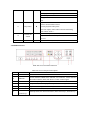
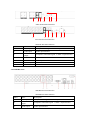
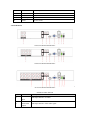
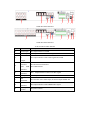
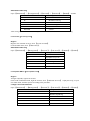
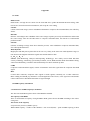
Make the DVR in a horizontal position and connect the camera to the video input interface in the rear
panel.
Connect the displayer to the video output.
Connect the network to the RJ45 interface.
Connect the Mouse to the USB interface and the USB interfaces in the front or rear panel both work.
Connect the power.
Caution
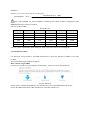
For an external alarm device or a PTZ, please refer to the relevant instructions.
Connect the power line after all lines connected correctly.
Pay attention to the power parameters.
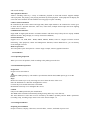
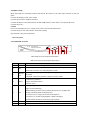
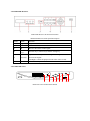
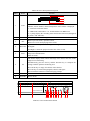
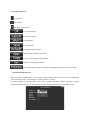
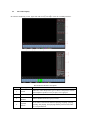
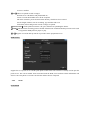
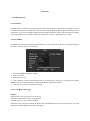
3.4 Front panel
3.4.1 6000/6100-AS Series
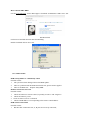
H.264 NET DIGITAL
VIDEO RECORDER
Enter
Fn
4
5
ESC
1
2
3
6
7
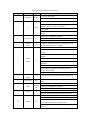
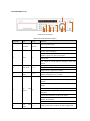
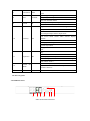
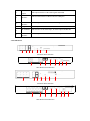
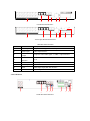
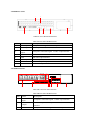
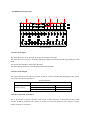
6000/6100-AS series Front Panel Function
6000/6100-AS series Front panel Description
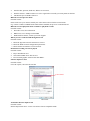
Index
Name
Function
1
IR
Receive the remote control signal.
2
Esc
Back to the previous menu or cancel the operation.
Back to the real-time view when playback records.
3
Directi
on
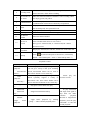
Up/Down: Move up or down. Change the settings and increase or decrease
the digital.
Left/Right: Control the playback control bar of the records.
Enter
Confirm the operations.
Jump to the default button.
Enter the menu.
5
Fn
The button displays PTZ control and image color when in the state of the
single-screen monitoring.
Simultaneously press the Fn key and the direction key to complete the
settings with the dynamic monitoring area.
Press the Fn key to empty all contents of the edit box.
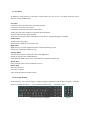
Press the key to switch among English, Chinese and figure.
Special with the function of each menu page prompts.
6
USB
Connect the mouse and HDD.
7
On/off
Power on/off.
4