1
2 WAN 3 LAN VPN Firewall
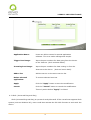
connections has failed; the traffic going through this WAN to
the destination IP cannot shift to another WAN to reach the
destination. For example, if users want the traffic to 10.0.0.1
~ 10.254.254.254 to go only through WAN1, while WAN2 is
not to support these destinations, users should select this
option. When the WAN1 connection is interrupted, packets for
10.0.0.1~10.254.254.254 cannot be transmitted through
WAN 2, and there is no need to remove the connection when
WAN 1 is interrupted.
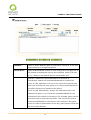
(2) Remove the Connection: If an ISP connection failure is
detected, no error message will be recorded in the System
Log. The packet transmitted through this WAN will be shifted
to the other WAN automatically, and be shifted back again
when the connection for the original WAN is repaired and
reconnected.
This option is suitable when one of the WAN connections fails
and the traffic going through this WAN to the destination IP
should go through the other WAN to reach the destination. In
this way, when any of the WAN connections is broken, other
WANs can serve as a backup; traffic can be shifted to a WAN
that is still connected.
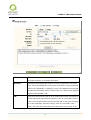
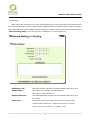
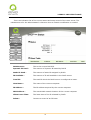
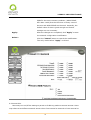
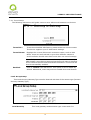
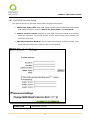
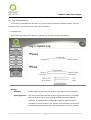
Detecting Feedback Servers:
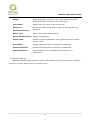
Default
The local default communication gateway location, such as the
Gateway:
IP address of an ADSL router, will be input automatically by the
device. Therefore, users just need to check the option if this
function is needed. Attention! Some gateways of an ADSL
network will not affect packet detection. If users have an optical
fiber box, or the IP issued by ISP is a public IP and the gateway
is located at the port of the net café rather than at the IP
provider’s port, do not activate this option.
ISP Server:
This is the detected location for the ISP port, such as the DNS IP
address of ISP. When configuring an IP address for this function,
make sure this IP is capable of receiving feedback stably and
speedily. (Please input the DNS IP of the ISP port)
16