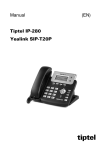
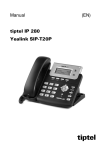
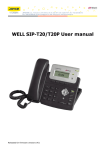
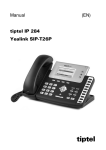
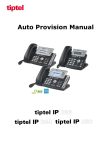
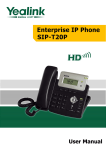
1
About This Guide Thank you for choosing this Enterprise IP Phone which is especially designed for power users in the office environment. It features fashion and sleek design, abundant telephony applications, broad interoperability with the popular 3rd party VoIP products, fulfilling the VoIP deployment needs from enterprise and ITSP. In this User Guide, you will find everything you need to quickly use your new phone. Be sure to verify with your system administrator that your network is prepared for configuring your IP phone. As well, be sure to read the Packing List section in this guide before you set up and use the phone. Declaration of Conformity Hereby, it’s declared that this phone is in conformity with the essential requirements and other relevant provisions of the CE, FCC. CE Mark Warning This is a class B device, in a domestic environment; this product may cause radio interference, in which case the user may be required to take adequate measures. WEEE Warning To avoid the potential effects on the environment and human health as a result of the presence of hazardous substances in electrical and electronic equipment, end users of electrical and electronic equipment should understand the meaning of the crossed-out wheeled bin symbol. Do not dispose of WEEE as unsorted municipal waste and have to collect such WEEE separately. Tables of Contents Getting Started .................................................................................. - 1 Packing List ............................................................................................................................... - 1 Assembling the Phone................................................................................................................ - 2 Configuration and Registration .................................................................................................. - 4 Configuring via Web Page ................................................................................................. - 4 Configuring via keypad ...................................................................................................... - 5 - Overview ............................................................................................ - 6 Keypad Instruction ..................................................................................................................... - 6 LED Instruction.......................................................................................................................... - 7 Icon Instruction .......................................................................................................................... - 8 User Interface ............................................................................................................................. - 9 - Customizing Your Phone................................................................ - 11 General Settings ........................................................................................................................- 11 Phone Status ......................................................................................................................- 11 Language ...........................................................................................................................- 11 Time and Date .................................................................................................................. - 12 Keypad Lock .................................................................................................................... - 13 Audio Settings .......................................................................................................................... - 14 Volume ............................................................................................................................. - 14 Ring Tones ....................................................................................................................... - 15 Codec Selection................................................................................................................ - 16 Contact Management ............................................................................................................... - 16 Edit/Add/Delete Contact .................................................................................................. - 16 Import/Export Contact list................................................................................................ - 17 Other Settings........................................................................................................................... - 18 Key as Send...................................................................................................................... - 18 Hot Line ........................................................................................................................... - 18 Anonymous call ............................................................................................................... - 18 Auto Redial ...................................................................................................................... - 19 Auto Answer .................................................................................................................... - 19 Missed call log ................................................................................................................. - 20 Logo Customization ......................................................................................................... - 20 Programmable Key .......................................................................................................... - 20 Live Dialpad..................................................................................................................... - 21 Replace Rule .................................................................................................................... - 22 Dial Now .......................................................................................................................... - 23 - Area Code ........................................................................................................................ - 24 Block Out ......................................................................................................................... - 25 DND/FWD Synchronisation ............................................................................................ - 26 - Using the Basic Call Functions ...................................................... - 27 Making a call............................................................................................................................ - 27 Call Devices ..................................................................................................................... - 27 Call Methods .................................................................................................................... - 27 Call Completion ............................................................................................................... - 29 Answering a call....................................................................................................................... - 29 Answering an incoming call............................................................................................. - 29 Denying an incoming call ................................................................................................ - 29 DND ................................................................................................................................. - 29 Call Forward .................................................................................................................... - 30 Intercom ........................................................................................................................... - 30 During an Active Call .............................................................................................................. - 31 Mute ................................................................................................................................. - 31 Call Hold .......................................................................................................................... - 31 Call Waiting ..................................................................................................................... - 32 Call Transfer..................................................................................................................... - 32 3-way Conference ............................................................................................................ - 33 Network Conference ........................................................................................................ - 33 Voicemail ......................................................................................................................... - 34 - Using the Advanced Phone Functions .......................................... - 36 Account Setting ........................................................................................................................ - 36 TLS .................................................................................................................................. - 36 DNS-SRV ......................................................................................................................... - 37 Network Setting ....................................................................................................................... - 38 PC Port Setting ................................................................................................................. - 38 VLAN Setting .................................................................................................................. - 39 HTTPS ............................................................................................................................. - 39 Maintenance Tasks ................................................................................................................... - 40 Administrator Mode ......................................................................................................... - 40 Administrator/User Password .......................................................................................... - 41 Reboot .............................................................................................................................. - 41 Reset to Factory ............................................................................................................... - 41 Firmware Update.............................................................................................................. - 42 Decryption ........................................................................................................................ - 43 System Log Export........................................................................................................... - 44 PCAP Trace Export .......................................................................................................... - 45 802.1X .............................................................................................................................. - 45 DSS keys Configuration........................................................................................................... - 45 BLF .................................................................................................................................. - 46 - BLF List ........................................................................................................................... - 46 Line .................................................................................................................................. - 47 Speed Dial ........................................................................................................................ - 47 Intercom ........................................................................................................................... - 47 URL Record ..................................................................................................................... - 48 Shared Line ...................................................................................................................... - 48 Conference ....................................................................................................................... - 48 Forward ............................................................................................................................ - 49 Transfer ............................................................................................................................ - 49 Hold.................................................................................................................................. - 49 DND ................................................................................................................................. - 50 Redial ............................................................................................................................... - 50 Call Return ....................................................................................................................... - 50 Pick Up............................................................................................................................. - 50 Call Park........................................................................................................................... - 51 Group Listening ............................................................................................................... - 51 Voice Mail ........................................................................................................................ - 51 DTMF .............................................................................................................................. - 52 Public Hold ...................................................................................................................... - 52 Private Hold ..................................................................................................................... - 52 Group Pick up .................................................................................................................. - 52 Paging .............................................................................................................................. - 53 Record .............................................................................................................................. - 53 Prefix ................................................................................................................................ - 53 Tone Settings ............................................................................................................................ - 54 Voice ........................................................................................................................................ - 54 Ring .......................................................................................................................................... - 55 - Trouble Shooting............................................................................. - 57 - Enterprise IP Phone Getting Started Getting Started Packing List The following components are included in your package: Enterprise IP Phone Phone Stand Power Adapter Handset & Handset Cord -1- Enterprise IP Phone Getting Started Ethernet Cable Quick Installation Guide & Quick Reference CD Content Check this list before installation to ensure that you have received each item. If you are missing any items, contact your IP phone reseller. Assembling the Phone This section introduce how to assemble the phone with the components in the packing list: Attach the stand; Connect Handset and Headset; Connect Network and Power. 1) Attach the Stand, as shown below: -2- Enterprise IP Phone Getting Started Stand attached 2) Connect Handset and Headset, as shown below: Note: Headset is not provided in the packing list. Please contact your distributor for more information. 3) Connect Network and Power There are two ways for network and power source connections. You can either connect the phone to the AC Power directly using the power adapter or to a PoE compliant switch or hub. Your system administrator will advise you on which one to use. Note: 1. If inline power is provided, do not install AC adapter. Make sure the Ethernet cable and switch/hub are PoE compliant. -3- Enterprise IP Phone 2. Getting Started The Internet Port can be also connected to Hub/Switch/IP PBX or other internet devices. The phone can also share the network connection with other network devices such as PC. Connect the phone’s PC port and computer’s Network Port together using an Ethernet cable, shown as below: Configuration and Registration If you are administrator, you need to do some simple configuration to make the phone work. If not, please contact with your internet administrator or service provider for more details. Configuring via Web Page Press OK button on the keypad of the phone to enter the status page and find out the IP address of IP phone. Enter it (for example http://192.168.3.28) into the address bar of web browser. The default login name and password are both “admin”. Note: Please locate your PC in the same network segment of IP phone (192.168.3.X) to access the web configuration page. Please consult your system administrator for help. Network Settings Choose Network->Internet Port(WAN). DHCP: Under the default situation the phone attempts to contact a DHCP Server in your network in order to obtain its valid network settings, e.g. IP address, sub mask, gateway, DNS server, etc. Static IP Address: If your phone cannot contact a DHCP Server for any reason, you need to enter the network settings manually via Static IP Address. Please contact your internet administrator for more details. PPPoE: If you are using the xDSL Modem, you can connect your phone to the internet via PPPoE mode. Please contact your ISP for the User Name and Password for internet access. -4- Enterprise IP Phone Getting Started Note: Using the wrong network parameters may result in inaccessibility of your phone and may also have an impact on your network performance. Please contact your network administrator. Account Settings The phone attempts to register to the SIP server using the account/registrar data provided by the automatic or manual initialization. Choose Account, you will find the following parameters: Field Description Register Status It shows the register status of the phone. Account Active You can choose on/off to enable/disable the account respectively. Label The name showing on the LCD of current device. Display Name The local phone name showing on the other phone when calling. Register Name Register name provided by ISP. User Name User account information, provided by ISP. Password Account password provided by ISP. SIP Server SIP server address provided by ISP. Note: Should the IP PBX (SIP registrar) require an authentication, you will be prompted to enter the correct password. Make sure you are using the appropriate input method or enter the password via the web user interface. Configuring via keypad Network Settings: Press MENU->Settings->Advanced->Network->WAN Port/PC Port /VLAN/Web Type to enter the internet relating configuration page. Account Settings: Press MENU->Settings->Advanced->Accounts->OK to configure the account settings. You can refer to the above “Configuring via Web Page” for the parameter details. -5- Enterprise IP Phone Using the Basic Phone Functions Overview Keypad Instruction You can check the following list which introduces the IP phone’s keypad in details: Power Indication LED It will show the power status, it will be on if the phone is powered, off if the phone is not powered,and blink when someone calls in or there is a call on mute. Hot Keys In different interfaces, different functions of the hot keys. Line Keys This buttons are used to active up to the two user accounts. DTMF Keypad Use the DTMF hard keys to enter numbers, letters and special characters. Depending on the selected input mode, you can enter digits, lower / upper case or special characters. Navigation Keys Use the navigation keys to navigate in the display menus and confirm/cancel actions. -6- Enterprise IP Phone Using the Basic Phone Functions Audio Device Control Keys Use the audio device control keys to perform the following actions depending on your phone type: : Adjust the volume of the handset, headset, speaker and ring tone; : Allows for hands-free communication during calls; Press to switch to the Group Listening mode. : Place and receive calls through an optionally connected headset; : Mute audio transmission locally during calls; Hard Feature Keys : Allow users to access the voicemail directly; : Forward the current call to the third party; When the phone is idle, press to enter the forward configuration page. : Press to enter the Dialed Calls interface and choose a record to dial out. LED Instruction Table 1 Line Keys LED Status Description Steady green The account is active Blinking green There is an incoming call to the account, or there is a call on hold Off The phone is in idle status whatever registered /unregistered Table 2 Line Keys set to BLF LED Status Description Steady green The monitored account is in idle status Fast blinking green There is an incoming call to the monitored account Slow blinking green The monitored account is on an conversation -7- Enterprise IP Phone Off Using the Basic Phone Functions It is not active as BLF Table 3 Power Indication LED LED Status Description Steady green Power on Blinking green There is incoming call to the device, or there is a call on mute Off Power off Icon Instruction The IP Phone displays different kinds of icons on its LCD, you can refer to the following table for their meanings: Icon Description Flashes when the internet is disconnected Missed calls Call in Call out Input Method: all letters and numbers Input Method: numbers Input Method: multi-lingual letters in lower case Input Method: multi-lingual letters in upper case Call mute Call hold Voicemail Call forward Auto answer DND Keypad Lock In handset mode In headset mode In speaker mode -8- Enterprise IP Phone Using the Basic Phone Functions User Interface There are two ways to customize specific options on your phones: 1. Using keypad and display on the phone. 2. Using Web user interface in an Internet browser from your PC; please refer to “Configuration and Registration” to get into the Web interface. In many instances, it is possible to use both the user interfaces to operate the phone and change settings; some, however, are only possible via a phone or web user interface. Please refer to the following table for differences: Phone Options Phone UI Web UI Status --IP √ --MAC √ √ --Firmware --Network √ √ --Phone --Accounts Call Features --Forward √ --Call Waiting √ --DSS Keys √ --Key as Send √ --Hot Line √ --Anonym Call √ --Auto Redial √ --DND √ √ --ReDialTone --Emergency --BusyToneDelay --Return code when refuse --Return code when DND --Dial Plan --Tones --Intercom √ --Call Completion √ Basic Phone Functions --Language √ --Time & Date √ --Ring Tone √ --Phone Volume √ Advanced Phone Functions --Accounts √ -9- √ Enterprise IP Phone Using the Basic Phone Functions --Network √ --Keypad Lock √ --Reset Factory √ --Set AES Key √ --Set admin PWD √ √ --Voice --Upgrade Other Features √ --Messages √ --History √ --Directory √ Note: 1. The above table only indicates most of phone functions rather than all of them. Please refer to the relating parts for more details. The default administrator password is admin. - 10 - Enterprise IP Phone Using the Basic Phone Functions Customizing Your Phone General Settings Phone Status You can view the status of your phone using the Phone interface or the Web interface. This option allows you to review: IP; MAC; Firmware; Network: MAC, WAN, LAN, Gateway, DNS, etc; Phone: Model, Hardware, Firmware, Product ID and MAC; Accounts: The 2 SIP accounts status; To check the Phone Status via Phone interface: 1) Press OK button directly to check the IP. 2) Use the navigation keys to check the other information. To view the Phone Status via Web interface: Open the web browsers and input the IP Address http://WAN-ip-address; Enter the account and password (default account and password are both “admin”), choose Status directly to check the status. Language The default Phone interface language is English. The Web interface language depends on your computer Operation System. It will automatically match the language with your computer and browser. It also supports French, German, Italian, Polish, Turkish, Portuguese, Spanish, etc. You can change the language for the phone user interface and the web user interface independently from each other. Note: All languages may not be available for selection. The available languages depend on the language packs currently loaded to the IP phone. Please contact with your system - 11 - Enterprise IP Phone Using the Basic Phone Functions administrator for more information about loading language packs. To change the language via Phone interface: 1) Press MENU->Settings->Basic->Language. 2) Scroll through the list of available languages. 3) Press OK button when the desired language is highlighted. The language appears on the graphic display will be changed to the one you choose. 4) Press MENU key to return to the previous screen. Time and Date The time and date appears on the idle screen of the IP phone. If the phone can not obtain a time and date from the call server, please contact your system administrator if the time or date is incorrect. You can set the time manually or via the SNTP server which is used to synchronize the time. To change the Time and Date via the Phone interface: 1) Press MENU->Settings->Basic->Time & Date. 2) If SNTP is chosen, the phone will automatically get the time from the specific NTP Server. Use the navigation keys to highlight the specific options and do the relating changes. You can set the Time Zone, NTP Server1/Server2, and DST respectively. 3) If Manual is chosen, the time can be set manually. Use the navigation keys to highlight the option and enter the specific date and time. 4) Press OK button, the time appears on the idle screen will be changed. Or press MENU key to return to the previous screen. To set the time format via the Phone interface: 1) Press MENU->Settings->Basic->Time & Date->Time & Date. 2) Use the Left/Right navigation keys to choose a preferred time format: 12 hour or 24 hour. 3) Press the OK button to save the changes and return to the previous screen. To change the Daylight Saving Time Settings via the Web interface: 1) Choose Phone->Preference->Daylight Saving Time to do the relating changes. 2) Choose Enable option, then you can set the Daylight Saving Time. 3) Choose Automatic. There is a table named as AutoDST.xml has been saved in the configuration file, If the table includes daylight saving time of your time zone, it will show the Fixed Type: By Date or By Week. And the daylight saving time is unchangeable, unless to update the AutoDST.xml via auto provision. - 12 - Enterprise IP Phone Using the Basic Phone Functions Note: By default the time zone is +8 China(Beijing), Daylight Saving Time is Automatic. Keypad Lock You can lock the keypad of your phone when you are temporarily not using it. This function helps you to protect your phone from unauthorized use. You can lock the following specific keys: Menu Key: The Menu keys can not be used until unlocked. You can not access the menu of the phone. Function Keys: The hard function keys can not be used until unlocked. You can not access the MESSAGE, HEADSET, TRAN, RD, Speaker, CONF, HOLD, Navigation Keys, OK button, Mute button, Volume Adjustment button, etc. All Keys: All of the keys can not be used until unlocked. You can only use the phone to answer the incoming calls. Lock&Answer: You can only use the phone to answer the incoming calls(But can not hung up the call by your party). Or enter the menu pages to do some configurations. To enable keypad lock via Phone interface: 1) Press MENU->Settings->Advanced, enter the password, and then press OK button. 2) Choose Keypad Lock->OK. - 13 - Enterprise IP Phone Using the Basic Phone Functions 3) Use the navigation key to highlight the one you want to lock. 4) Press OK button to active the change, or MENU to return to the previous screen. 5) The icon 6) If you choose Lock&Answer, it will show the icon will be displayed on the top right corner of the idle screen. and AA on the user interface. To unlock the phone via Phone interface: 1) Press MENU key, you are prompted for the password. 2) Enter the password, and then press OK button, the phone is unlocked. 3) If you choose Lock&Answer, you have to enter MENU->Settings->Advanced-> Keypad Lock interface to disable this option. To enable keypad lock via Web interface: Choose Phone->Preference to do the relating changes. Please refer to the instructions above for the parameters’ detail. Note: 1. The default password for unlock is admin. 2. Users can make emergency calls when the phone is locked. Audio Settings Volume You can adjust the volume of handset/speaker/headset. To adjust the volume when you are not in an active call: 1) Press MENU->Settings->Basic. 2) Scroll to Phone Volume, and press OK button, highlight the one you want to adjust the volume, use the volume adjustment bar or navigation keys to adjust the volume. 3) Press OK button to save the contrast change or MENU key to cancel. To adjust the volume when you are in an active call: When Handset/Headset/Hands-free mode is activated, press the Volume Adjustment Bar to a comfortable level. Note: The volume can only be adjusted via Phone interface. - 14 - Enterprise IP Phone Using the Basic Phone Functions Ring Tones You can adjust the type and volume of the ring tone. To adjust the Ring Tone Type via Phone interface: 1) Press MENU->Settings->Basic. 2) Scroll to Ring Tone, and press OK button. 3) Use the navigation keys to highlight the specific one. 4) Press OK button to save the contrast change or MENU to cancel. To adjust the volume via Phone interface: 1) Press MENU->Settings->Basic->OK. 2) Scroll to Phone Volume->Ring Volume, use the Volume Adjustment Bar or navigation keys to adjust the volume. 3) Press OK button to save the contrast change or MENU key to cancel. You can also adjust the ring tone volume by the following way: When the phone is in idle status, press the volume adjustment bar to a comfortable level. To change the Ring Tone Type via Web interface: Choose Phone->Preference->Ring Type, highlight the specific one in the scroll-down menu, click confirm button to update the change. You can also delete the specific one by clicking the Delete button. Note: The ring tone file of system can not be deleted. To specify ring tones for a specific account via Web interface: Choose Account->Basic->Ring Type option, and highlight the preferred one for the chosen account in the scroll-down menu, then click confirm button to update the change. To upload the new Ring Tone via Web interface: 1) Click Browse button to choose the specific ring tone file. 2) Click Upload button to upload the file, and then Confirm to save the change. - 15 - Enterprise IP Phone Using the Basic Phone Functions Note: The ring tone file format must be in 16bits WAV format (via Ulaw Compression), 8K sample rate (monophony). Blank or other special characters can not be included in the file name. Codec Selection The IP phone supports the following voice codecs: G.722, G.723_53, G.723_63, G.726-16, G.726-24, G.726-32, G.726-40, G.729, PCMU and PCMA You can enable/disable the desired codecs via Web interface. Please contact your System Administrator for more details about the codecs. To enable/disable the codecs: 1) Choose Account->Codecs. 2) Use the navigation keys to highlight the desired one in the Enable/Disable Codecs list, and press the 3) / to move to the other list. Click Confirm button to save the change. Note: Codec Selection can be only set via Web interface. Contact Management Edit/Add/Delete Contact You can store a large number of contacts in your phone's directory. You can add, edit, delete, dial, or search for a contact in this directory. To add a contact via Phone interface: 1) Press MENU->Directory->OK. 2) Press Up/Down navigation key to ADD page, Press OK button to start adding a new contact, enter Name, phone number of the contact by the keypad. Use the 2aB to select between numeric and upper/lower case alphanumeric modes. 3) Choose and set a special ring tone for the contact. 4) Press OK button to add the contact, or MENU key to cancel the change. To edit/delete a contact via Phone interface: 1) Press MENU->Directory->OK. 2) Use the Up/Down navigation key to highlight the contact you want to edit/delete, then press left/right navigation keys to Edit/Del page. 3) Make the desired changes, press OK button, or press MENU return to previous menu. To move a contact in History to Contacts via Phone interface: 1) Press MENU->History->OK - 16 - Enterprise IP Phone 2) Using the Basic Phone Functions Use the navigation keys to highlight a record, then press the CONTACT hot key to enter the edit page. To add/delete/edit the contact list via the Web interfaces: Choose Contacts and then do the relating changes. Please refer to the instruction above for the parameters’ detail. To search a contact via Phone interface: 1) Press the CONTACT hot key to enter the contact list. 2) Press the digital number on the keypad, it will turn to the search interface automatically, and search the record in Contact. Import/Export Contact list Import/Export Contact List via Web interface: 1) Choose Contacts->Local Phone Book. 2) Browse the specific contact list file in .XML format, and then click Import button. The imported contact lists will be shown in the directory. 3) You can also click the blue number displayed on the web page to dial out via web interface directly, and click the Hangup button to hang up the current call. 4) Move the mouse to the icon , you will see the notes for parameters. The meanings of this icon on other pages is the same, we will not elaborate it one by one. 5) Click the Export button to export the contact list. Note: Import/Export Contact List can be only set via Web interface. - 17 - Enterprise IP Phone Using the Basic Phone Functions Other Settings Key as Send Users can set a specific button (“#” or “*”) to active as the send button. To set the send key via the IP phone interface: 1) Press MENU->Features->Key as Send->OK to enter the configuration page. 2) Press the Left/Right navigation keys to choose a button that you want to use as the send key: “#”, “*”, or disable this option. 3) Press the OK button to save the changes. To set the send key via the Web interface: 1) Choose Phone->Features->Key As Send. 2) Highlight the specific one in the pull-down menu, then click confirm button to save the change. Hot Line To set the hot line number via the IP phone interface: 1) Press MENU->Features->Hot Line->OK to enter the configuration page. 2) Enter the hot line number and set the HotLine Delay time (for example, 20 seconds), then press the OK button to save the changes. 3) When you pick up the handset or press the speaker button, and it will dial out the number automatically if you do not press any keys for 20 seconds. To set the Hot Line via the Web interface: 1) Choose Phone->Features. 2) Input the Hotline Number and Hotline Delay, and then click the Confirm button to save the change. Anonymous call To set the anonymous call via the IP phone interface: 1) Press MENU->Features->Anonym Call->OK to enter the configuration page. 2) By the navigation keys, you can choose the Line ID. 3) Press the navigation keys to choose whether to enable the anonymous call function. This feature allows the subscriber to make a call with the display of their calling identification information blocked. 4) If you want to realize this function by server, please choose and enter the Anonym On Code and Anonym Off Code. When you choose to enable the anonymous call function on your IP phone, it will send information to the server, and the server will - 18 - Enterprise IP Phone Using the Basic Phone Functions enable/ disable the anonymous call function for your IP phone automatically. 5) Press the navigation keys to enter and choose whether to enable the anonymous rejection function. The feature allows the subscriber to reject all calls from callers who have blocked the display of their calling identification information (calling number and calling name). 6) If you want to realize this function by server, please choose and enter the Reject On Code and Reject Off Code. When you choose to enable the Rejection option on your IP phone, it will send information to the server, and the server will enable/ disable the rejection anonymous call function for your IP phone automatically. Note: This configuration is only available for the current default account. 7) Press the OK button to save the changes. Auto Redial Auto redial is a telephone feature that redials a busy number in a fixed number of times before giving up. To set auto redial via the IP phone interface: 1) Press MENU->Features->Auto Redial->OK to enter the configuration page. 2) By the navigation keys, you can choose whether to enable the auto redial function. 3) Press the navigation keys to choose and set the redial interval. It is measured by seconds. 4) Press the navigation keys to choose and set the redial times. 5) Press OK button to save the changes. Note: If you enable the auto redial function, then without operations for 5 seconds in the auto redial interface, it will turn to the idle interface automatically. To set auto redial via the Web interface: 1) Choose Phone->Features->Auto Redial. 2) Choose Enabled or Disabled in the pull-down menu, then click Confirm button to save the change. Auto Answer Auto-answer allows an incoming call to be answered without requiring any action by the user. This is a useful feature for people who have difficulty in using their hands or fingers, who have a visual impairment, or who have a cognitive impairment. You can set this function to a special account. - 19 - Enterprise IP Phone Using the Basic Phone Functions To set Auto Answer via the IP phone interface: 1) Press MENU->Settings->Advanced->Accounts-> Line X, use the navigation keys to choose Auto Answer option. 2) Use the navigation keys to enable or disable the auto answer function. The default is Disable. 3) Press the OK button to save the changes. To set Auto Answer via Web interface: 1) Choose Account->Basic->Auto Answer option. 2) Choose Enabled or Disabled in the pull-down menu, click Confirm button to save the change. Missed call log Defines whether to save the missed calls to the call history record. This function can only be set via the Web interface: 1) Choose Account->Basic->Missed call log. 2) Choose Enabled or Disabled in the pull-down menu, click Confirm button to save the change. Logo Customization You can set text logo which shown in the idle screen 1) Choose Phone-> Features-> Use Logo via the Web interface, choose enable or disable in the pull-down menu. 2) If you choose enable, and then enter the text logo in the “Text Logo” field. 3) Click the Confirm button to save the change. Programmable Key The hot-key, navigation keys and function keys on the keypad are editable. Users can customize specific features for these keys according to their actual needs. (The programmable keys can only be available when the phone is idle.) This function can only be set via the Web interface: 1) Choose Phone->DSS Key->Programmable Key. - 20 - Enterprise IP Phone Using the Basic Phone Functions 2) Choose and customize specific features for these keys. 3) Click Confirm button to save the changes. Live Dialpad Defines whether to dial out the dialed number automatically. This function can only be set via the Web interface: 1) Choose Phone->Preference->Live Dialpad. 2) Enable or disable it in the pull-down menu. 3) Click Confirm button to save the change. - 21 - Enterprise IP Phone Using the Basic Phone Functions Replace Rule A dial plan establishes the expected number and pattern of digits for a telephone number. This includes country codes, access codes, area codes and all combinations of digits dialed. For example if you set the Prefix as 0 and Replace as 0086 (Chinese country code), when you dial 05702000 out, the number will be replaced by 00865702000 automatically. To set a Dial Plan via the Web interface: 1) Choose Phone->Dial Plan->Replace Rule. - 22 - Enterprise IP Phone Using the Basic Phone Functions 2) Enter the desired Prefix and Replace. 3) Press Add button to save the changes. 4) You can also delete a specific one from the dial plan list by pressing Del button. 5) You can select a record to modify, then click Edit button to submit. Note: 1. Please contact with your system administrator for the country/area code if you want to set the dial plan. Dial Now Dial-now enables you to define the specific length of any number/letter in advance(for example xxx), next time when users dial out the 123 whose length matches the Dial-now rule, the phone will dial out 123 immediately without pressing Send button. To set a Dial Plan via the Web interface: 1) Choose Phone->Dial Plan->Dial Now. - 23 - Enterprise IP Phone Using the Basic Phone Functions 2) Enter the desired “x” or “.” 3) Press Add button to save the changes. 4) You can select a record to modify, then click Edit button to submit. 5) You can also delete a specific one from the dial plan list by pressing Del button. Note: “x” represents any Character; “.” represents a string of characters. Area Code Area codes are also known as Numbering Plan Areas (NPAs). These are necessary (for the most part) only when dialed from outside the code area and from mobile phones. Area codes usually indicate geographical areas within one country, although the correlation to geographical area is becoming obsolete. For non-geographical numbers, as well as mobile telephones outside of the United States and Canada, the "area code" does not correlate to a particular geographic area. To add the area code via the Web interface: 1) Choose Phone->Dial Plan->Area Code. - 24 - Enterprise IP Phone 2) Using the Basic Phone Functions Enter the Code, set the Min Length and the Max Length option, and then click the Confirm button to save. Block Out The specific phone numbers can be forbidden to be call out from your IP phone. 1) Choose Phone->Dial Plan->Block Out. 2) Enter the phone number and click Add button to save the changes, or choose the specific one in the list, click Del button to delete the record. 3) You can select a record to modify, then click Edit button to submit. 4) You can not dial out the number from your IP phone unless it is removed from the forbidden List. - 25 - Enterprise IP Phone Using the Basic Phone Functions DND/FWD Synchronisation When enabled the synchronize function, configure the DND/FWD function on device or server, DND/FWD status on device and server will be in correspondence. To set Feature Key Synchronisation via the Web interface: 1) Choose Phone->Features-> Feature Key Synchronisation 2) there is a pull-down menu in the Type field, choose Intercom from the list. 3) Choose whether to enable this function from the pull-down menu. 4) Click the Confirm to save the change. - 26 - Enterprise IP Phone Using the Basic Phone Functions Using the Basic Call Functions Making a call Call Devices You can make a phone call via the following devices: 1) Pick up the handset, icon will be shown in the idle screen. 2) 3) Press the Speaker button, icon will be showed in the idle screen. Press the Headset button if the headset is connected to the Headset Port in advance. The icon will be showed in the idle screen. You can also dial the number first, and then choose the method you will use to speak to the other party. Call Methods You can press an available line button if there is more than one account, then 1) Dial the number you want to call, or 2) Go to Directory, use the navigation button to highlight your choice, or 3) Press the Up navigation key to enter the call history interface, then use the navigation keys to highlight your choice (press Left/Right button to chose All Calls, Missed Calls, Dialed Calls, Received Calls and Forwarded Calls) or 4) Press the RD button to enter the Dialed Calls interface, then choose a record to dial out. 5) Press the DSS keys which have been set as speed dial button. Then press the SEND button to dial out if necessary. And you can also dial-up via web interface: 1) Choose Contact->Local Phone Book, click the number which you want to dial out, and then the phone will dial out by default account. - 27 - Enterprise IP Phone 2) Using the Basic Phone Functions Or choose Contact->Phone Call Info, enter the number in the Dial a Number, select the line from the Outgoing Identity list. Then click the dial button to call out. 3) Or choose Contact->Phone Call Info, click the number which you want to dial out from the call list, the phone will dial out by default account. 4) You can click the Hangup button to end the call in the web page. - 28 - Enterprise IP Phone Using the Basic Phone Functions Call Completion Have encountered such a situation? When you call a contact, but the other side is busy on a call. Do you want the server to inform you immediately when the contact end the call, in order to establish a conversation with each other in time? Call Completion can help you to solve this problem. To configure Call Completion via phone interface: 1) Press the following hot keys: MENU->Features->Call Completion to enter the configuration page. 2) By the Left/Right navigation keys, choose whether to enable this option. 3) Press the OK to save your changes. Answering a call Answering an incoming call 1) If you are not on another phone, lift the handset using, or press the Speaker button to answer it using the speakerphone, or press the headset button to answer it using the headset. 2) If you are on another call, press the corresponding line key or OK button to answer it. During the conversation, you can alternate between Headset, Handset and Speaker phone by pressing the corresponding buttons or picking up the handset. Denying an incoming call Press the X key to deny the incoming call directly. DND If users enable the DND function, all the incoming calls will be rejected and the display shows: icon; You can find the incoming call record in the Call History. To configure the DND function via Phone interface: 1) Go to MENU->Features->DND option to enter the configuration interface. 2) Use the navigation keys to choose Enable/Disable. 3) Press the OK button to save the changes. 4) Choose DND option again to deactivate DND mode. You can also set DND function by the DND Code: 1) Go to MENU->Features->DND to enter the configuration interface. - 29 - Enterprise IP Phone 2) Using the Basic Phone Functions Set the DND On Code and the DND Off Code, then press the OK button to save the changes. 3) When you enable the DND function, the phone will send a message to the server, and the server will turn on the DND function. Then any calls to the extension will be rejected by the server automatically. And the incoming call record will not be displayed in the Call History. Call Forward This feature allows you to forward an incoming call to another phone number e.g. a cell phone or voice mailbox. The following call forwarding events can be configured: Always: Incoming calls are immediately forwarded. Busy: Incoming calls are immediately forwarded when the phone is busy. No Answer: Incoming calls are forwarded when the phone is not answered after a specific ring times. To configure Call Forward via Phone interface: 1) Press the following keys: MENU->Features->Forward->OK. You can also press the Tran button or the corresponding DSS key to enter the forward setting page directly when the phone is idle. 2) There are 3 options: Always, Busy and No Answer. 3) If you choose one of them, enter the phone number you want to forward. 4) If you want to realize this function by server, please enter the On Code and Off Code option, then when you choose to enable the call forward function via your IP phone, it will send message to the server, and the server will turn on the function immediately. When there is call to the extension, the server will forward it to the set number automatically based on the forward type. And the IP phone will not show the record in the call history anymore. 5) Press the OK button to save the changes. To configure Call Forward via Web interface: Choose Phone->Features->Forward to do the relating changes. Please refer the above configuration information. Intercom Intercom mode is useful in an office environment as a quick access to connect to the operator or the secretary. To configure Intercom option via phone interface: 1) Press the following hot keys: MENU->Features->Intercom->OK to enter the configuration page. - 30 - Enterprise IP Phone Using the Basic Phone Functions 2) Intercom Allow: To set whether to answer the incoming intercom calls. 3) Intercom Mute: To set whether to mute the incoming intercom calls automatically. 4) Intercom Tone: To set whether to play ring tones when there is incoming intercom calls to your extension. 5) Intercom Barge: To set whether to answer the incoming intercom calls during a conversation. If the option is enabled, when there is incoming intercom calls to your extension, if you are on an intercom conversation, it will refuse the call automatically; or it will put the current call on hold and put the incoming intercom call through. 6) Choose and set the different options by navigation keys. 7) Press the OK button to save your changes. During an Active Call Mute This function allows you to mute the microphone of the active audio device during a call; you can not be heard by the other party. You can still hear all other parties while mute is enabled. To mute/resume the conversation: Press button during a conversation to mute the current call, the icon will be shown on the LCD, and the power indication LED will blink. Press again to get the microphone return to normal conversation. When you press the MUTE button all of the conversations will be muted Call Hold This call function allows you to place an active call on hold. In this case your IP PBX might play a melody or message to the other party while waiting. Other calls can be received and made while having a call on hold. To hold/resume a call: 1) Press the HOLD button to put your active call on hold. 2) During the call, there will be a "dodo.." sound for each 30 second, suggesting that there is a current call in Hold state. 3) If there is only one call on hold, press the HOLD button again to retrieve the call. 4) If there is more than one call on hold, press the Up/Down button to highlight the call, then press the HOLD button again to retrieve the call. Note: - 31 - Enterprise IP Phone Using the Basic Phone Functions When you are under the call hold status, putting down the handset, the conversation will go on over the speaker instead of hanging up the call. Call Waiting This call feature allows your phone to accept other incoming calls to the extension no matter under which circumstances. To enable/disable Call Waiting via Phone interface: 1) Press MENU->Features->Call Waiting->OK button. 2) Use the navigation keys to active/inactive call waiting. 3) Use the navigation keys to enable/disable the Play Tone option. This option used to define whether to play ring tones when there is call incoming during an active call. 4) Press OK button to save the changes, or MENU to return to the previous menu. To enable/disable Call Waiting via Web interface: Choose Phone->Features->Call Waiting to do the relating changes. You can also set whether to open the call waiting tone option in this page. Call Transfer You can customize your phone so that incoming calls are transferred directly to the third party such as another extension, mobile phone number, etc. There are three ways to transfer the call: Blind Transfer, Attended Transfer and Semi-Attend Transfer. To Blind Transfer via phone interface: 1) A and B is on an conversation, A press TRAN Button to put B on hold, then A can dial the third telephone number C and press the TRAN Button to call out. A will turn to hold status, and the LCD will display as Transferred. 2) After C answered it, or A press the MENU key to complete the transfer. 3) A will be disconnected from the call. B can talk to C. 4) If C refused to answer the call, it will prompt A that the transfer operation is failed. If the current mode is speaker, it will ring up; if the current mode is handset or headset, it will play ring tones for every five seconds. Pressing any function keys to exit the prompt interface. This function should be supported by server. To Attended Transfer via phone interface: 1) A and B is on an conversation, A press TRAN Button to put B on hold, then A can dial the third telephone number C and press the OK or SEND button to call out. 2) After C answered it, A and C can have a private conversation without B hearing it, then A press the TRAN button to complete the transfer. - 32 - Enterprise IP Phone 3) Using the Basic Phone Functions A will be disconnected from the call. B can talk to C. To Semi-Attend Transfer via phone interface: 1) A and B is on an conversation, A press the TRAN button to put B on hold, then A can dial a new number C and press the OK or SEND button to call out. 2) While C is ringing, A hang up or press the TRAN button. Then A will turn to hold status, and the LCD will display as Transferred. 3) You will be disconnected from the call, when C pick up, B can talk to C. Note: Make sure that the SIP server you have registered supports this function. 3-way Conference You can establish a three-party conference, during the conversation three phone parties can communicate with each other. To establish a conference: 1) Press the CONF button during an active call. 2) The first call is placed on hold. You will hear a dial tone. Dial the number to conference in, then press the SEND key. 3) Press the MENU key to stop the conference in operation before the call is answered. 4) When the call is answered, press the CONF button, the conference call will now include you and the other two parties. 5) Hang up to disconnect all parties. Network Conference If you want to make a conference with more than three people, you can open the function of network conference. If you enabled this function, you can put the meeting conference on the server. To enable network conference via web interface: 1) Choose Account->Account X->Advance->Conference Type, there is a pull-down menu, choose network from the list. 2) Enter the Conference URI. 3) Press Confirm button to save the changes. - 33 - Enterprise IP Phone Using the Basic Phone Functions To establish a conference: 1) Press the Conf hot key during an active call. 2) Dial the number to conference in, then press the Send hot key 3) When the call is answered, press the CONF button. 4) After starting a three way conference, press Conf button to enter Conference dialing interface and invite another party to participate in teleconference. 5) After starting conference, press Hold key to Hold local call without influencing others in conference. Voicemail Your voice mailbox messages, which are usually stored on a media server of your local or hosted VoIP telephony system, can be accessed from your phone. New voice messages can be indicated both acoustically and visually as described below: The idle screen will indicate the new voice messages coming: The MESSAGE button will be lighted. To configure the Voicemail code via Phone interface: 1) Press Menu->Messages->Voice Mail->Set Voice Mail. 2) Use the navigation keys to highlight the Line you want to set, enter the code which the phone uses to connect to your system. Press 123 to choose the proper input method. 3) Press OK button to save the change, or press MENU to return to the previous menu. - 34 - Enterprise IP Phone Using the Basic Phone Functions Note: Please contact your system administrator for the connecting code. Different systems have different codes. To view the new voicemail via the Phone interface: 1) Press Menu->Messages->Voice Mail->View Voice Mail. 2) Choose the account and press the Connect button , then you are able to listen to your new and old messages. To retrieve the new voicemail via the Phone interface: 1) Press the MESSAGE button directly. 2) You may be prompted to enter the password which is needed to connect to your VoIP telephony system. It depends on your system. 3) Your voice mailbox is called and you are able to listen to your new and old voicemails. Note: Before retrieving the new voicemail, please make sure that the connecting code has been set on the phone. - 35 - Enterprise IP Phone Using the Advanced Phone Functions Using the Advanced Phone Functions Account Setting Please refer to the previous part “Configuration and Registration” for the basic account setting information. The following table lists the instruction of the field about the advanced Account Setting. Field Name UDP Keep-alive Message UDP Description Defines whether to active the phone UDP Keep-alive mechanism. The default is Enabled. Keep-alive This parameter specifies how often the phone will send a packet Interval to the SIP server. Default is 30 seconds. Login Expire This parameter specifies the time frequency that phone refreshes its registration. The default interval is 3600 seconds. Local SIP Port Local SIP port. The default value is 5060. RPort The parameter allows you configuring the proxy to send responses back to a particular address and port. The default is disabled. SIP Session Timer This document defines an extension to the Session Initiation Protocol (SIP). This extension allows for a periodic refresh of SIP sessions through a re-INVITE or UPDATE request. The refresh allows both user agents and proxies to determine if the SIP session is still active. Subscribe This parameter could set the period of the subscription. The Period default value is 3600. DTMF Type Select the DTMF type. You can only configure these settings via Web interface. 1) Choose Account. 2) Select the desired account. 3) Choose Advanced to do the relating settings. You can consult your system administrator for more information. TLS TLS(Transport Layer Security), an IETF standards track protocol(RFC 5246), was based on the earlier SSL specifications developed by Netscape Corporation. - 36 - Enterprise IP Phone Using the Advanced Phone Functions If you make a call based on TLS and SRTP (Set the transport as TLS and the SRTP as On), the IP phone UI will display the connecting and ring back interface. If the reception also set the transport as TLS, then IP Phone UI will display the icon on both side. Go to Account->Basic, choose Transport option, in the pull-down menu, you can choose the TLS option, then click the Confirm button to save the change. DNS-SRV If the SIP server cannot be used, the phone will be connected on the server which is available. To set DNS-SRV via web interface: Go to Account->Basic, choose Transport option, in the pull-down menu, you can choose the DNS-SRV option, and then click the Confirm button to save the change. - 37 - Enterprise IP Phone Using the Advanced Phone Functions Network Setting PC Port Setting Please refer to the previous part “Configuration and Registration” for the basic Network WAN setting information. The following table lists the instructions of the field about the Network PC Port Setting. Field Name As Bridge Description If you select the Bridge mode, then the two Fast Ethernet ports will be transparent. As Router If you select the Router mode, the SIP phone will work as a router. IP address User could configure the PC port IP address. Enable DHCP Server If you set the DHCP server on, the device connected to the PC port will get the IP address automatically between the start IP address and the end IP address. But if you select the bridge mode, the DHCP server can not work. Start IP Address Indicate the range of the IP address. End IP Address Indicate the range of the IP address. To configure PC Port settings via Phone interface: 1) Press MENU->Settings->Advanced. 2) Enter the password required, scroll to Network option, press OK button and select - 38 - Enterprise IP Phone Using the Advanced Phone Functions PC Port option, then press OK button to enter. 3) If you choose Bridge, it will return to the previous menu. 4) If you choose Router, you will be prompted to enter the IP, Subnet Mask, DHCP Server Disable/Enable. 5) Press OK button to save the changes, or MEBU to return to the previous menu. To configure PC Port via Web interface: Choose Network->PC Port to do the relating configuration, you can set the starting and end IP address only via Web interface. You can consult your system administrator for more information. VLAN Setting VLAN is a group of hosts with a common set of requirements that communicate as if they were attached to the Broadcast domain, regardless of their physical location. The following table lists the instruction of the field about the VLAN Setting. Field Name Voice QoS Description When the network capacity is insufficient, QoS could provide priority to users by setting the value. Local RTP Port Define the port for voice transmission. WebServer Users can choose the WebServer type: Disable, HTTP, HTTPS, or HTTPS & HTTP. To configure VLAN settings via Phone interface: 1) Press MENU->Settings->Advanced. 2) Enter the password required, scroll to Network option, press ok button and select VLAN, then press OK to enter. 3) Choose WAN Port and press OK button to enter. 4) Use the navigation keys to choose and set the VLAN Status, input the VID Number, Priority. 5) Press OK button to save the settings, or MENU to return to VLAN menu. 6) Follow the same way to set the PC Port option. To configure VLAN settings via Web interface: Choose Network->Advanced to do the relating configuration. You can consult your system administrator for more information. HTTPS This IP phone can support HTTPS (Hypertext Transfer Protocol over Secure Socket Layer). Adding SSL layer under HTTP, in short, it is a security version of HTTP. Users can - 39 - Enterprise IP Phone Using the Advanced Phone Functions set this transmission mode via web page. To configure HTTPS settings via Web interface: Go to Network->Advanced, choose WebServer option, in the pull-down menu of Type field, choose the transmission mode, then click the Confirm button to save the changes. Note: For more details of the HTTPS, you can consult with your system administrator. Maintenance Tasks Administrator Mode The phone allows two modes to configure the phone: User Mode Administrator Mode Administrator mode grants unlimited access to the phone configuration on both Web and Phone interface. User Mode is not able to access the settings on the Phone interface such as: Accounts, Network, Reset to Factory, other phone settings. - 40 - Enterprise IP Phone Using the Advanced Phone Functions Administrator/User Password Administrator mode grants unlimited access to the phone configuration on both web and phone user interface. The administrator/user password is used to access: Web interface. the advance settings of the phone such as Network, Account, Reset to Factory Settings via the Phone interface. The default administrator password is admin. Meanwhile the user name for Web interface access is admin. To change the administrator password via Phone interface: 1) Press MENU->Settings->Advanced->OK->Set admin PWD->OK. 2) You are prompted to enter the Current PWD, New PWD and Confirm PWD, Press abc to change the input method. 3) Press OK button to confirm the change, or MENU to return to previous menu. To change the administrator password via Web interface: Choose Security, enter the old, new password and Confirm Password, choose Confirm button to save the changes, or Cancel button to cancel the changes. To logout via Web interface: Choose Security->Password, click the Logout button. Reboot You should reboot the phone when you are challenged, e.g. after applying changes to the phone configuration. To reboot via Web interface: 1) Choose Upgrade->Basic. 2) Click Reboot button. Note: Please do not power off during reboot, or it will cause the flash memory error. Reset to Factory You should reset the phone only in this case: the phone configuration was changed and the phone is not functioning anymore. To maintain the configuration of the phone, you need your system administrator or service provider’s advice. To reset to factory via phone interface: 1) Press MENU->Settings->Advanced. 2) You are prompted to enter the required password, the default one is admin. - 41 - Enterprise IP Phone Using the Advanced Phone Functions 3) Scroll to Reset Factory option, then press OK button to enter. 4) You are prompted to confirm the change, press OK to reset to factory settings, or MENU to return to previous menu. 5) It will take a few minutes to reset, please do not power off during resetting, or it will cause flash memory error. To reset to factory via Web interface: 1) Choose Upgrade->Basic. 2) Click Reset button. Note: If you confirm all current setting changes including contact list, call history, account settings, etc will be lost, you need to export the configuration first if you still want to import the old configurations after reset. Or your phone must be configured a new manually unless mass provisioning is used! To Export/Import the old configuration file via Web interface: 1) Choose Upgrade->Advanced, select Import/Export Config, click Export button to export the file to your local computer. 2) Choose Upgrade->Advanced, select Import/Export Config, click Browse button, select the specific configuration file in your local computer, click Import button. 3) It will take a few minutes to reset, please do not power off during resetting, or it will cause flash memory error. Firmware Update The phone is delivered with pre-installed firmware which allows operating your phone flawlessly. If you require updating the phone’s firmware please contact your system administrator. You can only update the firmware via Web interface. To update the firmware manually via Web interface: 1) Choose Upgrade->Basic->Browse, select the firmware file in your local computer. 2) Click Upgrade button to update the new firmware. 3) Please do not power off during the updating. To update the firmware automatically via Web interface: 1) Choose Upgrade->Advanced, configure the relating settings: Custom Option, Custom Option Type, URL, Account, Password, Check New Config and ASE Key. 2) Click Confirm button, the phone will check the server for a new firmware in a specific time, and it updates automatically if there is new firmware. 3) You can also update the firmware immediately by pressing Autoprovision button. Set Auto Provision via phone interface: 1) Go to Menu->Settings->Advanced Settings-> Auto Provision. 2) Enter the URL, User Name and Password. 3) Click the Save hot key to save the changes. - 42 - Enterprise IP Phone Using the Advanced Phone Functions The parameters of the Autoprovision: Parameter Description Update Protocol The phone can be updated via TFTP, FTP or HTTP. TFTP Server If you choose TFTP as protocol TFTP, you need to enter the TFTP server IP address and port. Check new config You can specific the period that your phone checks the new firmware from the server: Power on, Repeatedly, Weekly, Power on + Repeatedly, Power on + Weekly and Disabled. Scheduling You can specific the period in days which the phone checks and updates the new firmware, the range is 1-30 days. Note: 1. Any power interruption during the following process will most likely lead to a flash memory error. As a result the system cannot boot up anymore. The procedure can be only conducted in Administrator Mode. 2. If the updating is failed, you can re-plug the power adaptor, and press the Speaker key for 3 seconds, the IP phone will enter the account configuration interface. Users can reconfigure the IP phone account information here, then press the OK button to save the changes. 3. The upgrade priority is PNP, Custom Option, URL by descending. 4. Users can also delete some configuration options by Auto-provision, for example, to delete the admin password. Decryption This IP phone can support y000000000007.cfg and mac.cfg files encryption and decryption for user authentication to realize security usage. If there are any encrypted y000000000007.cfg or mac.cfg files on the server, users can open the webpage of your IP phone. Go to Upgrade->Advanced, choose and fill in the Specified AES Key (for y000000000007.cfg and Per-phone AES Key (for mac.cfg) option, then click the Confirm button to decryption the files and upgrade to the new version. Shown as below: - 43 - Enterprise IP Phone Using the Advanced Phone Functions Note: You can ask your system administrator for the decrypt password. Set AES Key via phone interface: 1) Go to MENU->Settings->Advanced->Set AES Key. 2) Enter the Common AES and the MAC-oriented option. 3) Press the OK button to save the changes. System Log Export If there are any errors happened in your phone, you can export the system log and send to your system administrator for diagnosis. To export the System Log: Choose Upgrade->Advanced, select Export System Log, click Export button to export the file to your local computer. - 44 - Enterprise IP Phone Using the Advanced Phone Functions PCAP Trace Export The PCAP Trace used to record the date transport of your IP phone. If there are any errors happened in your phone, you can export the PCAP trace and send to your system administrator for diagnosis. To export the PCAP Trace: Choose Upgrade->Advanced to enter, select PCAP Trace option, click Start button began to Wireshark, and click Stop to stop Wireshark, and then click Export to export the file to your local computer. 802.1X IEEE 802.1X is an IEEE Standard for port-based Network Access Control (PNAC). It is part of the IEEE 802.1 group of networking protocols. It provides an authentication mechanism to devices wishing to attach to a LAN, either establishing a point-to-point connection or preventing it if authentication fails. It is used for securing wireless 802.1x access points and is based on the Extensible Authentication Protocol (EAP). This IP phone can support 802.1X. For the details, please consult your system administrator. DSS keys Configuration The phone has 2 line keys which are able to set up to 25 functions per key. The following list shows the functions you can set on the DSS keys and provides a description for each function. The default configuration for each key is Line. BLF Line Speed Dial Intercom URL Record Shared Line Conference Forward Transfer Hold DND Redial Call Return Pick Up Call Park - 45 - Enterprise IP Phone Group Listening Voice Mail DTMF Public Hold Private Hold Group Pick up Paging Record BLF List Prefix Using the Advanced Phone Functions Note: 1. Quick access features like Intercom and Voicemail must first be configured on your PBX in order to work on your phone. See your system administrator for more information. BLF You can configure the key for Busy Lamp Field (BLF) which allows you to monitor the status (idle, ringing, or busy) of other SIP accounts. User can dial out on a BLF configured key. To assign the key as BLF: 1) Choose Phone->DSS Key->Line Key, choose one of the keys you want to make the assignment, there is a pull-down menu in the Type field, and choose BLF from the list. 2) Enter the number you want to monitor in the Value field, 3) In the "Line" field, select a line for which to apply this key. 4) And then enter the feature codes in the extension field. 5) Press Confirm button to save the changes. Please refer to “LED Instruction” for more details about the LED status in different situation. Note: In the Web interface, you can also set the pickup number to active the pickup function. For example, if you set the BLF number as 212, and the pickup number is *83, then when there is an incoming call to 212, press the BLF key, it will call out the *83 automatically to pickup the incoming call on 212. BLF List BLF list is a function which can monitor the group status, it is not one to one monitoring, but the information feedback from the sever to decide which BLF list will which account. - 46 - monitor Enterprise IP Phone Using the Advanced Phone Functions To set BLF List via web interface: Choose Account->Advanced-> BLF List URI, enter the BLF List URI. To assign the key as BLF: 1) Choose Phone->DSS Key->Line Key, choose one of the keys you want to make the assignment, there is a pull-down menu in the Type field, and choose BLF List from the list. 2) In the "Line" field, select a line for which to apply this key. 3) Press Confirm button to save the changes. Line You can set these keys as line keys to active up to the two user accounts. To assign the key as Line: Choose Phone->DSS Key->Line Key, choose one of the link key you want to make the assignment, there is a pull-down menu in the Type field, choose Line from the list, press Confirm button to save the changes. Speed Dial You can configure the key as a simplified speed dial key. This key function allows you to easily access the most frequently dialed numbers. To assign the key as Speed Dial: 1) Choose Phone->DSS Key-> Line Key, choose one of the keys you want to make the assignment, there is a pull-down menu in the Type field, choose Speed Dial from the list. 2) Enter the number you want to perform Speed Dial in the Value field. 3) In the "Line" field, select a line for which to apply this key. 4) Press Confirm button to save the changes. Intercom You can configure the key for Intercom mode and is useful in an office environment as a quick access to connect to the operator or the secretary. To assign the key as Intercom: 1) Choose Phone->DSS Key-> Line Key, choose one of the keys you want to make the assignment, there is a pull-down menu in the Type field, choose Intercom from the list. 2) Enter the extension number you want to intercom in the Value field. 3) In the "Line" field, select a line for which to apply this key, the default one is Line 1. 4) Press Confirm button to save the changes. Note: Your VoIP PBX must support this feature. And make sure the Intercom Allow is enable. - 47 - Enterprise IP Phone Using the Advanced Phone Functions URL Record During the conversation, pressing the type of DSS key, and then follow the voice prompts to achieve the call recording capability. 1) When you are on the conversation, pressing the DSS key to start the recording process in the current Call. 2) Pressing the DSS key again to disable the recording function 3) Follow the voice prompts to listen to the recording. To assign a DSS key as URL Recorder: 1) Choose Phone->DSS Key-> Line Key, choose one of the keys you want to make the assignment, there is a pull-down menu in the Type field, choose URL Recorder from the list. 2) Enter the condition code in the Value field. 3) Press Confirm button to save the changes. Note: During a conversation, press this type of DSS key to start the recording process; if the other party hung up, your phone will turn to the idle status. Shared Line The Shared Line Appearances (SLA, which is also named as BLA) feature allows subscribers to share SIP lines and also provides status monitoring of the shared line. When a user places an outgoing call using such an appearance, all members belonging to that particular SLA group are notified of this usage and are blocked from using this line appearance until the line goes back to idle state or when the call is placed on hold. Similarly all members of the SLA group are notified of an incoming call and the call can be picked up on a line appearance associated with the SLA extension. To assign the key as Shared Line: 1) Choose Phone->DSS Key->Line Key, choose one of the keys you want to make the assignment, there is a pull-down menu in the Type field, choose Shared Line from the list. 2) Enter the condition code in the Value field. 3) In the "Line" field, select a line for which to apply this key, the default one is Line 1. 4) Press Confirm button to save the changes. Conference You are allowed to configure the DSS key to be used as a conference key while remaining in the current call. This key allows a user on a call to conference another party while remaining in the conference. - 48 - Enterprise IP Phone Using the Advanced Phone Functions To assign the key as Conference: 4) Choose Phone->DSS Key-> Line Key, choose one of the keys you want to make the assignment, there is a pull-down menu in the Type field, choose Conference from the list. 5) Press Confirm button to save the changes. Forward If the key is configured as Forward key, press this key under the idle status, the IP phone will turn to the forward page, and you can set the Forward to number, then when there is any call to the extension number will be forwarded to the set number automatically. To assign the key as Forward: 1) Choose Phone->DSS Key-> Line Key, choose one of the keys you want to make the assignment, there is a pull-down menu in the Type field, choose Forward from the list. 2) Enter the extension number you want to forward to in the Extension field. 3) Press Confirm button to save the changes. Transfer You are able to configure the key as a transfer key to perform the Blind/Attended/Semi-Attended Transfer. To assign the key as Transfer: 1) Choose Phone->DSS Key-> Line Key, choose one of the keys you want to make the assignment, there is a pull-down menu in the Type field, choose Transfer from the list. 2) Enter the Number in the "Value" field, when you are on an conversation, press this key, the phone will Blind transfer to the number. Or you can leave it black to set as the transfer button. 3) Press Confirm button to save the changes. Hold The key can be configured as a hold key. You can use this key to hold and retrieve a call during the conversation. To assign the key as Hold: 1) Choose Phone->DSS Key-> Line Key, choose one of the keys you want to make the assignment, there is a pull-down menu in the Type field, choose Hold from the list. 2) Press Confirm button to save the changes. - 49 - Enterprise IP Phone Using the Advanced Phone Functions DND If the key is configured as DND key, you are allowed to active the DND function immediately when you press it. Press it again to deactivate DND mode. To assign the key as DND: 1) Choose Phone->DSS Key-> Line Key, choose one of the keys you want to make the assignment, there is a pull-down menu in the Type field, choose DND from the list. 2) Press Confirm button to save the changes. Redial If the key is configured as Redial key, press this key under the idle status, it will enter the Dialed Calls interface, then you can choose a special line to call out by pressing the line keys. To assign the key as Redial: 1) Choose Phone->DSS Key-> Line Key, choose one of the keys you want to make the assignment, there is a pull-down menu in the Type field, choose Redial from the list. 2) Press Confirm button to save the changes. Call Return When the key is configured as Call Return key you are allowed to dial out the last phone call you received. To assign the key as Call Return: 1) Choose Phone->DSS Key-> Line Key, choose one of the keys you want to make the assignment, there is a pull-down menu in the Type field, choose Call Return from the list. 2) Press Confirm button to save the changes. Pick Up When you configure a Pick Up key, you specify the extension that you want to monitor. Then, when the monitored extension receives a call, you can press this key to pick up the incoming calls. To assign the key as Pick Up: 1) Choose Phone->DSS Key-> Line Key, choose one of the keys you want to make the assignment, there is a pull-down menu in the Type field, choose Pick Up option from the list. 2) Enter the feature code (for example, input *78345, *78 is the feature code and the 345 is the extension number you want to pickup) in the Value field. - 50 - Enterprise IP Phone Using the Advanced Phone Functions 3) In the "Line" field, select a line for which to apply this key. 4) Press Confirm button to save the changes. Call Park Call Park is a feature that allows a person to put a call on hold at one telephone set and continue the conversation from any other telephone set. The “call park” feature is activated by pressing a preprogrammed button or a special sequence of buttons. When the conversation which is monitored was transferred to an unused extension number, you can press this key to retrieve the call. To assign the key as Call Park: 1) Choose Phone->DSS Key-> Line Key, choose one of the keys you want to make the assignment, there is a pull-down menu in the Type field, choose Call Park from the list. 2) Enter the number you want to park in the Value field. 3) In the "Line" field, select a line for which to apply this key. 4) Press Confirm button to save the changes. Group Listening When the key is configured as Group Listening key, you are allowed to enable the Speakerphone and Handset/Headset mode at the same time. It is suitable for the group conversation which has more than one person at one side. You are able to speak and listen using handset/headset; meanwhile the others nearby can listen using speakerphone. You can get back to the previous mode by pressing the key again. (If the current mode is handset or headset, users can press the speaker button to open or close the group listening function) To assign the key as Group Listening: 1) Choose Phone->DSS Key-> Line Key, choose one of the keys you want to make the assignment, there is a pull-down menu in the Type field, and choose Group Listening from the list. 2) Press Confirm button to save the changes. Voice Mail When the key is configured as Voicemail key you are allowed to access voicemail quickly by pressing this key. To assign the key as Voice Mail: 1) Choose Phone->DSS Key-> Line Key, choose one of the keys you want to make the assignment, there is a pull-down menu in the Type field, choose Voice Mail from the list. 2) Enter the number you want to set as the voice mail box in the Value field. - 51 - Enterprise IP Phone Using the Advanced Phone Functions 3) In the "Line" field, select a line for which to apply this key. 4) Press Confirm button to save the changes. DTMF You are allowed to send out the desired DTMF number during the conversation. The number needs to be set in advance. To assign the key as DTMF: 1) Choose Phone->DSS Key-> Line Key, choose one of the keys you want to make the assignment, there is a pull-down menu in the Type field, choose DTMF from the list. 2) In the “Value” field, enter the specific number. 3) Press Confirm button to save the changes. Public Hold The key can be configured as a public hold key. During a conversation, all members belonging to that particular BLA group can use this key to hold or retrieve a call. To assign the key as Public Hold: 1) Choose Phone->DSS Key->Line Key, choose one of the keys you want to make the assignment, there is a pull-down menu in the Type field, choose Public Hold from the list. 2) Press Confirm button to save the changes. Private Hold The key can be configured as a private hold key. During a conversation, all members belonging to that particular BLA group can use this key to hold the call, but only the initiator can retrieve the call. To assign the key as Private Hold: 1) Choose Phone->DSS Key->Line Key, choose one of the keys you want to make the assignment, there is a pull-down menu in the Type field, choose Private Hold from the list. 2) Press Confirm button to save the changes. Group Pick up When you configure a Group Pick Up key, you specify the extension group that you want to monitor. Then, when the monitored group receives a call, you can press this key to pick up the incoming call. If the group receives multiple calls simultaneously, you will pick up the specific one the server assigns to you. To assign the key as Group Pick Up: 1) Choose Phone->DSS Key-> Line Key, choose one of the keys you want to make the - 52 - Enterprise IP Phone Using the Advanced Phone Functions assignment, there is a pull-down menu in the Type field, and choose Group Pick Up option from the list. 2) Enter the feature code (for example,*78) in the Value field. 3) In the "Line" field, select a line for which to apply this key. 4) Press Confirm button to save the changes. Paging You can configure the key as Paging key. When you press this key, the phone will dial the number out directly. To assign the key as Paging: 1) Choose Phone->DSS Key-> Line Key, choose one of the keys you want to make the assignment, there is a pull-down menu in the Type field, choose Paging option from the list. 2) Enter the number you want to dial out directly in the Value field. 3) In the "Line" field, select a line for which to apply this key. 4) Press Confirm button to save the changes. Record Call recording is a phone function to record the conversation in the process of dialogue. Using this feature, please pay attention to the maximum recording time and frequency in advance. Generally, it maybe a few minutes. To assign the key as Record: 1) Choose Phone->DSS Key-> Line Key, choose one of the keys you want to make the assignment, there is a pull-down menu in the Type field, choose Record option from the list. 2) Press Confirm button to save the changes. Prefix When you set up the function of prefix, press this key, the phone will be ready to make a new call, and show up the content which your set previously on the dail interface. And you could enter other figure and call out To assign the key as Prefix: 1) Choose Phone->DSS Key-> Line Key, choose one of the keys you want to make the assignment, there is a pull-down menu in the Type field, and choose Prefix from the list, and enter the number you want to show up on the dial interface in the Value field. 2) Press Confirm button to save the changes - 53 - Enterprise IP Phone Using the Advanced Phone Functions Tone Settings You can define the frequency and time period of all the following tones: Dial Ring Back Busy Congestion Call Waiting Dial Recall Record Info Stutter Message Auto Answer To edit the tone filed via Web interface: 1) Choose Phone->Tones. 2) Enter the frequency and time period(in ms) as the following format: Frequency /Time Period (for example 400/200). 3) Press Confirm button to save the changes, Cancel to cancel the changes. Note: 1. Please contact your system administrator for more information about the frequency and time period parameters. You can enter up to 8 groups for each tone. 2. If the frequency is set as 0, it means silence. Voice To edit the Voice filed via Web interface: 1)Choose Phone->Voice. 2) Set the following parameters shown in the table. Parameter Description Echo canceller Defines whether to enable the echo canceller. VAD Voice activity detection (VAD), also known as speech activity detection or speech detection, is a technique used in speech processing in which the presence or absence of human speech is detected. CNG A comfort noise generator (CNG) is a program used to generate background noise for voice communications during periods of silence that occur during the course of conversation. JITTER BUFFER It is a shared data area where voice packets can be collected, stored, and sent to the voice processor in evenly. Type To choose the type of JITTER BUFFER, adaptive or Fixed. Delay To set the Min Delay, Max Delay and Normal Delay parameter. - 54 - Enterprise IP Phone Using the Advanced Phone Functions 3) Press Confirm button to save the changes, Cancel to cancel the changes. Ring Users can group your contacts, and then set the ringing tone for each group. To edit the Ring option via Web interface: 1) Choose Phone->Ring. - 55 - Enterprise IP Phone Using the Advanced Phone Functions 2) Internal Ringer Text: To set group name. For example, family. 3) Internal Ringer File: To choose a special ring tone for the group. 4) Click the Confirm button to save the changes. - 56 - Enterprise IP Phone Trouble Shooting Trouble Shooting I can not register to the server? 1) Check the IP address. If you set your WAN port in DHCP mode, please make sure that your DHCP server is on. 2) Check your gateway. 3) Check your DNS server. 4) Make sure your account information is the same as you have got from your ISP. 5) Check whether the SIP server is on. 6) Check the SIP register port, the default value is 5060. I can’t get the IP address? 1) Make sure you have plugged the Ethernet cable into the WAN port. 2) Make sure that the DHCP server is on, and there are available IP addresses in the server. 3) Try to set your WAN port to static IP client mode. During a call, I can not hear any voice? 1) Make sure your handset is tightly connected with the phone. 2) Check whether you have muted the conversation or not. 3) Consult the outbound server details with your ISP. Have DTMF problem? 1) Check which kind of DTMF you are using, and whether it is compatible with the server. 2) Consult the payload value with your ISP. How to change the time? Select the time zone or enter the time information manually on the webpage or the phone. How to answer the incoming calls during a call? If a call comes in when you are in a conversation, press the Answer key to answer the incoming call. How to refuse incoming calls during a call? You can turn off the function of call waiting, and then our phone will refuse all the incoming calls when you are in a conversation. - 57 - Enterprise IP Phone Trouble Shooting How to update the firmware? 1) Enter the webpage of your phone, go to Upgrade, then you can find the option” 2) Select and Upgrade Firmware” at the bottom of the page. Select the file to update, then click the Upgrade button. Note: Make sure the firmware you choose is provided by your service provider, or the device will probably crash after the update. How to auto provision? Consult the auto provision server address with your ISP. The manual is only for reference; please take the object as the standard. We reserve the right to improve or change the product and the user guide without notice. You can download the latest user manuals from our website: http://www.yealink.com/en/download.asp?BigClassName=IP%20Phone V51.0 - 58 -