1
Connect the camera to the computer via USB interface, there will be 3 beeps, and then camera will be power-on
automatically.
8.1 Removable Disk Mode
Once the camera is connected to the computer, it will be charged, and enters into removable disk mode
(without pressing any button), the status LED will be in green. Find the “removable disk” in explorer (or my
computer), now you can copy your files in the camera as a removable disk.
8.2 Web-cam mode
Under “removable disk mode”, press the mode button one time to enter the web-cam mode, there will be a
beep, and the status LED will be in red. For Windows XP system, a "camera" icon will appear in explorer (my
computer), double click the icon to use it as a web-cam. Other operation systems may need third party
software (for example: AMCAP or other video chat software) to find and open the web-camera.
8.3 Configuration mode
This mode is same in the “web-cam mode”. Under “removable disk mode”, press the mode button one time
to enter the configuration mode, there will be a beep, and the status LED will be in red.
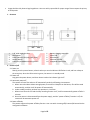
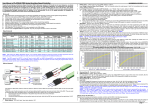
a. Under the configuration mode, open the “DIMIKA” software, and then the software will read the current
configuration automatically. (refer to below pic. 2)
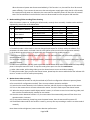
b. Click the relevant rows in the “parameter value” column, and then click the arrows to select the
parameters. The modified parameter will be in red. (refer to below pic. 3)
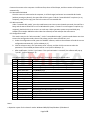
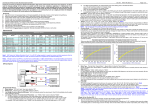
c. After modification, click the “sync button. If the synchronization is successful, the software will pop up
“sync ok”. (refer to below pic. 4)
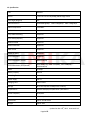
The configurations of the camera are as follows. The bold parameters are default value.
No.
Item
Parameters
1
Photo Resolution
12M /10M/ 8M/ 5M /3M
2
Photo Time Stamp
ON/OFF
3
Video mode 1
1920*1080 @30FPS/1280*720 @60FPS/1280*720@30FPS
4
Video mode 2
1920*1080 @30FPS/1280*720 @60FPS/1280*720@30FPS
5
Video Data Rate
Low/Medium/High
6
Loop Recording
1 minute/3 minutes/5 minutes/OFF
7
Video Time Stamp
ON/OFF
8
Auto-record
ON/OFF
9
Recording Mute
ON/OFF
10
Power-off delay
10S/ 30S/OFF
11
Motion detection
ON/OFF
12
G-sensor
Auto/0°/180°
13
ISO
Auto/100/200/400
14
White balance
Auto/Daylight/Cloudy/Tungsten/Fluor H/Fluor L
15
Exposure
-2/-1/0/+1/+2
16
Time-lapse
3S/5S/10S/30S
17
Flicker Frequency
50Hz/60Hz
18
Buzzer
ON/OFF
Notes:
a. Operation system for the above 3 modes: Windows 2000/XP/Vista/Windows 7/Windows 8
Page 5 of 8