1
LTE is a trademark of ETSI.
The 4G LTE Mobile Hotspot you received may be a reconditioned Certified
Like-New Replacement, which will carry the remaining warranty period from
the prior 4G LTE Mobile Hotspot, or 90 days, whichever is greater. This does
not limit or supersede any existing manufacturer warranty and may be
considered a “warranty” or “service contract” in certain states. In these
states, visit verizonwireless.com/extendedwarranty or see the Your Guide or
Your Business Guide brochure for the Extended Limited Warranty or Service
Contract information.
Mobile Hotspot within 5 days.
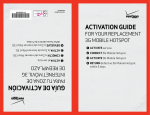
➊ ACTIVATE 4G LTE SIM card.
➋ INSERT 4G LTE SIM card and battery.
➌ Return defective 4G LTE
FOR YOUR replacement
4G LTE Mobile Hotspot
Activation Guide
GUÍA DE ACTIVACIÓN
PARA TU ZONA DE
INTERNET MÓVIL 4G LTE
de REEMPLAZO
➊ ACTIVA la tarjeta SIM 4G LTE.
➋ INSERTa la tarjeta SIM 4G LTE y la batería.
➌ Devuelve la Zona de Internet Móvil
4G LTE defectuosa dentro de 5 días.
Es posible que la Zona de Internet Móvil 4G LTE que recibiste sea un aparato
reacondicionado de reemplazo certificado como nuevo. Este mantendrá el plazo
de garantía que le quede a la Zona de Internet Móvil 4G LTE anterior, o un plazo
de garantía de 90 días, cualquiera que sea mayor. Esto no limita ni reemplaza
ninguna garantía del fabricante y se puede considerar como una garantía
(warranty) o contrato de servicio (service contract) en ciertos estados. En estos
estados, visita verizonwireless.com/extendedwarranty o consulta Tu Guía o
el folleto Tu Guía Empresarial para información sobre la Garantía Extendida
Limitada (Extended Limited Warranty) o la información del Contrato de Servicio.
LTE es una marca comercial de ETSI.
©2011 Verizon Wireless
4GMHSCLNR0311BI
Step ➊ activate 4G LTE SIM card.
If you did not receive a new Verizon Wireless 4G LTE SIM card in your
shipment, go to Step 2.
• Dial 1.877.807.4646 from any phone and follow the prompts to initiate
your 4G LTE SIM card.
• Have your Customer Receipt handy because you will be asked to
confirm information from it, including the “mobile number” assigned to
your 4G LTE SIM card.
Step ➋ Insert 4G LTE SIM card and battery.
• Turn off defective 4G LTE Mobile Hotspot and remove battery cover
and battery.
• If you received a Verizon Wireless 4G LTE SIM card in your shipment,
snap the SIM card out of its holder without touching the gold electrical
contacts.
If you did not receive a Verizon Wireless 4G LTE SIM card, remove
the SIM card from your defective device without touching the gold
electrical contacts.
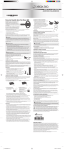
• Align the notched corner of the 4G LTE SIM card and then insert it into
the SIM card slot of your replacement device. For example:
Step ➌ Return defective 4G LTE Mobile Hotspot
within 5 days.
REMINDER: You must return your defective 4G LTE Mobile Hotspot within
5 days. If you do not return your defective device or if you return a device
that has been subjected to neglect, misuse, liquid damage, or unreasonable
wear and tear, you will be charged up to the full retail price of your
replacement device, which may exceed $500.
• Place only your defective device into the Certified Like-New Replacement
device box. Keep your original accessories (e.g., USB cable) for use with
your replacement device.
• Place device box into the shipping box.
• Attach return label.
• Drop off at nearest carrier location or contact carrier for pickup:
° FedEx: Visit fedex.com or call 1.800.GoFedEx (1.800.463.3339)
° USPS: Visit usps.com or call 1.800.ASK.USPS (1.800.275.8777)
° UPS: Visit ups.com or call 1.800.PICK.UPS (1.800.742.5877)
Note: Once returned to Verizon Wireless, your device cannot be
returned to you.
How to connect devices to your 4G LTE Mobile Hotspot:
• Ensure your 4G LTE Mobile Hotspot is powered ON.
• From a Wi-Fi–capable device, look for the network name (SSID) of your
4G LTE Mobile Hotspot. For example, “Verizon SCH-LC11 XXXX Secure”
(the X’s represent the four unique digits associated with your 4G LTE
Mobile Hotspot).
• Connect to your 4G LTE Mobile Hotspot using the password written down
in Step 2.
The actual insertion process varies by device. For illustrated instructions on
how to insert the SIM card, refer to the booklet that came with your device.
• Write down the password located on the back of your replacement device
or under the battery cover.
Password: ______________________________________
Please keep your password in a safe place.
• Insert battery and battery cover from defective device into your
replacement device.
• Fully charge your device.
Your replacement device is now ready for use.
For instructions on monitoring data usage, turn the page.
Monitoreando el uso de datos
• Para monitorear el uso de datos, los usuarios de My Verizon pueden
entrar a My Verizon en verizonwireless.com/myverizon
• Selecciona el número de móvil para tu aparato y haz clic en
Data Used.
• Para enviar alertas a hasta tres números de móviles y/o tres
direcciones de correo electrónico, haz clic en Manage Data Alerts y
luego Add Recipients.
• Añade My Verizon a tus favoritos para acceso fácil en el futuro.
For more information on how to use your 4G LTE Mobile Hotspot,
visit verizonwireless.com/support. To learn more about your
4G LTE SIM card, visit verizonwireless.com/4GSIM
Cambiando la contraseña (network key)
• Abre un navegador de Internet y ve a http://192.168.1.1
• Ingresa tu contraseña en la ventana de entrada (contraseña
establecida es admin).
• Navega al menú apropiado para cambiar el network name y la
network key.
• Para información adicional, consulta el manual de usuario.
Permitiendo roaming en países con CDMA
Nota: Clientes deben suscribirse a una opción global de datos para
tener roaming en países con CDMA. Por favor, visita verizonwireless.
com/global para las opciones de precios disponibles.
Samsung SCH-LC11: Conéctate móvilmente al aparato para
establecer una conexión a Internet.
• Abre un navegador de Internet y ve a http://192.168.1.1
• Ingresa tu contraseña en la ventana de entrada (contraseña
establecida es admin).
• Ve al menú Configuration y marca la caja Auto-Roaming enable.
Todos los otros aparatos: Consulta el manual de usuario para detalles.
Note: Customers must subscribe to a global data option in order to
roam in CDMA countries. Please visit verizonwireless.com/global
for available pricing options.
Samsung SCH-LC11: Connect wirelessly to the device to establish
an Internet connection.
• Open an Internet browser and go to http://192.168.1.1
• Enter your password in the login field (default is admin).
• Go to the Configuration menu and check the Auto-Roaming
enable box.
All other devices: Refer to the user manual for details.
Enabling roaming in CDMA countries
• Open an Internet browser and go to http://192.168.1.1
• Enter your password in the login field (default is admin).
• Navigate to the appropriate menu to change the network name and
network key.
• For additional information, see user manual.
Changing the password (network key)
Para más información sobre cómo usar tu Zona de Internet Móvil4G
LTE, visita verizonwireless.com/support
Para aprender más sobre tu tarjeta SIM 4G LTE,
visita verizonwireless.com/4GSIM
• To monitor data usage, My Verizon users can sign in to My Verizon at
verizonwireless.com/myverizon
• Select the mobile number for your device and click on Data Used.
• To send alerts to up to three mobile numbers and/or three email
addresses, click Manage Data Alerts, and then Add Recipients.
• Bookmark My Verizon for easy access in the future.
Monitoring Data Usage