1
Professional Monitor/Recorder
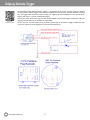
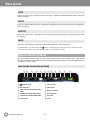
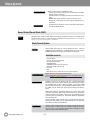
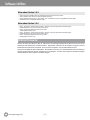
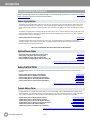
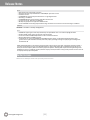
Lower Tool Bar (Play Mode)
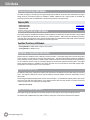
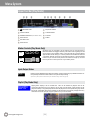
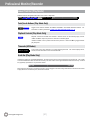
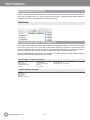
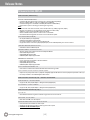
A different tool bar will appear at the bottom of the screen in Play Mode.
TOOLS
<STEP
►
STEP>
NEXT>
00:12:16:72
05:59
|
14:55
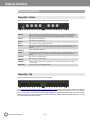
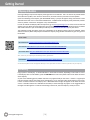
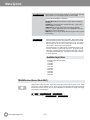
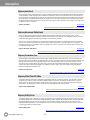
Tools/Scrub Buttons (Play Mode Only)
SCRUB
TOOLS
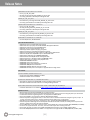
Toggles Lower Tool Bar between PLAYBACK CONTROLS and IMAGE ANALYSIS TOOLS. For
information on TOOLS, please see LOWER TOOL BAR (RECORD MODE) on p. 28.
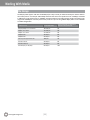
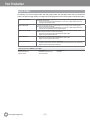
Playback Controls (Play Mode Only)
<PREV
...
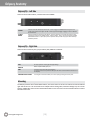
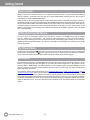
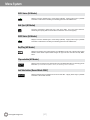
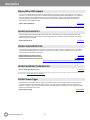
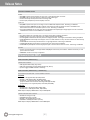
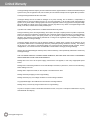
Playback controls are activated when TOOLS is selected. There are five deck-style play controls.
<PREV and NEXT> skip to the previous or next file in a selected playlist.
<STEP and STEP> move a paused video file to the previous or next frame.
play and pause.
►& || toggle between
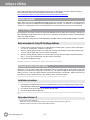
Timecode (All Modes)
00:12:16:04
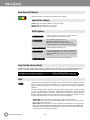
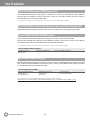
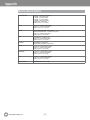
At the center of the Lower Tool Bar is a counter displaying timecode. This counter displays hours,
minutes, seconds and frames in the format 00:00:00:00.
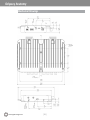
Scrub Bar (Play Mode Only)
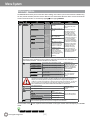
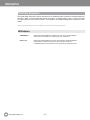
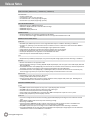
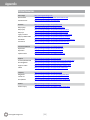
Activated by toggling the TOOLS/SCRUB Button. The lower right tool bar is a bar that represents the full video file. The number
on the left notes the time within the video file currently cued. The number on the right indicates the total time of the clip. A vertical
line graphically represents the cue point within the file.
05:59
|
14:55
Drag a finger across the bar to move through the file. A finger dragged on the video image area itself is a more fine-tuned control.
To play the file from the selected point, use the deck controls.
Convergent-Design.com
[37]