1
Audio management
→ Microphone sensitivity
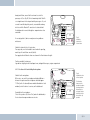
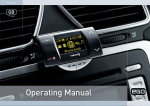
Under certain circumstances, it may be necessary to adjust the microphone sensitivity. For example, if the
microphone is located too far from or too close to the driver. The EGO LOOK has 10 possible sensitivity settings
available. The sensitivities are shown to the right of the display as bars. There are a total of fi ve bars where one bar
indicates two steps. The sensitivity can be adjusted using the rotary knob. Do not set the microphone to be too
sensitive because this may result in over-modulation and poor audio quality for the other party.
→ Line in
In this menu item, you may activate the line in and vary the input volume of the audio device connected to the line
in of the electronics box.
q
Note: Please note that only the connection of an audio device with line level is allowed. If the electronics box’s line in is
overamplified through an excessively high signal from the line out of the audio device, the volume must be reduced on
the audio device.
→ Volume
The base volume of the line out as well as the ringtone and call playback through the speaker output of the
electronics box can be adjusted within this menu item in 5 steps.
→ Line out
The channel for call playback can be set under this menu item. The items “right”, “left”, and “right + left”
are available.
Voicemail
Voicemail functions can be switched on and off here. The user still has the option to record and listen to messages and
to playback recordings. For more information see the “Voicemail” chapter.
44
| 45