1
J–83
CATVmeter
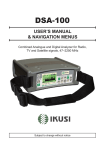
User Manual
Index______________________________________________________________________________
3
–
FRONT PANEL & KEYS
4
–
NAVIGATION
5
–
CONFIGURATIONS
6
–
“PLAN” SCREEN AND NAVIGATION
7
–
QUALITY MEASUREMENT SCREEN
8
–
TV
8
–
ANALOG TV MEASUREMENT SCREEN
9
–
DVB-C DIGITAL CATV MEASUREMENT SCREEN
10
–
INGRESS & LEAKAGE MEASUREMENT SCREENS
11
–
SPECT
11
–
SPECTRUM ANALYZER SCREENS
12
–
TV: BARSCAN LEVEL/POWER OF ALL CHANNELS
13
–
SCAN: CHANNEL PLANS AND LOG FILES
13
–
TV: AUTOMEMORY TV
14
–
TV: MANUAL MEMORY
15
–
LOGGER SAVE & RECALL
16
–
BATTERY TEST & BATTERY REGENERATION
17
–
LI-ION POLYMER BATTERIES
17
–
WARNINGS
18
–
POWER SUPPLY & BATTERY CHARGE LED STATUS
19
–
METER MAINTENANCE
19
DISPOSAL of ELECTRONIC EQUIPMENT
2
Front Panel & Keys
_____________________________________________________
8
7
9
6
1
5
2
4
3
1
2
3
4
5
6
7
8
HOME Key
MAINS
SPECT Key
BAT. CHRG
QUALITY Key
RF TV Input
Arrow keys
ENTER
9
USB/Power Supply and for PC connection
Press to turn on. Keep pressed to turn off.
LED on when the meter is connected to the mains power supply
Press to visualize spectrum
LED on during battery charge
Press to visualize signal quality
TV/CATV input connector 47-1.000 MHz
Press to select and adjust values/fields
Press to select/confirm
5 V power supply connector via MICRO-USB
N.B:
To comply with European standards, we used a Micro-USB connector in the instrument,
because the European Community does not recommend providing power supplies. This
meter can be charged and used directly from a PC via the USB socket, or using any
MICRO-USB, 5V, 1A power supply.
3
Navigation____________________________________________________________________________
• pOWER
To turn off keep
the ‘HOME’ key
pressed.
To turn on
press the
‘HOME’ key.
• ARROW KEYS
• ENTER
Press the arrow
keys to select the
menu required or
to adjust the value
in a selected field
(number/menu).
• RESET HARDWARE
Press to
select a menu
or to confirm.
• RESET SOFTWARE
With the meter turned
off, turn the instrument on
keeping the “ENTER” key
pressed and only release
when the boot has been
completed.
With the meter
turned on keep the
‘HOME’ key pressed
for 10 sec. and then
turn on again.
4
Configurations
_________________________________________________________________________
Press the ‘HOME’ key, use the arrow keys to select “CONFIG”, then press “ENTER”.
Use the arrow keys to select and adjust the settings/values in the various menus.
CONFIGURATION OF THE INSTRUMENT PARAMETERS:
COUNTRY CONFIGURATION & DISCOVERY MODE:
LEAKAGE PARAMETERS CONFIGURATION:
INGRESS PARAMETERS CONFIGURATION:
5
“PLAN” Screen and Navigation ___________________________________________
Press the “HOME” key, use the arrow keys to select “PLAN”, then press “ENTER”.
Use the arrow keys to select the V
T MASTER (Tv MASTER PLAN) memory plans you wish
to use, manual (MANUAL MEMORY) or automatic (AUTOtv MEMORY).
MASTER TV PLAN SELECTION:
MANUAL MEMORY SELECTION:
AUTO MEMORY SELECTION:
6
QUALITY measurement screen ____________________________________________
Measure the quality and power of up to 140 channels in blocks of 8 channels.
or
Select the automatic
memory plan required
(AUTO XX).
Select the manual
memory plan required
(MANU XX).
DIGITAL CHANNEL:
ANALOG CHANNEL:
A/ V
POWER
QUALITY
LEVEL
Press the arrow keys
to scroll the channel list.
7
TV SIGNAL ANALYSIS
TV __________________________________________________________________________________
Press the “HOME” key, use the arrow keys to select “MEAS”, then press “ENTER”.
Or keep the “QUALITY” key pressed for 2 seconds.
Analog TV Measurement screen _______________________________
Use the “LEFT” and “RIGHT” keys to select the field required.
Use the “UP” and “DOWN” arrow keys to adjust the value.
Keep pressed to rapidly adjust.
Signal Level (LEV)
Report carrier VIDEO-AUDIO (V/A)
8
DVB-C Digital CATV Measurement screen
_______________
Repeatedly press the “ENTER” key to navigate in the TV measurement screens.
Use the “LEFT” & “RIGHT” keys to select the field required.
Use the “UP” & “DOWN” arrow keys to adjust the value.
Keep pressed to rapidly adjust.
Digital Average Power (PWR)
Noise Margin (N.MAR)
Quality (QLY)
MER
BER before Viterbi (bBER)
BER after Viterbi (aBER)
64 QAM Constellation
Press to navigate
in the TV
measurements
9
INGRESS MEASUREMENT SCREEN
___________________________
Press the “HOME” key, use the arrow keys to select “INGRESS”, then press “ENTER”.
LEAKAGE MEASUREMENT SCREEN
___________________________
Press the “HOME” key, use the arrow keys to select “LEAK”, then press “ENTER”.
10
SPECT
Spectrum analyzer
___________________________________________________________________________
Press the “SPECT” key to go to Spectrum mode
Or press the “HOME” key, use the arrow keys to select “SPECT”, then press “ENTER”.
SPECTRUM ANALYZER SCREENS
______________________________
Use the arrow keys to select and adjust the spectrum’s
numerical values: SPAN (SP) - H
C ANNEL - FREQUENCY (F) REFERENCE LEVEL
DIGITAL TV SIGNALS
SPECTRUM
ANALOG TV SIGNALS
SPECTRUM
Fast spectrum
Fast spectrum
Fast spectrum with memory
peak (MAX HOLD)
Fast spectrum with memory
peak (MAX HOLD)
Press to cycle through
spectrum analyzer
screens
11
TV: BARSCAN level/power of all channels
_______________
In the TV standard canalization the meter displays the level/power of all TV channels.
In MANUAL MEMORY or AUTOMATIC TV MEMORY (AUTOtv MEMORY) the meter displays
the memorized channels and distinguishes analog and digital signals using two different
bars.
Press the “SPECT” key for 2
seconds to visualize the Barchart
Use the arrow keys to select and change the
barchart’s numerical values:
SPAN (SP) - CHANNEL - FREQUENCY (F) RESOLUTION (dB/ D) - REFERENCE LEVEL
ANALOG
CHANNELS
Barscan (level bar chart)
12
DIGITAL
CHANNELS
SCAN: channel plans and log files
TV: AUTOMEMORY TV
____________________________
_________________________________________________
To automatically store all the existing channels in a city or building.
Press the “HOME” key, using the arrow keys select “SCAN”, then press ENTER.
Use the arrow keys to
select and change the
required parameters
select
“AUTOMEMORY TV”
Select “ DESTINAT” and select the destination file “AUTO” where the search must be saved
(fig 1).
Select “DISCOVERY” and set search mode (fig 1),
Select “LEVEL” and set the minimum level threshold of the analog channels searched (fig 1).
Select “POWER” and set the minimum power level of the digital channels searched (fig 1).
Select “START” to create a new channel plan and to activate the search (fig 1).
N.B.:
If the word “O VERWRITE” appears, the selected file will be overwritten.
Wait a few minutes (fig 2), the meter indicates the recorded ANALOG & DIGITAL CHannels
(fig 3).
Fig 1
Set the desired parameters
and select “START”
Fig 2
Memorization in progress
13
Fig 3
Memorization complete
TV: MANUAL MEMORY
______________________________________________
How to create/edit a manual memory plan.
Press the “HOME” key, use the arrow keys to select “SCAN”, then press “ENTER”.
2
1
Use the arrow keys “UP” and “DOWN”
and select the manual plan required
Select “MANUAL MEMORY”
and press “ENTER”
3
4
Use the “UP” and “DOWN’” keys
and select the channel required
Use the “UP” and “DOWN’” keys and
select the type of signal required
5
6
Use the “UP” and “DOWN’” keys
and select the channel required
Use the “UP” and “DOWN’” keys and
select the type of signal required
7
8
Use the “UP” and “DOWN” arrow keys to
select the required Symbol Rate (SR) value.
Select “STORE” and press
“ENTER” to memorize
N.B.: W hen the memorization of a channel has finished, follow the steps described
above to add other channels in the same memory plan, or in a new one. The instrument
automatically suggests the zone “MEM ..: Pxx: ___”, the memory position where you can
save or overwrite the new channel.
14
LOGGER _________________________________________________________________________
Use the arrow keys to select and change the items/values in the various menus.
LOGGER SAVE ______________________________________________________________
Press the “HOME” key, use the arrow keys to select “MEMORY”, than press “ENTER”.
Select LOGGER SAVE
and press “ENTER”.
Set the desired parameters and select
“STORE?” to create a new LOG file.
“DATA LOGGER” in progress.
N.B.:
If the word “OVERWRITE” appears, the selected log will be overwritten. Wait a few
minutes for the Datalogger to complete.
LOGGER RECALL __________________________________________________________
Select the “LOG” (LOG NUM) number
to be recalled and select “RECALL”.
Select “Logger RECALL”
and press “ENTER”.
Press the arrow keys to select the
measurement of the required signal.
15
Battery Test & Battery regeneration
______________________
THIS PROCEDURE EXPLAINS HOW TO REGENERATE/CHECK YOUR BATTERIES AND CALIBRATE THE
BATTERY CHARGE INDICATOR
USEFUL ADVICE:
• CHARGE THE BATTERIES EVERY NIGHT AFTER USE, EVEN IF THEY ARE NOT COMPLETELY
DISCHARGED;
• ALWAYS USE THE “BATTERY SAVE” & “TIMER OFF” FUNCTIONS TO INCREASE YOUR METER’S
AUTONOMY;
• THE MAXIMUM CAPACITY OF THE BATTERIES AND BATTERY CHARGE INDICATOR’S ACCURACY
IMPROVES BY UP TO 20% IF YOU CARRY OUT MANY BATTERY TEST CYCLES;
• DO NOT REPLACE THE BATTERIES: FIRST CARRY OUT 3 TO 5 BATTERY TEST CYCLES UNTIL YOU
RECOVER THE MAXIMUM CAPACITY OF THE BATTERIES.
“BATTERY TEST” INSTRUCTIONS & PROCEDURE:
1. Before carrying out the test, connect the meter to the original battery charger
:
• Turn on the meter;
• Press the Home key (fig. 1);
• Select the word “CONFIG” and press “ENTER” to confirm (fig. 1);
• Select “METER SETUP” and press “ENTER” (fig. 2);
• Select the word “BATT. TEST” and press the “RIGHT” keys to select “ON”;
• Press “ENTER” to confirm.
• Carefully read the various screens, pressing “ENTER” in succession;
• In the last instructions window, select “START” and press “ENTER” to start the test.
WARNING: the procedure will be cancelled if you select “exit” on any screen.
220 BBLY
FIG. 1∗
FIG. 2∗
FIG. 3∗
IMPORTANT ADVICE:
• Do not connect any type of load to the “F” input connector (LNB, TV head-end, amplifiers, etc.).
• Extract the conditional access module (CAM), if it is present in your meter.
2. The battery test takes approx. 12 hours (charging/discharging/recharging activities and
measurement of the battery autonomy), during this time the meter must not be used. At the end of
the test the meter will turn off automatically. In order to make sure that the test has been carried
out correctly, all the meter’s commands are blocked except for the reset function, which remains
active so that the meter can be turned off if necessary.
3. The batteries will be completely charged at the end of the test.
4. To check the battery test results, enter “METER SETUP” (fig. 2), select “BATTERY TEST” function
and read the results: for example 220BBLY (fig. 3) = 220 minutes. The “Y” of YES confirms that the
battery is still good enough, whereas an “N” for NO indicates that it could be faulty, too deteriorated
or that the cycle was interrupted.
IMPORTANT NOTES:
If the test is interrupted using “reset”, the battery charge indicator may provide incorrect indications,
therefore repeat the battery test procedure.
∗ The displays shown in this guide may change according to the model and are subject to change
without notice. If you connect your meter, using the S.M.A.R.T. Pro program, from the USB port to the
PC, you can download the screens shown above.
16
LI-ION Polymer Batteries
______________________
IMPORTANT:
• ALWAYS TURN THE INSTRUMENT OFF BEFORE CONNECTING THE BATTERY CHARGER;
• DO NOT LEAVE THE BATTERIES DISCHARGED FOR LONG PERIODS;
• ALWAYS CHARGE THE BATTERIES AT NIGHT FOR AT LEAST 7 HOURS, EVEN IF THEY ARE
NOT COMPLETELY DISCHARGED.
USEFUL INFORMATION:
1. The batteries supplied are high quality and tested individually, their autonomy
depends on the following conditions:
– the LNB power consumption: Single, dual or Quadruple;
– the external temperature: with temperatures of less than 10 °C, 20 % of the
capacity is lost;
– the age of the batteries: a 10 % loss in effi ciency each year;
– Remember that the TIMER OFF function, that automatically turns off the Meter
after 5 o 10 minutes of inactivity, saves up to 30 %.
2. The battery indicator has a tolerance (like all battery powered electronic devices)
according to the following factors:
- the battery’s charging percentage;
- external temperatures;
- battery wear and tear;
• +/– 2 %.
ICONS SHOWING THE BATTERY CHARGE STATUS:
BATTERY AUTONOMY:
The battery autonomy of between: 2 hours min. and 4 hours max.
WARNINGS
RECHARGEABLE BATTERY
This device contains a built-in Li-PO (Lithium polimer) battery that can be recharged many times.
The battery contains chemicals that might wear with time even if not used. Please dispose of
batteries properly.
Do not take the battery pack apart or expose it to extreme temperatures (over 50 °C). If the device
has been exposed to very low or high temperatures let it rest at room temperature before use.
RECHARGING THE BATTERY
The Battery must be recharged at room temperature (about 20 °C) with the device turned off. To
avoid premature failure of the battery never leave the device with an empty battery for prolonged
periods.
17
Power Supply (mains) and Battery Charge (chrg)
LeD status ____________________________________________________________________
INSTRUMENT
CONNECTED
TO THE MAINS
POWER SUPPLY
OFF
YES
ON
ON
Batteries in fast charge
OFF
YES
ON
OFF
Battery charge completed
OFF
YES
ON
LED MAINS
LED BATT
CHRG
Flashing
0.5 SECONDS OFF
0.5 SECONDS ON
18
NOTES
Abnormal battery temperature.
The recharge cycle has been suspended
temporarily and will automatically reset.
Meter Maintenance
____________________________________________________
CLEANING THE METER
Keeping the meter clean from dust and dirt is easy and helps mantain optimum working conditions
over the years. The cleaning procedure is simple and quick and requires only minor attention.
Never use aggressive, chemical products (diluent) and/or abrasive or rough clothes, which may
damage plastics and displays.
Always use a soft cloth, dampened with a solution of water and alcohol or a de-greasing, non-abrasive
liquid soap.
The keyboard and display should be gently cleaned. Rubbing the keyboard and/or the display(s) may
seriously damage their functions.
MAINTENANCE AND CARE OF THE METER
This meter has been designed to withstand severe conditions of use. Even so, its life can be
prolonged by respecting some simple and effective rules:
• The meter has not been designed to withstand high temperatures (over 60°C or 140° F).
These temperatures can be easily reached when the meter is left in a car, especially behind the
windshield, or in a trunk. The LCD display and/or other details could easily be damaged by extreme
temperatures.
• The internal battery could rapidly loose its efficiency if exposed to high or low temperatures. This
may result in reduced meter autonomy when powered by its internal battery.
• When recharging the internal battery, allow good air circulation around the meter and the adapter:
do not cover it with clothes and do not recharge the battery when the meter is in its transport
case.
• The meter is not waterproof, even if it is protected against incidental water drops. If it comes into
contact with water electronic circuits may be damaged. Allow the meter to dry thoroughly before
trying to turn it on. Do not use hairdryers or other strong heating sources, just leave the meter at
room temperature. If necessary, contact SAT-Kabel GmbH for technical assistance.
Disposal of electronic equipment _____________________________
Disposal of electric / electronic equipment (applicable in all CEE countries and wherever a
separate waste collection system is applied).
This symbol on the packaging indicates that the product should not be considered domestic
waste. The product, at the moment of disposal, should be brought to a waste collection point
with the proper facilities to manage electrical/electronic appliances.
Electric/electronical appliances, if not disposed of correctly, may have
negative consequences on your health and the enivironment.
Furthermore, a proper recycling procedure helps mantain natural
resources.
For more information about the correct disposal of this product, please
refer to your local waste disposal management offices or the shop where
this product was bought.
19
Telefon: +49 (0)3724 6665-0
Telefax: +49 (0)3724 6665-44
[email protected] • www.sat-kabel.de
Errors, technical amendmends and developments are subject to change without notice!
SAT-Kabel GmbH 03 04 2014