1
E-Signatures with EchoSign
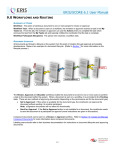
Click on the EchoSign or DocuSign button. A panel will open up, as seen on the
following page, to initiate the process.
ENTER THE EMAIL ADDRESS YOU WISH TO SEND THE
DOCUMENT TO IN THE
“SEND TO” FIELD.
IF YOU WISH TO PUT IN A NAME OF THE PERSON YOU
ARE SENDING TO , ENTER THEIR NAME IN
THE
“NAME” FIELD
DOCUMENT NAMES CAN BE ENTERED BEFORE
SENDING
.
Once information has been entered and the “Send” button has been pressed, your
document will be uploaded into your e-signature program to be prepped, according to
whatever normal steps you would follow per their process, and sent to your recipient
using the information provided.
For more information on EchoSign eSignature solution visit :
The Echosign homepage at:
Ver2_11.2014
https://www.echosign.adobe.com/ref/S54K8R8G64373W
58