1
6. Using the Main Menu page
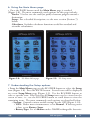
• Press the PAGE button until the Main Menu page is reached
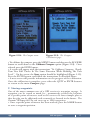
(Figure 2.8). The most commonly used options on this page include:
Tracks: Used to save the track (or path) of current progress toward a destination.
Setup: For a detailed description, see the next section (Section 7) below.
Calculator: Includes calculator functions useful for standard and scientific calculations.
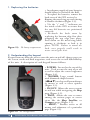
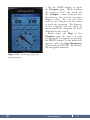
Figure 2.8: The Main Menu page.
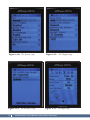
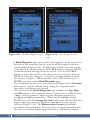
Figure 2.9: The Setup menu.
7. Understanding the Setup options
• From the Main Menu page use the ROCKER button to select the Setup
icon (Figure 2.8). Press the ENTR button. Several icons will be displayed
on a new Setup Menu page (Figure 2.9). Use the ROCKER button to
select a specific icon. Note that not all Setup icons can be viewed on the
screen at once, i.e., use the ROCKER button to scroll down to view the
remaining icons. The most commonly used options are described below.
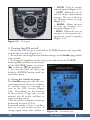
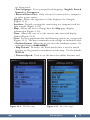
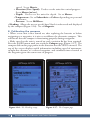
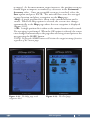
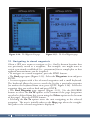
– System: Controls various useful settings for the GPS (Figure 2.10).
• GPS: Under most circumstances set to Normal. If battery power
is low, set to Battery Saver.
• BatteryType: Set to Akaline unless NiMH/rechargeable batteries
GPS Navigation
13