1
Recorder Versions Described in This Manual
The contents of this manual correspond to the GX/GP with release number 2 (see the
STYLE S number) and style number 1 (see the STYLE H number) and the GM with release
number 2 (see the STYLE S number) and style number 1 (see the STYLE H number).
Edition
1
2
Product
GX/GP: Version 2.01 and later
GX/GP: Version 2.01 and later
GM: Version 2.02 and later
Explanation
—
Describes the GM.
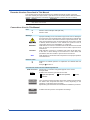
Conventions Used in This Manual
Unit
K
k
Markings
WARNING
CAUTION
Note
Reference Item
Denotes 1024. Example: 768K (file size)
Denotes 1000.
Improper handling or use can lead to injury to the user or damage to
the instrument. This symbol appears on the instrument to indicate that
the user must refer to the user’s manual for special instructions. The
same symbol appears in the corresponding place in the user’s manual
to identify those instructions. In the manual, the symbol is used in
conjunction with the word “WARNING” or “CAUTION.”
Calls attention to actions or conditions that could cause serious or fatal
injury to the user, and precautions that can be taken to prevent such
occurrences.
Calls attention to actions or conditions that could cause light injury
to the user or cause damage to the instrument or user’s data, and
precautions that can be taken to prevent such occurrences.
Calls attention to information that is important for the proper operation
of the instrument.
Reference to related operation or explanation is indicated after this
mark.
Example: section 4.1
Conventions Used in the Procedural Explanations
Bold characters Denotes key or character strings that appear on the screen.
Example: Volt
Indicates the character types that can be used.
Aa# 1
a lowercase alphabet,
# symbol,
A uppercase alphabet,
1
Procedure
Explanation
Path
numbers
Carry out the procedure according to the step numbers. All procedures
are written with inexperienced users in mind; depending on the
operation, not all steps need to be taken.
Explanation gives information such as limitations related the procedure.
Indicates the setup screen and explains the settings.
Description
ii
IM 04L51B01-19EN