1
Contents
Introduction ...........................................................................................................................................2
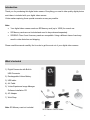
What‟s Included ....................................................................................................................................2
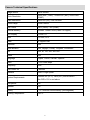
Camera Technical Specifications ..........................................................................................................3
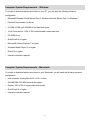
Computer System Requirements – Windows........................................................................................4
Computer System Requirements – Macintosh ......................................................................................4
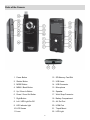
Parts of the Camera ..............................................................................................................................5
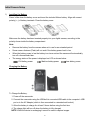
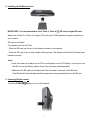
Initial Camera Setup .............................................................................................................................6
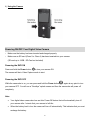
Powering ON/OFF Your Digital Video Camera ......................................................................................8
Changing DVR Mode ............................................................................................................................9
Navigating the Menus ...........................................................................................................................9
Video Capture Mode ...........................................................................................................................10
Video Playback Mode .........................................................................................................................13
Photo Capture Mode ...........................................................................................................................18
Photo Playback Mode .........................................................................................................................22
General Camera Settings....................................................................................................................25
Connecting the Digital Video Camera to a TV and HDTV ...................................................................30
Installing the Software .........................................................................................................................32
Connecting the Camera to the Computer............................................................................................34
Getting Photos and Videos from Your Camera to Your Computer .......................................................35
Getting Started! ...................................................................................................................................36
Transferring Images from my Camera to my Computer Manually .......................................................36
Camera Maintenance ..........................................................................................................................38
Sakar Warranty Card ..........................................................................................................................39
Technical Support ...............................................................................................................................39
Troubleshooting ..................................................................................................................................40
1