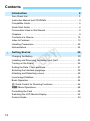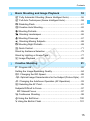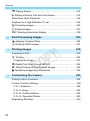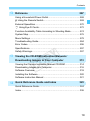
1
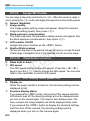
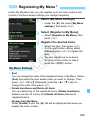
3 Menu Settings
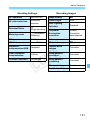
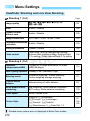
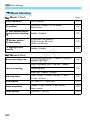
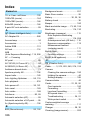
Playback 2 (Blue)
Page
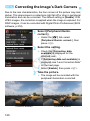
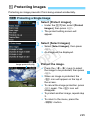
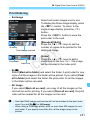
Histogram display
Brightness / RGB
231
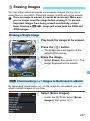
Image jump with 6
1 image / 10 images / 100 images / Date /
Folder / Movies / Stills / Rating
205
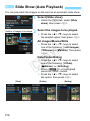
Slide show
Playback description / Display time / Repeat /
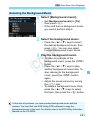
Transition effect / Background music
218
Rating
[OFF] / l / m / n / o / p
208
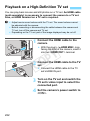
Control over HDMI
Disable / Enable
223
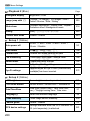
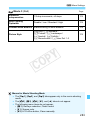
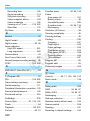
Auto power off
30 sec. / 1 min. / 2 min. / 4 min. / 8 min. /
15 min. / Disable
181
Auto rotate
OnzD / OnD / Off
188
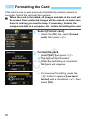
Format card
Initialize and erase data on the card
50
File numbering
Continuous / Auto reset / Manual reset
184
Select folder
Create and select a folder
182
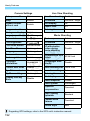
Screen color
Select the shooting settings screen color
193
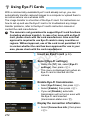
Eye-Fi settings
Appears when an Eye-Fi card (commercially
available) has been inserted.
272
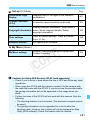
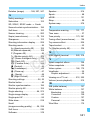
LCD brightness
Seven brightness levels provided
181
LCD off/on button
Shutter button / Shutter/DISP / Remains on
193
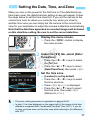
Date/Time/Zone
Date (year, month, day) / Time (hour, min.,
sec.) / Daylight saving time / Time zone
37
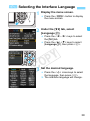
LanguageK
Select the interface language
39
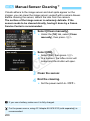
Clean manually
Clean image sensor manually
200
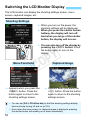
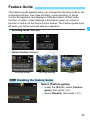
Feature guide
Enable / Disable
53
GPS device settings
Settings available when the GPS Receiver GPE2 (sold separately) is attached
281
Set-up 1 (Yellow)
C
Y
P
O
Set-up 2 (Yellow)
280