1
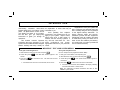
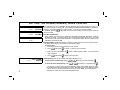
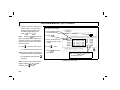
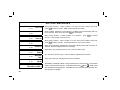
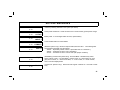
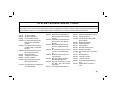
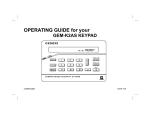
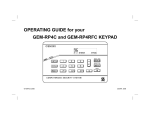
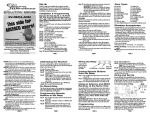
K E Y P AD C O N T R O L S & I N D I C AT O R S
1
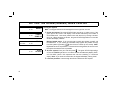
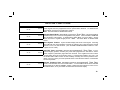
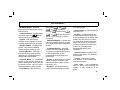
Window. Displays system status 5
messages, zone descriptions, etc.
2
STATUS Light. Lights (green) to
indicate that the system is ready
for arming. If a zone is not 6
secured the light will be off and
the zone will display in the
window. If a zone has been
bypassed, the STATUS light will
blink while armed.
7
3
4
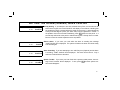
ARMED Light. Lights (red) to
indicate that the system is armed. 8
If an alarm has occurred, the
ARMED LED will be flashing.
FUNCTION Button. Selects 9
available system functions as
displayed in the window. The
selected function is executed by
pressing the Jto button.
BYPASS Button. (1) Deactivates 10
selected zones from the system.
(2) Unbypasses a bypassed zone
(GEM-P3200/9600 panels only).
RESET Button. (1) Resets
various system troubles, displays,
etc. (See text.) (2) Resets
11
residential smoke detectors.
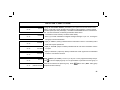
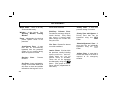
Numerical Keys (1-9, 0). Used to
enter codes, zone numbers, etc.
ON/OFF Button. Entry key.
Causes the entered code or
selected function to be executed.
INTERIOR Button. (1) Bypasses
all Interior Zones simultaneously
to allow free movement within the
premises. (2) Scrolls the window
display forward (NEXT). (3)
Answers “YES” to questions in
the window display.
12
INSTANT Button. (1) Cancels
entry delay on Exit/Entry Zones,
causing an instant alarm upon
violation. (2) Scrolls window
display backward (PRIOR). (3)
Answers “NO” to questions in the
window display.
AREA Button (*). Selects other
are as a nd is u se d wi th
emergency buttons.
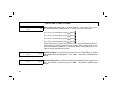
Emergency Buttons. Used with
the G button to signal an
emergency, as follows:
Press the 7 and the G
buttons for Fire Emergency.
Press the 8 and the G
buttons for Auxiliary Emergency.
Press the 9 and the G
buttons for Police Emergency.
5