1
BOUTONS
FRA
17928173.00 ENG/FRA A
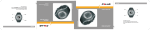
User Manual
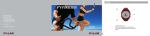
Polar F11™
Press OK to enter the menu.
Press the / buttons to move forward in the menus.
Press and hold the Back button to return to the Time of Day
display.
Lumière
OK
Back
Retour
ENG
17928173.00 ENG/FRA A
OK
Light
Appuyez sur OK pour entrer dans un menu.
Appuyez sur les boutons / pour avancer dans les menus.
Appuyez longuement sur le bouton BACK/RETOUR pour revenir
à l’affichage de l’Heure.
Manuel d’Utilisation
Polar F11™
BUTTONS
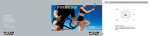
INSTRUCTIONS RAPIDES POLAR F11
Comparez les données de chaque séance d’exercice avec vos objectifs
pour la semaine, et vérifiez que vous atteignez les objectifs prévus.
Appuyez
sur
Retour
Contrôlez des
données comme
votre fréquence
cardiaque et votre
dépense calorique
pendant vos
Appuyez séances d’exercice.
sur
Visualisez en detail
les données de votre
dernière séance
d’exercice, ainsi
que les données
cumulées de tous
vos exercices.
Modifiez l’heure,
l’alarme et d’autres
réglages.
Réalisez le Polar
Fitness Test et
contrôlez votre
progression à long
terme.
Créez ou modifiez
votre Programme
d’exercice
personnalisé Polar
“Keeps U Fit’’.
OK
Appuyez
sur
Appuyez
sur
OK
OK
Appuyez
sur
OK
Appuyez
sur
OK
OK
Cher client,
Félicitations! Nous vous remercions d’avoir choisi le cardiofréquencemètre Polar F11™!
Le modèle Polar F11 vous aidera à atteindre vos objectifs personnels de forme.
Le cardiofréquencemètre Polar F11 propose la fonction Programme d’exercice “Polar Keeps U Fit™’’*, qui
vous permet de créer un Programme d’exercice personnalisé, de tenir un journal de vos séances d’exercices,
et de suivre votre progression. Le Programme est basé sur votre niveau actuel de forme aérobie, mesuré par
le Polar Fitness Test™. Sélectionnez votre type de programme et le volume d’exercice que vous souhaitez
effectuer, et le cardiofréquencemètre Polar vous propose automatiquement un Programme d’exercice
personnalisé. Portez votre cardiofréquencemètre pendant vos séances d’exercices et consultez ensuite les
données enregistrées dans le Journal Electronique. Dans le Journal vous pouvez suivre vos progrès et les
comparer avec vos objectifs. Réalisez le Fitness Test une fois par mois pour voir l’évolution de votre forme
sur le long terme.
Back
Ce manuel contient toutes les informations nécessaires à l’utilisation et l’entretien de votre cardiofréquencemètre. Nous vous invitons à le lire attentivement afin de vous familiariser avec ses différentes
fonctions et utiliser ainsi votre cardiofréquencemètre Polar de façon optimale.
Back
CRÉER
Back
TEST
SEND
MONTRE
Back
QUOTIDIEN
GENERAL
DÉMARRER
SEND
MODIFIER
SETTINGS
GRAPHE
SEND
MODE FC
USER
HEBDO.
TOTALS
RÉGLAGES
Back
Please also check our web sites for the best product and training tips and other value adding services:
www.PolarFitnessTrainer.com and www.polar.fi
Consultez aussi nos différents sites Internet pour obtenir des conseils d’utilisation ou d’entraînement
adaptés, ainsi que d’autres services utiles : www.PolarFitnessTrainer.com et www.polar.fi
EDIT
RÉGLAGES
TREND
ENVOI
HR SET
PERSONNE
WEEKLY
CUMULÉS
SETTINGS
This manual contains the information you need to use and maintain your product. Please read this through
to understand how to use the functions and to get the most out of your Polar heart rate monitor.
Retour
CREATE
OK
Press
Retour
TEST
OK
Press
GÉNÉRAUX
WATCH
OK
Press
The Polar Fitness heart rate monitor includes the Polar Keeps U FitTM - Own Workout Program, which helps
you to create a personalized training program, keep a diary of your exercise sessions, and follow your
progress. The Program is based on and personalized by using your current aerobic fitness level, measured
with the Polar Fitness TestTM. Enter your program choice and the amount of exercise, and the Polar Fitness
heart rate monitor provides you with an exercise program. Use the Polar heart rate monitor during your
exercise sessions and check the recorded data from the electronic Diary after exercising. In the Diary you
can compare and chart your progress against your targets. Perform the Fitness Test once a month and see
how your fitness level is proceeding over the long-term.
The Polar Fitness heart rate monitor helps you to achieve your personal fitness goals.
ENVOI
DAILY
OK
Press
Create and edit
Polar Keeps U Fit Own Workout
Program.
Perform the Polar
Fitness Test and
view your long-term
progress.
Change alarm,
time of day, and
other settings.
Retour
START
OK
OK
Press
View detailed
information on
your latest exercise
sessions, as well as
the long-term
information on your
exercises.
Retour
Press
Back
Monitor information
such as your heart
rate and calories
burned during your
exercise sessions.
Dear customer,
Congratulations on your purchase of a new Polar Fitness Heart Rate Monitor!
Compare achieved exercise values against your weekly exercise targets,
and see if you are achieving your targets as planned.
ENVOI
*“Gardez la Forme’’
POLAR F11 QUICK GUIDE
Retour
CONTENTS
1.
2.
3.
4.
5.
GETTING STARTED - PERSONALIZE YOUR POLAR F11 ...................................................................................................... 7
1.1 PRODUCT ELEMENTS .............................................................................................................................................. 7
1.2 WRIST UNIT BUTTONS AND SYMBOLS ...................................................................................................................... 8
1.3 BASIC SETTINGS ................................................................................................................................................... 10
1.4 MEASURING YOUR HEART RATE ............................................................................................................................ 12
TEST YOUR FITNESS LEVEL - GET YOUR OWNINDEX ....................................................................................................... 14
2.1 PERFORMING THE FITNESS TEST ........................................................................................................................... 15
2.2 FITNESS TEST TREND ............................................................................................................................................ 18
SET YOUR GOAL - CREATE WORKOUT PROGRAM ............................................................................................................ 20
3.1 CREATING YOUR PROGRAM ................................................................................................................................... 21
3.2 VIEW AND EDIT YOUR PROGRAM ........................................................................................................................... 23
3.3 PROGRAM SETTINGS ............................................................................................................................................. 29
3.4 UPDATE YOUR PROGRAM ...................................................................................................................................... 31
REACH YOUR GOAL - START EXERCISING ....................................................................................................................... 32
4.1 STARTING EXERCISE RECORDING .......................................................................................................................... 32
4.2 FUNCTIONS DURING EXERCISE ............................................................................................................................. 33
4.3 STOPPING THE EXERCISE ...................................................................................................................................... 38
4.4 EXERCISE SETTINGS ............................................................................................................................................. 39
4.5 OWNZONE ............................................................................................................................................................. 43
FOLLOW-UP YOUR ACHIEVEMENTS ................................................................................................................................ 46
5.1 DAILY FILE ............................................................................................................................................................. 46
5.2 WEEKLY FILE ......................................................................................................................................................... 49
ENGLISH
5
10.
11.
12.
13.
14.
5.3 TOTALS FILE .......................................................................................................................................................... 50
5.4 DIARY.................................................................................................................................................................... 52
5.5 WEEKLY AND MONTHLY FOLLOW-UP ...................................................................................................................... 55
GET EXTRA BENEFIT FROM POLAR APPLICATIONS - DATA COMMUNICATION.................................................................. 57
SETTINGS ....................................................................................................................................................................... 58
7.1 WATCH SETTINGS .................................................................................................................................................. 58
7.2 HEART RATE SETTINGS .......................................................................................................................................... 66
7.3 USER SETTINGS .................................................................................................................................................... 67
7.4 GENERAL SETTINGS .............................................................................................................................................. 71
CARE AND MAINTENANCE ............................................................................................................................................... 73
PRECAUTIONS ................................................................................................................................................................ 75
9.1 INTERFERENCE DURING EXERCISE ....................................................................................................................... 75
9.2 MINIMIZING POSSIBLE RISKS WHEN EXERCISING .................................................................................................. 76
FREQUENTLY ASKED QUESTIONS .................................................................................................................................... 77
TECHNICAL SPECIFICATION ........................................................................................................................................... 79
LIMITED POLAR INTERNATIONAL GUARANTEE ................................................................................................................ 81
DISCLAIMER ................................................................................................................................................................... 82
INDEX ............................................................................................................................................................................. 83
6
ENGLISH
6.
7.
8.
9.
1. GETTING STARTED - PERSONALIZE YOUR POLAR F11
1.1 PRODUCT ELEMENTS
User Manual with Quick Guide
The Polar fitness heart rate monitor set consists of the
following items:
This User Manual contains the necessary information on
using your Polar fitness heart rate monitor. For a quick
reference, take the function map included in the Quick
Guide with you when exercising.
Wrist Unit
The wrist unit includes Polar
Keeps U Fit - Own Workout
Program. You can create,
update, and monitor your
Program with the wrist unit.
Data Communication
Your Polar fitness heart rate monitor offers you the option
of transferring data between your wrist unit and PC. For
further information, see the chapter Get Extra Benefit From
Polar Applications - Data Communication.
Polar WearLink™ Coded
Transmitter
The connector transmits your
heart rate signal to the wrist
unit.
The electrode areas of the
strap detect your heart rate.
ENGLISH
7
1.2 WRIST UNIT BUTTONS AND SYMBOLS
Note: Pressing a button briefly (approximately one second) has a different effect than pressing and holding the button for a longer period of
time (at least two seconds).
Light
• Switch the backlight on.
By pressing and holding the Light button, you can:
Lock and unlock all the buttons, except the
Light button, in the Time of Day display or while
recording your exercise. Press and hold the
Light button until Buttons Locked or Unlocked
is displayed.
Back
• Exit the displayed menu and return to the
previous level.
• Cancel the selection and leave the setting as
it was.
• Switch the alarm off.
By pressing and holding the Back button, you can:
• Return to the Time of Day display from any menu.
• Enter the Watch settings from the Time of Day
display.
Heart Touch
In the Exercise mode, you can see the time
of day by bringing the wrist unit near the
Polar logo on the transmitter.
8
ENGLISH
• Move up in the menus and selection lists.
• Increase the selected flashing value when
is on the display.
By pressing and holding the button you can:
• Change the display logo in the Time of Day
display.
• Change the top row information in the Exercise
recording mode.
OK
• Enter the menu in the Time of Day display.
• Enter the displayed menu.
• Accept your selection.
By pressing and holding the OK button, you can
start exercise recording from the Time of Day
display.
• Move down in the menus and selection lists.
• Decrease the selected flashing value when
is on the display.
By pressing and holding the button, you can
change the time zone in the Time of Day display.
Symbols
The menu level indicator shows you
the number of menu items. When
browsing the menus, the symbol
indicates where you are in the current
menu level. The symbol shows you
the total number of menu items.
In guided setting sequences the
number of symbols indicates the
total number of settings, and the
flashing symbol indicates the
setting you are currently adjusting.
The framed heart indicates the
coded transmission of your heart
rate. For further information, see the
section Measuring Your Heart Rate.
The recording symbol indicates
that exercise recording is on.
The sound symbol indicates that
the heart rate zone alarm is switched
on in the Exercise menu. For further
information, see the section Functions
During Exercising.
The envelope reminds you to
check the exercises from last week or
to perform the Polar Fitness Test. For
further information, see the section
Weekly and Monthly Follow-Up.
The battery symbol indicates that
the wrist unit battery is low. For
further information, see the chapter
Care and Maintenance.
The alarm symbol indicates that
the alarm is switched on. For further
information, see the section Watch
Settings.
ENGLISH
9
1.3 BASIC SETTINGS
Start from the Basic Settings mode when you use your product for the first time. You only need to activate the blank wrist
unit once. Once activated, the wrist unit cannot be switched off.
Alternatively, you can transfer the Basic Settings to the wrist unit from your computer. For further information, see the
chapter Data Communication.
Note: It is important that you be precise with the settings, as they have an impact on the accuracy of the Keeps U Fit - Own Workout Program.
1.
2.
3.
4.
5.
10
Activate the wrist unit by pressing any button. The display fills up with digits. Press OK.
WELCOME TO POLAR FITNESS WORLD is displayed. Press OK to start settings.
Language: Press the / buttons to select language. Press OK.
START WITH BASIC SETTINGS is displayed. Press OK to start the Basic Settings.
Time: Press the / buttons to select the 12 H or 24 H time mode. Press OK.
12 H: the time is displayed from 1 to 12 am or pm. In the date and birthday settings, the month is set first and
then the day (mm.dd).
• Press the / buttons to select AM or PM. Press OK.
• Press the / buttons to set the hours. Press OK.
• Press the / buttons to set the minutes. Press OK.
24 H: the time is displayed from 0 to 23 hours. In the date and birthday settings, the day is set first and
then the month (dd.mm).
• Press the / buttons to set the hours. Press OK.
• Press the / buttons to set the minutes. Press OK.
ENGLISH
6. Date: Press the
• Press the /
• Press the /
7. Units: Press the
/ buttons to select the month (mm) or day (dd). Press OK.
buttons to select the day (dd) or month (mm). Press OK.
buttons to select the year (yy). Press OK.
/ buttons to select kilograms and centimeters (KG/CM) or pounds and feet (LB/FT). Press OK.
Note: The unit selection also affects how the calories are displayed. If you select lb/ft, calories are displayed as Cal. If you select kg/cm,
calories are displayed as kcal.
8. Weight: Press the
/
buttons to set your weight. Press OK.
Note: If you select the wrong units, you can still change them by pressing and holding the Light button.
9. Height: Press the
/
buttons to set your height. Press OK.
Note: If you select lb/ft as your units, you first set feet and then inches.
10. Birthday: Press the / buttons to select your birth month (mm) or day (dd). Press OK.
• Press the / buttons to select the day (dd) or month (mm). Press OK.
• Press the / buttons to select the year (yy). Press OK.
11. Sex: Press the / buttons to select MALE or FEMALE. Press OK.
12. SETTINGS OK? is displayed. Press the / buttons to select YES or NO. Press OK.
If you select Yes, your settings are accepted and you can start using your Polar heart rate monitor.
If you select No, you can change your Basic Settings. Press the Back button until you return to the setting you want to
change.
ENGLISH
11
1.4 MEASURING YOUR HEART RATE
To measure your heart rate, you need to wear the transmitter.
Heart rate coding reduces interference from other heart rate monitors that are close by. To make sure that the code search
is successful and ensure trouble-free heart rate monitoring, keep the wrist unit within 3 feet/1 meter of your transmitter.
Check that you are not near other people with heart rate monitors or any source of electromagnetic disturbances (for further
information on interference, see the chapter Precautions).
1. Moisten the electrode areas of the strap under running water and make sure that they are
well moistened.
2. Attach the connector to the strap. Position the letter L on the connector next to the word LEFT
on the strap and snap the fastener.
12
ENGLISH
3. Adjust the strap length to fit snugly and comfortably. Secure the strap around your chest,
just below your chest muscles, and snap the second fastener.
4. Check that the wet electrode areas are firmly against your skin and that the Polar logo of the
connector is in a central, upright position.
5. Wear the wrist unit as a watch. In the Time of Day display, press OK to enter the menu.
Exercise is displayed. The wrist unit automatically starts to search for your heart rate.
appear in a maximum of 15 seconds.
Your heart rate and the framed heart symbol
The frame around the heart symbol indicates that your heart rate is coded.
Your heart rate is measured, but not recorded, until you have started to exercise. To record
your heart rate and other exercise data, see the chapter Reach Your Goal - Start Exercising.
Note: If the wrist unit does not receive your heart rate - - /00 is displayed, check that the transmitter
electrodes are wet and that the strap is snug enough. Bring the wrist unit up to your chest near the Polar logo
on the transmitter. The wrist unit starts to seek the heart rate signal again.
ENGLISH
13
2. TEST YOUR FITNESS LEVEL - GET YOUR OWNINDEX
OwnIndex is a result of the Polar Fitness Test that is an easy, safe and quick way to estimate your aerobic fitness. The
OwnIndex is based on your heart rate and heart rate variability at rest as well as on your gender, height, body weight, and
self assessed physical activity. OwnIndex is a score, which is comparable to VO2max (ml/kg/min), a commonly used descriptor
of aerobic fitness.
Aerobic (cardiovascular) fitness relates to how well your cardiovascular system works to transport oxygen to your body. The
better your aerobic fitness, the stronger and more efficient your heart is. Good aerobic fitness has many health benefits.
For example, it decreases your risk of cardiovascular diseases, stroke and high blood pressure. If you want to improve your
aerobic fitness, it takes a minimum of six weeks of regular training to see a noticeable change in your OwnIndex. Less fit
individuals see progress even more rapidly. More active individuals require more time.
Aerobic fitness is best improved by exercise types that use large muscle groups. Such activities include for example,
walking, running, cycling, rowing, swimming, skating, and cross-country skiing.
To be able to determine your current fitness level, start by measuring your OwnIndex a couple of times over the first two
weeks to get a reliable baseline value. Thereafter, repeat the test once a month in order to follow your fitness progress.
The Polar Fitness Test is targeted to healthy adults.
14
ENGLISH
2.1 PERFORMING THE FITNESS TEST
Note: Before you can perform the Polar Fitness Test, you need to enter your personal user information and long-term physical activity level in
the User Settings and to wear your transmitter.
It takes 3-5 minutes to perform the test.
To get reliable test results, the following basic requirements apply:
• The test can take place anywhere - at home, in the office, and at a health club - as long as the test environment is
peaceful. There should be no disturbing noises (for example, television, radio or telephone), or other people talking to you.
• Keep the test place, time of day and environment the same every time the test is repeated.
• You should be relaxed and calm.
• Avoid eating a heavy meal or smoking 2-3 hours prior to testing.
• Avoid heavy physical effort, alcoholic beverages or pharmacological stimulants on the test day and the day before.
• Lie down and relax for 1-3 minutes before starting the test.
1. In the Time of Day display press OK. Exercise is displayed.
2. Press the / buttons until Test is displayed. Press OK.
3. Press the / buttons to select TEST. Press OK.
ENGLISH
15
If you have not set your long-term physical activity level in User Settings, Activity is displayed. Press the / buttons to
select TOP, HIGH, MODERATE, or LOW. Press OK.
The activity level is an assessment of your level of physical activity. Select the alternative that best describes the overall
amount and intensity of your physical activity in the past three months.
TOP:
HIGH:
MODERATE:
LOW:
16
ENGLISH
You participate regularly in heavy physical exercise at least 5 times a week. For example, you exercise to
improve performance for competitive purposes.
You participate regularly, at least 3 times a week, in heavy physical exercise. For example, you run 6-12 miles/
10-20 km per week, or participate in 3-4 gym classes or aerobic exercise classes weekly, or you spend 2-3 hours
per week in comparable physical activity.
You participate regularly in recreational sports. For example, you run 3-6 miles/5-10 km per week, or you
participate in 1-2 gym classes or aerobic exercise classes weekly, or you spend 1/2-2 hours per week in
comparable physical activity or your work requires modest physical activity.
You do not participate regularly in programmed recreational sport or heavy physical activity. For example,
you walk only for pleasure or occasionally exercise sufficiently to cause heavy breathing or perspiration.
The test begins with Fitness
Test and your heart rate being
displayed. The increasing
number of arrows indicates that
the test is in progress.
Stay relaxed. Keep your hands
beside your body and limit body
movements and communication
with other people.
Note:
• If USER SETTINGS MISSING appears, some of the user settings
are missing. Press OK to complete all your settings. For further
information, see the section User Settings.
• You can stop the test at anytime by pressing the Back button.
Fitness Test Failed is displayed for a few seconds. Your most
recent OwnIndex value is not replaced.
• If the wrist unit does not receive your heart rate at the beginning
or during the test, the test fails. Check that the transmitter
electrodes are wet and that the textile strap is snug enough.
When the test is over, the following information is displayed.
Your current OwnIndex
(VO2max, ml/kg/min)
Your fitness classification
(for further information, see the
section Fitness Classes)
Test date
4. Press OK. UPDATE USER SET? is displayed.
5. Press the / buttons to select YES or NO. Press OK.
Select No only if you know your laboratory-measured
VO2max value and it differs more than one Fitness class
from the OwnIndex result. In this case, your OwnIndex
value is saved only to the Fitness Test Trend.
If you select Yes, your OwnIndex value is saved to your
user settings and Fitness Test Trend.
6. Continue by viewing Fitness Test Trend or press and hold
the Back button to return to the Time of Day display.
ENGLISH
17
2.2 FITNESS TEST TREND
Fitness Test Trend contains your OwnIndex results. In the Fitness Test Trend you can view your 47 most recent OwnIndex
results. When the trend view becomes full, the next OwnIndex result replaces the oldest. If you want to save the data for a
longer period, transfer the Fitness Test Trend to the Polar Fitness Trainer web service by using the Test Send menu.
For further information, see the chapter Data Communication.
1. If you start from the Time of Day display, press OK.
2. Press the / buttons until Test is displayed. Press OK.
3. Press the / buttons to select TREND. Press OK.
The following information is displayed:
Your most recent test date
Graphical trend of your OwnIndex results
Your most recent OwnIndex value
Press the / buttons to view the tested values.
Press and hold the Back button to return to the Time of Day display, or continue from Deleting OwnIndex Value.
Deleting OwnIndex Value
1. Press and hold the Light button to start deleting the selected value.
2. DELETE VALUE? is displayed. Press the / buttons to select YES or NO.
3. Press OK. The wrist unit returns to the Fitness Test Trend view.
18
ENGLISH
Fitness Classes
The Polar Fitness Test result, your OwnIndex, is most meaningful when comparing your individual values and changes in
them. OwnIndex can also be interpreted according to your gender and age. Locate your OwnIndex on the table to find your
current cardiovascular fitness classification, compare it with those who are of the same age and gender.
3
4
5
FAIR MODERATE GOOD
6
7
VERY ELITE
GOOD
MEN
2
LOW
20-24
25-29
30-34
35-39
40-44
45-49
50-54
55-59
60-65
< 32
< 31
< 29
< 28
< 26
< 25
< 24
< 22
< 21
32-37
31-35
29-34
28-32
26-31
25-29
24-27
22-26
21-24
38-43
36-42
35-40
33-38
32-35
30-34
28-32
27-30
25-28
44-50
43-48
41-45
39-43
36-41
35-39
33-36
31-34
29-32
51-56
49-53
46-51
44-48
42-46
40-43
37-41
35-39
33-36
57-62
54-59
52-56
49-54
47-51
44-48
42-46
40-43
37-40
>62
>59
>56
>54
>51
>48
>46
>43
>40
WOMEN
Age
1
YEARS VERY
LOW
20-24
25-29
30-34
35-39
40-44
45-49
50-54
55-59
60-65
< 27
< 26
< 25
< 24
< 22
< 21
< 19
< 18
< 16
27-31
26-30
25-29
24-27
22-25
21-23
19-22
18-20
16-18
32-36
31-35
30-33
28-31
26-29
24-27
23-25
21-23
19-21
37-41
36-40
34-37
32-35
30-33
28-31
26-29
24-27
22-24
42-46
41-44
38-42
36-40
34-37
32-35
30-32
28-30
25-27
47-51
45-49
43-46
41-44
38-41
36-38
33-36
31-33
28-30
>51
>49
>46
>44
>41
>38
>36
>33
>30
This classification is based on a literature review of 62 studies
where VO2max was measured directly in healthy adult subjects in
the USA, Canada and 7 European countries. Reference: Shvartz E,
Reibold RC: Aerobic fitness norms for males and females aged 6 to
75 years: a review. Aviat Space Environ Med; 61:3-11, 1990.
ENGLISH
19
3. SET YOUR GOAL - CREATE WORKOUT PROGRAM
The Polar Keeps U Fit - Own Workout Program is based on your current fitness level, giving you guidance on how much you
need to exercise to achieve your personal fitness goals.
The personalized Keeps U Fit - Own Workout Program helps you to plan your exercise by recommending total exercise duration,
calories, and exercise duration in different intensity zones. The Program takes into account your current fitness level, your
personal target and how many times per week you want to exercise. Based on these values, you receive weekly and daily
exercise targets. The Program provides you with weekly exercise times and calories, and the number, duration, and intensity
of individual exercise sessions.
Use your Polar fitness heart rate monitor while exercising
and check the current week’s recorded data in the electronic
Diary. In the Diary, you can compare your weekly exercises
against your targets and see if you are achieving your
weekly targets as planned. In the File menu, you can see
more detailed information about your exercise sessions.
To monitor your long-term fitness level progress, you can
perform the Polar Fitness Test once a month and compare
the measured value to your previous values in Fitness Test
Trend.
Overview of Keeps U Fit - Own Workout Program
Test Your Fitness Level
by performing Polar Fitness Test
‡ Result: Your current fitness level (OwnIndex®)
Create the Program
‡ Result: Your weekly and daily exercise targets
Exercise According to Your Program
‡ Result: Exercise File
Follow-Up Your Weekly Progress
from the electronic Diary
‡ Result: Your Weekly Status
20
ENGLISH
Follow-Up
Your Long
Term
Progress
3.1 CREATING YOUR PROGRAM
This section provides you with step-by-step information on how to create your Keeps U Fit - Own Workout Program.
To be able to get an accurate exercise program, start by measuring your fitness level as instructed in the chapter Test Your
Fitness Level - Get Your OwnIndex.
1. Start from the Time of Day display. Press OK. Exercise is displayed.
2. Press the / buttons to select Program. Press OK.
3. Press the / buttons to select CREATE. Press OK.
Note:
• If you have not performed the Polar Fitness Test before or if it has been more than six months since you last performed it, OWNINDEX
MISSING. DEFAULT USED is displayed. Return to the Time of Day display by pressing and holding the Back button and perform the Fitness
Test, as instructed in the chapter Test Your Fitness Level - Get Your OwnIndex. Otherwise, the default OwnIndex value, result of Polar
Fitness Test, is used and the recommended amount of exercise at different intensity levels is not accurate for you.
• If START WITH BASIC SETTINGS appears, some of the Basic Settings are missing. Press OK to complete all your settings. For further
information, see the section Basic Settings.
• If you have already created a Program, OVERWRITE CURRENT? is displayed. Press the / buttons to select YES to create a new Program
or NO to cancel the creation of a new Program. Press OK.
ENGLISH
21
4. OwnIndex: The determination of your current fitness level affects the amount of exercise at different intensity levels that
the Program recommends.
• If you have already performed the Fitness Test, your latest OwnIndex value is displayed.
If you know your maximal aerobic power (VO2max, ml/kg/min) from a laboratory measurement or from another fitness test
you perform regularly, you can adjust your OwnIndex by pressing the / buttons. Press OK.
5. Target: Press the / buttons to select the Program level according to your target: MAXIMIZE, IMPROVE, or MAINTAIN.
Target selection affects your target exercise time. Press OK.
Maximize
Select Maximize if your target is to maximize your current aerobic fitness level. Select Maximize if you have been
exercising regularly for at least 10-12 weeks and exercising nearly every day is not a problem for you. The Program
recommends that you exercise approximately five hours a week, divided into four to six exercise sessions.
Improve
Select Improve if your target is to improve your current aerobic fitness level and you are able to exercise regularly. The
Program recommends that you exercise approximately three hours a week, divided into three to five exercise sessions.
Maintain
Select Maintain if your target is to maintain your current aerobic fitness level. If you have not exercised recently,
Maintain is a good start for you and may even improve your fitness. The Program recommends that you exercise
approximately one and half-hour per week, divided into two to three exercise sessions.
22
ENGLISH
6. Exe.Count (exercise count): Based on your OwnIndex and target selection, the wrist unit
recommends how many times a week you should exercise. The cursor shows you the
recommended value.
If you wish, you can change the value with the / buttons. Press OK.
7. The wrist unit displays YOUR PERSONAL PROGRAM and your weekly exercise targets in a few
seconds.
If you want to view your targets, continue from Your Weekly Exercise Targets.
Alternatively, return to the Time of Day display by pressing and holding the Back button.
3.2 VIEW AND EDIT YOUR PROGRAM
This section describes how you can view and edit your Keeps U Fit - Own Workout Program.
1. If you start from the Time of Day display, press OK. Exercise is displayed.
2. Press the / buttons to select Program. Press OK.
3. Press the / buttons to select EDIT. Press OK.
Note: If you have not created a Program, Empty is displayed. The wrist unit advises you to create a Program first. For further information, see
the chapter Set Your Goal - Create Workout Program.
ENGLISH
23
Your Weekly Exercise Targets
Weekly Targets
Target exercise count per week
Target total exercise duration per week
Target total calories (Cal/kcal) you should burn in your weekly exercise
Press the
button to proceed.
Weekly HR zones: Your weekly target exercise time is divided into three different intensity zones: Light, Moderate, and Hard,
depending on your Program target selection.
Hard
Moderate
Light
24
ENGLISH
The height of the bar
indicates the weekly
exercise target in the
intensity zone.
Light
Exercising in the Light* intensity zone (60-70% HRmax) is good for improving health and fitness. It also improves basic endurance and
helps you to recover from heavier exercise.
Moderate
Exercising in the Moderate intensity zone (70-80% HRmax) is effective particularly for improving aerobic fitness. All programs include
exercise in this intensity zone.
Hard
The Hard intensity zone (80-90% HRmax) is for relatively short exercise at high intensity. Exercising in this zone causes heavy breathing,
muscle tiredness, and fatigue. It increases maximum performance capacity. Only Improve and Maximize Programs include exercise in this
intensity zone.
Press OK to view the target exercise durations in different intensity zones.
Intensity zone name
Graphical bar of the intensity zone is highlighted
Target exercise duration in the selected intensity zone
To view the information for the other intensity zones, press the
Press the Back button to return to the Weekly HR zones view.
Press the button to proceed.
/
buttons.
*Polar target heart rate intensity definition is modified from international exercise science authorities’ recommendations in which Light
intensity can reach lower than 60% HRmax.
ENGLISH
25
Your Exercise Session Targets
If you start from the Time of Day display, repeat steps 1-3 on page 23, and press the
displayed.
/
buttons until Weekly Exercises is
Weekly Exercises: Depending on your exercise count selection, your weekly exercise time is divided into individual exercise
sessions of different durations. Exercise sessions are called SHORT, NORMAL, and LONG according to the duration of the
exercise.
The Weekly Exercises view
shows you a summary of your
weekly exercise sessions,
with the number of exercise
sessions displayed by duration.
To view your targets per
exercise session, press OK.
The Exercises view shows you
the recommended performance
order for your exercise sessions.
Select the desired exercise
session with the / buttons.
Alternatively, select ADD to
include an extra exercise
session in your Program.
Press OK.
26
ENGLISH
Adding Exercise Session to Your Program
If you select ADD, adjust the exercise Duration.
1. Adjust the hours with the / buttons. Press OK.
2. Adjust the minutes with the / buttons. Press OK.
3. The wrist unit displays EXERCISE CALORIES UPDATED.
Your target exercise calories are automatically calculated
and the wrist unit displays targets of the added exercise
session.
Note: The added exercise session is automatically appended to
your weekly exercise targets and the HR zone targets of the added
exercise session are calculated according to your weekly HR zone
targets.
Exercise Session Targets:
Exercise name/Targets
Target exercise duration
Target calories (Cal/kcal) you should burn in this exercise session
Press the button to proceed.
Alternatively, press OK to edit the exercise session targets and continue from Editing Exercise
Targets.
Alternatively, press and hold the Light button to delete the exercise session and continue from
Deleting Exercise Session.
HR Zones Targets: Each of your individual exercise sessions is divided into three different intensity zones: Light, Moderate,
and Hard.
Press OK to view the exercise session targets by intensity zones.
Intensity zone name
Target exercise duration in the selected intensity zone. The target exercise duration
in different intensity zones depends on the type of the selected exercise.
To view information for the other intensity zones, press the / buttons. Press Back to return
to the HR zones view.
Alternatively, edit the target duration of the intensity zone by pressing the OK button and
continue from Editing Exercise Targets.
ENGLISH
27
Editing Exercise Targets
1. EDIT DURATION? is displayed. Press the / buttons to select YES or NO. Press OK.
If you select Yes, the hours start to flash. If you select No, the wrist unit returns to the Targets view.
2. Adjust the hours with the / buttons. Press OK.
3. Adjust the minutes with the / buttons. Press OK.
4. The wrist unit displays EXERCISE CALORIES UPDATED. Your target exercise calories are automatically updated and
the wrist unit returns to the Targets view.
Note: If you change your exercise targets, the wrist unit automatically checks the exercise duration and changes the type of exercise if it has
been modified. At the same time your weekly exercise targets are automatically updated.
Deleting Exercise Session
You can delete a selected exercise session by pressing and holding the Light button in the Exercise Session Targets view.
1. DELETE EXERCISE? is displayed. Press the / buttons to select YES or NO. Press OK.
2. If you select Yes, the wrist unit displays ARE YOU SURE? If you do not want to delete the exercise session, select NO.
Select YES to delete the file. Press OK. Note! After you delete an exercise session, you cannot restore it.
3. If you select Yes, the wrist unit returns to the Exercises view. Press the Back button to return to the Weekly Exercises view.
If you have changed your exercise targets or deleted exercise sessions, your weekly targets are automatically updated.
The wrist unit confirms your Program update and PROGRAM TARGETS UPDATED is displayed.
28
ENGLISH
3.3 PROGRAM SETTINGS
In the Program Settings menu you can switch the OwnZone (automatic determination of your target heart rate zone) and
Program on or off and rename your Program exercises.
1. Start from the Time of Day display. Press OK. Exercise is displayed.
2. Press the / buttons to select Program. Press OK.
3. Press the / buttons to select SETTINGS. Press OK.
Note: If you select Settings and you have not created a Program, Empty is displayed. Create a Program first. For further information, see the
chapter Set Your Goal - Create Workout Program.
4. Press the
/
buttons to select OWNZONE, RENAME, or ON/OFF. Press OK.
OwnZone Function On or Off Selection
The OwnZone function determines you target heart rate zone automatically in the beginning of the exercise. For further
information, see the section OwnZone.
Press the
/
buttons to select OwnZone ON or OFF. Press OK.
Note: The OwnZone function selection affects all Program exercises.
ENGLISH
29
Renaming Exercise Sessions
You can rename each exercise session with eight letters. The available digits are: 0-9, space, A-Z, a-z, - % / ( ) * + . : ?
Press the / buttons to select the exercise session you want to rename. Press OK.
• The adjustable letter is underlined and blinking. Press the / buttons to change the letter.
• Press OK to accept the selected letter.
• Press Back to move to a letter you have previously set.
• Press and hold OK to skip editing the rest of the letters.
• After editing the last letter, press OK.
Program On or Off Selection
Switch the Program ON or OFF with the
/
buttons. Press OK.
Note: If you switch the Program off, the exercise targets are not shown in the Diary view and you cannot select Program exercise sessions in
the Exercise menu. Even if you switch the Program off, it remains in the wrist unit memory. Switch the Program on to use it again.
Press and hold the Back button to return to the Time of Day display.
30
ENGLISH
3.4 UPDATE YOUR PROGRAM
There are two ways you can update your Keeps U Fit - Own Workout Program: editing the exercise sessions of your current
Program and creating an entirely new Program.
If you feel from the beginning that some of the exercise sessions are too hard or too easy for you, you can change the exercise
session targets. For further information, see the section View and Edit Your Program.
You can create a new Program, if:
• you have been able to carry out the Program as planned and you have improved at least to the next Fitness class
• the Program you have created does not improve your fitness
• the Program you have created feels too easy or too hard
• you have some other problems in carrying out the Program or your situation has changed. For example, you can use more
time to exercise and you want to improve your fitness instead of maintaining it.
ENGLISH
31
4. REACH YOUR GOAL - START EXERCISING
In the Exercise menu you can view and record your exercise information, such as your heart rate, exercise time, and energy
expenditure.
4.1 STARTING EXERCISE RECORDING
1. Wear the transmitter as described in the section Measuring Your Heart Rate. When you wear your transmitter during an
exercise session the wrist unit automatically calculates the number of calories you have burned, as well as the other
exercise information based on your heart rate.
2. Start from the Time of Day display. Press OK.
3. Exercise is displayed. The wrist unit automatically starts to search for your heart rate. Press OK.
4. Exercise and the name of the next exercise session alternate in the top row. Press the / buttons to select START.
Press OK to start recording your exercise session. Exercise time starts running.
Alternatively, if you want to perform some other exercise session than displayed in the top row, press the / buttons
to select SETTINGS. Press OK.
Press the / buttons to select EXERCISE. Press OK.
Press the / buttons to select the exercise session you want to perform, press OK until the exercise session is started
and exercise time is running.
32
ENGLISH
• If OwnZone is displayed, see the section OwnZone.
• If you want to skip the OwnZone® determination and use the previously determined OwnZone, press OK. In this case,
if you have not determined your OwnZone before, your age-based heart rate limits are used.
• If you have selected a Program exercise, but do not want to determine your OwnZone, switch the OwnZone function off
in Program Settings before starting to exercise. Alternatively, if you have selected Manual exercise, you can change the
HR Limits settings in Exercise Settings.
• If START WITH BASIC SETTINGS appears, some of the Basic Settings are missing. Press OK to complete all your settings.
For further information, see the section Basic Settings.
4.2 FUNCTIONS DURING EXERCISE
Note: Your exercise information is saved only if the stopwatch has been on for more than one minute.
Checking the Time of Day
Bring the wrist unit near the Polar logo on the transmitter. The time of day and your current heart rate are displayed.
Checking Exercise Information
Press the
/
buttons to view the following options:
Exercise
Exercise duration
Heart rate as beats per minute (bpm) or as a percentage of your
maximum heart rate (%HRmax), depending on your settings.
symbol indicate that you are below
The arrow symbols beside the
above your target heart rate zone.
or
ENGLISH
33
Calories (displayed as Cal/kcal,
depending on your units settings)
The calories you have burned
until now.
Polar calorie calculation shows your energy expenditure while exercising.
You can use the feature to set daily and weekly exercise goals in terms
of calories (Cal/kcal) regardless of the Program. Monitor your energy
expenditure by following the calories of one exercise session, accumulated
weekly calories, or your total calories for as many exercise sessions as
you choose.
In Zone (displayed if HR limits
is on)
symbol is displayed if your
OwnZone determination succeeds
Exercise duration between target
heart rate limits
Target heart rate limits as bpm
or as %HRmax, depending on your
settings
The symbol moves left or right according to your heart
rate. If the symbol is not visible, it means your heart rate
is either below or above your target heart rate limits.
The alarm sounds, provided the zone alarm is switched on.
34
ENGLISH
HR zones (displayed if Program
exercise is selected)
The time spent in your present
intensity zone.
The intensity zone symbol shows
you the zone you are at the
moment.
The target intensity zone bar is
highlighted, if you are within
your target heart rate zone.
Exercise Targets (displayed if
Program exercise is selected)
Exercise name
Target exercise duration
Target calories (Cal/kcal)
Note: Your target heart rate zone is automatically defined according
to your Program exercise targets. When your Program exercise target
time in the zone is fulfilled, the target heart rate limits are changed.
For example, if your exercise includes both Moderate and Hard
intensity zones, your lower limit is at first defined according to your
Moderate zone and then changed to Hard zone after the Moderate
zone is fulfilled. When your target exercise time in all the zones is
fulfilled, the limits are changed to Light limits.
Changing the Displayed Exercise Information
In the Exercise and Calories display, you can change the upper row information to personalize the display by pressing and
holding the button.
Exercise duration
Calories (Cal/kcal)
Time of Day
Time of Day
Calories (Cal/kcal)
Exercise duration
Fitness bullets - a bullet
appears for every 10 minutes
in the target heart rate zone
equaling one hour in total if all
the bullets appear.
Fitness bullets
ENGLISH
35
Switching the Backlight On
Press the Light button and the display is illuminated for a few seconds.
After you have illuminated the display once while exercising night mode symbol appears in the display. The display
automatically illuminates each time you press any button or bring the wrist unit near the Polar logo on the transmitter, until
you stop recording the exercise.
Switching Keylock On or Off
Press and hold the Light button to lock and unlock all the buttons, except the Light button. BUTTONS LOCKED or BUTTONS
UNLOCKED is displayed.
Pausing the Exercise
You can pause your exercise recording while taking a break to drink water or some other activity.
1. Press the Back button. Your current heart rate is displayed. The recording of the exercise is paused.
displayed.
2. Select CONTINUE by pressing the / buttons. Press OK to continue recording your exercise.
36
ENGLISH
instead of
is
Changing Settings During Exercise
You can change the settings while recording your exercise or you can pause the exercise recording while modifying your
settings.
1. If you want to change the settings without pausing the exercise recording, press and hold OK.
Alternatively, if you want to pause the exercise recording, press the Back button and select SETTINGS with
the / buttons. Press OK.
2. HR ALARM, HR LIMITS, and HR VIEW are displayed. Press the / buttons to select HR Alarm, HR Limits, or HR View.
Press OK.
HR alarm: Select VOL 2 (loud), VOL 1 (quiet), or alarm OFF with the / buttons. Press OK.
HR limits: If you are using Manual exercise and OwnZone or Automatic HR limits, select HARD, MODERATE, LIGHT, or
BASIC with the / buttons. Press OK. Your limits are displayed for a few seconds.
Alternatively, if you are using Manual limits or Program exercise, your target heart rate limits are displayed for a few seconds.
HR view: Select HR (beats per minute) or HR% (percentage of your maximum heart rate) with the / buttons. Press OK.
When you have modified the settings, the wrist unit returns to either Exercise mode or Exercise pause mode.
For further information, see the section Exercise Settings.
Note: The wrist unit shows the exercise or exercise pause mode if you do not press any of the buttons within one minute.
ENGLISH
37
4.3 STOPPING THE EXERCISE
1. Press the Back button. Your current heart rate is displayed. Exercise recording is paused.
2. Select EXIT with the / buttons and press OK.
is displayed.
Summary of your exercise is displayed.
Exercise duration (hh.mm.ss)
Calories burned during the exercise (Cal/kcal)
The maximum (max) and average (avg) heart rate of the exercise
session (bpm/%HRmax) alternate.
3. Press OK to enter the Exercise menu or press and hold the Back button to return to the Time of Day display.
Note:
• The wrist unit shows the Time of Day display after five minutes if you forget to stop the heart rate measurement after you pause the
exercise recording and remove the transmitter from your chest.
• To check how to take care of your transmitter after exercising, see the chapter Care and Maintenance.
38
ENGLISH
4.4 EXERCISE SETTINGS
In the Exercise Settings menu you can view and select your next exercise session and settings used during exercise.
1.
2.
3.
4.
Start from the Time of Day display. Press OK.
Exercise is displayed. Press OK.
Press the / buttons to select SETTINGS. Press OK.
Press the / buttons to select EXERCISE, HR ALARM, or HR VIEW. Press OK.
Note: If you have not created a Keeps U Fit - Own Workout Program or you have switched the Program off, HR ALARM, HR LIMITS, and HR VIEW
are displayed. Press the / buttons to select HR Alarm, HR Limits, or HR View. Press OK. Skip steps in Selecting Exercise.
Selecting Exercise
Exercises and Program exercise sessions are displayed in the recommended performance order.
Press the / buttons to choose one of the Program exercise sessions or select Manual exercise. Press OK.
Select the exercise by choosing SELECT or view the exercise session targets by choosing VIEW. Press OK.
If you select Select, the exercise is taken into use and the wrist unit returns to the Exercise menu.
In the View menu you can view the exercise targets with the / buttons.
If you chose Manual exercise you can take the Manual exercise into use by selecting SELECT. Alternatively, select HR Limits
to edit the target heart rate limits of the Manual exercise. Press OK and continue from HR Limits Setting.
ENGLISH
39
HR Alarm Setting
Select VOL 2 (loud), VOL 1 (quiet), or alarm OFF with the / buttons. Press OK.
If you select Vol 2 or Vol 1 the alarm sounds if you are not within your target heart rate zone while exercising.
HR View Setting
Press the
/
buttons to select HR (beats per minute), or HR% (a percentage of your maximum heart rate). Press OK.
HR Limits Setting
Press the
/
buttons to select OWNZONE, AUTOMATIC, MANUAL, or OFF. Press OK.
Note: You can edit the HR Limits Setting if you have not created the Program, you have switched the Program off, or you have selected Manual
exercise. You can edit the HR Limits of the Program exercise only by selecting the OwnZone function on or off in the Program Settings.
OWNZONE: The wrist unit determines your individual target heart rate limits automatically in the beginning of the exercise.
For further on how to determine your OwnZone limits, see the section OwnZone.
Press the / buttons to select HARD, MODERATE, LIGHT, or BASIC limits for OwnZone. Press OK.
The wrist unit displays your previously determined OwnZone limits in the selected zone. If you have not performed the
OwnZone, your age-based limits are displayed. These limits are used if your next OwnZone determination fails.
AUTOMATIC: Automatically calculated age-based heart rate limits.
Press the / buttons to select HARD, MODERATE, LIGHT, or BASIC. Press OK. The wrist unit displays the heart rate limits
based on the birth date you have entered.
40
ENGLISH
Limits
Exercise
HARD
The Hard intensity zone (80-90% HRmax) is for relatively short exercise at high intensity. Exercising in this zone
causes heavy breathing, muscle tiredness, and fatigue. It increases maximum performance capacity.
MODERATE
Exercising in the Moderate intensity zone (70-80% HRmax) is effective particularly for improving aerobic fitness.
It is recommended for people exercising regularly.
LIGHT
Exercising in the Light intensity zone (60-70% HRmax) is good for improving health and fitness. It also improves
basic endurance and helps you to recover from heavier exercise.
BASIC
Limits for basic exercise (65-85% HRmax). This intensity zone is suitable for aerobic intensity exercise.
MANUAL: Instead of determining your target heart rate zone by using OwnZone or Automatic limits, you can determine your
target heart rate limits manually by using the age formula.
The wrist unit displays your previously determined heart rate limits. Alternatively, if you have not determined the manual
limits before your age-based limits are displayed.
Press the
Press the
/
/
buttons to set the upper limit. Press OK.
buttons to set the lower limit. Press OK.
OFF: The function is switched off and there are no target heart rate limits during the exercise session.
ENGLISH
41
Your target heart rate zone is a range between lower and upper heart rate limits expressed as percentages of your maximum
heart rate (HRmax) or as beats per minute (bpm). HRmax is the highest number of heartbeats per minute during maximum
physical exertion. The wrist unit calculates your HRmax according to your age: Maximum heart rate = 220–age. For more
accurate measurement of your HRmax, visit your doctor or exercise physiologist for an exercise stress test.
The table below contains target heart rate zones in beats per minute (bpm) estimated by age in 5-year intervals. Calculate
your own HRmax, write down your own target heart rate zones and select the ones suitable for your exercise.
Age
HRmax
(220–age)
Light*
Intensity
60-70% of HRmax
20
25
30
35
40
45
50
55
60
65
200
195
190
185
180
175
170
165
160
155
120-140
117-137
114-133
111-130
108-126
105-123
102-119
99-116
96-112
93-109
Hard
Moderate
Intensity
Intensity
70-80% of HRmax 80-90% of HRmax
140-160
137-156
133-152
130-148
126-144
123-140
119-136
116-132
112-128
109-124
160-180
156-176
152-171
148-167
144-162
140-158
136-153
132-149
128-144
124-140
*Polar target heart rate intensity definition is modified from international exercise science authorities’ recommendations in which Light
intensity can reach lower than 60% HRmax.
42
ENGLISH
4.5 OWNZONE
Your Polar fitness heart rate monitor is able to determine your individual exercise heart rate zone automatically. This is called
OwnZone (OZ) and it can be determined during a warm-up period lasting 1-5 minutes by walking, jogging, or in other exercise
modes. The main idea is that you start exercising slowly at a light intensity. You then gradually increase the intensity of your
exercise to raise your heart rate. Using OwnZone makes exercise easier and more enjoyable. You do not have to worry about
calculations or guesswork for your exercise intensity determination.
There are four different exercise intensity zones, which can be selected for the OwnZone function: OwnZone Light, Moderate,
Hard, and Basic. If you are exercising according to your Keeps U Fit - Own Workout Program, you can use OwnZone to adjust
the training zones of your Program exercises. Select the OwnZone function on in the Program settings. Alternatively, if you
choose Manual exercise, you can select the OwnZone intensity zone in Exercise Settings.
The OwnZone method ensures that you get versatile training. OwnZone is based on measuring changes in heart rate
variability during your warm-up for exercise. Heart rate variability reflects changes in your body’s physiology. If your heart
rate variability decreases either too slowly or too fast or if your heart rate exceeds the safety limit during the OwnZone
determination, the wrist unit selects your most recent OwnZone. Alternatively, if there is no previous OwnZone determination
in memory and your OwnZone determination fails; your age-based heart rate zone is used.
OwnZone has been developed for healthy people. Some health conditions may cause heart rate variability based OwnZone
determination to fail, for example high blood pressure, some cardiac arrhythmias, and some medications.
ENGLISH
43
Determining Your OwnZone Heart Rate Limits
Check the following before you start to determine your OwnZone:
• You have set your user information correctly.
• You have switched the OwnZone function on. Each time you start saving exercise information and have the OwnZone
function on, the wrist unit starts finding your OwnZone. For further information, see the section Exercise Settings.
You should always redefine your OwnZone:
• When changing your exercise environment or exercise mode.
• If you feel unusual about the physical state of your body when starting to exercise. For example you are stressed,
not recovered from the previous training or not feeling well.
• After changing your settings.
1. If you start from the Time of Day display, press OK.
2. Exercise is displayed. Press OK.
3. Press the / buttons to select START and press OK. OwnZone appears in the display.
If you want to skip OwnZone determination and use the previously determined OwnZone, press OK and go to a step 5.
4. OwnZone determination starts. Determine your OwnZone in five stages. After each stage you hear a beep (if the sound
settings are on) and the display automatically illuminates (if you have switched the backlight on once before),
indicating the end of the stage.
Walk at a slow pace for 1 min. Keep your heart rate below 100 bpm/ 50% HRmax during this first stage.
Walk at a normal pace for 1 min. Smoothly increase your heart rate about 10 bpm/ 5% HRmax.
Walk at a brisk pace for 1 min. Smoothly increase your heart rate about 10 bpm/ 5% HRmax.
Jog at a slow pace for 1 min. Smoothly increase your heart rate about 10 bpm/ 5% HRmax.
Jog at brisk pace or run for 1 min.
44
ENGLISH
5. At some point during the five stages, you hear two beeps. Your OwnZone has been determined.
If the OwnZone determination succeeds, the following information is displayed:
OwnZone Updated
OwnZone heart rate limits as beats per minute (bpm) or as a percentage of
your maximum heart rate (%HRmax) depending on your settings
Your current heart rate
If the OwnZone determination did not succeed, OwnZone Limits and your previously determined
OwnZone limits (bpm/%HRmax), are displayed. If you have not determined your OwnZone before,
your age-base limits are used.
You can now continue with your exercise. Try to stay within the given heart rate zone to maximize
the benefits of the exercise session.
ENGLISH
45
5. FOLLOW-UP YOUR ACHIEVEMENTS
5.1 DAILY FILE
In the Daily File you can view detailed exercise information from your 12 most recent exercise sessions, such as exercise
duration, calories burned, maximum and average heart rate and exercise time in different intensity zones.
When the File becomes full, the oldest File information is replaced by the most recent. If you want to save the exercise data
for a longer period, transfer the Daily File to the Polar Fitness Trainer web service by using the File Send menu. For further
information, see the chapter Data Communication.
1. Start from the Time of Day display. Press OK. Exercise is
displayed.
2. Press the / buttons until File is displayed.
Press OK.
3. Press the / buttons to select DAILY. Press OK.
Press
Press
Press
Daily
46
ENGLISH
Weekly
Note: If Empty is displayed, no exercise information has been
recorded in the File.
Press
Totals
Send
The following information is displayed:
Exercise name, if the Program exercise was selected while exercising.
Alternatively, if the Manual exercise was selected, Exercise is displayed.
Graphic bars indicate the amount of exercise performed. The height of the bar indicates
the exercise duration.
The selected exercise is shown by a cursor
Date of the selected exercise
Select the exercise with the
/
buttons. Press OK.
Scroll through the following information with the
/
buttons.
Duration
Exercise name
Time of day the exercise started
Exercise duration (hh.mm.ss)
Calories
Calories burned while exercising
(Cal/kcal)
Fat percentage of the burned
calories*
* An estimate of fat consumption is calculated using total calories
(Cal)/kilocalories (kcal) expended during an exercise session. Fat
percentage can vary between 0% and 60% and is shown with a
percentage accuracy of 5%.
ENGLISH
47
Heart Rate
Maximum (Max) and
average (Avg) heart rate in beats
per minute alternate with the
percentage of maximum heart
rate reading.
HR zones (displayed if the
Program exercise was selected
while exercising)
Press OK to view information for
the Light, Moderate, and Hard
intensity zones.
Press the / buttons to move
between intensities.
Target exercise duration in the
selected intensity zone
The intensity zone bar is
highlighted
Exercise duration in the zone
Press Back to return to the HR
zones view.
48
ENGLISH
Time in Zone (displayed if the
Manual exercise was selected
while exercising and HR limits
were on)
Heart rate limits
Exercise duration between heart
rate limits
Press the Back button to return to the Daily File.
Alternatively, press and hold the Back button to return to
the Time of Day display.
Deleting File
1. In the Duration display, press and hold the Light button
until DELETE FILE? is displayed.
2. Press the / buttons to select YES or NO. Press OK.
3. If you select Yes, the wrist unit displays ARE YOU SURE?
If you do not want to delete the file, select NO. Select
YES to delete the file. Press OK. Note! After deleting the
file you cannot restore it.
5.2 WEEKLY FILE
You can check the automatically saved weekly Diary information in the Weekly File. The Weekly File includes information for
the 12 most recent weeks. When the Weekly File becomes full, the next week’s information replaces the oldest. The Diary is
saved in the Weekly File on Sunday at midnight. At the same time, the current Diary is reset.
1.
2.
3.
4.
If you start from the Time of Day display, press OK.
Press the / buttons until File is displayed. Press OK.
Press the / buttons to select WEEKLY. Press OK
Press the / buttons to select EXE.COUNT (exercise count), EXE.TIME (exercise duration), CALORIES, or HR ZONES.
Press OK.
Note: If Empty is displayed, no exercise information has been recorded in the File.
Scroll through the saved information with the
Press Back to return to the Weekly view.
/
buttons. The black cursor moves according to the week.
Exe.Count (exercise count)
The last day of the selected week
(Sunday)
Cumulative exercise count
Exe.Time (exercise duration)
The last day of the selected week
Cumulative exercise duration
(hh.mm.ss)
ENGLISH
49
Calories
The last day of the selected week
Cumulative exercise calories
(Cal/kcal)
HR Zones
The last day of the selected week
Cumulative exercise duration in
the Moderate intensity zone
Press OK to view the exercise
duration in different intensity
zones.
Press the / buttons to move
between intensities. Press Back
to return to the HR zones view.
Alternatively, press and hold the Back button to return to
the Time of Day display.
5.3 TOTALS FILE
In the Totals File you can view your total cumulative
exercise count, duration, and burned calories in several
exercises, starting from the previous reset.
1. If you start from the Time of Day display, press OK.
2. Press the / buttons until File is displayed. Press OK.
3. Press the / buttons to select TOTALS. Press OK.
Note: If Empty is displayed no exercise information has been
recorded in the File.
Scroll through the following information with the
buttons.
/
Total Exe.Count (exercise count)
The last reset date of the total
cumulative count.
Total cumulative exercise count,
starting from the previous reset.
Note: When you have recorded 65 535 exercise sessions, the total
cumulative exercise count is automatically reset to zero.
50
ENGLISH
Total Duration
The last reset date of the total
cumulative exercise duration.
Total cumulative exercise
duration for several exercise
sessions, starting from the
previous reset.
Note: Your total exercise duration is displayed in hours and minutes
until you reach 99 hours and 59 minutes. After this, your cumulative
exercise duration is displayed in hours until 9999 hours is reached
and the total exercise duration is automatically reset to zero.
Total Calories
The last reset date of the total
cumulative calories (Cal/kcal).
Total cumulative calories burned
during several exercise sessions,
starting from the previous reset.
Note: When you have burned 999 999 Cal/kcal, the total cumulative
calories are automatically reset to zero.
Resetting Total Counters
If you start from the Time of Day display, repeat steps 1-3.
4. Press the / buttons to select Reset Total Counters? Press OK.
5. Press the / buttons to select reset ALL (all total counters), EXE.COUNT (total count),
DURATION (total duration), or CALORIES (total Cal/kcal). Press OK.
6. ARE YOU SURE? is displayed. Press the / buttons to select YES or NO. Press OK.
Press and hold the Back button to return to the Time of Day display.
ENGLISH
51
5.4 DIARY
This section describes how to compare your target exercise duration, count, calories, and duration in different intensity zones
to the values you have achieved. This way you have reliable information on your progress immediately and you know if you
are reaching your goal as planned.
Diary includes follow-up information for the current calendar week.
Your exercise information is saved in the Diary if the exercise session has lasted at least ten minutes.
Diary
HR zones
1. Start from the Time of Day display and press the button.
2. Press the / buttons to move between diaries.
3. Press OK to enter the view. Press the / buttons to scroll through the values.
Note:
• If you have not created a Program, or you have switched the Program off, only the values you have achieved are displayed.
• The wrist unit automatically resets the Diary and HR zones views to zero between Sunday and Monday at midnight. At the same time,
the previous Diary week is saved in the Weekly File.
52
ENGLISH
Diary
Exe.Count (exercise count)
Weekly target exercise count
The exercise count bar is
highlighted
The total exercise counts you
have achieved
Exe.Time (exercise duration)
Weekly target exercise duration
The exercise duration bar is
highlighted
The total exercise duration you
have achieved
Calories (Cal/kcal)
Weekly target exercise calories
The calories bar is highlighted
The total calories burned during
exercising
Press Back to return to the Diary view and press the
button to proceed to the HR zones view. Press OK.
Alternatively, press and hold Back to return to the Time of
Day display.
HR Zones
Light
Your target exercise duration in
the Light intensity zone
The Light intensity zone bar is
highlighted
The exercise duration in the zone
you have achieved
Moderate
Your target exercise duration in
the Moderate intensity zone
The Moderate intensity zone bar
is highlighted
The exercise duration in the zone
you have achieved
ENGLISH
53
Hard
Your target exercise duration in the Hard intensity zone
The Hard intensity zone bar is highlighted
The exercise duration in the zone you have achieved
Press Back to return to the HR zones view. Alternatively, press and hold Back to return to the Time of Day display.
Changing the Default Diary View
When you press Back to return to the Diary or HR zones view, the previously viewed value will be
set as a default value.
Next time you enter the Diary or HR zones view the default value will be displayed.
Default value
54
ENGLISH
5.5 WEEKLY AND MONTHLY FOLLOW-UP
Weekly Follow-Up
The weekly follow-up function automatically reviews your progress and reminds you to check the previous week’s exercises.
The reminder appears between Sunday and Monday at midnight.
1. Press the button to open the reminder
.
2. CHECKING YOUR WEEKLY EXERCISES is displayed. Press OK to check the previous week’s
exercises or press and hold Back to return to the Time of Day display.
Result and the following information is displayed:
Total exercise count of the last week
Total exercise duration
Total calories burned while exercising (Cal/kcal)
Percentage of the weekly target reached (if the Program is set on)
A trophy
alternates with the Result display, if more than 75 % of the target exercise
calories has been reached and the Program is set on.
3. Return to the Time of Day display by pressing OK.
Note: In the Time of Day display, the trophy remains as an alternative display logo for the next week. You can
change the display logo by pressing and holding the button.
ENGLISH
55
Monthly Follow-Up
The wrist unit automatically reminds you to perform the Fitness Test on the first day of the month, if you have not performed
the Fitness Test for one month.
1. Press the button to open the reminder
.
2. TEST YOUR OWNINDEX is displayed. Press OK to enter to the Fitness Test menu. If you do not want to perform the Fitness
Test, press and hold the Back button to return to the Time of Day display. For further information on Fitness Test, see the
section Test Your Fitness Level - Get Your OwnIndex.
56
ENGLISH
6. GET EXTRA BENEFIT FROM POLAR APPLICATIONS - DATA COMMUNICATION
Your Polar fitness heart rate monitor offers you the option of transferring data between
your wrist unit and PC. You can edit and transfer your wrist unit settings easily from
your PC to your wrist unit via the Polar UpLink Tool™. Moreover, you can design your
own logo to personalize your wrist unit, or select one from the Polar Logo Gallery. For
further information on system requirements, see the chapter Technical Specifications.
The Polar WebLink™ application offers you the option of transferring exercise data from
your wrist unit to your personal training diary on the Polar Fitness Trainer web service
for graphical analysis and long-term follow-up. The Polar Fitness Trainer is a complete
web service tailored to support your exercising. Free registration gives you access to a
personalized exercise program, diary, test and calculators, useful articles, and much
more. You can gain access and start the registration process for the web service at
www.PolarFitnessTrainer.com. For further information on system requirements, see the
chapter Technical Specifications.
See www.polar.fi and www.PolarFitnessTrainer.com for further instructions.
ENGLISH
57
7. SETTINGS
In the Settings menu, you can view or change the information you have set earlier, such as the time of day and date, or you
can set information, such as heart rate limits, volume, and alarm settings.
7.1 WATCH SETTINGS
Note that there are two ways that the time and date can be presented. Select the presentation mode when setting the
12 h (date: month, day, year) or 24 h (date: day, month, year) time.
Press
Press
Watch
Press
HR Set
Press
User
General
Press OK
Timer
58
Remind
ENGLISH
Alarm
Time
Time 2
Date
1. Start from the Time of Day display. Press OK. Exercise is
displayed.
2. Press the / buttons until Settings is displayed.
Press OK.
3. Press the / buttons to select WATCH. Press OK.
4. Press the / buttons to select TIMER, REMIND,
ALARM, TIME, TIME 2, or DATE settings. Press OK to
enter the desired settings.
Note:
• You can return to the Time of Day display from any menu by
pressing and holding the Back button.
• You can also enter the Watch settings by pressing and holding
the Back button in the Time of Day display.
• You can skip the time and date settings and accept them as
they are by pressing and holding the OK button.
Timer Setting
You can set the countdown timer to sound an alarm once after a set time.
If you start from the Time of Day display, repeat steps 1-3.
4. Press the / buttons to select TIMER. Press OK.
5. Set the hours with the / buttons. Press OK.
6. Set the minutes with the / buttons. Press OK. The countdown timer starts running and Timer is displayed.
While the timer is running, you can restart the timer by pressing and holding OK, or you can stop the timer by pressing Back.
You can change the display view by pressing and holding the button. The timer is still running even if it is not on the
display.
Switching the Timer Alarm
Off
When Timer blinks in the display and the alarm sounds, press the Back button to stop the alarm. When the alarm is stopped,
the display automatically illuminates and the wrist unit returns to the Time of Day display. If you do not stop the alarm, it
sounds for one minute and the wrist unit returns to the Time of Day display.
Note:
• The timer alarm will be activated in all menus except the Exercise menu. When the alarm sounds and you are in some of the other menus,
the wrist unit displays the Timer Alarm view.
• If the buttons are locked and the alarm sounds, the buttons will function normally.
ENGLISH
59
Reminder Settings
You can set seven different reminders to tell you about important events, or to remind you to exercise at a specific time.
You can edit the reminder text, date, time, alarm, repeat period, and link an exercise session to a reminder.
Adding a Reminder
1.
2.
3.
4.
5.
If you start from the Time of Day display, press OK.
Press the / buttons until Settings is displayed. Press OK.
Press the / buttons to select WATCH. Press OK.
Press the / buttons to select REMIND. Press OK.
If you have not set a reminder before only ADD is displayed. Press OK to set the first reminder.
After you have set the first reminder, it is added to the list. Choose the reminder to edit it.
Reminder Date:
6. Press the
7. Press the
8. Press the
/
/
/
buttons to set the month (mm) or day (dd). Press OK.
buttons to set the day (dd) or month (mm). Press OK.
buttons to set the year (yy). Press OK.
Reminder Time:
9. If you are using 12 hours mode: select AM or PM with the
10. Press the / buttons to set hours. Press OK.
11. Press the / buttons to set minutes. Press OK.
60
ENGLISH
/
buttons. Press OK.
Alarm:
12. Press the / buttons to select a reminder alarm. Depending on your selection, the reminder alarm is activated 1 DAY,
1 HOUR, 30 MIN, or 10 MIN before or at the reminder time (ON TIME). Press OK.
Repeat:
13. Press the / buttons to select a repetition time. The reminder will be activated at the same time YEARLY, MONTHLY,
WEEKLY, DAILY, or HOURLY or you can set the reminder to activate only ONCE or turn the reminder OFF. Press OK.
Note: If you switch the reminder off, you can activate it later by selecting the repetition time.
Exercise:
14. Press the / buttons to select an exercise to be linked to the reminder, or NONE if you do not want to link the
reminder to an exercise session. Press OK.
Note: If you have not created a Program, you cannot link an exercise session to the reminder, only NONE is available.
Reminder Text Editing:
You can rename reminders with eight letters. The available digits are: 0-9, space, A-Z, a-z,
-%/()*+.:?
• The adjustable letter is underlined and blinking. Press the / buttons to change the letter.
• Press OK to accept the selected letter.
• Press Back to move a letter you have previously set.
• Press and hold OK to skip editing the rest of the letters.
• After editing the last letter, press OK. The wrist unit returns to the Reminder Selection menu.
Continue Viewing and Editing reminders, or return to the Time of Day display by pressing and holding Back.
ENGLISH
61
Viewing and Editing Reminders
1.
2.
3.
4.
5.
If you start from the Time of Day display, press OK.
Press the / buttons until Settings is displayed. Press OK.
Press the / buttons to select WATCH. Press OK.
Press the / buttons to select REMIND. Press OK.
Select the desired reminder with the / buttons. Press OK.
The following information is displayed:
Reminder text
Reminder time
Exercise name
(if an exercise session has
been linked to the reminder)
Reminder date
Reminder alarm
6. Press OK to edit the reminder.
Alternatively, press Back to return to the Reminder Selection menu.
Alternatively, view the other reminders by pressing and holding the / buttons.
7. Press the / buttons to select EXERCISE, TIME, ALARM, DATE, REPEAT, or TEXT for editing, or choose DELETE to delete
the reminder. Press OK.
62
ENGLISH
8. Edit the selected value as instructed in the section Adding a Reminder.
Alternatively, if you select Delete, the wrist unit displays DELETE REMINDER? Press the
Press OK. Note! After you delete the reminder, you cannot restore it.
Switching the Reminder Alarm
/
buttons to select YES or NO.
Off
When SNOOZE? and the reminder information is displayed and the alarm sounds, press the Light button to stop the alarm
sound. Reminder text stays in the display. Press the Back button to exit the reminder view. When you exit the reminder view,
the display automatically illuminates and the wrist unit returns to the Time of Day display. Press the OK button to snooze the
alarm for 10 minutes and to start the countdown timer. If you do not stop the alarm, it sounds for one minute and the wrist
unit returns to the Time of Day display. You can change the display view by pressing and holding the button.
Note:
• The reminder alarm will be activated in all menus except the Exercise menu. When the alarm goes on and you are in some of the other
menus, the wrist unit displays the Reminder Alarm view.
• Only one reminder alarm can sound at time, if two or more reminders have the same alarm date and time, the first set reminder sounds.
• If the buttons are locked and the alarm sounds, the buttons will function normally.
ENGLISH
63
Alarm Setting
1.
2.
3.
4.
5.
If you start from the Time of Day display, press OK.
Press the / buttons until Settings is displayed. Press OK.
Press the / buttons to select WATCH. Press OK.
Press the / buttons to select ALARM. Press OK.
Press the / buttons to select alarm DAILY, MON-FRI, or OFF. Press OK.
If you select off, press OK and continue from following setting.
If you are using 12 hours mode: select AM or PM with the / buttons. Press OK.
6. Set the hours with the / buttons. Press OK.
7. Set the minutes with the / buttons. Press OK.
Switching the Alarm
Off
When SNOOZE? is displayed, the alarm sounds and backlight blinks, press the Back button to stop the alarm. When the
alarm is stopped, the display automatically illuminates and the wrist unit returns to the Time of Day display. Press OK, or
the / buttons to snooze the alarm for 10 minutes and to start the countdown timer. If you do not stop the alarm, it
sounds for one minute and the wrist unit returns to the Time of Day display.
Note:
• The alarm will be activated in all menus except the Exercise menu. When the alarm sounds and you are in some of the other menus,
the wrist unit displays the Alarm view.
• If the buttons are locked and the alarm sounds, the buttons will function normally.
64
ENGLISH
Time Setting
If you start from the Time of Day display, repeat steps 1-3.
4. Press the / buttons to select TIME. Press OK.
5. Press the / buttons to select 12 H or 24 H time mode. Press OK.
If you chose 12 h mode, select AM or PM with the / buttons. Press OK.
6. Set the hours with the / buttons. Press OK.
7. Set the minutes with the / buttons. Press OK.
Time 2 Setting
If you start from the Time of Day display, repeat steps 1-3.
4. Press the / buttons to select TIME2. Press OK.
5. Press the / buttons to set the time difference (hh.mm). The time changes in 30 minutes steps. Press OK.
Note: In the Time of Day display you can change the time zone by pressing and holding the
button.
Date Setting
If you start from the Time of Day display, repeat steps 1-3.
4. Press the / buttons to select DATE. Press OK.
5. Press the / buttons to select the month (mm) or day (dd). Press OK.
6. Press the / buttons to select the day (dd) or month (mm). Press OK.
7. Press the / buttons to select the year (yy). Press OK.
Press and hold the Back button to return to the Time of Day display.
ENGLISH
65
7.2 HEART RATE SETTINGS
In the HR (Heart Rate) Set menu, you can edit the settings
used during exercise sessions, alarm setting and view
mode.
HR Alarm Volume Setting
Press the / buttons to select VOL 2 (loud), VOL 1
(quiet), or alarm OFF. Press OK.
HR View Setting
Press the / buttons to select HR (beats per minute), or
HR% (a percentage of you maximum heart rate). Press OK.
Press
Press
Watch
Press
HR Set
Press and hold the Back button to return to the Time of Day
display.
Press
User
General
Press OK
HR
Alarm
HR
View
1. Start from the Time of Day display. Press OK. Exercise is
displayed.
2. Press the / buttons until Settings is displayed.
Press OK.
3. Press the / buttons to select HR SET. Press OK.
4. Press the / buttons to select HR ALARM or HR VIEW.
Press OK.
66
ENGLISH
7.3 USER SETTINGS
In the User Settings menu, you can edit your personal data, weight, height, birthday, gender, activity level, and extra user
settings.
Press
Press
Watch
Press
HR Set
Press
User
General
Press OK
OK
Weight
Height
OK Birth- OK
day
OK View
OK
Sex
Activity
Extra
User
Settings
1. Start from the Time of Day display. Press OK. Exercise is
displayed.
2. Press the / buttons until Settings is displayed.
Press OK.
3. Press the / buttons to select USER. Press OK.
4. Weight: Adjust the weight with the / buttons.
Press OK.
5. Height: Adjust the height with the / buttons.
Press OK.
6. Birthday: Adjust the month (mm) or day (dd) with
the / buttons. Press OK.
Note: You can skip the date of birth date setting and accept it as it
is by pressing and holding OK.
ENGLISH
67
7.
8.
9.
10.
Adjust the day (dd) or month (mm) with the / buttons. Press OK.
Adjust the year (yy) with the / buttons. Press OK.
Sex: Select MALE or FEMALE with the / buttons. Press OK.
Activity: Select your long-term physical activity level TOP, HIGH, MODERATE, or LOW with the / buttons. Press OK.
The activity level is an assessment of your level of physical activity. Select the alternative that best describes the overall
amount and intensity of your physical activity in the past three months.
Activity Level
Description
TOP
You participate regularly in heavy physical exercise at least 5 times a week. For example,
you exercise to improve performance for competitive purposes.
HIGH
You participate regularly, at least 3 times a week, in heavy physical exercise. For example, you run
6-12 miles/10-20 km per week or participate in 3-4 gym classes or aerobic exercise classes weekly,
or you spend 2-3 hours per week in comparable physical activity.
MODERATE
You participate regularly in recreational sports. For example, you run 3-6 miles/5-10 km per week or
you participate in 1-2 gym classes or aerobic exercise classes weekly, or you spend 1/2-2 hours per
week in comparable physical activity or your work requires modest physical activity.
LOW
You do not participate regularly in programmed recreational sport or heavy physical activity.
For example, you walk only for pleasure or occasionally exercise sufficiently to cause heavy breathing
or perspiration.
68
ENGLISH
11. View Extra User Settings: It is recommended that you change the following settings (HRmax, VO2max) only if you know your
laboratory-measured value. Press OK to enter Extra User Settings. Alternatively, press and hold the Back button to
return to the Time of Day display.
12. Maximum heart rate value (HRmax): Press the
/
buttons to set your maximum heart rate. Press OK.
HRmax is the highest number of heartbeats per minute (bpm) during maximum physical exertion. The most accurate way of
determining your individual HRmax is to perform a maximal exercise stress test in a laboratory. HRmax is a useful tool for
determining the intensity of exercise. HRmax is used in the estimation of energy expenditure.
13. Heart rate value in a sitting position (HRsit): Press the
Press OK.
/
buttons to set your heart rate value in a sitting position.
HRsit should be your typical heart rate when you are not doing any physical activity (while sitting). HRsit is used in the
estimation of energy expenditure. To easily determine your HRsit, sit down and put on your wrist unit and transmitter. Start
the measurement to show your heart rate value on the display. Look at your wrist unit after 2 to 3 minutes. This is your
HRsit. To more precisely calculate your HRsit, wear your Polar heart rate monitor for one normal day. Occasionally when you sit
and do not engage in any physical activity for 2-3 minutes, write down your heart rate value. In the evening, calculate the
average value.
ENGLISH
69
14. Maximal oxygen uptake value (VO2max, ml/kg/min): Press the
Press OK.
/
buttons to set your maximal oxygen uptake value.
VO2max is the maximum capacity for oxygen consumption by your body during maximum exertion. This is also known as
aerobic power or maximal oxygen intake/consumption. VO2max is a commonly used determinant of aerobic (cardiovascular)
fitness. The most accurate way of determining your individual VO2max is to perform a maximal exercise stress test in a
laboratory. Aerobic fitness relates to how well your cardiovascular system works to transport and utilize oxygen in your body.
VO2max is used in the estimation of energy expenditure.
Note:
• VO2max is used in Program creation. If you do not know this value, you can determine a comparable value, your OwnIndex, by performing
the Polar Fitness Test. For further information, see the section Test Your Fitness Level - Get Your OwnIndex.
• If you have accidentally changed the Extra User Settings, you can return to the default settings by pressing and holding the Light button.
RESTORE DEFAULT is displayed. Press the / buttons to select YES or NO. Press OK.
70
ENGLISH
7.4 GENERAL SETTINGS
In the General Settings menu, you can edit general settings
for the wrist unit. The general settings include volume,
keylock, units, and language settings.
Press
Press
Press
Watch
HR Set
Press
User
General
Press OK
Sound
Keylock
Units
Language
1. Start from the Time of Day display. Press OK. Exercise is
displayed.
2. Press the / buttons until Settings is displayed.
Press OK.
3. Press the / buttons to select GENERAL. Press OK.
4. Press the / buttons to select SOUND, KEYLOCK,
UNITS, or LANGUAGE settings. Press OK.
1. Volume for Sounds
Press the / buttons to select VOL 2 (loud), VOL 1
(quiet), or sounds OFF. Press OK.
If you change the Vol 2 or Vol 1 setting, the following wrist
unit tones are not affected: HR alarm, watch, timer, and
reminder alarms.
If you select sounds off, the button and activity sounds are
switched off. The alarm sounds can be switched on or off in
the Watch Settings. The heart rate zone alarms can also be
switched on or off in the Exercise Settings and during your
exercise session.
2. Button Lock Setting ( Keylock)
Button lock can be activated in the Time of Day display and
during exercise recording.
If you start from the Time of Day display, repeat steps 1-4.
Press the / buttons to select MANUAL or AUTOMATIC.
Press OK.
ENGLISH
71
Automatic
Manual
The wrist unit automatically locks all the
buttons, except the Light button, if you do not
press any button within one minute. You can
switch the button lock off by pressing and
holding the Light button until BUTTONS
UNLOCKED is displayed.
You can switch the button lock on or off by
pressing and holding the Light button until
is displayed or disappears.
3. Units Settings
If you start from the Time of Day display, repeat steps 1-4.
Press the / buttons to select KG/CM or LB/FT. Press OK.
lb/ft
kg/cm
Weight
Pounds
Kilograms
Height
Feet/inches
Centimeters
Calories
Cal
kcal
72
ENGLISH
4. Language Settings
If you start from the Time of Day display, repeat steps 1-4.
Press the / buttons to select language. Press OK.
ARE YOU SURE? is displayed. Press the / buttons to
select YES or NO. Press OK.
Press and hold the Back button to return to the Time of Day
display.
Note: If you have accidentally changed the language and you do not
know how to return to your language. Reset the wrist unit by pressing
all the buttons except the Light button at the same time until the
display is filled with digits. Press OK. START WITH BASIC SETTINGS
is displayed. Press the Back button and select the language by
pressing the / buttons. Continue from Basic Settings. If you
have already set the Basic Settings once, you can skip them after
setting the date by pressing and holding the Back button.
8. CARE AND MAINTENANCE
Your Polar heart rate monitor is a high-tech instrument and should
be treated with care. The suggestions below will help you fulfill the
guarantee obligations.
Store your heart rate monitor in a cool and dry place. Do not store it
in a damp environment, in non-breathable material (i.e. plastic bag)
or with conductive material such as a wet towel.
Service
During the two-year guarantee/warranty period we recommend that
you have service done by an authorized Polar Service Center only.
The warranty does not cover damage or consequential damage
caused by service not authorized by Polar Electro.
Taking Care of Your Heart Rate Monitor
• Keep your unit clean. Clean it with a mild soap and water
solution. Dry it carefully with a soft towel. Never use alcohol or
any abrasive material such as steel wool or cleaning chemicals.
• Keep your heart rate monitor out of extreme cold and heat.
The operating temperatures are 14 °F to 122 °F/ -10 °C to 50 °C.
• Do not expose the heart rate monitor to direct sunlight for
extended periods, such as by leaving it in a car.
Wrist Unit Battery
The estimated average battery life of the wrist unit is one and half
year in normal use. Please note that excessive use of the backlight
and the alarm signals drain the battery more rapidly. The symbol
indicates low battery and that the battery should be replaced.
Do not open the wrist unit yourself. To ensure the water resistance
properties and the use of qualified components, the wrist unit
battery should be replaced by an authorized Polar Service Center
only. At the same time, a full periodic check of the Polar heart rate
monitor will be done.
Note:
• If the symbol is displayed and you have switched the alarm on,
the alarm will still activate one more time. After that the alarm
symbol disappears. If you try to reset the alarm, the wrist
unit displays Battery Low. You cannot reset the alarm until the
battery is changed.
• In cold conditions the low battery indicator may appear,
but the indicator is deactivated when you return to a normal
temperature.
• Water resistance cannot be guaranteed after unauthorized
service.
Taking Care of Your WearLink Transmitter
Detach the connector from the strap when not in use.
If you use insect repellent on your skin, you must ensure that it does
not come into contact with the transmitter.
ENGLISH
73
WearLink Connector
• Clean the connector regularly after use with a mild soap and
water solution.
• Never use alcohol or any abrasive material such as steel wool or
cleaning chemicals on any part of the transmitter.
• Do not dry the connector in any other way than with a towel.
Mishandling may damage it.
• Never put the connector in a washing machine or a drier!
WearLink Strap
• The strap can be washed in a washing machine at 104 °F/ 40 °C.
We recommend that you use a washing pouch.
• We recommend that you wash the strap after each time you have
used it in pool water with a high chlorine content.
• Do not spin-dry the strap or put the strap in a drier!
• Do not iron the strap!
WearLink Transmitter Battery
The estimated average battery lifespan of the transmitter is 2 years
(usage: 1h/day, 7 days/week). If your transmitter stops working,
it might be due to the battery running out.
To change the battery, you need a coin, sealing ring and battery
(CR 2025).
1. Open the battery cover of the
connector by turning it counter
clockwise with a coin from the
CLOSE position to the OPEN
position.
74
ENGLISH
2. Remove the battery cover, lift the battery and replace it with a
new battery.
3. Remove the sealing ring of the battery cover and replace it with
a new ring.
4. Place the negative (-) side of the battery against the bottom and
the positive (+) side against the cover.
5. Put the cover on so that the arrow points to the OPEN position.
Make sure that the cover’s sealing ring is placed correctly in its
groove.
6. Gently press the cover deep enough so that its exterior surface is
on the same level as the connector’s surface.
7. Turn the cover with the coin clockwise so that the arrow on the
cover turns from OPEN to CLOSE. Make sure that the cover is
closed properly!
Note:
• In order to ensure the maximum life span of the connector’s
battery cover, open it only when you need to change the battery.
We recommend that you change the sealing ring of the battery
cover every time you change the battery. You can get the sealing
ring/battery kits from well-equipped Polar retailers and
authorized Polar Services. In the USA and Canada: Additional
sealing rings are available from an authorized Polar Service
Center only.
• Keep the batteries away from children. If swallowed, contact a
doctor immediately.
• Batteries should be disposed of properly according to local
regulations.
9. PRECAUTIONS
9.1 INTERFERENCE DURING EXERCISE
Electromagnetic Interference
Disturbances may occur near high voltage power lines, traffic lights,
overhead lines of electric railways, electric bus lines or trams,
televisions, car motors, bike computers, some motor driven exercise
equipment, cellular phones, or when you walk through electric
security gates.
Exercise Equipment
Several pieces of exercise equipment with electronic or electrical
components such as LED displays, motors, and electrical brakes
may cause interfering stray signals. To try to tackle these problems,
relocate the wrist unit as follows:
1. Remove the transmitter from your chest and use the exercise
equipment as you would normally.
2. Move the wrist unit around until you find an area in which it
displays no stray reading or does not flash the heart symbol.
Interference is often worst right in front of the display panel of
the equipment, while the left or right side of the display is
relatively free of disturbance.
3. Put the transmitter back on your chest and keep the wrist unit in
this interference-free area as far as it is possible.
4. If the Polar heart rate monitor still does not work with the
exercise equipment, this piece of equipment may be electrically
too noisy for wireless heart rate measurement.
Crosstalk
the wrist unit picks up transmitter
When in non-coded mode
signals within 3 feet/1 meter. Simultaneous non-coded signals from
more than one transmitter can cause an incorrect readout.
Using the Polar Heart Rate Monitor in a Water Environment
Your Polar heart rate monitor is water resistant and can be used
when swimming. The fitness heart rate monitor is not, however, a
diving instrument. To maintain the water resistance, do not press
the buttons of the wrist unit under water.
Users measuring their heart rate in water may experience
interference for the following reasons:
• Pool water with a high chlorine content and seawater are very
conductive. The electrodes of a transmitter may short-circuit,
which prevents ECG signals from being detected by the
transmitter.
• Jumping into water or strenuous muscle movement during
competitive swimming may cause water resistance that shifts
the transmitter on the body to a location where it is not possible
to pick up ECG signals.
• The ECG signal strength depends on the individual and also
varies depending on an individual’s tissue composition.
The percentage of people who have problems in heart rate
measuring is considerably higher in water than in other use.
ENGLISH
75
9.2 MINIMIZING POSSIBLE RISKS WHEN
EXERCISING
Exercise may include some risk. Before beginning a regular
exercise program, it is recommended that you answer the following
questions concerning your health status. If you answer yes to any
of these questions, we recommend that you consult a doctor before
starting any training program.
•
•
•
•
•
•
•
•
•
Have you been physically inactive for the past 5 years?
Do you have high blood pressure or high blood cholesterol?
Do you have symptoms of any disease?
Are you taking any blood pressure or heart medication?
Do you have a history of breathing problems?
Are you recovering from a serious illness or medical treatment?
Do you use a pacemaker or another implanted electronic device?
Do you smoke?
Are you pregnant?
Note that in addition to exercise intensity, medications for heart,
blood pressure, psychological conditions, asthma, breathing etc.
as well as some energy drinks, alcohol and nicotine may affect your
heart rate.
It is important to be sensitive to your body’s responses during
exercise. If you feel unexpected pain or excessive fatigue when
exercising, it is recommended that you stop the exercise or continue
at a lighter intensity.
76
ENGLISH
Notice to individuals with pacemakers, defibrillators or other
implanted electronic devices. Individuals who have a pacemaker
use the Polar fitness heart rate monitor at their own risk. Before
starting use, we always recommend a maximal exercise stress test
under a doctor’s supervision. The test is to ensure the safety and
reliability of the simultaneous use of the pacemaker and the Polar
fitness heart rate monitor.
If you are allergic to any substance that comes into contact with
your skin or if you suspect an allergic reaction due to using the
product, check the listed materials on Technical Specifications
chapter. To avoid any skin reaction to the transmitter, wear it over a
shirt. However, moisten the shirt well under the electrodes to ensure
flawless operation.
The combined impact of moisture and intense abrasion may cause a
black color to come off the transmitter’s surface, which might stain
light-colored clothes especially.
10. FREQUENTLY ASKED QUESTIONS
What should I do if...
...I don’t know where I am in the menu?
Press and hold the Back button until the time of day is displayed.
...there is no heart rate reading (00 / - -)?
1. Check that the electrodes of the transmitter are moistened and that you are wearing it as instructed.
2. Check that you have kept the transmitter clean.
3. Check that there are no sources of electromagnetic radiation in close vicinity to the Polar wrist unit, such as TV sets, cellular phones,
CRT monitors etc.
4. Cardiac arrhythmia may cause irregular readings or a cardiac event may have altered your ECG waveform. In these cases, consult your
physician.
...heart symbol flashes irregularly?
1. Check that your wrist unit is inside the transmission range and not further that 3 feet/1 meter from the Polar transmitter you are wearing.
2. Check that the elastic strap has not become loose during exercise.
3. Make sure that the electrodes of the transmitter are moistened.
4. Make sure that there is no other heart rate transmitter within the reception range (3 feet/1 meter).
5. Cardiac arrhythmia may cause irregular readings. In this case, consult your physician.
...the heart rate reading becomes erratic or extremely high?
Strong electromagnetic signals can cause erratic readings. So move away from possible sources of disturbance such as high-voltage power
lines, traffic lights, overhead lines of electric railways or trams, car motors, bike computers, some motor-driven exercise equipment (like
fitness testers) or cellular phones.
If moving away does not help and the heart rate reading remains erratic, slow down your speed and check your pulse manually. If you feel it
corresponds to the high reading on the display, you may be experiencing cardiac arrhythmia. Most cases of arrhythmia are not serious, but
consult your doctor nevertheless.
...the display is blank?
The Polar heart rate monitor is in battery saving mode when it is dispatched from the factory. To activate it, press any of the buttons twice.
WELCOME TO POLAR FITNESS WORLD is displayed. See the section Basic Settings.
ENGLISH
77
...the display is fading?
Usually the first sign of an expired battery is the fading of the digits when using the backlight or the low battery indicator . Have the
batteries checked.
...the wrist unit battery needs to be changed?
We recommend that all service should be done by an authorized Polar Service Center. The 2-year International Guarantee does not cover
damage or consequential damage caused by service not authorized by Polar Electro. The Polar Service Center will test your wrist unit for water
resistance after battery replacement and makes a full periodic check of your complete Polar heart rate monitor.
...someone else starts using my wrist unit?
Each time the user changes, the new user should enter her or his user information settings first and then create a new Program. Changing the
user information or creating a new Program does not delete the saved data from the Daily, Weekly, and Totals Files.
...the buttons do not react?
Reset the wrist unit. Resetting clears the date and time settings.
Press all buttons except the Light button at the same time until the display is filled with digits. Press OK.
For further information, see the section Basic Settings. If you have already set the Basic Settings once, you
can skip them after setting the date by pressing and holding the Back button. If you do not press any button
after you reset the wrist unit, within one minute the wrist unit goes to the Time of Day display.
If this does not work, have the batteries checked.
...the Updated OwnZone limits vary a lot?
Heart rate variability reacts sensitively to all changes taking place in your body and environment. The OwnZone heart rate limits are affected
by, amongst other things, your state of fitness, the time of day of the OwnZone determination, the type of exercise and your state of mind.
The lower limit of the OwnZone can vary for the same person by 5-10 beats but as much as 30 beats is possible. However it is important
that the exercise carried out in the OwnZone feels light or moderate. For example, if you raise your heart rate too rapidly after the first stage,
you may receive OwnZone heart rate limits that are too high. If the OwnZone limits seem to be too high, we recommend that the OwnZone
determination be repeated.
78
ENGLISH
11. TECHNICAL SPECIFICATION
Your Polar fitness heart rate monitor is designed to
• help users to achieve their personal fitness goals
• indicate the level of physiological strain and intensity during an exercise session
No other use is intended or implied.
Water resistance of Polar products is tested according to International Standard ISO 2281. Products are divided into three different categories
according to their water resistance. Check the back of your Polar product for the water resistance category and compare it to the chart below.
Please note that these definitions do not necessarily apply to products of other manufacturers.
Marking on the
case back
Wash splashes, sweat,
raindrops etc.
Bathing and
swimming
Water resistant
X
Water resistant 50m
X
X
Water resistant 100m
X
X
Skin diving with
snorkel (no air tanks)
SCUBA diving
Water resistant
(with air tanks) characteristics
Splashes,
raindrops etc.
Minimum for bathing
and swimming*
X
For frequent use in water
but no SCUBA diving
*These characteristics also apply to Polar WearLink Transmitter having Water resistant 30m marking on them.
ENGLISH
79
WRIST UNIT
Battery type:
Battery life:
Operating temperature:
Wrist strap material:
Back cover and
wrist strap buckle:
Watch accuracy:
Accuracy of heart rate
measurement:
TRANSMITTER
Battery type:
Battery life:
Battery sealing ring:
Operating temperature:
Connector material:
Elastic strap material:
80
ENGLISH
CR 2032
Average 1.5 years
(1 h/day, 7 days/week exercise)
14 °F to 122 °F/ -10 °C to +50 °C
Polyurethane
Stainless steel complying with
the EU Directive 94/27/EU and
amendment 1999/C 205/05 on
the release of nickel from products
intended to come into direct and
prolonged contact with the skin.
better than ± 0.5 seconds/day
at 77 °F/ 25 °C temperature.
± 1% or ± 1 bpm, whichever larger,
definition applies to steady state
conditions
CR 2025
Average 2 years (1 h/day, 7 days/week)
O-ring 20.0 x 1.0 Material FPM
14 °F to 122 °F/ -10 °C to +50 °C
Polyamide
Polyurethane, nylon, polyamide,
polyester, and elasthane
LIMIT VALUES
Chronometer
Heart rate limits
Total time
Total calories
Total exercise count
Birthday
23 h 59 min 59 s
30 - 199 bpm
0 - 9999 h 59 min 59 s
0 - 999999 kcal
65 535
1921 - 2020
SYSTEM REQUIREMENTS
Polar WebLink using SonicLinkTM data communication
• PC
• Windows® 98/98SE/ME/2000/XP
• Sound card
• Microphone
Polar UpLink Tool
• PC
• Windows® 98/98SE/ME/2000/XP
• Sound card
• Dynamic loudspeakers or headphones
12. LIMITED POLAR INTERNATIONAL GUARANTEE
• This limited Polar international guarantee is issued by Polar Electro Inc. for the consumers who have purchased this product in the USA or
Canada. This limited Polar international guarantee is issued by Polar Electro Oy for the consumers who have purchased this product in
other countries.
• Polar Electro Inc. / Polar Electro Oy guarantees to the original consumer/purchaser of this product that the product will be free from defects
in material or workmanship for two years from the date of purchase.
• Please keep the receipt or International Guarantee Card, which is your proof of purchase!
• The guarantee does not cover battery, damage due to misuse, abuse, accidents or non-compliance with the precautions;
improper maintenance, commercial use, cracked or broken cases and elastic strap.
• The guarantee does not cover any damage/s, losses, costs or expenses, direct, indirect or incidental, consequential or special, arising out of,
or related to the product. During the guarantee period the product will be either repaired or replaced at an authorized service center free of
charge.
• This guarantee does not affect the consumer’s statutory rights under applicable national or state laws in force, or the consumer’s rights
against the dealer arising from their sales/purchase contract.
0537
This CE marking shows compliance of this product with Directive 93/42/EEC.
This crossed out wheeled bin marking shows that Polar products are electronic devices and are in the scope of Directive 2002/96/EC
of the European Parliament and of the Council on waste electrical and electronic equipment (WEEE). These products should thus be
disposed of separately in EU countries. The products have been put on the market after 13 August 2005. Polar encourages you to
minimize possible effects of waste on the environment and human health also outside the European Union by following local waste
disposal regulations and, where possible, utilize separate collection of electronic devices.
Copyright © 2005 Polar Electro Oy, FIN-90440 KEMPELE, Finland.
Polar Electro Oy is a ISO 9001:2000 certified company.
All rights reserved. No part of this manual may be used or reproduced in any form or by any means without prior written permission of
Polar Electro Oy.
The names and logos marked with a ™ symbol in this user manual or in the package of this product are trademarks of Polar Electro Oy.
The names and logos marked with a ® symbol in this user manual or in the package of this product are registered trademarks of Polar Electro Oy,
except that Windows is a trademark of Microsoft Corporation.
ENGLISH 81
13. DISCLAIMER
• The material in this manual is for informational purposes only. The products it describes are subject to change without prior notice,
due to the manufacturer’s continuous development program.
• Polar Electro Inc. / Polar Electro Oy makes no representations or warranties with respect to this manual or with respect to the products
described herein.
• Polar Electro Inc. / Polar Electro Oy shall not be liable for any damages, losses, costs or expenses, direct, indirect or incidental,
consequential or special, arising out of, or related to the use of this material or the products described herein.
This product is protected by one or several of the following patents:
FI55293, FI88223, US5491474, DE4215549, GB2257523B, FR92.06120, HK113/1996, SG9591671-4, FI110303, WO96/20640, EP 0748185,
US6104947, US6714812, FI114202, US 6537227, EP 1055158, US5719825, US58048027.
Other patents pending.
Manufactured by:
Polar Electro Oy
Professorintie 5
FIN-90440 KEMPELE
Tel +358 8 5202 100
Fax +358 8 5202 300
www.polar.fi
www.PolarFitnessTrainer.com
82
ENGLISH
14. INDEX
12h/24h time mode ................................................................. 10, 65
Alarm setting ........................................................................... 64
Backlight ............................................................................. 8, 36
Basic settings ............................................................................... 10
Battery replacement ...................................................................... 73
Buttons ........................................................................................... 8
Care and maintenance .................................................................. 73
Data communication ..................................................................... 57
Date settings ................................................................................ 65
Diary ............................................................................................. 52
Daily file ........................................................................................ 46
Disclaimer ..................................................................................... 82
Exercise settings ........................................................................... 39
File ................................................................................................ 46
Fitness classes ............................................................................. 19
Fitness test trend .......................................................................... 18
Fitness test ................................................................................... 14
Fitness bullets .............................................................................. 35
Frequently asked questions ........................................................... 77
Functions during the exercise ....................................................... 33
General settings ............................................................................ 71
Guarantee ..................................................................................... 81
............................................................................... 12
Heart rate
Heart touch function ....................................................................... 8
Heart rate settings ........................................................................ 66
Heart rate zones .......................................................................40-41
HRmax ............................................................................................ 69
Keylock ................................................................................... 8, 71
Language settings ........................................................................ 72
Low battery indication ................................................................ 73
Follow-up Your Achievements ........................................................ 46
OwnIndex ...................................................................................... 14
OwnZone ....................................................................................... 43
................................................................... 36
Pause an exercise
Precautions ................................................................................... 75
Program creation .......................................................................... 20
Program editing ............................................................................ 23
Program settings .......................................................................... 29
Program update ............................................................................ 31
Program viewing ........................................................................... 23
Reminders ..................................................................................... 60
Reset the wrist unit ....................................................................... 78
Resetting totals file ....................................................................... 51
Return to the time of day display .................................................... 8
Settings ........................................................................................ 58
..................................................... 32
Starting exercise recording
Stop an exercise ............................................................................ 38
Technical specifications ................................................................ 79
Time 2 setting ............................................................................... 65
Time of day setting ........................................................................ 65
Timer setting ................................................................................. 59
Totals file ...................................................................................... 50
Transmitter ............................................................................. 12, 74
Units setting ................................................................................. 72
User settings ................................................................................. 67
Volume setting .............................................................................. 71
Watch settings .............................................................................. 58
Weekly and monthly follow-up ................................................. 55
Weekly file ..................................................................................... 49
ENGLISH
83