1
Live video monitor
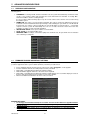
Tab Live Monitor on Main Menu will bring up Live interface, which provides stream video, record, snapshot and PTZ, etc.
1. Open a device
Tab
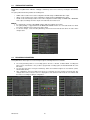
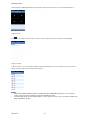
to open device list as below, then select one of devices in the list, will open all channels of it automatically.
2. Open a channel
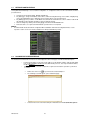
Tab Cross button on one of the view window will enter channel list window, then select one channel to open on the previous
window. Live preview about selected channel will be played.
NOTE:
About Software Mobile installation details for Symbian, Windows and BlackBerry Platforms, see the respective
sections on the user manual, available in the CD provided with the product.
For further details about the iUVS Software Mobile, see the respective sections on the user manual, available in the
CD provided with the product.
DS1093-100
42