1
2.3
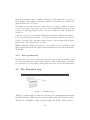
The Settings page
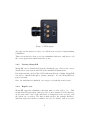
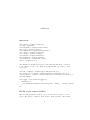
Figure 4: Settings page
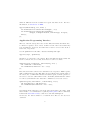
The settings page allows you to set the capture parameters for the camera,
and save information about the lens used with the camera.
2.3.1
Capture parameters
The SPC2 camera works is very different from a traditional camera, and this
is reflected in the parameters. The camera actually counts the number of
photons it detects during its exposure time. However, if the user is allowed
to set the exposure time directly, the photon counters might overflow, and
the results would be undefined. To prevent this, the camera has a constant
exposure time of 20.74 microseconds. The data captured during this time is
referred to as a frame.
To enable longer exposures than 20.74 microseconds, the camera sums multiple frames. This sum of frames is referred to as an image. Integration time
indirectly specifies how many frames we want to sum in each image. The
number of frames is set to the value that comes closest to the specified time.
The integration time is in milliseconds.
11