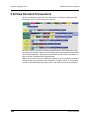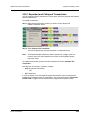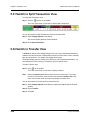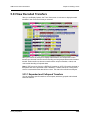
1
PROTOCOL SOLUTIONS GROUP
3385 SCOTT BLVD
SANTA CLARA, CA 95054
LeCroy
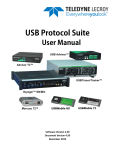
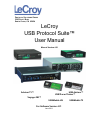
USB Protocol Suite™
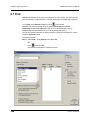
User Manual
Manual Version 4.21
Advisor T3™
USB Advisor™
USBTracer/Trainer™
Voyager M3™
USBMobile HS
For Software Version 4.21
June 2011
USBMobile T2
USB Protocol Suite User Manual
Document Disclaimer
The information in this document has been carefully checked and is believed to be
reliable. However, no responsibility can be assumed for inaccuracies that may not have
been detected. LeCroy reserves the right to revise the information in this document
without notice or penalty.
Changes or Modifications
Any change or modification not expressly approved by LeCroy voids the user’s authority
to operate this equipment.
Trademarks and Servicemarks
CATC, LeCroy Voyager, Voyager ReadyLink, USB Protocol Suite, USB Advisor,
Advisor T3, USB Chief, USB Inspector, USB Detective, USB Tracer/Trainer, and
BusEngine are trademarks of LeCroy.
Microsoft and Windows are registered trademarks and Windows Vista is a trademark of
Microsoft Inc.
Intel is a registered trademark, and Core is a trademark, of Intel Corporation.
All other trademarks are property of their respective companies.
Copyright
Copyright © 2011, LeCroy Corporation. All Rights Reserved. This document may be
printed and reproduced without additional permission, but all copies should contain this
copyright notice.
FCC Conformance Statement
This equipment has been tested and found to comply with the limits for a Class A digital
device, pursuant to Part 15 of the FCC Rules. These limits are designed to provide
reasonable protection against harmful interference when the equipment is operated in a
commercial environment. This equipment generates, uses, and can radiate radio
frequency energy and, if not installed and used in accordance with the instruction manual,
may cause harmful interference to radio communications. Operation of this equipment in
a residential area is likely to cause harmful interference in which case the user is required
to correct the interference at his own expense. The end user of this product should be
aware that any changes or modifications made to this equipment without the approval of
LeCroy could result in the product not meeting the Class A limits, in which case the FCC
could void the user's authority to operate the equipment.
EU Conformance Statement
This equipment complies with the EMC Directive 89/336/EEC and the Low Voltage
Directive 73/23/EEC, and their associated amendments for Class A Information
Technology Equipment. It has been tested and found to comply with EN55022:1998
Class A (EN61000-3-2:1998, EN61000-3-3:1995) and EN55024:1998
(EN61000-4-2:1998, EN61000-4-3:1996, EN61000-4-4:1996, EN61000-4-5:1996,
EN61000-4-6:1997, EN61000-4-11:1998), and EN60950:1999. In a domestic
environment this product may cause radio interference in which case the user may be
required to take adequate measures.
LeCroy Corporation
USB Protocol Suite User Manual
WEEE Program
This electronic product is subject to
disposal and recycling regulations that
vary by country and region. Many
countries prohibit the disposal of
waste electronic equipment in
standard waste receptacles.
For more information about proper
disposal and recycling of your LeCroy
product, please visit
www.lecroy.com/recycle.
LeCroy Corporation
USB Protocol Suite User Manual
LeCroy Corporation
USB Protocol Suite User Manual
TABLE OF CONTENTS
Chapter 1
Overview. . . . . . . . . . . . . . . . . . . . . . . . . . . . . . 1
1.1 Common Features . . . . . . . . . . . . . . . . . . . . . . . . . . . . . . . . . . . . . 1
1.1.1 Graphical Bus Traffic Display . . . . . . . . . . . . . . . . . . . . . . . . 1
1.1.2 Accurate Time Measurement (Voyager, Advisor T3) . . . . . . 2
1.1.3 CrossSync Control Panel (Voyager, Advisor T3) . . . . . . . . . 2
1.1.4 Comprehensive Error Detection and Analysis . . . . . . . . . . . 2
1.1.5 Real-Time Event Triggering and Capture Filtering . . . . . . . . 3
1.1.6 Advanced Event Counting and Sequencing . . . . . . . . . . . . . 3
1.1.7 BusEngine Technology . . . . . . . . . . . . . . . . . . . . . . . . . . . . . 3
1.2 Voyager M3 Analyzer . . . . . . . . . . . . . . . . . . . . . . . . . . . . . . . . . . . 4
1.2.1 Voyager M3 General Description . . . . . . . . . . . . . . . . . . . . . 6
1.2.2 Voyager M3 Features . . . . . . . . . . . . . . . . . . . . . . . . . . . . . . 7
1.2.3 Hi-Speed Slow Clock . . . . . . . . . . . . . . . . . . . . . . . . . . . . . . 9
1.2.4 Traffic Generation . . . . . . . . . . . . . . . . . . . . . . . . . . . . . . . . 10
1.2.5 Notes on LFPS Signals. . . . . . . . . . . . . . . . . . . . . . . . . . . . 11
1.3 USBTracer/Trainer . . . . . . . . . . . . . . . . . . . . . . . . . . . . . . . . . . . . 12
1.3.1 USBTracer/Trainer General Description . . . . . . . . . . . . . . . 12
1.3.2 USBTracer/Trainer Features . . . . . . . . . . . . . . . . . . . . . . . . 14
1.3.3 Traffic Generation . . . . . . . . . . . . . . . . . . . . . . . . . . . . . . . . 16
1.3.4 Hi-Speed Slow Clock . . . . . . . . . . . . . . . . . . . . . . . . . . . . . 16
1.4 Advisor . . . . . . . . . . . . . . . . . . . . . . . . . . . . . . . . . . . . . . . . . . . . . 17
1.4.1 Advisor Features . . . . . . . . . . . . . . . . . . . . . . . . . . . . . . . . . 17
1.5 Advisor T3 . . . . . . . . . . . . . . . . . . . . . . . . . . . . . . . . . . . . . . . . . . 20
1.5.1 Advisor T3 General Description . . . . . . . . . . . . . . . . . . . . . 21
1.5.2 Advisor T3 Features . . . . . . . . . . . . . . . . . . . . . . . . . . . . . . 22
1.6 USBMobile T2 . . . . . . . . . . . . . . . . . . . . . . . . . . . . . . . . . . . . . . . 25
1.6.1 Features . . . . . . . . . . . . . . . . . . . . . . . . . . . . . . . . . . . . . . . 26
1.7 USBMobile HS . . . . . . . . . . . . . . . . . . . . . . . . . . . . . . . . . . . . . . . 28
Chapter 2
General Description. . . . . . . . . . . . . . . . . . . . 29
2.1 Voyager M3 System Components/Packing List . . . . . . . . . . . . . .
2.2 Voyager M3 PC Requirements . . . . . . . . . . . . . . . . . . . . . . . . . . .
2.3 Voyager M3 Analyzer . . . . . . . . . . . . . . . . . . . . . . . . . . . . . . . . . .
2.4 Voyager M3 Specifications . . . . . . . . . . . . . . . . . . . . . . . . . . . . . .
2.4.1 Power Requirements. . . . . . . . . . . . . . . . . . . . . . . . . . . . . .
2.4.2 Environmental Conditions . . . . . . . . . . . . . . . . . . . . . . . . . .
2.4.3 Probing Characteristics . . . . . . . . . . . . . . . . . . . . . . . . . . . .
2.4.4 Switches . . . . . . . . . . . . . . . . . . . . . . . . . . . . . . . . . . . . . . .
2.4.5 Recording Memory Size . . . . . . . . . . . . . . . . . . . . . . . . . . .
2.5 USBTracer/Trainer System Components . . . . . . . . . . . . . . . . . . .
2.6 USBTracer/Trainer Analyzer PC Requirements . . . . . . . . . . . . . .
2.7 The Installed USBTracer Unit . . . . . . . . . . . . . . . . . . . . . . . . . . . .
2.7.1 LED and Button Descriptions . . . . . . . . . . . . . . . . . . . . . . .
2.7.2 Back Panel . . . . . . . . . . . . . . . . . . . . . . . . . . . . . . . . . . . . .
2.8 USBTracer System Setup . . . . . . . . . . . . . . . . . . . . . . . . . . . . . .
LeCroy Corporation
29
29
29
32
32
32
32
32
32
33
33
33
34
34
35
v
USB Protocol Suite User Manual
2.9 USBTracer/Trainer Specifications. . . . . . . . . . . . . . . . . . . . . . . . .
2.9.1 Package . . . . . . . . . . . . . . . . . . . . . . . . . . . . . . . . . . . . . . .
2.9.2 Connectors . . . . . . . . . . . . . . . . . . . . . . . . . . . . . . . . . . . . .
2.9.3 Weight . . . . . . . . . . . . . . . . . . . . . . . . . . . . . . . . . . . . . . . .
2.9.4 Power Requirements. . . . . . . . . . . . . . . . . . . . . . . . . . . . . .
2.9.5 Environmental Conditions . . . . . . . . . . . . . . . . . . . . . . . . .
2.9.6 Probing Characteristics . . . . . . . . . . . . . . . . . . . . . . . . . . .
2.9.7 Switches . . . . . . . . . . . . . . . . . . . . . . . . . . . . . . . . . . . . . . .
2.9.8 Indicators (LEDs) . . . . . . . . . . . . . . . . . . . . . . . . . . . . . . . .
2.9.9 Recording Memory Size . . . . . . . . . . . . . . . . . . . . . . . . . . .
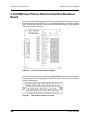
2.10 USBTracer/Trainer External Interface Breakout Board . . . . . . .
2.10.1 Pin-Outs for the Data In/Out Connector . . . . . . . . . . . . . .
2.10.2 Prototype Rework Area . . . . . . . . . . . . . . . . . . . . . . . . . . .
2.11 Advisor . . . . . . . . . . . . . . . . . . . . . . . . . . . . . . . . . . . . . . . . . . . .
2.12 Advisor PC Requirements . . . . . . . . . . . . . . . . . . . . . . . . . . . . .
2.13 Advisor System Components/Packing List. . . . . . . . . . . . . . . . .
2.14 Advisor Stand-Alone Unit . . . . . . . . . . . . . . . . . . . . . . . . . . . . . .
2.15 Advisor System Setup . . . . . . . . . . . . . . . . . . . . . . . . . . . . . . . .
2.16 Advisor Specifications. . . . . . . . . . . . . . . . . . . . . . . . . . . . . . . . .
2.16.1 Package . . . . . . . . . . . . . . . . . . . . . . . . . . . . . . . . . . . . . .
2.16.2 Power Requirements. . . . . . . . . . . . . . . . . . . . . . . . . . . . .
2.16.3 Environmental Conditions . . . . . . . . . . . . . . . . . . . . . . . .
2.16.4 Switches . . . . . . . . . . . . . . . . . . . . . . . . . . . . . . . . . . . . . .
2.16.5 LEDs . . . . . . . . . . . . . . . . . . . . . . . . . . . . . . . . . . . . . . . .
2.16.6 Recording Memory Size . . . . . . . . . . . . . . . . . . . . . . . . . .
2.17 Advisor External Interface Breakout Board . . . . . . . . . . . . . . . .
2.17.1 Pin-Outs for the Data In/Out Connector . . . . . . . . . . . . . .
2.17.2 Prototype Rework Area . . . . . . . . . . . . . . . . . . . . . . . . . . .
2.17.3 PC Connection . . . . . . . . . . . . . . . . . . . . . . . . . . . . . . . . .
2.18 Advisor T3 . . . . . . . . . . . . . . . . . . . . . . . . . . . . . . . . . . . . . . . . .
2.18.1 Components . . . . . . . . . . . . . . . . . . . . . . . . . . . . . . . . . . .
2.18.2 Front Panel . . . . . . . . . . . . . . . . . . . . . . . . . . . . . . . . . . . .
2.18.3 Rear Panel . . . . . . . . . . . . . . . . . . . . . . . . . . . . . . . . . . . .
2.18.4 Advisor T3 System Setup . . . . . . . . . . . . . . . . . . . . . . . . .
2.19 USBMobile T2 and USBMobile HS . . . . . . . . . . . . . . . . . . . . . .
2.19.1 Setup. . . . . . . . . . . . . . . . . . . . . . . . . . . . . . . . . . . . . . . . .
Chapter 3
Installation . . . . . . . . . . . . . . . . . . . . . . . . . . . 51
3.1 Installing the Analyzer Software on the PC . . . . . . . . . . . . . . . . .
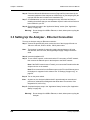
3.2 Setting Up the Analyzer - USB Connection . . . . . . . . . . . . . . . . .
3.3 Setting Up the Analyzer - Ethernet Connection . . . . . . . . . . . . . .
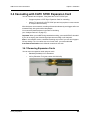
3.4 Cascading with CATC SYNC Expansion Card . . . . . . . . . . . . . . .
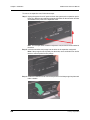
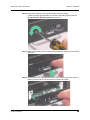
3.4.1 Removing Expansion Cards . . . . . . . . . . . . . . . . . . . . . . . .
3.5 Application Startup . . . . . . . . . . . . . . . . . . . . . . . . . . . . . . . . . . . .
3.5.1 Confirm Proper Hardware Installation and USB or
Ethernet Connection . . . . . . . . . . . . . . . . . . . . . . . . . . . . . .
3.5.2 Analyzer Devices . . . . . . . . . . . . . . . . . . . . . . . . . . . . . . . .
3.5.3 IP Settings (Voyager only) . . . . . . . . . . . . . . . . . . . . . . . . .
3.5.4 Analyzer Network . . . . . . . . . . . . . . . . . . . . . . . . . . . . . . . .
3.5.5 USB 3.0 Device/Host Signal Parameters . . . . . . . . . . . . . .
3.5.6 USB 3.0 Cabling and Signal Integrity . . . . . . . . . . . . . . . . .
vi
35
35
35
35
35
36
36
36
36
37
38
39
39
40
40
40
41
43
44
44
44
44
44
44
44
45
46
46
46
47
47
47
48
49
50
50
51
51
52
53
53
56
56
57
58
61
62
64
LeCroy Corporation
USB Protocol Suite User Manual
3.6 Your First USB Recording . . . . . . . . . . . . . . . . . . . . . . . . . . . . . .
3.6.1 Trace View Features . . . . . . . . . . . . . . . . . . . . . . . . . . . . . .
3.7 Notes on Vista and Windows 7 Directory Protections . . . . . . . . .
3.7.1 User Data File Paths . . . . . . . . . . . . . . . . . . . . . . . . . . . . . .
Chapter 4
Software Overview. . . . . . . . . . . . . . . . . . . . . 69
4.1 Starting the Program. . . . . . . . . . . . . . . . . . . . . . . . . . . . . . . . . . .
4.2 The Main Display Window . . . . . . . . . . . . . . . . . . . . . . . . . . . . . .
4.2.1 Exports to .CSV. . . . . . . . . . . . . . . . . . . . . . . . . . . . . . . . . .
4.2.2 Exporting to USB 2.0 Generation Files (.utg files) . . . . . . .
4.3 Tool Bar . . . . . . . . . . . . . . . . . . . . . . . . . . . . . . . . . . . . . . . . . . . .
4.3.1 Files, Searches, and Options . . . . . . . . . . . . . . . . . . . . . . .
4.3.2 Zoom and Wrap . . . . . . . . . . . . . . . . . . . . . . . . . . . . . . . . .
4.3.3 Miscellaneous . . . . . . . . . . . . . . . . . . . . . . . . . . . . . . . . . . .
4.3.4 Analysis (Reports) . . . . . . . . . . . . . . . . . . . . . . . . . . . . . . .
4.3.5 Recording . . . . . . . . . . . . . . . . . . . . . . . . . . . . . . . . . . . . . .
4.3.6 Generator (Traffic Generation for USB 3) . . . . . . . . . . . . . .
4.3.7 Generator (Traffic Generation for USB 2) . . . . . . . . . . . . . .
4.3.8 View Level. . . . . . . . . . . . . . . . . . . . . . . . . . . . . . . . . . . . . .
4.3.9 Trace Views . . . . . . . . . . . . . . . . . . . . . . . . . . . . . . . . . . . .
4.3.10 USB 2 USB 3 Show . . . . . . . . . . . . . . . . . . . . . . . . . . . . .
4.3.11 USB 2.0 Display/Hide . . . . . . . . . . . . . . . . . . . . . . . . . . . .
4.3.12 USB 3.0 Display/Hide . . . . . . . . . . . . . . . . . . . . . . . . . . . .
4.4 Tooltips . . . . . . . . . . . . . . . . . . . . . . . . . . . . . . . . . . . . . . . . . . . . .
4.5 View Options . . . . . . . . . . . . . . . . . . . . . . . . . . . . . . . . . . . . . . . .
4.5.1 Resetting the Toolbar . . . . . . . . . . . . . . . . . . . . . . . . . . . . .
4.6 Status Bar . . . . . . . . . . . . . . . . . . . . . . . . . . . . . . . . . . . . . . . . . . .
4.6.1 Recording Progress . . . . . . . . . . . . . . . . . . . . . . . . . . . . . .
4.6.2 Recording Status. . . . . . . . . . . . . . . . . . . . . . . . . . . . . . . . .
4.6.3 Recording Activity . . . . . . . . . . . . . . . . . . . . . . . . . . . . . . . .
4.6.4 Search Status . . . . . . . . . . . . . . . . . . . . . . . . . . . . . . . . . . .
4.6.5 SuperSpeed Termination Status . . . . . . . . . . . . . . . . . . . . .
4.6.6 Link Status . . . . . . . . . . . . . . . . . . . . . . . . . . . . . . . . . . . . .
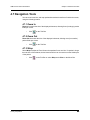
4.7 Navigation Tools . . . . . . . . . . . . . . . . . . . . . . . . . . . . . . . . . . . . . .
4.7.1 Zoom In . . . . . . . . . . . . . . . . . . . . . . . . . . . . . . . . . . . . . . . .
4.7.2 Zoom Out . . . . . . . . . . . . . . . . . . . . . . . . . . . . . . . . . . . . . .
4.7.3 Wrap . . . . . . . . . . . . . . . . . . . . . . . . . . . . . . . . . . . . . . . . . .
4.8 CrossSync Control Panel . . . . . . . . . . . . . . . . . . . . . . . . . . . . . . .
4.8.1 Launching the CrossSync Control Panel . . . . . . . . . . . . . .
4.9 Analyzer Keyboard Shortcuts . . . . . . . . . . . . . . . . . . . . . . . . . . . .
Chapter 5
65
67
68
68
69
70
76
77
78
78
78
79
80
80
81
81
81
82
82
82
82
82
83
83
85
85
86
87
87
87
88
89
89
89
89
90
90
91
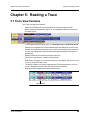
Reading a Trace . . . . . . . . . . . . . . . . . . . . . . . 93
5.1 Trace View Features. . . . . . . . . . . . . . . . . . . . . . . . . . . . . . . . . . . 93
5.1.1 USB 3.0 Packets . . . . . . . . . . . . . . . . . . . . . . . . . . . . . . . . . 94
5.1.2 Packet Direction . . . . . . . . . . . . . . . . . . . . . . . . . . . . . . . . . 94
5.2 Set Marker . . . . . . . . . . . . . . . . . . . . . . . . . . . . . . . . . . . . . . . . . . 95
5.3 Edit or Clear Marker . . . . . . . . . . . . . . . . . . . . . . . . . . . . . . . . . . . 96
5.4 Set or Clear Quick Timing Markers . . . . . . . . . . . . . . . . . . . . . . . 97
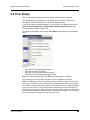
5.5 Time Stamp . . . . . . . . . . . . . . . . . . . . . . . . . . . . . . . . . . . . . . . . . 99
5.6 View Raw Bits (2.0) . . . . . . . . . . . . . . . . . . . . . . . . . . . . . . . . . . 100
LeCroy Corporation
vii
USB Protocol Suite User Manual
5.7 Expanding and Collapsing Data Fields. . . . . . . . . . . . . . . . . . . .
5.7.1 Using the Expand/Collapse Data Field Arrows . . . . . . . . .
5.7.2 Double-Clicking to Expand/Collapse Data Fields . . . . . . .
5.7.3 Expanding or Collapsing All Data Fields . . . . . . . . . . . . . .
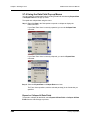
5.7.4 Using the Data Field Pop-up Menus . . . . . . . . . . . . . . . . .
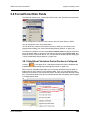
5.8 Format/Color/Hide Fields . . . . . . . . . . . . . . . . . . . . . . . . . . . . . .
5.8.1 Hide/Show Field when Packet Section is Collapsed. . . . .
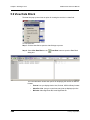
5.9 View Data Block . . . . . . . . . . . . . . . . . . . . . . . . . . . . . . . . . . . . .
5.10 Pop-up Tool-tips . . . . . . . . . . . . . . . . . . . . . . . . . . . . . . . . . . . .
5.11 Hide SOF Packets (2.0) . . . . . . . . . . . . . . . . . . . . . . . . . . . . . .
5.12 Hide NAKs . . . . . . . . . . . . . . . . . . . . . . . . . . . . . . . . . . . . . . . .
5.13 Hide Devices . . . . . . . . . . . . . . . . . . . . . . . . . . . . . . . . . . . . . .
5.14 Hide Chirps (2.0) . . . . . . . . . . . . . . . . . . . . . . . . . . . . . . . . . . .
5.15 Hide Link Commands (Flow Control) (3.0) . . . . . . . . . . . . . . . .
5.16 Hide ISO Time Stamp Packet (3.0). . . . . . . . . . . . . . . . . . . . . .
5.17 Hide Link Training Sequences (3.0) . . . . . . . . . . . . . . . . . . . . .
5.18 Hide Inter-Packet Symbols (3.0). . . . . . . . . . . . . . . . . . . . . . . .
5.19 Hide Logical Idle Packets (3.0). . . . . . . . . . . . . . . . . . . . . . . . .
5.20 Hide Link Commands (non Flow Control) (3.0) . . . . . . . . . . . .
5.21 Hide Upstream Packets (3.0) . . . . . . . . . . . . . . . . . . . . . . . . . .
5.22 Hide LMP Packets (3.0) . . . . . . . . . . . . . . . . . . . . . . . . . . . . . .
5.23 Hide Downstream Packets (3.0). . . . . . . . . . . . . . . . . . . . . . . .
5.24 Hide Electrical Idles (3.0) . . . . . . . . . . . . . . . . . . . . . . . . . . . . .
5.25 Hide Skip Sequences (3.0). . . . . . . . . . . . . . . . . . . . . . . . . . . .
5.26 Hide LFPS Packets (3.0) . . . . . . . . . . . . . . . . . . . . . . . . . . . . .
5.27 Display 2 Only . . . . . . . . . . . . . . . . . . . . . . . . . . . . . . . . . . . . .
5.28 Display 3 Only . . . . . . . . . . . . . . . . . . . . . . . . . . . . . . . . . . . . .
5.29 Switch to Transactions View. . . . . . . . . . . . . . . . . . . . . . . . . . .
5.30 View Decoded Transactions . . . . . . . . . . . . . . . . . . . . . . . . . . .
5.30.1 Expanded and Collapsed Transactions . . . . . . . . . . . . .
5.31 Switch to Split Transaction View. . . . . . . . . . . . . . . . . . . . . . . .
5.32 Switch to Transfer View . . . . . . . . . . . . . . . . . . . . . . . . . . . . . .
5.33 View Decoded Transfers . . . . . . . . . . . . . . . . . . . . . . . . . . . . .
5.33.1 Expanded and Collapsed Transfers . . . . . . . . . . . . . . . .
5.34 Decoding Protocol-Specific Fields in Transactions and
Transfers. . . . . . . . . . . . . . . . . . . . . . . . . . . . . . . . . . . . . . . . . .
5.35 Switch to Host Wire Adapter Segment View . . . . . . . . . . . . . .
5.36 Switch to Host Wire Adapter Transfer View . . . . . . . . . . . . . . .
5.37 Switch to Device Wire Adapter Segment View. . . . . . . . . . . . .
5.38 Switch to Device Wire Adapter Transfer View . . . . . . . . . . . . .
5.39 Switch to PTP Transactions . . . . . . . . . . . . . . . . . . . . . . . . . . .
5.40 Switch to PTP Object Transfers . . . . . . . . . . . . . . . . . . . . . . . .
5.41 Switch to PTP Sessions . . . . . . . . . . . . . . . . . . . . . . . . . . . . . .
5.42 Switch to SCSI Operations . . . . . . . . . . . . . . . . . . . . . . . . . . . .
5.42.1 SCSI Metrics . . . . . . . . . . . . . . . . . . . . . . . . . . . . . . . . . .
5.43 Compressed CATC Trace View . . . . . . . . . . . . . . . . . . . . . . . .
5.44 Spreadsheet View. . . . . . . . . . . . . . . . . . . . . . . . . . . . . . . . . . .
5.44.1 Columns . . . . . . . . . . . . . . . . . . . . . . . . . . . . . . . . . . . . .
5.44.2 Rows . . . . . . . . . . . . . . . . . . . . . . . . . . . . . . . . . . . . . . . .
5.44.3 Detail View and Spreadsheet View . . . . . . . . . . . . . . . . .
5.45 Edit Comment. . . . . . . . . . . . . . . . . . . . . . . . . . . . . . . . . . . . . .
viii
101
101
101
101
102
103
103
104
105
105
105
105
105
105
106
106
106
106
106
106
106
106
106
106
107
107
107
108
110
111
112
112
113
113
115
115
116
116
116
117
117
118
118
118
119
120
121
121
123
124
LeCroy Corporation
USB Protocol Suite User Manual
Chapter 6
Searching Traces . . . . . . . . . . . . . . . . . . . . . 125
6.1 Go to Trigger . . . . . . . . . . . . . . . . . . . . . . . . . . . . . . . . . . . . . . .
6.2 Go to Packet/Transaction/Transfer. . . . . . . . . . . . . . . . . . . . . . .
6.3 Go to Marker. . . . . . . . . . . . . . . . . . . . . . . . . . . . . . . . . . . . . . . .
6.4 Go To USB2.0. . . . . . . . . . . . . . . . . . . . . . . . . . . . . . . . . . . . . . .
6.4.1 Packet IDs (PIDs) . . . . . . . . . . . . . . . . . . . . . . . . . . . . . . .
6.4.2 ANY Error . . . . . . . . . . . . . . . . . . . . . . . . . . . . . . . . . . . . .
6.4.3 Errors . . . . . . . . . . . . . . . . . . . . . . . . . . . . . . . . . . . . . . . .
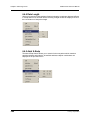
6.4.4 Data Length . . . . . . . . . . . . . . . . . . . . . . . . . . . . . . . . . . .
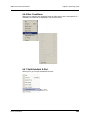
6.4.5 Addr & Endp . . . . . . . . . . . . . . . . . . . . . . . . . . . . . . . . . . .
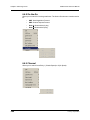
6.4.6 Bus Conditions . . . . . . . . . . . . . . . . . . . . . . . . . . . . . . . . .
6.4.7 Split HubAddr & Port . . . . . . . . . . . . . . . . . . . . . . . . . . . . .
6.4.8 On-the-Go . . . . . . . . . . . . . . . . . . . . . . . . . . . . . . . . . . . . .
6.4.9 Channel. . . . . . . . . . . . . . . . . . . . . . . . . . . . . . . . . . . . . . .
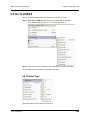
6.5 Go To USB3.0. . . . . . . . . . . . . . . . . . . . . . . . . . . . . . . . . . . . . . .
6.5.1 Packet Type . . . . . . . . . . . . . . . . . . . . . . . . . . . . . . . . . . .
6.5.2 Specific Errors. . . . . . . . . . . . . . . . . . . . . . . . . . . . . . . . . .
6.5.3 Data Length . . . . . . . . . . . . . . . . . . . . . . . . . . . . . . . . . . .
6.5.4 Address and Endpoint. . . . . . . . . . . . . . . . . . . . . . . . . . . .
6.5.5 Header Packet Type . . . . . . . . . . . . . . . . . . . . . . . . . . . . .
6.5.6 Link Command . . . . . . . . . . . . . . . . . . . . . . . . . . . . . . . . .
6.5.7 LMP Subtype . . . . . . . . . . . . . . . . . . . . . . . . . . . . . . . . . .
6.5.8 Transaction Packet Type. . . . . . . . . . . . . . . . . . . . . . . . . .
6.6 Go To SCSI. . . . . . . . . . . . . . . . . . . . . . . . . . . . . . . . . . . . . . . . .
6.6.1 Error . . . . . . . . . . . . . . . . . . . . . . . . . . . . . . . . . . . . . . . . .
6.7 Find. . . . . . . . . . . . . . . . . . . . . . . . . . . . . . . . . . . . . . . . . . . . . . .
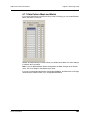
6.7.1 Data Pattern Mask and Match. . . . . . . . . . . . . . . . . . . . . .
6.8 Find Next . . . . . . . . . . . . . . . . . . . . . . . . . . . . . . . . . . . . . . . . . .
6.9 Search Direction . . . . . . . . . . . . . . . . . . . . . . . . . . . . . . . . . . . . .
6.10 Protocol . . . . . . . . . . . . . . . . . . . . . . . . . . . . . . . . . . . . . . . . . .
Chapter 7
Display Options . . . . . . . . . . . . . . . . . . . . . . 143
7.1 General Display Options. . . . . . . . . . . . . . . . . . . . . . . . . . . . . . .
7.2 Color/Format/Hiding Display Options . . . . . . . . . . . . . . . . . . . . .
7.2.1 Color Display Options . . . . . . . . . . . . . . . . . . . . . . . . . . . .
7.2.2 Formats Display Options. . . . . . . . . . . . . . . . . . . . . . . . . .
7.2.3 Hiding Display Options . . . . . . . . . . . . . . . . . . . . . . . . . . .
7.3 USB 2.0 Packet Hiding Options . . . . . . . . . . . . . . . . . . . . . . . . .
7.4 USB 3.0 Packet Hiding Options . . . . . . . . . . . . . . . . . . . . . . . . .
7.5 Saving Display Options . . . . . . . . . . . . . . . . . . . . . . . . . . . . . . .
LeCroy Corporation
125
126
126
127
128
128
129
130
130
131
131
132
132
133
133
134
134
135
135
136
136
137
137
137
138
141
142
142
142
144
146
147
149
150
151
152
153
ix
USB Protocol Suite User Manual
Chapter 8
Decode Requests. . . . . . . . . . . . . . . . . . . . . 155
8.1 Class and Vendor Definition Files. . . . . . . . . . . . . . . . . . . . . . . . 155
8.2 Class/Vendor Decoding Options. . . . . . . . . . . . . . . . . . . . . . . . . 159
8.2.1 Mapping Request Recipient to Class/Vendor Decoding . . 159
8.2.2 Mapping Endpoint to Class/Vendor Decoding. . . . . . . . . . 162
8.2.3 Mapping Request RPipe to Class/Vendor Decoding . . . . 166
8.2.4 Mapping Endpoint RPipe to Class/Vendor Decoding . . . . 167
8.2.5 Mapping Request DWA RPipe to Class/Vendor Decoding 168
8.2.6 Mapping Endpoint DWA RPipes to Class/Vendor
Decoding. . . . . . . . . . . . . . . . . . . . . . . . . . . . . . . . . . . . . . 169
8.3 General Options . . . . . . . . . . . . . . . . . . . . . . . . . . . . . . . . . . . . . 170
8.3.1 Decoding USB Device Requests . . . . . . . . . . . . . . . . . . . 170
8.3.2 Decoding Standard Requests . . . . . . . . . . . . . . . . . . . . . . 171
8.3.3 Decoding Class Requests. . . . . . . . . . . . . . . . . . . . . . . . . 172
8.3.4 Decoding Vendor Requests . . . . . . . . . . . . . . . . . . . . . . . 172
8.3.5 Decoding Undefined USB/WUSB Device Requests . . . . . 172
8.3.6 Decoding using Endpoint Information . . . . . . . . . . . . . . . . 173
8.3.7 Changing the Layout of Decode Requests . . . . . . . . . . . . 173
Chapter 9
Reports . . . . . . . . . . . . . . . . . . . . . . . . . . . . . 175
9.1 File Information. . . . . . . . . . . . . . . . . . . . . . . . . . . . . . . . . . . . . .
9.2 Error Summary . . . . . . . . . . . . . . . . . . . . . . . . . . . . . . . . . . . . . .
9.3 Timing Calculations . . . . . . . . . . . . . . . . . . . . . . . . . . . . . . . . . .
9.4 Data View . . . . . . . . . . . . . . . . . . . . . . . . . . . . . . . . . . . . . . . . . .
9.5 Traffic Summary . . . . . . . . . . . . . . . . . . . . . . . . . . . . . . . . . . . . .
9.5.1 SCSI Metrics . . . . . . . . . . . . . . . . . . . . . . . . . . . . . . . . . . .
9.6 Bus Utilization. . . . . . . . . . . . . . . . . . . . . . . . . . . . . . . . . . . . . . .
9.6.1 Bus Utilization Buttons . . . . . . . . . . . . . . . . . . . . . . . . . . .
9.6.2 View Settings Menu . . . . . . . . . . . . . . . . . . . . . . . . . . . . .
9.6.3 Graph Areas Menu . . . . . . . . . . . . . . . . . . . . . . . . . . . . . .
9.7 Link Tracker (3.0) . . . . . . . . . . . . . . . . . . . . . . . . . . . . . . . . . . . .
9.7.1 Using the Link Tracker Window . . . . . . . . . . . . . . . . . . . .
9.7.2 Link Tracker Buttons . . . . . . . . . . . . . . . . . . . . . . . . . . . . .
9.8 Using the Trace Navigator . . . . . . . . . . . . . . . . . . . . . . . . . . . . .
9.8.1 Displaying the Navigator . . . . . . . . . . . . . . . . . . . . . . . . . .
9.8.2 Navigator Toolbar . . . . . . . . . . . . . . . . . . . . . . . . . . . . . . .
9.8.3 Navigator Ranges . . . . . . . . . . . . . . . . . . . . . . . . . . . . . . .
9.8.4 Navigator Panes . . . . . . . . . . . . . . . . . . . . . . . . . . . . . . . .
9.9 Detail View . . . . . . . . . . . . . . . . . . . . . . . . . . . . . . . . . . . . . . . . .
9.9.1 Detail View and Spreadsheet View . . . . . . . . . . . . . . . . . .
9.10 Spec View (3.0) . . . . . . . . . . . . . . . . . . . . . . . . . . . . . . . . . . . .
9.11 USB3 Link State Timing View . . . . . . . . . . . . . . . . . . . . . . . . . .
9.11.1 USB3 Link State Timing View Toolbar . . . . . . . . . . . . . . .
9.12 USB3 LTSSM View. . . . . . . . . . . . . . . . . . . . . . . . . . . . . . . . . .
9.13 Power Tracker . . . . . . . . . . . . . . . . . . . . . . . . . . . . . . . . . . . . .
9.13.1 Power Tracker Toolbar . . . . . . . . . . . . . . . . . . . . . . . . . .
9.14 Running Verification Scripts . . . . . . . . . . . . . . . . . . . . . . . . . . .
x
177
179
180
183
184
185
186
188
189
191
193
194
196
198
198
199
200
202
205
205
206
207
208
209
210
211
212
LeCroy Corporation
USB Protocol Suite User Manual
9.15 Real Time Monitoring . . . . . . . . . . . . . . . . . . . . . . . . . . . . . . . .
9.15.1 Real-Time Statistics Buttons . . . . . . . . . . . . . . . . . . . . . .
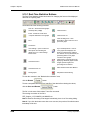
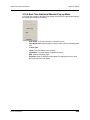
9.15.2 Real-Time Statistical Monitor Pop-up Menu . . . . . . . . . .
9.15.3 Displaying Multiple Graphs . . . . . . . . . . . . . . . . . . . . . . .
217
218
219
220
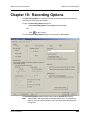
Chapter 10 Recording Options . . . . . . . . . . . . . . . . . . . 221
10.1 General Recording Options . . . . . . . . . . . . . . . . . . . . . . . . . . .
10.1.1 Product . . . . . . . . . . . . . . . . . . . . . . . . . . . . . . . . . . . . . .
10.1.2 Recording Type . . . . . . . . . . . . . . . . . . . . . . . . . . . . . . . .
10.1.3 Options for USBTracer/Trainer and Advisor . . . . . . . . . .
10.1.4 Recording Channels (Voyager and Advisor T3) . . . . . . .
10.1.5 Recording Scope (Voyager and Advisor T3). . . . . . . . . .
10.1.6 Buffer Size. . . . . . . . . . . . . . . . . . . . . . . . . . . . . . . . . . . .
10.1.7 Trigger Position . . . . . . . . . . . . . . . . . . . . . . . . . . . . . . . .
10.1.8 Options Name . . . . . . . . . . . . . . . . . . . . . . . . . . . . . . . . .
10.1.9 Trace File Name & Path . . . . . . . . . . . . . . . . . . . . . . . . .
10.1.10 Power . . . . . . . . . . . . . . . . . . . . . . . . . . . . . . . . . . . . . .
10.2 Recording Options - Misc. USB 2.0 (Voyager,
Advisor T3, USBTracer/Trainer, and Mobile) . . . . . . . . . . . . . .
10.2.1 Analyzer Speed. . . . . . . . . . . . . . . . . . . . . . . . . . . . . . . .
10.2.2 Generator/Analyzer Clocking Overrides . . . . . . . . . . . . .
10.2.3 USB On-The-Go . . . . . . . . . . . . . . . . . . . . . . . . . . . . . . .
10.2.4 Generator-related Parameters . . . . . . . . . . . . . . . . . . . .
10.2.5 Data Truncation Option . . . . . . . . . . . . . . . . . . . . . . . . . .
10.3 Recording Options - Misc. USB 3.0 for Voyager . . . . . . . . . . .
10.3.1 Very Slow Clock Usage. . . . . . . . . . . . . . . . . . . . . . . . . .
10.4 Recording Options - Misc. USB 3.0 for Advisor T3 . . . . . . . . .
10.5 Recording Rules - USB 2.0 . . . . . . . . . . . . . . . . . . . . . . . . . . .
10.5.1 Recording Rules Toolbar. . . . . . . . . . . . . . . . . . . . . . . . .
10.5.2 Recording Rules Page: How It Works. . . . . . . . . . . . . . .
10.5.3 Creating Event Buttons . . . . . . . . . . . . . . . . . . . . . . . . . .
10.5.4 Dragging a Button to the Main Display Area . . . . . . . . . .
10.5.5 Assigning an Action . . . . . . . . . . . . . . . . . . . . . . . . . . . .
10.5.6 Recording Rules Pop-Up Menus . . . . . . . . . . . . . . . . . .
10.5.7 Events and Event Properties for USB 2.0 . . . . . . . . . . . .
10.5.8 Counters and Timers for USB 2.0 . . . . . . . . . . . . . . . . . .
10.5.9 Actions and Action Properties . . . . . . . . . . . . . . . . . . . . .
10.5.10 Using a Single-State Sequence . . . . . . . . . . . . . . . . . .
10.5.11 Using a Multi-State Sequences . . . . . . . . . . . . . . . . . . .
10.5.12 Using Independent Sequences. . . . . . . . . . . . . . . . . . .
LeCroy Corporation
231
231
231
232
232
233
234
234
235
236
236
237
238
238
239
239
239
240
242
245
247
249
250
251
252
253
254
256
259
261
262
262
262
xi
USB Protocol Suite User Manual
10.6 Recording Rules - USB 3.0 (Voyager only) . . . . . . . . . . . . . . .
10.6.1 Recording Rules Toolbar. . . . . . . . . . . . . . . . . . . . . . . . .
10.6.2 Recording Rules Page: How It Works. . . . . . . . . . . . . . .
10.6.3 Creating Event Buttons . . . . . . . . . . . . . . . . . . . . . . . . . .
10.6.4 Dragging a Button to the Main Display Area . . . . . . . . . .
10.6.5 Assigning an Action . . . . . . . . . . . . . . . . . . . . . . . . . . . .
10.6.6 Recording Rules Pop-Up Menus . . . . . . . . . . . . . . . . . .
10.6.7 Actions and Action Properties . . . . . . . . . . . . . . . . . . . . .
10.6.8 Events and Event Properties for USB 3.0 . . . . . . . . . . . .
10.6.9 Counters and Timers for USB 3.0 . . . . . . . . . . . . . . . . . .
10.6.10 Configuration Validity . . . . . . . . . . . . . . . . . . . . . . . . . .
10.7 Saving Recording Options . . . . . . . . . . . . . . . . . . . . . . . . . . . .
10.8 Recording Bus Data . . . . . . . . . . . . . . . . . . . . . . . . . . . . . . . . .
10.9 Merging Trace Files . . . . . . . . . . . . . . . . . . . . . . . . . . . . . . . . .
10.10 Recording Option Summary Tab . . . . . . . . . . . . . . . . . . . . . .
263
263
264
264
265
266
266
266
267
269
271
271
272
273
275
Chapter 11 Traffic Generation (2.0) . . . . . . . . . . . . . . . . 277
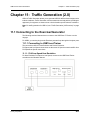
11.1 Connecting to the Exerciser/Generator . . . . . . . . . . . . . . . . . .
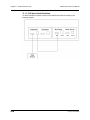
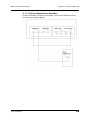
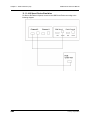
11.1.1 Connecting to USBTracer/Trainer . . . . . . . . . . . . . . . . . .
11.1.2 Connecting to Voyager . . . . . . . . . . . . . . . . . . . . . . . . . .
11.2 Traffic Generation Files. . . . . . . . . . . . . . . . . . . . . . . . . . . . . . .
11.3 Creating Traffic Generation Files . . . . . . . . . . . . . . . . . . . . . . .
11.3.1 Creating a Traffic Generation File with the Export
Command . . . . . . . . . . . . . . . . . . . . . . . . . . . . . . . . . . . . .
11.4 Editing a Generation File . . . . . . . . . . . . . . . . . . . . . . . . . . . . .
11.4.1 Toolbar. . . . . . . . . . . . . . . . . . . . . . . . . . . . . . . . . . . . . . .
11.4.2 Pop-up Menu. . . . . . . . . . . . . . . . . . . . . . . . . . . . . . . . . .
11.4.3 File Tabs . . . . . . . . . . . . . . . . . . . . . . . . . . . . . . . . . . . . .
11.4.4 Error Log . . . . . . . . . . . . . . . . . . . . . . . . . . . . . . . . . . . . .
11.4.5 Tooltips . . . . . . . . . . . . . . . . . . . . . . . . . . . . . . . . . . . . . .
11.5 Loading the Generation File . . . . . . . . . . . . . . . . . . . . . . . . . . .
11.5.1 Traffic Generation Modes: Bitstream vs. Intelliframe. . . .
11.6 Starting Traffic Generation . . . . . . . . . . . . . . . . . . . . . . . . . . . .
11.7 Repeating a Generation Session . . . . . . . . . . . . . . . . . . . . . . .
11.8 Stop Traffic Generation . . . . . . . . . . . . . . . . . . . . . . . . . . . . . . .
11.9 Device Emulation . . . . . . . . . . . . . . . . . . . . . . . . . . . . . . . . . . .
11.9.1 Creating a Generation File . . . . . . . . . . . . . . . . . . . . . . .
11.9.2 Setting Generation Options . . . . . . . . . . . . . . . . . . . . . . .
11.9.3 Run the Traffic Generation Script File . . . . . . . . . . . . . . .
11.10 Format of Traffic Generation Files . . . . . . . . . . . . . . . . . . . . .
11.10.1 Script control of Intelliframe vs Bitstream modes . . . . .
277
277
281
283
284
284
286
287
288
288
288
288
289
291
291
291
291
292
292
292
293
294
294
Chapter 12 Traffic Generation (3.0 Exerciser) . . . . . . . 307
12.1 Connecting to Voyager . . . . . . . . . . . . . . . . . . . . . . . . . . . . . . .
12.1.1 Host Emulation . . . . . . . . . . . . . . . . . . . . . . . . . . . . . . . .
12.1.2 Device Emulation . . . . . . . . . . . . . . . . . . . . . . . . . . . . . .
12.2 Transaction Engine. . . . . . . . . . . . . . . . . . . . . . . . . . . . . . . . . .
12.3 Exerciser Files . . . . . . . . . . . . . . . . . . . . . . . . . . . . . . . . . . . . .
12.4 Creating Exerciser Files . . . . . . . . . . . . . . . . . . . . . . . . . . . . . .
xii
307
307
308
309
309
309
LeCroy Corporation
USB Protocol Suite User Manual
12.5 Exerciser Window. . . . . . . . . . . . . . . . . . . . . . . . . . . . . . . . . . .
12.5.1 Exerciser Menus . . . . . . . . . . . . . . . . . . . . . . . . . . . . . . .
12.5.2 Main Exerciser Toolbar . . . . . . . . . . . . . . . . . . . . . . . . . .
12.6 Script Editor . . . . . . . . . . . . . . . . . . . . . . . . . . . . . . . . . . . . . . .
12.6.1 Highlighting . . . . . . . . . . . . . . . . . . . . . . . . . . . . . . . . . . .
12.6.2 Text Editing Commands . . . . . . . . . . . . . . . . . . . . . . . . .
12.6.3 Help. . . . . . . . . . . . . . . . . . . . . . . . . . . . . . . . . . . . . . . . .
12.6.4 Properties Window . . . . . . . . . . . . . . . . . . . . . . . . . . . . .
12.6.5 File Tabs . . . . . . . . . . . . . . . . . . . . . . . . . . . . . . . . . . . . .
12.6.6 Errors . . . . . . . . . . . . . . . . . . . . . . . . . . . . . . . . . . . . . . .
12.6.7 Output . . . . . . . . . . . . . . . . . . . . . . . . . . . . . . . . . . . . . . .
12.6.8 Options Menu . . . . . . . . . . . . . . . . . . . . . . . . . . . . . . . . .
12.6.9 Outlining . . . . . . . . . . . . . . . . . . . . . . . . . . . . . . . . . . . . .
12.6.10 Line Numbers . . . . . . . . . . . . . . . . . . . . . . . . . . . . . . . .
12.6.11 Tooltips . . . . . . . . . . . . . . . . . . . . . . . . . . . . . . . . . . . . .
12.6.12 Text Snippets . . . . . . . . . . . . . . . . . . . . . . . . . . . . . . . .
12.6.13 Views Toolbar . . . . . . . . . . . . . . . . . . . . . . . . . . . . . . . .
12.6.14 Script Toolbar . . . . . . . . . . . . . . . . . . . . . . . . . . . . . . . .
12.6.15 Error Log . . . . . . . . . . . . . . . . . . . . . . . . . . . . . . . . . . . .
12.6.16 Tooltips . . . . . . . . . . . . . . . . . . . . . . . . . . . . . . . . . . . . .
12.7 Creating a Script using the Script Editor. . . . . . . . . . . . . . . . . .
12.8 Graphical Scenario Editor. . . . . . . . . . . . . . . . . . . . . . . . . . . . .
12.8.1 Graphical Scenario Window . . . . . . . . . . . . . . . . . . . . . .
12.8.2 Copy SCSI Operation from Trace File and Paste to
Exerciser Scenario . . . . . . . . . . . . . . . . . . . . . . . . . . . . . .
12.8.3 Graphical Toolbar . . . . . . . . . . . . . . . . . . . . . . . . . . . . . .
12.9 Loading and Running the Generation File . . . . . . . . . . . . . . . .
12.9.1 Starting Traffic Generation . . . . . . . . . . . . . . . . . . . . . . .
12.9.2 Stop Traffic Generation . . . . . . . . . . . . . . . . . . . . . . . . . .
12.10 Exporting a Trace to a Traffic Generation File . . . . . . . . . . . .
12.11 USB 3.0 Electrical Test Modes . . . . . . . . . . . . . . . . . . . . . . . .
12.11.1 Loopback Mode. . . . . . . . . . . . . . . . . . . . . . . . . . . . . . .
12.11.2 Compliance Mode . . . . . . . . . . . . . . . . . . . . . . . . . . . . .
310
310
312
313
313
313
313
313
313
313
314
314
314
314
314
315
316
317
317
317
318
321
322
327
327
328
328
328
329
330
330
333
Chapter 13 Updates. . . . . . . . . . . . . . . . . . . . . . . . . . . . . 345
13.1 Software, Firmware, and BusEngine Revisions . . . . . . . . . . . .
13.2 Software Updates . . . . . . . . . . . . . . . . . . . . . . . . . . . . . . . . . . .
13.2.1 Manual Check for Software Updates . . . . . . . . . . . . . . .
13.2.2 Automatic Check for Software Updates . . . . . . . . . . . . .
13.3 BusEngine and Firmware Updates. . . . . . . . . . . . . . . . . . . . . .
13.3.1 Updating the BusEngines . . . . . . . . . . . . . . . . . . . . . . . .
13.3.2 Updating the Firmware . . . . . . . . . . . . . . . . . . . . . . . . . .
13.3.3 Automatic Updates . . . . . . . . . . . . . . . . . . . . . . . . . . . . .
13.3.4 Manual Updates to Firmware, BusEngine,
and Serdes BusEngine . . . . . . . . . . . . . . . . . . . . . . . . . . .
13.4 License Information . . . . . . . . . . . . . . . . . . . . . . . . . . . . . . . . .
13.5 Updating the Software License. . . . . . . . . . . . . . . . . . . . . . . . .
13.6 Registering Online . . . . . . . . . . . . . . . . . . . . . . . . . . . . . . . . . .
LeCroy Corporation
345
346
346
347
349
349
349
349
350
351
352
352
xiii
USB Protocol Suite User Manual
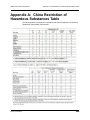
Appendix A China Restriction of Hazardous Substances
Table . . . . . . . . . . . . . . . . . . . . . . . . . . . . . . . 353
How to Contact LeCroy . . . . . . . . . . . . . . . . . . . . . . . . . 355
Limited Hardware Warranty . . . . . . . . . . . . . . . . . . . . . . 355
Index
xiv
. . . . . . . . . . . . . . . . . . . . . . . . . . . . . . . . . . . . 359
LeCroy Corporation
USB Protocol Suite User Manual
Chapter 1: Overview
Chapter 1: Overview
1.1 Common Features
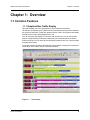
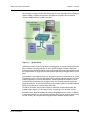
1.1.1 Graphical Bus Traffic Display
Bus traffic displays use color and graphics to show captured transactions.
Packets are on separate rows. Packets receive time stamps and sequential numbers as
the system records them. Fields have labels and color codes. The system automatically
detects protocol errors and highlights them in red.
You can customize the display color scheme and field formats. You can use the hide
feature to suppress SOF packets and uninteresting user-defined packets or fields in
different contexts. You can name and save display formats for later use. Pop-up tooltips
annotate packet fields.
The display software operates independently of the hardware, allowing it to function as a
stand-alone “trace viewer” that you can freely distribute.
Figure 1.1
LeCroy Corporation
Trace Viewer
1
Chapter 1: Overview
USB Protocol Suite User Manual
1.1.2 Accurate Time Measurement (Voyager, Advisor T3)
The internal counter/timer circuitry enables reliable, accurate (2 ns resolution)
time stamping of recorded bus traffic. Traces and measurement and analysis functions
display this timing information. Time fields are time stamps, idle times, bit times, or time
deltas, in either decimal or hexadecimal format. You can add any number of markers to
denote specific packets, you can make further timing measurements from one marker to
another or from marker to trigger.
An essential feature of time management is that idle traffic does not consume Analyzer
memory. Because of this unique technology, the system can make accurate timing
calculations while still preserving valuable recording memory for important bus traffic.
The oscillator has 2.5 ppm accuracy.
1.1.3 CrossSync Control Panel (Voyager, Advisor T3)
The LeCroy CrossSync control panel provides synchronization for complete end-to-end
visibility into multi-protocol systems.
CrossSync is LeCroy’s analyzer synchronization solution that enables time-aligned
display of protocol traffic from multiple daisy-chained analyzers showing packet traffic
from multiple high-speed serial busses. A lightweight software control panel allows users
to select analyzers for synchronization and manage the recording process. Captured
traffic is displayed using the latest analyzer software (in separate windows) with all the
protocol specific search and reporting features.
Captured packets are displayed in separate windows that share a common time scale.
Navigating the traffic in either direction will scroll to the same timestamp in a
synchronized window. When using the CrossSync option, users can access the full
complement of analysis capabilities available within the individual LeCroy software.
Search, reporting, and decoding all operate normally.
This feature is available with the LeCroy USB Protocol Suite application.
1.1.4 Comprehensive Error Detection and Analysis
The system detects, and alerts you to, every potential bus error and protocol violation,
and their combinations. The Analyzer BusEngine™ circuitry performs real-time triggering
on multiple error conditions, such as PID bad, bit stuffing bad, header or data CRC bad,
end-of-packet bad, babble, activity loss, frame length violation, time-out or turn-around
violation, and data toggle violation. The Analyzer program highlights all
hardware-detected errors and further examines the trace file for additional
protocol errors, including wrong packet length, data payload violation, and
packet termination not on a byte boundary.
2
LeCroy Corporation
USB Protocol Suite User Manual
Chapter 1: Overview
1.1.5 Real-Time Event Triggering and Capture Filtering
The Analyzer can accurately identify and selectively record transactions of interest from
the crowded stream of bus traffic. The system uses more than a dozen configurable
hardware building blocks that you can optimize to perform particular activities. Such
“recording resources” can independently await an initialization signal, monitor its external
environment (external signals or other resources) in search of a particular event, and take
a subsequent action, such as triggering, inclusive or exclusive filtering, and counting. In
the user interface, you can select, configure, and combine these resources to search for
complex trigger conditions and selectively capture associated transactions.
The system can trigger on basic events, such as specific bus conditions and
packet identifiers (PID). It can also trigger on complex events, such as “trigger on the
fifth occurrence of a SETUP Token device number nine” or “trigger on a SET INTERFACE
request, following a specified eight-byte bulk data pattern match from this scanner, and
do not capture any start-of-frame (SOF) packets.”
You can set the size of the recording memory, specify the pre-trigger to post-trigger
capture ratio, and truncate large data packets up to 256 bytes.
1.1.6 Advanced Event Counting and Sequencing
The count and sequence options define rules for data recording sessions. These options
configure and control the order of events selected for triggering or filtering.
Using this feature, you can specify a sequence of up to seven events that must occur
before the Analyzer triggers and finishes capturing data, allowing you to specify
event types for recording. Without this feature, you may have to scroll through megabytes
of recorded data to locate an occurrence of a sequence.
1.1.7 BusEngine Technology
The Analyzer uses LeCroy BusEngine Technology. The BusEngine core uses Electrically
Programmable Logic Device (EPLD) technology and incorporates both a real-time
recording engine and configurable building blocks that implement data/state/error
detection, triggering, capture filtering, external signal monitoring, and event counting and
sequencing. Like the flash-memory-based firmware that controls its operation, all
BusEngine logic is fully field upgradeable, using configuration files.
LeCroy Corporation
3
Chapter 1: Overview
USB Protocol Suite User Manual
1.2 Voyager M3 Analyzer
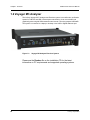
The LeCroy Voyager M3™ Analyzer and Exerciser system is a multifunction verification
system for USB 2.0 and USB 3.0 development and testing. It can record traffic and
graphically present logical USB transactions and events. It can also generate USB traffic.
The system is connected to a laptop or desktop via its USB or Gigabit Ethernet port.
Figure 1.2
Voyager M3 Analyzer Exerciser System
Please see the Readme file on the installation CD for the latest
information on PC requirements and supported operating systems.
4
LeCroy Corporation
USB Protocol Suite User Manual
Chapter 1: Overview
USB 2.0 and USB 3.0 Features
The system can monitor traffic between USB 2.0 links using standard high-speed
compliant cables.
If configured for USB 3.0 testing, the system supports monitoring between SuperSpeed
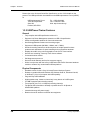
links using USB 3.0 cables (Figure 1.3)
Figure 1.3
Direct Connection using USB 3.0 Cables
or through direct connection via MMCx-to-SMA coaxial cables (Figure 1.4).
Figure 1.4
LeCroy Corporation
Direct Connection using SMA Differential Tap
5
Chapter 1: Overview
USB Protocol Suite User Manual
1.2.1 Voyager M3 General Description
The Analyzer connects to a portable or desktop PC through the USB port. The PC
configures and controls the Analyzer. The “CATC Trace™” user interface is an industry
standard for documenting the performance of high-speed serial protocols.
The USB protocol Analyzer provides traffic capture and analysis. Hardware triggering
allows capture of real-time events. Hardware filtering allows filtering different packet
types in or out of the recording. Filtering also allows you to preserve recording memory,
for extended recording time.
The trace viewer application displays recorded data in colored graphics. The application
has advanced search and viewing capabilities that allow you to quickly locate specific
data, errors, and other conditions.
The system functions with any personal computer having the Microsoft® Windows® XP,
Windows Vista™ 32, Windows Vista 64, or Windows 7 (32 or 64) operating system and
a functional USB interface or Ethernet port.
The system provides on-the-fly detection of, and triggering on, such events as Tokens
and Errors. Whether recording manually or with a specified trigger condition, the system
continuously records the link data, in a wrap-around fashion, until manually stopped or
until the system detects the Trigger Event and records the specified post-trigger amount
of link data.
Upon detection of a triggering event, the Analyzer continues to record data up to a point
specified by you. You can individually enable or disable real-time event detection to allow
triggering on events as they happen, including predefined exception or error conditions
and user-defined sets of trigger events. An externally supplied signal can trigger the
Analyzer.
You can use search functions to investigate particular events. In addition to immediate
analysis, you can print any part of the data. You can save the data on disk for later
viewing. You can generate timing information and data analysis reports.
Please refer to the Universal Serial Bus Specification for details on the protocol. The USB
specification is available from the USB Implementers Forum (USB-IF) at:
USB Implementers Forum
1730 SW Skyline Blvd.
Suite 203
Portland, OR 97221
6
Tel: +1/503.296.9892
Fax: +1/503.297.1090
Web: http://www.usb.org/
LeCroy Corporation
USB Protocol Suite User Manual
Chapter 1: Overview
1.2.2 Voyager M3 Features
General
•
Fully complies with USB specification revisions.
•
Supports the Link Power Management extension.
•
Uses field-upgradeable firmware and recording engine.
•
Supports all USB speeds (5 Gb/s, 480 Mb/s, 12 Mb/s, and 1.5 Mb/s).
•
Displays bus traffic using color and graphics in the user-friendly CATC Trace
interface.
•
Has free non-recording, view-only Trace Viewer software.
•
Comes with online manual.
•
Self-diagnoses at power on.
•
Has a 36-month warranty and hot-line customer support.
•
Uses software upgradable Exerciser function.
•
Allows remote control of USB analyzers in a network.
Flexible 3.0 Calibration
Each link can be calibrated with respect to received equalization and gain.
Physical Components
LeCroy Corporation
•
Desktop or portable Microsoft Windows XP, Windows Vista 32, Windows Vista 64,
or Windows 7 (32 or 64) computer with USB or Ethernet capability
•
Plug-and-Play USB installation
•
1 GB or 4 GB of physical data-recording memory
•
USB 2.0 Hi-Speed connection to desktop or portable host PC
•
Internal wide-range AC power supply
•
Expansion port for future enhancements
•
SMA connectors and USB 3.0 connectors for SuperSpeed capture and generation
•
External clock inputs and outputs
7
Chapter 1: Overview
USB Protocol Suite User Manual
Recording Options
8
•
Versatile triggering: bit-wise value and mask data patterns up to sixteen bytes wide
for Setup transactions and data packets
•
Triggering on new High-Speed PIDs and split transaction special tokens (ERR,
SPLIT, PING, NYET, DATA2, and MDATA) (2.0)
•
CATC Trace display and enumeration of High-Speed Micro Frames (2.0)
•
Three forms of triggering: Snapshot, Manual, and Event
•
Transaction sequencer: Allows triggering on a token qualified by a data pattern
and/or specific handshake, or can filter transactions (for example, NAK’d
transactions) (2.0)
•
Advanced triggering with event counting and sequencing
•
Dedicated trigger for recording input and output used to interface to external test
equipment
•
Triggering on multiple error conditions: PID bad, bit stuffing bad, CRC bad,
end-of-packet bad, babble, activity loss, frame length violation, time-out or
turn-around violation, data toggle violation, Token, Bus Conditions, Data Length,
and excessive empty frames (2.0)
•
Real-time traffic capture filtering and data packet truncation variable up to 256 bytes
(2.0)
•
Adjustable buffer size from 0.4 MB to 1 GB or 4 GB
•
Idle filtering (3.0)
LeCroy Corporation
USB Protocol Suite User Manual
Chapter 1: Overview
Display Options
•
Utilizes the CATC Trace graphical display of bus packets, transactions,
split transactions, and transfers.
•
Groups numerous packets and transactions under a single transfer while quickly
decoding all essential information.
•
Decodes split transactions upstream and downstream of a transaction translator
with a special hierarchical view.
•
Has reports summarizing key statistics and conditions of interest, with the ability to
jump to the selected item in the trace display.
•
Uses a Trace Viewer that is backward compatible with USB Advisor™,
USB Chief™, USB Inspector™, and USB Detective™ trace files, which are
converted upon loading.
•
Indicates trigger position by different pre-trigger and post-trigger packet colors.
•
Sets markers to assist with navigation and time calculations. Each marker can
contain unique comments.
•
Hides start-of-frame (SOF) packets, as well as any packet or transaction from a
device address and endpoint.
•
Searches for a specific PID.
•
Detects and alerts you to every potential bus error and protocol violation, and their
combinations.
•
Has high-resolution, accurate time stamping of bus packets and timing
measurement and analysis functions.
•
Allows search and packet hiding.
•
Allows device class decoding and user-defined protocol decoding.
•
Has a Data View (2.0 and 3.0).
•
Uses Link Tracker to view symbols of traffic (3.0).
•
Uses a Spec View to show packets in the same format as the USB 3.0 specification
(3.0).
•
Has Quick Timing Markers to immediately show time deltas and bandwidth use.
1.2.3 Hi-Speed Slow Clock
•
LeCroy Corporation
Trace and generate High-Speed traffic at fractional (slow) clock rate capability (2.0)
9
Chapter 1: Overview
USB Protocol Suite User Manual
1.2.4 Traffic Generation
USB 2.0 and 3.0 traffic generation options allow you to transmit custom packets over
standard USB cables with low-level control of headers, payloads, timing, and link states.
The Exerciser can play back trace files bit-for-bit, allowing validation engineers to
recreate problems reported in the field or test-specific functionality.
To build generation script files, you can edit example test scenarios or export any traffic
stream from a previously recorded trace. The Voyager Exerciser includes a
Generation Script Editor.
A script pre-processor allows you to organize script code and create reusable generation
blocks.
For USB 3.0 applications, test scenarios can contain multi-stage traffic generation blocks
that include Boolean expressions, LOOP, DO-CASE, and IF-THEN logical branching.
The Voyager USB 2.0 Exerciser can transmit low, full, or high-speed traffic and supports
both host and device emulation. It is backward compatible with existing USBTrainer
traffic generation scripts.
For USB 2.0 applications, the Exerciser supports both bitstream mode or Intelliframe
mode. In Intelliframe mode, the Exerciser can wait for the appropriate response from the
DUT before transmitting the next packet. For example, after issuing an IN, the generator
waits for the DATAx packet returned by the device to finish, and then issues an ACK.
When NAKs are received, the Exerciser can automatically resend the previous packet.
Voyager ReadyLink™ Emulation
The LeCroy Voyager USB 3.0 Exerciser features ReadyLink Emulation Mode. The
ReadyLink feature handles all USB 3.0 link training and link flow control, allowing the
emulator to operate at full line rate and respond to the DUT as defined by the
specification. The ReadyLink Emulation Mode helps simplify development of USB 3.0
test scenarios.
By default, ReadyLink Emulation Mode automatically manages:
•
Header Packet Acknowledgements (L_GOOD_n)
•
Buffer Credit (L_CRD_x)
•
SKIPs at required intervals (SKP)
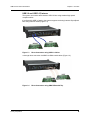
•
Link Synchronization
•
•
10
Responds to LFPS (Polling.LFPS)
•
Responds to polling sequence (Polling.RxEQ)
•
Responds to TS1 / TS2 handshaking sequence
•
Responds to SS.Inactive (with RX.Detect)
Power Management Link Commands
•
Responds to LGO_Un (with LAU)
•
Responds to LAU (with LMPA)
LeCroy Corporation
USB Protocol Suite User Manual
Chapter 1: Overview
Test scripts can customize ReadyLink Emulation Mode to include error scenarios, such
as:
•
Header LBADs
•
Invalid link commands
•
8B10B / CRC Error
•
Running Disparity Error
•
Corrupt Link Commands
•
Corrupt Flow Control (Wrong L_CRD_x, Wrong L_GOOD_n, Drop L_Good_n)
•
Corrupt Header Packet acknowledgement (Send LBAD, LRTY)
•
Corrupt Packet Framing (SHP, SDP, END)
At the packet level, you can send customized data payloads anywhere within the stream
to insert logic errors, perform corner-case, or do stress testing. Commands, such as the
Set ErrWrongLCRD command, allow link-layer error injection anywhere within the script.
1.2.5 Notes on LFPS Signals
Voyager Exerciser requires received “Ping” LFPS signals to be a minimum of
150 nanoseconds to be reliably recognized.
Voyager Analyzer can recognize “Ping” LFPS signals above 60 nanoseconds and report
their durations to ±15 nanoseconds of accuracy.
LeCroy Corporation
11
Chapter 1: Overview
USB Protocol Suite User Manual
1.3 USBTracer/Trainer
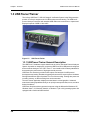
The LeCroy USBTracer™ USB 2.0 Design & Verification System is the fifth generation
product of LeCroy's analysis tools for USB development and testing. The USB bus &
protocol Analyzer interfaces with standard USB cables and connections to capture and
display all speeds of USB 2.0 bus traffic.
Figure 1.5
USB Tracer/Trainer
1.3.1 USBTracer/Trainer General Description
The USBTracer™ hardware module installs into the LeCroy Universal Protocol Analyzer
System. A portable or desktop PC connects to USBTracer at its USB port and configures
and controls the Analyzer. The “CATC Trace™” user interface is the industry standard for
documenting the performance of high-speed serial protocols.
USBTracer non-intrusively provides traffic capture and analysis for USB protocol
development and testing. Hardware triggering allows real-time event capture. Hardware
filtering filters different types of packets in or out of the recording. Filtering also preserves
recording memory, so that recording time can be extended.
The trace viewer application displays recorded data in colored graphics. Advanced
search and viewing capabilities allow you to quickly locate specific data, errors, and other
desired conditions.
USBTracer functions with any personal computer using the Microsoft® Windows® XP,
Windows Vista™ 32, Windows Vista 64, or Windows 7 (32 or 64) operating system and
equipped with a functional USB interface.
12
LeCroy Corporation
USB Protocol Suite User Manual
Chapter 1: Overview
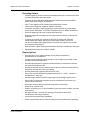
The Analyzer is a plug-in module that installs into a LeCroy Universal Protocol Analyzer
System (UPAS). Together, the Analyzer and UPAS are controlled from a personal
computer USB port across a USB connection.
Figure 1.6
System Setup
USBTracer provides on-the-fly detection of, and triggering on, events such as Tokens and
Errors. Whether recording manually or with a specified trigger condition, USBTracer
continuously records the link data in a wrap-around fashion until manually stopped or until
the system detects a Trigger Event and records the specified post-trigger amount of link
data.
Upon detection of a triggering event, the Analyzer continues to record data up to a point
specified by the user. You can individually enable or disable real-time detection of events
to allow triggering on events as they happen, including predefined exception or error
conditions and user-defined sets of trigger events. An externally supplied signal can
trigger the Analyzer. An external DB-25 connector provides a path for externally supplied
data or timing data to be recorded along with traffic.
The DB-25 connector also provides a path for USBTracer to transmit externally the
software trigger signal or a user-defined event, for probing or use by other circuitry.
Search functions allow the software to identify and highlight specific events. In addition
to immediate analysis, you can print any part of the data. You can save the data on disk
for later viewing. You can generate timing information and data analysis reports.
LeCroy Corporation
13
Chapter 1: Overview
USB Protocol Suite User Manual
Please refer to the Universal Serial Bus Specification, version 2.0 for details on the
protocol. The USB specification is available from the USB Implementers Forum (USB-IF)
at:
USB Implementers Forum
1730 SW Skyline Blvd.
Suite 203
Portland, OR 97221
Tel: +1/503.296.9892
Fax: +1/503.297.1090
Web: http://www.usb.org/
1.3.2 USBTracer/Trainer Features
General
•
Fully complies with USB specification revision 2.0.
•
Supports Link Power Management extension to USB 2.0 specification.
•
Allows reconfigurable hardware for future enhancements.
•
Has field-upgradeable firmware and recording engine.
•
Supports all USB speeds (480 Mb/s, 12Mb/s, and 1.5 Mb/s).
•
Has dual recording channels to aid development of multiple speed functions
upstream and downstream of speed-matching hub or transaction translator.
•
Displays bus traffic using color and graphics in the CATC Trace interface.
•
Has free non-recording, view-only Trace Viewer software.
•
Comes with online manual.
•
Self-diagnoses at power on.
•
Has a 36-month warranty and hot-line customer support.
•
Works in conjunction with the LeCroy USBTrainer USB Traffic Generator hardware
module to create a fully customizable USB test platform.
Physical Components
14
•
Hardware module for the LeCroy Universal Protocol Analyzer System
•
Desktop or portable Microsoft Windows XP, Windows Vista 32, Windows Vista 64,
or Windows 7 (32 or 64) computer with USB capability
•
Plug-and-Play USB installation
•
High-impedance tap: Inserts non-intrusively in any branch of a USB system.
•
512 MB of physical data-recording memory
•
Two all speed (Low, Full, or Hi-Speed) recording channels
•
Full-Speed USB connection to desktop or portable host PC. Hi-Speed on
UPAS 2500H platform.
•
Internal wide-range AC power supply
•
Break-out board to interface to external test equipment
LeCroy Corporation
USB Protocol Suite User Manual
Chapter 1: Overview
Recording Options
•
Versatile triggering: bit-wise value and mask data patterns up to sixteen bytes wide
for Setup transactions and data packets
•
Triggering on new High-speed PIDs and split transaction special tokens (ERR,
SPLIT, PING, NYET, DATA2, and MDATA).
•
CATC Trace displays and enumerates High-speed Micro Frames.
•
Three forms of triggering: Snapshot, Manual, and Event.
•
Transaction sequencer: Allows triggering on a token qualified by a data pattern
and/or specific handshake, or can filter transactions (such as NAK’d transactions).
•
Advanced triggering with event counting and sequencing
•
Dedicated trigger for recording input and output used to interface to external test
equipment
•
Triggering on multiple error conditions: PID bad, bit stuffing bad, CRC bad,
end-of-packet bad, babble, activity loss, frame length violation, time-out or
turn-around violation, data toggle violation, Token, Bus Conditions, Data Length,
and excessive empty frames
•
Real-time traffic capture filtering and data packet truncation variable up to 256 bytes
•
Adjustable buffer size from 0.4 MB to 512 MB
Display Options
LeCroy Corporation
•
Uses the CATC Trace graphical display of bus packets, transactions,
split transactions, and transfers.
•
Groups numerous packets and transactions under a single transfer while quickly
decoding all essential information.
•
Decodes split transactions upstream and downstream of a transaction translator
with a special hierarchical view.
•
Has reports summarizing key statistics and conditions of interest, with the ability to
jump to the selected item in the trace display.
•
Records flexible input signaling with the CATC Trace.
•
Uses a Trace Viewer backward compatible with Advisor™, Chief™, Inspector™,
and Detective™ trace files.
•
Indicates trigger position by different pre-trigger and post-trigger packet colors.
•
Sets markers to assist with navigation and time calculations. Each marker can
contain unique comments.
•
Hides start-of-frame (SOF) packets and any packet or transaction.
•
Searches for a specific PID.
•
Detects, and alerts you to, every potential bus error and protocol violation, and their
combinations.
•
Has high-resolution, accurate time stamping of bus packets and timing
measurement and analysis functions.
•
Has search and packet hiding capabilities.
•
Allows comprehensive device class decoding and user-defined protocol decoding.
15
Chapter 1: Overview
USB Protocol Suite User Manual
1.3.3 Traffic Generation
Traffic generation capability is available as an add-on module, USBTrainer™, for the
Universal Protocol Analyzer System.
1.3.4 Hi-Speed Slow Clock
The ability to trace and generate Hi-Speed traffic at fractional (slow) clock rate is available
on both USBTracer platforms (2500 and 2500H). You can purchase this feature with a
License Key. Contact LeCroy for more information.
16
LeCroy Corporation
USB Protocol Suite User Manual
Chapter 1: Overview
1.4 Advisor
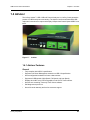
The LeCroy Advisor™ USB 2.0 Bus & Protocol Analyzer is a LeCroy fourth-generation
product for USB development and testing. The Advisor interfaces with standard USB
cables and connections to capture and display Hi-Speed and Classic-Speed USB 2.0 bus
traffic.
Figure 1.7
Advisor
1.4.1 Advisor Features
General
LeCroy Corporation
•
Fully complies with USB 2.0 specification
•
Supports Link Power Management extension to USB 2.0 specification.
•
Has reconfigurable hardware for future enhancements.
•
Supports all USB speeds (High-Speed, Full-Speed, and Low-Speed).
•
Displays bus traffic using color and graphics in the CATC Trace interface.
•
Has free non-recording, view-only Trace Viewer software.
•
Self-diagnoses at power on.
•
Has a 36-month warranty and hot-line customer support.
17
Chapter 1: Overview
USB Protocol Suite User Manual
Physical Components
•
High impedance tap: Inserts non-intrusively in any branch of a USB system
•
128 MB of physical data-recording memory
•
Two recording channels: one for High-Speed traffic and one for Classic-Speed traffic
(either Low-Speed or Full-Speed)
•
Secondary recording channel for development of multiple speed functions
up-stream and down-stream of a speed-matching hub or transaction translator
•
Convenient “Detach Device” switch operates with the Classic recording channel to
save time and reduce USB cable/connector wear for multiple connects and
disconnects to host
•
Full-speed USB connection to desktop or portable host PC
•
Internal wide-range AC power supply
•
Breakout board (included)
Recording Options
18
•
Triggering on all USB2.0 PIDS and special tokens (such as ERR, SPLIT, PING,
NYET, DATA2, and MDATA).
•
CATC Trace display and enumeration of USB2.0 Micro Frames
•
Three forms of triggering: Snapshot, Manual, and Event
•
High, Full, and Low speed traffic capture
•
Adjustable buffer size from 0.1 MB to 128 MB
•
Versatile triggering: bit-wise value and mask data patterns up to sixteen bytes wide
for Setup transactions and data packets
•
Triggering on multiple error conditions: PID bad, bit stuffing bad, CRC bad,
end-of-packet bad, babble, activity loss, frame length violation, time-out or
turn-around violation, and data toggle violation
•
Transaction sequencer: Allows triggering on a token qualified by a data pattern
and/or specific handshake, or can filter transactions.
•
Advanced triggering with event counting and sequencing
•
Dedicated trigger for recording input and output that is used to interface to external
test equipment
•
Real-time traffic capture filtering and data packet truncation variable up to 245 bytes
LeCroy Corporation
USB Protocol Suite User Manual
Chapter 1: Overview
Display Options
•
Uses the CATC Trace graphical display of bus packets, transactions,
split transactions, and transfers
•
Has a Trace Viewer backward compatible with Chief™, Inspector™, and
Detective™ trace files.
•
Indicates trigger position by different pre-trigger and post-trigger colors.
•
Set markers to assist with navigation and time calculations. Each marker can
contain unique comments.
•
Hides start-of-frame (SOF) packets and any packet or transaction.
•
Search for a specific PID.
•
Change bit order for all fields, except Data Length, Time, and
Packet # (MSB>LSB or LSB>MSB).
•
Detects, and alerts you to, every potential bus error and protocol violation, and their
combinations.
•
Has high-resolution, accurate time stamping of bus packets and timing
measurement and analysis functions.
•
Has search and packet hiding capabilities.
•
Allows comprehensive device class decoding and user-defined protocol decoding.
Refer to Readme.txt on your installation CD for the latest information on
features.
LeCroy Corporation
19
Chapter 1: Overview
USB Protocol Suite User Manual
1.5 Advisor T3
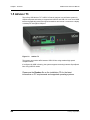
The LeCroy USB Advisor T3™ USB 3.0 Protocol Analyzer is a verification system for
USB development and testing. It supports both USB 2.0 and USB 3.0. It can record USB
traffic and graphically present the logical transactions and events. It connects to a laptop
or desktop PC through its USB port.
Figure 1.8
Advisor T3
The system can monitor traffic between USB 2.0 links using standard high-speed
compliant cables.
If configured for USB 3.0 testing, the system supports monitoring between SuperSpeed
links using USB 3.0 cables.
Please see the Readme file on the installation CD for the latest
information on PC requirements and supported operating systems.
20
LeCroy Corporation
USB Protocol Suite User Manual
Chapter 1: Overview
1.5.1 Advisor T3 General Description
The Analyzer connects to a portable or desktop PC through its USB port. The PC
configures and controls the Analyzer. The “CATC Trace™” user interface is an industry
standard for documenting the performance of high-speed serial protocols.
The USB protocol Analyzer provides traffic capture and analysis. Hardware triggering
allows capture of real-time events. Hardware filtering allows filtering different packet
types in or out of the recording. Filtering also allows you to preserve recording memory,
for extended recording time.
The trace viewer application displays recorded data in colored graphics. The application
has advanced search and viewing capabilities that allow you to quickly locate specific
data, errors, and other conditions.
The system functions with any personal computer having the Microsoft® Windows® XP,
Windows Vista™ 32, Windows Vista 64, or Windows 7 (32 or 64) operating system and
a functional USB interface.
The system provides on-the-fly detection of, and triggering on, such events as Tokens
and Errors. Whether recording manually or with a specified trigger condition, the system
continuously records the link data, in a wrap-around fashion, until manually stopped or
until the system detects the Trigger Event and records the specified post-trigger amount
of link data.
Upon detection of a triggering event, the Analyzer continues to record data up to a point
specified by you. You can individually enable or disable real-time event detection to allow
triggering on events as they happen, including predefined exception or error conditions
and user-defined sets of trigger events. An externally supplied signal can trigger the
Analyzer.
You can use search functions to investigate particular events. In addition to immediate
analysis, you can print any part of the data. You can save the data on disk for later
viewing. You can generate timing information and data analysis reports.
Please refer to the Universal Serial Bus Specification for details on the protocol. The USB
specification is available from the USB Implementers Forum (USB-IF) at:
USB Implementers Forum
1730 SW Skyline Blvd.
Suite 203
Portland, OR 97221
LeCroy Corporation
Tel: +1/503.296.9892
Fax: +1/503.297.1090
Web: http://www.usb.org/
21
Chapter 1: Overview
USB Protocol Suite User Manual
1.5.2 Advisor T3 Features
General
•
Fully complies with USB specification revisions.
•
Has field-upgradeable firmware.
•
Supports all USB speeds (5 GB/s, 480 MB/s, 12 MB/s, and 1.5 MB/s).
•
Displays bus traffic using color and graphics in the CATC Trace interface.
•
Has free non-recording, view-only Trace Viewer software.
•
Comes with online manual.
•
Self-diagnoses at power on.
•
Has a 36-month warranty and hot-line customer support.
•
Allows remote control of USB analyzers in a network.
Flexible 3.0 Calibration
Each link can be calibrated with respect to received equalization and gain.
Physical Components
22
•
Desktop or portable Microsoft Windows XP, Windows Vista 32, Windows Vista 64,
or Windows 7 (32 or 64) computer with USB capability
•
Plug-and-Play USB installation
•
2 GB of physical data-recording memory
•
USB 2.0 Hi-Speed connection to desktop or portable host PC
•
DC power supply
•
Expansion port for optional External Trigger In/Out cable, as well as multi-box
synchronized recording
•
USB 3.0 connectors for SuperSpeed capture and generation
LeCroy Corporation
USB Protocol Suite User Manual
Chapter 1: Overview
Recording Options
LeCroy Corporation
•
Versatile triggering: bit-wise value and mask data patterns up to sixteen bytes wide
for Setup transactions and data packets
•
Triggering on new High-speed PIDs and split transaction special tokens (ERR,
SPLIT, PING, NYET, DATA2, and MDATA) (2.0)
•
CATC Trace display and enumeration of High-Speed Micro Frames (2.0)
•
Three forms of triggering: Snapshot, Manual, and Event
•
Transaction sequencer: Allows triggering on a token qualified by a data pattern
and/or specific handshake, or can filter transactions (for example, NAK’d
transactions) (2.0)
•
Advanced triggering with event counting and sequencing
•
Dedicated trigger for recording input and output used to interface to external test
equipment
•
Triggering on multiple error conditions: PID bad, bit stuffing bad, CRC bad,
end-of-packet bad, babble, activity loss, frame length violation, time-out or
turn-around violation, data toggle violation, Token, Bus Conditions, Data Length,
and excessive empty frames (2.0)
•
Real-time traffic capture filtering and data packet truncation variable up to 256 bytes
(2.0)
•
Adjustable buffer size from 0.4 MB to 2 GB
•
Idle filtering (3.0)
23
Chapter 1: Overview
USB Protocol Suite User Manual
Display Options
24
•
Uses the CATC Trace graphical display of bus packets, transactions,
split transactions, and transfers.
•
Groups numerous packets and transactions under a single transfer while quickly
decoding all essential information.
•
Decodes split transactions upstream and downstream of a transaction translator
with a special hierarchical view.
•
Has reports summarizing key statistics and conditions of interest, with the ability to
jump to the selected item in the trace display.
•
Has a Trace Viewer backward compatible with USB Advisor™, USB Chief™,
USB Inspector™, and USB Detective™ trace files, which are converted upon
loading.
•
Indicates trigger position by different pre-trigger and post-trigger colors.
•
Sets markers to assist with navigation and time calculations.
•
Hides start-of-frame (SOF) packets and any packet or transaction from a device
address and endpoint.
•
Searches for a specific PID.
•
Detects, and alerts you to, every potential bus error and protocol violation, and their
combinations.
•
Has high-resolution, accurate time stamping of bus packets and timing
measurement and analysis functions.
•
Has search and packet hiding capabilities.
•
Allows comprehensive device class decoding and user-defined protocol decoding.
•
Has a Data View (2.0 and 3.0).
•
Uses Link Tracker to view symbols of traffic (3.0).
•
Has a Spec View to show packets in the same format as the USB 3.0 specification
(3.0).
•
Uses Quick Timing Markers to immediately show time deltas and bandwidth use.
LeCroy Corporation
USB Protocol Suite User Manual
Chapter 1: Overview
1.6 USBMobile T2
The LeCroy USBMobile T2™ is a portable hardware-based USB 2.0 protocol analyzer
that debugs, tests, and verifies low, full, and high-speed USB devices. The USBMobile
T2 fits into a single PCMCIA slot in a laptop computer. The USBMobile T2 uses the
standard CATC Trace display.
Figure 1.9
USBMobile T2
The USBMobile T2 is available in three configurations that can be upgraded to add the
advanced functionality shown:
LeCroy Corporation
25
Chapter 1: Overview
USB Protocol Suite User Manual
1.6.1 Features
Features
Benefits
Low-power, 16-bit, Type II
PC Card Design
Personal analyzer
Portable operation with any notebook PC
CATC Trace software
display
Speeds interpretation and debug of USB traffic. Compatible with
LeCroy USBMobile™, Inspector™, Chief™, Advisor™, and
USBTracer/Trainer™.
OTG (On-The-Go)
Support
Records and analyzes HNP and SRP, including capture of VBus
pulses
Trace Navigator
Defines areas of interest and “shrinks” the viewable Trace to areas
of most importance.
Advanced Triggering
Isolates important traffic, specific errors, or data patterns.
Hardware Filtering
Removes non-essential fields from the trace for faster analysis.
Intelligent Reporting
Quickly identifies and tracks error rates and abnormal bus or
timing conditions.
Sophisticated Viewing
Displays Packet, Transaction, and Transfer layers of the USB
protocol.
Downloadable Trace
Viewer Software
Shares and annotates trace recordings within a development
team.
General
•
Fully complies with USB 2.0 specification.
•
Supports Link Power Management extension to USB 2.0 specification.
•
Supports Full-Speed, Low-Speed, and Hi-Speed USB.
•
Displays bus traffic using color and graphics in the “CATC Trace™” interface.
•
Has free non-recording, view-only Trace Viewer software.
•
Has a 12-month warranty and hot-line customer support.
Physical Components
26
•
PC-Card form: Personal analyzer. Low-power, portable operation with any notebook
PC.
•
Two Mini AB USB ports and cables: Designed to reduce bulk and maintain
portability and compact size.
•
64 MB of physical data-recording memory
LeCroy Corporation
USB Protocol Suite User Manual
Chapter 1: Overview
Recording Options
•
•
•
•
•
•
•
•
•
Versatile triggering: bit-wise value and mask data patterns up to sixteen bytes wide
for Setup transactions and data packets
Triggering on new High-Speed PIDs and split transaction special tokens
(ERR, SPLIT, PING, NYET, DATA2, and MDATA)
CATC Trace display and enumeration of High-Speed Micro Frames
Three forms of triggering: Snapshot, Manual, and Event
Transaction sequencer: Allows triggering on a token qualified by a data pattern
and/or specific handshake, or can filter transactions (such as NAK’d transactions)
Advanced triggering with event counting and sequencing
Triggering on multiple error conditions: PID bad, bit stuffing bad, CRC bad,
end-of-packet bad, babble, activity loss, frame length violation, time-out or
turn-around violation, data toggle violation, Token, Bus Conditions, Data Length,
and excessive empty frames
Real-time traffic capture filtering and data packet truncation variable up to 256 bytes
Adjustable buffer size from 0.4 MB to 64 MB
Display Options
•
•
•
•
•
•
•
•
•
•
•
•
•
•
LeCroy Corporation
Uses the CATC Trace graphical display of bus packets, transactions,
split transactions, and transfers.
Groups numerous packets and transactions under a single transfer while quickly
decoding all essential information.
Decodes split transactions upstream and downstream of a transaction translator
with a special hierarchical view.
Has reports summarizing key statistics and conditions of interest, with the ability to
jump to the selected item in the trace display.
Records flexible input signaling with the CATC Trace.
Has a Trace Viewer backward compatible with USBTracer™, USBMobile™,
Advisor™, Chief™, Inspector™, and Detective™ trace files.
Indicates trigger position by different pre-trigger and post-trigger colors.
Sets markers to assist with navigation and time calculations.
Hides start-of-frame (SOF) packets and any packet or transaction.
Searches for a specific PID.
Detects, and alerts the user to, every potential bus error and protocol violation, and
their combinations.
Has high-resolution, accurate time stamping of bus packets and timing
measurement and analysis functions.
Has search and packet hiding capabilities.
Allows comprehensive device class decoding and user-defined protocol decoding.
27
Chapter 1: Overview
USB Protocol Suite User Manual
1.7 USBMobile HS
The LeCroy USBMobile HS™ USB Hi-Speed Analyzer is a portable, PC Card based, bus
and protocol analyzer that accurately and efficiently debugs, tests, and verifies Low, Full,
and Hi-Speed USB semiconductors, devices, software and systems.
Figure 1.10 USBMobile HS
USBMobile HS is the previous generation of PCMCIA USB Analyzer. Its features are
identical to USBMobile T2, with the exception that it allows for up to seven sequential
states in its triggering and filtering capabilities.
28
LeCroy Corporation
USB Protocol Suite User Manual
Chapter 2: General Description
Chapter 2: General Description
2.1 Voyager M3 System Components/Packing List
These system components are on the packing list:
•
Voyager M3 Analyzer Exerciser System
•
AC power cable
•
USB cables (five)
•
Installation CD-ROM, including documentation
•
Micro to Standard USB adapter
•
Mini to Standard USB adapter
•
Quick Start Guide
Product documentation is on the Installation CD-ROM.
2.2 Voyager M3 PC Requirements
Please refer to the USBProtocolSuite_Readme.html file on the installation CD for the
current PC and operating system requirements.
2.3 Voyager M3 Analyzer
The Analyzer is shown in the figure.
Figure 2.1
Voyager M3 Analyzer Front
The Analyzer has the following features:
Power Switch (0/1)
Status LED (blue if system successfully initializes
red if hardware failure
green while initializing)
LeCroy Corporation
29
Chapter 2: General Description
USB Protocol Suite User Manual
Analyzer Ports A (downstream) and B (upstream)
Analyzer LEDs
Rec - Recording
Red if 2.0 recording enabled or 3.0 recording enabled in Analyzer mode
3.0 - USB 3.0
Off: No traffic or LFPS.
Solid Yellow: Only Polling LFPS
Slow Flashing Yellow: Low Power States
Fast Flashing Yellow: Symbol Traffic, Training (TS1/TS2/TSEQ)
Solid Green: Link Traffic (U0) LUP, LDN
Blinking Green: TP's and DP's (actual traffic)
2.0 - USB 2.0
Solid Yellow: FS SOF's, LS EOP's, or control endpoint traffic
Slow Flashing Yellow: LS Traffic on endpoints other than 0
(resets activity timer as in 3.0)
Fast Flashing Yellow: FS Traffic on endpoints other than 0
(resets activity timer as in 3.0)
Solid Green: HS SOF's or control endpoint traffic
Flashing Green: HS traffic on endpoints other than 0
(resets activity timer as in 3.0)
Exerciser Ports A (downstream) and B (upstream)
Exerciser LEDs
Gen - Generating
Green if generating enabled
Rec - Recording
Red if 3.0 recording enabled when in Exerciser mode
3.0 - USB 3.0
Off: No traffic or LFPS.
Solid Yellow: Only Polling LFPS
Slow Flashing Yellow: Low Power States
Fast Flashing Yellow: Symbol Traffic, Training (TS1/TS2/TSEQ)
Solid Green: Link Traffic (U0) LUP, LDN
Blinking Green: TP's and DP's (actual traffic)
2.0 - USB 2.0
unused
Note:
USB 2.0 Link LEDs operate only while USB 2.0 Recording or
Real-Time Statistics (RTS) is running.
USB 3.0 LEDs always operate, unless USB 3.0 has been disabled in the
Recording Options General Tab.
A (downstream) - MMCx plug connectors for interfacing
B (upstream)
with USB 3.0 signals
Tx + - Transmit pair
Rx + - Receive pair
Clock A (downstream) - MMCx plug connectors for interfacing
Clock B (upstream)
with external clock source or sink
In - Connects to an external reference clock.
Out- Provides reference clock output.
30
LeCroy Corporation
USB Protocol Suite User Manual
Chapter 2: General Description
Trigger
In - SMA external trigger input. Note: Threshold value is 0.8 V. Maximum value of
the external input signal which can be input is 5 V. Minimum value is 0 V.
Out- SMA external trigger output.
USB
- Type B connector for connection to host computer
ETHERNET- Gigabit Ethernet connector for connection to host computer
Note: The rear has only a power connector.
Warning:
LeCroy Corporation
Do not open the Voyager M3 enclosure. No operator serviceable
parts are inside. Refer servicing to LeCroy customer care.
31
Chapter 2: General Description
USB Protocol Suite User Manual
2.4 Voyager M3 Specifications
The Analyzer has the following specifications.
2.4.1 Power Requirements
90 to 254 VAC, 47 to 63 Hz (universal input), 100 W maximum
2.4.2 Environmental Conditions
Operating Temperature
0 to 55 °C (32 to 131 °F)
Storage Range
-20 to 80 °C (-4 to 176 °F)
Operating Humidity
10 to 90%, non-condensing
Operating Altitude
Up to 6560 feet (2000 meters)
2.4.3 Probing Characteristics
Connection
SuperSpeed connectors
USB 3.0 cables
MMCx connectors for USB 3.0
High Speed USB Connectors
Standard cables
2.4.4 Switches
Power
On/off
2.4.5 Recording Memory Size
1 GB or 4 GB for traffic data capture, timing, state and other data.
32
LeCroy Corporation
USB Protocol Suite User Manual
Chapter 2: General Description
2.5 USBTracer/Trainer System Components
•
One stand-alone USBTracer™ Analyzer module
•
Five USB cables
•
USBTracer software program installation diskettes
•
Product documentation
2.6 USBTracer/Trainer Analyzer PC Requirements
Please refer to the USBProtocolSuite_Readme.html file on the installation CD for the
most current PC and operating system requirements.
2.7 The Installed USBTracer Unit
USBTracer is a module that inserts into the left slot on the LeCroy Universal Protocol
Analyzer System (UPAS). Once installed, the USBTracer Analyzer activates the
user-accessible controls and LEDs on the front and rear panels of the UPAS.
LeCroy Corporation
Figure 2.2
USBTracer Front Panel
Figure 2.3
USBTracer Rear Panel
33
Chapter 2: General Description
USB Protocol Suite User Manual
2.7.1 LED and Button Descriptions
This section describes the LEDs, buttons, and connectors on the module and UPAS.
LEDs on the Far Left Side of the UPAS
•
Green PWR (Power) indicator LED for UPAS: Lights when unit power is
switched on.
•
Red Status indicator LED for UPAS: Lights during boot up.
LEDs and Button on the UPAS under the Left Module Slot
The LEDs and button on the UPAS enclosure under the left module slot function in
conjunction with the USBTracer module inserted above it:
•
Green REC (Recording) LED: Lights when the unit is recording.
•
Orange TRG (Triggered) LED: Lights when the unit triggers on an event.
•
Green UPLD (Upload): Lights when unit is uploading data to PC.
•
Manual Trigger push-button: Allows a manual Trace capture.
LEDs and Button on the UPAS under the Right Module Slot
The LEDs and button under the right module slot are reserved for LeCroy generator
modules such as the USBTrainer USB Traffic Generator (described in Traffic Generation
(2.0) on page 277):
•
Green HS: Illuminates when Hi-Speed is being generated.
•
Orange Classic: Illuminates when Full or Low Speed is being generated.
Classic also illuminates during power-on testing and is turned off at the end of
the power-on cycle. If the LED blinks at the end of this cycle, the hardware is
faulty.
•
Green Intelliframe: Illuminates when Intelliframe traffic is being generated
using Intelliframe mode, an intelligent adaptive traffic mode. If off, the
generation is in Bitstream mode. See “Traffic Generation Modes: Bitstream
vs. Intelliframe” on page 291 for more information.
•
Start/Stop: Push-button allows manual Trace capture.
2.7.2 Back Panel
•
Warning!
•
Power socket
•
Power on/off switch
•
Enclosed 5x20 mm, 2.0 A, 250 V fast-acting glass fuse
For continued protection against fire, replace fuse only with the type and
rating specified above.
•
Ext. In: Threshold value is between 0.8 V and 2 V, because it uses TTL.
Maximum value of the external input signal which can be input is 5 V.
Minimum value is 0 V.
•
Ext. Out: Uses TTL.
•
USB type B host computer connector
•
Data In/Out DB-25 (25-pin) external interface connector
Warning!
34
Wide range AC connector module:
Do not open the UPAS enclosure. There are no operator serviceable parts
inside. Refer servicing to LeCroy.
LeCroy Corporation
USB Protocol Suite User Manual
Chapter 2: General Description
2.8 USBTracer System Setup
The USBTracer module inserts into the Universal Protocol Analyzer System. The UPAS
connects to a desktop or laptop PC through a USB port. The PC controls the UPAS and
Analyzer.
To set up the system hardware:
•
Insert the USBTracer module into the UPAS.
•
Connect the Analyzer to an AC power source.
•
Connect to the analyzing PC with USB.
•
Connect USB cable to the device under test.
2.9 USBTracer/Trainer Specifications
USBTracer is a hardware module that installs into the Universal Protocol Analyzer
System. The following specifications describe a combined USBTracer/Universal Protocol
Analyzer System.
2.9.1 Package
UPAS
12.2 x 12.2 x 3.5 inches
(31.1 x 31.1 x 8.9 cm)
USBTracer Plug-in
4.5 x 6.7 x 1.3 inches
(11.3 x 17.0 x 3.2 cm)
2.9.2 Connectors
UPAS
AC power connection
External trigger connection
Host connection (USB, type B)
2.9.3 Weight
UPAS
7.5 lb. (3.4 kg)
USBTracer Plug-in
1.0 lb. (0.5 kg)
2.9.4 Power Requirements
90 to 254 VAC, 47 to 63 Hz (universal input), 100 W maximum
LeCroy Corporation
35
Chapter 2: General Description
USB Protocol Suite User Manual
2.9.5 Environmental Conditions
Operating Temperature
0 to 55 °C (32 to 131 °F)
Storage Range
-20 to 80 °C (-4 to 176 °F)
Operating Humidity
10 to 90%, non-condensing
Operating Altitude
Up to 6560 feet (2000 meters)
2.9.6 Probing Characteristics
Connection
High Speed USB Connectors
Standard cables
2.9.7 Switches
Power
On/off
Manual Trigger
When pressed forces a trigger event
2.9.8 Indicators (LEDs)
UPAS
36
Power (PWR):
Illuminated when the Analyzer is powered on.
Status (STATUS):
Illuminated solid during self test, blinking during
failure, off when the Analyzer is functioning properly.
Recording (REC):
Illuminated when the Analyzer is actively recording traffic data.
Triggered (TRG):
Illuminated during power-on testing and when the Analyzer has
detected a valid trigger condition.
Uploading (UPLD):
Illuminated when the Analyzer is uploading its
recording memory to the Host PC to display the CATC Trace.
LeCroy Corporation
USB Protocol Suite User Manual
Chapter 2: General Description
2.9.9 Recording Memory Size
512 MB DRAM for traffic data capture, timing, state, and other data.
Power Cord Set
Cord Manufacturer and Models:
•
180-0005-00 Quail 5000.079 UL, CSA
•
180-0013-00 Quail 8500.098 VDE, KEMA, CEBERC, NEMDO, DEMDO,
SETI, OVE, SEV
•
180-0014-00 Quail 9650.098 ASTA
USBTracer on the UPAS 2500H Platform
UPAS 2500H USBTracer is a USB 2.0 Certified Hi-Speed Device. To upload at Hi-Speed,
you must have a USB 2.0 Certified Host Controller and be running the
Microsoft Windows XP, Windows Vista 32, or Windows Vista 64 operating system.
The UPAS 2500H ships in one of two configurations: Classic and Hi-Speed. The Classic
version can trace and generate traffic at Low and Full Speeds. The Hi-Speed version can
trace and generate traffic at All speeds: Low, Full, and Hi.
The Classic model may be upgraded to a Hi-Speed model by purchasing a License Key
from LeCroy. Contact your LeCroy representative for more information.
Note:
LeCroy Corporation
The UPAS 2500 and UPAS 2500H products include internal 1.1 and 2.0
Hubs. You might see the drivers for these generic hubs being installed upon
initial plug-in.
37
Chapter 2: General Description
USB Protocol Suite User Manual
2.10 USBTracer/Trainer External Interface Breakout
Board
The External Interface Breakout Board is an accessory that allows convenient access to
several potentially useful standard LV TTL output and input signals. It also offers a simple
way to connect logic analyzers or other tools to the USBTracer Analyzer. Six ground pins
and one 5-volt pin are provided.
Figure 2.4
External Interface Breakout Board
The Breakout Board connects by cable to the Data In/Out connector located on the rear
of the Analyzer box. Each signaling pin is isolated by a 100 series resistor and a buffer
inside the Analyzer box.
Figure 2.5
38
Data In/Out Connector (on cable)
LeCroy Corporation
USB Protocol Suite User Manual
Chapter 2: General Description
2.10.1 Pin-Outs for the Data In/Out Connector
Table 1 lists the pin-out and signal descriptions for the Data In/Out connector on a cable
that connects to the Breakout Board.
Table 1
Pin
Data In/Out Connector – Pin-Out
Signal Name
Signal Description
1
RSV
Reserved
2
GND
Ground
3
GP OUT
General Purpose Output
4
TRG IN 1
Trigger In 1
5
GND
Ground
6
DATA 6
Data 6
7
DATA 4
Data 4
8
DATA 3
Data 3
9
DATA 1
Data 1
10
GND
Ground
11
RSV
Reserved
12
RSV
Reserved
13
+5V
+5 Volts, 250 mA DC Source
14
RSV
Reserved
15
GND
Ground
16
TRG OUT
Trigger Out
17
TRG IN 0
Trigger In 0
18
DATA 7
Data 7
19
DATA 5
Data 5
20
GND
Ground
Note:
(*) Pins 4 and 17 have the same function. They allow external signals to be
used to cause triggering or recording. Pins 3 and 16 are used to transmit
output signals.
2.10.2 Prototype Rework Area
The Breakout Board contains a prototype rework area for making custom circuits for rapid
development. The area consists of plated-through holes, 20 columns wide by 27 rows
long. The top row of holes connects to GND, and the bottom row connects to +5 V. The
remaining holes are not connected. Use the rework area to insert custom components
and wire-wrap their respective signal, power, and ground pins.
LeCroy Corporation
39
Chapter 2: General Description
USB Protocol Suite User Manual
2.11 Advisor
The LeCroy USB Advisor™ USB 2.0 Protocol Analyzer is a stand-alone unit controlled
and configured by a portable or desktop PC connected through its USB port.
The Advisor uses hardware triggering to capture real-time events and hardware filtering
to preserve memory and find data. Recorded data uploads to the attached PC and
displays on the CATC Trace graphical user interface as color-coded packets that can be
searched for specific data, errors, or other conditions.
The Analyzer works with any Microsoft® Windows® XP, Windows Vista™ 32, or
Windows Vista 64 desktop or portable PC.
The Analyzer supports the Universal Serial Bus, version 2.0. Please refer to the
Universal Serial Bus Specification, version 2.0 for details on the protocol. The USB
specification is available from the USB Implementers Forum (USB-IF) at:
USB Implementers Forum
1730 SW Skyline Blvd. Suite 203
Portland, OR 97221
Tel: +1/503.296.9892
Fax: +1/503.297.1090
Web: http://www.usb.org/
2.12 Advisor PC Requirements
Please refer to the USBProtocolSuite_Readme.html file on the installation CD for the
most current PC and operating system requirements.
2.13 Advisor System Components/Packing List
The LeCroy Advisor Analyzer package includes the following items:
40
•
One stand-alone LeCroy USB Advisor™ Analyzer module
•
One AC power cord with a plug appropriate to your location
•
One External Interface Breakout Board with a 9-pin cable
•
Five USB cables: four 3-foot (1-meter) cables and one 6-foot (2-meter) cable
•
LeCroy Advisor software program installation CD
•
Product documentation, including online help
LeCroy Corporation
USB Protocol Suite User Manual
Chapter 2: General Description
2.14 Advisor Stand-Alone Unit
Figure 2.6
Advisor Front Panel
Figure 2.7
Advisor Rear Panel
The Analyzer has several user-accessible controls on its front and rear panels.
•
•
Green REC (recording) LED: Illuminates when the unit is recording.
•
Yellow TRG (triggered) LED: Illuminates when the unit triggers an event. Also
lights during power-on testing and blinks when the hardware is faulty.
•
Green UPLD (upload) LED: Illuminates when unit is uploading data to host PC.
•
Manual Trigger push-button (allows a manual Trace capture)
•
LeCroy Corporation
Red PWR (power) indicator LED: Illuminates when the unit power is switched on.
•
After beginning a recording session, press the Manual Trigger switch to force
a Trigger condition. The session completes when a specified post-trigger
amount of bus data is recorded or when you manually stop a recording
session.
•
Detach Device push-button allows a momentary disconnection of the device
from the host on the Classic Speeds port. This is useful when interesting
traffic occurs during device enumeration. Use the Detach Device switch
shortly after starting recording to capture a Trace of the device’s enumeration.
Two USB ports, High Speed and Classic Speed, each with a type A and a type B
connector.
•
High Speed: Used to record 480 MB/s High-Speed traffic only
•
Classic Speeds: Used to record either 12 MB/s or 1.5 MB/s Classic-Speed
traffic
41
Chapter 2: General Description
•
Wide range AC connector module:
•
Power socket
•
Power on/off switch
•
Enclosed 5x20 mm 2.0A 250 V fast acting glass fuse
Warning!
Note:
For continued protection against fire, replace fuse only with the type and
rating specified above.
•
USB type B host computer connector
•
Data In/Out DB-9 (9-pin) external interface connector
The BNC connector next to the Data In/Out 9-pin DIN connector DOES NOT
PROVIDE ANY USER FUNCTIONALITY! It may have the label EXT CLK,
AUX, or TRIGGER, depending on when it was manufactured.
Do not use the BNC connector for any purpose!
(The Trigger In and Trigger Out functions are only available through the
Breakout Board accessory.)
Warning!
42
USB Protocol Suite User Manual
Do not open the Analyzer enclosure. There are no operator serviceable parts
inside. Refer servicing to LeCroy.
LeCroy Corporation
USB Protocol Suite User Manual
Chapter 2: General Description
2.15 Advisor System Setup
The Analyzer functions with any personal computer using the Microsoft® Windows® XP,
Windows Vista™ 32, or Windows Vista 64 operating system and equipped with a
functional USB interface.
The Analyzer is a stand-alone unit configured and controlled through a personal
computer USB port. It can be used with portable computers for field service and
maintenance as well as with desktop units in a development environment. To install,
connect a cable between the computer’s USB port and the Analyzer’s USB port.
Figure 2.8
LeCroy Corporation
USB Advisor Connection
43
Chapter 2: General Description
USB Protocol Suite User Manual
2.16 Advisor Specifications
2.16.1 Package
Dimensions
9.2 x 8.4 x 2.5 inches
(23.4 x 21.3 x 6.4 cm)
Connectors
AC power connection
Trigger IN/OUT input (BNC)
Host connection (USB, type B)
Data connector (Data In/Out, 9-pin DB)
Weight
2.8 lbs. (1.2 kg)
2.16.2 Power Requirements
90 to 254 V AC, 47 to 63 Hz (universal input), 100 W maximum
2.16.3 Environmental Conditions
Operating Temperature
0 to 55°C (32 to 131°F)
Storage Range
-20 to 80°C (-4 to 176°F)
Operating Humidity
10 to 90%, non-condensing
Operating Altitude
Up to 6560 feet (2000 meters)
2.16.4 Switches
Power
on/off
Manual Trigger
Forces trigger event.
Detach Device
Detaches the device from the classic speed connection.
2.16.5 LEDs
Power (PWR)
Illuminated when the Analyzer is powered on
Recording (REC)
Illuminated when the Analyzer is actively recording traffic data
Triggered (TRG)
Illuminated during power-on testing and when the Analyzer has
detected a valid trigger condition
Uploading (UPLD)
Illuminated when the Analyzer is uploading its recording memory
to the host PC for display
2.16.6 Recording Memory Size
128 megabyte DRAM for traffic data capture, timing, state and other data
44
LeCroy Corporation
USB Protocol Suite User Manual
Chapter 2: General Description
2.17 Advisor External Interface Breakout Board
The External Interface Breakout Board is an accessory that allows convenient access to
several potentially useful standard, fast TTL output and input signals. It also offers a
simple way to connect logic Analyzers or other tools to the Analyzer unit. Four ground
pins and one 5-volt pin are provided.
Figure 2.9
External Interface Breakout Board
The Breakout Board connects by cable to the Data In/Out connector located on the rear
of the Analyzer box. Each signaling pin is isolated by a 100 series resistor and a buffer
inside the Analyzer box.
Figure 2.10 Data In/Out Connector (on cable)
LeCroy Corporation
45
Chapter 2: General Description
USB Protocol Suite User Manual
2.17.1 Pin-Outs for the Data In/Out Connector
Table 2 lists the pin-out and signal descriptions for the Data In/Out connector on a cable
that connects to the Breakout Board.
Table 2
Pin
Data In/Out Connector – Pin-Out
Signal Name
Signal Description
1
+5V
+5 Volts, 250mA DC source
2
TRG IN
(*) Trigger Input
3
GP IN
(*) General Purpose Input
4
TRG OUT
(*) Trigger Output
5
GP OUT
(*) General Purpose Output
6
GND
Ground
7
GND
Ground
8
GND
Ground
9
GND
Ground
Note:
(*) Pins 2 and 3 have the same function: they allow external signals to be
used to cause triggering or recording. Pins 4 and 5 are used to transmit
output signals.
2.17.2 Prototype Rework Area
The Breakout Board contains a prototype rework area for making custom circuits for rapid
development. The area consists of plated-through holes, 20 columns wide by 27 rows
long. The top row of holes connects to GND, and the bottom row connects to +5 V. The
remaining holes are not connected. Use the rework area to insert custom components
and wire-wrap their respective signal, power, and ground pins.
2.17.3 PC Connection
Use the LONGEST (6-foot/2-meter) of the five USB cables provided to connect the host
computer to the Analyzer box.
46
LeCroy Corporation
USB Protocol Suite User Manual
Chapter 2: General Description
2.18 Advisor T3
The LeCroy USB Advisor T3™ USB 3.0 Protocol Analyzer is a verification system for
USB development and testing. It supports both USB 2.0 and USB 3.0. It can record USB
traffic and graphically present the logical transactions and events. It connects to a laptop
or desktop PC via USB 2.0.
The system can monitor traffic between USB 2.0 links using standard high-speed
compliant cables.
If configured for USB 3.0 testing, the system supports monitoring between SuperSpeed
links using USB 3.0 cables.
2.18.1 Components
The LeCroy Advisor T3 Analyzer package includes the following:
•
One LeCroy USB Advisor T3 Analyzer
•
DC Power Adaptor
•
USB cables (three)
•
Installation CD-ROM, including documentation
•
Quick Start Guide
•
Carrying Case
2.18.2 Front Panel
Figure 2.11 Advisor T3 Front Panel
The front panel has the following indicators and connectors:
Power LED (green if on)
Status LED (blue if system successfully initializes)
(red while booting. If red for more than a minute, hardware failure.)
(green while initializing)
Analyzer Port A (downstream) Connects to Device under test.
Analyzer Port B (upstream)
Connects to Host.
Analyzer LEDs
Rec- Recording (red if recording enabled)
Trig- Trigger
(green if triggering)
2.0 - USB 2.0 (yellow for Low and Full Speed)
(green for Hi Speed)
3.0 - USB 3.0 (green if link is up; flashes green while data transfers;
yellow if polling)
LeCroy Corporation
47
Chapter 2: General Description
USB Protocol Suite User Manual
2.18.3 Rear Panel
Figure 2.12 Advisor T3 Rear Panel
The rear panel has the following indicators and connectors:
USB
Type B connector for connection to host computer
Sync/Data:
Micro DB-25 (25-pin) external interface connector
(cable sold separately)
Power Connector
12V, 3A DC
Power Switch (0/1)
Do not open the enclosure. No operator serviceable parts are inside. Refer
servicing to LeCroy customer care.
48
LeCroy Corporation
USB Protocol Suite User Manual
Chapter 2: General Description
2.18.4 Advisor T3 System Setup
Advisor T3 is configured and controlled through a personal computer USB port.
USB
Figure 2.13 Advisor T3 Setup
LeCroy Corporation
49
Chapter 2: General Description
USB Protocol Suite User Manual
2.19 USBMobile T2 and USBMobile HS
USBMobile T2 (and USBMobile HS) components are:
•
One LeCroy USBMobile T2 Analyzer (or USBMobile HS Analyzer)
•
One 1-meter A-B cable (standard A plug to mini B plug)
•
One 1-meter A-B cable (mini A plug to mini B plug)
•
One 15-centimeter On-the-Go (OTG) adaptor
(standard A receptacle to mini A plug)
•
Installation CD
•
USBMobile T2 Quick Start
Note: All USBMobile T2 items also apply to USBMobile HS.
2.19.1 Setup
Insert the USBMobile T2 card (or USBMobile HS card) into a PCMCIA slot on your host
computer.
Figure 2.14 USBMobile T2 Setup
Note: The USBMobile T2 (and USBMobile HS) card does not fit into an ExpressCard slot.
To install components:
Step 1 Connect a host to one of the mini A-B receptacles (use an adaptor if
necessary), and connect your device to the other. It does not matter
which receptacle into which you plug.
Step 2 Insert the CD-ROM.
Step 3 Click NEXT when you see the Add New Hardware Wizard window.
Step 4 Follow the on-screen Plug and Play instructions.
Step 5 Click Finish when you see the message that says “Windows has
finished installing the software that your new hardware requires” and the
file USBMobileT2.inf (or USBMobileHS.inf) has been installed on your
host PC.
Note:
USBMobile T2 (and USBMobile HS) USB is not a hub device. It connects to a USB
branch by inserting a non-intrusive, high-impedance tap. Because poor signal quality in
the middle of a USB cable, LeCroy recommends using the shortest possible cables, so
that total length of both cables together is less than six feet. The USB cables provided
with your Analyzer meet this requirement. When longer cables are used, the Analyzer
might record incorrect data.
50
LeCroy Corporation
USB Protocol Suite User Manual
Chapter 3: Installation
Chapter 3: Installation
The Analyzer software installs on a Microsoft® Windows® XP, Windows Vista™ 32,
Windows Vista 64, or Windows 7 (32 or 64) personal computer system.
Note:
USBMobile T2 and USBMobile HS are not supported on 64-bit
operating systems.
Important!
Please uninstall any versions of USBTracer, USB Advisor, or USBMobile HS
software on your computer BEFORE installing USB Protocol Suite. The older
software is not compatible with the new software and device drivers. You can load
files recorded using the old software into USB Protocol Suite, which will
automatically convert them to the new format.
3.1 Installing the Analyzer Software on the PC
Note:
You must install the software before connecting the Analyzer to the host
machine for the first time.
Install the software on the PC administering the Analyzer:
Step 1 Insert the Installation CD into the CD drive of the PC that administers the
Analyzer.
Step 2 Follow the on-screen installation instructions to install the application on the PC
hard disk.
3.2 Setting Up the Analyzer - USB Connection
To set up an Analyzer using a USB connection:
Step 1 Connect the AC power cord to the rear of the Analyzer and to a 100-volt to
240-volt, 50-Hz to 60-Hz, 100-W power outlet.
Note:
The Analyzer is capable of supporting supply voltages between 100 volts
and 240 volts, 50 Hz or 60 Hz, thus supporting all supply voltages around the
world.
Step 2 Connect the USB port to a USB port on the PC using the LONG (6-foot/2-meter)
USB 2.0 cable.
Step 3 Insert the Installation CD.
Step 4 Turn on the power switch.
Note:
At power-on, the Analyzer initializes itself in approximately ten seconds and
performs an exhaustive self-diagnostic that lasts about five seconds. If the
diagnostics fail, call LeCroy Customer Support for assistance.
Step 5 Click Next after you see the Add New Hardware Wizard window.
LeCroy Corporation
51
Chapter 3: Installation
USB Protocol Suite User Manual
Step 6 Follow the Microsoft® Windows® on-screen Plug-and-Play instructions for the
automatic installation of the Analyzer as a USB device on your analyzing PC (the
required USB files are included on the Installation CD).
Step 7 Click Finish when you see the message that says “Windows has finished
installing the software that your new hardware requires” and the driver files have
been installed in your PC.
Step 8 Check Analyzer setup in the “Application Startup” section (See “Application
Startup” on page 56).
Warning!
Do not change from USB to Ethernet, or back, without power cycling the
Analyzer.
3.3 Setting Up the Analyzer - Ethernet Connection
To set up an Analyzer using an Ethernet connection:
Step 1 Connect the provided AC power cord to the rear of the Voyager M3 and to a
100-volt to 240-volt, 50-Hz to 60-Hz, 100-W power outlet.
Note:
The Analyzer is capable of supporting supply voltages between 100 volts
and 240 volts, 50 Hz or 60 Hz, thus supporting all supply voltages around the
world.
Step 2 Insert the Installation CD.
Step 3 To use a DHCP network, make sure that the PC connects to a DHCP network,
then connect the Ethernet port on the Analyzer to the DHCP network.
Note: If the DHCP network uses a Firewall, you must set the Firewall to allow the
Analyzer device on the network.
Note: Direct connection from the Ethernet port on the PC to the Ethernet port on
the Analyzer is supported in this release. See “IP Settings (Voyager only)” on
page 58.
Step 4 Turn on the power switch.
Note:
At power-on, the Analyzer initializes itself in approximately ten seconds and
performs an exhaustive self-diagnostic that lasts about five seconds. If the
diagnostics fail, call LeCroy.
Step 5 Complete Analyzer setup in the “Application Startup” section (See “Application
Startup” on page 56).
Warning!
52
Do not change from USB to Ethernet, or back, without power cycling the
Analyzer.
LeCroy Corporation
USB Protocol Suite User Manual
Chapter 3: Installation
3.4 Cascading with CATC SYNC Expansion Card
You can cascade two Analyzers, if they both have a CATC SYNC port:
•
Voyager requires a CATC Sync Expansion Card for cascading.
•
Advisor T3 has a built-in CATC SYNC port and only requires a cross-connect
or octopus cable accessory.
After Analyzers are connected, recording will start simultaneously and triggers will occur
simultaneously, with synchronized timestamps.
You must select both Analyzers in the Device List dialog
(see “Analyzer Devices” on page 57).
Important: When you are NOT doing cascaded recording, you must UNPLUG the cable!
If you do not unplug, the electrical signal prevents recording on all Analyzers.
Note: In this software version, cascaded recording only works if you use two Voyagers
OR two Advisor T3s. You cannot use one of each. Also, you must enable 3.0
Auto-Detect/Termination mode. Manual control does not work.
3.4.1 Removing Expansion Cards
You can remove expansion cards using two tools:
LeCroy Corporation
•
Standard (flat blade) 3/16” screwdriver
•
LeCroy Extraction Tool (part number 230-0160-00)
53
Chapter 3: Installation
USB Protocol Suite User Manual
To remove an expansion card, follow these steps:
Step 1 Unplug the system from AC power and turn the system so the expansion port is
facing you. Note the two retaining screws and the holes for the extraction tool that
are located on the panel of the expansion card.
Note: The example shows a different expansion card, but the removal method is
the same.
Step 2 Insert the extraction-tool prongs into the holes in the expansion card panel.
Note: If the prongs do not slip easily into the holes, use a small nail file or similar
device to remove paint from the prongs.
Step 3 Rotate the extraction tool to a horizontal position to lock the prongs into place and
make a handle.
54
LeCroy Corporation
USB Protocol Suite User Manual
Chapter 3: Installation
Step 4 Using the screwdriver, loosen both retaining screws by rotating
counter-clockwise approximately two full turns, until feeling slight resistance.
Do not force the retaining screws after two turns.
Step 5 Using the extraction tool as a handle, gently wriggle the expansion card forward
about 1/8”.
Step 6 Repeat steps 4 and 5 approximately three times, until the card is free from the
retaining screws and you can remove the card from the system.
LeCroy Corporation
55
Chapter 3: Installation
USB Protocol Suite User Manual
3.5 Application Startup
To start the application, launch the LeCroy USB Protocol Suite program from the
Start Menu:
Start > Programs > LeCroy > USB Protocol Suite > USB Protocol Suite
to open the main window.
You can use the software with or without the system connected to the host. Without the
Analyzer, the program functions as a trace viewer to view, analyze, and print trace files.
3.5.1 Confirm Proper Hardware Installation and USB or
Ethernet Connection
USB Connection
For USB connection, after you open the USB Protocol Suite application, confirm proper
installation and USB connection by selecting About from the Help menu to view the
Software Version, Firmware Version, BusEngine™ Version, and Unit Serial Number in
the About window.
Ethernet Connection (Voyager only)
For Ethernet connection, after you open the USB Protocol Suite application, confirm
proper installation and Ethernet connection using the Analyzer Devices dialog and the
About window.
56
LeCroy Corporation
USB Protocol Suite User Manual
Chapter 3: Installation
3.5.2 Analyzer Devices
To show the available Analyzer Devices, select Setup > All Connected Devices to
display the Analyzer Devices dialog.
The dialog displays the Device, Location, and Status.
You can click:
•
About to display device information (see “Software, Firmware, and
BusEngine Revisions” on page 345).
•
Update Device (see “Manual Updates to Firmware, BusEngine, and
Serdes BusEngine” on page 350)
•
Update License (see “Updating the Software License” on page 352)
•
Connect to display the Connection Properties dialog, in which you can set the
system to:
- Automatically connect to the device.
- Ask to connect to the device.
- Take no action.
•
Add Device to display the Add Ethernet Attached Device dialog, in which you
can enter an IP Address.
•
IP Settings to use a DHCP or Static IP address.
To refresh the list of devices, click Refresh Device List.
Before starting recording, select the Analyzer you want to use for recording.
LeCroy Corporation
57
Chapter 3: Installation
USB Protocol Suite User Manual
3.5.3 IP Settings (Voyager only)
If connected to a device, you can change the IP settings:
•
DHCP automatically assigns an IP address. DHCP is the default.
•
Static IP prompts you to enter a specific IP address.
To change from DHCP to Static IP while connected to a device:
Step 1 Select Setup > All Connected Devices from the menu bar to display the
Analyzer Devices dialog.
Note: If you are not connected to a device, the IP Settings command is grayed out.
58
LeCroy Corporation
USB Protocol Suite User Manual
Chapter 3: Installation
Step 2 Select the device to use in the recording, then click the IP Settings button to
display the Device IP Settings dialog.
Two radio buttons are available:
LeCroy Corporation
•
Obtain IP address automatically (DHCP) [default]
•
Use the following IP Address (Static IP)
59
Chapter 3: Installation
USB Protocol Suite User Manual
Step 3 To change to Static IP, click the Static IP radio button.
Enter the IP Address.
Enter the Subnet Mask.
Enter the Default Gateway.
Click Apply to get a success message and return to the Analyzer Devices
dialog.
Note:
You can let the system Suggest static IP settings (IP address and
subnet mask).
Step 4 Click Close to close the dialog and use the device with a Static IP address.
60
LeCroy Corporation
USB Protocol Suite User Manual
Chapter 3: Installation
3.5.4 Analyzer Network
For Ethernet, to display the computers and analyzers on the local network, select
Setup > Analyzer Network to display the Analyzer Network dialog.
The dialog displays the computers on the network and the Analyzer devices connected
to the computers.
You can click Add to display the Add Analyzer Network Node dialog, in which you can
select a computer on the network
You can also Remove a selected computer or Reconnect a selected computer.
LeCroy Corporation
61
Chapter 3: Installation
USB Protocol Suite User Manual
3.5.5 USB 3.0 Device/Host Signal Parameters
For USB, to add, remove, edit, load (from a comma-delimited .csv file), or save (as a
comma-delimited .csv file) USB 3.0 devices and to calibrate USB 3.0 connections, select
Setup > USB 3.0 Device/Host Signal Parameters to display the
USB3 Device -> Analyzer -> Host Signal Profiles dialog.
The dialog lists the Device Name, Device Cable, Host Name, Host Cable, and to what
the Profile Signal Settings apply. It also shows Device-to-Analyzer and Host-to-Analyzer
custom signal settings.
62
LeCroy Corporation
USB Protocol Suite User Manual
Chapter 3: Installation
To add a device, click Add to display the USB3 Device -> Analyzer ->
Host Signal Parameter Profiles dialog.
The dialog allows you to Set Device “Current” or Read from Analyzer.
The dialog allows you to Set Host “Current” or Apply to Analyzer.
You can enter Device to Analyzer Signal Settings:
•
Device Name
•
Device Cable ID
•
Input Signal Equalization (ISE) Settings: Short, medium and long time
constant (Current, Off, Minimum, Moderate, or Maximum)
•
Pre-Emphasis Settings: Short and long time level (0 to 15) and
short and long time decay (0 to 7)
•
Output Power Level: Current, or 213 mV to 1294 mV
You can enter Host to Analyzer Signal Settings:
•
Host Name
•
Host Cable ID
•
Input Signal Equalization (ISE) Settings: Short, medium and long time
constant (Current, Off, Minimum, Moderate, or Maximum)
•
Pre-Emphasis Settings: Short and long time level (0 to 15) and
short and long time decay (0 to 7)
•
Output Power Level: Current, or 213 mV to 1294 mV
You can also Load the default settings or Load the last applied settings.
LeCroy Corporation
63
Chapter 3: Installation
USB Protocol Suite User Manual
Input Equalization
Depending on the hardware version of your system, there are two ways to control input
equalization. One method requires you to set three time constants, or use the defaults.
The other method allows you to select either Hi or Low, or use the default. The method
appropriate for your connected hardware is enabled.
For advanced users only: You can change the values for the “other hardware” by
checking Enable Both Eq modifications. For example, you might want to do this if you
use the same file for both Advisor T3 and Voyager M3i.
3.5.6 USB 3.0 Cabling and Signal Integrity
The Analyzer requires two connector discontinuities. In addition, bus-powered devices
are susceptible to voltage drops on VBus.
To maintain the best possible signal integrity for all devices under test, use high-quality
cabling and use the shortest possible cable lengths. Do not "stress" the system by using
long or low-quality cabling that might result in signal degradation.
If you suspect signal integrity problems in capture situations, you should first try using
shorter and higher-quality cables to see if this rectifies the problem.
64
LeCroy Corporation
USB Protocol Suite User Manual
Chapter 3: Installation
3.6 Your First USB Recording
After installing and launching the software, you can test the system by performing the
following steps:
Step 1 Connect a USB cable to each of the two connectors on the Analyzer module,
then connect the other ends to the USB device under test and USB host system.
Note: Whenever you do connect/disconnect testing, always plug/unplug the “B”
connector on the Analyzer, to insure that the Host detects the event properly. In
some cases, using the “A” port for this purpose can cause the Host to
misinterpret the terminations.
Step 2 Select Setup > Recording Options on the Menu Bar.
Step 3 Select the General tab to display a dialog box showing factory default settings,
such as Snapshot and 4 MB buffer size. For the first recording, you can leave
these settings unchanged. Under Recording Channels, select 2.0 to record
USB 2.0 traffic.
Note:
Items not supported on your hardware are grayed out or not shown.
Step 4 Click OK to activate the recording options you selected.
Step 5 Turn on the USB devices that are to be tested and cause them to generate USB
traffic.
LeCroy Corporation
65
Chapter 3: Installation
USB Protocol Suite User Manual
Step 6 Click
on the Tool Bar.
The system starts to record the USB traffic immediately. After 4 MB of traffic are
recorded, the Analyzer uploads the data and displays the packets in the trace
window.
Step 7 To terminate recording before the snapshot automatically completes,
click
on the Tool Bar.
When the recording session finishes, the traffic uploads from the Analyzer to the
hard drive on your PC as a file named data.usb or the name you assigned as the
default filename. While the file is uploading, you should see a brown progress bar
at the bottom of the screen. When the bar disappears, the data has uploaded to
disk.
Step 8 To save a current recording for future reference, select File > Save As on the
Menu Bar.
OR
Click
on the Tool Bar to display the standard Save As window.
Give the recording a unique name and save it to the appropriate directory.
66
LeCroy Corporation
USB Protocol Suite User Manual
Chapter 3: Installation
3.6.1 Trace View Features
After the recording terminates, the results display.
•
The packet view display uses color and graphics to document captured traffic.
•
Packets are on separate rows, with individual fields both labeled and
color-coded.
•
Packets are numbered sequentially (as recorded), time-stamped (with a
resolution of 2 ns on 3.0 signalling), and highlighted to show the transmitted
speed (low-speed, full-speed, high-speed, or superspeed).
•
You can name and save display formats for later use.
•
Data fields can collapse to occupy minimal space in the display.
You can start the application from the Desktop or from the installed directory.
The display software can operate independently of the Analyzer. When used without the
Analyzer, the program functions in a Trace Viewer mode to view, analyze, and print
captured protocol traffic. When used with the Analyzer, you can set trigger conditions,
record, monitor, and analyze the activity of your USB bus.
LeCroy Corporation
67
Chapter 3: Installation
USB Protocol Suite User Manual
3.7 Notes on Vista and Windows 7 Directory
Protections
3.7.1 User Data File Paths
Windows™ Vista and Windows 7 institute a policy which prevents user data from being
written into the Program Files directory/folder. It was common for applications written for
Windows XP (and earlier) to use the Program Files folder to store user data. LeCroy and
CATC products used this folder as a default folder for storing trace files, user option files
(default.opt, default.rec), scripts, and so on. The default folder for USB Protocol Suite
was:
x:\Program Files\Lecroy\USB Protocol Suite\…
Windows Vista and Windows 7 make such paths illegal directories for user data. For
Windows Vista and Windows 7, files that are accessible by different user accounts must
be in the path
x:\Users\Public\…
To preserve the ability of multiple user accounts to access all the LeCroy files that were
accessible in Windows XP when using Windows Vista and Windows 7, files that were in
the Program Files path in Windows XP are now in:
x:\Users\Public\Documents\Lecroy\USB Protocol Suite\…
In some cases, such as paths stored in the Recording Options .rec file, the application
silently changes this path, so that the Windows Vista and Windows 7 operating systems
will accept it as valid.
USB Protocol Suite on Windows XP still uses the Program Files directory. However, if a
Recording Options file that was created on a Windows 7 system is used on a
Windows XP system, trace files will be probably be recorded to a new Windows XP
directory called
x:\Users\Public\Documents\Lecroy\USB Protocol Suite\…
This is a legitimate path on a Windows XP system, so there are no conflicts with the
operating system.
68
LeCroy Corporation
USB Protocol Suite User Manual
Chapter 4: Software Overview
Chapter 4: Software Overview
The USB Protocol Suite application can function with or without the Analyzer. When used
without an Analyzer, the program functions in a Trace Viewer mode to view, analyze, and
print captured protocol traffic. The software also allows you to view trace files created by
the LeCroy USB Chief™, USB Advisor™, USB Detective™, USB Inspector™, and
USB Tracer™/Trainer™. Opening a file created with any of those Analyzers displays a
screen asking if you want to convert the old file to the new format under the name
<filename>_convert.usb.
When used with the Analyzer attached to the computer, you can monitor and analyze the
activity of your USB branch from USB ports on the Analyzer front.
4.1 Starting the Program
To start the USB Protocol Suite application:
Step 1 Select Start > Programs > LeCroy > USB Protocol Suite >
USB Protocol Suite.
LeCroy Corporation
69
Chapter 4: Software Overview
USB Protocol Suite User Manual
4.2 The Main Display Window
Menu
Function
File
New .utg file.
70
Creates a new, empty traffic generation file. Available only if a trace
file (.usb) is open. To edit a .utg file, click Edit as Text in the toolbar.
Open
Opens a file.
Close
Closes the current file.
Save As
Saves all, or a range of, packets from the current file.
Print
Prints part or all of the current traffic data file.
Print Preview
Produces an on-screen preview before printing.
Print Setup
Sets the options for the current or new printer.
Edit as Text
Opens the Script Editor. Available only when a traffic generation file
(.utg) is open. See “Editing a Generation File” on page 286.
Edit Comment
Creates or edits the Trace file comment field.
See “Edit Comment” on page 124.
Check Syntax of .utg
file
Reads open .utg file and checks syntax for errors. Available only
when a traffic generation file (.utg) is open.
Export>>
Saves all or part of a trace to a text file or generator file.
Packets to Text
(Packet View Format)
Saves trace as a text file in Packet View Format.
Packets to .CSV
(Comma Separated
Values for Excel, etc.)
Format)
Saves trace as a comma-separated-values text file for use with
Microsoft® Excel. See “Exports to .CSV” on page 76.
Packets to Host Traffic
Generator Text File
(.utg)
Saves trace as a script file that can be used by a Generator to
generate a trace. See “Exporting to USB 2.0 Generation Files (.utg
files)” on page 77.
Packets to Device
Emulation Traffic
Generation Text File
(.utg)
Exports packets to Device Emulation files. This option does not
export transactions. See “Exporting to USB 2.0 Generation Files
(.utg files)” on page 77.
Packets to USB3
Exerciser Script
(.usb3g)
Exports packets to USB3 Exerciser Script files. This option does not
export transactions.
Data
Exports Transfer data as a text or binary file.
Merge Trace Files
Merges two simultaneously recorded files into a single file. (This
command does not work if the files were recorded at different times).
Import
If you have exported simulations to a defined .csv format, you can
import data from the .csv file to a BusEngine™ data file. To use this
feature, you must contact support for information on how to export to
a specific-format .csv file and then import the file.
Compare Endpoint
Data
Allows you to select two endpoints of different directions with the
same address and verify that the data OUT/IN is identical to the data
IN/OUT from the other endpoint. Used when running echo-types of
tests for data integrity. Available only when a trace file (.usb) is
open. (2.0 only)
Exit
Exits the program.
LeCroy Corporation
USB Protocol Suite User Manual
Menu
Chapter 4: Software Overview
Function
Setup
Display Options
Provides display options such as color, formats, and filters.
See “Display Options” on page 143.
Recording Options
Provides setup options for recording, triggering events and filtering.
See “Recording Options” on page 221.
Update Device
Updates the BusEngine™ and Firmware manually.
See “Manual Updates to Firmware, BusEngine, and
Serdes BusEngine” on page 350.
Launch CrossSync
Control Panel
Opens the CrossSync multiple-analyzer traffic synchronization
software (see CrossSync Control Panel on page 90). For more
infoemation, refer to the CrossSync User Manual.
Analyzer Network
Opens a dialog box for browsing to local and networked analyzers.
Within the dialog, click Add to browse. The dialog lists PCs that are
on the LAN. If a PC has an analyzer attached to it, and if DCOM
permissions have been set on the selected PC, clicking Select
establishes a connection.
See “Analyzer Network” on page 61.
All Connected
Devices
Opens a dialog box with a list of analyzers connected to the host PC.
Lets you select an analyzer and update the BusEngine, Firmware,
and licensing information.
See “Analyzer Devices” on page 57.
USB 3.0 Device/
Host Signal
parameters
Adds, removes, edits, loads, and saves USB 3.0 devices and lists
the device name, device cable, host name, host cable, and to what
the Profile Signal Settings apply.
Used to calibrate 3.0 connections. Also shows custom
device-to-analyzer and host-to-analyzer signal settings.
See “USB 3.0 Device/Host Signal Parameters” on page 62.
Record (see “Recording Status” on page 86.)
Start
Causes the Analyzer to begin recording USB activity.
Stop
Causes the Analyzer to stop recording.
Upload Again
Allows you to upload a different portion of the captured trace if the
previous upload was only partially uploaded.
Reset SuperSpeed
Capture Engine
For USB 3.0 traffic capture, in some cases, the Analyzer might not
correctly lock onto the 5-GBps signals on power up, or it may unlock
after a long period of usage. To issue a soft reset to the SuperSpeed
capture engine, select this command. Note: After performing the
reset, you must retrain the link on your devices.
Generate (see “Traffic Generation (2.0)” on page 277)
LeCroy Corporation
Start/Stop
Starts traffic generation. After traffic generation has begun, the Start
command becomes Stop and lets you stop traffic generation.
IntelliFrame
Generation Mode
Sets the mode of generation to IntelliFrame. Use before Start.
(2.0 only)
Bitstream Generation
Mode
Sets the mode of generation to bitstream. Use before Start.
(2.0 only)
71
Chapter 4: Software Overview
Menu
Repeat Mode
USB Protocol Suite User Manual
Function
Allows you to repeat once, a specified number of times, or an infinite
number of times using the Generation Repeat Mode window.
(2.0 only)
Report
72
File Information
Displays information about the recording, such as the number of
packets and triggering setup.
See “File Information” on page 177.
Error Summary
Summarizes the errors throughout the recording. Allows for fast
navigation to packets with errors.
See “Error Summary” on page 179.
Timing Calculations
Calculates timing between two packets and bus utilization.
See “Timing Calculations” on page 180.
Data View
Shows packet information.
See “Detail View” on page 205.
Traffic Summary
Summarizes the numbers and types of errors, packets, transactions,
split transactions, and transfers that occurred in the open trace.
See “Traffic Summary” on page 184.
Bus Utilization
Displays graphs of packet length, bus usage, and bus usage by
device.
See “Bus Utilization” on page 186.
Link Tracker
Opens a window for displaying a detailed chronological view of
traffic. The window provides view and navigation options.
See “Link Tracker (3.0)” on page 193.
Navigator
Allows you to view the location of errors and triggers in a
trace, narrow the range of traffic on display, and jump to any
point in the trace.
See “Using the Trace Navigator” on page 198.
Detail View
Displays details of selected packet.
See “Detail View” on page 205.
Spec View
Shows packet header information and other items, in a view that
matches the USB 3.0 specification.
See “Spec View (3.0)” on page 206.
USB3 Link State
Timing View
Graphically shows how much time the link spends in each link
state.
See “USB3 Link State Timing View” on page 207.
USB3 LTSSM view
Displays the LTSSM diagram depicted in the USB 3.0 specification.
See “USB3 LTSSM View” on page 209.
Power Tracker
Displays voltage, current, and power.
See “Power Tracker” on page 210.
Run Verification
Scripts
Opens a window to allow you to run verification scripts over the
open trace.
See “Running Verification Scripts” on page 212.
LeCroy Corporation
USB Protocol Suite User Manual
Menu
Chapter 4: Software Overview
Function
Search (see “Searching Traces” on page 125)
Go to Trigger
Positions the display to show the first packet that follows the trigger
event.
Go to Packet/
Transaction/Transfer
Positions the display to the packet/transaction/transfer number
selected in the Go to Packet/Transaction/Transfer menu.
Go to Marker »
Positions the display to the selected marked packet.
Go to USB2.0»
Positions the display to the selected event, condition, value, or type.
Go to USB3.0»
Positions the display to the selected event, condition, value, or type.
Go to SCSI
Positions the display to the selected SCSI Operation,
Command Status, Task Management, Task
Management Response, or Error.
Find
Allows complex searches on multiple criteria.
See “Find” on page 138.
Find Next
Repeats the previous Find operation.
Search Direction
Allows the search direction to be changed from Forward to
Backward, or vice versa.
View
LeCroy Corporation
Toolbars
Displays list of available toolbars.
See “Resetting the Toolbar” on page 83.
Analyzer Network
Chat Bar
Opens a dialog that allows you to conduct chat sessions over an IP
LAN. In order to send and receive electronic text messages, each
user must be working with a PC that is on an IP LAN and also
attached to an analyzer.
Status Bar
Switches display of the Status Bar on or off.
See “Status Bar” on page 85.
QuickTiming Bar
Quick Timing provides immediate time deltas and bandwidth
calculations. If the Start is placed on a packet that contains an
Address and Endpoint, the bandwidth for that combination is
displayed in the Status Bar below the trace data.
See “Set or Clear Quick Timing Markers” on page 97.
Real-time Statistics
Allows you to view traffic statistics as they occur.
See “Real Time Monitoring” on page 217.
USB Electrical Test
Tests electrical characteristics.
See “USB 3.0 Electrical Test Modes” on page 330.
Trace Views
Displays CATC Trace, Compressed CATC Trace,
Spreadsheet (Color), or Spreadsheet (B/W).
Unhide cells
Unhide Filtered Traffic, VBus Power, or Unhide All.
Zoom In
Increases the size of the displayed elements.
Zoom Out
Decreases the size of the displayed elements.
Wrap
Wraps displayed packets within the window.
Show USB 2 Traffic
Only
Displays only USB 2.0 traffic.
Show USB 3 Traffic
Only
Displays only USB 3.0 traffic.
73
Chapter 4: Software Overview
Menu
Hiding USB 2 Traffic
USB Protocol Suite User Manual
Function
Hides.
• SOF’s: Start of Frames
• NAK’s: NAK’ed Transactions
• Devices: Packets belonging to specified devices by
address and endpoint
• Chirps: Chirp-K and Chirp-J Bus conditions (these are
recorded only)
Hiding USB 3 Traffic
Hides:
•
•
•
•
•
•
•
•
•
•
•
•
•
Link Commands (Flow Control)
Link Training Sequences (TS1, TS2, TSEQ)
Logical Idle Packets
Upstream Packets
Downstream Packets
Skip Sequences
ISO Time Stamp Packets
Inter-Packet Symbols
Link Commands (Other than Flow Control)
LMP Packets
Electrical Idles
LFPS Packets
LTSSM Transition Indicators
View Layers Mode
Display All Layers, Application Layers, or Lower USB Layers.
Stacking View
Puts a group of packets in one row, to shorten display.
Apply Decoding
Scripts
Decoding scripts set the values of the display and recording options
for optimum views of trace information from specific vendors or
classes of data. This menu option allows you to select the vendor or
class of data for the request recipients and endpoints listed in the
Request Recipients and Endpoints menu. You can keep the settings
across recordings.
See “Decode Requests” on page 155.
Packet Level
Displays Packets.
Transaction Level
Displays Transactions.
Split Transaction Level
Displays Split Transactions.
Transfer Level
Displays Transfers.
WA Group
HWA Segment Level displays Host Wire Adapter Segments.
HWA Transfer Level displays Host Wire Adapter Transfers.
DWA Segment Level displays Device Wire Adapter Segments.
DWA Transfer Level displays Device Wire Adapter Transfers.
PTP Group
PTP Transaction Level displays PTP Transactions
PTP Object Transfer Level displays PTP Objects
PTP Session Level displays PTP Sessions
SCSI Operation Level
74
Displays SCSI Operation Level
LeCroy Corporation
USB Protocol Suite User Manual
Menu
Refresh Decoding
Chapter 4: Software Overview
Function
Forces the software to re-decode transactions and transfers. Useful
if you have applied a decoding mapping which helps fully decode a
sequence of transfers, as is the case with Mass Storage decoding.
Window
New Window
Switches display of the Tool Bar on or off.
Cascade
Displays all open windows in an overlapping arrangement.
Tile Horizontal
Displays all open windows in a above-below arrangement.
Tile Vertical
Displays all open windows in a side-by-side arrangement.
Arrange Icons
Arranges minimized windows at the bottom of the display.
Windows ...
Displays a list of open windows.
Help
LeCroy Corporation
Help
Displays online help. You can also select F1.
Video Tutorials
Has links to YouTube videos that describe Voyager features:
Basic USB 3.0 Recording,
USB 3.0 Basic Triggering,
USB 3.0 Advanced Triggering,
Troubleshooting USB 3.0 Connection Issues,
USB 3.0 Packet Header Display,
USB 3.0 Compliance (Part 1).
USB 3.0 Compliance (Part 2)
Update License
Opens a dialog box for updating your LeCroy license.
See “Updating the Software License” on page 352.
Display License
Information
Displays information related to licensing.
See “License Information” on page 351.
Register Product
Online
Register at the LeCroy website.
See “Registering Online” on page 352.
Check for Updates
Use the Internet to analyze your system for licensed updates. You
can set the system to automatically check for updates at application
startup in the LeCroy USB Protocol Suite Software Update window.
See “Software Updates” on page 346.
About
Displays version information about the Voyager M3 and the
USB Protocol Suite.
See “Software, Firmware, and BusEngine Revisions” on page 345.
75
Chapter 4: Software Overview
USB Protocol Suite User Manual
4.2.1 Exports to .CSV
.CSV files may be created as exports from the contents of 2.0 CATC Trace Packet and
Transaction Views, 3.0 CATC Trace Packet views, and any Spreadsheet view. The output
is limited to 1 million rows.
4.2.1.2 Export Packets to .CSV
When viewing 2.0 or 3.0 Packets in either the CATC Trace view or the CATC Trace
Compressed view, selecting Export > Packets to .CSV <show
Packets/Transactions/Spreadsheet item from the Export> menu in a graphic>
exports the packets to a .csv file in a pre-configured format. The first row of that .csv file
shows what each column represents.
4.2.1.2 Export Transactions to .CSV
When viewing 2.0 Packets in either the CATC Trace view or the CATC Trace
Compressed view, selecting Export > Transactions to .CSV exports the 2.0
transactions to a .csv file in a pre-configured format. The first row of that .csv file shows
what each column represents.
4.2.1.2 Export Spreadsheet View to .CSV
When viewing 2.0 Packets in either the Black and White or Colored Spreadsheet Views
Trace view, selecting Export > Spreadsheet to .CSV exports the contents of the
spreadsheet to a .csv file in a pre-configured format. The columns match the columns as
you have defined them in your Spreadsheet view.
76
LeCroy Corporation
USB Protocol Suite User Manual
Chapter 4: Software Overview
4.2.2 Exporting to USB 2.0 Generation Files (.utg files)
Before exporting to a .utg file, first make sure the .usb file contains traffic for only one
device:
Step 1 Hide all other device addresses in the trace, leaving only the address of your
device and the Address 0 (the default enumeration address.)
Step 2 Save to a new file using the All and
Do not save hidden Packets/Transactions/Transfers selections.
Step 3 On the new file, you can now
Export… Packets to USB 2.0 … Text File (.utg) …
Step 4 If the captured file was Hi Speed and was recorded in Auto-Speed Detect mode,
you must add a ping=here statement before the first SOF packets in the .utg file.
This is required because, when the capture is made in Auto-Speed Detect mode,
the first "Ping" sequence is not captured in the trace file.
LeCroy Corporation
77
Chapter 4: Software Overview
USB Protocol Suite User Manual
4.3 Tool Bar
The Tool Bar provides quick and convenient access to the most popular program
functions. Tool tips briefly describe the functionality of each icon and menu item as the
mouse arrow is moved over the icon/item.
4.3.1 Files, Searches, and Options
Open file
Find (see “Find” on page 138)
Save As
Find Next
Edit as Text
Setup Recording Options. See
“Recording Options” on page 221.
Setup Display Options
See “Display Options” on page 143.
4.3.2 Zoom and Wrap
Zoom In
Zoom Out
Wrap
78
LeCroy Corporation
USB Protocol Suite User Manual
Chapter 4: Software Overview
4.3.3 Miscellaneous
Display Realtime Statistics. See
“Real Time Monitoring” on page 217.
Assign High Level Decodes.
See “Decode Requests” on
page 155.
Display Stacking View.
Stacking conserves space in the trace view by displaying repeating
items (or item groups) as one item, along with the number of repeats.
For USB 2.0, stacking items (or item groups) can be:
• SOF
• Chirp (merges J's and Ks into one stacked display unit)
• NAK'ed (split) Transaction
For USB 3.0, stacking items (or item groups) can be:
• TSEQ
• TS1 with same Link Functionality
• TS2 with same Link Functionality
• LFPS with same Type
• LUP
• LDN
• NAK'ed Transaction
Note: Items are grouped regardless of any intervening Skip
Sequence, Electrical Idle, or Logical Idle symbols. If any of these
occur during a stream of the repeating stacking item, they are not
displayed.
LeCroy Corporation
79
Chapter 4: Software Overview
USB Protocol Suite User Manual
4.3.4 Analysis (Reports)
File Information Report
See “File Information” on page 177.
Error Report
See “Error Summary” on page 179.
Timing and Bus Usage Calculations
See “Timing Calculations” on page
180.
Traffic Summary
See “Traffic Summary” on page 184.
Data View
See “Detail View” on page 205.
Bus Utilization
See “Bus Utilization” on page 186.
Link Tracker
See “Link Tracker (3.0)” on page
193.
Spec View
See “Spec View (3.0)” on page 206.
Open the Navigator bar
See “Using the Trace Navigator” on
page 198.
Detail View
Show USB3 Link State Timing View.
Show USB3 LTSSM View
See “USB3 Link State Timing
View” on page 207.
See “USB3 LTSSM View” on
page 209.
Run Verification Scripts.
Show Power Tracker.
(Power captures are supported only
on Voyager M3i.)
See “Running Verification Scripts” on
page 212.
See “Detail View” on page 205.
See “Power Tracker” on page 210.
4.3.5 Recording
Superspeed (USB 3.0) receiver terminations of Analyzer:
M3i: If both Analyzer ports are set to Auto in Recording Options, this button
is dimmed. If either port is set to Manual, this button can apply or
remove USB 3.0 termination.
M3: This button is always enabled, and Auto mode is not supported.
Start Recording
Manual Trigger
Stop Recording
Repeat Upload
Momentary VBus Disconnect (Voyager M3i Only)
Causes the VBus power between the Host and the Device connected through
the Analyzer A and B USB ports to be broken for 1 second, simulating a
unplug-plugin cycle. This is the recommended method of creating plug-in
scenarios.
Note: When Disconnect is done during recording, it may cause capturing of IPS
(undecodable symbols) and false triggering of CRC triggers, because packets
will be abruptly stopped in the middle of a symbol stream.
80
LeCroy Corporation
USB Protocol Suite User Manual
Chapter 4: Software Overview
4.3.6 Generator (Traffic Generation for USB 3)
(See “Traffic Generation (3.0 Exerciser)” on page 307)
Go to
USB 3.0
Exerciser
Manual Trigger
window.
Display
Export to
Script dialog.
Repeat Upload
4.3.7 Generator (Traffic Generation for USB 2)
(See “Traffic Generation (2.0)” on page 277)
Start or Stop Traffic Generation
(available if you have the
Traffic Generation module).
Bitstream and Intelliframe modes
Repeat Mode. This button becomes active
when a traffic generation file (*.utg) is
open.
4.3.8 View Level
(See “Switch to Transactions View” on page 108 and following)
LeCroy Corporation
Display Packets
See “Trace View Features” on page
93.
Display Device Wire Adapter
Segments
See “Switch to Device Wire Adapter
Segment View” on page 116.
Display Transactions
See “Switch to Transactions View”
on page 108.
Display Device Wire Adapter
Transfers
See “Switch to Device Wire Adapter
Transfer View” on page 116.
Display Split Transactions
See “Switch to Split Transaction
View” on page 112.
Display PTP Transactions
See “Switch to PTP Transactions” on
page 117.
Display Transfers
See “Switch to Transfer View” on
page 112.
Display PTP Objects
See “Switch to PTP Object
Transfers” on page 117.
Display Host Wire Adapter
Segments
See “Switch to Host Wire Adapter
Segment View” on page 115.
Display PTP Sessions
See “Switch to PTP Sessions” on
page 118.
Display Host Wire Adapter Transfers
See “Switch to Host Wire Adapter
Transfer View” on page 116.
Display SCSI Operations
WA Group
Click the arrow to display the
Wire Adapter Levels.
PTP Group
Click the arrow to display the
PTP Levels
81
Chapter 4: Software Overview
USB Protocol Suite User Manual
4.3.9 Trace Views
(See “Compressed CATC Trace View” on page 119 and “Spreadsheet View” on page
120)
Normal CATC Trace View
Compressed CATC Trace
Spreadsheet View (Color)
Spreadsheet View (B/W)
4.3.10 USB 2 USB 3 Show
Display USB 2.0 traffic only.
Display USB 3.0 traffic only.
4.3.11 USB 2.0 Display/Hide
Hide SOFs.
Hide Devices
Hide NAK’ed transactions.
Hide Chirps
4.3.12 USB 3.0 Display/Hide
Hide Link Commands
(Flow Control).
Hide ISO Time Stamp Packets.
Hide Link Training Sequences
(TS1, TS2, TSEQ).
Hide Inter-Packet Symbols
(unexpected packets).
Hide Logical Idle Packets.
Hide Link Commands
(other than Flow Control).
Hide Upstream Packets.
Hide LMP Packets.
Hide Downstream Packets.
Hide Electrical Idles.
Hide Skip Sequences.
Hide LFPS Packets.
4.4 Tooltips
Tooltips provide information about trace cells and application buttons. To display a tooltip,
position the mouse pointer over the item.
82
LeCroy Corporation
USB Protocol Suite User Manual
Chapter 4: Software Overview
4.5 View Options
You can hide, display, or reset toolbars by selecting View > Tool bars from the menu bar.
4.5.1 Resetting the Toolbar
From time to time (such as following a software upgrade), it is possible for the buttons on
the toolbar not to match their intended function.
To reset the toolbar:
Step 1 Select View > Tool bars from the menu bar.
Step 2 Select Customize from the submenu to display the Customize dialog box.
LeCroy Corporation
83
Chapter 4: Software Overview
USB Protocol Suite User Manual
Step 3 Select the Toolbars tab to display the Toolbars page of the Customize dialog
box.
Step 4 Click the Reset All button.
The toolbar resets to the factory defaults.
84
LeCroy Corporation
USB Protocol Suite User Manual
Chapter 4: Software Overview
4.6 Status Bar
The Status Bar is located at the bottom of the main display window.
Depending on the current activity, the left side of the bar has segments that indicate the
hardware, status, size, activity, and buffer.
The right side of the bar has segments that indicate port status, link status, and
search direction.
4.6.1 Recording Progress
When you begin recording, the Status Bar displays an indicator.
As recording progresses, the indicator changes to reflect the recording progress
graphically:
A black vertical line illustrates the location of the Trigger Position that you selected in
Recording Options.
•
Pre-Trigger progress is in the field to the left of the Trigger Position in the
before-trigger color specified in the Display Options.
•
When the Trigger Position is reached, the indicator wiggles as it waits for the
trigger.
•
After the trigger occurs, the field to the right of the Trigger Position fills with the
after-trigger color specified in the Display Options.
•
When recording is complete, the upper half of the progress indicator fills with
white, indicating the progress of the data upload to the host computer.
You should be aware of two exceptional conditions:
•
If a Trigger Event occurs during the before-trigger recording, the
before-trigger color changes to the after-trigger color to indicate that not all
the expected data was recorded pre-trigger.
•
When you click Stop before or after a Trigger Event, the Status Bar adjusts
accordingly to begin uploading the most recently recorded data.
The indicator fills with color in proportion to the specified size and actual rate at which the
hardware is writing and reading the recording memory. However, the indicator is
normalized to fill the space within the Status Bar.
LeCroy Corporation
85
Chapter 4: Software Overview
USB Protocol Suite User Manual
4.6.2 Recording Status
During recording, the current Recording Status is in a segment. When you activate the
Record function, this segment flashes a message depending on the selected
Recording Options, such as Triggered or Uploading.
After recording stops,
•
The flashing message changes to Uploading data–x% done (x% indicates
the percentage completion of the data uploading process).
•
The traffic data copies to disk (overwriting any previous version of this file)
using the default file name data.usb. You can also create a file name by
specifying one in the Recording Options dialog box.
To abort the upload process:
•
Press Esc on the keyboard
OR
•
Again click
in the Tool Bar.
You are asked if you want to keep or discard the partially uploaded data.
Note:
While uploading is in progress, clicking the Stop button again opens a dialog
that allows you to do a partial upload, flush the current file, keep what has
uploaded at this point, or to continue uploading.
The Partial Upload button enables when you have partially uploaded data. When you
click Partial Upload, a dialog box displays options on what portion of data you want to
upload again.
86
LeCroy Corporation
USB Protocol Suite User Manual
Chapter 4: Software Overview
When the data is saved, the Recorded Data file appears in the main display window, and
the Recording Status window clears.
•
If the recording resulted from a Trigger Event, the first packet following the
trigger (or the packet that caused the trigger) is initially positioned second
from the top of the display.
•
If the recording did not result from a Trigger Event, the display begins with the
first packet in the traffic file.
4.6.3 Recording Activity
During recording, a segment of the Status Bar displays recording activity as a series of
vertical bars.
The more vertical bars that display, the greater the amount of activity recording. If there
are no vertical bars, there is no recording activity.
During uploading, the percent of the completed upload displays.
Note:
If packets are filtered from the recording, or data are truncated, recording
activity reduces.
4.6.4 Search Status
The lower rightmost segment displays the current search direction: Fwd (forward) or
Bwd (backward). Change the search direction from the Search Menu or double-click the
Search Status segment.
4.6.5 SuperSpeed Termination Status
The lower right middle of the Status Bar shows the SuperSpeed Termination status.
Note: The status is the status of the Analyzer’s port, not of the device or host under test.
When in Analyzer-only mode, it shows the status of the Analyzer A and B ports.
When in Exerciser mode, it shows the status of the Exerciser port.
Polling occurs when the Application CPU is not busy.
The polling interval is reflected in a small dot (.) at the end of the string in the Status Bar.
Note:
LeCroy Corporation
Terminations reflect what the Analyzer is presenting to the device or host.
The Analyzer changes these terminations while attempting to connect the
Host DUT and Device DUT together using the SuperSpeed connection
protocol. For more information about the Recording buttons, see “Recording”
on page 80.
87
Chapter 4: Software Overview
USB Protocol Suite User Manual
4.6.6 Link Status
The circles 2 and 3 on the lower right of the Status Bar represent the equivalent colors of
the link states for USB 2.0 and USB 3.0.
Analyzer
3.0 - USB 3.0
Off: No traffic or LFPS.
Solid Yellow: Only Polling LFPS
Slow Flashing Yellow: Low Power States
Fast Flashing Yellow: Symbol Traffic, Training (TS1/TS2/TSEQ)
Solid Green: Link Traffic (U0) LUP, LDN
Blinking Green: TP's and DP's (actual traffic)
2.0 - USB 2.0
Solid Yellow: FS SOF's, LS EOP's, or control endpoint traffic
Slow Flashing Yellow: LS Traffic on endpoints other than 0
(resets activity timer as in 3.0)
Fast Flashing Yellow: FS Traffic on endpoints other than 0
(resets activity timer as in 3.0)
Solid Green: HS SOF's or control endpoint traffic
Flashing Green: HS traffic on endpoints other than 0
(resets activity timer as in 3.0)
Exerciser
3.0 - USB 3.0
Off: No traffic or LFPS.
Solid Yellow: Only Polling LFPS
Slow Flashing Yellow: Low Power States
Fast Flashing Yellow: Symbol Traffic, Training (TS1/TS2/TSEQ)
Solid Green: Link Traffic (U0) LUP, LDN
Blinking Green: TP's and DP's (actual traffic)
2.0 - USB 2.0
unused
Note:
88
USB 2.0 Link LEDs operate only while USB 2.0 Recording or
Real-Time Statistics (RTS) is running.
USB 3.0 LEDs always operate, unless USB 3.0 has been disabled in the
Recording Options General Tab.
LeCroy Corporation
USB Protocol Suite User Manual
Chapter 4: Software Overview
4.7 Navigation Tools
You can zoom in and out, and wrap packets/transactions/transfers to fit within the screen,
using the following buttons:
4.7.1 Zoom In
Zoom In increases the size of the displayed elements, allowing fewer (but larger) packet
fields per screen.
•
Click
on the Tool Bar.
4.7.2 Zoom Out
Zoom Out decreases the size of the displayed elements, allowing more (but smaller)
packet fields per screen.
•
Click
on the Tool Bar.
4.7.3 Wrap
Select Wrap to adjust the Trace View so that packets fit onto one line. If a packet is longer
than the size of the window, the horizontal scroll bar can be used to see the hidden part
of the packet.
•
LeCroy Corporation
Click
on the Tool Bar or select Wrap under View on the Menu Bar.
89
Chapter 4: Software Overview
USB Protocol Suite User Manual
4.8 CrossSync Control Panel
The CrossSync Control Panel allows you to select analyzers for synchronization and
manage the recording process.
4.8.1 Launching the CrossSync Control Panel
To launch CrossSync from the USB Protocol Suite software application, select the
‘Launch CrossSync Control Panel‘ entry in the ‘Setup’ menu (see the screen capture
below). Or, you can launch CrossSync from the ‘Start’ menu.
Figure 4.1 Launching CrossSync from the USB Protocol Suite
Application
For more information, refer to the CrossSync Control Panel User Manual.
Note:
90
If you are using CrossSync, USB Compliance Suite, or any application that
uses the Automation Interface to the USB Protocol Suite, and the system
prompts you that it cannot write a trace file to disk:
1. Make sure that the trace-file destination folder has write/create
permissions. (For example, the target directory might be the netwrok file
system, which typically does not have write/create permissions.)
2. Make sure that the Windows (or other) Firewall Settings for
USB Protocol Suite are set to Public.
LeCroy Corporation
USB Protocol Suite User Manual
Chapter 4: Software Overview
4.9 Analyzer Keyboard Shortcuts
Several frequently-used operations have keyboard shortcuts.
Table 1: Keyboard Shortcuts
Operation
Key Combination
Trace Navigation
Find Next
F3
Search Backwards
Ctrl+B
Search Forwards
Ctrl+F
Jump to First Packet
Ctrl+Home
Jump to Last Packet
Ctrl+End
Go to Any Error
Shift+E
Go to Channel 0
Ctrl+Shift+0
Go to Channel 1
Ctrl+Shift+1
Move packet selection up
Shift + Up Arrow
Move packet selection down
Shift + Down Arrow
PID
LeCroy Corporation
Go to ACK
Shift+A
Go to DATA0
Shift+0
Go to DATA1
Shift+1
Go to DATA2
Shift+2
Go to DATAx
Shift+D
Go to IN
Shift+I
Go to MDATA
Shift+M
Go to NAK
Shift+N
Go to NYET
Shift+Y
Go to OUT
Shift+O
Go to PING
Shift+G
Go to PRE/ERR
Shift+P
Go to SETUP
Shift+S
Go to SOF
Shift+F
Go to SPLIT
Shift+X
Go to STALL
Shift+L
91
Chapter 4: Software Overview
USB Protocol Suite User Manual
Go to EXT
Shift+R
Bus Conditions
Go to Reset
Shift+T
Go to Resume
Shift+6
Go to SE0
Shift+Z
Go to SE1
Shift+7
Go to Keep-Alive
Shift+5
Go to Suspend
Shift+U
Go to Chirp
Shift+C
Go to Full Speed J
Shift+J
Go to Full Speed K
Shift+K
OTG
Go to SRP
Ctrl+Q
Go to HNP
Shift+H
Go to VBus Voltage Change
Shift+V
Go to OTG Host A
Ctrl+Shift+A
Go to OTG Host B
Ctrl+Shift+B
Misc.
92
Marker Menu
Ctrl+M
Open File
Ctrl+O
Print…
Ctrl+P
Record
Ctrl+R
Stop Recording
Ctrl+T
Open Display Options dialog
Ctrl+Shift+D
Open Recording Options dialog
Ctrl+Shift+R
Hide SOFs
Ctrl+Shift+S
Hide NAKs
Ctrl+Shift+N
Hide Chirps
Ctrl+Shift+C
Apply Decoding Scripts
Ctrl+Shift+Y
Set Quick Timing Marker Start
Ctrl+Left-click-mouse
Set Quick Timing Marker End
Ctrl+Shift+Left-click-mouse
LeCroy Corporation
USB Protocol Suite User Manual
Chapter 5: Reading a Trace
Chapter 5: Reading a Trace
5.1 Trace View Features
The Trace View has these features:
•
Packet view display uses color and graphics to document captured traffic.
•
Selected packets, transactions, and so on, are highlighted, with blue background
and black border.
•
To move packet selection up or down, click Shift-Up-Arrow or Shift-Down-Arrow
•
Packets are on separate rows, with individual fields both labeled and color-coded.
•
Packets are numbered (sequentially, as recorded), time-stamped (with a resolution
of 8 ns), and highlighted to show the transmitted speed (low-speed, full-speed, or
high-speed).
•
Display formats can be named and saved for later use.
•
Pop-up Tool Tips detail the contents of packet fields.
•
Data fields can collapse to occupy minimal space in the display, and you can zoom
in and out to optimize screen use.
•
The display software can operate independently of the hardware and so can function as a stand-alone Trace Viewer that may be freely distributed.
•
High Speed SOFs display Microframes (shown below.)
Microframes
LeCroy Corporation
93
Chapter 5: Reading a Trace
USB Protocol Suite User Manual
5.1.1 USB 3.0 Packets
USB 3.0 has the following packet types:
•
•
•
•
•
•
•
•
•
•
•
•
•
Link Commands (Flow Control)
Link Training Sequences (TS1, TS2, TSEQ)
Logical Idle Packets
Upstream Packets
Downstream Packets
Skip Sequences
ISO Time Stamp Packets
Inter-Packet Symbols (unexpected packets)
Link Commands (other than Flow Control)
LMP Packets
Electrical Idles
LFPS Packets
Termination Packets (Time stamped when termination is detected by Analyzer)
5.1.2 Packet Direction
The Packet Direction field displays the direction the packet or signal was traveling on the
bus: Downstream from a Host
or Upstream from a Device
.
In most cases, direction can be determined unambiguously. However, some signals and
situations, including protocol errors, cannot be determined with high confidence, since
either Host or Device might be responsible for them. Such cases are marked as
Question Marks
in the trace.
Rather than mis-identfying the signal, the software requires you to determine direction
(or note an error condition, which experience has shown is rare). In most cases, you can
assume the direction based on the sequence of events that occurred.
94
LeCroy Corporation
USB Protocol Suite User Manual
Chapter 5: Reading a Trace
5.2 Set Marker
You can define a unique Marker for each packet.
To place a marker on a packet:
Step 1 Right-click Packet # for the packet to mark, to display the Packet menu:
Step 2 Select Set Marker.
You see the Edit Marker Comment window.
Step 3 Enter a comment about the packet.
Step 4 Click OK.
A marked packet has a vertical red bar along the left edge of the packet # block:
LeCroy Corporation
95
Chapter 5: Reading a Trace
USB Protocol Suite User Manual
5.3 Edit or Clear Marker
To clear or edit the comments associated with a packet marker:
Step 1 Right-click Packet # to display the Packet menu:
Step 2 To edit the Marker Comment, select Edit Marker Comment to display the
Edit marker comment window. Edit the comment, and then click OK:
Step 3 To clear a Marker, click Clear Marker.
The vertical red Marker bar disappears.
96
LeCroy Corporation
USB Protocol Suite User Manual
Chapter 5: Reading a Trace
5.4 Set or Clear Quick Timing Markers
Quick Timing Markers provide immediate time deltas and bandwidth calculations. If the
Start is placed on a packet that contains an Address and Endpoint, the bandwidth for that
combination displays in the Status Bar below the trace data.
To set or clear quick timing markers:
Step 1 Right-click Packet to display the Packet menu:
Step 2 To set the start quick timing marker, select Set Start Quick Timing Marker to
mark the packet with a red S.
Step 3 To clear a marker, right-click Packet to display the Packet menu, and then click
Clear Quick Timing Marker.
The red S disappears.
LeCroy Corporation
97
Chapter 5: Reading a Trace
USB Protocol Suite User Manual
Step 4 To set the end quick timing marker, right-click Packet to display the Packet menu,
and then select Set End Quick Timing Marker to mark the packet with a red E.
The time from the start marker appears in the Status Bar as the Delta Time from
S -> E.
98
LeCroy Corporation
USB Protocol Suite User Manual
Chapter 5: Reading a Trace
5.5 Time Stamp
The Time Stamp field displays the time in “Seconds.Nanoseconds” (decimal).
The Time Stamp is at the beginning of the packet or bus condition. However, the
Time Stamp is at the end of Sync for Low and Full Speed packets.
In the General tab of the Display Options, you can set the Time Stamp Position to be
At the end, At the beginning, or Merge with Packet/Transaction/Transfer. See
“General Display Options” on page 144.
To change the time stamp, right-click the Time Stamp field to display the Time Stamp
menu:
You can:
• Place the Zero Time Stamp at this packet
• Show the recorded Time Stamp
• Place the Zero Time Stamp at the first packet
• Place the Zero Time Stamp at the trigger packet.
Note: You cannot place the Zero Time Stamp at a packet when in Calendar.
You can also go to the Time After in seconds, or the Time Before in seconds.
Note: Time stamps are corrected to match our more accurate 2.5 ppm clock. After the
error due to calculating via 2 ns nominal timing of symbols reaches 8 nsec, the system
will correct the next time stamp by using the value obtained from the 2.5 ppm time stamp
clock. This can result in “jumps” either forward or backward by this amount of time in
captures, and may result in “blank” locations in the Link Tracker view. These should not
be construed as mistakes in the traffic, but as a modification necessary for us to provide
the most accurate time stamps over the range of a trace.
LeCroy Corporation
99
Chapter 5: Reading a Trace
USB Protocol Suite User Manual
5.6 View Raw Bits (2.0)
You can expand a specific packet to view the raw bits in detail.
To view raw bits:
Step 1 Right-click Packet # for the packet to view, to display the Packet menu:
Step 2 Select Show Raw Bits to display the Raw Bits View for that packet:
Along the top of the Raw Bits View is a linear strip of the logical bit values with
corresponding field demarcations. Bit stuffing is in color. Below the logical bit values is a
representation of the D+/D- signaling, complete with NRZ encoding. A scroll bar assists
in navigation of larger packets. Use the two buttons under the label Packet to view
previous or next packets. Two buttons under the label Zoom allow you to zoom in or out
on packets.
100
LeCroy Corporation
USB Protocol Suite User Manual
Chapter 5: Reading a Trace
5.7 Expanding and Collapsing Data Fields
You can expand a Data field to view it in greater detail or collapse it when you want a more
compact view.
5.7.1 Using the Expand/Collapse Data Field Arrows
To expand or collapse a Data Field, click the small triangular arrow on the left side of the
data field.
5.7.2 Double-Clicking to Expand/Collapse Data Fields
You can expand or collapse Data fields by double-clicking anywhere in the data field.
5.7.3 Expanding or Collapsing All Data Fields
Expand or collapse all data fields by holding down the button for more than a second.
LeCroy Corporation
101
Chapter 5: Reading a Trace
USB Protocol Suite User Manual
5.7.4 Using the Data Field Pop-up Menus
You can expand or collapse data fields by clicking a data field and selecting Expand Data
or Collapse Data from the pop-up menu.
To expand and collapse data using the menu:
Step 1 Right-click Data in the Data packet to expand or collapse to display the
Data Field menu.
If your Data Trace View is currently expanded, you see the Collapse Data
command:
If your Data Trace View is currently collapsed, you see the Expand Data
command:
Step 2 Select the Expand Data or Collapse Data menu item.
The Trace View repositions, with the selected packet(s) in the format that you
specified.
Expand or Collapse All Data Fields
To expand or collapse all data fields, select Expand All Data Fields or Collapse All Data
Fields from the data field pop-up menus.
102
LeCroy Corporation
USB Protocol Suite User Manual
Chapter 5: Reading a Trace
5.8 Format/Color/Hide Fields
From the field context menu, you can often find Format, Color, and Hide menu selections.
You can change the Format of the cell’s value to Hex, Decimal, Binary or ASCII.
You can change the Color of the field header.
You can Hide ALL instances of the field in the trace, which you can also do in the
Display Options dialog (see “Color/Format/Hiding Display Options” on page 146).
To unhide ALL instances of a field, select View > Unhide cells and select the field from
the list of hidden fields, or right-click in the trace background, select Unhide cells, and
select the field to unhide from the list. You can also use the Display Options dialog (see
“Color/Format/Hiding Display Options” on page 146).
5.8.1 Hide/Show Field when Packet Section is Collapsed
A caret >
in the upper left of a field shows whether the field is collapsible and
expandable (see “Expanding and Collapsing Data Fields” on page 101).
When a field is collapsible/expandable, you can choose whether the field is shown or
hidden when its set of fields is in the collapsed state. Thus, you can determine which
fields are more critical to view in these two modes. Do NOT confuse this with Hide Fields
(see “Format/Color/Hide Fields“ above), which hides the field everywhere, without regard
to collapse/expand state.
LeCroy Corporation
103
Chapter 5: Reading a Trace
USB Protocol Suite User Manual
5.9 View Data Block
The data field pop-up menu has an option for viewing the raw bits in a data field.
To view these bits:
Step 1 Click the data field to open the data field pop-up menu.
Step 2 Select View Data Block or the
dialog box.
Data View button to open the Data Block
The View Data Block window has options for displaying the raw bits in different
formats:
104
•
Format: Lets you display data in Hex, Decimal, ASCII or Binary formats
•
Show Per Line: Lets you control how many bits are displayed per line
•
Bit Order: Most Significant Bit, Least Significant Bit
LeCroy Corporation
USB Protocol Suite User Manual
Chapter 5: Reading a Trace
5.10 Pop-up Tool-tips
Many fields within the trace display pop-up tool-tips when the mouse pointer is
suspended over them. These tips provide added details about the field.
5.11 Hide SOF Packets (2.0)
You can hide Start-of-Frame (SOF) packets that may be uninteresting in a given context
from a Trace View by clicking the Hide SOF Packets button on the Tool Bar:
•
Click
Note:
to hide all SOF packets.
This also hides low-speed EOPs.
5.12 Hide NAKs
You can hide NAKs that may be uninteresting in a given context from a Trace View by
clicking the Hide NAKs button on the Tool Bar:
• Click
to hide all NAK packets.
This also hides 3.0 NRDY transactions, if they are virtual equivalents of a 2.0 NAK
situation.
5.13 Hide Devices
Click the
button to open a menu for select any address/endpoint combination to be
hidden. Click the Control (CTRL) key to select multiple values. This menu can be moved
from its default location and floated in the trace window for later use.
5.14 Hide Chirps (2.0)
Click the
button to hide any Chirped-J or Chirped-K packets recorded in a USB 2.0
Hi-Speed trace.
5.15 Hide Link Commands (Flow Control) (3.0)
Click the
LeCroy Corporation
button to Hide Link Commands (Flow Control).
105
Chapter 5: Reading a Trace
USB Protocol Suite User Manual
5.16 Hide ISO Time Stamp Packet (3.0)
Click the
button to Hide ISO Time Stamp Packets.
5.17 Hide Link Training Sequences (3.0)
Click the
button to Hide Link Training Sequences (TS1, TS2, TSEQ).
5.18 Hide Inter-Packet Symbols (3.0)
Click the
button to Hide Inter-Packet Symbols (unexpected symbols that do not
form a legal packet or ordered set).
5.19 Hide Logical Idle Packets (3.0)
Click the
is Off).
button to Hide Logical Idle Packets (which only occur when Idle Filtering
5.20 Hide Link Commands (non Flow Control) (3.0)
Click the
button to Hide Link Commands (other than Flow Control).
5.21 Hide Upstream Packets (3.0)
Click the
button to Hide Upstream Packets.
5.22 Hide LMP Packets (3.0)
Click the
button to Hide LMP Packets.
5.23 Hide Downstream Packets (3.0)
Click the
button to Hide Downstream Packets.
5.24 Hide Electrical Idles (3.0)
Click the
to Hide Electrical Idles.
5.25 Hide Skip Sequences (3.0)
Click the
106
to Hide Skip Sequences.
LeCroy Corporation
USB Protocol Suite User Manual
Chapter 5: Reading a Trace
5.26 Hide LFPS Packets (3.0)
Click the
button to Hide LFPS Packets.
5.27 Display 2 Only
Click the
button to display only USB 2.0 traffic.
5.28 Display 3 Only
Click the
LeCroy Corporation
button to display only USB 3.0 traffic.
107
Chapter 5: Reading a Trace
USB Protocol Suite User Manual
5.29 Switch to Transactions View
A Transaction is defined in the USB specification as the delivery of service to an
endpoint. This consists of a token packet, an optional data packet, and an optional
handshake packet. The specific packets that make up the transaction vary based upon
the transaction type.
The program default display mode is Packet View. Before you can view decoded
transactions, you must switch from Packet View to Transactions View.
To select Transactions View:
Step 1 Click
on the toolbar.
The Trace View screen is re-drawn to display Transactions.
108
Note:
This menu selection displays a check next to Transaction Level when you
have selected it. When you want to switch back to Packet View mode,
right-click anywhere in the trace window and then left-click
Transaction Level.
Note:
This view also shows Extension Transactions, such as the Link Power
Management (LPM) transaction defined by the USB 2.0 LPM specification,
as shown below.
LeCroy Corporation
USB Protocol Suite User Manual
Chapter 5: Reading a Trace
You can also switch to Transaction View from the Menu Bar:
Step 1 Select Display Options under Setup to display the Display Options General
window.
Step 2 Check Transaction.
Step 3 Click OK.
LeCroy Corporation
109
Chapter 5: Reading a Trace
USB Protocol Suite User Manual
5.30 View Decoded Transactions
After you set Display Options, the Trace View screen is re-drawn to display decoded
transactions in the colors and format you selected.
When you instruct the Analyzer to display USB transactions, the components of each
transaction are collected from the current recording and are grouped and indented below
each decoded transaction. Each row shows a transaction with a unique numeration, a
label, and color-coded decoding of important data.
Note: If CRC errors are found in a DATAx (2.0) packet or a DP (3.0) packet, the data in
that packet will not be promoted to the Transaction, Transfer/, and so on, levels above,
since it is assumed that the data will be re-sent. The data count will show as 0 Bytes.
110
LeCroy Corporation
USB Protocol Suite User Manual
Chapter 5: Reading a Trace
5.30.1 Expanded and Collapsed Transactions
You can expand a specific transaction to view its parts, which are grouped and indented
below the transaction.
To expand a transaction:
Step 1 Right-click the transaction number you wish to view to display the
Expand Transaction menu:
Step 2 Select Expand This Transaction.
The screen displays the selected transaction in expanded format.
Note:
The Expand/Collapse transaction feature operates as a toggle: when one
format is active, the other appears as an option on the Expand/Collapse
drop-down menu.
To collapse a transaction, perform the same operation and select Collapse This
Transaction.
Note that you can choose to expand or collapse
•
Only the selected Transaction
OR
• All Transactions
It is not necessary to use the Expand/Collapse Transactions menu to shift between
expanded and collapsed views of a transaction. You can double-click the Transaction
number field to toggle back and forth between collapsed and expanded views.
LeCroy Corporation
111
Chapter 5: Reading a Trace
USB Protocol Suite User Manual
5.31 Switch to Split Transaction View
To select Split Transaction View:
Step 1 Click the
button on the toolbar.
The Trace View screen is re-drawn to display Split Transactions.
You can also switch to Split Transactions View from the Menu Bar:
Step 1 Select Display Options under Setup.
You see the Display Options General window:
Step 2 Check Split Transaction.
5.32 Switch to Transfer View
A Transfer is defined in the USB specification as one or more transactions between a
software client and its function. USB transfers can be one of four kinds: Control, Interrupt,
Bulk, and Isochronous. The system can display all four types.
The default display mode is Packet View. Before you can view decoded transfers, you
must switch from Packet View (or Transaction View) to Transfer View.
To select Transfer View:
Step 1 Click
on the toolbar.
The Trace View screen is re-drawn to display Transfers.
Note:
Selecting Transfer Level adds a check next to this menu item. If you want
to return to Packet View, open the menu and reselect Transfer Level. This
action removes the check and returns the display to Packet View.
You can also switch to Transfer View from the Menu Bar:
Step 1 Select Display Options under Setup to display the Display Options General
window:
Step 2 Check Transfer.
Step 3 Click OK.
112
LeCroy Corporation
USB Protocol Suite User Manual
Chapter 5: Reading a Trace
5.33 View Decoded Transfers
After you set Display Options, the Trace View screen is re-drawn to display decoded
transfers in the colors and format you selected.
When you instruct the Analyzer to display USB transfers, the components of each
transfer are collected from the current recording and are grouped below each decoded
transfer. Each transfer row shows a transfer with a unique numeration, a label, and
color-coded decoding of important data.
Note: If CRC errors are found in a DATAx (2.0) packet or a DP (3.0) packet, the data in
that packet will not be promoted to the Transaction, Transfer, and so on, levels above,
since it is assumed that the data will be re-sent. The data count will show as 0 Bytes.
5.33.1 Expanded and Collapsed Transfers
You can expand a specific transfer to view its parts, which are grouped and indented
below the transfer.
LeCroy Corporation
113
Chapter 5: Reading a Trace
USB Protocol Suite User Manual
To expand a transfer:
Step 1 Right-click the transfer number you wish to view to display the Expand Transfer
menu:
Step 2 Select Expand This USB Transfer to display the selected transfer in expanded
format.
Note:
The Expand/Collapse transfer feature operates as a toggle: when one format
is active, the other appears as an option on the Expand/Collapse drop-down
menu.
To collapse a transfer, perform the same operation and select
Collapse This USB Transfer.
Note that you can choose to expand or collapse
•
Only the selected Transfer
OR
•
All Transfers
It is not necessary to use the Expand/Collapse Transfers menu to shift between
expanded and collapsed views of a transfers. You can double-click the Transfer number
field to toggle back and forth between collapsed and expanded views.
114
LeCroy Corporation
USB Protocol Suite User Manual
Chapter 5: Reading a Trace
5.34 Decoding Protocol-Specific Fields in
Transactions and Transfers
When transfers or transactions are displayed, the fields in setup transactions and in
control, interrupt, and Bulk transfers do not get decoded (by default) and are shown in
hexadecimal values. The exceptions are setup transactions and control transfers for
standard USB device requests, which are always decoded.
To show specific decoding for class- and vendor-specific device requests and endpoints,
you have to use the decoding association mechanism that is described in Chapter 9 on
decoding. When you have performed the association, you see the protocol-specific fields
of transfers and transactions decoded in the trace view.
5.35 Switch to Host Wire Adapter Segment View
A Host Wire Adapter Segment is one or more transfers between a PC and a host wire
adapter. To view host wire adapter segments, switch to the Host Wire Adapter Segment
trace viewing level.
To select the Host Wire Adapter Segment trace viewing level:
•
Click
on the toolbar.
OR
LeCroy Corporation
•
Select View > HWA Segment Level.
OR
•
Select Setup > Display Options to display the Display Options window, check
HWA Segment, and then click OK.
115
Chapter 5: Reading a Trace
USB Protocol Suite User Manual
5.36 Switch to Host Wire Adapter Transfer View
A Host Wire Adapter Transfer is one or more wire adapter segments or one or more
transfers between a PC and a host wire adapter. To view host wire adapter transfers,
switch to the Host Wire Adapter Transfer trace viewing level.
To select the Host Wire Adapter Transfer trace viewing level:
•
Click
on the toolbar.
OR
•
Select View > HWA Transfer Level.
OR
•
Select Setup > Display Options to display the Display Options window, check
HWA Transfer, and then click OK.
5.37 Switch to Device Wire Adapter Segment View
A Device Wire Adapter Segment is one or more transfers between a PC and a device
wire adapter. To view device wire adapter segments, switch to the Device Wire Adapter
Segment trace viewing level.
To select the Device Wire Adapter Segment trace viewing level:
•
Click
on the toolbar.
OR
•
Select View > DWA Segment Level.
OR
•
Select Setup > Display Options to display the Display Options window, check
DWA Segment, and then click OK.
5.38 Switch to Device Wire Adapter Transfer View
A Device Wire Adapter Transfer is one or more wire adapter segments or one or more
transfers between a PC and a device wire adapter. To view device wire adapter transfers,
switch to the Device Wire Adapter Transfer trace viewing level.
To select the Device Wire Adapter Transfer trace viewing level:
•
Click
on the toolbar.
OR
116
•
Select View > DWA Transfer Level.
OR
•
Select Setup > Display Options to display the Display Options window, check
DWA Transfer, and then click OK.
LeCroy Corporation
USB Protocol Suite User Manual
Chapter 5: Reading a Trace
5.39 Switch to PTP Transactions
The Analyzer supports the Picture Transfer Protocol (PTP) and also supports the
Media Transfer Protocol (MTP), which is an extension of PTP. The Analyzer can track
PTP transactions, object transfers, and sessions.
A transaction is a standard sequence of phases for invoking an action. In PTP, an
Initiator-initiated action provides input parameters, responses with parameters, and
binary data exchange, and is a single PTP Transaction. Also, a single
Asynchronous Event sent through the interrupt pipe is a single PTP Transaction.
The PTP Transaction trace viewing level is the lowest PTP level.
To view PTP transactions, switch to the PTP Transaction trace viewing level:
•
Click
on the toolbar.
OR
•
Select View > PTP Transaction Level.
OR
•
Select Setup > Display Options to display the Display Options window, check PTP
Transaction, and then click OK.
5.40 Switch to PTP Object Transfers
A logical object on a device has a unique 32-bit identifier (object handle). The
object handle is also unique for the session (defined below). An object transfer contains
all the transactions for an object handle. In PTP, all of an object handle’s
PTP Transactions are a single PTP Object Transfer.
A PTP Object Transfer can include both PTP Transactions that involve an
Initiator-initiated action (for example, GetObject, DeleteObject, and GetObjectInfo
transactions) and PTP Transactions that involve a single Asynchronous Event sent
through the interrupt pipe.
The PTP Object Transfer trace viewing level is the middle PTP level.
To view PTP object transfers, switch to the PTP Object Transfer trace viewing level:
•
Click
on the toolbar.
OR
LeCroy Corporation
•
Select View > PTP Object Level.
OR
•
Select Setup > Display Options to display the Display Options window, check PTP
Object, and then click OK.
117
Chapter 5: Reading a Trace
USB Protocol Suite User Manual
5.41 Switch to PTP Sessions
A session is a state of persisting communication between a device and a host during
which the connection is continuous and the login and other communication parameters
do not change. A session begins with an OpenSession operation, which establishes the
communications connection and parameters, and ends with a CloseSession operation.
A session contains all object transfers (and their transactions), plus all transactions that
do not belong to object transfers, between an OpenSession operation and a
CloseSession operation. For PTP, all PTP Object Transfers and all PTP Transactions
that occur from the OpenSession operation to the CloseSession operation is a single
PTP Session.
The PTP Session trace viewing level is the highest PTP level.
To view PTP sessions, switch to the PTP Session trace viewing level:
•
Click
on the toolbar.
OR
•
Select View > PTP Session Level.
OR
•
Select Setup > Display Options to display the Display Options window, check PTP
Session, and then click OK.
5.42 Switch to SCSI Operations
To view SCSI operations, switch to SCSI Operations viewing level:
•
Click
on the toolbar.
OR
•
Select View > SCSI Operation Level.
OR
•
Select Setup > Display Options to display the Display Options window, check
SCSI Operation, and then click OK.
5.42.1 SCSI Metrics
The SCSI Metrics are:
•
•
•
•
•
•
118
Address
Number Of Transfers: Total number of transfers that compose the SCSI operation
Response Time: Time to transmit on the USB link, from the beginning of the first
transfer in the SCSI operation to the end of the last transfer in the SCSI operation
Latency: Time from the transmission of the SCSI command to the first data transmitted for the SCSI IO operation
Data To Status Time: Time between the end of data transmission for the SCSI
operation and the status transfer
Payload: Number of payload bytes transferred by the SCSI operation
LeCroy Corporation
USB Protocol Suite User Manual
Chapter 5: Reading a Trace
5.43 Compressed CATC Trace View
The Compressed CATC Trace view shows fields in the format “Attribute : Value”, whereas
the normal CATC View shows the attribute name on top and the value below.
The Compressed CATC Trace view has almost all the information of the normal CATC
View and behaves mostly the same way, while displaying more information on each
window.
To can compress the CATC Trace:
•
Click
on the toolbar.
OR
LeCroy Corporation
•
Select Trace Views > Compressed CATC Trace.
•
Click
on the toolbar to return to the normal CATC Trace View, or
Select Trace Views > CATC Trace.
119
Chapter 5: Reading a Trace
USB Protocol Suite User Manual
5.44 Spreadsheet View
You can view the CATC Trace as a spreadsheet in color or black and white.
120
•
•
Click
on the toolbar, or
Select Trace Views > Spreadsheet (Color).
•
•
Click
on the toolbar, or
Select Trace Views > Spreadsheet (B/W).
LeCroy Corporation
USB Protocol Suite User Manual
Chapter 5: Reading a Trace
5.44.1 Columns
To add a column, right-click a column header, select Add Column, and then select the
column name. You can also add a column by dragging the attribute field
(in the left column) from the Detail View into the Spreadsheet View.
To delete a column, right-click a column header and then select Remove Column.
To reposition a column, drag the column header to the new position.
To resize columns, select the column divider and drag the divider to the right or left.
5.44.2 Rows
To manipulate rows, right-click the left-most column gray area to display the following
commands:
Display Options
Opens the Display Options menu
(see “Display Options” on page 143).
Real-time Statistics
Allows you to view traffic statistics as they occur.
See “Real Time Monitoring” on page 217.
Trace Views
Displays CATC Trace, Compressed CATC Trace,
Spreadsheet (Color), or Spreadsheet (B/W).
Unhide cells
Unhide Filtered Traffic, Unhide VBus Power, or Unhide ALL
Zoom In
Increases the size of the displayed elements.
Zoom Out
Decreases the size of the displayed elements.
Wrap
Wraps displayed packets within the window.
Show USB 2 Traffic Only
Displays only USB 2.0 traffic.
Show USB 3 Traffic Only
Displays only USB 3.0 traffic.
Hiding USB 2 Traffic
Hides.
• SOF’s: Start of Frames
• NAK’s: NAK’ed Transactions
• Devices: Packets belonging to specified devices by
address and endpoint
• Chirps: Chirp-K and Chirp-J Bus conditions (these are
recorded only)
LeCroy Corporation
121
Chapter 5: Reading a Trace
Hiding USB 3 Traffic
USB Protocol Suite User Manual
Hides:
•
•
•
•
•
•
•
•
•
•
•
•
•
Link Commands (Flow Control)
Link Training Sequences (TS1, TS2, TSEQ)
Logical Idle Packets
Upstream Packets
Downstream Packets
Skip Sequences
ISO Time Stamp Packets
Inter-Packet Symbols
Link Commands (Other than Flow Control)
LMP Packets
Electrical Idles
LFPS Packets
LTSSM Transition Indicators
View Layers Mode
Display All Layers, Application Layers, or Lower USB Layers.
Stacking View
Puts a group of packets in one row, to shorten display.
Apply Decoding Scripts
Decoding scripts set the values of the display and recording options
for optimum views of trace information from specific vendors or
classes of data. This menu option allows you to select the vendor or
class of data for the request recipients and endpoints listed in the
Request Recipients and Endpoints menu. You can keep the
settings across recordings.
See “Decode Requests” on page 155.
Packet Level
Displays Packets.
Transaction Level
Displays Transactions.
Split Transaction Level
Displays Split Transactions.
Transfer Level
Displays Transfers.
WA Group
HWA Segment Level displays Host Wire Adapter Segments.
HWA Transfer Level displays Host Wire Adapter Transfers.
DWA Segment Level displays Device Wire Adapter Segments.
DWA Transfer Level displays Device Wire Adapter Transfers.
PTP Group
PTP Transaction Level displays PTP Transactions
PTP Object Transfer Level displays PTP Objects
PTP Session Level displays PTP Sessions
122
SCSI Operation Level
Displays SCSI Operation Level
Refresh Decoding
Forces the software to re-decode transactions and transfers. Useful
if you have applied a decoding mapping which helps fully decode a
sequence of transfers, as is the case with Mass Storage decoding.
LeCroy Corporation
USB Protocol Suite User Manual
Chapter 5: Reading a Trace
5.44.3 Detail View and Spreadsheet View
In the Spreadsheet View, double-click a packet, transaction, or transfer, or
select a field and then select Report > Detail View or click
to display the Detail View.
or
on the toolbar,
To put a Detail View header in the Spreadsheet View, drag the header to a column divider
in the Spreadsheet View.
LeCroy Corporation
123
Chapter 5: Reading a Trace
USB Protocol Suite User Manual
5.45 Edit Comment
You can create, view, or edit the 100-character comment field associated with each Trace
file. These comments are visible in the Windows® Explorer if the Comments attribute is
included in the Details view.
Step 1 Select Edit Comment under File on the Menu Bar.
You see the Edit comment for trace file window:
Step 2 Create, view, or edit the comment.
Step 3 Click OK.
You can view comments in Windows Explorer by selecting the Comments attribute.
124
LeCroy Corporation
USB Protocol Suite User Manual
Chapter 6: Searching Traces
Chapter 6: Searching Traces
The Search feature provides several options for searching through recorded traffic,
allowing you to find specific packets based on triggering status, packet number, marking,
or content.
To view the Search options:
•
Click Search in the Menu bar to display the Search drop-down menu:
6.1 Go to Trigger
Note:
Go to Trigger is enabled only when a trigger has created the traffic file.
To display a Trigger Event:
•
Select Go to Trigger under Search on the Menu Bar.
The Trace View is repositioned to the first packet following the Trigger event. This packet
is at the top of the screen.
The resulting item will be shown as selected in the view.
Packet Selection works with Go to Trigger.
LeCroy Corporation
125
Chapter 6: Searching Traces
USB Protocol Suite User Manual
6.2 Go to Packet/Transaction/Transfer
To display a specific packet:
Step 1 From the menu bar, select the command
Search > Go to Packet/Transaction/Transfer
to display the Go to Packet/Transaction/Transfer window:
Step 2 Select the desired viewing level (packet, transaction etc.) from the drop-down
menu next to the words Go to.
Step 3 Enter the number of the packet you want to display.
Step 4 Click OK. The Trace View is repositioned with the selected packet at the top of
your screen. The resulting item will be shown as selected in the view.
6.3 Go to Marker
To instruct the Analyzer to display a marked packet:
Step 1 Select Go to Marker under Search on the Menu Bar.
You see a drop-down menu listing the marked packets in that Trace View:
Step 2 Select the desired packet from the displayed list. The Trace View is repositioned
with the selected packet at the top of your screen. The resulting item will be
shown as selected in the view.
Note:
The Go to Marker feature functions in conjunction with the Set Marker
feature. The comments within the parentheses following each marked
packet are added or edited with the Set Marker feature. Please refer to “Set
Marker” on page 95.
You can use Ctrl+M to go immediately to the All Markers dialog.
Packet Selection works with Go to Marker.
126
LeCroy Corporation
USB Protocol Suite User Manual
Chapter 6: Searching Traces
6.4 Go To USB2.0
The Go To USB2.0 feature takes you directly to an event in a Trace.
Step 1 Select Go To USB2.0 under Search on the Menu Bar to display the
Go To USB2.0 drop-down menu. For 2.0 data, the menu is:
Step 2 Select the event you want to go to and enter the necessary information.
The resulting item will be shown as selected in the view.
LeCroy Corporation
127
Chapter 6: Searching Traces
USB Protocol Suite User Manual
6.4.1 Packet IDs (PIDs)
Select the type of packet to which you want to go.
6.4.2 ANY Error
Repositions the trace to show the next instance of any error.
128
LeCroy Corporation
USB Protocol Suite User Manual
Chapter 6: Searching Traces
6.4.3 Errors
The Errors menu allows you to search for five different types of error: PID, CRC5,
CRC16, Packet Length, and Stuff Bits. Menu items appear in bold if they are present in
the trace or are grayed out if not present in the trace, as shown in the example below.
You can press Shift+E to go to the first error of any type.
LeCroy Corporation
129
Chapter 6: Searching Traces
USB Protocol Suite User Manual
6.4.4 Data Length
Allows you to search for data packets of particular lengths. Lengths are displayed in Bytes
in a drop down menu as shown below. Selecting a length causes the display to move to
the next instance of that packet length.
6.4.5 Addr & Endp
The Addr & Endp feature allows you to search for the next packet which contains a
particular address and endpoint. All available address endpoint combinations are
displayed in the pull down menu.
130
LeCroy Corporation
USB Protocol Suite User Manual
Chapter 6: Searching Traces
6.4.6 Bus Conditions
Allows you to search by bus conditions such as traffic speed, reset, and suspend. All
available bus conditions are displayed in the pull down menu.
6.4.7 Split HubAddr & Port
Allows you to go to a split hub address and port.
LeCroy Corporation
131
Chapter 6: Searching Traces
USB Protocol Suite User Manual
6.4.8 On-the-Go
Allows you to search for On-the-go attributes. The On-the-Go submenu contains entries
for:
•
HNP: Host Negotiation Protocol
•
SRP: Session Request Protocol
•
Host: A: Hosts with an A plug
•
Host: B: Hosts with a B plug
6.4.9 Channel
Allows you to search for traffic by 1 (Classic-Speed) or 0 (Hi-Speed).
132
LeCroy Corporation
USB Protocol Suite User Manual
Chapter 6: Searching Traces
6.5 Go To USB3.0
The Go To USB3.0 feature takes you directly to an event in a Trace.
Step 1 Select Go To USB3.0 under Search on the Menu Bar to display the
Go To USB3.0 drop-down menu. For 3.0 data, the menu is:
Step 2 Select the event you want to go to and enter the necessary information.
The resulting item will be shown as selected in the view.
6.5.1 Packet Type
Select the Packet Type to which you want to go.
LeCroy Corporation
133
Chapter 6: Searching Traces
USB Protocol Suite User Manual
6.5.2 Specific Errors
Select the specific error to which you want to go.
Note:
Seq Number Error refers to Transaction Sequence Numbers (0 to 31), not
to Link Control Word (LCW) sequences.
6.5.3 Data Length
Select the data length to which you want to go.
134
LeCroy Corporation
USB Protocol Suite User Manual
Chapter 6: Searching Traces
6.5.4 Address and Endpoint
Select the address and endpoint to which you want to go.
6.5.5 Header Packet Type
Select the header packet type to which you want to go.
LeCroy Corporation
135
Chapter 6: Searching Traces
USB Protocol Suite User Manual
6.5.6 Link Command
Select the link command to which you want to go.
6.5.7 LMP Subtype
Select the LMP Subtype to which you want to go.
136
LeCroy Corporation
USB Protocol Suite User Manual
Chapter 6: Searching Traces
6.5.8 Transaction Packet Type
Select the Transaction Packet Type to which you want to go.
6.6 Go To SCSI
The Go To SCSI feature takes you to a SCSI Operation, Command Status,
Task Management, Task Management Response, or Error.
6.6.1 Error
LeCroy Corporation
137
Chapter 6: Searching Traces
USB Protocol Suite User Manual
6.7 Find
Find allows searches on an open trace using one or more criteria. You can search by
packet, transactions, split transaction, transfer, packet type, and fields within packets.
To run Find, select Search > Find or by click
on the toolbar.
Searches can combine criteria using the options Intersection and Union.
Intersection creates AND statements such as “Find all packets with x and y.”
Union creates OR statements such as “Find all packets with x OR y.”
You can also perform searches in which packets or events are excluded from a trace,
using the Exclusion option.
To perform a search:
Step 1 Select Find... under Search on the Menu Bar
OR
Click
in the Tool Bar.
You see the User-Defined Find Events screen:
138
LeCroy Corporation
USB Protocol Suite User Manual
Chapter 6: Searching Traces
Step 2 If the file has both USB 2.0 and USB 3.0 traffic, select either of these
technologies in the Protocol area (upper right): USB 2.0 or USB 3.0.
Step 3 Select Packets, Transactions, Split Transactions, Transfers,
HWA Segments, HWA Transfers, DWA Segments, DWA Transfers,
PTP/MTP Transactions, PTP/MTP Objects, or PTP/MTP Sessions from the
top left list box to list that type of event in the Events Group box.
Step 4 Select one or more events from the Events Group box:
•
•
•
•
•
•
•
•
•
•
•
•
•
•
•
•
•
•
•
•
•
•
•
•
•
•
LeCroy Corporation
Address/Endpoint
Address/RPipe
Bus Conditions
Command Status
Data Lengths
Data Pattern
Errors
Frames
Handshake
Header Packet Types
Link Command Types
LMP Subtypes
Object Counts
Object Handler
Object Format Type
On-the-Go Protocol
Operation Code
Packet Identifiers
Packet Types (Header, PHY, Event, Transaction)
Result Status
SCSI Command
Split
Task Management
Task Management Response
Transaction Packet Types
Transfer Lengths
139
Chapter 6: Searching Traces
USB Protocol Suite User Manual
Step 5 Select one of the following options:
•
Union: Find all packets matching ANY of the specified events.
•
Intersection: Find packets matching ALL of the specified events.
•
Exclusion: Exclude packets matching any of the specified events.
Exclusion works with the other two options:
Select Union AND Exclusion (=Exclude packets with ANY of the following
fields) or
Intersection AND Exclusion (=Exclude packets with ALL of the following
fields.)
Step 6 Optionally set the search Direction and Origin.
Step 7 Optionally check to Search in Hidden. This option looks for the selected items
even if you have currently hidden them.
Step 8 Optionally check to Find All. This option opens a new Trace View window that
contains ONLY the items for which you are searching. Subsequent searches or
actions cannot modify this window, so it never contains any other packets.
Use this option only when you want to check how many packets a specific search
criterion puts in the Main Trace View.
Step 9 Click OK.
After the search finishes, the program displays the packets meeting the search criteria.
The resulting item will be shown as selected in the view.
Packet Selection works with Find.
140
LeCroy Corporation
USB Protocol Suite User Manual
Chapter 6: Searching Traces
6.7.1 Data Pattern Mask and Match
If you select Data Pattern as the Event Group in the Find dialog, you can set the Bitmask,
Mask, and Match for each bit,
Bitmask and Match always correlate. When you set Bitmask or Match. the other changes
to maintain their correlation.
Note: If you set Bitmask/Match before setting Mask, the Mask changes to the default
mask. You must change to the Mask that you want.
If you set an appropriate Mask before setting Bitmask/Match, the Mask does not change
automatically to a default mask if you change Bitmask/Match.
LeCroy Corporation
141
Chapter 6: Searching Traces
USB Protocol Suite User Manual
6.8 Find Next
To apply the previous Find parameters to the next search:
•
Select Find Next under Search on the Menu Bar.
OR
•
Click
on the Tool Bar.
6.9 Search Direction
Toggles the search forward or backwards. The current direction is indicated in the menu.
6.10 Protocol
Select USB 2.0 or USB 3.0 for the technology to use for a mixed file.
142
LeCroy Corporation
USB Protocol Suite User Manual
Chapter 7: Display Options
Chapter 7: Display Options
You can select what information to display in Trace Views using the Display Options
window.
To open the Display Options window:
•
Select Display Options under Setup on the Menu Bar.
OR
•
Click
on the Tool Bar.:
You can select General, Color/Format/Hiding, and Level Hiding display options. The
following sections describe these display options.
LeCroy Corporation
143
Chapter 7: Display Options
USB Protocol Suite User Manual
7.1 General Display Options
You specify the main Trace View information types and settings using General Display
Options (see figure on previous page):
• Zoom Level: Zooms out from 100% (default) to 10% or zooms in from 100%
to 200%.
• Enable Tips: Pops up text when you position the cursor over a field.
• Wrap: Wraps lines of traffic information instead of truncating lines at the right
edge of the display.
• Hierarchy Lines: Displays lines on the left side of Trace View showing the
hierarchy from Packets to Transactions to Split Transactions to Transfers if
you show higher-level decodes.
• Timestamp Position: Aligns the Timestamp field At the beginning (in a
column on the left side of the Trace View), At the end (in a column on the left
side of the Trace View), or Merge with Packet/Transaction/Translation.
Selecting this option allows easier comparison with previous or following
timestamps.
• Expand Packet Data: Displays packet data fields in expanded mode. If this
option is not selected, packet data fields display in collapsed mode, and you
can expand them manually.
• Expand Script Decodes: Displays decoded transfer fields in expanded
mode. If this option is not selected, decoded transfer fields display in
collapsed mode, and you can expand them manually.
• Process USB3 LTSSM: Enables the software processing needed for the
LTSSM views. Disable if you do not need link state information.
• Stacking View: Puts a group of packets in one row, to shorten display.
Stacking conserves space in the trace view by displaying repeating items (or
item groups) as one item, along with the number of repeats.
For USB 2.0, stacking items (or item groups) can be SOF, Chirp (merges J's
and Ks into one stacked display unit), or NAK'ed (split) Transaction.
For USB 3.0, stacking items (or item groups) can be TSEQ, TS1 with same
Link Functionality, TS2 with same Link Functionality, LFPS with same Type,
LUP, LDN, or NAK'ed Transaction.
Note: Items are grouped regardless of any intervening Skip Sequence,
Electrical Idle, or Logical Idle symbols. If any of these occur during a stream of
the repeating stacking item, they are not displayed.
• Std Reqs & Descriptors Scripts: Use dynamically loaded .DEC files (rather
than .REQ and .DSC files) for decoding Class and Vendor requests or
endpoints.
• Default Bulk/Int Xfer type to Bulk on: Select FS and/or HS.
In most cases, the USB Protocol Suite can determine whether an endpoint is
an Interrupt or Bulk endpoint and apply the proper decoding. However, in
some cases, the USB Protocol Suite cannot distinguish traffic from these two
Transfer Types and defaults to Interrupt endpoint. For FS and/or HS, you can
set the software to default to Bulk endpoint, typically when you know that
captured traffic is Bulk, not Interrupt.
Note: In the Trace view, you can change the Transfer Type by right-clicking
the INT or BULK field and selecting the appropriate option.
144
LeCroy Corporation
USB Protocol Suite User Manual
LeCroy Corporation
Chapter 7: Display Options
•
Show Protocol: Use USB 2.0 or USB 3.0.
•
Trace Viewing Level: Displays Packet, Transaction, Split Transaction,
Transfer, Host Wire Adapter Segment, Host Wire Adapter Transfer, Device
Wire Adapter Segment, Device Wire Adapter Transfer, PTP/MTP Transaction,
PTP/MTP Object, PTP/MTP Session, SCSI Operation,
Wire Adapter Group (all), and PTP Group (all).
•
Trace View Mode: Displays Normal CATC Trace View,
Compressed CATC View, Spreadsheet View (Color), and
Spreadsheet View (B/W).
•
Fonts: Sets the font type and bold or italic style for Fields and Data.
•
Configuration Name: You can name the current set of Display Options
values for use with an .opt file. (The options file can have a different name.)
•
Restore Factory Presets: Sets all Display Options values to the installed
values.
145
Chapter 7: Display Options
USB Protocol Suite User Manual
7.2 Color/Format/Hiding Display Options
To modify the colors, formats, and hiding options, select the Color/Format/Hiding tab.
146
LeCroy Corporation
USB Protocol Suite User Manual
Chapter 7: Display Options
7.2.1 Color Display Options
The program uses a default set of colors for each type of data in each group of data. The
colors and color combinations are appropriate for most graphic systems. You can alter
any color.
To specify a color for an information type, in the Color/Format/Hiding tab, select a row
(such as Data) in the Group and Color column and expand it.
Select a data type (such as Data Length) in the Group, then select a color in the Color
section, using Standard or Custom colors. Use a bright color for each important field.
LeCroy Corporation
147
Chapter 7: Display Options
USB Protocol Suite User Manual
To customize colors, use the Custom tab.
Note:
148
You cannot change the color of an Invalid Data (packet error) field. It is
permanently set to red.
LeCroy Corporation
USB Protocol Suite User Manual
Chapter 7: Display Options
7.2.2 Formats Display Options
For each type of data in each group of data, the program has a default data format.
Examples of number data formats are Bin (binary), Dec (decimal), and Hex
(hexadecimal). Examples of date and time data formats are Hex uFrame, Dec uFrame,
Date & Time, Time, Bit Time, seconds, microseconds, and nanoseconds. An example of
a text data format is ASCII. You can alter some data formats.
To specify a data format for an information type, in the Color/Format/Hiding tab, select a
row (such as Packet Fields) in the Group and Color column and expand it.
Select a data type (such as PID Types) in the Group:
Select a format in the Format section. The following formats are available for PID Types:
If available, select Bit Order in the Format section. The options are MSB to LSB or LSB
to MSB.
LeCroy Corporation
149
Chapter 7: Display Options
USB Protocol Suite User Manual
7.2.3 Hiding Display Options
By default, no data is hidden. You can hide any group of data and any type of data. You
can hide transactions, SOFs; NAKs; High, Full, or Low Speed packets; traffic from one or
both recording channels; and Addresses and Endpoints.
To hide one or more fields, select the Group and Data type in the Group and Color
column, then click the Hidden checkbox in the display or the Hidden checkbox in the
Hidden section of the Format section.
150
LeCroy Corporation
USB Protocol Suite User Manual
Chapter 7: Display Options
7.3 USB 2.0 Packet Hiding Options
By default, no data packets, transactions, or bus conditions are hidden. You can hide:
•
Start of Frame packets
•
NAK’ed transactions
•
Chirp Bus conditions
•
SE0 Bus conditions
•
High, Full, or Low Speed packets
•
Channel 0 or Channel 1 packets
You can allow any toggle value after bus reset (Int and Bulk Endpoints). Depending on
the device, after Bus Reset the endpoint toggle state might or might not be reset.
Selecting this option prevents display of a toggle violation error.
You can have 2-stage SOF hiding. You can display all SOFs, hide all SOFs, or hide empty
SOFs (show only SOFs with endpoint traffic and hide empty frames). Selecting this option
allows you to hide empty SOFs with one click of the Hide SOF button or hide all SOFs
with two clicks of the Hide SOF button.
Select the USB2 Packet Hiding tab, then select the data types to hide.
LeCroy Corporation
151
Chapter 7: Display Options
USB Protocol Suite User Manual
7.4 USB 3.0 Packet Hiding Options
By default, no data packets, transactions, or bus conditions are hidden. You can hide:
•
Link Commands (Flow Control)
•
Training Sequences (TS1, TS2, TSEQ)
•
Logical Idle Packets
•
Upstream Packets
•
Downstream Packets
•
Skip Sequences
•
ISO Time Stamp Packets
•
Inter-Packet Symbols (unexpected packets)
•
Link Commands (Power Management)
•
Electrical Idles
•
LMP Packets
•
LFPS Packets
Select the USB3 Packet Hiding tab, then select the data types to hide
152
LeCroy Corporation
USB Protocol Suite User Manual
Chapter 7: Display Options
7.5 Saving Display Options
You can save a set of Display Options values, make a set the default settings, or use a
saved set of values with the commands at the bottom of the Display Options window:
•
LeCroy Corporation
To save the current Display Options values in an options file for use in future
sessions, click Save. Enter a file name without a file name extension. The
program adds the .opt extension. (The file must have an .opt file name
extension.)
•
To load a previously saved .opt file, click Load and select a file name.
•
To save the current Display Options values in the default.opt options file for
use as the default display options, click Save as Default. (Do not delete the
default.opt file.)
•
To apply the current Display Options values, click Apply. The Display Options
window remains open.
•
To apply the current Display Options values and close the Display Options
window, click OK.
•
To cancel unsaved changes to display values and exit the Display Options
window, click Cancel.
153
Chapter 7: Display Options
154
USB Protocol Suite User Manual
LeCroy Corporation
USB Protocol Suite User Manual
Chapter 8: Decode Requests
Chapter 8: Decode Requests
8.1 Class and Vendor Definition Files
LeCroy Analyzers use script files to decode class and vendor requests. The script files
are read when the application is initialized. After reading, the Analyzer decodes class and
vendor requests as instructed by the files.
.DEC files represent the new method of decoding. DEC stands for “decoder” and
describes both Class and Vendor requests in a C-like language. Each .dec file stores an
endpoint or request decode. When the application starts, these files are loaded
dynamically. Subdirectories are supported.
Note: The .dec files listed in the following table are in the Scripts directory under the
installation directory:
USB Decode
USB
Decoder
Name
USB-IF Codes
Audio Class decoding 2.0
AudioClass\Audio1.0Requests.dec
AudioClass\Audio2.0Requests.dec
Audio
01h
Communications and CDC Control
Direct Line Control Model
Abstract Control Model
Telephone Control Model
Multi-Channel Control Model
CAPI Control Model
Ethernet Networking Control Model
ATM Networking Control Model
Wireless Handset Control Model
Device Management Model
Mobile Direct Line Model
OBEX Model
Communication Device Subclass/EEM
Communications\CommRequests.dec
Communications\CommInterrupt.dec
Communications\CommCDCEEM.dec
Communication
Communication
Communication
Communication
Communication
Communication
Communication
Communication
Communication
Communication
Communication
Communication
Communication
02h
02h
02h
02h
02h
02h
02h
02h
02h
02h
02h
02h
02h
LeCroy Corporation
Base
Class
Sub
Class
Protocol
ID
01h
02h
03h
04h
05h
06h
07h
08h
09h
0Ah
0Bh
0Ch
155
Chapter 8: Decode Requests
USB Decode
USB Protocol Suite User Manual
USB
Decoder
Name
USB-IF Codes
HID (Human Interface Device)
HUT (HID extension)
Monitor (HID extension)
Physical Interface
(force-feedback extension to HID)
Point of Sale Devices (HID extension)
Power (HID extension)
Hid\hid.dec
Hid\Hid_Req.dec
HID
HID
HID
HID
03h
Extension
Extension
Extension
HID
HID
Extension
Extension
Physical
Hid\hid.dec
Hid\Hid_Req.dec
HID
05h
Still Imaging Class
StillImageClass\PTPStillImageBulkIn.dec
StillImageClass\PTPStillImageBulkOut.dec
StillImageClass\PTPStillImageRequests.dec
StillImageClass\PTPStillInterrupt.dec
PTP
Still Image
Printer
Printer\Printer_req.dec
Sub
Class
Protocol
ID
06h
01h
01h
Printer
07h
01h
xxh
Mass Storage
Mass Storage
08h
SCSI/Bulk Protocol
MassStorageClass\MS_BulkOnly_Requests.dec
MassStorageClass\MS_BulkOnlySCSIInEndpoint.dec
MassStorageClass\MS_BulkOnlySCSIOutEndpoint.dec
MassStorageClass\MS_BulkOnlySCSIOutEndpoint.dec
Mass Storage
SCSI Bulk
08h
06h
50h
UFI (floppy)/CBI Protocol
MassStorageClass\MS_UFI_CBI_Requests.dec
MassStorageClass\MS_UFI_CBI_BulkInEndp.dec
MassStorageClass\MS_UFI_CBI_BulkOutEndp.dec
MassStorageClass\MS_UFI_CBI_InterruptEndp.dec
MassStrg Class
UFI CBI
08h
04h
00h
Hub support
HubClass\HubClassRequests.dec
HubClass\HubClassStatusEndpoint.dec
Hub Class
09h
156
Base
Class
LeCroy Corporation
USB Protocol Suite User Manual
USB Decode
Chapter 8: Decode Requests
USB
Decoder
Name
USB-IF Codes
Picture Transfer Protocol (PTP)
[Photographic and Imaging Manufacturers
Association (PIMA) 15740 and ISO 15740]
StillImageClass\PTPStillImageBulkIn.dec
StillImageClass\PTPStillImageBulkOut.dec
StillImageClass\PTPStillImageRequests.dec
StillImageClass\PTPStillInterrupt.dec
PTP
Still Image
Extension
Communications Device Class (CDC) Data
Communications\CDCDataBulkIn_wCTE.dec
Communications\CDCDataBulkIn_wPW.dec
Communications\CDCDataBulkIn_wPW_wCTE.dec
Communications\CDCDataBulkOut_wCTE.dec
Communications\CDCDataBulkOut_wPW.dec
Communications\CDCDataBulkOut_wPW_wCTE.dec
Communications\CDCDataIsochIn_wCTE.dec
Communications\CDCDataIsochIn_wPW.dec
Communications\CDCDataIsochIn_wPW_wCTE.dec
Communications\CDCDataIsochOut_wCTE.dec
Communications\CDCDataIsochOut_wPW.dec
Communications\CDCDataIsochOut_wPW_wCTE.dec
CDC
0Ah
xxh
Smart Card (CCID)
SmartCard\CCIDBulkIn.dec
SmartCard\CCIDBulkOut.dec
SmartCard\CCIDInterrupt.dec
SmartCard\CCID_req.dec
SmartCard\ICCDBulkIn.dec
SmartCard\ICCDBulkOut.dec
SmartCard\ICCDInterrupt.dec
SmartCard\ICCD_req_Ver.A.dec
SmartCard\ICCD_req_Ver.B.dec
CCID and ICCD
0Bh
00h
Video Class (UVC) decoding 1.1 (currently at 1.0)
VIDEO CONTROL
VIDEO STREAMING
VIDEO INTERFACE COLLECTION
VideoClass\VideoBulkIn.dec
VideoClass\VideoBulkOut.dec
VideoClass\VideoInterrupt.dec
VideoClass\VideoIsochIn.dec
VideoClass\VideoIsochOut.dec
VideoClass\Video1.0Requests.dec
VideoClass\Video1.1Requests.dec
LeCroy Corporation
Base
Class
Sub
Class
Protocol
ID
01h
02h
Video
Video
Video
0Eh
0Eh
0Eh
0Eh
01h
02h
03h
00h
00h
00h
157
Chapter 8: Decode Requests
USB Decode
Wireless Controller
BT
UWB
Remote Network Driver Interface Specification (RNDIS)
Host Wire Adapter
Device Wire Adapter
WireAdapter\WA_DataInEndpoint.dec
WireAdapter\WA_DataOutEndpoint.dec
WireAdapter\WA_NotifEndpoint.dec
WireAdapter\WA_Requests.dec
WireAdapter\WA_Radio_Requests.dec
WireAdapter\WA_RadioNotifEndpoint.dec
Miscellaneous Device Class
Interface Association Descriptor
Wire Adapter Multifunction
Peripheral programming interface
Cable Based Association Framework (CBAF) Requests
USB Protocol Suite User Manual
USB
Decoder
Name
USB-IF Codes
Base
Class
Sub
Class
Protocol
ID
E0h
E0h
E0h
E0h
E0h
EFh
01h
01h
01h
02h
02h
01h
02h
03h
01h
02h
EFh
EFh
02h
01h
EFh
02h
02h
Association
Frameworks
EFh
03h
01h
IrDA Bridge
ATAPI
IP
HTTP
Personal
Healthcare
FEh
08h
02h
02h
00h
50h
Content Security
0Dh
HCI
WA Radio Control
Remote NDIS
Wire Adapter Class
Wire Adapter Class
Standard,
so no decoder
method needed
Wire Adapter Class
Standard\StandardRequests.dec
IEEE\IEEECompanies.dec
Virtual\VirtualDATAIn.dec
Virtual\VirtualDATAOut.dec
Virtual\VirtualUARTIn.dec
Virtual\VirtualUARTOut.dec
AssociationFrameworks\
WUSB_CableBasedAssociation.dec
IrDA Bridge
ATAPI
IP
HTTP
Personal Healthcare Devices
PersonalHealthcare\PersonalHealthcareRequest.dec
PersonalHealthcare\PersonalHealthcareDescriptors.inc
PersonalHealthcare\PersonalHealthcareDataBulkIn.dec
PersonalHealthcare\PersonalHealthcareDataBulkOut.dec
PersonalHealthcare\PersonalHealthcareDataBulk.inc
Content Security Devices
ContentSecurity\ContentSecurityRequest.dec
ContentSecurity\ContentSecurityDescriptors.inc
ContentSecurity\ContentSecurityInterrupt.dec
158
0Fh
LeCroy Corporation
USB Protocol Suite User Manual
Chapter 8: Decode Requests
You can create your own .dec file for a Class or Vendor Request. For more information
on the format of these Script Decoder files and the Script Decoding language, read the
Script Decoder Manual.
8.2 Class/Vendor Decoding Options
The software will automatically assign decoders based on the enumeration sequence in
a recorded file. If the enumeration sequence is not captured, or if software assigns an
incorrect decoder, you may manually select a decoder.
You can permanently assign a class or vendor decoding for an address and/or endpoint
or interface in a trace file. Once assigned, the decoding occurs automatically when you
display transactions.
8.2.1 Mapping Request Recipient to Class/Vendor
Decoding
To assign a decoding group to a request recipient,
Step 1 Click the Apply Decoding Scripts button on the Toolbar.
OR
Right-click the Control Transfer field to display the USB Device Request menu:
Step 2 Select Map Request Recipients to Class/Vendor Decoding to display the
Request Recipient and Endpoints dialog box:
The Recipient field shows all Class and Vendor Request Recipients found in the
trace file. The display shows the Host, Address, and Type (Class or Vendor) for
the recipient. On the right are the names of Class/Vendor Decoding groups
currently assigned to recipients. If blank, no decoding is assigned for a recipient.
Step 3 Select a recipient.
LeCroy Corporation
159
Chapter 8: Decode Requests
USB Protocol Suite User Manual
Step 4 Display the Class/Vendor Decoding Groups drop-down menu.
The drop-down menu lists the defined Class/Vendor request decoding groups.
The Class/Vendor Decoding Groups are:
160
•
No Decoding
•
Audio 1.0 Class Requests
•
Audio 2.0 Class Requests
•
Audio Class Requests
•
CCID Requests
•
Communication Class Requests
•
HCI Command
•
HID Class
•
HID Class Requests
•
Hub Class Requests
•
ICCD Ver. A Requests
•
ICCD Ver. B Requests
•
IrDA Bridge Class Requests
•
Mass-Strg Bulk-Only Requests
•
Mass-Strg Class UFI CBI Requests
•
Printer Class Requests
•
RNDIS Communication Class Requests
•
Standard Requests
•
Still Image/PTP/MTP/PictBridge Class Requests
•
Video 1.0 Class Requests
•
Video 1.1 Class Requests
•
Video Class Requests
•
Wire Adapter Radio Control Request
•
Wire Adapter Class Requests
•
WUSB CBAF Requests
LeCroy Corporation
USB Protocol Suite User Manual
Chapter 8: Decode Requests
Step 5 Select a decoding group.
OR
Select No Decoding if you do not want any specific decoding.
Step 6 Repeat the previous steps for additional recipients.
Step 7 To retain a mapping from trace to trace DURING an application session, select
the Keep Across Recordings checkbox.
Step 8 Click OK.
LeCroy Corporation
161
Chapter 8: Decode Requests
USB Protocol Suite User Manual
8.2.2 Mapping Endpoint to Class/Vendor Decoding
To assign a Class/Vendor Endpoint decoding,
Step 1 Click the Apply Decoding Scripts button on the Toolbar.
OR
Right-click the Bulk/Int Transfer field to display the USB Device Request menu.
Step 2 Select Map Endpoint to Class/Vendor Decoding to display the Request
Recipients and Endpoints dialog box.
Step 3 Click the Endpoints tab to display the Endpoints dialog box.
The Endpoint field (Endp) shows all Endpoints found in the trace file. The
displays shows the Host, Address, and Direction for the recipient. On the right
are the names of Class/Vendor Endpoint Decoding groups currently assigned to
endpoints. If blank, no decoding is assigned for a recipient.
Step 4 Select an endpoint.
162
LeCroy Corporation
USB Protocol Suite User Manual
Chapter 8: Decode Requests
Step 5 Display the Class/Vendor Endpoint Decoding drop-down menu:
The Class/Vendor Endpoint Decoding options for an OUT endpoint are:
LeCroy Corporation
•
No Decoding
•
ATAPI MMC4 Out Endp
•
ATAPI SPC3 Out Endp
•
ATAPI SSC2 Out Endp
•
CCID Bulk Out Message
•
CCD Data Bulk Out w/ Cmd Wrapper
•
CCD Data Bulk Out w/ Prot & Cmd Wrapper
•
CCD Data Bulk Out w/ Prot Wrapper
•
CCD Data Isoch Out w/ Cmd Wrapper
•
CCD Data Isoch Out w/ Prot & Cmd Wrapper
•
CCD Data Isoch Out w/ Prot Wrapper
•
Display DATA
•
HCI data out
•
HCI SCO out
•
HTTP Out Endp
•
ICCD Bulk Out Message
•
IP_ET0800 (Internet Protocol) Out Endp
•
IPv6_ET0800 (Internet Protocol) Out Endp
•
IrDA Bridge Out Endp
•
Mass Strg Bulk-Only SCSI Out Endp
•
Mass Strg UFI_CBI Bulk Out Endp
•
RNDIS_PACKET_MSG Bulk Out
•
Still Image/PTP/MTP/PictBridge Bulk Out
•
TCP (Transmission Control Protocol) Out Endp
•
Video Bulk Out
•
Video Isoch Out
•
Virtual UART
•
Wire Adapter Data Transfer Out Endp
163
Chapter 8: Decode Requests
USB Protocol Suite User Manual
The Class/Vendor Endpoint Decoding options an IN or Interrupt endpoint are:
164
•
No Decoding
•
ATAPI MMC4 In Endp
•
ATAPI SPC3 In Endp
•
ATAPI SSC2 In Endp
•
CCID Bulk In Message
•
CCD Data Bulk In w/ Cmd Wrapper
•
CCD Data Bulk In w/ Prot & Cmd Wrapper
•
CCD Data Bulk In w/ Prot Wrapper
•
CCD Data Isoch In w/ Cmd Wrapper
•
CCD Data Isoch In w/ Prot & Cmd Wrapper
•
CCD Data Isoch In w/ Prot Wrapper
•
Communication Class Interrupt Notification
•
Display DATA
•
HCI data in
•
HCI event
•
HCI SCO in
•
HID In Endp
•
HTTP In Endp
•
Hub Class Status Change Endp
•
ICCD Bulk In Message
•
ICCD Interrupt Message
•
IP_ET0800 (Internet Protocol) In Endp
•
IPv6_ET0800 (Internet Protocol) In Endp
•
IrDA Bridge In Endp
•
Mass Strg Bulk-Only SCSI In Endp
•
Mass Strg CBI Interrupt Endp
•
Mass Strg UFI_CBI Bulk In Endp
•
Mass Strg UFI_CBI Interrupt Endp
•
RNDIS_PACKET_MSG Data In
•
Still Image/PTP/MTP/PictBridge Bulk In
•
Still Image/PTP/MTP/PictBridge Interrupt
•
TCP (Transmission Control Protocol) In Endp
•
Video Bulk In
•
Video Interrupt
•
Video Isoch In
•
Virtual UART
•
Wire Adapter Radio Notif Endp
•
Wire Adapter Data Transfer In Endp
•
Wire Adapter Notif Endp
LeCroy Corporation
USB Protocol Suite User Manual
Chapter 8: Decode Requests
Step 6 Select the type of decoding.
OR
Select No Decoding if you do not want any specific decoding.
Step 7 Repeat the previous steps for any additional endpoints you would like to map.
Step 8 To retain a mapping from trace to trace DURING an application session, select
the Keep Across Recordings checkbox.
Step 9 Click OK.
LeCroy Corporation
165
Chapter 8: Decode Requests
USB Protocol Suite User Manual
8.2.3 Mapping Request RPipe to Class/Vendor Decoding
Before mapping Request RPipes to Class/Vendor Decoding, you must first assign the
following endpoint decoders:
•
Wire Adapter Data Out
•
Wire Adapter Data In
•
Wire Adapter Notif
To assign a decoding group to a Request RPipe:
Step 1 Click the Apply Decoding Scripts button on the Toolbar.
OR
Right-click the Control Transfer field to display the USB Device Request menu.
Step 2 Select Map RPipe to Class/Vendor Decoding to display the Request Recipient
and Endpoints dialog box.
Step 3 Click the Request RPipes tab to display the Request RPipes dialog box:
The Recipient field shows all Class and Vendor Request recipients found in the
trace file. The RPipe field shows all Class and Vendor Request RPipes found in
the trace file. The displays shows the Otg Host, HWA address, and Type (Class
or Vendor) for the recipient. On the right are the names of Class/Vendor
Decoding groups currently assigned to recipients. If blank, no decoding is
assigned for a recipient.
Step 4 Select a recipient.
Step 5 Display the Class/Vendor Decoding Groups drop-down menu. The
Class/Vendor Decoding Groups are the same as for Request Recipients.
Step 6 Select a decoding group.
OR
Select No Decoding if you do not want any specific decoding.
Step 7 Repeat the previous steps for additional recipients.
Step 8 To retain a mapping from trace to trace DURING an application session, select
the Keep Across Recordings checkbox.
Step 9 Click OK.
166
LeCroy Corporation
USB Protocol Suite User Manual
Chapter 8: Decode Requests
8.2.4 Mapping Endpoint RPipe to Class/Vendor Decoding
To assign a Class/Vendor Endpoint RPipes decoding:
Step 1 Click the Apply Decoding Scripts button on the Toolbar.
OR
Right-click the Bulk/Int Transfer field to display the USB Device Request menu.
Step 2 Select Map Endpoint RPipe to Class/Vendor Decoding to display the Request
Recipients and Endpoints dialog box.
Step 3 Click the Endpoint RPipes tab to display the Endpoint RPipes dialog box:
The RPipe field shows all RPipes found in the trace file. The displays shows the
Otg Host, HWA address, and Direction for the recipient. On the right are the
names of Class/Vendor Endpoint Decoding groups currently assigned to
endpoints. If blank, no decoding is assigned for a recipient.
Step 4 Select an endpoint RPipe.
Step 5 Display the Class/Vendor Endpoint Decoding drop-down menu. The
Class/Vendor Endpoint Decoding options are the same as for Endpoints.
Step 6 Select the type of decoding.
OR
Select No Decoding if you do not want any specific decoding.
Step 7 Repeat the previous steps for any additional RPipes you would like to map.
Step 8 To retain a mapping from trace to trace DURING an application session, select
the Keep Across Recordings checkbox.
Step 9 Click OK.
LeCroy Corporation
167
Chapter 8: Decode Requests
USB Protocol Suite User Manual
8.2.5 Mapping Request DWA RPipe to Class/Vendor
Decoding
Before mapping Request DWA RPipes to Class/Vendor Decoding, you must first assign
the following endpoint decoders:
•
Wire Adapter Data Out
•
Wire Adapter Data In
•
Wire Adapter Notif
To assign a decoding group to a Request RPipe:
Step 1 Click the Apply Decoding Scripts button on the Toolbar.
OR
Right-click the Control Transfer field to display the USB Device Request menu.
Step 2 Select Map DWA RPipe to Class/Vendor Decoding to display the Request
Recipient and Endpoints dialog box.
Step 3 Click the Request DWA RPipes tab to display the Request DWA RPipes dialog
box:
The Recipient field shows all Class and Vendor Request recipients found in the
trace file. The RPipe field shows all Class and Vendor Request RPipes found in
the trace file. The displays shows the Otg Host, HWA address, and Type (Class
or Vendor) for the recipient. On the right are the names of Class/Vendor
Decoding groups currently assigned to recipients. If blank, no decoding is
assigned for a recipient.
Step 4 Select a recipient.
Step 5 Display the Class/Vendor Decoding Groups drop-down menu. The
Class/Vendor Decoding Groups are the same as for Request Recipients.
Step 6 Select a decoding group.
OR
Select No Decoding if you do not want any specific decoding.
168
LeCroy Corporation
USB Protocol Suite User Manual
Chapter 8: Decode Requests
Step 7 Repeat the previous steps for additional recipients.
Step 8 To retain a mapping from trace to trace DURING an application session, select
the Keep Across Recordings checkbox.
Step 9 Click OK.
8.2.6 Mapping Endpoint DWA RPipes to Class/Vendor
Decoding
To assign a Class/Vendor Endpoint DWA RPipes decoding:
Step 1 Click the Apply Decoding Scripts button on the Toolbar.
OR
Right-click the Bulk/Int Transfer field to display the
USB/WUSB Device Request menu.
Step 2 Select Map Endpoint RPipe to Class/Vendor Decoding to display the Request
Recipients and Endpoints dialog box.
Step 3 Click the Endpoint RPipes tab to display the Endpoint RPipes dialog box:
The RPipe field shows all RPipes found in the trace file. The displays shows the
Otg Host, HWA address, and Direction for the recipient. On the right are the
names of Class/Vendor Endpoint Decoding groups currently assigned to
endpoints. If blank, no decoding is assigned for a recipient.
Step 4 Select an endpoint DWA RPipe.
Step 5 Display the Class/Vendor Endpoint Decoding drop-down menu. The
Class/Vendor Endpoint Decoding options are the same as for Endpoints.
Step 6 Select the type of decoding.
OR
Select No Decoding if you do not want any specific decoding.
Step 7 Repeat the previous steps for any additional RPipes you would like to map.
Step 8 To retain a mapping from trace to trace DURING an application session, select
the Keep Across Recordings checkbox.
Step 9 Click OK.
LeCroy Corporation
169
Chapter 8: Decode Requests
USB Protocol Suite User Manual
8.3 General Options
Commands are transferred on USB using special control transfers called USB Device
Requests. The Analyzer can decode Device Requests as they are defined in the USB
specifications and various Device Class and Vendor specifications.
Each USB Device Request is sent using a Control Transfer. Each Control Transfer starts
with a SETUP transaction.
8.3.1 Decoding USB Device Requests
To decode a USB Device Request:
Step 1 Right-click the Control Transfer field or the SETUP field of the
USB Device Request to display the USB Device Request menu:
Note:The menus shown in this section are context-sensitive. You may see
slightly different menus.
Step 2 To refresh decoding, click Refresh Decoding for this Trace File. Use this option
to reanalyze all transactions.
Step 3 To use the previous decoding, click Load most recent decoding mapping.
This option loads the most recent mapping of endpoints/requests to decoding
types that was done on a previous trace. If the endpoints of the new trace are the
same as the last one mapped, the mappings are applied to the current trace. This
saves the user from having to constantly apply the mapping to a new trace every
time the application is restarted and a new trace created.
The ability to retain the mapping from trace to trace DURING an application
session already exists: the Keep Across Recordings button in the endpoint map
dialog. This new feature simplifies the process when the application has been
re-started.
Note:You can also change the format, color, and hidden status of fields, using
the same methods as in Display Options. (See Chapter 6, Display
Options.)
170
LeCroy Corporation
USB Protocol Suite User Manual
Chapter 8: Decode Requests
8.3.2 Decoding Standard Requests
To decode a standard request:
Step 1 From the USB Device Request menu, select Decode Standard Request to
display the View Fields for Standard Request text box:
Step 2 To find a word in the text box, click the Find button. Enter the word in the Find
What field. To use a case-sensitive search, check Match Case. To find only the
exact word, check Match Whole Word Only. You can search Up or Down. To
search, click Find Next.
Step 3 To save the View Fields text box as an HTML file, click the Save As button, enter
a file name in the Save As dialog box, then click Save.
Step 4 To view the previous or next Transfer Control field request of the same request
type, click Previous or Next.
The View Fields for Standard Request dialog box displays field definitions and values of
the Standard Request.
LeCroy Corporation
171
Chapter 8: Decode Requests
USB Protocol Suite User Manual
For field definitions, please refer to the Universal Serial Bus Specification, version 2.0.
The USB specification is available from the USB Implementers Forum (USB-IF) at:
USB Implementers Forum
1730 SW Skyline Blvd.
Suite 203
Portland, OR 97221
Tel: +1/503.296.9892
Fax: +1/503.297.1090
Web: http://www.usb.org/
8.3.3 Decoding Class Requests
Examples of a class request are Mass-Strg Class UFI CBI Requests,
PTP Still Image Class Requests, Video Class Requests, and Wire Adapter Class
Requests.
To decode a class request:
Step 1 From the USB Device Request menu, select Decode ... Request to display the
View Fields for ... Class Requests text box.
The following figure shows a Wire Adapter Class Requests decoding:
8.3.4 Decoding Vendor Requests
To decode a vendor request:
•
From the USB Device Request menu, select Decode ... Request to display
the View Fields for ... Vendor Requests text box.
An example of a vendor request is Command Set.
8.3.5 Decoding Undefined USB/WUSB Device Requests
A Decoding Request may not belong to any of the defined decoding groups (Standard,
Class, or Vendor).
172
LeCroy Corporation
USB Protocol Suite User Manual
Chapter 8: Decode Requests
8.3.6 Decoding using Endpoint Information
To decode using the endpoint information:
Step 1 Right-click the Bulk/Int Transfer field to display the Bulk/Int Transfer (IN/OUT
transaction with data) menu.
Step 2 Select Decode as ... Endp to open a View Fields for ... Endp text box.
The following figure shows a Wire Adapter Data Transfer Out Endp decoding:
8.3.7 Changing the Layout of Decode Requests
In the View ... Fields windows, the Decoding Information and the Descriptor information
blocks (following the Request Summary information) have the following columns:
LeCroy Corporation
•
Field: such as bRequest, wValue, wIndex, bLength, bDescriptorType,
wTotalLength
•
Length in bits
•
Offset in bits
•
Decoded: hex value typically equal to Hex Value
•
Hex Value: hex value typically equal to Decoded
•
Description: short description of field
173
Chapter 8: Decode Requests
USB Protocol Suite User Manual
To change the layout of decode requests display:
Step 1 Click Layout to display the View ... Fields Dialog Layout dialog box:
Step 2 To display the available columns of data, use the checkboxes for Length, Offset,
Decoded, Hex Value, and Description.
You can Check All or Uncheck All.
Step 3 To show only the fields of Collapsed mode, check Show only fields specified
for view in collapsed mode.
Step 4 To retain settings for future viewing of Decode Request fields, check Use these
settings when View Fields dialog opens.
174
LeCroy Corporation
USB Protocol Suite User Manual
Chapter 9: Reports
Chapter 9: Reports
The Report menu provides several reports to assist you in analyzing USB traffic recorded
by the Analyzer.
Reports assist you in analyzing traffic recorded by the Analyzer. The available reports
are:
LeCroy Corporation
•
File Information: To view general information about the trace file.
•
Error Summary: To view a count of errors in a trace file.
•
Timing Calculations: To view timing measured between two events set within the
trace file.
•
Data View (Packet Data): Shows packet payload contents.
•
Traffic Summary: To view a summary of protocol-related information in the trace
file summary information about a selected group of items in the trace file (such as a
count of particular frame or packet types).
•
Bus Utilization: To display information on bandwidth usage for the transmit and
receive channels.
•
Link Tracker (3.0): Displays a detailed chronological view of events.
•
Trace Navigator: Navigates within the trace to view the location of errors and
triggers, narrow the range of traffic on display, and jump to any point in the trace.
•
Detail View: Shows details of selected packet.
•
Spec View (3.0): Shows packet header information and other items, in a view that
matches the USB 3.0 specification.
175
Chapter 9: Reports
USB Protocol Suite User Manual
•
USB3 Link State Timing View: Graphically shows how much time the link spends
in each link state.
•
USB3 LTSSM View: Displays the LTSSM diagram depicted in the USB 3.0
specification.
• Power Tracker (Voyager M3i only): Displays voltage, current, and power. You can
select Hide, Full Screen, Sync by Time, or Real Time Monitor.
• Run Verification Scripts: Opens a window to allow you to run verification scripts
over the open trace.
• Real Time Statistics: To display statistical information for the channels.
Reports are available from the Report menu and buttons on the Tool bar. Tools are
available from the Tools menu.
Note 1: Similar to the windows in most Windows™ programs, most report views are
dockable and tab-able.
Note 2: When you open a report view, the software attempts to apply the
user preferences used when you most recently viewed the report.
176
LeCroy Corporation
USB Protocol Suite User Manual
Chapter 9: Reports
9.1 File Information
To display a File Information report, select File Information under Report in the
Menu Bar, or click
LeCroy Corporation
in the Tool Bar to display the File Information screen:
177
Chapter 9: Reports
USB Protocol Suite User Manual
The File Information report provides information about how the recording was made,
what the buffer settings were, what the trigger options were, and what version of all the
Analyzer hardware was used to make the recording.
The File Information dialog provides a link, Open Recording Options in a dialog, so you
can load a copy of the recording options that existed when the file was recorded.
178
LeCroy Corporation
USB Protocol Suite User Manual
Chapter 9: Reports
9.2 Error Summary
The Error Summary details all errors analyzed throughout the recording.
•
Select Error Summary under Report in the Menu Bar
OR
•
LeCroy Corporation
Click
in the Tool Bar to display the Error screen below the Trace View:
179
Chapter 9: Reports
USB Protocol Suite User Manual
9.3 Timing Calculations
The Timing Calculator is used to measure timing between any two packets.
•
Select Timing Calculations under Report in the Menu Bar
OR
•
Click
in the Tool Bar to display the Timing Calculator screen:
Step 1 In the From beginning field, enter the first packet number or Markers.
Step 2 In the To beginning of field, enter the last packet number or Markers.
Step 3 In the Total Time field, select nanoseconds, microseconds, milliseconds, or
seconds.
180
LeCroy Corporation
USB Protocol Suite User Manual
Chapter 9: Reports
Step 4 Click the Show Formulas button to display the Bandwidth Formulas window,
with the formulas used.
LeCroy Corporation
181
Chapter 9: Reports
USB Protocol Suite User Manual
Step 5 Click Calculate in the left side to display the Bus Utilization, Time Usage, and
Bandwidth. Bus Utilization is:
•
Full Speed
•
Global 3.0 A Host RX
•
Global 3.0 A Host TX
•
Global USB 2
•
Global USB 3
•
High Speed
•
Low Speed
•
Super Speed
•
Transactions (Classic Speed with Idle)
•
Transactions (Classic Speed without Idle)
•
Transactions (High Speed with Idle)
•
Transactions (High Speed without Idle)
Total Time is in the Total Time field.
Step 6 Click Calculate in the right side to display:
•
Address
•
Endpoint
•
Direction
•
No Idle Time Usage
•
No Idle Bandwidth
•
With Idle Time Usage
•
With Idle Bandwidth
•
Data only Time USage
•
Data only Bandwidth
You can also click the Acknowledged checkbox.
182
LeCroy Corporation
USB Protocol Suite User Manual
Chapter 9: Reports
9.4 Data View
The Data View window shows packet information.
To obtain the Data View window, select Report > Data View
or click the
toolbar icon.
The Data View toolbar buttons allow you to:
•
Save
•
Go to Previous or Next
•
Display Hexadecimal, ASCII, Decimal, or Binary
•
Use MSB Format or LSB Format
•
Use Big Endian or Little Endian
The Format field allows you to enter the number of BYTEs, WORDs, or DWORDs per
line.
The Columns field allows you to set the number of columns.
You can Update only on request, Update on click, or Update on scroll.
You can enter an offset in the Scroll to Offset field and click the arrow to scroll there.
You can enter text in the Search field and click Search Previous or Search Next to go
there.
LeCroy Corporation
183
Chapter 9: Reports
USB Protocol Suite User Manual
9.5 Traffic Summary
Traffic Summary summarizes the numbers and types of packets, transactions etc. that
occurred in the open trace.
To run Traffic Summary, select Report >Traffic Summary or
click the button marked
. The program prompts you to specify a range of packets,
then displays the following window:
The Options menu allows you to show Grid lines, Row selection, and Tight columns. You
can have Event Navigation: Skip hidden items, Show hidden items, and Prompt for
hidden.
184
LeCroy Corporation
USB Protocol Suite User Manual
Click
Chapter 9: Reports
to display the Select Range dialog.
Enter a number From and a number To.
You can Reset Range to Whole Trace.
9.5.1 SCSI Metrics
The SCSI Metrics are:
•
•
•
•
•
•
LeCroy Corporation
Address
Number Of Transfers: Total number of transfers that compose the SCSI operation
Response Time: Time to transmit on the USB link, from the beginning of the first
transfer in the SCSI operation to the end of the last transfer in the SCSI operation
Latency: Time from the transmission of the SCSI command to the first data transmitted for the SCSI IO operation
Data To Status Time: Time between the end of data transmission for the SCSI
operation and the status transfer
Payload: Number of payload bytes transferred by the SCSI operation
185
Chapter 9: Reports
USB Protocol Suite User Manual
9.6 Bus Utilization
The Bus Utilization window displays information on bandwidth use for the three
recording channels.
To open the Bus Utilization window, select Report >Bus Utilization
or click the button marked
.
A window opens with graph areas. For USB 2.0, the display is similar to the following:
186
LeCroy Corporation
USB Protocol Suite User Manual
Chapter 9: Reports
For USB 3.0, the display is similar to the following:
LeCroy Corporation
187
Chapter 9: Reports
USB Protocol Suite User Manual
9.6.1 Bus Utilization Buttons
The Bus Utilization window has a row of buttons for changing the format of the displayed
data and for exporting data:
The buttons have the following functions:
Save As - Saves the graphs as a
bitmap file (*.bmp)
Vertical zoom in
Email - Creates an email with a
*.bmp file attachment of the graphs
Vertical zoom out
Print
Click and Drag zoom - Click
diagonally to select and zoom in on
part of the graph
Full Screen
Select Range.
View Settings - opens a sub-menu
with options for formatting the
display. See 9.6.2“View Settings
Menu” below.
Sync and Graph areas - If two or
more graphs are displayed, this
button synchronizes the graphs to
one another. Once synchronized, the
positioning slider of one graph
moves the other graphs.
Horizontal zoom in
Graph Areas - Presents options for
displaying additional graphs of data
lengths, packet lengths, and
percentage of bus utilized.
Horizontal zoom out
188
LeCroy Corporation
USB Protocol Suite User Manual
Chapter 9: Reports
9.6.2 View Settings Menu
Clicking the View Settings button
the display.
•
Orient Horizontally: changes the orientation of bus usage to horizontal. After
selecting this option, the menu has Orient Vertically.
•
Tile Vertically: tiles the two graphs vertically (i.e., side by side). After
selecting this option, the menu has Tile Horizontally.
•
Show Markers: Places "tick" marks along the x axis of each graph.
•
Show Plumb Line
•
Status: Opens a sub-menu with the following options:
•
•
LeCroy Corporation
causes a menu to open with options for formatting
•
Bar: Displays a status bar at bottom of graph.
•
Tooltip: Causes a tooltip to appear if you position your mouse pointer
over part of the graph and leave it there for a couple of seconds.
•
None: Turns off tooltips and the status bar.
Grid Lines: Opens a sub-menu with the following options:
•
Both: Displays both X and Y axis gridlines
•
X Axis: Displays X axis gridlines
•
Y Axis: Display Y axis gridlines
•
None: Turns off gridlines
Grid on Top: Moves the grid lines above the graph.
189
Chapter 9: Reports
USB Protocol Suite User Manual
•
190
Fonts and Colors: Opens a dialog box for setting the colors and fonts used in
the graphs:
LeCroy Corporation
USB Protocol Suite User Manual
Chapter 9: Reports
9.6.3 Graph Areas Menu
The Graph Areas menu allows you to view different information in the Bus Utilization
window.
To view information:
Step 1 Click the
button to open the Graph Areas menu. For USB 2.0. the display
is similar to the following:
For USB 3.0. the display is similar to the following:
Step 2 Select the data you want to appear in the Graph Areas window.
Step 3 To make a new graph, click New.
LeCroy Corporation
191
Chapter 9: Reports
USB Protocol Suite User Manual
To change the properties in the Bus Utilizations graph:
Step 1 In the Graph Area properties dialog box, select what you want your graph to
display, then click OK.
Step 2 To make a new graph, click New.
192
LeCroy Corporation
USB Protocol Suite User Manual
Chapter 9: Reports
9.7 Link Tracker (3.0)
The Link Tracker window displays a detailed chronological view of events. Events are
shown on a channel-by-channel basis in columns within the window.
You can select the number of columns to view more or less data at one time.
Each time slot in the vertical axis represents the minimum time that a DWORD requires
to traverse the bus.
Toolbar: Presents buttons for changing the format of the Link Tracker window.
Main Display Area: Displays traffic chronologically as it occurred in the recording. The
window divides into columns: the first column shows time and traffic is shown on a
channel-by-channel basis in the columns on the right.
LeCroy Corporation
193
Chapter 9: Reports
USB Protocol Suite User Manual
9.7.1 Using the Link Tracker Window
The Link Tracker window can be reformatted in several ways.
Zooming In and Out
Zooming out can give you a quick, high-level view of a trace. A fully zoomed out trace
only shows columns and colored lines. Using the colors, you can see what types of traffic
run through the trace.
Further information can be obtained on any point of interest in the trace by positioning
your mouse pointer over it. Tool tips provide detailed description of events.
Note: When fully zoomed out, the smallest graphical unit is the DWORD, represented by
a single line. Zooming out makes the trace appear smaller and increases the time scale
in the first column.
194
LeCroy Corporation
USB Protocol Suite User Manual
Chapter 9: Reports
Collapsing Idle Time, Enabling Tool tips, and Resetting Column
Widths
Click the View Options button
to open a menu with options for formatting the
display. Three options are presented:
Collapsible Idle Time: Opens a dialog box for setting the Idle time value. Setting a value
tells the Analyzer when to collapse Idle times and display them as grayed out strips within
the Bus View window.
Tooltip Display: Opens a menu with options for adding content to Tooltips. Tooltips
display when you position the mouse pointer over an item in the Bus View window. The
options are:
•
Tooltips Display Values
•
Tooltips Display Scrambled Values
•
Tooltips Display 10-bit Codes
•
Tooltips Display Symbols
Time Format: Seconds or Clock
Reset Column Widths: This option resets column widths to their defaults and enables
columns to resize themselves automatically any time the application window is resized.
Normally, columns automatically resize themselves if the application window is made
larger or smaller. However, if you manually resize any columns in the Bus View window,
column widths become static. Thereafter, if you resize the application window, the
Bus View columns do not adjust automatically. Reset Column Widths re-enables the
automatic resizing capability.
Reset Columns Order: Return to default column sequence.
Docking and Undocking the Window
You can undock the Link Tracker window by double-clicking the blue title bar along the
left side of the window. Once undocked, the window can be dragged anywhere in the
application. To redock, double-click again on the title bar.
Setting Markers
Markers can be set on any event within the Link Tracker window.
To set a marker, right-click an event, then select Set Marker from the pop-up menu.
Once marked, you can navigate to events with the Go to Marker command in the Search
menu.
Markers set in the Link Tracker window display the packet number and DWORD number.
In contrast, markers set in the Trace window just show the packet number.
Hiding Traffic
You can hide Idles and other data from the Link Tracker window by clicking the Hide
buttons on the toolbar.
LeCroy Corporation
195
Chapter 9: Reports
USB Protocol Suite User Manual
9.7.2 Link Tracker Buttons
The Link Tracker window has a row of buttons for changing the format of the displayed
data and for exporting data: The buttons have the following functions:
Full Screen. Expands the Link Tracker window to fill the entire screen.
View Options. Opens a menu with three options:
• Collapsible Idle Time (Collapse Idle Bigger Than n nanoseconds.
Note: Does not affect Collapse Idle Plus.)
• Tooltip Display (Values, Scrambled Values, 10-bit Codes, Symbols)
• Time Format (Seconds, Clock)
• Reset Columns Widths (return to default widths)
• Reset Columns Order (return to default column sequence)
See “Using the Link Tracker Window” on page 194 for further details.
Synchronize Trace View. Synchronizes the Trace View and Link Tracker
windows so that a move in one window repositions the other.
Because of the differences in scale and logic between the Link Tracker
and Trace view window, scrolling produces different effects depending on
which window is being scrolled.
Scrolling in the trace window causes the Link Tracker window to rapidly
jump from event to event. Long periods of idle time are thus skipped.
Scrolling in the Link Tracker window, in contrast, produces modest
movements within the trace window.
Scrolling in the Link Tracker window causes the trace window to pause
until the beginning of a packet is displayed. At that point, the trace window
repositions itself. While scrolling long Idle periods or through the contents
of a packet, the trace window does not move.
Zoom In
Zoom Out
Continuous Time Scale. No collapsing.
Collapse Idle. Do not show some periods of Link being idle.
Collapse Idle Plus. Do not show periods of Link being idle.
196
LeCroy Corporation
USB Protocol Suite User Manual
Chapter 9: Reports
Show Values
Show Scrambled Values
Show 10b Codes
Show Symbols
Show Text
Columns to view
LeCroy Corporation
197
Chapter 9: Reports
USB Protocol Suite User Manual
9.8 Using the Trace Navigator
The trace Navigator is a tool for navigating within the trace. It allows you to view the
location of errors and triggers in a trace and to narrow the range of traffic on display. It
also allows you to quickly jump to any point in the trace.
9.8.1 Displaying the Navigator
Click
in the toolbar, select Report > Navigator, or select the Navigation Bar
checkbox in the Display Options General window to display the Navigator.
The Navigator appears on the right side of the Main window. It has a two-button toolbar
and a vertical slider bar. It also has colored panes for navigating the trace in different
ways. You set which panes are displayed through Navigator pop-up menus.
The Navigator bar can be repositioned in the trace and can be oriented horizontally or
vertically, docked or undocked by dragging the parallel bars at the top or side of the
Navigator bar. By default, the Navigator bar appears vertically to the right of the trace
window.
The Navigator bar represents different types of trace information in the order of the
packets. The top of each bar corresponds to the first packet in the trace, and the bottom
corresponds to the last packet. The Navigator bar is made up of three parts:
Pre and Post-Trigger traffic, Errors, and Types of Traffic.
198
LeCroy Corporation
USB Protocol Suite User Manual
Chapter 9: Reports
At any time, a line in the navigator bar of one pixel in height represents a fraction of the
trace data. If the Navigation bar is 400 pixels high, then each bar in this example would
represent 1/400 of the trace. If the trace had 4000 packets total, each bar would represent
ten packets. In the Types of Traffic portion of the navigation bar, the color of the bar would
be that of the most important item in those ten packets.
Drag the yellow caret, at the top or bottom, to set the packet range. When you move the
caret, a message shows the packet range.
The blue caret indicates the current packet position in the trace view.
9.8.2 Navigator Toolbar
The Navigator toolbar lets you quickly set Navigator features. The toolbar has two
buttons.
Navigator Ranges: This button brings up a pop-up menu that lets you reset the
Navigator range. The range determines what packets are viewable in the trace display.
Navigator Panes: This button has two purposes: To select which Navigator panes
appear and to bring up the Navigator legend. The legend determines how information is
shown in the panes.
LeCroy Corporation
199
Chapter 9: Reports
USB Protocol Suite User Manual
9.8.3 Navigator Ranges
You set the viewing range by dragging the yellow range delimiters along the slider.
To set the lowest packet viewable, drag the top delimiter up. As you do so, a tool tip
appears to indicate the current range. Stop dragging when you reach the desired lowest
packet.
To set the highest packet viewable, drag the bottom delimiter down. Stop when the tool
tip indicates you are at the desired highest packet.
To Determine Current Position
In addition to the two range delimiters, the slider has a blue current-position indicator
(see above). The current-position indicator shows where you are in the trace display with
respect to the possible viewing range.
For example, suppose you set viewing range to packet 0 through packet 500 (the top
range delimiter is at packet 0, and the bottom range delimiter is at packet 500). If you then
move the current-position indicator on the slider to midway between the top and bottom
delimiters, then packet 250 appears in the middle of the trace display.
200
LeCroy Corporation
USB Protocol Suite User Manual
Chapter 9: Reports
To Reset Navigator Range
You can reset the Navigator range using the toolbar Navigator Range button. Press the
button to bring up the Navigator Range drop-down menu.
The menu has the following options:
•
•
•
LeCroy Corporation
Set Range to Whole Trace: Allows you to reset the range to include the entire trace
file contents. The top range delimiter is placed at the lowest packet number in the
trace. The bottom range delimiter is placed at the highest packet number in the
trace.
Set Range Near Packet xxx: Allows you to collapse the range so that only the
packets immediately above and below the xxx packet are displayed. The xxx packet
is whatever packet is currently at the top in the trace display.
Recently Used Ranges: Allows you to reset the range to any of a number of
recently used (previously set) ranges.
201
Chapter 9: Reports
USB Protocol Suite User Manual
9.8.4 Navigator Panes
You can display any combination of trace Navigator panes.
From left to right, the panes are: Pre/Post Trigger, Errors, Traffic Types, and Protocols of
Traffic. Each pane represents the entire trace with respect to different types of
information. The top of each pane represents the start of the trace file, and the bottom
represents the end of the trace file.
•
•
•
•
Pre/Post Trigger: To view the trigger event in the trace and the relative size of
pre-trigger and post-trigger portions of the trace. The two portions are set apart as
different colors. The trigger event occurs at the point the two colors meet.
Errors: To view any errors in the trace. A thin red line represents each error in the
pane.
Traffic Types: To view the types of packets that occur in the trace. A different color
represents each packet type in the pane. The relative size of colored portions in the
pane corresponds to the amounts of the various packet types in the trace. As
described below, you can use the Navigator legend to change the types of packets
that take precedence in the display.
Protocols of Traffic: To view USB 2.0, USB 3.0 Host Tx, or USB 3.0 Host Rx.
To Show/Hide Navigator Panes
You can show/hide any of the panes using pop-up menus accessible through right-click
the Navigator Panes button or by right-click anywhere in any Trace Navigator pane.
202
LeCroy Corporation
USB Protocol Suite User Manual
Chapter 9: Reports
Navigator Slider
The Navigator slider appears at the left of Navigator panes. The slider has yellow upper
and lower range delimiters and a blue current-position indicator.
The Navigator slider lets you to set the range of packets viewable in the trace display. In
other words, it sets scrolling range of the display. You can scroll the display up to the
lowest packet number in the viewing range. You can scroll the display down to the highest
packet number in the viewing range.
Trace Navigator Legend
The Navigator legend lets you control the display of content in Navigator panes.
You bring up the legend through the Navigator Panes drop-down menu. Press the toolbar
Navigator Panes button to access the menu. Select the Legend option to bring up the
Navigator Legend dialog box.
The Navigator Legend dialog box has areas corresponding to each of the panes. Each
area has check boxes that allow you to hide/display information in the pane. You can set
the priority of information displayed in the panes using the up and down triangles on the
right.
Using the Legend to Show/Hide Navigator Panes
To use the legend to show/hide an entire pane, use the checkbox next to the name of
each pane in the legend.
In the case of the Pre/Post Trigger and Errors areas, the action of show/hide in the legend
is identical to that provided by Trace Navigator pop-up menus.
In the case of the Traffic Types pane, there is no equivalent show/hide available through
the pop-up menus.
LeCroy Corporation
203
Chapter 9: Reports
USB Protocol Suite User Manual
Using the Legend to Set the Priority of Information Display
You can use the legend to set the priority of information displayed in the Pre/Post Trigger
Traffic Type panes. This is a two-step process.
Step 1 For a particular item in a pane, click the column next to the checkbox
for the item. That labels the item as currently active.
Step 2 Next, use the up-down at the lower-right of the area to move the item
higher or lower in priority.
In the case of the Traffic Type pane, priority determines display priority of each packet
type. For portions of the trace that are dominated by a particular packet type, this setting
no effect: only the color corresponding to that packet type is displayed in that portion of
the pane. Suppose, however, that part of the trace includes equal or near equal numbers
of several types of packets. In that case, you can use the legend to select which among
those types is represented in that portion of the Traffic Types pane. This allows you to
view only packets of interest in crowded portions of the trace display.
204
LeCroy Corporation
USB Protocol Suite User Manual
Chapter 9: Reports
9.9 Detail View
The Detail View window shows packet details.
To obtain the Detail View window, select Report > Detail View
or click the
toolbar icon.
The Data View toolbar buttons allow you to Go to Previous or Next.
Expanding a data field displays the Data View.
9.9.1 Detail View and Spreadsheet View
To put a Detail View header in the Spreadsheet View, drag the header to a column divider
in the Spreadsheet View.
LeCroy Corporation
205
Chapter 9: Reports
USB Protocol Suite User Manual
9.10 Spec View (3.0)
The Spec View shows packet header information.
To obtain the Spec View, select Report > Spec View
or click the
Spec View toolbar icon.
The toolbar allows you to Save, go to Previous or Next, display Hexadecimal or Binary,
and Update only on request, Update on click, or Update on scroll.
206
LeCroy Corporation
USB Protocol Suite User Manual
Chapter 9: Reports
9.11 USB3 Link State Timing View
The Link State Timing View graphically shows how much time the link spends in each link
state.
Click
to display the USB3 Link State Timing View.
The States are U3, U2, U1, Compliance, SS.Disabled, SS.Inactive, Hot Reset, Loopback,
Recovery, Polling, Rx.Detect, and Unknown.
Time is displayed along the bottom in microseconds.
LeCroy Corporation
207
Chapter 9: Reports
USB Protocol Suite User Manual
9.11.1 USB3 Link State Timing View Toolbar
The buttons have the following functions:
Vertical zoom in
Pointer Mode
Vertical zoom out
Hand Panning
Insert Time markers.
Zoom by Selection
After clicking, click in the display to
make a red vertical line. Select and
drag the line to indicate a time
interval between two lines.
Zoom by Horizontal Drag
Monitor
Sync by Time.
208
Full Screen
Synchronize the USB3 Link State
Timing States View and the
Trace View.
Show Downstream port link states.
Show Upstream port link states.
LeCroy Corporation
USB Protocol Suite User Manual
Chapter 9: Reports
9.12 USB3 LTSSM View
The LTSSM View displays the LTSSM diagram depicted in the USB 3.0 specification.
Click
Click
to display the USB3 LTSSM View.
to synchronize the LTSSM View and Trace View.
Click the left arrow
Click the right arrow
Click the down arrow
Click the up arrow
Click
to go to previous link state.
to go to next link state.
to show Downstream port link states.
to show Upstream port link states.
to show number of transitions.
Note: To enable LTSSM buttons, open the Display Options dialog. In the General tab,
check the Process USB3 LTSSM checkbox. Click Save As Default. Reopen the trace
file.
LeCroy Corporation
209
Chapter 9: Reports
USB Protocol Suite User Manual
9.13 Power Tracker
Note:
Power Capture can only be enabled on licensed M3i versions of Voyager.
The Power Tracker displays the power, voltage, and current at each time.
Select Report > Power Tracker, or click
to display the Power Tracker.
If you select Power Tracker from the Report menu, you can select Hide, Full Screen,
Sync by Time, or Real Time Monitor (see “Power Tracker Toolbar” section below).
The left side shows power, voltage, and current levels. Right-clicking a column allows you
to select the vertical-scale origin. The origin is 0 or near the minimum measurement
value.
The horizontal axis shows time in milliseconds. You can navigate with the slider. The
slider sets the left vertical line. The distance to the right dashed vertical line represents
the sampling interval.
You can use time markers to measure times in this view. To delete markers, right-click the
marker and select Remove Marker(s).
You can show/hide minimum and maximum values for Power, Voltage, and Current by
right-clicking and choosing Show Min/Max Values from the popup menu.
You can go to the time at which Minimum or Maximum values of Power, Voltage, or
Current occur by right-clicking and choosing Go To from the popup menu.and then
choosing a submenu item.
The Power Tracker samples are acquired from the start of the recording to the finish.
Since packet traffic or other "Bus Condition" events can start long after the recording
starts or finish long before the recording ends, many power samples in these end ranges
can "map" to the first packet or last packet in a trace. For all events, when synchronizing
between the Power Tracker view and other views, the items associated in the other views
are the ones closest in time to the timestamp of the Power Tracker sample.
210
LeCroy Corporation
USB Protocol Suite User Manual
Note:
Chapter 9: Reports
Power measurement accuracy for Current is +/- 10 mA.
Power measurement accuracy for Voltage is +/- 50 mV.
Power measurement accuracy for Power is +/- 50 mW.
The sampling period of the current and voltage is once every 20 microseconds, or
50 KHz.
9.13.1 Power Tracker Toolbar
The buttons have the following functions:
Zoom in
Pointer Mode
Zoom out
Hand Panning
Insert Time markers.
Zoom by Selection
After clicking, click in the display to
make a red vertical line. Select and
drag the line to indicate a time
interval between two lines.
Zoom by Horizontal Drag
Monitor during capture
Zoom by Vertical Drag
Show/Hide Power Tracker Types:
Power, Voltage, and/or Current
Change Power Tracker graph type:
Bar, Line, and/or Point
Sync by Time.
Full Screen
LeCroy Corporation
Synchronize the USB3 Link State
Timing States View and the
Trace View.
211
Chapter 9: Reports
USB Protocol Suite User Manual
9.14 Running Verification Scripts
You can perform custom post-process analysis of the open trace by running a
verification script over the trace. A verification script instructs the application to send
trace and analysis information to the script. A verification script also contains script code
(written using LeCroy Script Language) used to process trace data and output that data
in different formats.
Note:
You may write your own verification scripts to perform custom verification
and analysis. For information on how to write a verification script, see the
Verification Script Engine Reference Manual.
To run a verification script over a trace:
Step 1 Select the main menu item Report > Run verification scripts or
click the Run verification scripts button
on the main tool bar.
The Run verification scripts dialog opens, from which you choose, then run, one
or several verification scripts:
212
LeCroy Corporation
USB Protocol Suite User Manual
Chapter 9: Reports
To expand log, click the Expand Log button
.
To find a view related to the verified trace, and place the window under it,
click
.
To find a view related to the verified trace, and place the window to the right,
click
.
To save output, click the Save Output button.
Step 2 Push the button Run scripts after you select scripts to run. VSE starts
running the selected verification scripts, shows script report information
in the output windows, and presents the results of verifications in the
script list:
LeCroy Corporation
213
Chapter 9: Reports
USB Protocol Suite User Manual
Step 3 Right-clicking in the script list displays some additional operations over
selected scripts:
Run verification script(s): Start running selected script(s).
Edit script: Edit selected scripts in the editor application specified in Editor settings.
New script: Create a new script file using the template specified in Editor settings.
Show Grid: Show/hide a grid in the verification script list.
Show Description window: Show/hide the script description window (Shortcut key F2).
Show Output: Show/hide the script output windows (Shortcut key F3).
Settings: Open a special Setting dialog to specify different settings for VSE.
214
LeCroy Corporation
USB Protocol Suite User Manual
Chapter 9: Reports
Step 4 After choosing Settings from the drop-down list or the button, the
Settings dialog appears:
You can Choose the editor application: Notepad or other.
Edit all selected scripts in one process: If the editor supports multiple documents, you
can edit all scripts in the editor.
Open all included files: You can edit included files, as well as the main script.
Launch editor application in full screen: You can use whole screen.
Path to template file: You can use a template for the script.
LeCroy Corporation
215
Chapter 9: Reports
USB Protocol Suite User Manual
Display Settings can show full trace-file path, restore dialog at start, load last output
from save log files, activate dialog after scripts have run, remember dialog layout, and
ignore errors and warnings.
Saving Settings can save log files to relative file folder, indicate output log file path, and
save logs automatically.
216
LeCroy Corporation
USB Protocol Suite User Manual
Chapter 9: Reports
9.15 Real Time Monitoring
The Real-Time Statistics window displays a graph of real-time link activity.
Real Time Statistics displays a summary of the traffic currently being recorded by the
Analyzer.
To display the Real-Time Statistics window, click
Time Statistics window.
in the Tool Bar to open the Real
The display is similar to the following:
For USB 3.0, the Real-Time Statistics window can display a SuperSpeed graph of
real-time link activity.
In order to see a graph of traffic, you must start recording.
Press
to start the Real-Time statistics monitor. As traffic is recorded, data is
streamed in real time to this window and presented in a format of your choice.
To stop the monitor, press
LeCroy Corporation
.
217
Chapter 9: Reports
USB Protocol Suite User Manual
9.15.1 Real-Time Statistics Buttons
The Real-Time Statistics toolbar has buttons for changing the format of the displayed
data and for exporting data:
The buttons have the following functions:
Save As - Saves Real-Time graphs
as bitmap files (*.bmp)
Vertical zoom in
Email - Creates an email with a
*.bmp file attachment of the graphs
Vertical zoom out
Click and Drag zoom - Click
diagonally to select and zoom in on
part of the graph
Print
Full Screen
View Settings - opens a sub-menu
with options for formatting the
display. See 9.6.2“View Settings
Menu” below.
Sync and Graph areas - If two or
more graphs are displayed, this
button synchronizes the graphs to
one another. Once synchronized, the
positioning slider of one graph
moves the other graphs.
Horizontal zoom in
Graph Areas - Presents options for
displaying additional graphs of data
lengths, packet lengths, and
percentage of bus utilized.
Horizontal zoom out
Start. Starts the Real-Time Monitor.
Reset graphs.
Stop Real-Time Monitoring.
To clear the counters in the “Statistics Accumulation” area,
click the Restart
button.
To save a snapshot Microsoft Excel .csv file of the data before clearing the values,
click the Save and Restart
button.
The file is in the same folder where Trace files are saved.
The naming convention of the file is:
RTS_Capture_YYYY-MM-DD_HH-MM-SS.csv
Note 1: Because file writing must happen immediately, there is no file naming dialog.
Note 2: If you click the button more than once a second, the previous file with the same
timestamp will be lost.
218
LeCroy Corporation
USB Protocol Suite User Manual
Chapter 9: Reports
9.15.2 Real-Time Statistical Monitor Pop-up Menu
If you right-click a graph in the Real-Time window, a pop-up menu appears with options
for changing the format of the display:
LeCroy Corporation
•
Undo Zoom: If you have zoomed in, undoes the zoom.
•
Fit to Graph Area: Displays graph so that the entire trace fits inside the graph
area.
•
Y Scale Type:
•
Linear: Converts display to linear format.
•
Logarithmic: Converts display to logarithmic format.
•
Hide: Hides the selected graph.
•
Properties: Opens a dialog box with options for changing the colors, titles
and other features of the graphs.
219
Chapter 9: Reports
USB Protocol Suite User Manual
9.15.3 Displaying Multiple Graphs
The Real Time Statistics window gives you the ability to create up to three separate
graphing windows so that you can create separate graphs of traffic and tile them
vertically. Within these windows, you can format the graphs in a number of ways.
•
To view two or three graphs simultaneously,
click the Graph Areas
button.
The following menu opens.
Selecting a checkbox displays the selected graph type:
220
•
Statistics Accumulation: Plots the percentage of Link utilization by non-idle
traffic for both directions of the link.
•
Data Packet Count (Packets/s): Plots counts of Data Packets per second for
both directions of the link.
•
Data Payload Throughput (MBytes): Plots data payload throughput for both
directions of the link.
•
Bus Usage: Plots amount of Bus usage.
LeCroy Corporation
USB Protocol Suite User Manual
Chapter 10: Recording Options
Chapter 10: Recording Options
Use Recording Options to create and change various features that control the way
information is recorded by the Analyzer.
To open the Recording Options dialog box:
•
Select Recording Options under Setup on the Menu Bar.
OR
•
Click
on the Tool Bar.
You see the Recording Options dialog box for Voyager, in Basic Mode:
The Recording Options window always opens with the General tab showing.
Note:
LeCroy Corporation
Tabs available differ depending on attached analyzer type. If no analyzer is
attached, you can select any product. See “Recording Option Summary Tab”
on page 275.
221
Chapter 10: Recording Options
USB Protocol Suite User Manual
Recording Options Modes
The General tab shows either the Basic or Advanced Recording Options Mode. Basic
mode is for simple Recording Options. Advanced mode provides more sophisticated
Recording Rules that enable complex filters, triggers, and sequencing. You can switch
modes by clicking the Switch to Basic Mode or Switch to Advanced Mode button.
In Advanced Mode, the Recording Options dialog box for Voyager is:
222
LeCroy Corporation
USB Protocol Suite User Manual
Chapter 10: Recording Options
In Basic Mode, the Recording Options dialog box for Advisor T3 is:
LeCroy Corporation
223
Chapter 10: Recording Options
USB Protocol Suite User Manual
In Advanced Mode, the Recording Options dialog box for Advisor T3 is:
224
LeCroy Corporation
USB Protocol Suite User Manual
Chapter 10: Recording Options
In Basic Mode, the Recording Options dialog box for USB Tracer/Trainer is:
LeCroy Corporation
225
Chapter 10: Recording Options
USB Protocol Suite User Manual
In Advanced Mode, the Recording Options dialog box for USB Tracer/Trainer is:
226
LeCroy Corporation
USB Protocol Suite User Manual
Chapter 10: Recording Options
In Basic Mode, the Recording Options dialog box for USB Advisor has only the General
tab.
LeCroy Corporation
227
Chapter 10: Recording Options
USB Protocol Suite User Manual
In Advanced Mode, the Recording Options dialog box for USB Advisor has the General
tab and USB 2.0 Recording Rules tab (with no Misc. USB 2.0 tab).
228
LeCroy Corporation
USB Protocol Suite User Manual
Chapter 10: Recording Options
In Basic Mode, the Recording Options dialog box for USBMobile T2 and USBMobile HS
has the General and Misc. USB 2.0 tabs.
LeCroy Corporation
229
Chapter 10: Recording Options
USB Protocol Suite User Manual
In Advanced Mode, the Recording Options dialog box for USBMobile T2 and
USBMobile HS has the General, Misc. USB 2.0, and USB 2.0 Recording Rules tabs.
230
LeCroy Corporation
USB Protocol Suite User Manual
Chapter 10: Recording Options
10.1 General Recording Options
The General Recording Options allow you to select or adjust the recording type, the
buffer size, the amount of post-trigger recording, and the trace filename and path.
10.1.1 Product
You can select one of the following products:
•
Voyager
•
USB Tracer/Trainer
•
Advisor
•
Mobile
10.1.2 Recording Type
The Recording Type box presents three options that allow you to set how the Analyzer
begins and ends a recording.
The options are: Snapshot, Manual Trigger, and Event Trigger.
Snapshot
A Snapshot is a fixed-length recording. The size of this recording is set by
the Buffer Size box. Recording begins when
when either the selected buffer size is filled or the
is clicked and ends
button is pressed.
Manual Trigger
Some LeCroy analyzer models include a manual trigger button on the front panel of the
system. The manual trigger option can be used when you elect to initiate the recording
by pressing the manual trigger button.
Recording begins when you click
on the Tool Bar. Recording continues in a circular
manner within the limits set by the buffer size.
Recording ends when
is clicked on the Tool Bar or after post-trigger memory has
been filled following depression of the trigger button on the front panel.
Event Trigger
Recording begins when you click
on the Tool Bar.
Recording continues in a circular manner within the limits set by the buffer size until an
event is detected that meets the Trigger conditions specified in the Triggering Options
and the defined amount of data has been recorded after the Trigger Event.
LeCroy Corporation
231
Chapter 10: Recording Options
USB Protocol Suite User Manual
10.1.3 Options for USBTracer/Trainer and Advisor
•
Beep When Trigger Occurs: See above.
•
Auto-Merge 2 Channel Trace Files: Causes USBTracer to merge traffic of
the two recording channels into a file called data_merged.usb (or whatever
name you give it). USBTracer also makes two other files during this recording:
data_0.usb and data_1.usb (or whatever names you choose). If unchecked,
USBTracer creates only two files: one for Classic-Speed traffic and another
for Hi-Speed traffic
•
Save External Interface Signals: Causes USBTracer to save signals from a
Breakout Board (pins Data7 - Data0) as fields in the trace
•
Trigger/Filter Channel: Select 0 or 1. The selection tells USBTracer what
channel it should use to perform its triggers/filters. If you want to set
triggers/filters on both channels, then you must select a channel, assign
trigger/filter events and actions, then select the other channel and assign
trigger filter events and actions to it. In other words, you must set your events
and actions twice - once for each channel. The channel to which you are
currently applying the triggers/filters is shown in the Dialog Title Bar.
10.1.4 Recording Channels (Voyager and Advisor T3)
Voyager: You can select USB 2.0 and/or USB 3.0 as the recording channel. Both can be
captured simultaneously.
Advisor T3: You can select USB 2.0 or USB 3.0 as the recording channel. Only one
of these can be captured at a time.
232
LeCroy Corporation
USB Protocol Suite User Manual
Chapter 10: Recording Options
10.1.5 Recording Scope (Voyager and Advisor T3)
Select either:
•
Conventional Single Buffer Recording: Select Buffer Size (see below). The
analyzer limits the data amount captured to the selected buffer size. Use the
Trigger Position slider (see below) to control the data amounts captured pre-trigger
and post-trigger.
•
Spooled Recording: Enter Maximum Disk Usage as an integer in gigabytes. The
spooled recording mode automatically stops the recording when the size of the
capture meets the Maximum Disk Usage value. The analyzer begins recording data
to the analyzer memory when the record button is pressed. The entire analyzer
memory (2 GB or 4 GB) is used to buffer data while simultaneously uploading the
trace file to an attached storage device.
Set Recording Size Limits. If you use Snapshot, you can optionally use Record for
an elapsed time or Record a number of megabytes.
If you use Manual Trigger or Event Trigger, you can optionally use the
Until Triggered, plus options to enter post-trigger limits by megabytes or
elapsed time. These options allow you to specify a trigger event to start the recording.
When these options are used, the trigger position slider is not active. The trigger
event is within the first 100 packets. The balance of the memory captures traffic
occurring post trigger.
Note: You can use Snapshot, Manual Trigger, or Event Trigger recording type with either
Recording Scope: Conventional Single Buffer Recording or Spooled Recording.
Note: When capturing SuperSpeed traffic with Spooled Recording, the traffic rate may
overflow the system's ability to upload data to disk. In the event of overflow, the analyzer
stops the recording automatically, even if the trigger event has not yet occurred. The
analyzer does not drop data or leave gaps in the recording. Instead, it automatically
uploads all the traffic stored in memory. You must make sure that the traffic being
recorded does not overrun the buffer in this mode, by either adjusting the actual data
transmissions between the host and device, or by adding filters to the analyzer recording
to reduce the quantity of data per second that the analyzer is capturing and uploading to
the Analyzer PC.
Note: In both Spooled Recording and Conventional Single Buffer Recording, when large
captures are made, the application automatically segments large traces into 512-MB
segments. The spooled captures are stored in the USB Protocol Suite directory and are
numbered using the analyzer serial number and a 0 to N numeric sequence.
LeCroy Corporation
233
Chapter 10: Recording Options
USB Protocol Suite User Manual
10.1.6 Buffer Size
You can adjust the size of the recording buffer from a very small size up to the maximum
available in your product.
The Recording type option determines how this buffer is used. Although the Analyzer
has a large physical memory, the efficiency of the recording is about a 2:1 ratio of physical
memory to actual USB traffic. Shorter USB packets yield a slightly less efficient recording.
The non-traffic portion of physical memory is utilized for control and timing information.
Note:
The scale is not linear and affords more granularity in the smaller buffer
sizes.
Note:
To make the full buffer available for recording, you can select to
Disable Generator Memory in the Misc.USB 2.0 tab of the
Recording Options dialog.
10.1.7 Trigger Position
You can adjust the amount of recording to be done post-trigger or select where you want
the Trigger located within the defined buffer. You can adjust the Triggering Position
between 1 and 99% post-trigger. Trigger Position is available only when
Manual Trigger or Event Trigger is selected as Recording type.
As an example, if the buffer size is set to 16 MB, then for the following Trigger Position
settings, the amount of pre-trigger and post-trigger data is:
Note:
234
•
95% post-triggering: 0.8 MB pre-trigger, 15.2 MB post-trigger
•
75% post-triggering: 4 MB pre-trigger, 12 MB post-trigger
•
50% post-triggering: 8 MB pre-trigger, 8 MB post-trigger
•
25% post-triggering: 12 MB pre-trigger, 4 MB post-trigger
•
5% post-triggering: 15.2 MB pre-trigger, 0.8 MB post-trigger
When a Trigger occurs, recording continues until the post-trigger amount of
the buffer is filled or when Stop is selected.
LeCroy Corporation
USB Protocol Suite User Manual
Chapter 10: Recording Options
10.1.8 Options Name
The Options Name is a descriptive label of the current Recording Options settings.
Options Names are associated with files that have a .rec suffix.
The default option name is default. Default preserves the current Recording Options
settings.
The purpose of the Options Name box is to give you a place to preserve different
Recording Options that you use on a recurrent basis. For example, if you use two or three
different Recording Options configurations, you can save these configurations and load
them the next time they are needed.
Because Options Names are descriptive labels and not file names, you can enter in any
text you like into the box. Your labels can be very descriptive such as "Trigger on High
Speed traffic when CRC errors occur."
To create a new Recording Options name:
Step 1 Enter a comment for the new file in the Options Name field.
Step 2 Click Save to display the Save As window.
Step 3 Specify a filename (*.rec)
Step 4 Click Save.
To load a Recording Options name:
Step 1 Click Load to display the Open window.
Step 2 From the list of .rec files, select the one that represents your Options Name.
The options settings for that name then display.
LeCroy Corporation
235
Chapter 10: Recording Options
USB Protocol Suite User Manual
10.1.9 Trace File Name & Path
Trace File Name & Path is the location for saving your trace file. The default recording
file name is data.usb for Low, Full, and High Speed recordings. If you are recording on
both channels, then the system creates two files: data_0.usb for Channel 0, and
data_1.usb for Channel 1.
•
Click Trace File Name & Path.
Click Change Default Location to display a Save As… window in which to enter the
recording file name *.usb for all subsequent recordings.
Note: Due to restrictions on where files can be written by users in Windows™ Vista and
Windows 7, the USB Protocol Suite software may implicitly change a directory from the
Program Files path
x:\Program Files\Lecroy\…
to the user's data path
x:\Users\Public\Documents\Lecroy\…
This is done (for example) when the desired Trace File Name & Path has such a
reference in the Recording Options file. Note that when the opposite situation occurs (a
Windows Vista or Windows 7 path is referenced), no implicit directory changes are made,
since the Windows Vista/Windows 7 path is legal on an XP system. See “Notes on Vista
and Windows 7 Directory Protections” on page 68 for more information.
Important: Make sure that you do not attempt to save traces on a network drive on which
you do not have create or write permissions. Such an operation is not supported in the
current software.
10.1.10 Power
You can control power settings:
236
•
Keep VBus Power on after Generation/Exerciser completes: Check if you want
to keep the Host VBus on at completion of a 2.0 or 3.0 Trainer/Exerciser script.
•
Capture M3i Power Measurements (Voltage and Current): Record voltage and
current.
LeCroy Corporation
USB Protocol Suite User Manual
Chapter 10: Recording Options
10.2 Recording Options - Misc. USB 2.0 (Voyager,
Advisor T3, USBTracer/Trainer, and Mobile)
The Misc. USB 2.0 page presents options for setting:
Note:
LeCroy Corporation
•
Analyzer Trace Speed: Select Auto-Detect, Low, Full, or High.
•
USB On-the-Go: Check On-the-Go SRP. Optionally select
Dual Role Devices as 2 DRD’s and enter device names. Optionally assume
that B is the first host.
•
Generator/Analyzer Clocking Overrides: Select Slow Clock and enter
number of megahertz. Note: Auto-Detect mode does not allow Slow Clock.
•
Generator-related Parameters: Choose parameters and device address
location.
•
Options: Truncate data fields
USB 2.0 Device Emulation is not supported in USB Protocol Suite
release 3.50.
237
Chapter 10: Recording Options
USB Protocol Suite User Manual
10.2.1 Analyzer Speed
This option sets the speed of the traffic recorded by the Analyzer. The default setting is
Auto-detect. This setting tells the Analyzer to discover what speed traffic is running and
to label packets accordingly. If you are having problems with your recordings, you might
try setting the traffic speed to one of the fixed values -- Low, Full, and Hi speed. These
settings are used when you want to manually set the traffic speed.
In some rare cases, auto-detection circuitry causes Full Speed devices to fail to
enumerate on plug-in. Changing the Analyzer speed to Full Speed can sometimes solve
this problem.
Setting the speed to one of the fixed values is sometimes useful for debugging purposes.
For example, if a device that is producing numerous errors at a particular speed, you may
wish to set the recording to that speed in order to ensure that the Analyzer does not
misread the error packets and label them the wrong speed. While it is unlikely that the
Analyzer will mislabel packets in this way, manually setting the recording speed
guarantees that the Analyzer always records packets at the correct speed.
Notes on Hi Speed Recordings
Erroneous chirp blocks can be recorded on an idle bus when the Device has its FS
terminations on while the Host has HS terminations connected. This causes a small
differential voltage (“tiny-J”) on the USB bus that causes false Chirp detection.
This condition occurs during speed negotiation:
• On a HS bus, the condition is momentary just before the device chirps.
• On a CS bus, the condition occurs both before and after the device chirp (until
the end of Reset). The user is discouraged from using Speed=HIGH to record
signals on a classic speed bus.
• The Analyzer stops recording anything for 2.5 milliseconds following a FS_K
state (which is at least 2 microseconds long). This is to avoid presenting
“garbage” which is a by-product of the high-speed probe settling down.
10.2.2 Generator/Analyzer Clocking Overrides
Generator/Analyzer Clocking Overrides allows changes to be made to the
Analyzer/generator clocking. Select Slow Clock, then enter a value in the box on the
right. The value that is entered tells the Analyzer how much to divide the base clock by.
For example, entering a 4 causes Full Speed traffic to be generated at a 3-megabit rate
as opposed to the standard 12-megabit rate.
You can use the slow clock selection to slow down the base clock during generation. This
also changes the Analyzer’s clock base to match.
Step 1 In the Misc. USB 2.0 tab, make sure you are out of Auto-Detect mode.
Step 2 Select the Slow Clock checkbox.
Step 3 In the Divide By field, enter a value.
Step 4 Click OK.
238
LeCroy Corporation
USB Protocol Suite User Manual
Chapter 10: Recording Options
10.2.3 USB On-The-Go
USB On-The-Go option sets the Analyzer to record the USB On-The-Go traffic. This
protocol lets you run two devices, specify one of them as the host, one of them as the
device, and to assign each device a name.
10.2.4 Generator-related Parameters
You can set traffic generation parameters:
•
Disable Generator Memory: Use the whole Capture Buffer for the trace.
•
Default to IntelliFrame Mode: Rather than Bitstream Mode.
•
Device Emulation Mode: Limit tracing to Channel 0. You can check
Device Resumes, then set the Delay Time Before Resume (in milliseconds, from
1 to 65535) and Resume Time (in milliseconds, from 1 to 65535).
You can set traffic generation parameters for the Device Address:
•
Use Address in .utg file: The traffic generation file has an address.
•
Emulated Device’s Hex Address (01-3F): Enter the Mask and Match for the
emulated device.
You can also enter the Host Chirp Reset Length (in milliseconds, from 1 to 69).
10.2.5 Data Truncation Option
•
LeCroy Corporation
Truncate Data Fields (2.0): Allows data fields to be truncated during recording in
order to save Analyzer memory and allow recording of more packets. Enter a
minimum data length value in the Bytes box. The system truncates the data to the
stated value (or up to 5 bytes more to optimize operation efficiency in the Analyzer
hardware).
Note: Truncation of data may cause incorrect transaction or transfer decoding.
239
Chapter 10: Recording Options
USB Protocol Suite User Manual
10.3 Recording Options - Misc. USB 3.0 for Voyager
The Misc. USB 3.0 tab presents options for setting Recording Ports, Descrambling,
Polarity Inversion, Spread Spectrum Clock, Recording/Generating, Simple Filters and
Truncate Data Fields, Simple Triggers, Clock/Speed Selection, and M3i Connector
Termination/RxDetect.
For Recording Ports, select USB 3.0 Connectors, MMCX, or
Custom (DS:USB 3.0, US:USB 3.0). The custom option allows you to change the
recording channels to use a mix of MMCX and USB 3.0 connectors.
For Descrambling, Downstream and/or Upstream, select On, Off, or Auto.
For Polarity Inversion, Downstream and/or Upstream, select On, Off, or Auto.
For Spread Spectrum Clock, select Transmit (Exerciser) to apply Spread Spectrum
Clocking to the transmitter. To adjust the receivers to be more tolerant to
Spread Spectrum Clocking, select Receive.
Note: The Transmitter and Receive commands are independent of each other.
240
LeCroy Corporation
USB Protocol Suite User Manual
Chapter 10: Recording Options
For Recording/Generating, select Analyzer Only, Host Emulation, or
Device Emulation.
For Simple Filters, you can Filter Out Logical Idles and SKPs, Filter Out LUP/LDN, or
Filter Out ITP.
For Simple Triggers, for Downstream and Upstream triggers, you can select Logical Idle,
SHP, SDP, SLC, EPF, END, EDB, COM, SKP, K-Code.
For CRC Error Triggers, for Downstream and Upstream triggers: CRC32, CRC16,
CRC5 LCW, and/or CRC5 LC.
For Framing Error Triggers, for Downstream and Upstream triggers: SLC, SDP, SHP,
EPF.
For Low Power States, for Downstream and Upstream triggers: U1, U2, and/or U3.
Note: If you trigger on a CRC error type, the traffic in the trace file at or near the trigger
may display as IPS (Inter-packet symbols), because the software might not detect proper
framing symbols. Consequently, searches for CRC errors may not find the CRC trigger
location.
To cause a trigger signal to appear on the External Trigger Out facility when the simple
trigger(s) occur, select the External Trigger Out with Simple Triggers:checkbox.
For Clock/Speed Selection, select Gigabit as 5.0, 2.5, or 1.25 Gbps. For Voyager, the
Very Slow option allows you to customize the clocking frequency the Analyzer uses
when capturing data. You can select External or Internal (see “Very Slow Clock Usage”
section below.)
For Termination/RxDetect (Voyager M3i USB connectors only), you can select Auto or
Manual for Analyzer Ports and Enable RxDetect for Exerciser Ports.
For Analyzer Ports, if you select the Manual mode, the Term button in the toolbar is
enabled. For more information about the Recording buttons, see “Recording” on page 80.
Note:
The Auto RxDetect mode has been designed to recognize 3.0 hosts and
devices and present 3.0 terminations to them when they are plugged in.
However, some cases have timing that can cause the Host and Device not
to connect or to go into USB 2.0 mode. If either of these timing cases occurs,
click the Momentary Disconnect button on the toolbar to cause a
Disconnect/Reconnect cycle of the VBus. If cycling does not work, disable
and then re-enable the xHCI Host controller driver in the Windows 7
Device Manager of your PDK.
Truncate Data Fields Truncate the data fields in a Data Payload packet to the length specified in the pull-down
selection. The actual amount captured is at LEAST the amount selected and may be up
to 8 bytes more, depending on traffic, to increase efficiency of the Analyzer hardware.
Note:
LeCroy Corporation
Truncating the payload will allow for more packets to fit in a trace, but it has
the potential to prevent accurate decoding to higher layers (transfers, SCSI,
etc).
241
Chapter 10: Recording Options
USB Protocol Suite User Manual
10.3.1 Very Slow Clock Usage
The Voyager M3 USB 3.0 Verification platform supports slower than standard clock rates
for prototype and simulation testing. All Voyager 3.0 Pro systems include the option to
select ½ and ¼ clock rates. This Gigabit clock can operate at 2.5 GHz (5 Gbps),
1.25 GHz (2.5 Gbps), and 625 MHz (1.25 Gbps) over standard USB cables. This
“fractional clock” mode is also supported over the SMA (coaxial) inputs on the front of
Voyager platforms that include the SMA option.
Two extra-cost slow clock options can enable use of external clock sources to
synchronize the frequency of the Voyager system at slower clock rates:
•
The upper-end of this external clocking supports rates from 12.5 MHz (25 Mbps) to
as low at 350 kHz (700 Kbps). The Voyager slow clock kit USB-AC01-V01-X
(see the table below) provides this capability and includes SMA-to-MMCX cables for
attaching the external clock source. The external clock source is generated by the
system ref-clock on the DUT or by a dedicated clock generator.
•
To achieve clock frequencies below 350 kHz requires minor customization of the
Voyager hardware platform. LeCroy offers customization option USB-AC06-V01-X
to remove capacitors on the SMA inputs only. This allows users to configure input
frequencies at rates lower than 800 Hz for both protocol traffic generation and
analysis.
The table below outlines Voyager options for slow clock.
Model Number
Clock Frequency
USB-TZP3-V02-X
Voyager M3i Voyager M3i Pro Analyzer - Exerciser System
2.50 GHz (5.00 Gbps)
1.25 GHz (2.50 Gbps)
625 MHz (1.25 Gbps)
USB-AC01-V01-X
Voyager M3i USB 3.0 Slow Clock kit
(includes 4 MMCX-to-SMA adapter cables and
software license to support external clock input for Voyager M3
USB 3.0 analyzer and exerciser platform)
12.5 MHz to 350 kHz
USB-AC06-V01-A
Voyager USB 3.0 Custom MMCX Slow Clock
(custom MMCX-SMA port for ultra slow clock operation)
Below 350 kHz
USB-FE03-V01-X
Voyager M3 USB 3.0 SMA probe kit
(includes eight (8) MMCX-to-SMA cables and license key for
SMA differential input tap)
NA
242
Included
LeCroy Corporation
USB Protocol Suite User Manual
Chapter 10: Recording Options
Analyzer mode (but not Exerciser mode) requires a clock to both the Clock-A-In
connector and the Clock-B-In connector on the front panel. The Clock-A-Out connector
outputs the identical signal that was supplied to the Clock-A-In connector. The
Clock-B-Out connector outputs the identical signal that was supplied to the Clock-B-In
connector. You can use Clock-A-Out and Clock-B-Out to pass through the actual DUT
onboard clock. If the Host DUT connects to port A, its Tx clock-out port should connect
to Clock-A-In. Then, the Clock-A-Out can connect to the Device DUT Rx clock-in port. On
the opposite side, the Device DUT Tx clock-out port should connect to Clock-B-In. Then
Clock-B-Out can connect to the Host DUT Rx clock-in port.
Note: The Clock Out feature is only supported on Voyager M3i.
If Voyager is in Host Emulation mode, connect the clock to the Clock-A-In connector. The
Exerciser uses this clock as its transmit clock and provides the identical output to the
Clock-A-Out connector.
If Voyager is in Device Emulation mode, connect the clock to the Clock-B-In connector.
Example setups using Voyager USB 3.0 in Exerciser Device Emulation mode over
SMA inputs with External Slow Clock option
The Exerciser uses this clock as its transmit clock and provides the identical output to the
Clock-B-Out connector. The analyzer scales down the timestamps in trace files to the
clocks in use, so a symbol remains a 2-ns entity regardless of the clocking frequency
value. All time values displayed in trace information reflect this scaled value, allowing
easy comparison with the USB 3.0 specification. If the DUT provides its own Tx clock,
you can connect the DUT clock to Clock In.
Note 1: LeCroy recommends using a LVPECL clock driver, which can drive a 50-ohm
load with a minimum peak-to-peak voltage swing of 200 mV. Maximum peak-to-peak
voltage swing should not exceed 1700 mV. Note that these voltages are single ended,
because only one of the differential signals is connected using the coaxial cable.
LeCroy Corporation
243
Chapter 10: Recording Options
USB Protocol Suite User Manual
Note 2: On Voyager M3i only, there is an option to use the Internal 10-Mbps clock as a
clock source. The Voyager 5-MHz clock is on both the Clock-A-Out and Clock-B-Out
connectors. However, LeCroy does not recommend using the Voyager clock. Voyager
clock input is AC coupled and has no requirement for common mode voltage.
•
For Host emulation, connect Clock Out A to Clock In A. You can use Clock Out B as
the clock source for the DUT.
•
For Device emulation, connect Clock Out B to Clock In B. You can use Clock Out A
as the clock source for the DUT.
IMPORTANT: If you switch from Very Slow Clock back to Gigabit data rates, you must
save the recording options and then power-cycle the Voyager.
External Clock Input Specifications
The external clock input is 3.3 volt LVPECL and operates on the USB 3.0 differential
signals only (not USB 2.0 signals). Device setup should be AC coupled at the clock input
with a 10 uF ceramic capacitor.
When enabled, the external slow clock option affects both the SuperSpeed analyzer
(record) and the exerciser (transmit) frequencies. The clock source must be able to drive
a 50 ohm load with a minimum peak-to-peak voltage swing of 200 mV. Maximum
peak-to-peak voltage swing should not exceed 1700 mV. Note that these voltages are
single ended, as only one of the differential signals is connected via the coaxial cable.
When operating at 1.25 Gbps to 5 Gbps modes, the data lines are directly connected to
Rocket I/O ports. The very slow external clock mode will bypass the high speed
Rocket I/O logic and use a SERDES implemented in the FPGA fabric. The low end of
clock speed is limited by the value of the AC coupling caps on the inputs and the trace
impedance. The SMA inputs use a 0.1 uf capacitor with a nominal trace impedance of
50 ohms. This mandates the 350 kHz slow clock limit over the Voyager SMA inputs.
Some software-based emulation environments require rates as low as 10 Hz. For this
application, LeCroy offers a one-time customization of the Voyager hardware platform by
removing the 0.1 uf capacitor on the Voyager SMA inputs, allowing the clock inputs to
track externally supplied clock frequencies below 350 kHz. Although removal of this
capacitor will render the SMA input ports non-compliant with 5 Gbps signaling, the native
USB 3.0 connectors will continue to operate within the USB 3.0 electrical specification.
244
LeCroy Corporation
USB Protocol Suite User Manual
Chapter 10: Recording Options
10.4 Recording Options - Misc. USB 3.0 for Advisor T3
The Misc. USB 3.0 tab presents options for setting Descrambling,
Termination/RxDetect, Polarity Inversion, Simple Filters, and Truncate Data Fields.
For Descrambling, Downstream and/or Upstream, select On, Off, or Auto.
For Termination/RxDetect you can select Auto or Manual for Analyzer Ports and Enable
RxDetect for Exerciser Ports.
For Analyzer Ports, if you select the Manual mode, the Term button in the toolbar is
enabled. For more information about the Recording buttons, see “Recording” on page 80.
LeCroy Corporation
245
Chapter 10: Recording Options
Note:
USB Protocol Suite User Manual
The Auto RxDetect mode has been designed to recognize 3.0 hosts and
devices and present 3.0 terminations to them when they are plugged in.
However, some cases have timing that can cause the Host and Device not
to connect or to go into USB 2.0 mode. If either of these timing cases occurs,
click the Momentary Disconnect button on the toolbar to cause a
Disconnect/Reconnect cycle of the VBus. If cycling does not work, disable
and then re-enable the xHCI Host controller driver in the Windows 7
Device Manager of your PDK.
For Polarity Inversion, Downstream and/or Upstream, select On, Off, or Auto.
For Simple Filters, you can Filter Out Logical Idles and SKPs, Filter Out LUP/LDN, or
Filter Out ITP.
Truncate Data Fields
Truncate the data fields in a Data payload Packet to the length specified in the pull-down
selection.
Note:
246
Truncating the payload will allow for more packets to fit in a trace, but it has
the potential to prevent accurate decoding to higher layers (transfers, SCSI,
etc).
LeCroy Corporation
USB Protocol Suite User Manual
Chapter 10: Recording Options
10.5 Recording Rules - USB 2.0
Use the Recording Rules to set triggers and filters for USB 2.0.
Toolbar
Config
Status
Indicator
Available
Events
Area
Main
Display
Area
The page has the following areas:
LeCroy Corporation
•
Toolbar: Contains buttons that control the Recording Rules page.
•
Available Events Area: Area where you can park Event buttons that you intend to
use in the Main Display area.
•
Main Display Area: Area where you configure trigger and filter rules. You configure
rules by dragging Event buttons from the Available Events area and then assigning
actions to those buttons.
•
Config Status Indicator: A button that indicates if the rule is valid or invalid. If a
trigger or filter rule is configured correctly, the button is green and indicates Config is
Valid. If a rule is not configured correctly, the button is red and indicates Config is
Invalid.
247
Chapter 10: Recording Options
USB Protocol Suite User Manual
Pop-Up Menus: When you right-click a button or area in the Recording Rules page, a
context-sensitive pop-up menu appears that lets you do operations that relate to that
button or area.
Properties Dialogs: When you click the Show/Hide Properties Dialog button for an
event, action, or state, a dialog allows you to perform the same operations as in the
pop-up menus.
248
LeCroy Corporation
USB Protocol Suite User Manual
Chapter 10: Recording Options
10.5.1 Recording Rules Toolbar
The Recording Rules toolbar buttons control the Recording Rules page.
Figure 10.1 Recording Rules Toolbar
Table 10.1 Recording Rules Buttons
Note:
LeCroy Corporation
New Event. Creates a new
event in the Available
Events area.
Zoom Out. Makes the
display appear
smaller.
Delete Event. Deletes the
selected event.
Show/Hide Channels.
Shows or hides the
channel icon on the
Event button.
Undo. Undoes the change
made to Recording Rules
page. The Undo buffer
has unlimited size.
Show/Hide Properties
Dialog. Shows or
hides the properties
dialog of the selected
event, action, or state.
Redo. Restores changes
done to the Recording
Rules page.
This display appears
when the current
Recording Rules
configuration can be
executed by the
hardware.
Zoom In. Enlarges the
display (see note). There
are five zoom levels. The
default level is the middle
one.
This display appears
when the current
Recording Rules
configuration cannot
be executed by the
hardware.
If you have a wheel on the mouse, you can zoom by holding down the CTRL
key and rolling the mouse wheel.
249
Chapter 10: Recording Options
USB Protocol Suite User Manual
10.5.2 Recording Rules Page: How It Works
You can think of the Recording Rules page as a workspace for creating recording rules
(rules that determine how the analyzer records traces). Recording rules are combinations
of events and actions.
An event and the action or actions associated with it form a rule state. One or more states
are encapsulated in a sequence.
Note:
There can be from one to 512 states within a sequence. You can associate
one or more events with each state, and you assign each event a different
action or the same action.
A sequence that has only one state is called a single-state sequence. The analyzer
continuously watches for each event in the sequence and executes the corresponding
action if the event is detected.
A sequence that has multiple states is a multi-state sequence. The states are arranged
in a hierarchy, with a top state and successively lower states. Only one state in a
multi-state sequence is active at a time. The analyzer does not go to a successive state
unless it is directed to do so by the previous state.
Sequences are described in detail in “Using Sequences” later in this chapter.
Briefly, creating a rule involves the following steps:
Step 1 Creating Event buttons in the Available Events area.
Step 2 Drag-and-drop of Event buttons to the appropriate areas (cells) in the
Main Display area.
Step 3 Assigning an action or actions to each Event button.
250
LeCroy Corporation
USB Protocol Suite User Manual
Chapter 10: Recording Options
10.5.3 Creating Event Buttons
To create a rule, first create one or more Event buttons. As you create Event buttons, they
appear in the Available Events area. You then can drag-and-drop them into the Main
Display area.
To create event buttons:
Step 1 Click the New Event button at the left side of the toolbar to display the
New Event pop-up menu.
Step 2 Select an event, such as Errors. The event appears in the
Available Events area.
LeCroy Corporation
251
Chapter 10: Recording Options
USB Protocol Suite User Manual
10.5.4 Dragging a Button to the Main Display Area
After you create an Event button in the Available Events area, you can drag the button to
the Main Display area and drop it in the appropriate cell (a cell is a grayed-out rectangle
with a dashed line around it). You can think of each cell as a target for drag-and-drop of
an Event button.
There are two types of cell that might appear: Sequence cell and State cell. In the
Main Display area, they are labelled as follows:
•
Sequence cell: Drag an event here to add a new sequence.
•
State cell: Drag an event here to add another state.
If there currently are no events in the Main Display area, a single sequence cell appears
at the top of the area.
To drag-and-drop the Event button:
Step 1 Place the mouse cursor on the Event button in the Available Events
area. Click the left mouse button.
Step 2 Drag the button to the cell. When the button is in the cell, a dashed
highlight line appears around the cell. Drop the button in the cell (release
the left mouse button). The Event button appears in the cell.
The default label for the first cell is “Sequence 0, State 1." As described later in this
section, you can change that label using the Properties pop-up for that cell.
Two new cells appear under the first cell. The first of these new cells is a state cell that
allows you to create another state in rule Sequence 0 (to make Sequence 0 a multi-state
sequence).
The second of the new cells is to create a separate sequence, which would be labelled
Sequence 1.
252
LeCroy Corporation
USB Protocol Suite User Manual
Chapter 10: Recording Options
10.5.5 Assigning an Action
After you have dropped the Event button in a cell in the Main Display area, you can assign
an action to the event.
Note:
If you do not assign an action to an Event button, the analyzer ignores the
event.
To assign an action to an Event button:
Step 1 Right-click the Event button to display a pop-up menu.
Step 2 Select Specify Action, and then choose an action from the submenu.
The menu closes, and the action is assigned.
Note:
LeCroy Corporation
You can also set actions within the Properties dialog for each event.
Double-click the Event button to open the Properties dialog, then select the
Actions tab and set your actions.
253
Chapter 10: Recording Options
USB Protocol Suite User Manual
10.5.6 Recording Rules Pop-Up Menus
The Recording Rules window has context-sensitive pop-up menus that are associated
with the following types of object: cells, events, and actions.
Cell Pop-up Menu
If you click a cell in the Main Display area that has an Event button contained in it, the
Cell pop-up menu appears. The Cell pop-up menu has the following options.
•
New Event: Displays the same menu that you get when you click the New Event
button on the toolbar.
•
Properties: Displays the Properties dialog for the selected cell.
Action Pop-up Menu
If you click an Action button in the Main Display area, the Action pop-up menu appears.
The Action pop-up menu has the following trigger and filter options:
•
Trigger: Sets or clears Trigger action.
•
Filter In: Sets or clears Filter In action. If Filter In is set, you cannot use Filter Out (it
is disabled).
•
Filter Out: Sets or clears Filter Out action. If Filter Out is set, you cannot use Filter
In (it is disabled).
Note:
Examples that show use of filters are provided later in this chapter.
Advance the Sequence: Creates an event sequence consisting of the event you clicked
on and an event in a successive state of the sequence. A thick arrow appears from the
selected event and points downward.
In other words, the Advance the Sequence button is the link between two states in a
multi-state sequence. The Advance the Sequence arrow tells the analyzer to go to the
next state if it detects the event at the tail (origin) of the arrow.
254
LeCroy Corporation
USB Protocol Suite User Manual
Chapter 10: Recording Options
The Action pop-up menu has the following restart and trigger options:
•
Restart the Sequence (not shown): Restarts the sequence. Note that this option is
context-sensitive and only appears if you have created a multi-state sequence. A
thick arrow appears from the selected event and point upward towards the first
event in the sequence.
•
Restart All: Restarts all rules in all sequences and in the global state and displays
an arrow and a Restart All button. This action precludes selecting Advance the
Sequence and Restart the Sequence.
•
External Trigger Pulse HIGH: Sends an output signal with a Pulse High format
through the output ports on the back of the UPAS. Pulse High is the default format.
Pulse High causes the analyzer to transmit a 5-volt, 40-nanosecond signal.
•
Properties: Displays the Action Properties dialog for the selected action.
Event Pop-up Menu
If you click an Event button in the Main Display area, the Event pop-up menu appears.
The Event pop-up menu has the following options:
LeCroy Corporation
•
Specify Action(s): Opens the Actions submenu, allowing you to assign an action to
the event. Options on this submenu are the same as those on the Action pop-up,
described previously.
•
Add Counter: Adds a counter to count a specified number of times the event
occurs before the analyzer executes the corresponding action.
•
Move Event to: Moves the selected event to a different position in the Recording
Rules window.
•
Copy Event to: Copies the selected event to a different position in the Recording
Rules window.
•
Delete This Event: Deletes the selected Event. Alternatively, you can use the
Delete button on the toolbar or keyboard to delete events.
•
Properties: Displays the Event Properties dialog for the selected event.
255
Chapter 10: Recording Options
USB Protocol Suite User Manual
10.5.7 Events and Event Properties for USB 2.0
Recording rules are associations between events and actions. These associations
determine how trace recording occurs.
For Voyager, the supported events for USB 2.0 are:
•
Packet Identifier
•
Token Pattern
•
SOF Pattern
•
Device Request
•
Data Pattern
•
Bus Condition
•
Errors
•
Transaction
•
Data Length
•
Split
•
External Trigger In (see Notes on External Trigger In below)
For Tracer/Trainer, the supported events for USB 2.0 are:
•
Packet Identifier
•
Token Pattern
•
SOF Pattern
•
Device Request
•
Data Pattern
•
Bus Condition
•
Errors
•
External Input Signal (UPAS 2500) (see Notes on External Trigger In below)
Note: External input triggers only work on Channel 0 on the
USB Tracer/Trainer.
•
Transaction
•
Data Length
•
Split
•
Extern Data7-Data0 In (UPAS 2500)
For Advisor, the supported events for USB 2.0 are:
256
•
Packet Identifier
•
Token Pattern
•
SOF Pattern
•
Device Request
•
Data Pattern
•
Bus Condition
•
Errors
•
Transaction
•
Data Length
•
Split
LeCroy Corporation
USB Protocol Suite User Manual
Chapter 10: Recording Options
For Mobile, the supported events for USB 2.0 are:
•
Packet Identifier
•
Token Pattern
•
SOF Pattern
•
Device Request
•
Data Pattern
•
Bus Condition
•
Errors
•
Transaction
•
Data Length
•
Split
Notes on External Trigger In
Input threshold value for Voyager and Advisor T3 is 0.8 V.
Input threshold values for USB Tracer/Trainer are between 0.8 V and 2 V (TTL Levels).
The minimum value of the external input signal which can be input to Voyager,
Advisor T3, and USB Tracer/Trainer is 0 V. The maximum value is 5 V.
Event Properties (of the Error Event)
The dialog lists the Properties and their Values.
Note:
LeCroy Corporation
The default values of Babble clocks and Time-out or Turnaround violation
are based on the recording speed selected in the 2.0 Misc tab. If the selected
speed is Auto-Detect, the defaults are based on Hi Speed traffic, since this
is the most prevalent speed today.
If you change the recording speed AFTER you have defined error events, the
Babble clocks and Time-out or Turnaround violation values are NOT
updated, so you can get a false trigger or a missed error.
Therefore, after you change the recording speed in the 2.0 Misc tab, delete
any error events and create new ones. The new error events are then based
on the current selected speed.
257
Chapter 10: Recording Options
USB Protocol Suite User Manual
Data Pattern Mask and Match
If you select Data Pattern as the Event, you can set Data Pattern event properties in the
Event Properties dialog.
Click the ... button at the right of the first line to display the Data Pattern dialog.
In the Data Pattern dialog, you can set the Bitmask, Mask, and Match for each bit,
Bitmask and Match always correlate. When you set Bitmask or Match. the other changes
to maintain their correlation.
Note: If you set Bitmask/Match before setting Mask, the Mask changes to the default
mask. You must change to the Mask that you want.
If you set an appropriate Mask before setting Bitmask/Match, the Mask does not change
automatically to a default mask if you change Bitmask/Match.
258
LeCroy Corporation
USB Protocol Suite User Manual
Chapter 10: Recording Options
Note: If you are trying to match less than 16 bytes of data and want it to match the pattern
in a data payload which might be less than 16 bytes, align your pattern to the END of the
16 byte mask/match array. For example, if you want to match the SCSI header “USBS”
in a payload that MIGHT be less than 16 bytes, you would fill out the table as follows:
This will match the pattern in a payload of sizes 4 through 1024.
10.5.8 Counters and Timers for USB 2.0
Timer: A timer counts the time from a starting event to a final event. For example, if you
enter 10, the Analyzer counts 10 nanoseconds or milliseconds after the starting event
before it performs whatever action you assign. Timers cannot be applied to events with
Filter Actions. The maximum timer value is 65,535.
Counter: A counter tells the Analyzer to search for x instances of the selected event. For
example, if you enter 10, the Analyzer counts 10 instances of the selected event before
it performs whatever action you assign. Counters cannot be applied to events with Filter
Actions. The maximum counter value is 65,535.
Triggers can be set on multiple instances of an event. For example, you can set a trigger
to occur following five instances of any DLP. To configure the Analyzer to look for multiple
events, you enable Counters. Counters tell the Analyzer how many occurrences of an
event for which it should wait before triggering. For example, use a counter to Trigger
following the 16th occurrence of an error or DLLP message.
Events and Actions
Within events, counters determine how many times the event must occur before the
associated actions are triggered. Event counters typically have two properties:
LeCroy Corporation
•
Count Randomly: Can be set to “Yes” or “No” (default value is “No”). If set to “Yes”,
the event repeats a random number of times (between 1 and the value set in the
property Max Random Count, which replaces the property Counter Value when
“Yes” is selected), before the action is triggered.
•
Counter Value: Number of repeats required when Count Randomly is set to “No”.
The default value is 1.
259
Chapter 10: Recording Options
USB Protocol Suite User Manual
Within actions, counters determine how many times the system calls the action before it
acts. Action counters typically have two properties:
• Random: Can be set to “Yes” or “No” (default value is “No”). If set to “Yes”, the
action triggers a number of occurrences before the action takes place. That number
ranges randomly between 1 and the value set in the property At least every Nth
occurrence, which replaces the property Every Nth occurrence when “Yes” is
selected.
• Every Nth occurrence: Number of times the system calls the action before it acts.
Note that there is some overlap in the way these counters can be used. For example, in
the simple case of a single event leading to a single action, it makes no difference
whether you specify the event to require five repeats before triggering the action, or the
action to require five occurrences before it acts.
However, in the case of combined events and/or actions, the separate counters provide
flexibility in designing test cases. For example, consider the case where Event_1 OR
Event_2 leads to Action. If Event_1 has a counter of 5, then the Action triggers either
when Event_1 has repeated five times or when Event_2 happens the first time,
whichever occurs first.
But if the event counters are set to 1 and the Action counter is set to 5, then the Action
happens after five occurrences of EITHER Event_1 or Event_2.
Number of Analyzer Counters and Timers
The Analyzer includes one event counter and one time counter (timer). If you try to assign
more, you get a warning.
Packets
You must assign a packet, event, or logical expression to a counter and/or timer.
Using a Counter
To use a counter:
Step 1 Click an event to display an arrow.
Step 2 Click a counter. This causes the counter to attach itself to the bottom of the event.
An arrow automatically connects the counter to the Trigger button.
Note: For Timers, do NOT use a timer as the first event in a sequence, since this
first “event” will be the start of recording, and this is not a precise or
predictable point in time from which to start timing. Use timers only AFTER
the first event.
Setting a Counter
To set a counter:
Step 1 Open the Recording Rules page, select an event, and drag it to the Global State
or Sequence cell.
Step 2 Counts can only be set on a per channel basis, so press the Up or Down channel
buttons to select the channel on which the count is performed.
Step 3 Right-click the selected event and select Add Counter from the menu to open
the Properties dialog.
Step 4 In the text box to the right of the label Count, enter a value. Make sure the
checkbox to the left of the word Count is checked.
Step 5 Click the X in the top right corner of the dialog box to close the dialog. A counter
button should appear just below your selected event.
260
LeCroy Corporation
USB Protocol Suite User Manual
Chapter 10: Recording Options
Changing a Counter Value
To change the counter value:
Step 1 Click the small blue dot in the upper-left corner of the counter button. A menu
appears.
Step 2 Select Change Counter Value.
Step 3 Enter a new value in the pop-up dialog box. This causes the new value to appear
in the counter button.
10.5.9 Actions and Action Properties
The Actions are:
Event
Description
Trigger
Start recording.
Filter In
Include in the trace file the event specified (and no others).
Filter Out
Exclude from the trace file the event specified.
Advance the Sequence
Go to the next state in this sequence
(sequence in which this action is located).
Restart All
Restart all sequences.
External Trigger Pulse HIGH
Send HIGH pulse on external trigger output.
External Trigger Pulse LOW
Send LOW pulse on external trigger output.
External Trigger Pulse TOGGLE
Send HIGH-LOW pulse on external trigger output.
Properties
Opens the Event Properties dialog box.
Action Properties (of the Error Event)
You can set Internal Triggering, External Triggering, Sequencing, and Filtering.
LeCroy Corporation
261
Chapter 10: Recording Options
USB Protocol Suite User Manual
10.5.10 Using a Single-State Sequence
As described previously, a sequence can be single-state or multi-state. A single-state
sequence is a simple combination of events and actions. You cannot create looping or
branching conditions with this type of sequence.
A multi-state sequence allows you to branch successively to (advance to) lower states in
the sequence or to loop to the front of the sequence (restart the sequence).
10.5.11 Using a Multi-State Sequences
Multi-state sequences allow you to create conditions that branch down to successive
states or loop back to the beginning of the sequence. They are more complex than
single-state sequences but very powerful.
10.5.12 Using Independent Sequences
You can use up to two independent sequences. By default, they are labeled Sequence 0
and Sequence 1.
The two sequences operate in parallel and have no effect on each other with the following
exception. Either of the two sequences can contain the action Restart All. This action
restarts both sequences in the Main Display area.
262
LeCroy Corporation
USB Protocol Suite User Manual
Chapter 10: Recording Options
10.6 Recording Rules - USB 3.0 (Voyager only)
Use the Recording Rules to set triggers for USB 3.0.
The page has the same areas as the USB 2.0 Recording Rules (see “Recording Options
- Misc. USB 3.0 for Advisor T3” on page 245):
Pop-Up Menus: When you right-click a button or area in the Recording Rules page, a
context-sensitive pop-up menu appears that lets you do operations that relate to that
button or area, in the same way as for the USB 2.0 Recording Rules.
Properties Dialogs: When you click the Show/Hide Properties Dialog button for an
event, action, or state, a dialog allows you to perform the same operations as in the
pop-up menus, in the same way as for the USB 2.0 Recording Rules.
10.6.1 Recording Rules Toolbar
The Recording Rules toolbar buttons control the Recording Rules page and are the same
as for the USB 2.0 Recording Rules (see “Recording Rules Toolbar” on page 249).
Note:
LeCroy Corporation
If you have a wheel on the mouse, you can zoom by holding down the CTRL
key and rolling the mouse wheel.
263
Chapter 10: Recording Options
USB Protocol Suite User Manual
10.6.2 Recording Rules Page: How It Works
You can think of the Recording Rules page as a workspace for creating recording rules
(rules that determine how the analyzer records traces). Recording rules are combinations
of events and actions. For how the Recording Rules page works, see “Recording Rules
Page: How It Works” on page 250.
Note: Recording Rules for USB 3.0 currently do not support more than two independent
states.
10.6.3 Creating Event Buttons
To create a rule, first create one or more Event buttons. As you create Event buttons, they
appear in the Available Events area. You then can drag-and-drop them into the Main
Display area.
To create event buttons, see “Creating Event Buttons” on page 251. The following events
are available for USB 3.0 recording rules:
264
LeCroy Corporation
USB Protocol Suite User Manual
Chapter 10: Recording Options
10.6.4 Dragging a Button to the Main Display Area
After you create an Event button in the Available Events area, you can drag the button to
the Main Display area and drop it in the appropriate cell (a cell is a grayed-out rectangle
with a dashed line around it). You can think of each cell as a target for drag-and-drop of
an Event button.
There are two types of cell that might appear: Sequence cell and State cell. In the
Main Display area, they are labelled as follows:
•
Sequence cell: Drag an event here to add a new sequence.
•
State cell: Drag an event here to add another state. Note: Recording Rules for
USB 3.0 currently do not support more than two independent states.
If there currently are no events in the Main Display area, a single sequence cell appears
at the top of the area.
To drag-and-drop the Event button, see “Dragging a Button to the Main Display Area” on
page 252
LeCroy Corporation
265
Chapter 10: Recording Options
USB Protocol Suite User Manual
10.6.5 Assigning an Action
After you have dropped the Event button in a cell in the Main Display area, you can assign
an action to the event.
Note:
If you do not assign an action to an Event button, the analyzer ignores the
event.
To assign an action to an Event button, see “Assigning an Action” on page 253.
Note:
You can also set actions within the Properties dialog for each event.
Double-click the Event button to open the Properties dialog, then select the
Actions tab and set your actions.
10.6.6 Recording Rules Pop-Up Menus
The Recording Rules window has context-sensitive pop-up menus that are associated
with the following types of object: cells, events, and actions.
Cell Pop-up Menu
If you click a cell in the Main Display area that has an Event button contained in it, the
Cell pop-up menu appears. The Cell pop-up menu has the following options.
•
New Event: Displays the same menu that you get when you click the New Event
button on the toolbar.
•
Properties: Displays the Properties dialog for the selected cell.
Event Pop-up Menu
If you click an Event button in the Main Display area, the Event pop-up menu appears
(see “Event Pop-up Menu” on page 255).
Action Pop-up Menu
If you click an Action button in the Main Display area, the Action pop-up menu appears
(see “Action Pop-up Menu” on page 254):
Note 1: Recording Rules for USB 3.0 currently do not support more than two independent
states. The Advance Sequence option is not currently available for USB 3.0 recording
rules.
10.6.7 Actions and Action Properties
For the available Actions and Action Properties, see “Actions and Action Properties” on
page 261.
Action Properties
For the Action Properties, you can set Internal Triggering and External Triggering.
Recording Rules for USB 3.0 currently do not support more than two independent states.
The Advance Sequence option is not currently available for USB 3.0 recording rules.
266
LeCroy Corporation
USB Protocol Suite User Manual
Chapter 10: Recording Options
10.6.8 Events and Event Properties for USB 3.0
Recording rules are associations between events and actions. These associations
determine how trace recording occurs. The supported events for USB 3.0 are:
• Packet Type
• Link Management Packets
• Transaction Packets
• Data Packet Header
• Isoch Timestamp Packets
• Data Packet (DP) (for software version 3.71 and higher)
• Data Packet (DPH+DPP) (for software version 3.70 and lower)
• All Link Commands
• Link Command Flow Control
• LGOOD_0 through LGOOD_7 and LGOOD_n
• LBAD
• LCRD_A through LCRD_D and LCRD_x
• LRTY
• Link Command Link State
• LGO_U1, LGO_U2, LGO_U3
• LAU
• LXU
• LMPA
• LUP
• LDN
• LFPS
• Training Sequences
• TS1
• TS2
• TSEQ
• Header Pattern
• Link Management Packet
• Set Link Function
• U2 Inact Tmt
• Vndr Dev Test
• Port Capability
• Port Config
• Port Cfg Rsp
• Transaction Packet
• ACK
• NRDY
• ERDY
• STATUS
• STALL
• DEV_NOTIFICATION
• PING
• PING_RESPONSE
• HOST_NOTIFICATION
• Data Packet Header
• Isoch Timestamp Packet)
• External Trigger In (Voyager)
LeCroy Corporation
267
Chapter 10: Recording Options
•
•
USB Protocol Suite User Manual
Timer
SCSI
•
Primary Command Set
•
Block Command Set
•
Media Changer Command Set
•
Stream Command Set
•
Multi-Media Commands
•
Controller Commands
•
Enclosure Services
Event Properties
The Event Properties dialog lists the Properties and their Values (see “Events and Event
Properties for USB 2.0” on page 256).
Note: The Header Pattern tab is different for the USB 3.0 recording rules.
Most fields are mask and match. The Type and Subtype fields have drop-down menus.
You can set the Subtype to:
268
•
Reserved
•
Set Link Func
•
U2 Inact Tmt
•
Vndr Development Test
•
Port Capability
•
Port Config
•
Port Cfg Ack
LeCroy Corporation
USB Protocol Suite User Manual
Chapter 10: Recording Options
10.6.9 Counters and Timers for USB 3.0
Timer: A timer counts the time from a starting event to a final event. For example, if you
enter 10, the Analyzer counts 10 nanoseconds or milliseconds after the starting event
before it performs whatever action you assign. Timers cannot be applied to events with
Filter Actions. The maximum timer value is 65,535.
Counter: A counter tells the Analyzer to search for x instances of the selected event. For
example, if you enter 10, the Analyzer counts 10 instances of the selected event before
it performs whatever action you assign. Counters cannot be applied to events with Filter
Actions. The maximum counter value is 65,535.
Triggers can be set on multiple instances of an event. For example, you can set a trigger
to occur following five instances of any DLP. To configure the Analyzer to look for multiple
events, you enable Counters. Counters tell the Analyzer how many occurrences of an
event for which it should wait before triggering. For example, use a counter to Trigger
following the 16th occurrence of an error or DLLP message.
Events and Actions
Within events, counters determine how many times the event must occur before the
associated actions are triggered. Event counters typically have two properties:
•
Count Randomly: Can be set to “Yes” or “No” (default value is “No”). If set to “Yes”,
the event repeats a random number of times (between 1 and the value set in the
property Max Random Count, which replaces the property Counter Value when
“Yes” is selected), before the action is triggered.
•
Counter Value: Number of repeats required when Count Randomly is set to “No”.
The default value is 1.
Within actions, counters determine how many times the system calls the action before it
acts. Action counters typically have two properties:
•
Random: Can be set to “Yes” or “No” (default value is “No”). If set to “Yes”, the
action triggers a number of occurrences before the action takes place. That number
ranges randomly between 1 and the value set in the property At least every Nth
occurrence, which replaces the property Every Nth occurrence when “Yes” is
selected.
•
Every Nth occurrence: Number of times the system calls the action before it acts.
Note that there is some overlap in the way these counters can be used. For example, in
the simple case of a single event leading to a single action, it makes no difference
whether you specify the event to require five repeats before triggering the action, or the
action to require five occurrences before it acts.
However, in the case of combined events and/or actions, the separate counters provide
flexibility in designing test cases. For example, consider the case where Event_1 OR
Event_2 leads to Action. If Event_1 has a counter of 5, then the Action triggers either
when Event_1 has repeated five times or when Event_2 happens the first time,
whichever occurs first.
But if the event counters are set to 1 and the Action counter is set to 5, then the Action
happens after five occurrences of EITHER Event_1 or Event_2.
Number of Analyzer Counters and Timers
The Analyzer includes one event counter and one time counter (timer). If you try to assign
more, you get a warning.
LeCroy Corporation
269
Chapter 10: Recording Options
USB Protocol Suite User Manual
Packets
You must assign a packet, event, or logical expression to a counter and/or timer.
Using a Counter
To use a counter:
Step 1 Click an event to display an arrow.
Step 2 Click a counter. This causes the counter to attach itself to the bottom of the event.
An arrow automatically connects the counter to the Trigger button.
Note:
For Timers, do NOT use a timer as the first event in a sequence, since this
first “event” will be the start of recording, and this is not a precise or
predictable point in time from which to start timing. Use timers only AFTER
the first event.
Setting a Counter
To set a counter:
Step 1 Open the Recording Rules page, select an event, and drag it to the Global State
or Sequence cell.
Step 2 Counts can only be set on a per channel basis, so press the Up or Down channel
buttons to select the channel on which the count is performed.
Step 3 Right-click the selected event and select Add Counter from the menu to open
the Properties dialog.
Step 4 In the text box to the right of the label Count, enter a value. Make sure the
checkbox to the left of the word Count is checked.
Step 5 Click the X in the top right corner of the dialog box to close the dialog. A counter
button should appear just below your selected event.
Changing a Counter Value
To change the counter value:
Step 1 Click the small blue dot in the upper-left corner of the counter button to display a
menu.
Step 2 Select Change Counter Value.
Step 3 Enter a new value in the pop-up dialog box. The new value appears in the
counter button.
270
LeCroy Corporation
USB Protocol Suite User Manual
Chapter 10: Recording Options
10.6.10 Configuration Validity
The USB Protocol Suite Software monitors the current trigger and filter configuration to
ascertain whether or not it is valid. The configuration may not be valid because of any of
the following reasons:
•
More resources are configured than exist in the hardware.
•
Conflicts occur between shared hardware resources.
•
Configurations may be incomplete, such as choosing an event like “SCSI
Command” but not selecting a specific command.
If Config is not valid (red), you must fix the problem, so that the green Config is Valid
shows in the status area. If this is not done, the configuration will not be applied to the
current Recording Rules, and the trigger or filter will not function.
10.7 Saving Recording Options
To complete your Recording Options settings, use the features at the bottom of the
Recording Options screen. These features remain the same no matter which of the
three Recording Options screens you are working in.
LeCroy Corporation
•
Click Save to save the currently specified Recording Options for use in future
recording sessions. Any file name can be specified, though use of the .rec is
recommended; if no extension is specified, .rec is added by default.
•
Click Load to load a previously saved *.rec file, thus restoring a previous set
of Recording Options.
•
The Save as Default function is equivalent to the Save function, specifying
the file name default.rec. Whenever you start up the Analyzer, it
automatically loads the default.rec file if one exists.
•
Click OK to apply any changes and close this dialog box.
•
Click Cancel to cancel any immediate changes you have made and exit the
Recording Options menu.
271
Chapter 10: Recording Options
USB Protocol Suite User Manual
10.8 Recording Bus Data
To start recording USB traffic once the appropriate Recording Options have been set
perform the following steps. Note: If you have inserted any event triggers, be sure to
select Event Trigger under the General tab in the Recording Options dialog box.
Step 1 Select Start under Record on the Menu Bar
OR
Click
on the Tool Bar.
Your recording session can continue until it has finished naturally,
or you may need to stop manually by clicking
set the Recording Options.
on the Tool Bar, depending on how you
To manually stop recording:
Step 1 Select Stop under Record on the Menu Bar
OR
Click
Click
Note:
on the Tool Bar.
again during the uploading to upload only a portion of the recorded memory.
The manual Stop Recording feature is primarily of use when recording
low-speed traffic, which can take a long time to fill the recording buffer.
When the recording session is finished, the bus traffic is saved to the hard drive as a file
named data.usb or whatever name you assign as the default filename.
To save a current recording for future reference:
Step 1 Select Save As under File on the Menu Bar.
OR
Click
on the Tool Bar.
You see the standard Save As screen.
Step 2 Give the recording a unique name and save it to the appropriate directory.
272
LeCroy Corporation
USB Protocol Suite User Manual
Chapter 10: Recording Options
10.9 Merging Trace Files
It is possible to merge a Classic-Speed trace file with a Hi-Speed trace file using the
Merge Trace File command under the File menu. This option only works with files that
were created simultaneously through a single recording session. If the files were
recorded during separate recording sessions, the system generates an error message
and prevents the merge from completing.
Note:
The system can merging High Speed and Classic Speeds traffic into a single
merged file if the Auto-Merge 2 Channel Trace Files option is checked in
the Recording Options dialog box.
To merge two trace files:
Step 1 Select File > Merge Trace Files to display a dialog box asking for the first source
file.
Note:
The Merge Trace Files command can be run with or without a trace file open
on the screen. The merge process ignores the open file.
Step 2 Select the first trace file to be merged, then click Save.
Note:
LeCroy Corporation
It does not matter which of the two trace files is first selected so long as both
were recorded in the same session.
273
Chapter 10: Recording Options
USB Protocol Suite User Manual
Step 3 Select the second trace file to be merged, then click Save.
Confirm your choices.
Step 4 Click Yes.
The two files are merged into the new file data_merged.usb.
Note:
274
If you attempt to merge two files that were recorded in separate recording
sessions, the following error message appears:
LeCroy Corporation
USB Protocol Suite User Manual
Chapter 10: Recording Options
10.10 Recording Option Summary Tab
Click the vertical triple greater-than symbols on the right to display the
Recording Options Summary tab:
The Summary tab provides an easy-to-read summary of the currently selected options.
LeCroy Corporation
275
Chapter 10: Recording Options
276
USB Protocol Suite User Manual
LeCroy Corporation
USB Protocol Suite User Manual
Chapter 11: Traffic Generation (2.0)
Chapter 11: Traffic Generation (2.0)
USB 2.0 Traffic Generation allows you to generate USB 2.0 traffic and test designs under
realistic conditions. Traffic Generation can also transmit known bad packets, providing an
opportunity for engineers to observe how a device handles specific adverse conditions.
Note: For traffic generation for USB 3.0, see “Traffic Generation (3.0 Exerciser)” on page
307.
11.1 Connecting to the Exerciser/Generator
The following sections illustrate how to connect to the USBTracer™/Trainer or to the
Voyager.
For USB 2, you need to plug into the Exerciser ports and loop through the Analyzer ports.
11.1.1 Connecting to USBTracer/Trainer
The connections differ for Host Emulation and Device Emulation.
Full Speed and Low Speed connections are the same. Hi Speed connections differ from
Full Speed/Low Speed connections.
11.1.1.1 Full/Low Speed Host Emulation
For Host Emulation Full Speed or Low Speed, connect to the USBTracer/Trainer
according to the following diagram.
LeCroy Corporation
277
Chapter 11: Traffic Generation (2.0)
USB Protocol Suite User Manual
11.1.1.2 Hi Speed Host Emulation
For Host Emulation Hi Speed, connect to the USBTracer/Trainer according to the
following diagram.
278
LeCroy Corporation
USB Protocol Suite User Manual
Chapter 11: Traffic Generation (2.0)
11.1.1.3 Full/Low Speed Device Emulation
For Device Emulation Full Speed or Low Speed, connect to the USBTracer/Trainer
according to the following diagram.
LeCroy Corporation
279
Chapter 11: Traffic Generation (2.0)
USB Protocol Suite User Manual
11.1.1.4 Hi Speed Device Emulation
For Device Emulation Hi Speed, connect to the USBTracer/Trainer according to the
following diagram.
280
LeCroy Corporation
USB Protocol Suite User Manual
Chapter 11: Traffic Generation (2.0)
11.1.2 Connecting to Voyager
The connections differ for Host Emulation and Device Emulation.
Full Speed, Low Speed, and Hi Speed connections are the same.
11.1.2.1 Hi/Full/Low Speed Host Emulation
For Host Emulation Hi, Full, or Low Speed, connect to the Voyager according to the
following diagram.
LeCroy Corporation
281
Chapter 11: Traffic Generation (2.0)
USB Protocol Suite User Manual
11.1.2.2 Hi/Full/Low Speed Device Emulation
For Device Emulation Hi, Full, or Low Speed, connect to the Voyager according to the
following diagram.
282
LeCroy Corporation
USB Protocol Suite User Manual
Chapter 11: Traffic Generation (2.0)
11.2 Traffic Generation Files
The system generates USB 2.0 traffic from traffic generation files (*.utg) which are
text-based script files that instruct the Generator how to generate USB 2.0 traffic. These
script files can be edited with either a simple text editor such as Notepad or with the
Script Editor utility provided by the application. The Script Editor utility has several aids
to simplify the process of writing and editing scripts: tool-tips, drop-down menus, and
colored fields.
The script example below shows the beginning of a traffic generation file created through
the Export command. This command provides an easy way to create a generation file you open a trace file, then run the Export command. The trace serves as a blueprint for
the traffic generation file. The example below shows several commented lines followed
by some instructions.
This generation file causes the system to simulate a hub and to generate 24,320 packets.
See Section 11.9, “Device Emulation” on page 292 for details about the format of traffic
generation files.
LeCroy Corporation
283
Chapter 11: Traffic Generation (2.0)
USB Protocol Suite User Manual
11.3 Creating Traffic Generation Files
If you choose to write a script with a text editor, a good way to start is to edit an example
generation file, such as FS_Enum_Break_Wrap_Sample.utg, HS_Hub_Sample.utg,
or SampleDeviceEmulationThumbDriveFS.utg, in the directory
C:\Program Files\LeCroy\USB Protocol Suite\SampleFiles\2.0\Trainer. You can
open a generation file with Notepad or other editor and then add or remove text as
needed.
11.3.1 Creating a Traffic Generation File with the Export
Command
The Export command offers an easy alternative method of creating a generator file. This
command converts the trace to a *.utg file, removes all device traffic, and leaves only the
traffic from the host device. You can then use this file to emulate the host and determine
whether the device under test is generating the correct traffic.
When creating a .utg file through the Export Packets to Text (Generator Text File Format)
menu selection, it is suggested that you use the default values presented. Adding NAK
transactions clutters the .utg file, and including the device side packets creates a .utg file
which does not work with a real device attached.
To use the Export command:
Step 1 Start the application.
Step 2 Open a trace that has the pattern of traffic that you would like to generate.
Step 3 Select File > Export from the menu bar to display the File Export menu:
284
LeCroy Corporation
USB Protocol Suite User Manual
Chapter 11: Traffic Generation (2.0)
Step 4 Select Packets to Host Traffic Generator Text File from the Export drop-down
menu. You see the Export to Generator Text window:
Step 5 Enter the numbers of the first and last packets in the series.
Note:
The device packets are removed from the exported generator text. This is
essential in creating a generator text file that can be used to handshake with
your device.
Step 6 You can opt to regenerate the frame numbers and remove the NAKed
transactions.
Once the generator text file is exported, you may need to edit the file and adjust idle time
to properly anticipate the responses from your device.
LeCroy Corporation
285
Chapter 11: Traffic Generation (2.0)
USB Protocol Suite User Manual
11.4 Editing a Generation File
A .utg file is a text file that can be edited with any text editor such as Notepad. A better
editing option, however, is Script Editor of the application. Script Editor provides the usual
editing functions such as select, cut, copy, and paste but also adds tool-tips, colored
keywords, drop-down parameter values, and expandable/collapsible packet data fields.
To launch the Script Editor, click the Script Editor
the trace window and choose Edit as Text.
button on the toolbar or right-click
The Script Editor window opens in the lower portion of the trace window.
The Script Editor divides into three areas: the toolbar, the script window, and the file tabs
at the bottom of the window. If errors occur, a log opens at the bottom of the window.
286
LeCroy Corporation
USB Protocol Suite User Manual
Chapter 11: Traffic Generation (2.0)
11.4.1 Toolbar
The Script Editor toolbar contains buttons for saving your edits, navigating, searching and
other functions.
The buttons have the following functions:
Save. Saves your edits and
immediately updates the setting bars
and Frames shown in the trace
window.
Add/Remove bookmark. Allows
markers to be set or removed to aid
in navigation.
View Options. Opens a menu with
three options: Enable Outlining,
Toggle Outlining, and Line Numbers.
See View Options Menu below.
Go to next bookmark.
Go to Trace View.
Go to previous bookmark.
Cut.
Clear all bookmarks.
Copy.
Find.
Paste.
Find and Replace.
Undo.
Redo.
Print
View Options Menu
The View Options button has a menu with three options:
LeCroy Corporation
•
Enable Outlining: Adds an expandable/collapsible tree structure to the left
side of the Script Editor showing the hierarchical relationships of the script
lines.
•
Show Line Numbers: Adds line numbers to the left side of the Script Editor
window.
•
Show Tooltips: Enables tooltips to appear when the mouse pointer is
suspended over a script item.
•
Enable Intellisense
287
Chapter 11: Traffic Generation (2.0)
USB Protocol Suite User Manual
11.4.2 Pop-up Menu
Right-click anywhere in the script window to open a pop-up menu with the following
options:
•
Cut
•
Copy
•
Paste
•
Position Trace View on Packet xxx
•
List Values
•
Toggle Outlining
The List Values option displays the types of values that can be entered for a parameter
in a line. To see the types of values, select the current parameter, then choose Show
Values from the pop-up menu.
11.4.3 File Tabs
At the bottom of the window is a tab that shows the name of the .utg file. If your .utg file
has an Include statement in it, the supporting Include files automatically open when the
.utg file is first opened. Tabs for the opened Include files appear at the bottom of this
window.
11.4.4 Error Log
Whenever you create a scripting error, a log opens at the bottom of the application
window. When the error is corrected, the window automatically closes.
11.4.5 Tooltips
The Script Editor window includes extensive tooltips for each keyword. To see a tooltip,
hold the mouse pointer over a keyword.
288
LeCroy Corporation
USB Protocol Suite User Manual
Chapter 11: Traffic Generation (2.0)
11.5 Loading the Generation File
The USB Traffic Generation files are scripts that instruct the Analyzer how to generate
USB traffic. A traffic generation file contains text in special format and is named with a
*.utg extension. These files can be created by any text editor, or using the File > Export
> Packets to Text (Generator File Format) menu selection when viewing a Trace File.
There are several examples of Traffic Generation files included with the installation of the
software.
To load a generation file:
Step 1 Select File > Open ... from the menu to display the Open dialog box:
Step 2 Select Generation Files (*.utg) from the drop-down menu marked Files of Type
to display a list of Traffic Generation files.
Step 3 Select a Traffic Generation file (*.utg).
LeCroy Corporation
289
Chapter 11: Traffic Generation (2.0)
USB Protocol Suite User Manual
Step 4 Click Open. The file opens.
Step 5 Decide how many times you want the traffic pattern to be generated, then select
a value from the Repeat drop-down menu.
The Repeat mode allows for a single pass through the generation file, looping
forever, or looping 1 to 65,534 times, as desired by the user. If a wrap=HERE
location is found in the .utg file, that location is where the looping portion begins.
The loop end is at the end of the .utg file or up to the stop=HERE statement in
the file.
Step 6 Select the Generation mode in which to generate traffic (see below for an
explanation) by depressing or undepressing the
IntelliFrame button
290
on the toolbar:
•
Depressed = IntelliFrame
•
Undepressed = Bitstream
LeCroy Corporation
USB Protocol Suite User Manual
Chapter 11: Traffic Generation (2.0)
11.5.1 Traffic Generation Modes: Bitstream vs. Intelliframe
IntelliFrame and Bitstream are modes that control how the generator interacts with
other devices when it is generating traffic.
• Bitstream Mode - In Bitstream Mode, the generator constructs a bitstream of traffic
based on the UTG file and assumes that packets start at pre-calculated times. For
example, after an IN packet, the generator waits a calculated fixed time before presenting an ACK. The time between them is determined by the idle= time statement
in between the IN and ACK packets in the .utg file. In this mode, every bit time of a
generation stream (including idles and SE0's) is represented by 4 bits of data, so the
file to be downloaded to the Generator can be very large.
• IntelliFrame Mode - In IntelliFrame mode, the generator can wait for Device
responses to complete before it continues generating more host packets. For example, after issuing an IN, the generator looks for the DATAx packet issued by the
device to finish, and then issues an ACK. This way, the data length can vary and
does not need to be pre-calculated. Also, using the idle=TO_EOF statement allows
the generator to calculate where the end of the frame occurs, so that a subsequent
frame=AUTO statement creates a Start of Frame at the correct time. Moreover, the
Generator can be made to retry transactions that are NAKed automatically, and to
use the PING protocol where appropriate. Retries can be made to occur within the
same frame or in the next frame. For further information on the flexible behavior that
can be instituted during the generation, see the syntax descriptions for the generation files here. An additional advantage of the IntelliFrame mode is that it creates an
image in the Generator's memory that is MUCH smaller than that of the Bitstream
mode, so it downloads much faster.
Note: Device emulation only works in Intelliframe mode.
Note: In IntelliFrame mode, the hardware generates SOFs and Pings, so these
cannot be altered (force CRC value, explicit frame number, and so on). If you
want to explicitly corrupt or manage these PID types, you must use Bitstream
mode.
11.6 Starting Traffic Generation
To start traffic generation, click
on the Tool Bar.
11.7 Repeating a Generation Session
If you wish to repeat a generation session, press the
Traffic Generation Start/Stop
button again. There is no need to reload the .utg file.
You can make an additional entry in a Generator Text File that allows you to specify a
portion of the file for repetition:
• Enter wrap=here in the Generator Text File.
The traffic above the entry is run only once. The traffic below the entry is repeated
continuously.
Note: For a usage example, see the sample file
FS_Enum_Break_Wrap_Sample.utg.
11.8 Stop Traffic Generation
To instruct the Analyzer to halt traffic generation:
•
LeCroy Corporation
Click
on the Tool Bar.
291
Chapter 11: Traffic Generation (2.0)
USB Protocol Suite User Manual
11.9 Device Emulation
Device Emulation is a licensed option that allows the system to generate device-side
traffic. Like host traffic generation, device emulation uses text-based generation files
(.utg) to generate traffic.
Device emulation has three steps: create a generation file, configure generation settings,
and then generate traffic.
11.9.1 Creating a Generation File
Generation files can be created one of two ways:
•
Write a generation script file using either LeCroy's context-sensitive script
editor or any text editor that you choose.
OR
•
Use a pre-recorded trace file that has the type of traffic that you want to
generate. This file is a blueprint for the traffic generation script file.
If you decide to use a pre-recorded trace file as a generation blueprint, then verify that
the trace file contains traffic for only one device. If it does not, hide all the other devices
(Setup > Level Hiding) and save the file as a new file without the hidden traffic (File >
Save As and check the option Do not save hidden packets/transactions/transfers).
11.9.2 Setting Generation Options
Step 1 Set the Traffic Generation options by configuring the Misc page in the Recording
Options dialog box:
Setup > Recording Options > Misc
Step 2 In the Misc page, select Device Emulation Mode.
Step 3 Configure Resume settings.
Note:
•
If you want the simulated device to issue Resumes, then select Device
Resumes and enter a delay time (in milliseconds). If you do not select
Device Resumes, then the emulated device waits for a Host to issue a
Resume.
•
If you want the simulated device to take its address from the Traffic
Generation (.utg) script file, then select Use Address in .utg file. This
option causes the system to read the .utg file and assign a Device
Address based on the device traffic that it sees in the file.
In this release, the Device Emulator does not look at the Set Address in the
script, so if your host controller is running more than one device, it may
enumerate your device emulator incorrectly when you begin to generate
traffic. The solution is to manually assign a device address. To manually
configure the Device Address, select Emulated Device's Hex Address and
enter an address or mask (Note: A mask allows the system to respond to
multiple device addresses.)
Step 4 Click OK to close the Recording Options dialog and apply the changes. The
generation settings take effect as soon as you execute a script.
292
LeCroy Corporation
USB Protocol Suite User Manual
Chapter 11: Traffic Generation (2.0)
11.9.3 Run the Traffic Generation Script File
Step 1 Connect the system's port B (either Hi Speed or Classic Speed) to the Host.
Step 2 Open the Traffic Generation .utg file.
Step 3 Begin traffic generation by clicking
.
When execution begins, the system reads the entire generation file and then parses the
generation commands into groups according to their endpoints. Each of the parsed
groups of commands are then written into dedicated memory segments in the generator.
Up to eight memory segments can be created for the various endpoints. In the case of
Endpoint 0 or any Control endpoints, a single memory segment is created.
Each memory segment can be thought of as a queue of the commands and responses
for a particular endpoint that occur in the generation file.
Commands are stored sequentially within each memory segment as they occur in the
generation file. For example, if a generation file has a sequence of command X and Y for
the Endpoint 1, the commands are extracted in this order and placed in the Endpoint 1
memory segment.
When the host calls for a particular device endpoint response, the first command listed in
that endpoint memory segment is then executed. With each subsequent call to the same
endpoint, commands are executed sequentially down the list as they occur in the memory
segments. For example, if three calls were made to Endpoint 0 IN, then the first three
commands in that endpoint's memory segment would then execute.
Note:
LeCroy Corporation
Each of the endpoint memory segments execute independently: there are no
behavioral interactions between the individual endpoints.
293
Chapter 11: Traffic Generation (2.0)
USB Protocol Suite User Manual
11.10 Format of Traffic Generation Files
Whether you create a traffic generation from scratch or use the Export command, there
are a few rules about the format of the generation file that you should review. These are
presented in this section.
Traffic is generated from a text file named *.utg. Within the text file:
• The data format for data fields such as Pids and Raw bits is hex.
•
Each packet definition consists of this set of assignments: key=value.
•
White space is permitted around the equal sign.
•
There are no restrictions on dividing packet definition to lines nor is it necessary to
define each packet in a separate line, although it is recommended.
•
The maximum number of characters in a line is 250.
•
The characters # and; indicate end-of-line comments (i.e. the rest of the line is
ignored)
•
Comments are not allowed within brackets ( ).
•
No keys or values are case-sensitive.
Each packet definition starts with one of these assignments:
• pid=N (where N is a string representing a valid packet identifier or an eight bit value)
•
OR
•
frame=N (where N is an eleven bit value of the frame number or the strings auto
and keep_alive).
A bus condition definition starts with one of these assignments:
• reset=N (where N is a positive integer or string)
•
suspend=N (where N is a positive integer)
•
resume=N (where N is a positive integer)
•
chirp=here
Subsequent assignments after a packet’s starting assignment define the values of
particular fields within the packet. If a field is not defined, it is assumed to be 0. Values
are assumed to be decimal unless they are prefixed with 0x and then are interpreted as
hexadecimal. Values within a data block assignment are always assumed to be
hexadecimal and should not be prefixed by 0x.
11.10.1 Script control of Intelliframe vs Bitstream modes
To force the .utg file to run in IntelliFrame mode, add the following text string to the
FIRST LINE of the .utg file.
;intelliframe=ON
To force the .utg file to run in Bitstream mode, add the following text string to the
FIRST LINE of the .utg file.
;intelliframe=OFF
These commands are useful if an automated interface, such as USB Compliance Suite,
is running a script.
If you run the script manually, to allow selection of IntelliFrame or Bitstream mode from
the toolbar, make sure the .utg file has no such Intelliframe command line.
294
LeCroy Corporation
USB Protocol Suite User Manual
Chapter 11: Traffic Generation (2.0)
Table 1: Support Keys for Defining Fields within a Packet
Key Code
Format
Description
UPAS
This must be included at the beginning of the file to
determine the speed of packets to be generated.
File Control Keys
file_type
CHIEF
Value must be file_type=UPAS to allow for High
speed traffic, IntelliFrame operation, expected_pid
and device_pid key support.
Full and Low speed traffic, and Bitstream operation
are supported on all file_type= values.
If this statement does not appear in the file, the
default is file_type=CHIEF, allowing backward
compatibility with older USB Chief™ .usb files.
file_version
integer
This must be included after the file_type= key to
determine the version of this file. Value is currently 3.
Usage: file_version=3
file_mode
file_speed
HOST
Sets generation mode to host or device.
DEVICE
For generation to work, this must match the selection
found in the Recording Options > Misc dialog.
HIGH
HI
This must be included after the file_version= key to
determine the speed of packets to be generated.
FULL
Values are HIGH, HI, FULL, or LOW.
LOW
Example: file_speed=FULL.
Only one file_speed= is allowed per .utg file, but low
speed traffic on a full speed bus can be created by
adding the speed=LOW key to a low speed packet in
a file defined as file_speed=FULL. No other mixing
of speeds is allowed.
HI is the same as HIGH and was added to conform to
the USB terms.
loop_count
0 through 16382
These two terms are interchangeable.
wrap_count
or "infinite"
Host Emulation Only.
This key defines the loop count for each memory
segment.
Examples: loop_count=INFINITE or wrap_count=9
wrap
loop
HERE
This key marks the wrap point in the traffic.
When generation is in Repeat mode, all the traffic
before the wrap point is going to be sent once. All the
traffic after the wrap point is going to be repeated in a
loop.
The usage of the keyword is wrap=HERE or
loop=HERE.
For Device Emulation, the value would be a memory
segment number, so that the looping is associated
with only that one endpoint, such as wrap=4.
LeCroy Corporation
295
Chapter 11: Traffic Generation (2.0)
USB Protocol Suite User Manual
Key Code
Format
Description
skip
HERE
Causes a region in the .utg file to be ignored, as if
commented out.
Can be used multiple times in the file.
Must be used in conjunction with skip_end=HERE.
Example:
skip=HERE frame=auto makes this statement be
ignored!
skip_end=HERE
skip_end
HERE
Causes a region in the .utg file to be ignored, as if
commented out.
stop
string
If you want to run only some first portion of the
beginning of a .utg file, insert this statement where
you want generation to halt. This saves having to edit
a file into smaller files when testing a portion of traffic.
See above in skip=HERE.
The usage of the keyword is stop=HERE.
break
HERE
Host Generation Only.
Enables you to generate up to a point in the .utg file,
then wait for input before continuing in the file. During
the breakpoint time, the traffic signal icon in the
toolbar flashes yellow, indicating that a breakpoint
was hit.
When you click the traffic light icon, generation
resumes.
If you want to stop rather than continue, select Stop
from the Generation menu or hit the Start/Stop button
on the front of the generator module.
Start-of-frames are issued automatically during the
breakpoint duration. When you resume running, traffic
begins after another start-of-frame is issued.
The break=HERE statement must be inserted
between frame=xxx statements.
Syntax example:
frame=AUTO break=HERE frame=AUTO
296
LeCroy Corporation
USB Protocol Suite User Manual
Key Code
Chapter 11: Traffic Generation (2.0)
Format
Description
Endpoint Configuration
LeCroy Corporation
begin_config
HERE
Defines the beginning of the region in the file used to
configure the endpoint types.
The configuration is necessary to determine the
default behavior of the NAK retry mechanism during
IntelliFrame operation.
Between the begin_config=HERE and the
end_config=HERE statements is a series of
config_endpoint=xxx statements, which define each
endpoint's type and default retry behavior.
The config region must precede any actual packet or
bus condition statements.
For Device Emulation, the config region is mandatory.
It provides the mapping of the endpoints into their
corresponding segments of Analyzer memory, which
contain the traffic for those endpoints.
When exporting to a .utg file from a trace file, these
sections are created automatically.
Syntax example: begin_config=HERE
end_config
HERE
Terminates the region in the file used for configuring
the endpoints.
See begin_config.
Syntax example: end_config=HERE
config_endpoint
CONTROL
INTERRUPT
ISOCHRONOUS
BULK
Begins a statement that defines a particular
endpoint's type, default retry behavior
(Host Generation only), and memory segment
(Device Emulation only).
Usage example: config_endpoint=BULK addr=1
endp=3 direction=OUT retry=TRUE
retry_next_frame=FALSE
endp_mem_seg
1
2
3
4
5
6
7
8
Device Emulation Only.
Separates each endpoint function into a different
queue (also referred to as a Memory Segment) of
commands and responses.
There are a maximum of eight of these queues, and
each has a unique address/direction combination.
For control endpoints, one queue is shared by both
directions of the endpoint.
Traffic on the Default Endpoint (Address 0, Endpoint
0) shares the same queue as the endpoint 0 of the
selected device address (the address it gets from the
Host through the SetAddress request).
These always use endp_mem_seg=1.
These are all set automatically when exporting a trace
file to a Device Emulation .utg file.
297
Chapter 11: Traffic Generation (2.0)
298
USB Protocol Suite User Manual
Key Code
Format
Description
direction
IN
OUT
Defines the transfer direction of data for the specified
endpoint.
For all transfer types but CONTROL, there can be two
distinct logical connections using the same address
and endpoint. They would differ only in defined
direction.
Syntax example: direction=IN
retry
TRUE
FALSE
Host Generation Only.
Defines whether an automatic retry should be
performed on packets to/from this endpoint in the
case that they are NAKed (or in some cases
NYETed), or if a timeout on device response occurs.
RETRY only works for the Pids: Setup, In, and Out.
If TRUE, the Exerciser automatically retries the
specified sequence if a Pid is received on the bus
which does not match the expected_pid, or if a
timeout occurs.
The generator re-issues the host packet(s) after
waiting either 1/10th of a frame, or until after the next
start-of-frame (depending on the value set for
retry_next_frame).
The retries continue until the expected_pid is
received.
When a retry attempt finds its expected_pid, the
Exerciser automatically generates a new
start-of-frame before continuing with the rest of the
Gen File. (The start-of-frame is either an SOF packet
or a keep-alive signal.)
If FALSE, the Exerciser waits for a Pid before
proceeding. There is no timeout.
If a Pid is received which does not match the
expected_pid, the Exerciser continues to wait for the
correct Pid to appear.
If the user stops the generation, a message states
that the generator was waiting patiently for the
expected_pid, and it never showed up. The user
must examine the problem by viewing the trace file.
This statement can also be used in conjunction with
any pid=xxx statement in the .utg file. This can be
done to override the configured or default retry
behavior.
Syntax example: retry=TRUE
LeCroy Corporation
USB Protocol Suite User Manual
LeCroy Corporation
Chapter 11: Traffic Generation (2.0)
Key Code
Format
Description
retry_next_frame
TRUE
FALSE
Host Generation Only.
Determines when a retry will be attempted after a
failed match of an expected_pid.
This statement only applies if a retry=TRUE
statement also exists.
If TRUE, the Exerciser waits until the current frame
completes, issues a start of frame, and then retries
the transaction.
If FALSE, the Exerciser waits 1/10th of a frame before
retrying the transaction.
Before each retry attempt, the Exerciser checks to
see where in the frame interval it is. If it is too close to
the EOF, it automatically generates the next
start-of-frame before performing the retry. If it is not
too close to the EOF, it performs the retry without
generating a new frame.
This statement can also be used in conjunction with
any pid=xxx statement in the .utg file. This can be
done to override the configured or default retry
behavior.
Syntax example: retry_next_frame=FALSE
ping_on_retry
TRUE
FALSE
Host Generation Only.
Determines whether an OUT transaction is retried by
repeating the OUT-DATAx sequence, or whether a
PING sequence should be initiated.
If TRUE, the Exerciser automatically generates
PINGs (and retries) before going through a Retry
Loop. PINGs are repeated until an ACK is received,
and then the original OUT-DATAx transaction
Sequence is attempted. During the PING retries, the
Exerciser automatically generates frames. When the
original Retry Sequence receives its expected_pid,
the Exerciser generates a new frame before
continuing with the Gen File.
If FALSE, the original transaction is always retried.
This statement can also be used in conjunction with
any pid=xxx statement in the .utg file. This can be
done to override the configured or default retry
behavior.
Syntax example: ping_on_retry=TRUE
299
Chapter 11: Traffic Generation (2.0)
Key Code
ping_after_nyet
300
USB Protocol Suite User Manual
Format
Description
Host Generation Only.
If TRUE, the Exerciser automatically generates
PINGs (and retries) after receiving a NYET instead of
the expected_pid. This feature is only used if the
expected_pid is an ACK. PINGs are retried until an
ACK is received. When the PING is ACKed, the
Exerciser generates a new frame before continuing
with the Gen File.
If FALSE, the Exerciser continues as if an ACK
occurred.
This statement can also be used in conjunction with
any pid=xxx statement in the .utg file. This can be
done to override the configured or default retry
behavior.
Syntax example: ping_after_nyet=TRUE
LeCroy Corporation
USB Protocol Suite User Manual
Key Code
Chapter 11: Traffic Generation (2.0)
Format
Description
Packet Starting Keys
pid
8 bits (0-0xFF)
Host Generation Only.
or
Use this as the first key of most packets sent by the
Host (Exception: Use frame= for SOF packets).
pid string
The key should be assigned to a valid packet
identifier string per the USB specification: SETUP, IN,
OUT, DATA0, DATA1, ACK, PRE, PING, SPLIT,
DATA2, MDATA, EXT, or LPM.
Optionally, you may assign this key a raw eight bit
value to force an error condition.
Warning: If you specify PID=0xNN, you must use
raw_data=( ) to specify the rest of the packet data,
because the packet structure is unknown.
expected_pid
pid string
Host Generation Only.
Use this as the PID key for packets which are
expected to be sent by the device.
In IntelliFrame mode, the generator waits until this
PID has completed before sending the next
generated packet or bus condition.
The key should be assigned to a valid packet
identifier string per the USB specification: DATA0,
DATA1, ACK, NAK, STALL, NYET, DATA2, MDATA,
EXT, or LPM.
The generator engine waits forever until this
expected_pid appears, so the user may have to
hand edit the file to achieve the desired results.
For example, if a NAK comes where the
expected_pid was a DATA1, the user should edit the
.utg file to move the pid=IN command to later in the
file by inserting some frame=AUTO idle=TO_EOF
pairs before it. This allows time for the device to be
ready for the IN.
If RETRY=TRUE for this address/endpoint, the NAKs
are ignored and the SOF's are generated
automatically until the expected PID occurs.
device_pid
pid string
Use this as the first key of most packets sent by a
device.
The key should be assigned to a valid packet
identifier string per the USB specification: DATA0,
DATA1, ACK, NAK, STALL, NYET, DATA2, MDATA,
EXT, or LPM.
Normally, the device_pid= statement is NOT present
in a Host Generation .utg file, because the device
responses are intended to come from real devices. By
default, Host Generation files exported from Trace
Files do NOT include device_pid= statements.
Warning: If you specify PID=0xNN, you must use
raw_data=( ) to specify the rest of the packet data,
because the packet structure is unknown.
LeCroy Corporation
301
Chapter 11: Traffic Generation (2.0)
USB Protocol Suite User Manual
Key Code
Format
Description
frame
11 bits
or
AUTO
Creates a start of frame packet and generates a
SOF PID as expected.
KEEP_ALIVE
The key should be assigned a value of the frame
number, AUTO, or KEEP_ALIVE.
Note: An explicit frame number is supported only
when the generator is in "Bitstream Mode".
AUTO instructs the generator to increment the frame
number automatically.
KEEP_ALIVE instructs the Analyzer to generate a
low-speed EOP in place of a SOF packet for traffic on
a low-speed branch (file_speed=LOW).
For Device Emulation, this statement is ignored by the
Device Emulator, but serves to organize the .utg file
in a more readable manner.
empty_frame
integer
Host Generation Only.
This key creates a sequence of start of frame packets
with idle=TO_EOF values for the idle time. This
results in N empty frames, where N is the integer
value specified.
If the branch speed is LOW, the frames contain only
the keep-alive standalone EOP's. This key makes for
an easier to manage .utg file by eliminating the need
for many lines of frame=AUTO idle=TO_EOF
statements.
Usage:
empty_frames=23; insert 23 empty frames here
host_exp_pid
PID
Device Emulation Only.
Defines the PID that is expected to be received from
the Host.
The Device Emulator waits until this PID has
completed before sending the next generated packet.
The key should be assigned to a valid packet
identifier string per the USB specification: SETUP, IN,
OUT, DATA0, DATA1, ACK, DATA2, or MDATA.
PRE and PING are for Hubs only and are not
supported.
Each memory segment waits forever until it receives
the expected PID to its address/endpoint, so the user
may have to hand edit the file to achieve the desired
results.
Each endpoint memory segment acts independently.
302
LeCroy Corporation
USB Protocol Suite User Manual
Key Code
Chapter 11: Traffic Generation (2.0)
Format
Description
positive
integer
or
LS_EOP
Host Generation Only.
Bus Condition Keys
reset
Indicates the number of microseconds that
single-ended zeros (SE0) are driven onto the bus.
Assign a positive integer to this key.
This key can also be assigned the string LS_EOP to
drive two low-speed bit times of SE0 followed by one
bit time of J.
se0
suspend
positive integer
<2500
Host Generation Only.
positive
integer
Host Generation Only.
Same SE0 signal as reset, but the range is in
nanoseconds (accuracy: +/- 33 ns).
Indicates the number of microseconds of idle and
suspend after the previous packet (for example, for
ten milliseconds of suspend, the key should equal
13000).
Assign a positive integer to this key.
Note that suspend begins after 3 milliseconds of idle.
resume
positive
integer
Host Generation Only.
Indicates the number of microseconds of K driven
onto the bus.
Assign a positive integer to this key.
For a proper resume sequence, this should be
followed by the condition
reset=LS_EOP speed=LOW.
wait_resume
HERE
Host Generation Only.
Place this immediately before a resume=<>
statement to implement a device resume, also known
as Remote Wakeup.
This causes the host to wait for the device to issue the
Resume (K) condition before the Host proceeds with
its own Resume signalling.
This statement MUST be followed by the
resume=<> statement.
chirp
HERE
wait_vbus
VALID
termination
HERE
wait_termination
HERE
Used to create a chirp sequence for a High Speed
generation.
Usage: chirp=HERE
Device Emulation Only.
Wait for VBus to go Hi.
Device Emulation Only.
Set terminations now.
Host Emulation Only.
Only for Voyager.
Wait until Device Speed terminations are seen before
proceeding.
LeCroy Corporation
303
Chapter 11: Traffic Generation (2.0)
Key Code
USB Protocol Suite User Manual
Format
Description
Keys for Packet Fields
304
speed
LOW
Used to cause a low speed packet on a full speed
branch.
The only legal value is speed=LOW.
addr
7 bits (0-127)
Assign a value for the address field.
endp
4 bits (0-15)
Assign a value for the endpoint number field.
hub_addr
7 bits (0-127)
Host Generation Only.
Assign a value for the hub_address field of a SPLIT
packet.
port
7 bits (0-127)
Host Generation Only.
Assign a value for port field of a SPLIT packet.
data
(AB CD)
Assign data bytes for the data field.
Use the following syntax:
data=(12 34 56 78 90 AB CD EF DC 13 40 78 11 CA
70 65)
You can wrap bytes of the data field to the next line.
The bytes are in the order they come across the bus,
and the bits within the bytes are in MSB to LSB order.
Maximum number of bytes allowed is 1049.
crc
5 bits (0x0-0x1F)
or
16 bits
(0x0-0xFFFF)
Assign a value for the crc field.
The default value is the correct crc calculated for the
packet.
s
0 or 1
Host Generation Only.
Assign a value for the s (High Speed SPLIT
Start/Speed) field.
sc
0 or 1
Host Generation Only.
Assign a value for the sc (High Speed SPLIT
Start/Complete) field.
e
0 or 1
Host Generation Only.
Assign a value for the e (High Speed SPLIT End)
field.
et
0 to 3
Host Generation Only.
Assign a value for the et (High Speed SPLIT Endpoint
Type) field:
0 = Control
1 = Isoch
2 = bulk
3 = Interrupt
hird
4 bits (0-15)
Host Generation Only.
Assign the Host Initiated Resume Duration.
Default value is 0. For a description of the values
1 through 15, see the Link Power Management
Specification.
link_state
4 bits (0-15)
Host Generation Only.
Assign the link state. Currently, the only legal
link_state value is 1, for L1 (Sleep). Default value is 0,
so set the link_state value to 1.
LeCroy Corporation
USB Protocol Suite User Manual
LeCroy Corporation
Chapter 11: Traffic Generation (2.0)
Key Code
Format
Description
remote_wake
0 or 1
Host Generation Only.
Disable or enable Remote Wakeup. Default value
is 0, which disables Remote Wakeup. To enable
Remote Wakeup, set the value to 1.
eop
positive integer
Assign a positive integer for the length of the end of
packet (EOP).
The default value is the correct length
(2 bits of SE0, 1 bit of J).
The value is reflected by <val-1> bits of SE0 plus one
bit of J.
hi_eop
(AB CD) Hex
Used to generate a high speed EOP pattern.
The bytes are in the order they come across the bus,
and the bits within the bytes are in LSB to MSB order.
Maximum number of bytes allowed is 13.
idle
positive integer
or
TO_EOP
Defines the length of idle after the current packet.
Assign a positive integer or string to this key. The
positive integer indicates the number of full-speed or
low-speed bit times. The default value is around 4 bits
for Classic speeds and around 150 bits for High
speeds.
When this keyword is assigned a string TO_EOF,
USB Chief automatically calculates the amount of idle
remaining in the frame.
When handshaking with a device, you can use this
keyword to add idle where you anticipate a packet
being returned from the device.
The idle= key is always associated with the
proceeding packet or bus condition, so you should not
put file control keys between the packet or bus
condition statement and the idle= statement.
marker
string
Assign a string in quotation marks to be put in the
marker for the defined packet.
raw_data
(aa bb)
Use to send a non-modulo 8 number of bits in a
classic speed raw_data packet.
It is only valid in conjunction with the raw_data
statement.
Normally, every bit of the array defined in a
raw_data=(xx yy) type of statement would be sent.
However, particularly in the case where bit_stuff=off,
you need more control over the number of bits to be
output on the bus. By adding the statement
raw_data_bits = 11, only the first 11 bits of the
defined bytes are sent.
For the following case,
raw_data=(8F F0) raw_data_bits=13
the output bitstream would be:
1111 0001 0000 1
(Each byte is described in MSB to LSB format, but is
output on the wire in LSB to MSB format.)
305
Chapter 11: Traffic Generation (2.0)
USB Protocol Suite User Manual
Key Code
Format
Description
raw_data_bits
integer
Use to send a non-modulo 8 number of bits in a
classic speed raw_data packet.
It is only valid in conjunction with the raw_data
statement.
Normally, every bit of the array defined in a
raw_data=(xx yy) type of statement would be sent.
However, particularly in the case where bit_stuff=off,
you need more control over the number of bits to be
output on the bus. By adding the statement
raw_data_bits = 11, only the first 11 bits of the
defined bytes are sent.
For the following case,
raw_data=(8F F0) raw_data_bits=13
the output bitstream would be:
1111 0001 0000 1
(Each byte is described in MSB to LSB format, but is
output on the wire in LSB to MSB format.)
bit_stuff
OFF
ON
Assign the string OFF to disable bit stuffing within the
current packet.
The default value is ON.
sync
integer
1-40
Assign an integer from 1 to 40 to represent the sync
field. The integer is the number of zeros transmitted
before the one.
For Low and Full Speed files, the default value is 7 to
give a sync of 00000001.
For High Speed files, the default value is 31 resulting
in a sync of 00000000000000000000000000000001.
retry
TRUE
Host Generation Only.
ping_on_retry
FALSE
These four keys may be applied to individual packets
to override the behavior in a given instance.
ping_on_nak
retry_next_frame
Normally, they are used in the config_endpoint
statement.
See their descriptions in the Endpoint Configuration
section earlier.
Keys for Class Decoding
These keys are populated into the .utg. script file automatically whenever the menu command
File > Export to .utg file is run. These keys do not need to be edited.
sd_prod
sd_vend
sd_bm_req_type
sd_interface
sd_host_id
sd_class_code
sd_subclass
sd_protocol
sd_end_sd
306
LeCroy Corporation
USB Protocol Suite User Manual
Chapter 12: Traffic Generation (3.0 Exerciser)
Chapter 12: Traffic Generation
(3.0 Exerciser)
The USB 3.0 Exerciser allows you to generate USB 3.0 traffic and test designs under
realistic conditions. Traffic Generation can also transmit known bad packets, providing an
opportunity for engineers to observe how a device handles specific adverse conditions.
Note: For traffic generation for USB 2.0, see “Traffic Generation (2.0)” on page 277.
12.1 Connecting to Voyager
The connections differ for Host Emulation and Device Emulation.
Full Speed, Low Speed, Hi Speed, and SuperSpeed connections are the same.
You only need to plug into the Exerciser ports, because there is an internal Analyzer tap.
12.1.1 Host Emulation
For Host Emulation, connect a cable from Device under Test to Exerciser “A” port.
Device under Test
LeCroy Corporation
307
Chapter 12: Traffic Generation (3.0 Exerciser)
USB Protocol Suite User Manual
12.1.2 Device Emulation
For Device Emulation, connect a cable from Host under Test to Exerciser “B” port.
Host under Test
308
LeCroy Corporation
USB Protocol Suite User Manual
Chapter 12: Traffic Generation (3.0 Exerciser)
12.2 Transaction Engine
The Transaction Engine allows Voyager hardware to automatically handle low-level
protocol elements, for quicker response and higher data throughput. Some
Transaction Engine features are:
•
•
•
•
•
Retry Upon RX NRDY TP: Exerciser automatically waits for ERDY and then retries
Header TP or ACK TP.
Upon RX of Data burst packets: Exerciser automatically sends ACK TP with
proper SEQ number for all received packets.
Upon RX of DP with out of order SEQ number: Exerciser sends ACK TP with
missing SEQ number and Retry bit set to 1.
Upon RX of DP with Host Error bit set: Exerciser (in Device Emulation mode)
automatically waits for ERDY and then retries packet.
Upon RX of Stream Transfer with out-of-order data packets: Exerciser sends
ACK TP with correct Stream ID and SEQ number.
Note:
For more information on the theory of operation of the
Transaction Engine and the use of the Scripting language, consult the
Voyager USB 3.0 Exerciser Generation Script Language Reference
Manual.
12.3 Exerciser Files
The system generates USB 3.0 traffic from traffic generation files (*.usb3g) which are
text-based script files that instruct the Exerciser how to generate USB 3.0 traffic. These
script files can be edited with either a simple text editor such as Notepad or with the
Script Editor utility provided by the application.
12.4 Creating Exerciser Files
If you choose to write a script with a text editor, a good way to start is to edit a sample
generation file, such as MassStorageEnumeration.USB3g,
SampleEnumHostTx.usb3g, or SampleMassStorageHostTx.usb3g, in the directory
C:\Program Files\LeCroy\USB Protocol Suite\SampleFiles\3.0). You can open a
generation file with Notepad or other editor and then add or remove text as needed.
LeCroy Corporation
309
Chapter 12: Traffic Generation (3.0 Exerciser)
USB Protocol Suite User Manual
12.5 Exerciser Window
Click the USB 3.0 Exerciser
USB 3.0 Protocol Exerciser window.
button to open the
12.5.1 Exerciser Menus
The Exerciser menus are:
Menu
Function
File
New Graphic Scenario
Creates a new, empty, graphic traffic generation file.
New Text Scenario
Creates a new, empty, text traffic generation file.
Open
Opens a file.
Close
Closes the current file.
Save
Saves the current file.
Save As
Saves all or a range of packets from the current file.
Print
Prints part or all of the current traffic data file.
Print Preview
Produces an on-screen preview before printing.
Print Setup
Sets the options for the current or new printer.
Exit
Exits the program.
Edit
Undo
Undoes previous command.
Redo
Redoes undone command.
Cut
Deletes selected text.
Copy
Copies selected text
Paste
Pastes copied text.
Toggle Bookmark
Moves back and forth between bookmarks (scripts only).
Next Bookmark
Goes to the next bookmark (scripts only).
Previous Bookmark
Goes to the previous bookmark (scripts only).
Clear All Bookmarks
Removes all bookmarks (scripts only).
Find
Displays the Find dialog (scripts only). You can match case, find
whole word only, and search up or down.
Replace
Opens the Replace dialog to find text and replace it (scripts only).
You can match case, find whole word only, and search up or down.
Find Next
Finds the next text entered in the Find dialog (scripts only).
Goto
Opens the Go To Line dialog, in which you can enter a line number
(scripts only).
Select All
Select all text in the current file (scripts only).
Generation
310
Run Scenario
Starts traffic generation.
Stop Scenario
Stops traffic generation.
Preview Trace
Checks script for errors and displays trace.
LeCroy Corporation
USB Protocol Suite User Manual
Menu
Chapter 12: Traffic Generation (3.0 Exerciser)
Function
Build (scripts only)
Compile
Starts traffic generation (scripts only).
View
Main Toolbars
Switches display of the Main toolbar on or off.
Graphical Toolbar
Switches display of the Graphical toolbar on or off (graphics only).
Views Toolbar
Switches display of the Views toolbar on or off (scripts only).
Script Toolbar
Switches display of the Script toolbar on or off (scripts only).
Status Bar
Switches display of the Status Bar on or off.
Zoom In
Increases the size of the displayed elements (graphics only).
Zoom Out
Decreases the size of the displayed elements (graphics only).
Wrap
Wraps displayed packets within the window (graphics only).
Convert
Converts graphic scenario to text scenario (graphics only).
Window
Cascade
Displays all open windows in an overlapping arrangement.
Tile
Displays all open windows in a above-below arrangement.
Arrange Icons
Arranges minimized windows at the bottom of the display.
Windows ...
Displays a list of open windows.
Help
About
LeCroy Corporation
Displays version information about the Voyager M3 and the
USB Protocol Suite.
See “Software, Firmware, and BusEngine Revisions” on page 345.
311
Chapter 12: Traffic Generation (3.0 Exerciser)
USB Protocol Suite User Manual
12.5.2 Main Exerciser Toolbar
The Main Exerciser toolbar contains buttons for saving your edits, navigating, searching,
and other functions.
The buttons have the following functions:
New Graphic Scenario
New Text Scenario
Open file.
Save. Saves your edits and
immediately updates the setting
bars and Frames shown in the
trace window.
Cut.
Copy.
Paste.
Print.
About
Run Scenario.
Stop Scenario.
Trace Preview.
Checks script for errors and displays
trace.
Go to USB Analyzer
window.
Start Recording.
Stop Recording.
312
LeCroy Corporation
USB Protocol Suite User Manual
Chapter 12: Traffic Generation (3.0 Exerciser)
12.6 Script Editor
After you open an existing generation script file or create a new text scenario in the
Script Editor, use the following steps to edit or build a script. The Script Editor utility has
several aids to simplify the process of writing and editing scripts: tool-tips, drop-down
menus, and colored fields.
12.6.1 Highlighting
All known commands and parameters are highlighted in blue.
All predefined values and command modifiers are highlighted in brown.
Comments are in green.
Errors are in red.
12.6.2 Text Editing Commands
The Script Editor supports standard editor commands using toolbar buttons and Edit
menu commands:
•
•
•
•
Cut/Copy/Paste: Also available by right-clicking a command to display a menu
Undo/Redo
Find/Replace/Find Next
Bookmarks: Show/Hide, Previous/Next, and Clear All
12.6.3 Help
Right-click a command to display a menu from which you can choose Help.
12.6.4 Properties Window
The Properties window lists all parameters and their values for the selected script
command. Parameters/values can be changed by entering text into the text boxes or by
selecting items from pull-down menus.
12.6.5 File Tabs
At the top of the Script Editor window is a tab with the name of the open generation file.
If there are Include statements in the generation file that link it to other generation files,
these files automatically open and display as tabs at the top of the window. You can click
the tabs to toggle between the open generation files.
12.6.6 Errors
When you compile a script and have an error, the error appears in the Error tab at the
bottom of the application window. Each error has a file name, line number, and
description. Double-clicking the error jumps to the line number.
A red square appears next to the line number that contains the error.
A yellow square appears next to the line number that has a warnings.
Note:
LeCroy Corporation
You cannot run a script that has syntax errors.
313
Chapter 12: Traffic Generation (3.0 Exerciser)
USB Protocol Suite User Manual
12.6.7 Output
When you compile a script that generates output or when the application sends you a
message, the information appears in the Output tab.
12.6.8 Options Menu
You can set text options in the Options menu by clicking
•
•
•
•
•
:
Enable Outlining: Adds a hierarchy of levels to the script.
Show Line Numbers: Displays the line numbers at the left of the window.
Show Tooltips: When you place the cursor over an item, information about the item
appears.
Enable IntelliSense: Starts the IntelliSense program.
Toggle Outlining: If Enable Outlining is checked, allows you to expand or collapse
the outlining levels.
12.6.9 Outlining
If you enable outlining at the Options button, you can collapse or expand code blocks.
You can toggle outlining at the Options button or by right-clicking a command to display
a menu from which you can choose Toggle Outlining.
12.6.10 Line Numbers
If you enable line numbers at the Options button, each line has a line number.
12.6.11 Tooltips
If you show tooltips at the Options button, tooltips appear when you place the cursor over
a button or command.
314
LeCroy Corporation
USB Protocol Suite User Manual
Chapter 12: Traffic Generation (3.0 Exerciser)
12.6.12 Text Snippets
Text snippets appear in the Text Snippets window. You can drag and drop a text snippet
into the script. The available text snippets are:
•
•
•
•
•
•
•
•
•
•
•
•
•
•
•
•
•
•
•
•
•
LeCroy Corporation
Send: Enter a packet template name, with options to delay or override.
SendPipeCommand: Enter a command name, pipe type, total length, setup,
data pattern, asn, store data, and send erdy.
SetSequenceNumber: Enter a pipe type, device address, endpoint number,
data directory, sequence number, and enable.
SendFile: Enter a file path, device address, endpoint, delay,
start sequence number, payload_size, stream ID, and route string.
PrepareWaitPkt: Enter packet type as TP or DP, requested packet subtype for TP,
packet endpoint number, packet device address, packet direction, and
packet stream ID.
WaitPacket: Enter packets to wait (default is 1) and start wait at last end
(default is 1) or not (0).
TxSleep: Enter an interval.
Set Link State: Enter a link state.
Loop: Enter a counter.
Start Recording: Enter the Recorded Options File Path and Name and the Trace
File Path and Name. Indicate whether to keep the old trace.
Stop Recording: Enter 0 (no WaitForUpload) or 1 (WaitForUpload). You can also
force to stop recording.
Trigger Analyzer: Has no options.
for: Enter code between the braces.
Call: Enter a Procedure name and the procedure parameters.
Packet Size: Enter an integer or a template.
Pattern Size: Enter an integer or a data pattern.
Field Size: Enter an integer or a field name.
Set: After the set command, enter a setting and its value.
Trace_B: Enter a message.
Trace: Enter a message.
DeviceEnumerationInit.snpt: Text snippet for device enumeration.
315
Chapter 12: Traffic Generation (3.0 Exerciser)
Note:
USB Protocol Suite User Manual
In the syntax for Text Snippets, the /* and */ stand for comment marks. Do
not use either the / or * when you enter a parameter. For example in:
Send /*packet template name*/
the entry might look like this:
Send Name1
Note: For information about each command, see the
Voyager USB 3.0 Exerciser - Generation Script Language Reference Manual.
12.6.13 Views Toolbar
The Views toolbar contains buttons for viewing text snippets, Output window, and
Error Output window.
The buttons have the following functions:
View Toolbox Text Snippets.
View Output window
.
View Error Output window.
316
LeCroy Corporation
USB Protocol Suite User Manual
Chapter 12: Traffic Generation (3.0 Exerciser)
12.6.14 Script Toolbar
The Script toolbar contains buttons for saving your edits, navigating, searching, and other
functions.
The buttons have the following functions:
Undo.
Add/Remove bookmark. Allows
markers to be set or removed to
aid in navigation.
Redo
Go to next bookmark.
View Options. Opens a menu with
three options: Enable Outlining,
Toggle Outlining, and
Show Line Numbers.
See View Options Menu below.
Go to previous bookmark.
Compile.
Clear all bookmarks.
Find.
Find and Replace.
Find Next
Pop-up Menu
Right-click anywhere in the script window to open a pop-up menu with the following
options:
•
Cut
•
Copy
•
Paste
•
Toggle Outlining
•
Open All Include Files
The List Values option displays the types of values that can be entered for a parameter
in a line. To see the types of values, select the current parameter, then choose
Show Values from the pop-up menu.
12.6.15 Error Log
Whenever you create a scripting error, a log opens at the bottom of the application
window. When the error is corrected, the window automatically closes.
12.6.16 Tooltips
The Script Editor window includes extensive tooltips for each keyword. To see a tooltip,
hold the mouse pointer over a keyword.
LeCroy Corporation
317
Chapter 12: Traffic Generation (3.0 Exerciser)
USB Protocol Suite User Manual
12.7 Creating a Script using the Script Editor
Before creating a script, read the Voyager USB 3.0 Exerciser Generation Script
Language Reference Manual to become familiar with all parts of a script and their order,
learn about the commands and their parameters, and see an example script.
To create a script, do the following in the USB 3.0 Protocol Exerciser window:
Step 1 Click the
New Generation Scenario button or select
File > New Generation Scenario to display a blank script.
The file name appears on the tab for the file.
318
LeCroy Corporation
USB Protocol Suite User Manual
Chapter 12: Traffic Generation (3.0 Exerciser)
Step 2 Enter file information in beginning comment lines:
#######################################################
# FILE INFORMATION:
#
FILE:
#
DESCRIPTION:
#
REVISION HISTORY:
#######################################################
Step 3 Add a comment line by starting the line with #:
# INCLUDE FILES:
Step 4 To include main definitions and templates, add an include file line:
%include "Include\FrameworkLib.ginc"
Step 5 Add constants:
Const EndpointNum = 1
Const DeviceNumber = 1
Step 6 Add data patterns:
DataPattern SetAddrReq
= { 00 05 00 00 00 00 00 00 }
Step 7 Add frame and structure templates:
struct DeliveryID
{
Sel : 1 = 1
Val : 3
}
# Stream Index
Step 8 (optional) Add global variables.
Step 9 (optional) Add generation settings.
Step 10Add the Main generation procedure, such as the following example:
Main
{
# Place your generations instructions here.
SetLinkState (LinkState = U0)
Call GetDescriptor(EndpointNum,0,DEVICE_DESC,0x00,
0x00,0x1200,WaitTPSleep,WaitDPSleep)
Call SetAddress(EndpointNum, DeviceNumber * 256,
WaitTPSleep, WaitDPSleep)
}
Note: You can use the Text Snippets on the left Text Snippets panel to add
commands and their parameters.
LeCroy Corporation
319
Chapter 12: Traffic Generation (3.0 Exerciser)
USB Protocol Suite User Manual
Step 11 Add other generation procedures. For how to set up other generation
procedures, see Appendix A of the Voyager USB 3.0 Exerciser
Generation Script Language Reference Manual.
Step 12(optional) You can use the Text Snippets on the left Text Snippets panel
to add commands and their parameters.
Step 13Click the Compile button or select Build > Compile to check the file for
errors. The application lists any errors in the Errors tab.
Step 14Click the Save button or select File > Save to save the file.
Note: Saving the file automatically compiles it.
320
LeCroy Corporation
USB Protocol Suite User Manual
Chapter 12: Traffic Generation (3.0 Exerciser)
12.8 Graphical Scenario Editor
The Graphical Scenario Editor allows you to create Host Emulator scenarios (only), using
high-level constructs and graphical elements.
After inserting an item, you can modify these elements through simple edit boxes and
pull-down selections by clicking on elements.
You can insert the following items:
•
•
•
•
•
•
High-Level SCSI Commands (SPC-3, SBC-2, SMC-2, SSC-2, MMC-5, SCC-2, and
SES-2)
High-Level Task Management Functions
Bus Enumeration / Control Requests
Settings
Mass Storage Transfer Packets
Instructions (Start Loop, End Loop, Delay, Stop Exerciser)
After you create a new graphical scenario, use the following steps to edit or build the
scenario.
LeCroy Corporation
321
Chapter 12: Traffic Generation (3.0 Exerciser)
USB Protocol Suite User Manual
12.8.1 Graphical Scenario Window
The Graphical Scenario window contains SCSI, TASK, REQ, SET, Insert Instructions,
and Delete Selected Item buttons. You can Insert 1 to 20 instances.
SCSI command:
• SPC-3
• SBC-2
• SMC-2
• SSC-2
• MMC-5
• SCC-2
• SES-2
Task button:
• Abort Task
• Abort Task Set
• Clear Task Set
• LUN Reset
• Clear ACA
• Query Task
• Query Task Set
• I T Nexus Reset
• Query Asynchronous Event
REQ button:
• Bus Enumeration
• Device Requests:
• Clear Feature
• Get Configuration
• Get Descriptor
• Get Interface
• Get Status
• Set Address
• Set Configuration
• Set Descriptor
• Set Feature
• Set Interface
• Set Status
• Synch Frame
• Set Sel
• Set Isoch Delay
322
LeCroy Corporation
USB Protocol Suite User Manual
Chapter 12: Traffic Generation (3.0 Exerciser)
SET button:
•
•
•
•
•
•
•
•
•
•
•
•
•
•
ErrLostLGOOD
ErrWrongLGOOD
ErrLostLCRD
ErrWrongLCRD
ErrCorruptLinkCmd
ErrCorruptLMP
ErrDisparity
ErrWrongSymbol
ErrLBAD
ErrLostLGOODAdv
ErrWrongLGOODAdv
ErrLostLCRDAdv
ErrWrongLCRDAdv
SetLinkState
CMD/TMF button inserts Mass Storage transfer items in BOT or UAS based on
Active Device (See Initiator Emulator Setting)
•
•
Command
Task Management
Instruction items:
•
•
•
•
Start Loop
End Loop
Delay
Stop
Delete Selected Item(s). Selected item(s) are marked by horizontal arrow(s) on left bar.
Note: There are different ways to select items:
•
•
LeCroy Corporation
Click item for single selection.
Use Ctrl, Shift, or Ctrl+ A, or drag mouse around item(s) for multiple selections
323
Chapter 12: Traffic Generation (3.0 Exerciser)
USB Protocol Suite User Manual
Initiator Setting
The Initiator Settings button displays the Initiator Settings dialog.
Device Information
The left pane shows Device Information, as expected from enumeration, so this pane
shows general device information from a pre-configure file. The Device Information
DeviceInfo.cfg file is in the Generation directory under the users directory. You can edit
this file.
For each device, the following information is in the DeviceInfo.cfg file:
• Name
• Protocol (UASP or BOT)
• Address
• InterfaceNo
• AlternateSetting
• ConfigurationNo
• Endpoint Information
• EndpointNo
• Direction (IN or OUT)
• Max Burst Size
• PipeUsageId
• Endpoint Type (only for UAS protocol)
324
LeCroy Corporation
USB Protocol Suite User Manual
Chapter 12: Traffic Generation (3.0 Exerciser)
Note: You can only select one device from the Device List as the active device. Required
information for the project is defined by the active device. The active protocol in the
project is defined by the active device.
Note: If you have already inserted some items in the project, and then you change the
active device, if the new active device is in another protocol (UAS or BOT), the software
will try to convert all information to the selected protocol (based on the active device), and
sometimes information may be lost.
SCSI Command Settings
Auto Tag Assignment: You can choose Auto Tag Assignment for SCSI Commands.
Then the tag will be assigned automatically for SCSI Commands (starts with 1 and
continually increments). If you deselect this feature, you must check the tag value of all
SCSI Commands in the project and make them unique in each run.
General Settings
The middle pane has General Settings: Tx Scramble, Rx Descramble,
Port Configuration Ack, Tx Invert Polarity, and Rx Invert Polarity checkboxes.
You can set Logical Block Size, Packet Delay, Random Seed, Skip Timer, and
Maximum Loop Iteration Count.
Link Delay Settings
The middle pane has Link Delay Settings: Delay for LGOOD, LGOOD Count, LBAD,
LBAD Count, LCRD, and LCRD Count.
Link Power Management Settings
The right pane has Link Power Management Settings. You can disable LPMA and
PMLC Timeout. You can set Power State Accept and PMLC Timeout.
LFPS Settings
The right pane has LFPS Settings. You can set Exit TBurst for U1, U2, and U3.
Link Configuration Settings
The right pane has Link Configuration Settings. You can disable LUP LDN and
LUP LDN Timeout.
You can set LUP LDN Interval and Detect Timeout.
You can select a Custom Flow Control, such as Automatic Link Flow Control,
No LGOOD Detect, No LCRD Detect, No LGOOD Generation, No LCRD Generation, or
No Flow Control.
Note: A value of 4294967295 (0xFFFFFFFF) indicates that a default value will be used
(Infinite or Auto).
LeCroy Corporation
325
Chapter 12: Traffic Generation (3.0 Exerciser)
USB Protocol Suite User Manual
Option Button
After insetting a SCSI Command, a Task Management Functions, or a Transfer packet,
at the end of the packet an extra button, called Option, is shown. After clicking this button,
you can set some protocol errors and command settings for that item.
ErrCorruptSHP section has Disable, Number of items, Infinite, and SHP Map
(no corruption or Corrupt Symbol 1, 2, or 3).
ErrCorruptSDP section has Disable, Number of items, Infinite, and SDP Map
(no corruption or Corrupt Symbol 1, 2, or 3).
ErrCorruptEND section has Disable, Number of items, Infinite, and END Map
(no corruption or Corrupt Symbol 1, 2, or 3).
ErrCorruptSLC section has Disable, Number of items, Infinite, and SLC Map
(no corruption or Corrupt Symbol 1, 2, 3, or 4).
Error Injection section has CRC Error or Bypass Priming.
Task Attribute section has Sample, Head of Queue, Ordered, and ACA.
Script Scenarios
For some special purposes in which graphical scenario features are limited, you can
convert a graphical scenario to a script scenario, which you can then modify.
Note: The software does not support converting a text scenario to a graphic scenario.
Save
You can save a created project by selecting File > Save.
You can run a saved project by selecting Generation > Run Scenario or using the
Run Toolbar.
326
LeCroy Corporation
USB Protocol Suite User Manual
Chapter 12: Traffic Generation (3.0 Exerciser)
12.8.2 Copy SCSI Operation from Trace File and Paste to
Exerciser Scenario
To select a SCSI command from a trace file to use in an Exerciser scenario:
Step 1 Right-click any SCSI packet and select Copy to exerciser from the menu:
Step 2 Go to the Graphical View of the Exerciser, right-click in the view, and select paste
from the menu.
12.8.3 Graphical Toolbar
The Graphical toolbar contains buttons for zooming, wrapping, and converting from
graphic scenario to text scenario.
The buttons have the following functions:
Zoom In
Zoom Out
Convert from graphic scenario
Wrap
LeCroy Corporation
to text scenario.
327
Chapter 12: Traffic Generation (3.0 Exerciser)
USB Protocol Suite User Manual
12.9 Loading and Running the Generation File
The USB 3.0 Traffic Generation files are scripts that instruct the Analyzer how to generate
USB 3.0 traffic. A traffic generation file contains text in special format and is named with
a *.usb3g extension. There are several examples of Traffic Generation files included with
the installation of the software.
To load a generation file:
Step 1 Select File > Open ... from the menu to display the Open dialog box.
Step 2 Select Usb3Script Files (*.usb3g) from the drop-down menu marked
Files of Type to display a list of USB 3.0 Traffic Generation files.
Step 3 Select a Traffic Generation file (*.usb3g).
Step 4 Click Open.
12.9.1 Starting Traffic Generation
To start traffic generation, click
Click the Trace Preview
on the Tool Bar.
button to check the file.
12.9.2 Stop Traffic Generation
To instruct the Analyzer to halt traffic generation, click
328
on the Tool Bar.
LeCroy Corporation
USB Protocol Suite User Manual
Chapter 12: Traffic Generation (3.0 Exerciser)
12.10 Exporting a Trace to a Traffic Generation File
A simple way to create a script file is to open a trace and then to export the trace data to
a generation file.
To export:
Step 1 Open a .usb file.
Step 2 Click the Export to Script
button to display the Export dialog.
Step 3 Enter the first frame number in the From Frame field.
Step 4 Enter the last frame number in the To Frame field.
You can Reset Range to Whole Trace.
Step 5 Select the Channel:
SS Rx: Exports device TX packets.
SS Tx: Exports host TX packets.
Step 6 Enter the file path for the file in which to save the exported data.
Step 7 Click the Start Export button to begin export.
Step 8 After exporting finishes, click Close to close the dialog.
LeCroy Corporation
329
Chapter 12: Traffic Generation (3.0 Exerciser)
USB Protocol Suite User Manual
12.11 USB 3.0 Electrical Test Modes
In the Electrical Test window, you can use Loopback mode and Compliance mode.
To access the Electrical Test window, you must connect to the Voyager system.
12.11.1 Loopback Mode
The Voyager USB 3.0 Electrical Test window supports entry to the Polling.Loopback
substate. For receiver testing, the device under test (loopback slave) is placed in a
special test mode and echoes back a predefined loopback pattern. The Voyager system
can initiate this special mode (loopback master) and generate the basic loopback pattern.
The Voyager automatically monitors the received traffic for bit errors.
Full compliance testing requires the addition of jitter tolerance measurements to the
loopback stream. Specialized equipment, such as LeCroy's PERT
Receiver Tolerance Test system, should be used to introduce jitter and perform the full
electrical layer compliance testing process.
Loopback Mode test procedure
Step 1 Connect the DUT to the Exerciser port:
For Device Loopback: Attach DUT to Port A
For Host Loopback: Attach DUT to Port B
Step 2 Set recording options:
For Device DUT Loopback: Set Voyager as Host Emulator
For Host DUT Loopback: Set Voyager as Device Emulator
Step 3 In the Misc USB 3.0 tab, uncheck the Filter Out Logical Idles & SKPs option.
Initiating loopback mode requires that the DUT successfully link trains with the
Voyager exerciser. Verify that the link reaches U0 by pressing the Record button
and looking at traffic for LUP/ LDN link commands.
330
LeCroy Corporation
USB Protocol Suite User Manual
Chapter 12: Traffic Generation (3.0 Exerciser)
You can optionally set the analyzer to record the Loopback traffic to verify that
the system enters loopback. If you elect to record Loopback traffic, it is
recommended that you set Trigger on the Loopback command by setting Trigger
on TS2 with loopback bit asserted.
Step 4 Select the Electrical Test window from the View Menu.
Step 5 Click the Loopback Test check box.
Use the termination buttons to verify that a device sees (or does not see)
termination from the exerciser ports. After you finish, be sure to put them back in
the mode that you expect them to be in when done.
Step 6 Set the Loopback Interval. This is the time interval in milliseconds in which each
of the BERT ordered sets (BRST, BDAT, and BERC) will be transmitted.
The minimum value is 1 ms. The maximum value is 2^28 = 268,435,456 ms.
LeCroy Corporation
331
Chapter 12: Traffic Generation (3.0 Exerciser)
USB Protocol Suite User Manual
Step 7 Press the Start button.
Loopback entry and pattern generation occurs immediately after the link partners
complete training. SSC is enabled within the transmitted loopback pattern. If the
analyzer is used to record the exchange, the loopback traffic should appear in
both upstream and downstream directions, with individual BERT ordered sets.
In the image below, the Voyager initiates loopback testing on a host (upstream)
port. Uncheck the Hide Logical Idle Packets option, on the toolbar or View
menu. Then use the Link Tracker to verify that the pattern is transmitted, as
shown below.
Device initiates loopback mode with SuperSpeed host.
The loopback sequence is transmitted for the defined interval and automatically
repeats until the Stop button is pressed. The Electrical Test window
automatically monitors the loopback patterns for receiver errors and displays the
following:
•
•
•
•
332
Number of Symbols
Number of Transmitted Errors
Number of Received Errors
Status of Loopback Mode
LeCroy Corporation
USB Protocol Suite User Manual
Note:
Chapter 12: Traffic Generation (3.0 Exerciser)
The Voyager Loopback Mode does not alter the transmitted signal and does
not perform the jitter tolerance electrical test defined in USB-IF Electrical
Layer Compliance Specification. Specialized equipment, such as LeCroy's
PERT Receiver Tolerance Test system, should be used to introduce jitter as
defined by the Electrical Layer Compliance Specification.
12.11.2 Compliance Mode
The Voyager USB 3.0 Electrical Test window supports entry to the Polling.Compliance
substate. This initiates the transmission of the pseudo-random data pattern generated by
the scrambled D10.0 compliance sequence. The Voyager system USB 3.0 Electrical Test
window can initiate the required test modes, while an attached oscilloscope is used to
measure the transmitted compliance patterns.
After the DUT is in the Compliance state and is sending a compliance pattern (CP0), the
pattern will be transmitted continuously until a ping LFPS is detected at the DUT receiver.
The Voyager system does not send a compliance pattern but remains in electrical idle
while the Compliance mode is operational. The Voyager can transmit subsequent
ping.lfps signals interactively to advance the DUT to the next compliance pattern.
Compliance Mode test procedure
Step 1 Connect the DUT or HUT to a test fixture board (for example, an Intel board), so
that transmit signals go to the oscilloscope and receive signals come from the
analyzer.
Intel Test Fixture
LeCroy Corporation
333
Chapter 12: Traffic Generation (3.0 Exerciser)
USB Protocol Suite User Manual
The following two photos show an example connection.
DUT
Test
Fixture
To
Voyager
Transmit
to
Scope
Test Fixture to DUT and Oscilloscope Connections
334
LeCroy Corporation
USB Protocol Suite User Manual
Chapter 12: Traffic Generation (3.0 Exerciser)
Test Fixture to Voyager Connection (blue cable)
LeCroy Corporation
335
Chapter 12: Traffic Generation (3.0 Exerciser)
USB Protocol Suite User Manual
Step 2 Set the Recording Options, in the Misc USB 3.0 tab, to run the Electrical tests.
To test a USB Device, in the Recording/Generating section, select
Host Emulation mode.
To test a USB Host, or the downstream port of a USB 3 hub, select
Device Emulation mode.
In the M3i USB Connector Termination/RxDetect section, in the Analyzer Ports
subsection, select Manual termination.
Click the OK button to apply the options.
336
LeCroy Corporation
USB Protocol Suite User Manual
Chapter 12: Traffic Generation (3.0 Exerciser)
Step 3 After you set up the system, make sure that the USB cable is NOT plugged into
Voyager, and then select USB3 Electrical Test from the View menu.
LeCroy Corporation
337
Chapter 12: Traffic Generation (3.0 Exerciser)
USB Protocol Suite User Manual
Step 4 In the USB3 Electrical Test dialog, check the Compliance Mode box.
338
LeCroy Corporation
USB Protocol Suite User Manual
Chapter 12: Traffic Generation (3.0 Exerciser)
Step 5 To test the USB 3 signals, first connect the DUT/HUT to the appropriate Exerciser
port. Do not click any buttons. The DUT/HUT should see termination on the port,
but no LFPS signaling, and go to the CP0 pattern.
Typical CP0 Pattern
LeCroy Corporation
339
Chapter 12: Traffic Generation (3.0 Exerciser)
USB Protocol Suite User Manual
Step 6 To display subsequent Compliance patterns, click the Send 1 Ping button once
for each advance to the next pattern. The following photos show the appearance
of the signals for each CP pattern, as captured by a LeCroy oscilloscope.
Use these photos as guides to verify that you are seeing expected patterns.
Typical CP1 Pattern.
Typical CP2 Pattern
340
LeCroy Corporation
USB Protocol Suite User Manual
Chapter 12: Traffic Generation (3.0 Exerciser)
.
Typical CP3 Pattern
Typical CP5 Pattern
LeCroy Corporation
341
Chapter 12: Traffic Generation (3.0 Exerciser)
USB Protocol Suite User Manual
Typical CP6 Pattern.
Typical CP7 Pattern
342
LeCroy Corporation
USB Protocol Suite User Manual
Chapter 12: Traffic Generation (3.0 Exerciser)
.
Typical CP8 Pattern
LeCroy Corporation
343
Chapter 12: Traffic Generation (3.0 Exerciser)
344
USB Protocol Suite User Manual
LeCroy Corporation
USB Protocol Suite User Manual
Chapter 13: Updates
Chapter 13: Updates
From time to time as modifications are made to the Analyzer, it is necessary to update for
optimal performance. Updates can be performed two ways: either automatically or
manually. This chapter describes both procedures.
13.1 Software, Firmware, and BusEngine Revisions
The Readme.txt file on the first installation disk and in the installed directory gives
last-minute updates about the current release. Included with each release are the most
recent downloadable images of the Firmware and the BusEngine™.
Once the Analyzer has completed the self diagnostics and is connected to the PC, you
can check the latest revision of the software and BusEngine by selecting About from the
Help menu.
About details revisions of the following software and hardware:
Note:
LeCroy Corporation
•
Software Version
•
Unit Serial Number
•
Firmware Version
•
BusEngine Version
•
Serdes BusEngine Version
When contacting LeCroy for technical support, please have available the
revisions reported in the About window.
345
Chapter 13: Updates
USB Protocol Suite User Manual
13.2 Software Updates
You can check for software updates manually, or the application can automatically check
for updates at startup.
Note:
To check for software updates and to download available updates, you need
an open internet connection.
13.2.1 Manual Check for Software Updates
In the application, you can check for software updates:
Step 1 Select Help > Check for Updates... to display the Software Update window.
If no update is available, the window is:
If an update is available, the window is:
To install an available update, click Go to Download Page Now to go to the
LeCroy web site. Follow the on-screen instructions to download and install the
software update.
To install available updates later, click Later to close the window and return to the
application. Note: If you select Later, when you are later ready to install, again
select Help > Check for Updates…, then download and install the software
update.
346
LeCroy Corporation
USB Protocol Suite User Manual
Chapter 13: Updates
13.2.2 Automatic Check for Software Updates
You can set the application to automatically check for software updates, either during
software installation or in the installed application.
After enabling automatic software update checking, when you start the application, the
application checks for any software updates. If an update is available, the application
notifies you. Note: To automatically check for software updates, you need an open
internet connection.
Note:
Automatic checking for software updates does not download, install, or
update the application. It only notifies you that an update is available. After
receiving notification, you must use the Software Update window to
download and install the latest version of the application.
During Software Installation
During software installation, a window asks if you would like to receive automatic
notification when software updates are available. Select the checkbox to enable
automatic checking for software updates.
When you enable automatic notification of software updates, you accept the
LeCroy Privacy Policy Agreement. Click the Open Privacy Policy button to view the
agreement.
LeCroy Corporation
347
Chapter 13: Updates
USB Protocol Suite User Manual
In the Application
In the application, you can set the software to automatically check for software updates:
Step 1 Select Help > Check for Updates... to display the Software Update window.
If no update is available, the window is:
If an update is available, the window is:
Step 2 To enable automatic checking for software updates, select the
Check for updates at application start up checkbox.
The next time you open the application, if you have an open internet connection,
the application will notify you if an update is available.
348
LeCroy Corporation
USB Protocol Suite User Manual
Chapter 13: Updates
13.3 BusEngine and Firmware Updates
BusEngine, Serdes BusEngine, and Firmware updates often need to be performed when
you update the USB Protocol Suite software. These updates can be performed
automatically or manually. Both processes are described.
13.3.1 Updating the BusEngines
The BusEngine core is the heart of the Analyzer. Using state-of-the-art
Electronically Programmable Logic Device (EPLD) technology, it incorporates both the
high speed recording engine and the configurable building blocks that implement
data/state/error detections, triggering, capture filtering, external signal monitoring, and
event counting and sequencing. The BusEngine program and the Serdes BusEngine
program, and the Firmware that manages the internal microcontroller, are fully field
upgradeable.
Within a new software release, it may be necessary to update the Analyzer’s BusEngine
and Serdes BusEngine hardware for proper operation. The Readme file lets you know if
this is necessary.
13.3.2 Updating the Firmware
Within a new software release, it may also be necessary to update the Analyzer’s
firmware for proper operation. The Readme file informs you if this is necessary.
13.3.3 Automatic Updates
When the USB Protocol Suite software is upgraded, the software may become
incompatible with the BusEngine, Serdes BusEngine, and/or Firmware. The next time
you connect to the analyzer, the application will prompt you if any of the components
needs to be updated. Follow the on-screen instructions to complete the update.
LeCroy Corporation
349
Chapter 13: Updates
USB Protocol Suite User Manual
13.3.4 Manual Updates to Firmware, BusEngine, and
Serdes BusEngine
You can manually update the Firmware, BusEngine™, and/or Serdes BusEngine by
performing the following steps:
Step 1 Select Setup > Update Device on the Menu Bar to display the Update Device
dialog:
The dialog shows the Device Name, Type, Current Version, Required Version,
Status, and File Name.
Note: Updating the CATCSync Bus Engine can take up to 40 minutes. For that
reason, it is recommended that you do not update it when its current status
is "OK".
Step 2 To update the Firmware, BusEngine, and/or Serdes BusEngine, first select its
check box.
Step 3 Click Update Selected or click Update All to update all three.
Note:
The most current files were copied to your \LeCroy\USB Protocol Suite
directory when you installed the program.
Step 4 Power cycle the Analyzer. Re-initialization takes a couple of minutes.
350
LeCroy Corporation
USB Protocol Suite User Manual
Chapter 13: Updates
13.4 License Information
You can view license information by selecting Display License Information from the
Help menu. The License Information window provides a list of the named features
supported by the current software version.
Named features enabled on your PC are indicated by Yes in the Purchased column.
Named features that are not enabled on your PC are indicated by No in the Purchased
column. Whether or not named features are enabled depends on the license key stored
in your analyzer.
LeCroy Corporation
351
Chapter 13: Updates
USB Protocol Suite User Manual
If you try to use a feature for which you do not yet have a license, the program displays
the License Protection Message. Named features that are not enabled on your PC are
indicated by No in the Purchased column. To use the feature, you must purchase a
license.
13.5 Updating the Software License
A current license agreement with LeCroy entitles the Analyzer owner to continued
technical support and access to software updates as they are published on the LeCroy
website.
If your license expires, you must obtain a license key from LeCroy (refer to the contact
information at the back of this manual.)
After you obtain a license key, follow these steps to install it:
Step 1 From the Help menu, select Update License to display the
Select License Key File dialog box.
Step 2 Enter the path and filename for the license key.
OR
Browse to the directory that contains the license key and select the *.lic file.
Step 3 Click Open.
13.6 Registering Online
To register the product online, select Help > Register Product Online.
352
LeCroy Corporation
USB Protocol Suite User Manual
Appendix A: China Restriction of Hazardous Substances Table
Appendix A: China Restriction of
Hazardous Substances Table
The following tables are supplied in compliance with China's Restriction of Hazardous
Substances (China RoHS) requirements:
LeCroy Corporation
353
Appendix A: China Restriction of Hazardous Substances Table
354
USB Protocol Suite User Manual
LeCroy Corporation
USB Protocol Suite User Manual
How to Contact LeCroy
How to Contact LeCroy
Type of Service
Call for technical support…
Contact
US and Canada:
1 (800) 909-7112
Worldwide:
1 (408) 653-1260
Fax your questions…
Worldwide:
1 (408) 727-6622
Write a letter…
LeCroy Customer Support
3385 Scott Blvd.
Santa Clara, CA 95054
Send e-mail…
[email protected]
Visit LeCroy’s web site…
http://www.lecroy.com/
Limited Hardware Warranty
So long as you or your authorized representative (“you” or “your”),
fully complete and return the registration card provided with the
applicable hardware product or peripheral hardware products
(each a “Product”) within fifteen days of the date of receipt from
LeCroy or one of its authorized representatives, LeCroy warrants
that the Product will be free from defects in materials and workmanship for a period of 3 years
(1 year for USBMobile T2) (the “Warranty Period”). You may also complete your registration form
via the internet by visiting http://www.catc.com/support/register/. The Warranty Period commences
on the earlier of the date of delivery by LeCroy of a Product to a common carrier for shipment to
you or to LeCroy's authorized representative from whom you purchase the Product.
What this Warranty Does Not Cover
This warranty does not cover damage due to external causes including accident, damage during
shipment after delivery to a common carrier by LeCroy, abuse, misuse, problems with electrical
power, including power surges and outages, servicing not authorized by LeCroy, usage or
operation not in accordance with Product instructions, failure to perform required preventive
maintenance, software related problems (whether or not provided by LeCroy), problems caused by
use of accessories, parts or components not supplied by LeCroy, Products that have been modified
or altered by someone other than LeCroy, Products with missing or altered service tags or serial
numbers, and Products for which LeCroy has not received payment in full.
Coverage During Warranty Period
During the Warranty Period, LeCroy or its authorized representatives will repair or replace
Products, at LeCroy's sole discretion, covered under this limited warranty that are returned directly
to LeCroy's facility or through LeCroy's authorized representatives.
LeCroy Corporation
355
Limited Hardware Warranty
USB Protocol Suite User Manual
How to Obtain Warranty Service
To request warranty service, you must complete and return the registration card or register via the
internet within the fifteen day period described above and report your covered warranty claim by
contacting LeCroy Technical Support or its authorized representative.
You can reach LeCroy Technical Support at 800-909-7112 or via email at [email protected].
You may also refer to the LeCroy website at http://www.lecroy.com for more information on how to
contact an authorized representative in your region. If warranty service is required, LeCroy or its
authorized representative will issue a Return Material Authorization Number. You must ship the
Product back to LeCroy or its authorized representative, in its original or equivalent packaging,
prepay shipping charges, and insure the shipment or accept the risk of loss or damage during
shipment. LeCroy must receive the Product prior to expiration of the Warranty Period for the
repair(s) to be covered. LeCroy or its authorized representative will thereafter ship the repaired or
replacement Product to you freight prepaid by LeCroy if you are located in the continental United
States. Shipments made outside the continental United States will be sent freight collect.
Please remove any peripheral accessories or parts before you ship the Product. LeCroy does not
accept liability for lost or damaged peripheral accessories, data or software.
LeCroy owns all parts removed from Products it repairs. LeCroy may use new and/or reconditioned
parts, at its sole discretion, made by various manufacturers in performing warranty repairs. If
LeCroy repairs or replaces a Product, the Warranty Period for the Product is not extended.
If LeCroy evaluates and determines there is “no trouble found” in any Product returned or that the
returned Product is not eligible for warranty coverage, LeCroy will inform you of its determination.
If you thereafter request LeCroy to repair the Product, such labor and service shall be performed
under the terms and conditions of LeCroy's then current repair policy. If you chose not to have the
Product repaired by LeCroy, you agree to pay LeCroy for the cost to return the Product to you and
that LeCroy may require payment in advance of shipment.
356
LeCroy Corporation
USB Protocol Suite User Manual
Limited Hardware Warranty
General Provisions
THIS LIMITED WARRANTY GIVES YOU SPECIFIC LEGAL RIGHTS. YOU MAY HAVE
ADDITIONAL RIGHTS THAT VARY BY JURISDICTION. LECROY'S RESPONSIBILITY FOR
DEFECTS IN MATERIALS AND WORKMANSHIP IS LIMITED TO REPAIR AND REPLACEMENT
AS SET FORTH IN THIS LIMITED WARRANTY STATEMENT. EXCEPT AS EXPRESSLY STATED
IN THIS WARRANTY STATEMENT, LECROY DISCLAIMS ALL EXPRESS AND IMPLIED
WARRANTIES FOR ANY PRODUCT INCLUDING, BUT NOT LIMITED TO, ANY IMPLIED
WARRANTIES OF AND CONDITIONS OF MERCHANTABILITY AND FITNESS FOR A
PARTICULAR PURPOSE, AND ANY WARRANTIES THAT MAY ARISE FROM ANY COURSE OF
DEALING, COURSE OF PERFORMANCE OR TRADE USAGE. SOME JURISDICTIONS MAY
NOT ALLOW LIMITATIONS ON HOW LONG AN IMPLIED WARRANTY LASTS, SO THE
PRECEDING LIMITATION MAY NOT APPLY TO YOU.
LECROY DOES NOT ACCEPT LIABILITY BEYOND THE REMEDIES SET FORTH IN THIS
LIMITED WARRANTY STATEMENT OR FOR INCIDENTAL OR CONSEQUENTIAL DAMAGES
INCLUDING, WITHOUT LIMITATION, ANY LIABILITY FOR THIRD PARTY CLAIMS AGAINST
YOU FOR DAMAGES, PRODUCTS NOT BEING AVAILABLE FOR USE, OR FOR LOST DATA OR
SOFTWARE. LECROY'S LIABILITY TO YOU MAY NOT EXCEED THE AMOUNT YOU PAID FOR
THE PRODUCT THAT IS THE SUBJECT OF A CLAIM. SOME JURISDICTIONS DO NOT ALLOW
THE EXCLUSION OR LIMITATION OF INCIDENTAL OR CONSEQUENTIAL DAMAGES, SO THE
PRECEDING EXCLUSION OR LIMITATION MAY NOT APPLY TO YOU.
The limited warranty on a Product may be transferred for the remaining term if the then current
owner transfers ownership of the Product and notifies LeCroy of the transfer. You may notify LeCroy
of the transfer by writing to Technical Support at LeCroy, 3385 Scott Blvd., Santa Clara, CA 95054
USA or by email at: [email protected]. Please include the transferring owner's name and address,
the name and address of the new owner, the date of transfer, and the Product serial number.
LeCroy Corporation
357
Limited Hardware Warranty
358
USB Protocol Suite User Manual
LeCroy Corporation
USB Protocol Suite User Manual
Index
Index
Symbols
.csv file 70
.dec files 155
.lic file 352
.usb files 86
.utg file 70
.utg files 283, 309
Numerics
2-stage SOF hiding 151
3.0 Exerciser 307
5-volt pin 38, 45
A
About
command 345
window 345
About window 56
Abstract Control Model .dec file 155
AC
connector module 34
AC connector module 42
Accurate Time Management 2
Action
button 254
pop-up menu 254
Properties dialog 255
actions
assigning 253
events 253, 256
Actions submenu 255
Add Analyzer Network Node dialog 61
Add Counter option 255
Add Ethernet Attached Device dialog 57
Addr & Endp search criteria 130
Addr field 159
address and endpoint 135
address/endpoint combination 105
Advance the Sequence button 254
LeCroy Corporation
Advanced Recording Options Mode 222
Advisor T3 20
All Connected Devices command 57
Analyzer
bus 12
front panel 41
rear panel 41
setup 43, 51, 52
traffic 12
Analyzer Devices dialog 57
Analyzer LEDs 30
Analyzer Network Chat Bar 73
Analyzer Network command 61
Analyzer Network dialog 61
Analyzer Ports 30
Analyzer Speed options 238
application
startup 69
Application startup 56
architecture
network 13
assigning actions 253
ATM Networking Control Model .dec file 155
Audio Class .dec file 155
Audio Class decoding 2.0 155
automatic
updates 349
Available Events Area 247
B
Bar option 189
Basic Recording Options Mode 222
bits 100
Bitstream mode 291
Bitstream vs. Intelliframe 291
blue current-position indicator 203
blue highlight 313
Bookmarks 313
branching 262
Breakout Board 38, 40, 45
brown highlight 313
359
Index
BT .dec file 158
buffer size 18
Buffer Size box 234
Bulk/Int Transfer field 162
bus
analyzer 12
condition 294
condition keys 303
Bus Conditions 131
Bus Conditions shortcuts 92
bus data
recording 272
Bus Reset 151
Bus Usage option 220
Bus Utilization
buttons 188
report 186
BusEngine 3
manual updating 350
technology 3
update 349
buttons
bus utilization 188
Detach Device 41
Manual Trigger 41
real-time statistics 218
Script Editor 287, 312, 316, 317, 327
tool bar descriptions 78
Bytes box 239
C
cable
connector 38
Cable Based Association Framework .dec file 158
cables 40
connectors 45
USB 46
CAPI Control Model .dec file 155
cascading 53
CATC SYNC port 53
CATC Trace 17, 40
recording 67
set marker 95
CATC Trace View 119
Cell pop-up menu 254
cells 252
highlight 252
types 252
Channel
search 132
360
USB Protocol Suite User Manual
Channel 0 or Channel 1 packets 151
Channel field 329
channels
recording 18
Check for Updates command 346, 348
Check Syntax command 70
Chirp Bus conditions 151
Chirped packets 105
chirps
hiding 105
class decoding keys 306
class definition files 155
Class Request
decode 172
Class request, decode 172
Class/Vendor decoding 159
Class/Vendor Decoding field 159
Class/Vendor Decoding Groups menu 160
Class/Vendor Endpoint Decoding
field 162
menu 163
Class/Vendor endpoint RPipes decoding 167, 169
Classic LED 34
Classic Speed port 41
Clear Marker command 96
Clear Quick Timing Marker command 97
clock 30, 238
rate 16
selection 238
Clock/Speed Selection 240
collapse 314
Collapse Idle 196
Collapse Idle Plus. 196
Collapse This USB Transfer command 114
Collapsible Idle Time 195
colors
Display Options 147
command modifiers 313
Command Properties window 313
commands 313
comments 313
editing 124
Communication Device Subclass/EEM .dec file 155
Communications and CDC Control .dec file 155
Communications Device Class (CDC) Data 157
Communications Device Class (CDC) Data .dec file
157
Compare Endpoint Data command 70
Compile command 320
LeCroy Corporation
USB Protocol Suite User Manual
components 40
physical 7, 14, 18, 22, 26
system 33
Compressed CATC Trace 119
Config Status Indicator 247
Configuration Name option 145
connect
Trainer 307
connecting
cables 51, 52, 65
Trainer 277
Connection Properties dialog 57
connections
cable 45
connector pin-out 46
to a PC 46
connector
cable 38
Data In/Out 38
DB-25 13, 34
DB-9 42
descriptions 39
module 34
connectors 35, 42, 44, 45
contents of package 40
Continuous Time Scale 196
Control Transfer 170
Control Transfer field 170
Conventional Single Buffer Recording 233
convert.usb file 69
Copy Event to option 255
copying events 255
counter 2
counters 255
counting 3
creating
generation file 292
CrossSync Control Panel User Manual 90
current-position indicator 203
Customize
command 83
dialog box 83
D
Data Block
viewing 104
Data Block dialog box 104
data connectors
pin descriptions 39
LeCroy Corporation
Index
data fields
collapse 101
expand 101
pop-up menus 102
Data In/Out connector 38, 45
data length 134
search for 130
Data option 70, 145
Data Packet Count option 220
Data Pattern Mask and Match 141, 258
Data Payload Throughput option 220
Data View command 183
Data View window 183
data.usb file 86
DB-25 connector 13, 34
Decode
decoding options 159
decode
class request 172
endpoint 162, 173
endpoint DWA RPipes 169
endpoint RPipes 167
general options for requests 170
hub status 173
layout 174
protocol-specific fields 115
request recipient 159
Request RPipe 166, 168
requests 170, 171
standard request 171
vendor requests 172
Decode ... Request command 172
Decode as ... Endp command 173
Decode Standard Request command 171
decoded transactions, viewing 110
decoded transfers 113
decoder files 155
decoding
assigning 159
refresh 170
defining packet fields 295
Delay Time 292
Delete button 255
Delete selected item button 323
Delete This Event option 255
deleting events 255
delimiters 203
Delta Time 98
Descrambling 240, 245
description 12
product 40
361
Index
Detach Device button 41
Detach Device switch 18, 44
Detail View window 205
detailed installation 33
device
emulation 291, 292
Device Emulation mode 292
Device Information 324
Device IP Settings dialog 59
Device Management Model 155
Device Requests 170
Device Resumes option 292
Device Wire Adapter .dec file 158
Device Wire Adapter Segment View 116
Device Wire Adapter Transfer View 116
devices
hiding 105
DHCP 58
DHCP network 52
diagnostics 51
dimensions 44
Direct Line Control Model .dec file 155
direction
search 142
Direction field 162
display
configuration name 145
format 67
graphs 220
options 9, 15, 24
windows 310
Display License Information 351
Display Options 19
Color/Format/Hiding tab 146
factory settings 145
General 144
level hiding 151, 152
loading 153
saving 153
values 145
window 143
Divide By field 238
Downstream Packets 106
Downstream port link status 208
dragging buttons 252
DWA RPipes
endpoints 169
E
Edit as Text command 70, 286
362
USB Protocol Suite User Manual
Edit Comment command 70, 124
Edit comment for trace file window 124
Edit Marker Comment
command 96
window 95
Edit script command 214
editing
comment 124
generation file 286
marker 96, 97, 99
script 313
electrical
fuse 34
power switch 34
Electrical Idles 106
Electrically Programmable Logic Device 3
Electronically Programmable Logic Device 349
e-mail 355
emulation 291, 292
Enable IntelliSense option 314
Enable Outlining command 287
Enable Outlining option 314
Enable Tips option 144
Endp field 162
endpoint
configuration keys 297
decoding 162
Endpoint RPipes
dialog box 167, 169
tab 167, 169
Endpoints
tab 162
endpoints
decoding 173
DWA RPipes 169
RPipes 167
Endpoints dialog box 162
environment 44
environmental conditions 32, 36
EPLD 3, 349
error
detection 2
error log 288, 317
Error Summary report 179
errors 313
searching for 129
summary 179
Errors pane 202
Ethernet connection 52
Ethernet connector 31
Ethernet Networking Control Model .dec file 155
LeCroy Corporation
USB Protocol Suite User Manual
Event buttons
creating 251
dragging 252
Event pop-up menu 255
Event Properties dialog 255
Event Trigger recording 231
events 3
actions 253, 256
buttons 251
copying 255
deleting 255
moving 255
events for USB 2.0 256, 257
Events Group box 139
events USB 3.0 267
Exclusion search 140
Exerciser LEDs 30
Exerciser menus 310
Exerciser Ports 30
expand 314
Expand Packet Data 144
Expand Script Decodes 144
Expand This USB Transfer command 114
Expand Transaction menu 111
Export command 70, 283
Export dialog 329
Export to Generator Text window 285
Export to Script button 329
exporting
Trace to a Traffic Generation File 329
exporting to a .utg file 77
external clock 30
External Interface Breakout Board 38, 45
external interface connector 34, 42
External Trigger Out with Simple Triggers
checkbox 241
External Trigger Pulse
HIGH option 255
F
fax 355
features 7, 14, 22
named 351
product 17
trace 67, 93
fields
expanding 101
Fields option 145
file
generation format 294
LeCroy Corporation
Index
File Control Keys 295
File Export menu 284
File Information report 177
File menu 70, 310
File Tabs 313
files
.dec 155
.utg 283, 309
editing comment for trace 124
File Control Keys 295
file information 177
generation loading 289, 328
information 177
loading generation 289, 328
script 155
tabs 288
trace filename 236
Files of Type field 289, 328
Filter In
action 254
option 254
Filter Out
action 254
option 254
Filter Out ITP 241, 246
Filter Out Logical Idles and SKPs 241, 246
Filter Out LUP/LDN 241, 246
filtering 3
hardware 12
filters 247
Find
command 138
utility 138
Find Next command 142
firewall 52
firmware
automatic updates 349
update 349
first recording 65
Fit to Graph Area option 219
fonts
changing 145
Fonts and Colors options 190
Fonts option 145
format
display 67
display options 149
fractional clock rate 9, 16
From Frame field 329
Front Panel 41
363
Index
Full Speed
indicator 34
fuse 34, 42
G
General Settings 325
General tab
Display Options 144
Recording Options 231
Generate menu 71, 310
generating
traffic 16
generation
file loading 289, 328
formats 294
mode 290, 291
options 292
repeating 291
running 293
session 291
starting 291, 328
generation file
creating 292
editing 286
loading 289, 328
repeat 291
Generation Files option 289
generation script file 292
generator
modules 34
Generator Text File 291
Generator/Analyzer Clocking Overrides option 238
Gigabit Ethernet connector 31
Gigabit field 241
glass fuse 34, 42
Go to
Marker search 126
Packet/Transaction/Transfer... search 126
Trigger search 125
USB2.0 127
USB3.0 133
Go to Marker command 195
go to next link state 209
go to previous link state 209
Go To SCSI 137
Go to USB2.0
drop-down menu 127, 133
Graph Areas button 220
Graph Areas menu 191
graphical display 1
364
USB Protocol Suite User Manual
graphical scenario 321
Graphical Scenario window 322
Graphical toolbar 327
graphs
displaying multiple 220
Graph Areas menu 191
green comments 313
green LED 34, 41
Grid Lines option 189
Grid on Top option 189
ground pins 38, 45
H
hardware
filtering 12
header packet type 135
Help command 313
Help menu 75, 311
Hi Speed
recordings 238
HID .dec file 156
Hide buttons 195
Hide Downstream Packets 106
Hide Electrical Idles 106
Hide Inter-Packet Symbols 106
Hide ISO Time Stamp Packets 106
Hide LFPS Packets 107
Hide Link Commands (Flow Control) 105
Hide Link Commands (other than Flow Control) 106
Hide Link Training Sequences 106
Hide LMP Packets 106
Hide Logical Idle Packets 106
Hide option 219
Hide Skip Sequences 106
Hide Upstream Packets 106
hiding
chirps 105
devices 105
display options 150
Idles 195
levels 151, 152
NAKs 105
SOF packets 105
toolbars 83
Hierarchy Lines option 144
High Speed port 41
High, Full, or Low Speed packets 151
highlighting 313
High-Speed traffic 9
LeCroy Corporation
USB Protocol Suite User Manual
Hi-Speed
indicator 34
Hi-Speed traffic 16
HNP 132
Host field 159
Host Negotiation Protocol 132
Host option 132
Host Wire Adapter .dec file 158
Host Wire Adapter Segment View 115
Host Wire Adapter Transfer View 116
hosts
Host Negotiation Protocol 132
with a B plug 132
with an A plug 132
hot keys 91
HS LED 34
Hub .dec file 156
humidity 44
HUT .dec file 156
HWA address field 166
I
Import command 70
Include statement 288
Include statements 313
independent sequences 262
indicators 36
UPAS 34
information
priority 204
initialization 51
Initiator Settings button 324
Initiator Settings dialog 324
Insert instructions button 323
installation 51
detailed 33, 40
installed unit 33
Installation CD 51
IntelliFrame
button 290
mode 291
Intelliframe LED 34
Interface Association Descriptor .dec file 158
Inter-Packet Symbols 106
Intersection search 140
IP Address 57
IP settings 58
IP Setup 58
ISO Time Stamp Packets 106
LeCroy Corporation
Index
K
Keep Across Recordings checkbox 161
keyboard
shortcuts 91
keys
bus condition 303
class decoding 306
endpoint configuration 297
file control 295
packet fields 304
packet starting 301
support 295
Keys for packet fields 306
L
layout 174
Layout command 174
LED lights 41
LEDs 34, 36, 44
left module slot 34
Legend option 203
letter 355
LFPS Packets 107
LFPS Settings 325
license
agreement 352
information 351
key 352
updating software 352
License Information window 351
License Protection Message 352
line numbers 287, 314
link command 136
Link Commands (Flow Control) 105
Link Commands (other than Flow Control) 106
Link Configuration Settings 325
Link Delay Settings 325
Link Power Management Settings 325
Link Tracker
buttons 196
toolbar 193
Link Tracker window 193
docking 195
markers 195
reformat 194
Link Training Sequences 106
Link utilization 220
linking states 254
List Values option 288, 317
365
Index
LMP Packets 106
LMP Subtype 136
Load command 153, 235, 271
log
error 288, 317
Logical Idle Packets 106
logical objects 117
looping 262
Low Speed
indicator 34
LTSSM buttons 209
LTSSM View 209
LV TTL output and input signals 38
M
Main Display Area 193, 247
Main Exerciser toolbar 312
Manual Trigger button 34, 41
Manual Trigger recording 231
Manual Trigger switch 44
Map DWA RPipe to Class/Vendor Decoding command 168
Map Endpoint to Class/Vendor Decoding command
162
markers 19
clearing 96, 97
defining 95
editing 96
setting 95, 195
Mass Storage .dec file 156
Maximum Disk Usage 233
Media Transfer Protocol 117
memory 18, 32, 37
recording 44
requirements 234
menus
graph areas 191
pull-down 70, 310
real-time statistics 219
view settings 189
Merge Trace Files command 70, 273
merging
trace files 273
Micro Frames 18
Misc USB 2.0 tab
recording options 237
Misc USB 3.0 tab
recording options 240, 245
MMCx plug connectors for interfacing 30
Mobile Direct Line Model 155
366
USB Protocol Suite User Manual
mode
Bitstream 291
collapsed 144
device emulation 292
expanded 144
generation 290
Repeat 290
traffic generation 291
modules
generator 34
Monitor .dec file 156
monitoring statistics 217
Move Event to option 255
moving events 255
MTP 117
Multi-Channel Control Model .dec file 155
multi-state sequences 250
N
NAK’ed transactions 151
NAKs 105
hiding 105
name of Recording Options settings 235
navigating 198
navigation
shortcuts 91
tools 89
Navigation Bar checkbox 198
Navigator 198
displaying 198
legend 203
panes 199, 202
range 200, 201
ranges 199
slider 203
toolbar 199
Navigator Legend dialog box 203
Navigator Panes button 203
Navigator Range button 201
network 13, 52
New Event
button 251
option 254
pop-up menu 251
New Generation Scenario button 318
New script command 214
No Decoding option 161
None option 189
number of transitions 209
LeCroy Corporation
USB Protocol Suite User Manual
O
OBEX Model 155
object handles 117
object transfers 117
On the Go, searching 132
open trace, verification script 212
operating range 44
opt files 153
Option button 326
options
display 9, 15, 24
recording 8, 15, 23
search 125
options file 145
Options menu 184, 314
Options Name field 235
orange LED 34
Orient Horizontally option 189
Orient Vertically option 189
OTG shortcuts 92
outlining 314
output windows 213
overview 17, 25, 28
software 69
P
package 35
package contents 40
Packet # field 95
Packet Direction field 94
packet fields keys 304
Packet label 100
Packet menu 95
packet starting keys 301
packet type 133
packet types
USB 3.0 94
Packet View 108
packets
defining fields 295
definition 294
display level 145
hiding SOF 105
packet starting keys 301
searching for IDs 128
view 67
Packets to .CSV option 70
Packets to Device Emulation Traffic Generation
Text File option 70
LeCroy Corporation
Index
Packets to Host Traffic Generator Text File option
70
Packets to Text (Generator Text File Format command 285
Packets to Text option 70
Packets to USB3 Exerciser Script (.usb3g) 70
Packing List 33, 40
packing list 29
pane checkbox 203
parameters 313
Partial Upload 86
Partial Upload button 86
percentages, post triggering 234
Photographic and Imaging Manufacturers Association 157
Physical .dec file 156
physical components 7, 14, 18, 22, 26
Physical Interface .dec file 156
physical memory 234
Picture Transfer Protocol 117
Picture Transfer Protocol .dec file 157
PID shortcuts 91
PIMA 157
pin
signaling 45
pin-out descriptions 46
pin-outs 39
descriptions 39
pins 38, 45
Point of Sale Devices .dec file 156
Polarity Inversion 240, 245
pop-up menu
Script Editor 288, 317
pop-up menus
data field 102
Recording Rules 248
pop-up tool tips 105
ports 41
position of trigger 234
post-process analysis 212
post-triggering percentages 234
power
indicator 34
indicator LED 41
on/off switch 34, 42
requirements 44
socket 34, 42
switch 34
Power .dec file 156
power connector 31
Power LED 44
367
Index
power requirements 32, 35
Power Switch 29
Power Tracker 210
Pre/Post Trigger pane 202
predefined values 313
Printer .dec file 156
probing 32, 36
Process USB3 LTSSM 144
product
description 12, 40
features 17
products 231
program
startup 69
Properties
option 254
Properties dialog box 219
Properties options
actions 255
events 255
protocol
analyzer 12
violations 2
protocol for mixed file 142
Protocols of Traffic 202
protocol-specific fields, decode 115
prototype rework area 39, 46
PTP 117
PTP .dec file 157
PTP Object 117
PTP Session 118
PTP Transaction 117
pull-down menus 70, 310
Pulse High format 255
Purchased column 351
PWR indicator 41
PWR LED 34
R
range delimiters 203
raw bits 100
viewing 100
Raw Bits View 100
Readme.txt file 19, 345
Real-Time Statistics
buttons 218
Real-time Statistics
pop-up menu 219
window 217
Rear Panel 41
368
USB Protocol Suite User Manual
REC indicator 41
REC LED 34
Recently Used Ranges 201
Recipient field 159
Reconnect command 61
Record menu 71
recording
activity 87
bus data 272
channels 18
first 65
LED 34
memory 44
options 8, 15, 23
progress 85
rules 3
snapshot 231
status 86
type 231
Recording LED 44
recording LED 41
Recording Options 18
command 221
dialog box 221
General 231
loading 235
Misc. USB 2.0 page 237
Misc. USB 3.0 page 240, 245
name 235
options name 235
recording 272
saving 271
Recording Options Summary tab 275
Recording Ports section 240, 245
Recording Rules 256
page 247, 250
pop-up menus 248
toolbar 247, 249
Recording Type box 231
Recording/Generating section 240
red errors 313
red LED 41
red square 313
refresh 170
Refresh Decoding command 75, 122
Refresh Decoding for this Trace File command 170
Refresh Device List command 57
Register Product Online command 352
Remote NDIS 158
Remote Network Driver Interface Specification
(RNDIS) 158
LeCroy Corporation
USB Protocol Suite User Manual
Repeat
menu 290
mode 290
Repeating a Generation Session 291
Report menu 72, 175, 176
reports 175
REQ button 322
Request DWA RPipes
tab 168
Request Recipient and Endpoints dialog box 159
Request RPipes 166, 168
dialog box 166, 168
tab 166
requests 170
requirements
power 32, 35
Reset All button 84
Reset Column Widths 195
resetting
Toolbar 83
Restart All option 255
restart options 255
Restart the Sequence option 255
Restore Factory Presets button 145
Restore Factory Presets option 145
Resume
settings 292
revisions
firmware 345
software 345
rework area 39, 46
right module slot 34
RPipe field 166, 168
RPipes 166, 168
endpoints 167
rules
recording 3
restarting 255
validity 247
Run scripts command 213
Run verification script command 214
Run Verification Scripts command 212
Run verification scripts dialog 212
S
save
Display Options 153
recording options 271
trace files 236
Save as Default command 271
LeCroy Corporation
Index
script
editing 313
Script Decoder
files 159
Manual 159
Script Decoding language 159
Script Edit Window 313
Script Editor
buttons 287, 312, 316, 317, 327
pop-up menu 288, 317
toolbar 287
tooltips 314
utility 286
window 286
script files 155
script list 213
Script toolbar 317
Scripts directory 155
SCSI commands 322
SCSI Operations 118
SCSI/Bulk Protocol .dec file 156
SE0 Bus conditions 151
search
complex 138
Direction 140
direction 142
Exclusion 140
feature 125
Intersection 140
menu 73, 125
Origin 140
status 87
Union 140
select a SCSI command from a trace file to use in
an Exerciser scenario 327
Select License Key File dialog box 352
Select Range dialog 185
Sequence cells 252
sequences
independent 262
restarting 255
sequencing 3
Serdes BusEngine Version 345
serial number 345
Session Request Protocol 132
sessions 118
set
marker in trace 95
SET button 323
Set End Quick Timing Marker command 98
Set Marker command 95, 195
369
Index
Set Range Near Packet xxx 201
Set Range to Whole Trace 201
setting
generation options 292
settings
Resume 292
Settings command 214, 215
Settings dialog 215
SETUP
field 170
transaction 170
setup 51, 52
system 43
Setup menu 71, 310
shortcuts 91
Show Description window command 214
show Downstream port link states 209
Show Grid command 214
Show Line Numbers command 287
Show Line Numbers option 314
Show Markers option 189
Show Output command 214
Show Plumb Line option 189
Show Protocol 145
Show Raw Bits command 100
Show Tooltips command 287
Show Tooltips option 314
show Upstream port link states 209
Show Values option 288, 317
signal
descriptions 39
signaling pin 45
Simple Filters section 240
Simple Triggers section 240, 245
single-state sequence 250
Skip Sequences 106
slot
left module 34
right module 34
slow clock 242
Slow Clock checkbox 238
Slow Clock command 238
slow clock rate 9, 16
Smart Card .dec file 157
Smart Card Class 157
Snapshot recording 231
SOF hiding 151
SOF packets
hiding 105
370
USB Protocol Suite User Manual
software
license 352
updating 346, 348
Software Update window 346, 348
Spec View 206
Spec View command 206
specific error 134
specifications 32, 35, 44
Specify Action option 255
speed 16
speeds 17, 41
Split Transaction View 112
Spooled Recording 233
Spread Spectrum Clock 240, 245
Spreadsheet View 120
SRP 132
Start Export button 329
Start of Frame packets 151
Start Recording command 272
Start/Stop button 34
starting 69
software 56, 69
traffic generation 291, 328
Start-of-Frame (SOF) packets 105
State cells 252
states
linking 254
Static IP 58
statistics
monitoring 217
Statistics Accumulation option 220
status
indicator 34
Status bar 85
Status LED 29, 34
Status option 189
Std Reqs & Descriptors Scripts 144
Still Imaging Class .dec file 156
Stop Recording command 272
stopping
traffic generation 291, 328
storage range 44
summary
error 179
traffic 184
support 355
support keys 295
switches 32, 36, 44
synchronize the LTSSM View and Trace View 209
Synchronize Trace View 196
LeCroy Corporation
USB Protocol Suite User Manual
system
components 33, 40
setup 43
system components 29
T
tabs 313
file 288
Task commands 322
technical support 355
Telephone Control Model .dec file 155
Termination/RxDetect 240, 245
Text Snippets window 315
text-editing commands 313
Tile Horizontally option 189
Tile Vertically option 189
Time Stamp menu 99
timer 2
timestamp 99
Timestamp At The Beginning option 144
Timestamp field 144
timestamps 2
Timing Calculations report 180
Timing Calculator 180
To Frame field 329
toggle
reset 151
Toggle Outlining option 314
toggle value 151
Tool tip Display 195
Toolbar 83
button descriptions 78
command 83
icons 78
Recording Rules 247
resetting 83
tab 84
Tools menu 176
Tooltip option 189
tooltips 82, 105, 144, 287, 288, 314, 317
trace
first recording 65, 67
reading 93
set marker in 95
shortcuts 91
view features 67, 93
viewing level 145
Trace File Name & Path button 236
LeCroy Corporation
Index
trace files
edit comment 124
filename 236
merging 273
Trace Viewer 69
Trace Viewer mode 67
Trace Viewing Level option 145
traffic
analyzing 175
display 1
generation 16
summary 184
Traffic Generation 277
traffic generation
file format 294
modes 291, 328
options 292
repeating 291
running 293
starting 291, 328
stopping 291, 328
Traffic Generation Start/Stop button 291
Traffic Summary report 184
Traffic Type pane 202
Trainer
connecting 277, 307
Transaction Packet Type 137
Transaction View 108
transactions 117
decoded 110
decoding protocols 115
expanded/collapsed 111
split view 112
Transfer View 112
transfers
decode protocols 115
decoded 113
expanded/collapsed 113
tree 287
TRG indicator 41
TRG LED 34
Trigger 31
option 254
options 255
trigger
LED 34
Trigger Position slider 234
Triggered LED 44
triggered LED 41
triggering 3, 18
371
Index
triggers
Event 231
Manual 231
manual 34
setting 247
Truncate Data Fields option 239
TTL output and input signals 38
Type B connector 31
type B connector 34, 42
Type field 159
U
UFI(floppy)/CBI Protocol .dec file 156
Undo Zoom option 219
Union search 140
Universal Protocol Analyzer System 13
Universal Serial Bus 40
Specification 40
Universal Serial Bus Specification 6, 14, 172
UPAS 13
update
automatic 349
BusEngine 349
firmware 349
manual 350
Update Device dialog 350
Update License
command 352
Update Selected button 350
updates
license 351
updating 345
BusEngine manual 350
software 346, 348
UPLD indicator 41
UPLD LED 34
upload
LED 34
partial 86
Upload Again command 71
upload LED 41
Uploading LED 44
Upstream Packets 106
Upstream port link status 208
USB
architecture 13
cables 46
USB 2.0 Features 5
USB 2.0 hiding options 151
USB 2.0 traffic only 107
372
USB Protocol Suite User Manual
USB 3.0 Exerciser button 310
USB 3.0 Features 5
USB 3.0 hiding options 152
USB 3.0 packet types 94
USB 3.0 Protocol Exerciser window 310
USB 3.0 traffic only 107
USB connection 51
USB connector 31
USB Device Request menu 170
USB Device Requests 170
USB Implementers Forum 6, 14, 40, 172
USB IP Setup 58
USB On-The-Go option 239
USB Protocol Suite program 56
USB Traffic Generation 277, 307
USB type B connector 34
USB2 Hiding tab 151
USB3 Hiding tab 152
USB3 Link State Timing View 207
USB3 LTSSM View 209
USB-IF 6, 14, 40, 172
USBMobile HS 28
USBMobile T2 25
USBMobile T2 components 50
Use Address in .utg file option 292
User-Defined Find Events screen 138
UWB .dec file 158
V
vendor definition files 155
verification script 212
versions 345
Very Slow option 241
Video Class .dec file 157
Video CONTROL .dec file 157
Video INTERFACE COLLECTION .dec file 157
Video STREAMING .dec file 157
View
menu 73, 311
options 83
LeCroy Corporation
USB Protocol Suite User Manual
view
data block 104
decoded transactions 110
decoded transfers 113
packet 108
raw bits 100
split transaction 112
transaction 108
transfer 112
Wire Adapter Segment 115, 116
Wire Adapter Transfer 116, 117, 118
View ... Fields Dialog Layout dialog box 174
View Data Block command 104
View Fields for ... Class Requests text box 172
View Fields for ... Endp text box 173
View Fields for Standard Request text box 171
View Options 196
button 287
menu 287
View Options button 195
View Settings button 189
Viewing Level 145
Views toolbar 316
Voyager M3 4
Index
Y
Y Scale Type option 219
yellow LED 41
yellow range delimiters 203
yellow square 313
Z
zoom 194
Zoom in command 89
Zoom label 100
Zoom Level option 144
Zoom out command 89
W
Warnings 313
warranty
coverage 355
limited 355
period 355
provisions 357
service 356
transfer 357
website 355
weight 35, 44
Window menu 75, 311
Wire Adapter .dec file 158
Wire Adapter Multifunction Peripheral programming
interface 158
Wireless Controller .dec file 158
Wireless Handset Control Model 155
Wrap command 89
Wrap option 144
wrap=here line 291
wrapping lines 144
X
XFER button 323
LeCroy Corporation
373
Index
USB Protocol Suite User Manual
374
LeCroy Corporation