1
RM12_S2P
User Manual
Ver 1.0 - Date: 02/2006
http://www.datoptic.com
Copyright Notice
The proprietary information contains in this document is protected by the copyright laws. All rights are reserved. It does not
allow any non-authorization in copied, photocopied, translated or reduced to any electronic or machine readable in whole or
in part form without prior written consent from the manufacturer except for copied by the purchaser for backup purposes.
The manufacturer keeps the rights in the subject to change the contents of this manual without prior notices in order to
improve the function design, performance, quality and reliability. The author assumes no responsibility for any errors or
omissions, which may appear in this manual. Nor does it make a commitment to update the information contained herein.
Trademarks
All other product names or trademarks mentioned in this manual are the properties of their respective owners.
Disclaimer
The manufacturer makes no representations or warranties, expressed, statutory or implied, regarding
the fitness or merchantability of this product for any particular purpose. Further, the manufacturer is
not liable for any damages, including but not limited to, lost profits, lost savings, or other incidental or
consequential damages arising out of the use of this product.
The manufacturer also reserves the right to make any improvements or modifications to the product
described in this manual at any time, without notice of these changes.
Table of Contents
Unpacking RM12_S2P
Chapter 1 Introduction
1.1 Overview
1.2 Key Feature
1.3 Specification
Chapter 2 Installation Introductions
Chapter 3 System Starting
3.1 Indicators and Switch
Special Notes
Unpacking RM12_S2P:
Open the DATOptic RM12_S2P box and carefully remove the RM12_S2P unit and accessories, the RM12_S2P and
accessories including the following items:
• RM12_S2P unit x1
• eSATA_PCIX (optional) – PCI and PCIX compatible
• eSATA cable x3
• Power Cable x1
• Screws and screwdriver (HDD tray unlock tool) kit
• Downloadable Manual & Drivers (were needed) kit
Chapter 1 Introduction
1.1 Overview
The DATOptic.com RM12_S2P is an easy-use and cost- effective 3.5" SATA and SATA II Hot-swappable hard disk drive
storage enclosure that can be used as Near-Line RAID Storage Cluster system mass storage device, delivering of
large amounts of expandable storage space. An ideal for large storage libraries, digital video & digital audio files, backups
and flexibility to grow with your storage needs.
RM12_S2P is ideal for data centre, departmental and DVR server users who need a flexible, universal storage enclosure
that utilizes a common storage building block for their current and future data needs. RM12_S2P near-line storage systems
intended for use with servers delivering large business data storage and applications with which require excellent
accessibility, serviceability, and large storage capacity.
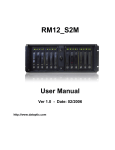
Front View
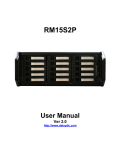
Rear View
1.2 Key Feature
• eSATA interface x3;
• 4U rack height;
• Supports up to twelve (12x) 3.5" SATA disk drives;
• Supports 48Bit LBA – drives larger then 130GB (up-to 500GB)
• Excellent cooling system ensures the drives’ reliability;
• Hot-swappable disk drive tray with special designed power-off and lock mechanism;
• Monitor and alarm notification for temperature and fans
1.3 Specification
Model DATOptic.com RM12_S2P
Construction Heavy duty 1.2mm steel, meets FCC/CE Class
Drive Bay 12 x hot-swappable SATA or SATA II drive
Interface eSATA
Cooling Fan Three 70mm fans
Switch Power ON/OFF x 1
Indicator HDD Power x 12, HDD Data Access x 12,
Temperature monitor, fan monitor
Maximum Storage Capacity 6000GB/ 6 terabytes
Data speed 3.0Gbps
RAID Support RAID0, RAID1, RAID 5 and JBOD ( depend on RAID controller card)
Any operating system that supports SATA II with port multiplier
Dimensions (W x D x H) 19" x 18.5" x 6.89" (483mm x 470mm x 175mm)
Temperature Range Operating 41°F to 104°F (5°C to 40°C)
Shipping -31°F to 167°F (-35°C to 75°C)
Weight 35 lb / 16 kg (without hard drive)
Chapter 2 Installation Introductions
Insert the small screwdriver into the unlock hole of the drive carrier, pull the key to the side to release the handle, and then
withdraw the drive carrier.
Chapter 3 System Starting
3.1 Indicators and Switch
3.1.1 LED Indicators Power LED (Green): Always on
Data Access LED (Yellow): Flashing when data’s writing or reading
3.1.2 Alarm Indicators
Temperature Monitoring:
This indicator stays green when the operating temperature inside the chassis is normal (under 105°F). It will turn red when it
is over the normal operating temperature.
Fan Monitoring:
When the fans operate normally, this indicator stays green. It will turn red when one of the fans malfunction or stop working.
POWER LED Data Access LED
3.1.3 Switch
3.1.3.1 SW: Alarm Reset
The alarm will go off when the operating temperature is above limit or one of the fans stop running. You may select to stop
the alarm by pressing the reset switch and have the system running continually (NOT RECOMMENDED).
3.1.3.2 RAID0 Function
Please refer to HBA document to set up RAID functions
Special Notes:
1. DO NOT force to remove drive carrier, it will cause damage if removing the drive carrier from the chassis before
unlocking the carrier by using the proper key
2. Although RM12_S2P supports hot swappable, never withdraw a HDD that is being read or written. Before you want to
disconnect /unplug SATA Device cable or withdraw a HDD, please make sure data transmission has been completed.
3. For the best result of ventilation inside the chassis, please don't open the case while RM12_S2P is operating.