1
Photo Resolution
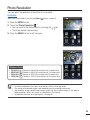
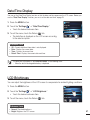
You can select the resolution of the photo to be recorded.
PRECHECK!
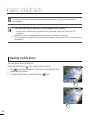
Select the Record mode by pressing the Mode (
) button. ¬page 23
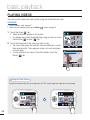
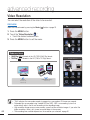
1. Press the MENU button.
."
2. Touch the "Photo Resolution
• You can move to the desired item by touching the
• Touch the desired submenu item.
3. Press the MENU button to exit the menu.
/ tab.
Video
Resolution
Photo
Resolution
Smart
Filter
Panorama
Quick
View
Settings
Photo Resolution
3264x2448
Submenu items
•
•
•
•
3264x2448 (
3264X1840 (
2592x1944 (
1920X1080 (
): Records in 3264x2448 resolution with 4:3 aspect ratio.
): Records in 3264X1840 resolution with 16:9 aspect ratio.
): Records in 2592x1944 resolution with 4:3 aspect ratio.
): Records in 1920X1080 resolution with 16:9 aspect ratio.
Video
Resolution
Photo
Resolution
Smart
Filter
Panorama
Quick
View
Settings
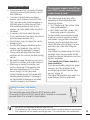
• For photo development, the higher the resolution, the finer the image quality.
• The number of recordable images varies depending on the recording environment.
• High resolution images occupy more memory space than low resolution images. If you select a
higher resolution, there is less space to store photos in the memory.
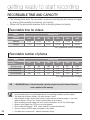
• For detailed information on image capacity, see page 30.
45