1
3
REVIEW TESTS
PRINTING TEST RESULTS
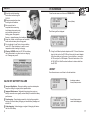
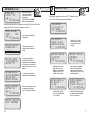
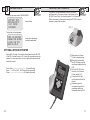
From the main menu select REVIEW/PRINT.
BATTERY TEST
>REVIEW/PRINT
VOLT METER
DATABASE
Press (Y Enter).
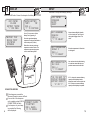
Point the RC-300 in the direction of the PR-12 printer
with the printer’s IR receiver pointed in the direction of the
RC-300. Press (Print). You should be within 15 ft of the printer.
Wait for the screen to clear before moving the RC-300. It takes a
moment to send all the test data.
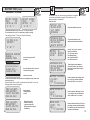
The last test will be displayed.
T#35 12V BATTERY
CHARGE AND RETEST
12.06V CHG 25%
MEAS AH 30.0
Press (+Up) or (-Down) key
to select the desired test.
OPTIONAL INFRARED PRINTER
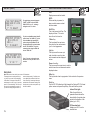
Optional PR-12 printer. An invisible infrared beam links the RC-300
to the PR-12 printer from up to 15 ft. away. No connection cords are
needed. For more instructions on how to operate the printer consult
the printer manual.
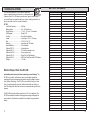
Printer Type------------------------------------- Thermal Printing
Paper ----- 2.25 in x 80 ft. Roll Thermal Paper (included)
Power ------------------------------------AC Adapter (included)
10
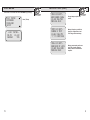
Make sure the Infrared
Printer is properly set up.
After a test is made with
the RC-300 make sure the
results are displayed on the
LCD.
Point the RC-300 in the
direction of the Infrared
Printer (within 15 ft.)
Press the <Print> key
and the test results will be
printed.
Depending upon the
test made the printer will
sometimes yield more
information than the LCD.
11