1
1. OVERVIEW
1.1 Product Description
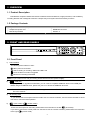
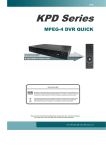
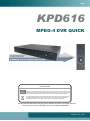
This MPEG-4 multiplex network DVR series combined remote surveillance, burglar prevention, and evidentiary
recording features and is designed to become a simple entry-level system with all necessary functions.
1.2 Package Contents
□ Digital Video Recorder (DVR)
□ Adapter and power cord
□ Manual & quick start
□ Free licensed software AP disc
□ DSUB PIN connector
□ Screws * 4
2. FRONT AND REAR PANELS
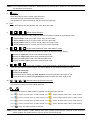
PLAY
LIST
LATEST
STOP
1
2
3
4
5
6
7
8
9
SLOW
0
A
B
LIVE
2.1 Front Panel
1)
LED Indication
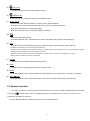
The following LEDs will be on when:
: When power is connected
: HDD is reading or recording / HDD Full: HDD is full
: Once the alarm or motion is triggered
: When timer recording is activated
Note: If you want to turn off your DVR, please disconnect the power supply.
2)
(USB port)
To quickly backup or upgrade firmware/OSD, you can insert a compatible USB flash drive into this USB port.
Before using the USB flash drive, please use your PC to format the USB flash drive first.
Note: For the list of compatible USB flash drives, please refer to “APPENDIX 2 PIN CONFIGURATION” in
the user manual.
3)
IR receiving zone
If you removed the control panel from the DVR to use as a remote controller, use the remote controller to aim at
this area to control the DVR operation.
4)
(Lock mode) /
(Unlock mode)
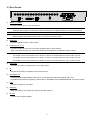
To lock the control panel on the DVR, please switch the lock button to the left “
” (lock mode).
If you want to remove the control panel from the DVR to use as a remote controller, please switch the lock button
to the right “
” (unlock mode).
-1-