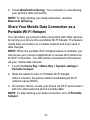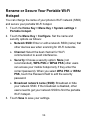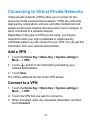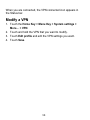
1
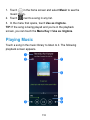
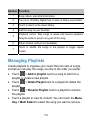
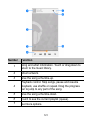
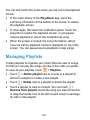
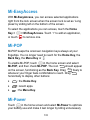
Mi-EasyAccess With Mi-EasyAccess, you can access selected applications right from the lock screen when the screen lock is set as ‘Long press' by sliding left on the bottom of the screen. To select the applications you can access, touch the Home > Mi-EasyAccess. Touch ‘+' to add an application, Key > or touch to remove one. Mi-POP Mi-POP keeps the onscreen navigation keys always at your fingertips. You no longer need to reach for the Home Key, the Back Key, the Menu Key or . To enable Mi-POP, touch in the home screen and select Mi-POP, and then check Mi-POP. The icon should appear on the screen, functioning as the Back Key. Drag freely to wherever your finger feels comfortable to reach. Drag horizontally to display other buttons: : the Home Key. : recent apps. : the Menu Key. Mi-Power Touch in the home screen and select Mi-Power to optimize your battery use and make it last longer by killing unnecessary 133