1
UM1876
VL6180X standalone demonstrations
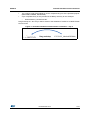
The multiple VL6180X standalone demonstration is only for ranging.
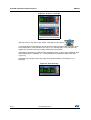
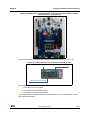
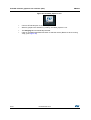
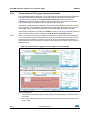
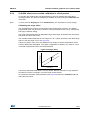
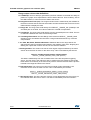
When the USB cable is connected, the display shows below letters (see Figure 30).
Figure 30. Letters displayed versus VL6180X satellite boards
9/;PDLQERDUGLQGLFDWRU
9/;ULJKWVDWHOOLWHLQGLFDWRU
9/;OHIWVDWHOOLWHLQGLFDWRU
9/;ERWWRPVDWHOOLWHLQGLFDWRU
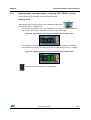
Each digit letter indicates one of the four potential VL6180X devices in operation:
•
“t”: VL6180X on the main board
•
“L” VL6180X on the left satellite board
•
“b” VL6180X on the bottom satellite board
•
“r” VL6180X on the right satellite board
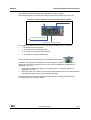
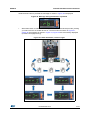
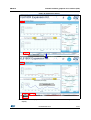
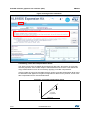
After a short press on the blue button of the STM32 Nucleo board,
,
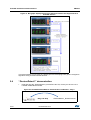
horizontal bar segments are displayed on the LCD digits to indicate various ranging
distances. Each digit corresponds to one of up to four VL6180X devices attached, as
illustrated in Figure 31:
•
If the target is within short range of a VL6180X device, a single bar segment is
displayed on its digit.
•
When the target is in medium or long range of the VL6180x device, two and three bars
are displayed, respectively, on the corresponding digit.
Once the target exceeds a pre-defined maximum limit the corresponding digit for the
VL6180X device has an empty display.
DocID027648 Rev 3
21/57
57