1
Multi-function box
Multi-function box
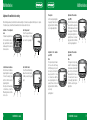
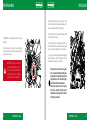
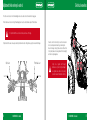
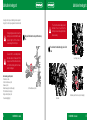
Adjustment of the multi-function box settings
After confirming each value, the multi-function box will move straight on to the next screen adjustment until the process is complete.
If no button is pressed, the multi-function box will return to the initial screen after 15 seconds.
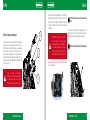
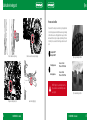
Activation of the adjustment
mode
To activate the adjustment mode
for the multi-function box settings, push buttons 1,2 and 3 simultaneously for 3 seconds and
then release them.
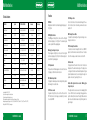
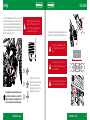
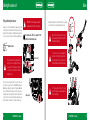
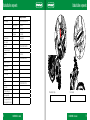
Select the speed unit
To select the speed unit between
km/h and m/h, press 1. Confirm
your selection by pressing 2.
1
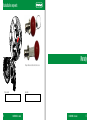
Select the wheel circumference
Enter the wheel circumference
by pushing button 1 repeatedly.
To move to the next digit, press
button 3. Confirm the selection
by pushing button 2.
Note: If you don’t know the wheel circumference, consult the
“Measuring the wheel circumference” section.
18
2
3
1
1
2
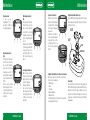
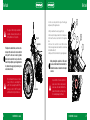
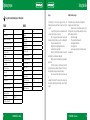
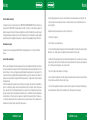
Select the time format
To select the time format change
between the 12 and 24, press 1.
Confirm your selection by pressing 2.
1
2
3
OSSA EXPLORER - User manual
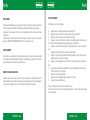
Time adjuster
Set the time by pressing button
1 repeatedly. To move to the next
digit, press button 3. Confirm the
selection by pushing button 2.
1
2
Adjustment of the revolution
pulse (PPR)
Note:
This step must only be followed
for those vehicles that change
the PPR pulse type to a specific
turn rate. If you don’t know this
value, press button 2 to move
on to the next screen. Enter the
value by pressing button 1 repeatedly. To move on to the next
digit, press button 3. Confirm the
selection by
pushing button 2.
2
Adjustment of the revolution
pulse (PPR)
The indicator receives an electric
pulse each time the engine turns
(PPR). Default value for 2 and 4
stroke engines: 1 PPR. Enter the
value by pressing button 1 repeatedly. To move on to the next
digit, press button 3. Confirm the
selection by pushing button 2.
Adjustment of the revolution
pulse (PPR)
Note:
This stage must only be implemented if in the previous stage
the value 0 was entered. Default
value: 1.0. If you don’t know this
value press button 2 to move on
to the next screen. To move on
to the next digit, press button 3.
Confirm the selection by pressing button 2.
OSSA EXPLORER - User manual
1
2
1
2
3
3
19