1
Interactive Functions for Business Use
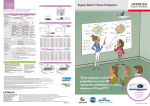
Projectors that previously only projected images now have interactive
functions that surpass conventional uses
Excellent Interactive Functions for Business Use*
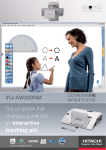
The iPJ-AW250N/iPJ-AW250NM projectors
come with Starboard® Software that allows
interactive operation. Until now you could
only look at the image from the projector.
* All interactive functions require StarBoard Software.
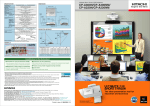
Write Directly with
the StarBoard Software
Now you can use the supplied interactive
pen to perform mouse operations or to write
letters or draw figures on the projected
image using the StarBoard Software.
You can write letters or draw shapes directly
on the image with the interactive pen using
the StarBoard Software and of course use it
to erase what you have
added. You can erase
or change pen color
or thickness from
the floating tool bar.
Interactivity provides several benefits:
• Real time operation and revision
• Improved audience concentration
• Audience participation in image operations
• Prompt data saving and printing function
of the displayed content
Save Handwritten Data
You can save what you have written or drawn
on the image using the StarBoard Software in
PNG, JPEG, BMP, HTML or PDF formats. This
is handy for retaining meeting notes, and for
sharing them via email or printing them out.
Simple Calibration
Initial setup is faster and easier, because you
can perform calibration just by touching nine
locations with the supplied interactive pen.
Interactive Pen
The interactive pen lets you select
three mode variations. The Normal
pen mode is best for annotations
and freehand, Intelli-pen mode is
best for writing notes and drawing
shapes, and Pointer pen mode
works like a laser pointer.
These advanced projectors also feature
Ultimate Short Throw and network functions.
You can use Microsoft ®
Word, Microsoft Excel ®
and Microsoft PowerPoint ®
with the StarBoard Software
and Interactive Pen
Operating a Mouse with
the StarBoard Software
Using the supplied interactive pen as a mouse
lets you perform
computer operations
on the projected image
using the StarBoard
Software.
Conference Mode
You can share the StarBoard Software
whiteboard with people in remote locations.
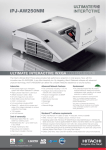
Ultimate Interactive Short Throw LCD Projectors
iPJ-AW250N/iPJ-AW250NM
WXGA 2,500 Lumens
• Wall mount unit: included with iPJ-AW250NM, optional with iPJ-AW250N.
StarBoard Software Included.
®
• StarBoard ® is a registered trademark of Hitachi Solutions, Ltd.
in Japan and other countries.
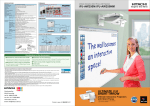
Meeting room walls become
interactive spaces.
With these projectors, as in the past
you can write comments on a separate
whiteboard while projecting images for
effective meetings, and furthermore
you can also write directly over
the projected image on a wall using
the StarBoard Software. What’s more,
the interactive function works on many
types of surfaces: flat walls, whiteboards
and even chalkboards.
1
2