1
The Insider’s Secrets to Driver Output Preparation- Essential elements to configuring the MPX output software
INTRODUCTION
I purchased an MPX-60 three years ago, from a distributor who was very happy to sell it to me.
Problem was, I didn’t know how to use it. And when I did figure out the basics, I was left
disappointed with the image. I believed the machine was capable of much more, so I persisted.
My story is about the many hours of ruined blanks, wasted money and frustrating consults with
distributors. They were either to busy with their next MPX sale, too impatient to explain the
fundamentals or often unable to spell out the methods required to produce crystal clear, vivid
images, time after time. My story is about a journey that began with frustration and ended in the
profound satisfaction, using my techniques, of having created a breathtaking image engraved onto a
thin slice of metal. Finally, it is time to share these secrets with the serious Metaza operator, captured
for the first time is a series that reveals all.
The series has been divided into two volumes. They are as follows: The Insiders Secret’s to Image
Preparation which covers Photoshop image enhancing techniques as they apply to metal engraving
and, Volume II, The Insider’s Secrets to Driver Output Preparation which reveals the secret
methods for configuring the output software to produce razor sharp images. While both volumes
work together, and are recommended for producing highly defined images, you may deem it
necessary to purchase only one or the other.
This volume has been written for two groups of people, beginning and experienced Metaza
operators. If you are an experienced Metaza operator, you may find the step by step detail slow,
however, both groups will find great value in the insider’s secrets to creating spectacularly clear, sharp
and vivid photo charms.
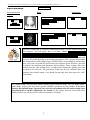
ICON KEY
Insiders Secret
For your reference, I have highlighted
certain areas with informational icons.
They are as follows: the Insider’s
Secret icon represents the highest
degree of value; valuable trade secrets
found nowhere else. The Power Tip
icon represents a practical tip, one
level below an Insider’s Secret.
Power Tip
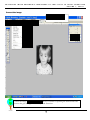
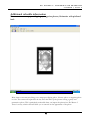
At this point we will assume that your
image has been edited, has been
imported into Dr. Metaza 2 and that
you are now ready to print onto your
pendant. Let’s begin.
3