1
© 2009 Cheetah Advanced Technologies Ltd, Scotland.
All rights reserved.
This device complies with Part 15 of the FCC Rules. Operation
is subject to the following two conditions: (1) this device may not
cause harmful interference, and (2) this device must accept any
interference received, including interference that may cause
undesired operation.
Cheetah Advanced Technologies Ltd. declares that this product
is in compliance with the essential requirements and other
relevant provisions of Directive 1999/5/EC.
If any problems persist, or to arrange a product return, please
email [email protected]
Europe & Rest of World - visit www.SpeedCheetah.com
USA & Canada - visit www.GPSdetector.com
Service & Support
If for any reason your Cheetah product develops a fault,
please check our Customer Service page on:
Limited Warranty
Cheetah Advanced Technologies Ltd. warrant our products
against all defects in materials and workmanship for a period
of one year from the date of the original purchase. Full
warranty terms and conditions available online at:
www.SpeedCheetah.com
Warranty Registration
Register online at www.SpeedCheetah.com
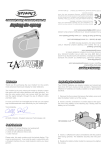
Thank you for purchasing the VizAlert, the world’s most
advanced motorcycle display for radar detectors.
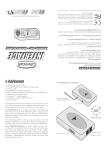
1 Using the Allen key provided, remove the three screws
that secure the battery cover plate to the helmet receiver.
The VizAlert is the only motorcycle heads-up display system
that works with both radar detectors and laser jammers. It is
also the only system which can convey both the alert type
and the signal strength, through the use of different colors
and flash rates.
2
Insert the two CR2032 3V
button cell with the positive side
facing upwards. The batteries securely click into position.
I’m sure you’ll find it an invaluable tool to help you use speed
trap countermeasures more effectively on your motorcycle.
3 Secure the cover plate back
onto the helmet receiver. Batteries
should last more than 60 hours
during normal operation.
Your sincerely,
Al Smith, Director, Cheetah Advanced Technologies Ltd.
1 x Waterproof VizAlert Helmet Display
2 x CR2302 cell batteries
1 x Allen key to unlock battery cover
2 x 3M adhesive pad
1 x Flexible boom support arm
1 x User manual
Please note, this pack contains only the helmet display. This
is just a receiving unit. It can only be used in conjunction with
a Cheetah Interface for your radar detector and/or your laser
jammer.
WARNING - FORCING BACK
THE PLASTIC RETAINING CLIP
MAY CAUSE IT TO BREAK.
2
1
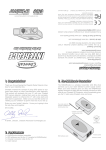
1 Using a pen, or similar plastic
object, gently push the battery
away from the center, until it is
free from the plastic retaining clip.
2 Lift out the old battery.
3 Replacement CR2032 batteries are readily available at all
good battery stockists.
6 COLOR
DISPLAY
WIRELESS RECEIVER
& BATTERY PACK
1.1 LED Display
The mounting location for the LED display is a matter of personal choice. The
beam from the LED display is directional, so care must be taken when mounting
to ensure that the raised “bubbles” are kept pointing directly towards your eye,
otherwise you may miss some alerts.
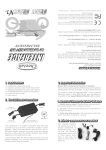
1.2 In Cruiser Style / Open Face / Shorty Helmets (Fig.1), use the supplied
boom arm to support the VizAlert display in your forward vision. Slide the LED
display into the silicone sun cowl. Then slide the paddle between the helmet skin
and padding - it will be held securely in place by pressure when you are wearing
the helmet. Alternatively the paddle may be secured to the outside of the helmet.
Secure the cable to the boom arm using the three cable clips provided. The
receiver / battery pack can then be attached to the side of your helmet using the
3M adhesive pad.
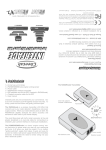
1.3 In full-face helmets (Fig.2), the LED display can be held securely in place
by your helmet’s padding, so that it does not move during use. For beginners,
we recommend fitting the display as far towards the front of the view port, but
please note that it must never be mounted where it interferes with your forward
vision. As you become more used to the display, you may prefer to move it more
towards the side of your helmet, in your peripheral vision. We recommend you
mount the receiver / battery pack vertically in the centre of the back of your helmet.
2.1 Switching ON your system
The radar detector and the helmet display operate independently. The VizAlert
is motion sensitive and will switch on automatically with normal motion or a light
tap to the casing. All 6 LEDs will flash once, at the same time, to confirm it is
switched on. The VizAlert will remain on for as long as it is communicating with
the RADARnode transmitter.
Your radar detector will power up when you start the engine. The RADARnode
transmitter will then begin transmitting to the VizAlert and all the LED's will flash
in a circular sequence to confirm that the wireless link is established.
2.2 Switching OFF your system
When you switch off your engine, power to the RADARnode transmitter and your
radar detector is automatically cut off, so you won’t get a flat battery.
Fig. 1
The VizAlert does not have an OFF switch. It will automatically shut itself down
10 minutes after the RADARnode stops transmitting and there is no movement
(i.e you put your helmet down). All 6 LEDs will flash twice to confirm it is
switching off.
2.3 USEFUL TIP
If you are transporting your helmet (not wearing it), you should remove the
batteries to conserve power, as any motion will switch it on.
2.4 Light sensitive
The automatic dimming feature will reduce the LED intensity at night time. If
required, the display may be temporarily rotated away to further protect your
night vision.
Fig. 2
Green = KA
Yellow = X
Blue = Future Use
Red = Laser
Orange = KU
White = K
Daylight
Sensor
Different colors represent different radar / laser bands. There are three flash rates
to indicate signal strength - slow, medium and fast.
LED
Green
White
Yellow
Orange
Red (medium flashing)
Red (rapid flashing)
Blue
All 6 LEDs flash once
All 6 LEDs flash twice
All 6 LEDs flash in sequence
Green, Blue then Orange
Yellow and Orange alternately
MEANING
KA band radar
K band radar
X band radar
KU band radar
Laser alert from your radar detector
Laser alert from your laser jammer
not currently used - reserved for future
Power ON
Power OFF
Wireless link established
Low battery - replace the batteries soon
No wireless link
(6 flashes ever 30 seconds until the wireless connection is re-established)