1
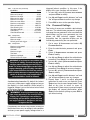
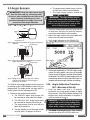
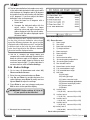
2.17 Sensor List
All sensors in the GS820 system are programmed
in the sensor list. The GS820 uses information from
all sensors in the sensor list. Conversely the
GS820 will not use or display information from
sensors that are not programmed to the sensor list.
If a sensor is removed from the crane then it must
be removed from the sensor list. If a sensor is
replaced the sensor list must be updated with the
new ID number.
!
IMPORTANT! Information displayed from
load, angle and boom length sensors that are
not correctly installed will not be accurate.
IMPORTANT! Rated capacity, radius, and
tip height based on information from angle
and boom length sensors that are not
correctly installed will not be accurate.
10000 and 99999 is engraved on the sensor.
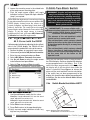
2. Go to menu 4A).
3. Enter the user password and press Enter.
4. Select the sensor to be removed and press
Enter to modify.
5. Use Up and Down to select “No sensor”. This
will remove the sensor from the sensor list but
retain the sensor ID.
6. Press Enter to save any changes made to the
sensor list.
7. Press Exit to return to the operation display.
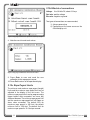
Note: Press Next and Back simultaneously to
remove the sensor from the sensor list. The ID
number will revert to 0, and the sensor type will
revert to “NO SENSOR”.
Note: To ensure communication, sensors must be
at least six feet from the GS820 display.
2.17a How to Add a Sensor to the
GS820
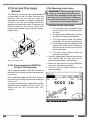
1. Determine the radio identification number (ID) of
the sensor to be added. This number between
10000 and 99999 is engraved on the sensor.
2. Go to menu 4A).
3. Enter the user password and press Enter.
4. Advance to the next empty sensor position in
the sensor list “NO SENSOR”. Up to 32 sensors
may be added to the sensor list. Press Enter.
5. Use Up and Down to select the sensor type
and press Enter.
6. Use Up and Down to program the sensor ID
and press Enter.
7. Press Enter to save any changes made to the
sensor list.
8. Press Exit to return to the operation display.
2.17b How to Remove a Sensor from
the GS820
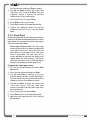
1. Determine the sensor to be removed. If more than
one sensor of the same type has been added to
the sensor list then determine the radio
identification number (ID) of the sensor to be
removed before proceeding. This number between
36
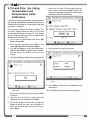
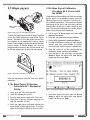
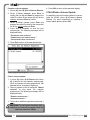
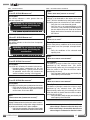
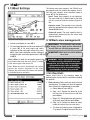
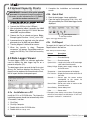
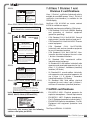
Figure: Menu 4A) - the sensor list
2.18 Network Options
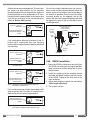
2.18a Listen to sensor only
When the GS820 is started it normally wakes up
the sensors in the sensor list and takes control of
them. The last display powered on that is
programmed for a sensor becomes that sensor’s
network controller. This means that if a second
display is programmed for a sensor, it will take
control of it; the sensor will no longer acknowledge
communication from the first display. Occasionally
it may be useful to monitor an installed system from
a remote display without disrupting the existing
network. The GS820 can be programmed to
operate in “listening mode”. In this mode the
GS820 will display information from programmed
sensors without becoming the network controller.
The GS820 System