1
Changing Communications Settings
If Microsoft ActiveSync fails to detect the HT682 during installation, set up communications
manually instead. Make sure the following conditions are met:
Verify that the correct communications port is selected for your desktop computer and that it
is free.
Microsoft ActiveSync uses the specified communication ports to connect to the HT682.
Make sure these resources are available for Microsoft ActiveSync to connect to the HT682.
Other programs cannot use them while the HT682 and your desktop computer are
connected.
Set your baud rate on the HT682 - the desktop computer will match it.
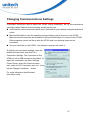
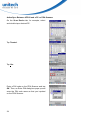
To check communications settings, open the
Mobile Devices folder, and click File /
Connection Settings. The connection on the
HT682 is set to USB connection by default. To
adjust the connection, tap Start, Settings,
Control Panel, select the Communication
icon, select the PC Connection tab, and then
tap the Change Connection… button.
For more information see Microsoft
ActiveSync Help.
27