1
Product Information
LED Operation
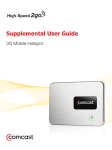
Your device has two lights called LEDs:
• Service Status LED is located on the side of your 3G
Mobile Hotspot near the USB port.
• Power Button LED is built into the power button of your
3G Mobile Hotspot.
Service Status LED
Indicates
no light
no power
Green
solid
powered on but not transmitting/receiving
slow blinking
powered on but no available service
intermittent blinking
transmitting/receiving data at a speed
proportional to blinking rate
Power Button LED
Indicates
no light
no power
Green
solid
powered on and fully charged
glowing
hibernate mode
Blue
solid blue
powered on and roaming
Red
blinking
battery critically low
Amber
solid
battery charging
blinking
error — see Troubleshooting
11