1
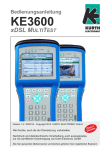
Operating Manual KE3600 xDSL MULTITEST
F2 Views (Line Values, Bands, Vectoring, ...)
n Line Values (see page 11)
n PPP Status
n Bands (Displays individual bands for SNR Margin, Line
Attenuation, Signal attenuation and TX Power,
see page 11)
n Vectoring (Vectoring status, VCE MAC address,
possible errors)
n SNR/BAT/Hlog/QLN: Graphs for Bits per tone, SNR per
tone, Hlog and QLN can be called up here (Downstream
blue, Upstream green)
This information is helpful to detect sources of interference that affect the signal to noise ratio.
By pressing the ◄►keys, the yellow pointer moves and
displays below the graph the numeric value
F3 Test
n Data Tests, VoIP- and IPTV-Tests
a/b: 0,0 V
0:32:22
Uhrzeit / Datum
G993.2 VDSL2 (Vendor)
Showtime
VTU-R (Annex B/J
Line Values - Vectoring
1
Line
2
Data
3
VoIP
IPTV
4
p
Up /Far
Dn/Near
Vectoring state: 1
VCE MAC Address: 0:19:8f:16:27:ce
Total error samples Ethernet pkts sent: 0
Total error samples Ethernet pkts sent discarded: 0
Total error samples statuses sent: 0
Total error samples statuses sent discarded: 0
q
Views
More
a/b: 0,0 V
Tests
0:32:22
Date / Time
G993.2 VDSL2 (Vendor)
Showtime
VTU-R (Annex B/J
Bits per tone
54
27
Saving Measurements
You can save the data during the measurement by pressing
the SEL button. A window opens where you can enter the
memory as a name or number. After confirmation with SEL,
the measurement is stored in the internal memory.
After entering and confirming by selecting the character, this
measurement is saved with the name or number you entered.
Very useful is a specification, for example with Customers
name or telephone number. The limitation is given only by the
internal memory (2 GB). However, you should ensure that the
stored data is regularly downloaded and deleted. The deletion
is easily possible with the supplied KE-Manager.
0
0
More
a/b: 0,0 V
43 Bits
0:32:22
Date / Time
Showtime
VTU-R (Annex B/J
Line Values
Line
Resync-Counter
QR code generation
4.096
Tests
Views
G993.2 VDSL2 (Vendor)
1
When you press the "7" key a QR code is calculated from a
portion of the displayed data. This is then displayed on the
screen and can be read with appropriate readers.
2.730
1.365
Tone: 2047, 8,8277 MHz
2
Data
Filename
3
VoIP
Dn/Near
4
IPTV
p
Up /Far
0
Actl
104973
50000
Max
134832
56034
Kbps
Tx Pwr
10.8
7.1
dBm
Ø SNR-Margin
14.2
9.5
dB
FEC
0
0
2
8
CRC
HEC
abc " 123
0
Clr
Kbps
0
Del
q
!
Profiles
All parameters can also be created in the profiles menu from
the KE-Manager. The profiles are then called to load and save
profiles using the menu item. The loaded data can always be
revised as described previously or changed. The change is
only until they leave the test is valid if it is not saved before.
KURTH ELECTRONIC
www.kurthelectronic.de
[email protected]
12