1
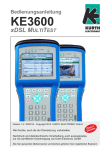
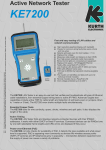
Operating Manual KE3600 xDSL MULTITEST
Keyboard / Display / Ports
Ethernet 10/100 Management,
Ethernet 10/100/1000
and optionale ISDN-Interface
Fastener for shoulder strap
Information LEDs
KE3600
xDSL MULTITEST
DSL
CRC
DSL
LOSS
DSL
L1
BATT
CHRG
DSL
L2
Speaker (telephony)
Date / Time
a/b: 0,0 V
Battery charge
Broadband
1 Interface
<xDSL>
<Annex A/M>
2 xDSL Mode
3 Terminal Mode
Connection USB 1, SD-Card
and optionale KECT3 module
4 Router Mode
5 Modem Mode
®
Sunlight viewable color TFT
Help
F3
F2
F1
F4
SEL
ESC
Speaker monitoring (Telephone call)
Menu-sensetive function keys
F1 - F4
ESC (back) button
Select (enter) button
ON
OFF
2
3
1
ABC
DEF
4
GHI
5
JKL
6
MNO
7
8
Menu UP - DOWN /
LEFT - RIGHT buttons
ON/OFF button
9
PQRS
TUV
WXYZ
*
0
#
Microphone (telephony)
Alphanumeric keypad
xDSL Test Ports,
Headset connection,
Power supply connection
KURTH ELECTRONIC
www.kurthelectronic.de
[email protected]
2