1
Company – Qualified Platform Identification
Ericom AccessNow & TestNav 7.5 with Chromebooks
Ericom
Ericom WebConnect & TestNav 7.5 with Chromebooks
TestNav 7.5
District Technical Information
This document provides guidance for districts and schools that choose to use the qualified
product(s) with the TestNav version indicated.
Ericom completed the TestNav qualification process for the specific products described in the
Qualified Products table. The technology and setup requirements must be followed and all
clients or workstations used to access TestNav must comply in order for the solution to
remain in qualified status. In addition, please review all “Additional Recommendations”.
Qualification Standards
TESTNAV QUALIFIED mark and logo are certification marks owned by NCS Pearson, Inc.
(the “TESTNAV QUALIFIED Marks”). The TESTNAV QUALIFIED Marks may only be used by
entities who have executed Pearson’s TESTNAV QUALIFIED Certification Mark Agreement,
and in the manner prescribed in the Pearson Certification Mark Usage Guidelines (the “Usage
Guidelines”). Both documents are available online at http://www.testnavqualified.com;
Vendor Qualification.
The Qualification Standards used to certify this solution are outlined in this document in the
“Appendix” section of this document.
Qualified Products & Solutions Table – TestNav 7.5
Pearson and Ericom jointly tested the Ericom AccessNow & TestNav 7.5 with Chromebooks
and the Ericom WebConnect & TestNav 7.5 with Chromebooks solutions. The technology
and setup requirements must be followed and devices used to access TestNav must comply in
order for the solution to remain in qualified status.
PERFORMANCE TESTING OVERVIEW
Performance testing has been completed using the baseline TestNav 7.5 electronic Practice Test
(ePAT) form with the Ericom AccessNow & TestNav 7.5 with Chromebooks and the Ericom
WebConnect & TestNav 7.5 with Chromebooks test environment(s). Testing was completed by
running all performance tests on a single VM with multiple Chromebook models. The VM was
built using the specified AccessNow profile. Maximum users are extrapolated based on the
hardware specifications as defined.
Ericom AccessNow & TestNav 7.5 with Chromebooks
Ericom WebConnect & TestNav 7.5 with Chromebooks
TestNav Version
TestNav 7.5
Qualified Solution(s)
Ericom AccessNow & TestNav 7.5 with Chromebooks
Ericom WebConnect & TestNav 7.5 with Chromebooks
Maximum # of Clients
DETERMINED BASED ON DEPENDENCIES
Maximum of 50 concurrent users/per server
based on the Hardware Requirements listed below.
Larger servers and network configurations can be
added to handle more users per server. Please
contact technical support to discuss your specific
sizing requirements.
Page 1 of 7
Hardware Requirements
50 user/per server
2 x 6 core CPU
64GB RAM
1Gbps NIC
Operating System
Terminal Server running Windows 2008 R2 or higher
Minimum Network Speed
1 Mbps per user, round trip under 180ms
Minimum Encryption
128bit AES encryption
Requirements
Please carefully review the requirements and recommendations that follow. Confirm any solution
implementation details with your Ericom representative.
MINIMUM NETWORK BANDWIDTH AND DEVICE REQUIREMENTS
NETWORK BANDWIDTH REQUIREMENTS
A Wired Network Connection or a Wireless Connection can be used to deliver TestNav 7.5 to a
Google Chromebook. The connection between the server and the Chromebook should be a
minimum of 1 Mbps per user with a round trip under 180ms.
CHROMEBOOK MEMORY MINIMUMS (RAM) – 2 GB
TESTNAV 7.5 MINIMUM REQUIREMENTS
All TestNav 7.5 Hardware and Software Requirements need to be followed when using the
Ericom AccessNow & TestNav 7.5 with Chromebooks qualified solution.
http://www.PearsonOnlineTesting.com/TN7requirements
Details for implementing the certified solution are included in the user manual which will be
provided to customers by Ericom.
TESTNAV 7.5 SCREEN SIZE AND RESOLUTION - MINIMUM REQUIREMENTS
• Screen size must is 9.7" minimum.
• Resolution must meet a 1024 x 768 minimum to launch TestNav 7.5
SYSTEM CHECK
The standard Pearson process running SystemCheck should be followed to confirm final
concurrent user counts for implementation purposes.
PROCTOR CACHING
The Ericom AccessNow & TestNav 7.5 with Chromebooks environment interacts normally with
Pearson TestNav proctor caching. All recommended Pearson procedures for configuring and
testing Proctor Caching should be followed.
SRF FILES
Primary Student Response File (SRF) should be stored locally in the student home folder as the
default. When a student logs in via the virtualized environment a student home folder will be
created on the VM. The VM should be retained (not automatically deleted). The VM settings do
not provide for automatic delete of session information by default.
A secondary SRF path can be a shared folder on the Proctor Caching Server or another
designated network share. Use best practices for secondary SRF locations as listed in the
Pearson User Guides.
Page 2 of 7
Recommendations
PILOT / INFRASTRUCTURE TRIAL
A Best Practice pilot and infrastructure trial test using all qualified Chromebook models to
confirm performance is strongly recommended in order to validate performance.
DEFAULT SETTINGS – AUDIO AND QUICK KEYS
Ericom AccessNow & TestNav 7.5 with Chromebooks
Audio
While not all TestNav-delivered tests may include items with audio, please remember that some
tests do include items that may require audio. For this reason, it is strongly recommended that the
Audio Playback settings (audiomode:0, in config.js) retain the default settings that enable audio
playback.
Quick Keys – Change Default
It is strongly recommended that specific default AccessNow Client Settings are changed to assure that
shortcut keys selection for multiple choice items by typing “a”, “b”, “c” or “d” will work as expected.
Please refer to the User Manual for specific installation instructions.
Instructions: set convert_unicode_to_scancode=true. This changes the default settings for shortcut
keys.
Ericom WebConnect & TestNav 7.5 with Chromebooks
Audio
While not all TestNav-delivered tests may include items with audio, please remember that some
tests do include items that may require audio. For this reason, it is strongly recommended that the
Audio Playback settings in published applications in WebConnect retain the default settings that
enable audio playback.
Quick Keys – Change Default
It is strongly recommended that specific default WebConnect Client Settings are changed to assure
that shortcut keys selection for multiple choice items by typing “a”, “b”, “c” or “d” will work as
expected. Please refer to the Admin Manual for specific installation instructions.
Instructions: Add a Blaze_Param: convert unicode to scancode:i:1. This changes the default settings for
shortcut keys.
Contact Numbers
SALES
For Sales Inquiries: Ericom Sales Support
201-767-2210
on the web at: http://www.ericom.com/contact
SUPPORT
For Technical Assistance (Current Clients): Ericom Customer Support
201-767-2210
on the web at: http://www.ericom.com/support
Page 3 of 7
Ericom AccessNow & TestNav 7.5 with Chromebooks
Ericom WebConnect & TestNav 7.5 with Chromebooks
Set Up Steps
Table of Contents
Ericom AccessNow – Set Up Steps ____________________________________________________________ 4
Table of Contents _________________________________________________________________________ 4
Set Up Steps _____________________________________________________________________________ 4
GENERAL SET UP REQUIREMENTS ___________________________________________________________________________ 4
ENVIRONMENT SET UP ____________________________________________________________________________________ 4
STEP-BY-STEP FOR ON-PREMISIS SOLUTIONS _________________________________________________________ 5
Appendix A - Qualification Standards _________________________________________________________ 7
Set Up Steps
GENERAL SET UP REQUIREMENTS
To use Pearson TestNav 7.5 with Ericom AccessNow and a Chromebook you will need to have the following
items available:
• Terminal Server running Windows 2008 R2 or higher
• Installation file for Ericom AccessNow v3.2 or higher (can be downloaded from
ericom.com/download)
• Installation file for Ericom WebConnect v5.8.4 or higher (can be downloaded from
ericom.com/download)
• Chromebook
ENVIRONMENT SET UP
1. The Terminal server will need to have Internet Explorer and java installed on it. Please follow all
minimum standards listed for TestNav 7.5:
PearsonOnlineTesting.com/TN7requirements
2. Internet Explorer will need to be locked down to allow access to only specific URL (as noted in the Stepby-Step section below).
3. Additionally, the Group Policy on the Terminal Server will need to be configured to not allow any
software execution except for Internet Explorer, Java, and Ericom TSAgent.
Page 4 of 7
STEP-BY-STEP INSTRUCTIONS
Ericom AccessNow Installation
1. Generic Ericom AccessNow Installation
a. Install AccessNow on the Terminal Server using the installer downloaded from Ericom.com
b. Follow installation instructions in the Ericom AccessNow Install Guide.
c. Obtain appropriate license key for Ericom AccessNow
2. Customize Ericom AccessNow for use with TestNav
a. Edit the config.js file (C:\Program Files\Ericom Software\Ericom Access
Server\WebServer\AccessNow) using a text editor.
i. In order to have AccessNow provide direct access to Internet Explorer on the remote
session change this line: // alternate_shell: "",
// Startup application
to: alternate_shell: '"C://Program Files (x86)//Internet Explorer//iexplore.exe" -k
<http://testnav URL> ',
ii. Set convert_unicode_to_scancode=true. This changes the default settings so the
shortcut keys will work.
iii. While not all TestNav-delivered tests may include items with audio, please remember
that some tests do include items that may require audio. For this reason, it is
strongly recommended that the Audio Playback settings (audiomode:0, in config.js)
retain the default settings that enable audio playback.
3. Terminal Server Setup
a. Setup Java on the terminal server as per Pearson’s instructions
b. Allow only Java and TSAgent in Group Policy software restrictions.
c. Use Internet Explorer parental control to allow only the TestNav site.
4. Publish Chrome Application
a. Create (customize) and deploy the Chrome Kiosk mode App via Google Chrome Store.
i. See attached zip file with sample app files
ii. Edit the application.html file
iii. Enter the URL of the appropriate AccessNow server
5. Set Kiosk Settings
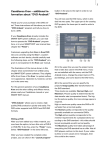
The application is then published to the Chrome Store as a private application, with the following
settings. When this is complete, students will be able to launch the kiosk application from the Chrome
OS login screen.
Page 5 of 7
STEP-BY-STEP INSTRUCTIONS
1. Generic Ericom WebConnect Installation
a. Install WebConnect on the terminal server using the installer downloaded from Ericom.com
b. Install AccessNow on the Terminal Server using the installer downloaded from Ericom.com
c. Follow installation instructions in the Ericom WebConnect Admin Guide.
d. Obtain appropriate license key for Ericom WebConnect
2. Publish a connection in Ericom WebConnect
a. The application to be published is Internet Explorer
b. Path: “C:\Program Files (x86)\Internet Explorer\iexplore.exe"
c. Parameters: “-k <http://testnav URL>”
3. Terminal Server Setup
a. Setup Java on the terminal server as per Pearson’s instructions
b. Allow only Java and TSAgent in Group Policy software restrictions.
c. Use Internet Explorer parental control to allow only the TestNav site.
4. Publish Chrome Application
a. Create (customize) and deploy the Chrome Kiosk mode App via Google Chrome Store.
i. See attached zip file with sample app files
ii. Edit the application.html file
iii. Enter the URL of the appropriate WebConnect server
5. Set Kiosk Settings
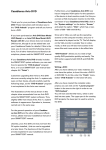
The application is then published to the Chrome Store as a private application, with the following
settings. When this is complete, students will be able to launch the kiosk application from the Chrome
OS login screen.
Page 6 of 7
Appendix A - Qualification Standards
The Qualification Standards used to certify this solution are outlined below:
A virtual client machine should provide the same experience as a client machine in a non-virtual
environment. A baseline Electronic Practice Test (ePAT) provided by Pearson during the
qualification process was used for comparison. The ePAT provided is specific for the TestNav
version being qualified.
Virtualization Setup Requirements
1. Testing environment must be set up using proctor caching
2. All cache must be cleared prior to testing including Java cache. For instructions on clearing
java cache, please access the following
link: http://www.java.com/en/download/help/plugin_cache.xml.
3. Once setup the testing environment should use the SystemCheck tool successfully
Virtualization Qualification Standards
Qualified Products must meet all of the following criteria:
Critical Security Standards for TestNav®
1. From selection of the test to “submit test” the desktop is secure and the system does not
allow access to any application, content, or other service beyond the TestNav test
assessment delivery system
2. From selection of the test to “submit test” the system does not allow any screen captures,
printing, saving or other electronic replication or duplication of the display screen, source
code or content of the test
3. All data is encrypted between client and server for the entirety of the usage period. The
data encryption must be AES 128 or higher.
Critical Performance Standards for TestNav®
1. While logging in concurrently, no error messages are received
2. The first test item/question of the tests loads fully at the same speed as the baseline
amount of less than 45 seconds
3. While interacting with all test items/questions there are no noticeable curser lags, input
lags or delays in tool engagement as compared to the baseline ePAT
4. While interacting with video, audio, and Technology Enhanced Items (TEI) there are no
significant lags or delays experienced as compared to baseline ePAT
5. There is no noticeable delay when navigating from test item/question to test
item/question
6. All tools work correctly as demonstrated in the baseline ePAT
7. At submit, no error message is received
8. When hitting submit the system acceptance response is at the same speed as the baseline
ePAT submit speed, with a maximum of 10 seconds
Page 7 of 7