1
Chapter 1
Introduction
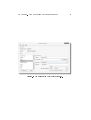
Of course it may be possible that your keyboard is not supported yet by keyTouch. However by using keyTouch editor 3.0 you can get your keyboard supported. This document describes how to use keyTouch editor. KeyTouch editor
3.0 has a graphical userinterface that makes it very easy to use the application.
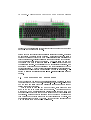
KeyTouch retrieves information about your keyboard from a so called "keyboard le". Such a keyboard le contains information about the extra function
keys of your keyboard. To support a keyboard, there must be a keyboard le
for it. With keyTouch editor 3.0 you can create these les. The created le can
be imported in keyTouch (this is described in the keyTouch 2.1 user manual).
KeyTouch editor 3.0 supports all normal keyboards, including keyboards
connected via USB. It does not support ACPI hotkeys that may be used on your
notebook. If you want to create a keyboard le that includes these hotkeys, you
should use keyTouch editor 2.1.
1.1 Who should read this document
If you only want to create a keyboard le for keyTouch 2.1, you are reading
the right document now. If you are also interested in the document format
of a keyboard le, you should read "How to get your keyboard supported in
keyTouch 2.1" or "keyTouch 2.1 le documentation".
1