1
Chapter 23: Editing Programs
250
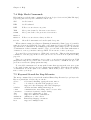
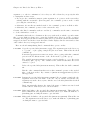
M-a
Move point to the beginning of the innermost C statement (c-beginning-ofstatement). If point is already at the beginning of a statement, move to the
beginning of the preceding statement. With prefix argument n, move back n −
1 statements.
In comments or in strings which span more than one line, this command moves
by sentences instead of statements.
M-e
Move point to the end of the innermost C statement or sentence; like M-a except
that it moves in the other direction (c-end-of-statement).
23.11.2 Electric C Characters
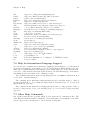
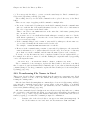
In C mode and related modes, certain printing characters are electric—in addition to inserting themselves, they also reindent the current line, and optionally also insert newlines.
The “electric” characters are {, }, :, #, ;, ,, <, >, /, *, (, and ).
You might find electric indentation inconvenient if you are editing chaotically indented
code. If you are new to CC Mode, you might find it disconcerting. You can toggle electric
action with the command C-c C-l; when it is enabled, ‘/l’ appears in the mode line after
the mode name:
C-c C-l
Toggle electric action (c-toggle-electric-state). With a prefix argument,
this command enables electric action if the argument is positive, disables it if
it is negative.
Electric characters insert newlines only when, in addition to the electric state, the autonewline feature is enabled (indicated by ‘/la’ in the mode line after the mode name). You
can turn this feature on or off with the command C-c C-a:
C-c C-a
Toggle the auto-newline feature (c-toggle-auto-newline). With a prefix argument, this command turns the auto-newline feature on if the argument is
positive, and off if it is negative.
Usually the CC Mode style configures the exact circumstances in which Emacs inserts
auto-newlines. You can also configure this directly. See section “Custom Auto-newlines” in
The CC Mode Manual.
23.11.3 Hungry Delete Feature in C
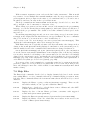
If you want to delete an entire block of whitespace at point, you can use hungry deletion.
This deletes all the contiguous whitespace either before point or after point in a single
operation. Whitespace here includes tabs and newlines, but not comments or preprocessor
commands.
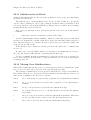
C-c C-DEL
C-c DEL
c-hungry-delete-backwards—Delete the entire block of whitespace preceding
point.
C-c C-d
C-c C-DELETE
C-c DELETE
c-hungry-delete-forward—Delete the entire block of whitespace following
point.