1
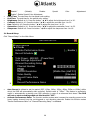
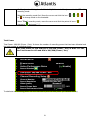
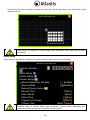
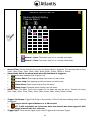
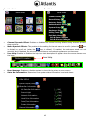
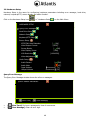
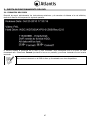
Hard Drive Setup The Hard Drive Setup menu displays hard disk information and allows the user to enable the HDD overwriting. HARD DRIVE SETUP Overwrite Enable Max. Recording Days First Hard Disk Model HDD Size [ ▐▬▬▬▬▬ [ YES] None] [WDC WD7500AYPS-01ZKB] [715403MB] Max. Recording Days [ None ] Record Start Time [2006/06/11 15:26:18] Record End Time [2010/06/14 13:13:30] Standard Record Size [2438/715351 MB 35%] Standard number of event [396/357376 20%] Format Hard Drive Overwrite enable [ YES]: The hard drive automatically writes over the oldest video on the hard drive when it runs out of space for recording. [ NO]: Recording will stop when the hard drive is full. Max. Recording Days: This function enables to specify the days of recording data which is retained in the hard drive. It will be required to format the hard drive once you change the limited days. Those expired recording data will be not found during event search. Once you have selected the number of days, click on “Format Hard Drive”. You can set the maximum recording days as from 1 to 30 or “None” not to limit. If you decide to move or re-assign your DVR to a different system with a different ruling on how long you can keep your videos, you have to reformat your hard drive to change the Max. Recording Days. First Hard Disk Model: Automatically displays the hard drive model number. HDD Size: Automatically displays the hard drive size. Max. Recording Days: Displays the current setting for the maximum number of days recorded videos are retained. Record Start Time: Displays the day and time when the hard drive starts storing recorded data Record End Time: Displays the day and time of the last recording on the hard drive Standard Record Size: The total hard drive capacity in megabyte (MB) and the ratio of using space. Standard Number of event: Total number of record events / total capacity of events and the ratio of using space. Format Hard Drive: You cannot format the hard drive when the system is running in recording mode. When you attempt to do so, the following warning message will appear on the screen. System is Recording Hard Disk Format is Prohibited. 50