1
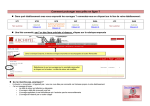
Using ImageStation Automatic Triangulation (ISAT) Densify the Control Points List 8:51 This optional step is to write the adjusted tie/pass points’ object coordinates into the Control file. 48. To do this, navigate to Orientations > Photo Triangulation > Densify, and click OK to update the Control point list. 49. When you open the Footprint Viewer, you can see that all the Tie/Pass points have been converted to Control points. 50. You can also view them by using Edit > Control Points. 9:31 This project is now ready for: Orthophoto production using ImageStation OrthoPro (ISOP), DTM extraction using ImageStation Automatic Elevations (ISAE) or ISAE Extended, or Stereo feature collection using ImageStation Stereo Display (ISSD) or ImageStation Stereo for GeoMedia (ISSG). 9:55 Thank you for watching this eTraining module from Hexagon Geospatial. For more eTraining, visit hexagongeospatial.com/eTraining.