1
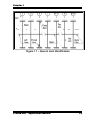
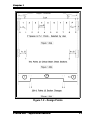
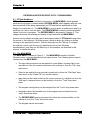
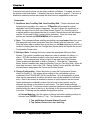
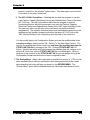
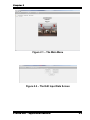
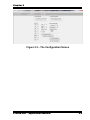
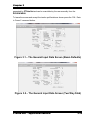
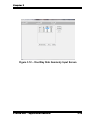
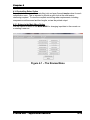
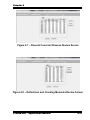
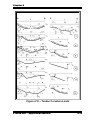
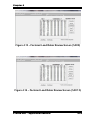
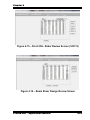
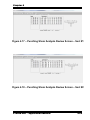
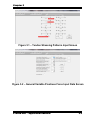
Chapter 5 THE VARIABLE PRESTRESS FORCE OPTION The Variable Prestress Force Option is selected from the REVIEW MENU. Following are definitions which are used in the Variable Prestress Force mode: Tendon – a complete assembly consisting of a number of strands, sheathing, and anchorages. Strand – the high-strength prestressing steel which extends between anchorages the element of tendon which is elongated and anchored to provide the necessary prestressing force. Strands are most commonly supplied as a seven-wire cable with an ultimate strength of 270 ksi. Properties of the strand are input in the General Input Data Screen (Section 3.3, Items #11 and 16). Note in the Variable Prestress Force Option, a tendon is made up of a number of strands. Through Tendon - a tendon which is continuous from the left end of the frame to the right end of the frame. Each PTData.Net frame has one through tendon containing any number of strands, including zero. Added Tendon - a tendon which is in only part of the frame. Any number of added tendons may be used in the frame. Stressing-End Anchor - an anchor point where a tendon is stressed. Dead-End Anchor - an anchor point where no stressing occurs. Input for the Variable Prestress Force Option is managed through four screens which appear after the Option is selected from the MAIN MENU. These screens are described as follows in Sections 5.1 through 5.4: 5.1 - The Tendon Stressing Patterns Input Screen PTData.Net supports twelve stressing patterns including every possible stressing arrangement for through tendons with up to two intermediate stressing construction joints. The stressing patterns are described graphically in the Tendon Stressing Patterns Input Screen, shown in Figure 5.1. In Figure 5.1 the horizontal line in each of the 12 patterns represents the full length of the through tendon, i.e., the full length of the frame from left to right ends. A solid black arrow represents a stressing anchor point and the direction in which the arrow points indicates the direction in which the tendon is stressed (pulled) at that point. A short vertical bar at the left or right end of the tendon indicates a dead-end anchor point. The 12 patterns represent every possible combination of stressing for a through tendon with up to two intermediate stressing points. Patterns 1 through 3 have no intermediate stressing points (they are stressed only at the extreme ends of the frame). Patterns 4 through 8 have one intermediate stressing point. Patterns 9 through 12 have two PTData.Net – Application Manual 5-1