1
Contents
Chapter 1 Getting Started
1.1
1.2
1.3
1.4
1.5
1.6
1.7
1.8
1.9
1.10
1.11
1.12
1.13
Important Safeguards..........................................................1
Regulatory Notice................................................................2
Package Contents...............................................................3
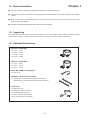
Before Installation...............................................................4
Unpacking...........................................................................4
Optional Accessories...........................................................4
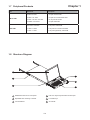
Peripheral Products.............................................................5
Structure Diagram...............................................................5
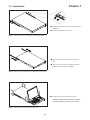
Installation..........................................................................6
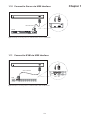
Connect to Server via USB Interface..................................7
Connect to KVM via USB Interface.....................................7
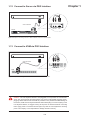
Connect to Server via PS/2 Interface..................................8
Connect to KVM via PS/2 Interface....................................8
Chapter 2 Operation
2.1
2.2
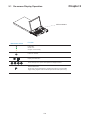
On-screen Display Operation..............................................9
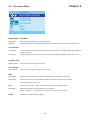
On-screen Menu...............................................................10
Chapter 3 Standard Specification
3.1
3.2
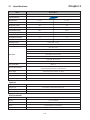
Specifications....................................................................11
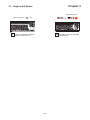
Keyboard & Mouse...........................................................12
Chapter 4 Optional Specification
4.1
4.2
4.3
4.4
4.5
4.6
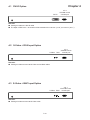
DVI-D Input Option............................................................13
S-Video + RCA Input Option.............................................13
S-Video + BNC Input Option.............................................13
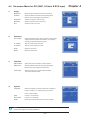
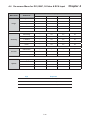
On-screen Menu for DVI, BNC, S-Video & RCA Input ..........
....................................................................................14-15
DC power Options.............................................................16
Touchscreen Options........................................................16
Chapter 5 Troubleshooting..........................................................17
Chapter 6 Dimensions......................................................................18