1
ValueHD Corporation
Contents
Note............................................................................................................................................................................ 3
Supplied Accessories ................................................................................................................................................. 4
Quick Start ................................................................................................................................................................. 5
Features ...................................................................................................................................................................... 8
Product Specification ................................................................................................................................................. 9
Main Unit ................................................................................................................................................................. 12
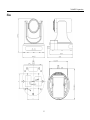
Size........................................................................................................................................................................... 13
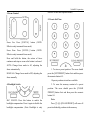
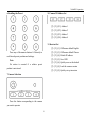
IR Remote Controller Explanation .......................................................................................................................... 14
USE IR Remote Controller ...................................................................................................................................... 17
RS-232 Interface ...................................................................................................................................................... 20
VISCA Network Configuration ............................................................................................................................... 21
Serial Communication Control ................................................................................................................................ 22
VISCA Command List ............................................................................................................................................. 23
Menu Setting ............................................................................................................................................................ 24
Internet connection(Only the network models)........................................................................................................ 29
Maintenance and Troubleshooting ........................................................................................................................... 39
2