1
C E N T A U R U S
P R I M E
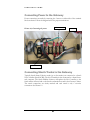
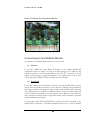
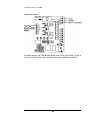
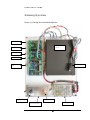
Picture 1.2, Gateway Overview and Identification
+
-
Connecting to the Modbus Master
Connecting to the Modbus Master is done one of two ways:
(1) Ethernet:
If you have ordered the Staefa Smart II Gateway as the standard Modbus/IP
configuration, then it is simple: You plug in an 8-pin Category 5 or 6 cable into the
Ethernet connection on the top right-hand corner of the PC. You must set the IP
address of the Gateway to a static, fixed address, on the segment that you are in. This
is done with the CONFIG.TXT file, described in the next chapter.
(2) Serial Link:
If you have ordered the Staefa Smart II Gateway with the Modbus/RTU protocol
option, then the Modbus connection is made with the CS485 line driver included in
the Gateway cabinet, if the product has been ordered with a Modbus-RTU front-end.
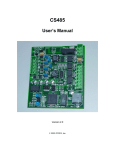
The CS485 line driver is an RS-232 to RS-485 interface converter. It allows an RS-232
device to reliably transmit data over long distances (up to 4000 feet). The CS485 has
many features not normally found in typical line drivers, and is intended for operation
in harsh industrial environments.
You must also modify the BAUD.TXT file to specify the baud rate and parity of the
Modbus/RTU connection. All Centaurus Prime Gateways act as a series of Modbus
4