1
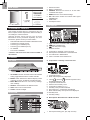
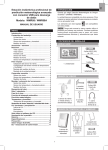
Outdoor wind sensor battery is low
Wind speed level indicator
Wind speed level description
Minimum wind chill is displayed
Wind direction display
EN
2.
3.
4.
5.
6.
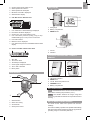
RAIN GAUGE
Base and funnel:
C UVI / Barometer / Rainfall Area
2
1
3
1
2
3
1
4
5
6
1. Rain gauge
2. Battery compartment
3. RESET button
7
1.
2.
3.
4.
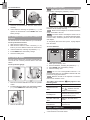
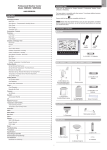
UVI / barometer / rainfall reading is displayed
Past 24hrs rainfall is displayed
Outdoor UV / rain sensor battery is low
UVI / barometric pressure (mmHg, inHg or mb) /
rainfall readings (in or mm) for the current hour
5. UVI level indicator
6. Maximum UV is displayed
7. UVI / barometric pressure / rainfall historical bar chart
display
1
2
D Clock / Calendar / Moon Phase Area
1
3 4
1.
2.
3.
4.
5.
6.
1. Funnel
2. Indicator
2
5
OUTDOOR TEMPERATURE / HUMIDITY
SENSOR
6
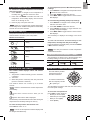
AM / PM
Time zone offset
Timestamp is displayed
Clock signal reception indicator
Time / date / calendar
Moon phase
5
1
2
3
C
F
4
WIND SENSOR
1
1.
2.
3.
4.
5.
2
4
LED status indicator
RESET hole
°C / °F: Select temperature unit
CHANNEL switch
Battery compartment
GETTING STARTED
NOTE Install batteries in the remote sensors before the
base station matching the polarities (+ and -).
NOTE Use alkaline batteries for longer usage and
consumer grade lithium batteries in temperatures below
freezing.
3
1.
2.
3.
4.
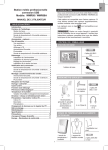
Wind direction
Wind vane casing
Anemometer
Solar power socket
SET UP REMOTE WIND SENSOR
The wind sensor takes wind speed and direction
readings.
The sensor is battery operated. It is capable of transmitting
data to the base station wirelessly within an approximate
operating range of 100 meters (328 feet).
3