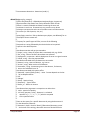
1
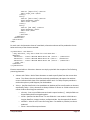
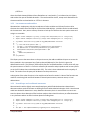
hdr:
time:
altitude:
latitude:
longitude:
sst:
[5x1 struct]
{90x1 cell}
[90x1 double]
[90x1 double]
[90x1 double]
[90x1 double]
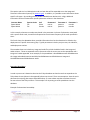
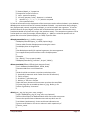
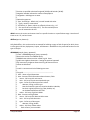
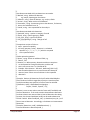
When requesting ERDDAP data, it is currently returned as columnar data regardless of whether the
dataset was produced by GRIDDAP or TABLEDAP. This can be reshaped into matrix format by using the
Matlab dbERDDAPReshape function. Future releases will do this automatically. The user must specify
the number of axes in the dataset:
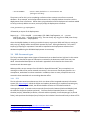
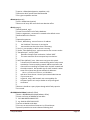
grid4D = dbERDDAPReshape(data, 4)
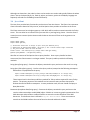
grid4D =
hdr:
time:
altitude:
latitude:
longitude:
sst:
labels:
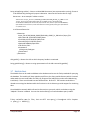
[5x1
{4-D
[4-D
[4-D
[4-D
[4-D
[1x1
struct]
cell}
double]
double]
double]
double]
struct]
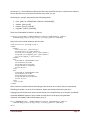
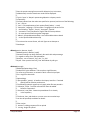
If we wished to see sea surface temperature from the first day, grid4D.sst(1,1,:,:) could be used.
Unfortunately, Matlab remembers that this is the third and fourth dimension of a four dimensional
matrix, and using the data in this format is difficult. The data can be reduced to a standard matrix with
the squeeze command:
squeeze(grid4D.sst(1,1,:,:))
which removes singleton dimensions.
3.5 XQuery
XQuery is a language used to query XML databases. Walmsley’s (2006) book on XQuery provides an
excellent and complete introduction to XQuery and is recommend reading for people who wish to
become experts in XQuery. Many useful queries can be performed using the Matlab client with no
knowledge of XQuery whatsoever. However, for users who wish to create complicated custom queries,
investing the time to learn XQuery will be beneficial. Our goal in this section is to provide a gentle and
incomplete introduction to XQuery, deferring advanced materials to other sources such as Walmsley’s
book.
3.5.1 Our first query
It is helpful to run queries interactively when designing them, and the Matlab interface provides a good
way to do this. The Matlab client is described in section 3.7, and the Matlab function dbRunQueryFile()
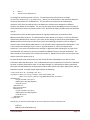
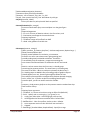
is particularly helpful. We begin with a query to find all deployments where effort has been put into
finding Pacific white-sided dolphin clicks:
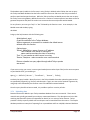
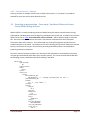
import schema namespace ty="http://tethys.sdsu.edu/schema/1.0" at "tethys.xsd";
Tethys Metadata
Page 32